-
Posts
450 -
Joined
-
Last visited
-
Days Won
26
Content Type
Profiles
Warranty Claims
Downloads
Forums
Store
Services
Downloads Plus Support
DOWNLOADS EXTRA
Reels
Everything posted by UserLeftRust
-
yeah im pretty sure for sharks it will be the same as how i used to do player corpse... think i need to spawn it live then kill it
-
Version 1.0.0
779 downloads
Fancy a bit of Centralized Banning without paying for RustAdmin or similar. What is Centralized banning? Centralized banning is the ability to ban a player on one server and have that ban logged across all of your servers. If you have a web server that runs php and mysql you can easily set it up. This is literally a simplified version of the RustyBan Centralized banning system for use with the server end point system. Installation is easy: Setup a sql user, database and API table. (my sql rip is at the bottom) Edit the Database.php file in API/config folder with your Database name, User and password. Drop the API files into your webserver drop the CentralBan.cs plugin into all your servers. Set the API URL in the oxide config file and run the CentralFirstRun command in console. then set your server.bansserverendpoint as your check.php?steamId= address Done! confused? Watch my video SQL CREATE TABLE `API` ( `id` int(11) NOT NULL, `steamId` varchar(17) NOT NULL, `Reason` text NOT NULL, `expiryDate` timestamp NOT NULL DEFAULT current_timestamp() ON UPDATE current_timestamp() ) ENGINE=MyISAM DEFAULT CHARSET=latin1; ALTER TABLE `API` ADD PRIMARY KEY (`id`); ALTER TABLE `API` MODIFY `id` int(11) NOT NULL AUTO_INCREMENT; COMMIT;Free -

Looking for a developer to help me customize player respawning.
UserLeftRust replied to Azmo's topic in Requests
I would have to have a look into it..should imagine its not much work to be fair -
Looking for a developer to help me customize player respawning.
UserLeftRust replied to Azmo's topic in Requests
Think thats already a thing..... oooor @Death was that on your server? -
Looking for a developer to help me customize player respawning.
UserLeftRust replied to Azmo's topic in Requests
In what way? -
Probably picked up a server dropped pook. Think I will have to tighten up the plugin a little bit more
-
3:25am going to bed.... also i just tried some sharks.... either i broke it or it hates it
-
all the time? that timer is to kill the pook and for sharks there would need to be a few changes.... hang on ill look
-
perm pookidrop.troller /pookfall <target> <amount> e.g /pookfall "mike hawke" 100 or /pookfall mike 100 use quotations for separated names pookiedrop.cs
-
but thats the best bit
-
so... theres.... or
-
i think i hate myself!
-
Should be do able. would have to use the drop function over a spawn function..... i'll have to have a play
-
(1).thumb.png.808a3fccbcd4a28de5d7f511832a1442.png) you should use the in game item with /getruster. /launchruster is more for use with menus... like phonecore... hint hint
you should use the in game item with /getruster. /launchruster is more for use with menus... like phonecore... hint hint -

Version 1.0.0
2,211 downloads
Very basic admin tool. Set a location on the map (right click) and be instantly teleported. user will be teleported to ground level at location, so you may end up inside a base or monument. Command /tpm to enable or disable the function Permission Either player is admin or TPMarker.use to be able to use the functionFree- 9 comments
- 2 reviews
-
- 4
-

-
- #admintool
- #teleport
- (and 5 more)
-
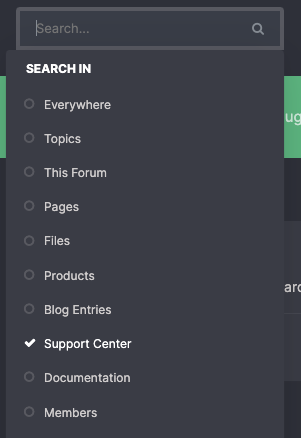
click the main search bar, click "more options" select support centre

-
Got everything running okay mate?
-
Changed Status from Work in Progress to Closed
-
or join my discord group https://discord.gg/cwQymhqeqK
-
message me on discord MikeHawke#9148 and lets sort it.
-

Version 1.0.1
473 downloads
If your moving server and still have the old one for a little bit then why not let players know you've shifted. Moved displays a simple line of text when a player attempts to connect to the server. Configuration config is easy, just a simple line of text. { "Text": "We Have Moved. Use F1 type connect IP:PORT and hit enter" }Free -
Update: Just need to do some artwork bits and clean up a few silly bits... should have the plugin out this time tomorrow
-
 @Solarix Done
 -
Oh yeah that’s a point!
-
 are you sending something like "notify.show 0 "loads of text here"" ? if thats the case try something like "notify.show 0 /"loads of text here/""