

The_Kiiiing
-
Posts
2,678 -
Joined
-
Last visited
-
Days Won
32
Content Type
Profiles
Warranty Claims
Downloads
Forums
Store
Services
Downloads Plus Support
DOWNLOADS EXTRA
Reels
Everything posted by The_Kiiiing
-
working on a fix
-
Changed Status from Pending to Not a Bug
-
The plugin logs every added item that has been added in the console. Please double check your logs. If there are no new items there will be no logs.
-
 This problem has been fixed with the latest update
 -
Changed Status from Pending to Fixed Changed Fixed In to 1.1.3
-
I fixed it with the latest update
-
Are you sure this error is from FlyingCargoShip and not from AirEvent? The logged error comes from the AirEvent plugin, also the current version of flying cargo does not spawn any hot air balloons, only pumpkins.
-
Thanks for your detailed report, I'm gonna release a fix asap.
-

Finding insane multiplied amount of items in crates
The_Kiiiing replied to Brad Copp's Support Report in Support
Changed Status from Pending to Not a Bug -
Finding insane multiplied amount of items in crates
The_Kiiiing replied to Brad Copp's Support Report in Support
no worries -
Finding insane multiplied amount of items in crates
The_Kiiiing replied to Brad Copp's Support Report in Support
This is almost certainly caused by another plugin. You can test if it is caused by Loottable: Give yourself the permission `loottable.test`, then when you open a crate, a refresh button will appear below the loot. If the refreshed loot is still incorrect, then it is caused by the Loottable plugin. If the loot is correct, then it's another plugin -
Finding insane multiplied amount of items in crates
The_Kiiiing replied to Brad Copp's Support Report in Support
What other plugins do you have on the server? Are you using json based loot configs? -
Changed Status from Pending to Not a Bug
-
Some crates in the actic base are from under water labs. You have to change the loot for these crates
-
I'm gonna have a look at it
-
 This is probably caused by the fog, you can disable it in the config.
 -
Disable fog in the config if you experience issues with day/night time. This might also be caused by the admintime command in case you use that
-
The halloween plugin does not use scarecrow npcs, it only uses npc spawn which uses regular scientists This is probably caused by another plugin or a problem with the vanilla halloween dungeons
-
Version 1.0.1
16 downloads
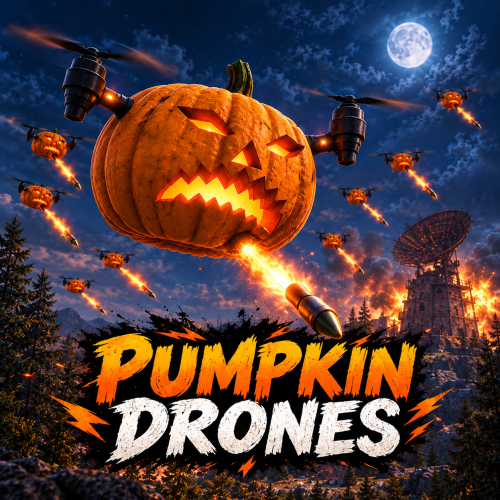
Halloween monument event Pumpkin drones take over your monuments A swarm of drones, each carrying a glowing jack o' lantern, settles over a random monument and patrols it until the timer runs out. Shoot them down and every drone drops a bag of Halloween loot. Not every swarm is peaceful though — some only fight back when attacked, others fire pumpkin rockets at anyone who comes near. Every event is announced, marked on the map and shown on screen, and nothing else needs to be installed. 23 Monuments preconfigured 3 Swarm modes, from harmless to hostile 6 Optional plugin integrations 0 Required dependencies ✓ A different monument every event — 23 preconfigured, your own positions on top ✓ Friendly, neutral or hostile — every swarm rolls a mode, weighted the way you want ✓ Pumpkin rockets — dangerous, but never more than three drones on one player ✓ A loot bag from every drone — Halloween loot out of the box, your own table or a Loottable preset ✓ Impossible to miss — announced in chat, as a toast or through Notify, and marked on the map Features A Halloween event that runs itself Install it and the swarms start showing up on their own. Everything that shapes the event for your players can be changed in the config. Friendly, neutral or hostile Every swarm rolls a mode. Friendly drones never attack, neutral drones only shoot back at players who attack them, and hostile drones fire at everyone in the zone. You decide how often each mode shows up — and the mode is part of every announcement, so nobody walks in unprepared. Hard, but fair Attacking drones fire pumpkin rockets that burst into flames on impact. No more than three drones target the same player, and drones need a clear shot, so cover works. Rocket damage, range and fire rate are yours to tune. 23 monuments, ready to go From Launch Site with 40 drones down to a gas station with 10, every monument comes sized and configured. Switch off the ones you don't want and add your own locations — custom monuments, arenas, event islands — by position. Everyone knows where to go Each swarm is announced with its monument and grid square — in chat, as a toast or through Notify. A map marker and an on-screen counter show the swarm's mode, the drones left and the time remaining. Set it and forget it Choose how often swarms appear, how long they stay and how many players need to be online. Or switch the schedule off and start swarms by command only — at a monument of your choice and in the mode you want. Compatibility Plays well with the rest of your server ✓ No required dependencies — every integration below is optional ✓ TruePVE — players can shoot the drones and pumpkin rockets can hit players on PvE servers ✓ EventOwner — drones and loot bags are registered, its ownership rules apply to every hit ✓ Loottable, Notify, Economics and ServerRewards — loot presets, notifications and kill rewards ✓ Nothing left behind — drones are never saved, and unloading the plugin removes the swarm instantly ✓ Drones and pumpkins can't be picked up or looted — the only loot is the bag they drop ✓ No cost between events — damage and loot hooks are only active while a swarm is out Commands & permissions One command for the whole event Works in chat with a leading slash and in the server console. Mode, location, drone count and radius are all optional. pumpkindrones start [mode] Start an event at a random monument. Mode is friendly, neutral or hostile — random if left out pumpkindrones start [mode] <name> Start at a monument matching the name, e.g. harbor or launch site pumpkindrones start [mode] here [drones] [radius] Start at your own position pumpkindrones stop End the current event pumpkindrones monuments List every monument on the current map and whether it's configured Permission pumpkindrones.admin — required for all commands above For developers Hooks void OnPumpkinDronesStart(Vector3 position, string mode) A swarm has spawned. Mode is Friendly, Neutral or Hostile void OnPumpkinDronesEnd() The event has ended and the swarm is gone void OnPumpkinDroneKilled(Drone drone, BasePlayer killer) A drone was shot down. The killer can be null Questions Before you buy Will the drones wipe out my players? Only if you want them to. Friendly swarms never attack and neutral swarms only shoot back. When drones do attack, no more than three target the same player, they need line of sight, and damage, range and fire rate are all yours to set. Which monuments does it use? Any enabled monument from the list that exists on the current map, picked at random and never the same one twice in a row. Monuments a map doesn't have are skipped. Run pumpkindrones monuments to see every monument on your map and add the ones you're missing. Does it work on custom maps? Yes. Vanilla monuments on a custom map are found like on a procedural one, and custom monuments can be added as custom locations by world position. Can I only run it when I want to? Set the time between events to -1 and swarms only appear when you start them with the command. Does it work on PvE servers? Yes. With TruePVE, players can shoot the drones and drone rockets can damage players. If EventOwner is installed, it decides who is allowed to shoot the drones. How heavy is it on the server? Each drone makes one decision per second, and the damage and loot hooks are only active while an event is running. Drone counts are set per monument, so you decide how many entities a swarm adds.$21.00- 1 review
-
- 1
-

-
- #pumpkin
- #halloween
- (and 5 more)
-
Changed Status from Pending to Not a Bug
-
You can find / narrow down the plugin list by running this command inside the plugin folder to find plugins with a possible conflict Linux: grep -R "EventController" . Windows cmd findstr /S /P /C:"EventController" *
-
 There will be a fix in the next update
 -
how to add my event plugins to the ui
The_Kiiiing replied to The Coffee Guy's Support Report in Support
Changed Status from Pending to Not a Bug -
how to add my event plugins to the ui
The_Kiiiing replied to The Coffee Guy's Support Report in Support
The plugin only provides an API for other developers to use. If you want a specific plugin to show up there, ask the developer of that plugin to add support for the Loottable plugin -
 The plugin is fully updated and also works with the AutoFarm plugin By default you can not find hemp in these biomes, but you can use planter boxes to grow it there.

