
Works with
Optional integrations and compatible files.
About Update Checker
Find the listings for installed plugins and track version changes in-game, in the server console or in a Discord message.
Thirteen marketplaces, and any new one it meets. uMod, Codefling, Lone.Design, Chaos, RustWorkshop, GitHub, ModPulse, RustPlugins, ServerArmour, ImperialPlugins, MyVector, SkyPlugins and Game4Freak are searched out of the box, each one switchable. If a store shows up that isn't in your config yet, it's added automatically.
Disabled plugins count as plugins. A .cs file that isn't loaded is opened and read directly — name, author and version come out of the file itself, for Oxide, Carbon and Covalence plugins alike. The one you disabled "until it's fixed" still gets told when the fix ships.
Matching that survives renames. A plugin is matched by author and name first, then by store name, page slug and tags — because the file is called NPCShop and the page says "NPC Shop". When a guess is still wrong, paste the correct URL once and it's pinned there for good.
Version numbers that aren't version numbers. Authors write v2.1, 1.0.4b or just 3. All of it is parsed down to something comparable instead of being reported as an update every single hour.
One message that keeps itself current. Give it a message id and every check edits that same message instead of posting a new one. Hourly checks stop being hourly noise, and the channel becomes a board anyone can glance at.
Grouped by store, with the version jump and a link. Each line reads [Codefling] NPCShop 2.11.5 → 2.11.6 with the version linking straight to the page, under a timestamp in your own timezone and 12- or 24-hour format. Links can be turned off if you'd rather keep it plain.
Green when there's nothing to do. "All plugins are up to date" arrives with a green bar; anything else uses the accent colour you set. Don't want the good news at all? One switch and it only speaks up when something is behind.
Test it before you trust it. One chat command fires a test message through the webhook, and a broken hook or a wrong message id is reported in console in plain words rather than failing silently.
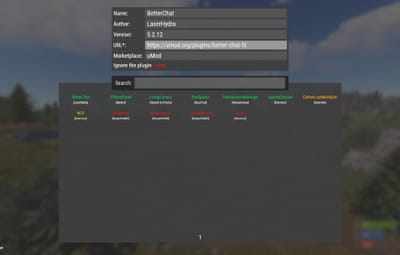
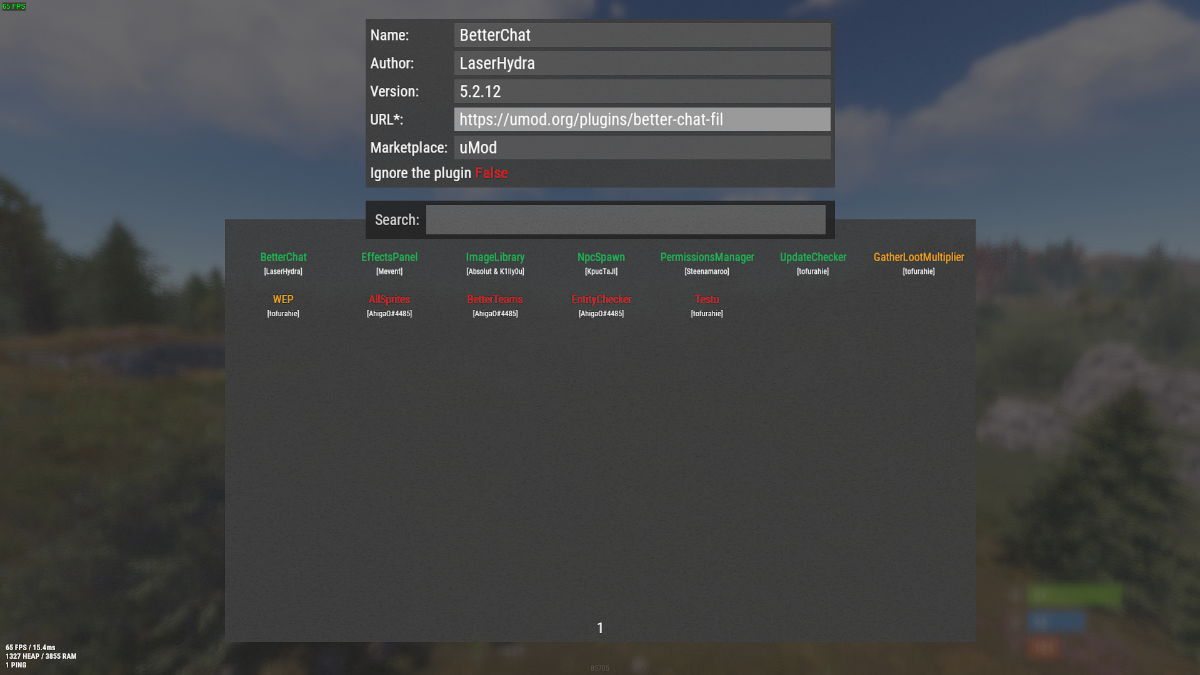
Colour tells you the state at a glance. Green for matched to a store page, red for not found anywhere, orange for deliberately ignored. Unmatched plugins are sorted to where you'll see them.
Search, then fix. Type part of a name or an author to filter. Click a plugin and you get its author, version, detected store and URL — the URL being an editable field, so a wrong match is a paste away from correct.
Ignore what shouldn't be checked. Private commissions and your own code never have a store page. One toggle drops them out of the checks and out of the report, without deleting anything.
List first, act second. One console command prints every orphaned config by name. Nothing is touched until you run the second one.
Moved, never deleted. Cleanup relocates the files into a backup folder inside your config directory. Reinstall the plugin next week and its settings are still there, one move away.
Private plugins and wrong matches. Ignore an individual plugin or hide the not-found section. In the plugin browser, open a mismatched plugin and paste its correct marketplace URL.
Checking interval. Checks run hourly by default. Set a different interval in the configuration or disable the check on startup.
Open the plugin browser
Send a test message to your Discord webhook
Server console — run a check now instead of waiting for the timer
Server console — list config files with no plugin behind them
Server console — move those files to the backup folder
Open the plugin browser.
Hook called with the plugin name, current and latest version, URL and marketplace.
Click Get Support on this page to open a support request. Let me know what you need help with or what you’d like me to add.