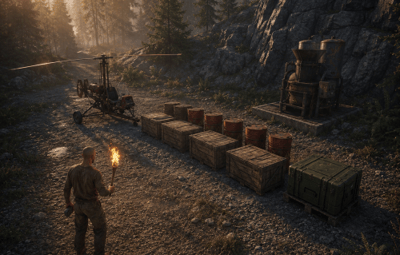
Put anything anywhere — and decide where players land
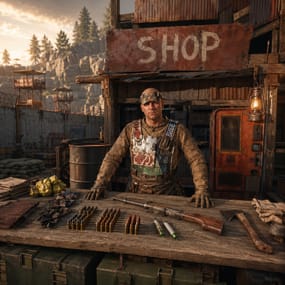
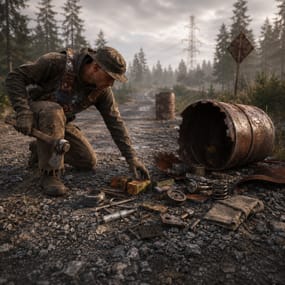
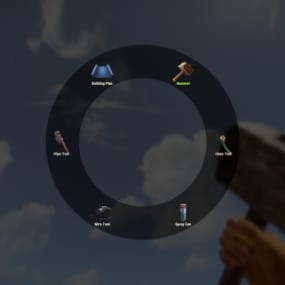
Adding one crate to a spot your players actually visit normally means a map editor and a wipe. Moving new arrivals off the beach means another plugin entirely. This does both from a menu you open in game: walk to a place, look where you want it, click. Barrels, crates, recyclers, scientists, vehicles, player spawns, and a named respawn menu on the death screen.
|
35
Templates ready to place
|
3
Separate systems in one plugin
|
|
|
60
Second default respawn, set per point
|
0
Dependencies
|
|
| ✓ |
Position and rotation from where you stand — walk there, look at it, one click, no coordinates typed by hand |
| ✓ |
Every point refills itself — its own timer, and the plugin only restarts the clock once the entity is actually gone |
| ✓ |
Item shortnames work too — the same field that spawns a crate can drop an item instead |
| ✓ |
A named respawn menu on the death screen — your spawn points listed as real choices, not a random roll |
| ✓ |
Nothing is baked into the map — unload the plugin and every prop and menu entry it created goes with it |
Loot and props where the map forgot to put them
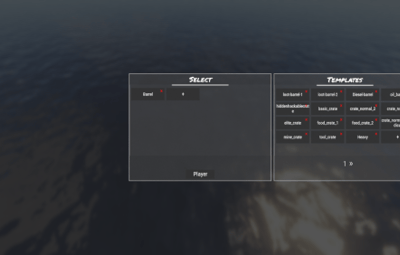
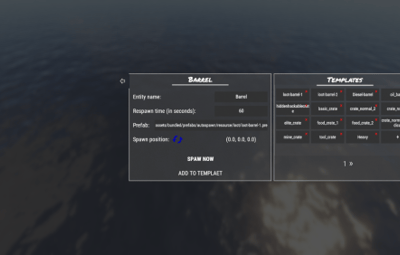
A spawn point is four things: a name, a prefab, a respawn time, and a place. The menu asks for exactly those and nothing else.
Thirty-five templates, one click each
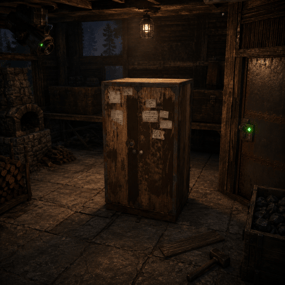
Loot and diesel barrels, the full crate range including the invisible lootables, a hackable crate, a recycler, five kinds of scientist, a scarecrow, a murderer, minicopter, scrap heli, two cars, a camper and a snowmobile. Pick one and you are already editing a live spawn point.
Or any prefab you can name
The prefab field takes a full asset path, and it is checked the moment you submit it — a typo is refused with a message instead of quietly creating a spawn point that never fires. Type an item shortname instead and the point drops that item on the ground on its timer, which is the cheapest custom loot spawner there is.
Placed by standing there
Position comes from your feet and rotation from where your head is pointing, so a car faces down the road and a crate sits against the wall you were looking at. Spawn now puts it in front of you immediately if you want to check before committing.
Refill timers that wait for the loot to go
Each point watches its own entity and only starts counting once it is destroyed — a crate nobody has opened is never duplicated. Sixty seconds by default, any number you like per point.
Your own setups become templates
Tuned a crate with the right prefab and timer? Save it back into the template list and the next twenty go down in one click each. The shipped list is editable too — delete the ones you never use.
Off the beach, onto a spot you chose
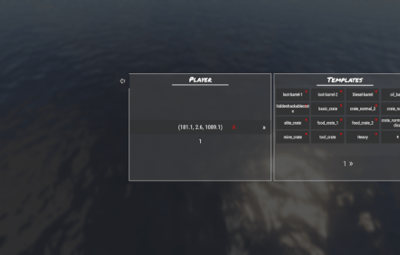
Rust drops arrivals on a random shoreline. Name a handful of places instead and every fresh spawn uses one of them.
Named points, added where you stand
One command or one button drops a point at your feet, and you can rename it in the menu — the name is what players will see later on the death screen, so call it what the place is.
A separate spot for first-timers
Point brand-new arrivals at one fixed location — a spawn town, a tutorial hut, a welcome sign. It fires once per player per wipe, tracked in the plugin's own data, and the list resets itself when it sees a fresh save.
Stop two people landing on each other
Points are reusable straight away by default. Turn that off and a point is held by whoever used it until they walk out of its radius, so a spawn rush spreads across your locations instead of stacking on one.
No hostility timer on arrival
Optionally clear the hostile flag as the player spawns, so somebody who died hostile can walk straight into safe zones. Worth having on if your spawn point is anywhere near an outpost.
Let them pick where they come back
Switch this on and your spawn points appear in the vanilla death screen alongside the player's own bags — by name, with their own cooldowns. No custom interface to learn, because it is the one they already use.
Regions, not just pins
Group points into a named category and the menu shows one entry for the whole area. Choosing it puts the player at a random point inside it, so “North forest” is a place to come back to rather than an exact tile campers can sit on.
They don't eat the bag limit
The server's sleeping bag cap is raised by exactly the number of points you added while the plugin runs, and set back to your original value when it unloads. Nobody loses a bag slot to a menu entry.
Players can't break them
Destroy attempts on a menu entry are refused, they are network-hidden so nobody finds a bag lying in a field, and each one carries its own reuse cooldown — sixty seconds by default — so a chosen spawn isn't an unlimited teleport.
Reversible by design
| ✓ |
Unload removes everything it made — every spawned prop is killed, every menu entry is deleted and the bag limit is restored to the number you had before |
| ✓ |
Menu entries never enter your save — they are created unsaveable, so they cannot pile up in the map file across restarts |
| ✓ |
Entity points live in a data file — written on every server save, so your placements survive a config reset |
| ✓ |
Editing a point rebuilds it live — change a prefab or a timer and the old spawner is torn down and replaced without a reload |
| ✓ |
No dependencies — nothing to install alongside it, no image or NPC framework required |
Three admin commands, none for players
All three are gated on admin. There are no permissions to hand out — players interact with the plugin only through the death screen.
| /spsetup |
Open the editor — templates, entity points and player points |
| /newplayerpos |
Add a player spawn point at your feet without opening the menu |
| /spcategory |
Add your position to a named region — /spcategory North forest. Run it in several places to build the area up |
Before you buy
Can I make every new player spawn in one single place?
Yes, two ways. Add exactly one player spawn point and every fresh spawn uses it, or leave several points and set the first-connection location separately — that one fires only on a player's very first join of the wipe, and everything after that uses the normal list.
Can I give VIPs their own spawn points?
No. The plugin registers no permissions — spawn points and respawn menu entries are the same for everyone on the server.
I added points and players still land on the beach.
The plugin hands Rust a point only when it has one to give, and falls back to vanilla otherwise. Two things cause that: the auto-wipe option is on and cleared your list when the save rolled over, or you switched off reusable points and every one of them is currently held by a player standing on it. Check the config still lists your positions first.
Does it need Image Library or any other plugin?
No. It references nothing and calls into nothing — drop the file in and it runs.
Can I spawn something that isn't in the template list?
Yes — paste any prefab path into the field and it is validated on the spot. An item shortname works in the same field and drops that item instead of spawning an entity.
Do my placements survive a wipe?
Entity spawn points live in the data file and are kept. Player spawn points live in the config and are kept too — unless you deliberately switch on the auto-wipe option, which clears them whenever the plugin sees a fresh save.
What happens to everything if I unload the plugin?
It cleans up after itself: spawned entities are killed, respawn menu entries are removed, the sleeping bag limit goes back to your original number and the open editor closes. Your points stay on disk, so loading it again puts everything back.