Works with
Optional integrations and compatible files.

About Manage Zone
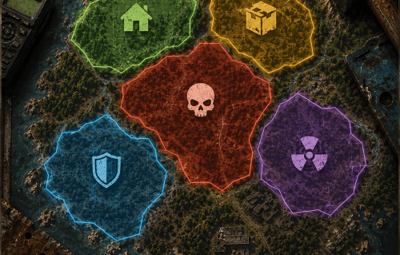
A safe area at the trader, an arena with damage on, a poisoned crater that drains health: you make each one in game, watch it as a sphere around you, and drag the radius until it fits. Other plugins read the same zones through a ZoneManager compatible API, so your event plugin knows exactly when a player walks in.
|
28
API methods
|
7
Zone hooks
|
|
|
11
Chat commands
|
0
Dependencies
|
| ✓ | Resize a zone while looking at it — the sphere follows every step you take |
| ✓ | Three ready templates — safe, arena and event, one click each |
| ✓ | Six effects inside a zone — healing, damage, radiation, speed, warmth, full stomach |
| ✓ | Drop in for ZoneManager — same hook and method names, plugins work as they are |
| ✓ | Nothing to edit by hand — menu, chat commands and live preview, config stays untouched |
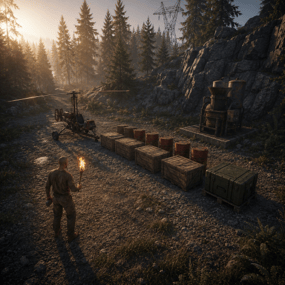
Walk to the spot, type one command or press one button, and the zone exists. No coordinates typed by hand, no server restart, no guessing what a radius of eighty actually covers.
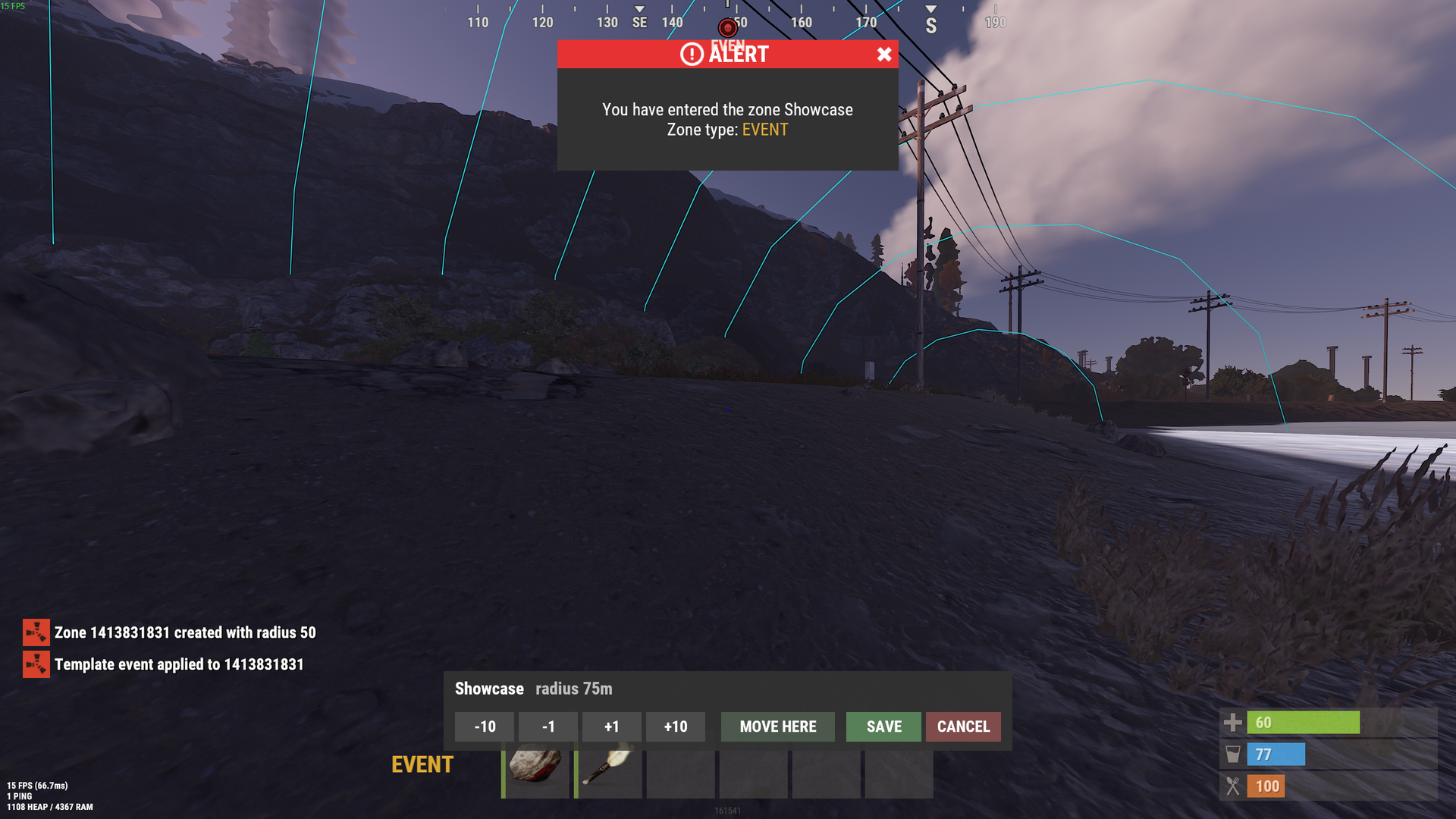
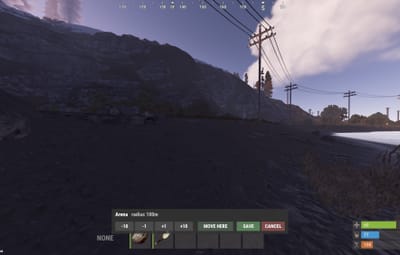
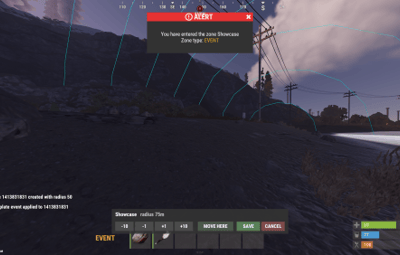
The zone drawn around you while you change its radius, with the enter message players see
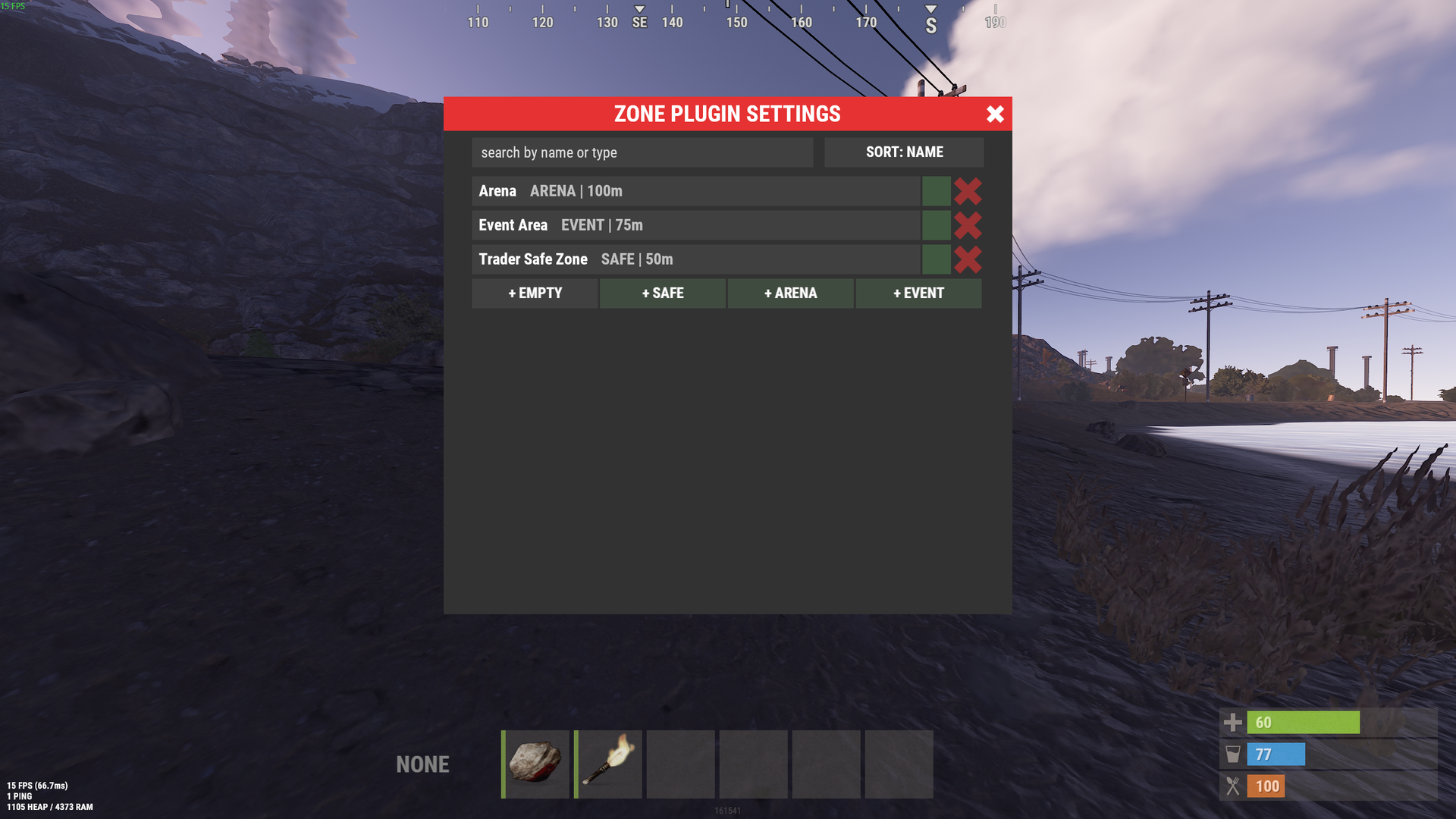
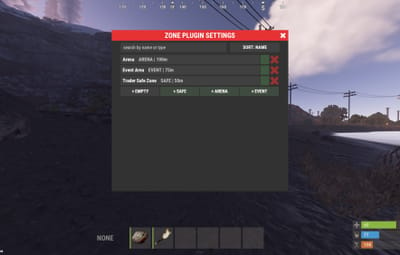
Every zone with its type and size, search, sorting and a teleport button on each row
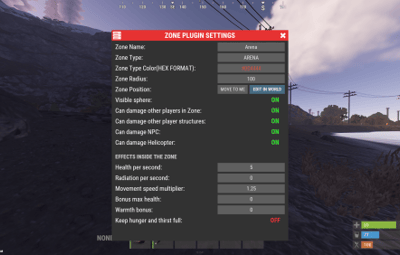
Each zone decides who may hurt whom, and what happens to everyone standing in it. Both parts are switches in the same screen, applied the moment you press them.
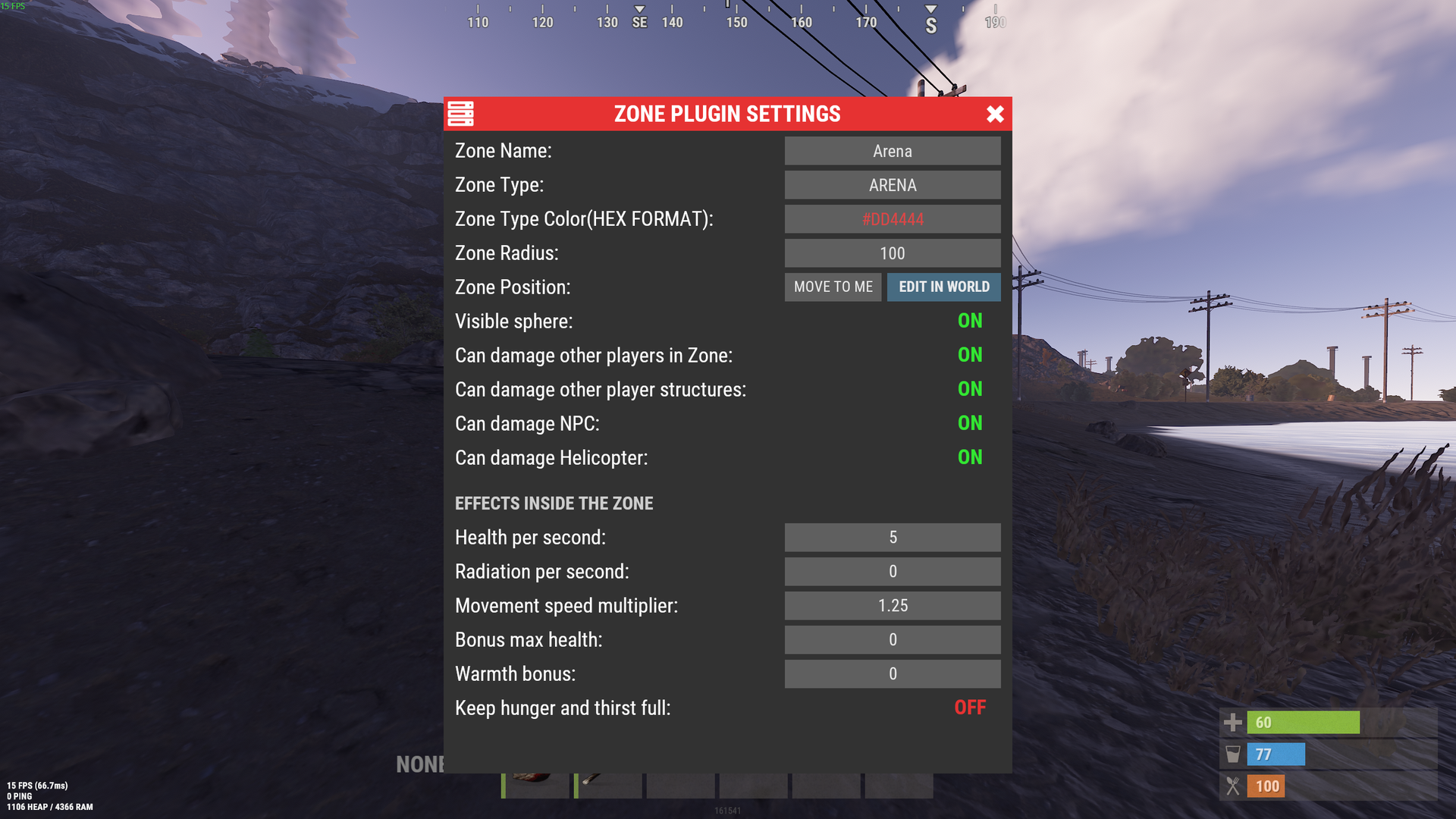
One screen per zone: damage rules on top, effects underneath, applied the moment you press them
Hooks and methods carry the names ZoneManager uses, so a plugin written for it works here without waiting for its author. Zones are addressed by a readable id you choose, for example event_arena, instead of a random number.
Every id that crosses the API is a string: the readable id from the zone field Zone ID for other plugins, or the zone number when that field is empty. Both forms are accepted by every method.
| OnEnterZone |
(string zoneId, BasePlayer player) A real player walked in. |
| OnExitZone |
(string zoneId, BasePlayer player) And walked out. |
| OnEntityEnterZone |
(string zoneId, BaseEntity entity) An NPC, a vehicle or a dropped item entered. Players never come through here. |
| OnEntityExitZone |
(string zoneId, BaseEntity entity) It left. |
| OnZoneCreated |
(string zoneId) A zone was made, from the menu or through the API. |
| OnZoneUpdated |
(string zoneId) A field or a flag changed. Editing never fires fake enter and exit events. |
| OnZoneErased |
(string zoneId) The zone is gone. |
| GetZoneIDs |
() → string[] Every zone id. GetZoneIDsNoAlloc(List<string> list) fills your own list instead of allocating. |
| CheckZoneID |
(string zoneId) → object The id of the zone when it exists, null otherwise. The cheapest way to test an id. |
| GetZoneName |
(string zoneId) → object The name, null when there is no such zone. |
| GetZoneType |
(string zoneId) → object The type label, null when there is no such zone. |
| GetZoneRadius |
(string zoneId) → object Radius in metres as a float, null when there is no such zone. |
| GetZoneLocation |
(string zoneId) → Vector3 Centre of the zone, Vector3.zero when it does not exist. |
| ZoneFieldList |
(string zoneId) → Dictionary<string, string> Every field of the zone as text: ID, name, type, color, radius, location, visible and the flags. Null when there is no such zone. |
| ZoneFieldListRaw |
() → List<string> The names of the fields and flags a zone has, for building your own editor. |
| IsPositionInZone |
(string zoneId, Vector3 position) → bool Is the point inside that zone. |
| IsPositionInAnyZone |
(Vector3 position) → bool Is the point inside any zone at all. |
| GetZonesAtPosition |
(Vector3 position, List<string> results) Adds the id of every zone covering the point to your list. |
| GetPlayersInZone |
(string zoneId) → List<BasePlayer> Players inside right now, as a fresh list. GetPlayersInZoneNoAlloc(string zoneId, List<BasePlayer> list) fills yours. |
| GetEntitiesInZone |
(string zoneId) → List<BaseEntity> NPCs, vehicles and dropped items inside. GetEntitiesInZoneNoAlloc(string zoneId, List<BaseEntity> list) fills yours. |
| IsPlayerInZone |
(string zoneId, BasePlayer player) → bool Is the player inside right now. |
| IsEntityInZone |
(string zoneId, BaseEntity entity) → bool Is the entity inside right now. |
| GetPlayerZoneIDs |
(BasePlayer player) → string[] Every zone the player is standing in. |
| GetEntityZoneIDs |
(BaseEntity entity) → string[] Every zone the entity is in. |
Flag names are candamageplayers, candamagestructures, candamagenpc, candamagehelicopter and visible. Case does not matter. An unknown name writes a warning to the console and reads as false.
| HasFlag |
(string zoneId, string flag) → bool Is the flag on for that zone. |
| PositionHasFlag |
(Vector3 position, string flag) → bool True when any zone covering the point has the flag on. |
| PlayerHasFlag |
(BasePlayer player, string flag) → bool True when any zone the player stands in has the flag on. |
| AddFlag |
(string zoneId, string flag) → bool Turns the flag on, saves a permanent zone to the config and fires OnZoneUpdated. |
| RemoveFlag |
(string zoneId, string flag) → bool Turns it off the same way. |
args is a flat list of field and value pairs: name, type, color, radius, visible and any of the flags. Booleans take true, false, 1 or 0. An unknown field or a radius that is not a number is skipped with a warning, the rest of the call still applies.
| CreateOrUpdateZone |
(string zoneId, string[] args, Vector3 position = default) → bool Creates the zone when the id is new and updates it otherwise, then writes it to the config. A readable id becomes the zone id other plugins see, a number becomes its zone number. The position moves the centre when given. |
| CreateOrUpdateTemporaryZone |
(Plugin owner, string zoneId, string[] args, Vector3 position = default) → bool The same zone, but it lives in memory only: never written to the config and erased the moment the owner plugin unloads. Another plugin cannot update it, the call returns false. |
| EraseZone |
(string zoneId) → bool Deletes the zone, false when there is none. |
| ✓ | Zones survive restarts and plugin reloads, and everyone standing inside is picked up again |
| ✓ | Unloading removes every dome, marker and interface, leaving the map vanilla |
| ✓ | Editing a zone does not fire fake enter and exit events at the plugins listening to it |
| ✓ | The menu is behind a permission, so a random player cannot delete your safe zone |
| ✓ | Detects TruePVE and steps aside instead of fighting it over damage |
| ✓ | Works on Oxide and Carbon, no dependencies |
| /zm | Open the zone menu |
| /zm create <name> [radius] | New zone where you stand |
| /zm edit <zone> | Resize and move it in the world |
| /zm radius <zone> <value> | Set the radius by number |
| /zm move <zone> | Move the centre to you |
| /zm copy <zone> [name] | Copy it to your position |
| /zm apply <zone> <template> | Put a template on a zone |
| /zm templates | List the presets |
| /zm list | All zones with size and headcount |
| /zm here | Which zones cover your position |
| /zm tp <zone> | Teleport to a zone |
| /zm remove <zone> | Delete it |
A zone is addressed by its number, by the readable id you gave it for other plugins, or simply by its name.
| managezone.use | Opens the menu and the commands, admins have it by default |
Will my plugin that needs ZoneManager work with this?
If it talks to zones through the usual hooks and methods, yes. The names are the same, so pointing it at ManageZone is enough. Only zones you create here exist, ZoneManager data is not imported.
Do I need TruePVE or anything else?
No. The plugin has no dependencies. If TruePVE is installed, ManageZone leaves damage decisions to it instead of overriding them.
Are the zones round only?
Yes, a zone is a sphere with a centre and a radius. Overlapping zones are handled correctly, so a large area with a smaller one inside works.
What happens if I remove the plugin?
Domes, map markers and the interface go away with it and the map is vanilla again. Your zones stay in the config, so putting the plugin back restores them.
Can a moderator manage zones without full admin rights?
Yes, grant managezone.use to the group and the menu opens for them.
Does it work on Carbon?
Yes, the same file runs on Oxide and Carbon.