
Xenia87's Wishlist
-
$1.99
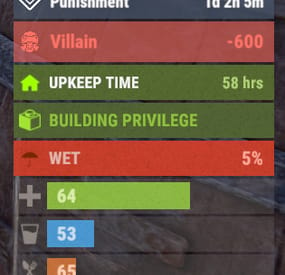
Advanced Status
A useful API plugin that mimics in-game status bars and allows the addition of custom ones.
Note: AdvancedStatus does not display any bars on its own. This is done by other plugins that work with it.
An example plugin demonstrating interaction with AdvancedStatus.
The ability to specify the frequency of calculating the number of bars; The ability to specify the order of the bar; The ability to change the height of the bar; The abillity to customize the color and transparency of the background; The ability to set a material for the background; The ability to switch between CuiRawImageComponent and CuiImageComponent for the image; The ability to get images from the local folder(*SERVER*\oxide\data\AdvancedStatus\Images); The abillity to set own image and customize the color and transparency of the image; The abillity to set sprite instead of the image; The ability to specify custom text; The ability to customize the color, size and font of the text; No need to pass all parameters; No need to manually delete your bar when unloading your plugin.
advancedstatus.admin - Grants access to the chat command(by default /bar).
{ "Chat command": "bar", "Is it worth enabling console notifications for the successful loading of local images?": false, "Interval(in seconds) for counting in-game status bars": 0.5, "Interval(in seconds) for counting Building Privileges status bars. Note: Calculating Building Privileges is resource-intensive": 1.0, "Is it worth counting Vehicle Privilege? Useful if you don't have a Tugboat or PlayerBoat": true, "Is it worth counting Entity Privilege? Useful if you don't have a Legacy Shelter": true, "Ui layer for displaying bars. For button bars, it is recommended to use the 'Hud' layer(https://umod.org/guides/rust/basic-concepts-of-gui#layers)": "Under", "Is it worth displaying bar components left to right?": true, "Vertical spacing between bars": 2, "The height of the bar by default": 26, "The background color of the bar by default": "#505F75", "The background transparency of the bar by default": 0.7, "The background material of the bar by default, leave empty to disable": "", "The image of the bar by default": "AdvancedStatus_Default", "The color of the bar image by default": "#6B7E95", "The transparency of the bar image by default": 1.0, "The outline color of the bar image by default": "#000000", "The outline transparency of the bar image by default": 1.0, "The outline distance of the bar image by default. Example '0.75 0.75'": "", "The size of the bar text by default": 12, "The color of the bar text by default": "#FFFFFF", "The transparency of the bar text by default": 1.0, "The font of the bar text by default(https://umod.org/guides/rust/basic-concepts-of-gui#fonts)": "RobotoCondensed-Bold.ttf", "The horizontal offset of the bar text by default": 0, "The outline color of the bar text by default": "#000000", "The outline transparency of the bar text by default": 1.0, "The outline distance of the bar text by default": "", "The size of the bar subtext by default": 12, "The color of the bar subtext by default": "#FFFFFF", "The transparency of the bar subtext by default": 1.0, "The font of the bar subtext by default": "RobotoCondensed-Bold.ttf", "The outline color of the bar subtext by default": "#000000", "The outline transparency of the bar subtext by default": 1.0, "The outline distance of the bar subtext by default": "", "The color of the bar progress by default": "#89B840", "The transparency of the bar progress by default": 0.7, "The OffsetMin of the bar progress by default": "25 2.5", "The OffsetMax of the bar progress by default": "-3.5 -3.5", "Version": { "Major": 0, "Minor": 1, "Patch": 25 } }
EN: { "MsgDays": "d", "MsgHours": "h", "MsgMinutes": "m", "MsgSeconds": "s" } RU: { "MsgDays": "д", "MsgHours": "ч", "MsgMinutes": "м", "MsgSeconds": "я" }
images reload *ImageName* - Reloads the specified image from the image folder; all - Reloads all local images from the image folder. Example: /bar images reload all
Note: To access the commands, the player must be an admin(console or owner) or have the advancedstatus.admin permission.
OnAdvancedStatusLoaded: Called after the AdvancedStatus plugin is fully loaded and ready. OnPlayerGainedBuildingPrivilege: Called after the player enters their building privilege. OnPlayerLostBuildingPrivilege: Called after the player exits their building privilege.
void OnAdvancedStatusLoaded() { Puts("The AdvancedStatus plugin is loaded and ready to go!"); } void OnPlayerGainedBuildingPrivilege(BasePlayer player) { Puts($"{player.displayName} entered the authorized building privilege zone."); } void OnPlayerLostBuildingPrivilege(BasePlayer player) { Puts($"{player.displayName} exited the authorized building privilege zone."); }
[PluginReference] private Plugin AdvancedStatus; There are 15 methods:
IsReady CreateBar UpdateContent DeleteBar DeleteCategory DeleteAllBars GetTotalClientBars GetTotalPlayerBars LoadImages LoadImage CopyImage DeleteImages DeleteImage BarExists InBuildingPrivilege
There are 5 types of bar:
Default - A simple bar that displays the provided information. Does not update the value of SubText by itself; Timed - Similar to the default bar, but it automatically disappears after the specified time in the TimeStamp parameter; TimeCounter - The SubText shows the remaining time until TimeStamp. Also automatically removed upon expiration of the TimeStamp; TimeProgress - Similar to the Timed bar, but additionally features an automatically filling progress bar; TimeProgressCounter - Similar to the TimeCounter bar, but additionally features an automatically filling progress bar.
IsReady:
Used to check if the AdvancedStatus plugin is loaded and ready to work.
The IsReady method returns true if it is ready, or null if it is not.
(bool)AdvancedStatus?.Call("IsReady");//Calling the IsReady method. If the result is not null(bool true), the plugin is ready.
CreateBar:
Used to create a bar or update bar values for a player.
To call the CreateBar method, you need to pass 2 parameters. The first one is BasePlayer or <ulong>playerID. The second one is a dictionary with the parameters you need.
In the CreateBar method, all parameters are optional, except for two:
Id; Plugin. Parameters not specified when creating a new bar will use the values set in the AdvancedStatus plugin's configuration file.
Parameters not specified during bar update will retain the values they had before the update.
Note: The plugin does not update values automatically, you need to manually send new values.
Dictionary<string, object> parameters = new Dictionary<string, object> { { "Id", "AdvancedStatusDemo_1" }, //<string>Unique identifier for the bar in your plugin. ***This is a required field. { "BarType", "Default" }, //<string>Type of the bar. There are 4 types: Default, Timed, TimeCounter and TimeProgress. { "Plugin", "AdvancedStatusDemo" }, //<string>Name of your plugin. ***This is a required field. { "Category", "Default" }, //<string>Internal plugin category of the bar. { "Order", 10 }, //<int>The position of your bar relative to others. Order is determined by increasing values(ASC). { "Height", 26 }, //<int>The height of your bar. A standard bar is 26 pixels. { "Main_Color", "#505F75" }, //<string>HTML Hex color of the bar background. { "Main_Transparency", 0.7f }, //<float>Transparency of the bar background. { "Main_Material", "assets/content/ui/uibackgroundblur.mat" }, //<string>Material of the bar background(empty to disable). { "Image", "scrap" }, //<string>Name of the image saved in the ImageLibrary or a direct link to the image if ImageLibrary is not used. { "Image_Local", "AdvancedStatusDemo_Scrap" }, //<string>The name of the image file(without its extension) located in *SERVER*\data\AdvancedStatus\Images. Leave empty to use Image. { "Image_Sprite", "" }, //<string>Sprite image of the bar. Leave empty to use Image_Local or Image. { "Is_RawImage", true }, //<bool>Which type of image will be used? True - CuiRawImageComponent. False - CuiImageComponent. { "Image_Color", "#6B7E95" }, //<string>HTML Hex color of the bar image. { "Image_Transparency", 1.0f }, //<float>Transparency of the image. { "Text", "Scrap" }, //<string>Main text. { "Text_Size", 12 }, //<int>Size of the main text. { "Text_Color", "#FFFFFF" }, //<string>HTML Hex color of the main text. { "Text_Font", "RobotoCondensed-Bold.ttf" }, //<string>Font of the main text. { "Text_Offset_Horizontal", 0 }, //<int>Horizontal offset for the main text. { "SubText", "35" }, //<string>Sub text. { "SubText_Size", 12 }, //<int>Size of the sub text. { "SubText_Color", "#FFFFFF" }, //<string>HTML Hex color of the sub text. { "SubText_Font", "RobotoCondensed-Bold.ttf" }, //<string>Font of the sub text. { "TimeStampStart", Network.TimeEx.currentTimestamp }, //<double>Responsible for specifying the start point of the time reference and 0% for TimeProgress and TimeProgressCounter bars. Used if the bar type is Timed, TimeCounter, TimeProgress or TimeProgressCounter. { "TimeStamp", Network.TimeEx.currentTimestamp + 6 }, //<double>Specifies the end time point after which the bar will be destroyed and 100% for TimeProgress and TimeProgressCounter bars. Used if the bar type is Timed, TimeCounter, TimeProgress or TimeProgressCounter. { "TimeStampDestroy", Network.TimeEx.currentTimestamp + 3 }, //<double>If TimeStampDestroy is specified and it is less than TimeStamp, the bar will be destroyed by TimeStampDestroy. Used if the bar type is Timed, TimeCounter, TimeProgress or TimeProgressCounter. { "Progress", (float)35 / 100f }, //<float>Progress. From 0.0 to 1.0. { "Progress_Reverse", false }, //<bool>Progress reverse. A value of false means that the progress will increase. Used if the bar type is TimeProgress or TimeProgressCounter. { "Progress_Color", "#89B840" }, //<string>Progress color. { "Progress_Transparency", 1f }, //<float>Progress transparency. { "Progress_OffsetMin", "25 2.5" }, //<string>Progress OffsetMin: "*left* *bottom*". { "Progress_OffsetMax", "-3.5 -3.5" }, //<string>Progress OffsetMax: "*right* *top*". { "Command", "kit" } //<string>If the field is not empty, the bar becomes clickable, and the specified command is executed upon clicking. Note: the command must be covalence. }; AdvancedStatus?.Call("CreateBar", player.userID.Get(), parameters); //Calling the CreateBar method with the passing of BasePlayer/playerID and a dictionary containing the required parameters.
UpdateContent:
Used to update only the content of an existing status bar.
To call the UpdateContent method, you need to pass 2 parameters. The first one is BasePlayer or <ulong>playerID. The second one is a dictionary with the parameters you need.
In the UpdateBar method, all parameters are optional, except for two:
Id; Plugin. var parameters = new Dictionary<string, object> { { "Id", "MyID" }, //<string>Unique identifier for the bar in your plugin. ***This is a required field. { "Plugin", Name }, //<string>Name of your plugin. ***This is a required field. { "Text", "MyText" }, //<string>Main text. { "SubText", "MyText" }, //<string>Sub text. { "Progress", (float)amount / 100f }, //<float>Progress. From 0.0 to 1.0. }; AdvancedStatus?.Call("UpdateContent", player.userID.Get(), parameters); //Calling the UpdateContent method with the passing of BasePlayer/playerID and a dictionary containing the required parameters.
DeleteBar:
Used to remove the bar for a player.
There are two methods for removing a bar by ID:
with specifying a particular player; To call this method, you need to pass 3 parameters. The first one is BasePlayer or <ulong>playerID. The second one is Id of your bar and the third one is name of your plugin. without specifying a particular player (which removes it for all players) To call this method, you need to pass 2 parameters. The first one is Id of your bar and the second one is name of your plugin. AdvancedStatus?.Call("DeleteBar", player.userID.Get(), barID, Name); //Calling the DeleteBar method with the passing of BasePlayer/playerID, ID of the bar and the name of your plugin. AdvancedStatus?.Call("DeleteBar", barID, Name); //Calling the DeleteBar method with the passing of ID of the bar and the name of your plugin. If you try to delete a bar that doesn't exist, nothing bad will happen. So feel free to delete the bar without checking its existence.
P.S. When unloading your plugin, there is no need to manually delete bars for players, AdvancedStatus will handle it automatically.
DeleteCategory:
Used to remove all bars associated with the plugin's category.
To call the DeleteCategory method, you need to pass 2 parameters. The first one is category and the second one is name of your plugin.
AdvancedStatus?.Call("DeleteCategory", "Default", Name);//Calling the DeleteCategory method by passing the category and name of your plugin
DeleteAllBars:
Used to remove all bars associated with the plugin.
To call the DeleteAllBars method, you need to pass only 1 parameter. It is name of your plugin.
AdvancedStatus?.Call("DeleteAllBars", Name);//Calling the DeleteAllBars method, passing the name of your plugin
GetTotalClientBars:
Used to get the number of client bars for the player.
To call the GetTotalClientBars method, you need to pass only 1 parameter. It is BasePlayer or <ulong>playerID.
(int)AdvancedStatus?.Call("GetTotalClientBars", player.userID.Get());//Calling the GetTotalClientBars method, passing the name of BasePlayer/playerID
GetTotalPlayerBars:
Used to get the number of active custom bars for the player.
To call the GetTotalPlayerBars method, you need to pass only 1 parameter. It is BasePlayer or <ulong>playerID.
(int)AdvancedStatus?.Call("GetTotalPlayerBars", player.userID.Get());//Calling the GetTotalPlayerBars method, passing the name of BasePlayer/playerID
LoadImages:
Used to check if the local images specified in the list are loaded.
If any of the images are not loaded but their files exist in the images folder, the plugin will load them.
To call the LoadImages method, you need to pass only 2 parameters. The first one is the <List<string>>list of image's name and the second one(optional) is <bool>force, which, if set to true, will force reload the image even if it already exists.
AdvancedStatus?.Call("LoadImages", list, false);//Calling the LoadImages method, passing a list of image names
LoadImage:
Used to check if the local image is loaded.
If the file is not loaded and exists in the images folder, the plugin will load it.
To call the LoadImage method, you need to pass 2 parameters. The first one is the <string>image's name and the second one(optional) is <bool>force, which, if set to true, will force reload the image even if it already exists.
AdvancedStatus?.Call("LoadImage", imgName, false);//Calling the LoadImage method, passing an image's name
CopyImage:
Used to create and load a copy of an existing image.
To call the CopyImage method, you need to pass 3 parameters. The first parameter is the <string>source image's name, the second parameter is the <string>new image's name and the third one(optional) is <bool>force, which, if set to true, will force copy and reload the image even if it already exists.
AdvancedStatus?.Call("CopyImage", "ZoneStatus_Default", "ZoneStatus_NewZone", false);//Calling CopyImage, passing the source image name and the new image name.
DeleteImages:
Used to delete a list of images and their files.
To call the DeleteImages method, you need to pass 2 parameters. The first one is the <List<string>>list of image's name and the second one(optional) parameter is <bool>deleteFile, which, if set to true, will delete image's file too.
AdvancedStatus?.Call("DeleteImages", list, true);//Calling DeleteImages, passing a list of image names.
DeleteImage:
Used for removing the image and the image file.
To call the DeleteImage method, you need to pass 2 parameters. The first parameter is the <string>image's name and the second one(optional) parameter is <bool>deleteFile, which, if set to true, will delete image's file too.
AdvancedStatus?.Call("DeleteImage", "ZoneStatus_NewZone", true);//Calling DeleteImage, passing the image name.
BarExists:
Used to check if the specified bar exists.
To call the BarExists method, you need to pass 3 parameters. The first one is BasePlayer or <ulong>playerID. The second one is Id of your bar. And the third one is name of your plugin.
(bool)AdvancedStatus?.Call("BarExists", player.userID.Get(), barID, Name);//Calling the BarExists method with the passing of BasePlayer/playerID, ID of the bar and name of your plugin.
InBuildingPrivilege:
Used to check if the player has authorized building privileges.
To call the InBuildingPrivilege method, you need to pass BasePlayer or <ulong>playerID.
(bool)AdvancedStatus?.Call("InBuildingPrivilege", player.userID.Get());//Checking if the player has Building Privilege.
-
$44.90$33.67Bellian Island | Custom Map By Shemov
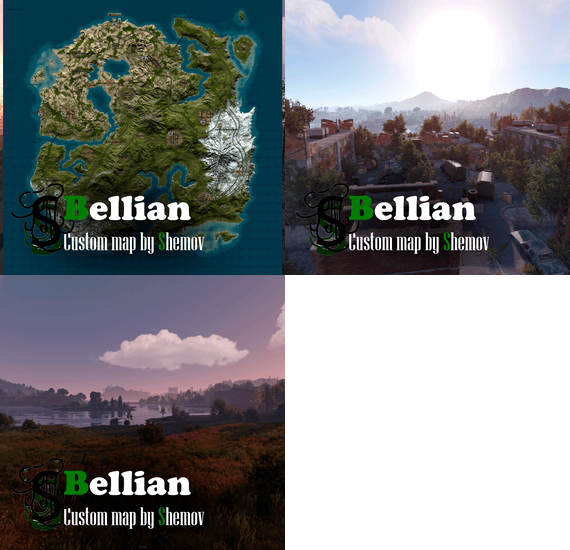
Welcome to Bellian island A post-apocalyptic unique landscape over a mountainous region with many unique monuments to keep your players entertained as well as some great buildable locations right across the full stretch of the map. The railways feature my own railway stations for you to transverse across the map.
Features:
Map size is 4500; Prefabs count : ~50k; Compatible with BetterNPC plugins (Config for bots in the file) & Train Homes ( 2 stations for plug-in ); Double-track surface railway with 2 entrances to the metro with separate branches for spawn trains; Underground railway; Ring road; Evenly spaced monuments to spread the FPS load of client; Custom places for building in the subway (XU on the minimap); A lot of bridges ( The tugboat passes ); A large number of rivers, tugboats and other water transport can pass to any point on the map; Designed custom monuments in sufficient quantity for a comfortable game; Custom building sites (X on the minimap); Fresh water and vegetation for farmers are in the center of the map; Underwater Laboratory; Ziplines. Custom monuments:
Town; Bunker (2x ( Different versions ) ; Large Warehouse; Warehouse (2x ( Different versions ) ; Railway Station (2x ( Different versions ) ); Building Site (2x ( Different versions ) ); Oil Refinery 2; Settlement (2x ( Different versions ) ; Rebel Settlement; A lots custom places to build a base. ( "X" on map ). Monuments:
Combined Outpost; Harbour (2/2); Ferry Terminal; Radtown; Abandoned Supermarket; Oxum's Gas Station; Launch Site; Sphere tank; Junkyard; Airfield; Water treatment plant; Trainyard; Power Plant; Arctic Research Base; Large barn & Ranch; Nuclear Missile Silo; Desert Military Base; Giant Excavator Pit; Stone, Sulfur & HQM quarries; Satellite Dish; Small & Large Oil Rig; Underwater Lab. My Discord: shemov
A password is attached to the map. You can edit it.
Other Works:
- #rust custom
- #custom map
- (and 5 more)
-
$10.00
Custom Medics
By copcopekcro in Plugins
Customizable Healing/Food/Tea-drinkable Items
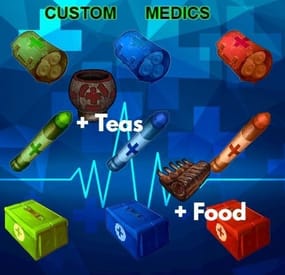
Custom Medics ( + custom food + custom teas) allows you to define and configure all med / food / tea items . Each item can have its own healing properties, including instant heal, healing over time, and the ability to counteract negative status effects such as bleeding, poison, and radiation.
Buff System:
You can add any tea effect to any healing/food/tea with custom value and custom duration .
UI:
Your players will appreciate the informative in-game tooltips. Whenever they select a custom medical item, a tooltip will provide details about the item's effects, making it easier for them to understand its functionality.
Permission System:
custommedics.use - players can use custom medics
custommedics.give - can use give command
Give Command:
Chat : /givemed <cmdgivename> [amount] [player name or ID] //// amount and player name are optional
Console : givemed <cmdgivename> [amount] <player name or ID> //// amount is optional
(that cmdgivename is name of med item what you will get ,you can change names)
Config Example :
{
"Stats Description": [
"You can add more medical/food/tea items",
"HealAmount : instant heal",
"HealOverTimeAmount : healing over time",
"Bleed , Poison , Radiation : + -",
"Calories , Hydration : + -",
"Stamina : + - (need my MetabolismSystem plugin to work)",
"Enabled Tea Effect : true/false (will be tea effect enabled for that item)",
"Tea Effect Duration : how much tea effect will lasts (seconds)",
"Tea Effects : 0.1 is +10 % ,1 is +100 % ,10 is +1000 %",
"You can have more tea effects per item",
"Category DisplayName in Tips : displayname in tips [ Custom Food ]",
"CmdGiveName - this name is for give command /givemed + (cmdgivename)",
"Enabled Stamina Effect : true/false",
"Stamina Effect Duration : how long stamina buff lasts",
"Stamina Effects : MaxStamina, DrainReduction, RefillBoost, RefillDelayReduction"
],
"Tea Buff list": [
"Wood_Yield",
"Ore_Yield",
"Radiation_Resistance",
"Radiation_Exposure_Resistance",
"Max_Health",
"Scrap_Yield",
"MoveSpeed",
"ObscureVision",
"Warming",
"Cooling",
"CoreTemperatureMinAdjustment",
"CoreTemperatureMaxAdjustment",
"Crafting_Quality",
"VisionCare",
"MetabolismBooster",
"Harvesting",
"DigestionBoost",
"FishingBoost",
"Collectible_DoubleYield",
"Farming_BetterGenes",
"HorseGallopSpeed",
"HorseDungProductionBoost",
"Comfort",
"Clotting",
"HunterVision",
"Radiation",
"DigestionBoostTimeMod"
],
"Items": [
{
"ItemDisplayName": "Test",
"ItemShortname": "mushroom",
"SkinID": 1234,
"Category DisplayName in Tips": "Custom Food Info",
"CmdGiveName": "ms1",
"Instant Heal": 10.0,
"Heal Over Time": 0.0,
"Bleed": 0.0,
"Poison": 0.0,
"Radiation": 0.0,
"Calories": 60.0,
"Hydration": 60.0,
"Stamina": 10.0, /////// STAMINA EFFECT ARE FOR ANOTHER PLUGIN WHAT WILL BE REALESED SOON !
"Enabled Tea Effect": true,
"Tea Effect Duration": 1800.0,
"Tea Effects": [
{
"EffectType": "Comfort",
"Amount": 0.25
},
{
"EffectType": "MoveSpeed",
"Amount": 0.1
}
],
"Enabled Stamina Effect": false, /////// STAMINA EFFECT ARE FOR ANOTHER PLUGIN WHAT WILL BE REALESED SOON !
"Stamina Effect Duration": 300.0,
"Stamina Effects": [
{
"EffectType": "MaxStamina",
"Amount": 0.5
},
{
"EffectType": "DrainReduction",
"Amount": 0.0
},
{
"EffectType": "RefillBoost",
"Amount": 0.0
},
{
"EffectType": "RefillDelayReduction",
"Amount": 0.0
}
]
},