
will007's Wishlist
-

$5.00
Better Metabolism
By ThePitereq in Plugins
RUST Plugin Test Server
TEST MY PLUGINS THERE!
connect play.thepitereq.ovh:28050
Better Metabolism plugin allows you to surpass the limits of calories, hydration, and health.
Adjust the maximum values for hunger, hydration, and health. Flexibility to modify respawn metabolism values. Configure the functionality of health tea when the health bonus is active.
bettermetabolism.default - Permission for first default plugin configuration. Can be removed/modified. bettermetabolism.vip - Permission for second default plugin configuration. Can be removed/modified.
object OnModifyHealth(BasePlayer player) - Ran when player health is getting updated. Cancellable. float GetBetterMetabolismHealth(ulong userId) - Returns how much player health value is modified. Returns 0 if not modified. object OnHealthModified(BasePlayer player, float setHealth) - If returns float, overrides the maxHealthOverride with return value.
{ "Enable Max Health Option": true, "Metabolism Permissions": { "bettermetabolism.default": { "Health": 60.0, "Max Health": 100.0, "Max Calories": 500.0, "Calories": 250.0, "Max Hydration": 250.0, "Hydration": 100.0 }, "bettermetabolism.vip": { "Health": 100.0, "Max Health": 100.0, "Max Calories": 1000.0, "Calories": 600.0, "Max Hydration": 250.0, "Hydration": 100.0 } } } -

$7.99
Helicopter Assist
🚁 Helicopter Assist
Take your piloting to the next level with advanced helicopter controls including hover mode, emergency recovery, and intelligent auto-landing.
Works with all player-flyable helicopters in the game.
✨ Features
Smart Hover Mode – Lock your helicopter in place with perfect stability Emergency Recovery – Instantly regain control from dangerous or unstable situations Intelligent Auto-Landing – Avoids cliffs, trees, water, and other terrain hazards 💬 Commands
/ha (to open on-screen HUD to execute the assistance commands) /ha hover or left click – Toggle hover mode on/off /ha recover or right click – Activate emergency recovery system /ha land or middle mouse click – Begin intelligent auto-landing sequence Commands only work when in the pilots seat. * You are not required to use mouse controls. You can disable this in the config if needed *
🔐 Permissions
helicopterassist.use – Grants access to all features ⚠️ Caveats
Auto-landing works best on flat terrain While it avoids most terrain issues, uneven ground may lead to unpredictable landings Continuous improvements are planned for increased terrain intelligence
⚙️ Configuration
{ "MaxLandingHeight": 30.0, // Height limit to start landing "SafeLandingRadius": 20.0, // Distance to scan for landing spots "ObstacleCheckRadius": 7.5, // Range for detecting objects "LowAltitudeRadius": 12.0, // Detection range near ground "DescentSpeedHigh": 10.0, // High altitude descent rate "DescentSpeedMed": 7.0, // Mid altitude descent rate "DescentSpeedLow": 5.0, // Low altitude descent rate "DescentSpeedVeryLow": 3.0, // Very low altitude descent rate "DescentSpeedFinal": 1.0, // Landing touchdown rate "HoverMovementThreshold": 0.5, // Movement detection range "HoverCheckInterval": 0.1, // Movement check timing "RecoveryHeight": 60.0 // Emergency recovery elevation "UseMouseControls": true } 🌐 Localization
{ "NoPermission": "{PREFIX}You don't have permission to use this command", "NotPiloting": "{PREFIX}You must be piloting a helicopter to use this command", "Usage": "{PREFIX}Usage: /ha <hover|recover|land>", "Controls": "{PREFIX}Helicopter Assist Commands:\n<color=#ffcc66>/ha hover</color> - Toggle hover mode\n<color=#ffcc66>/ha recover</color> - Emergency recovery\n<color=#ffcc66>/ha land</color> - Auto landing", "HoverEnabled": "{PREFIX}Hover mode <color=#b0fa66>enabled</color>", "HoverDisabled": "{PREFIX}Hover mode <color=#ff6666>disabled</color>", "RecoveryActivated": "{PREFIX}Emergency recovery system <color=#b0fa66>activated</color>", "AutoLandingInitiated": "{PREFIX}Auto-landing sequence <color=#b0fa66>initiated</color>. Hold on tight!", "AutoLandingCancelled": "{PREFIX}Auto-landing sequence <color=#ff6666>cancelled</color>", "AutoLandingComplete": "{PREFIX}Landing <color=#b0fa66>complete</color>. Welcome to solid ground!", "AboveWater": "{PREFIX}<color=#ff6666>Cannot initiate auto-landing above water</color>. Please find solid ground.", "TooHigh": "{PREFIX}<color=#ff6666>Too high to initiate auto-landing</color>. Please descend below {0}m first.", "UnsafeTerrain": "{PREFIX}<color=#ff6666>Cannot land here</color>. Surface is too steep or unstable.", "SearchingLandingZone": "{PREFIX}Searching for safe landing zone...", "LandingZoneFound": "{PREFIX}<color=#b0fa66>Safe landing zone located</color>. Beginning descent.", "ObstacleDetected": "{PREFIX}<color=#ff6666>Obstacles detected</color>. Relocating to safer area." } 🤝 Support
Join the Dark Side Development Discord for support, updates, or just to confess your piloting sins. We won’t judge. Probably.
☕ Ko-Fi
Like what we do? Support us over at Ko-Fi
📜 Legal
Copyright © 2025 Lincoln
This plugin, Helicopter Assist, is the intellectual property of Lincoln. The plugin may not be copied, modified, merged, published, or redistributed without the explicit permission of the creator, Lincoln.
Permission is granted solely for personal use on a Rust server that you own or manage. Commercial use, sharing with third parties, or distribution on multiple servers is strictly prohibited without prior consent from the creator.
Disclaimer of Warranty and Liability:
This plugin is provided "as is" without any express or implied warranties. The creator disclaims any liability for damages, including but not limited to server malfunctions, data loss, or other issues arising from the use of this software. Use of the plugin is at your own risk.
-
$12.90
Vehicle Tuning
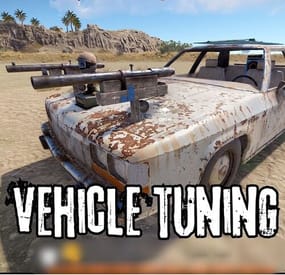
This plugin decorates vehicles, giving them a unique look and functionality. Vehicles can be given to players as custom items, either loaded into loot or shop. In the config file, you can set whether you want to decorate only vehicles that can be unloaded as items, or all vehicles that spawn on the map.
Minicopter description:
Custom item shortname: "box.wooden.large"
SkinID: 3417571501
Tuning:
Two extra seats A flashing siren to make it easier to find you Pookie bear for 100% comfort A drawing board A wooden box Attack copter description:
Custom item shortname: "furnace.large"
SkinID: 3417570867
Tuning:
Pookie bear for 100% comfort A drawing board A wooden box Sleeping Bag Scrap transport Helicopter description:
Custom item shortname: "furnace.large"
SkinID: 3417572159
Tuning:
A drawing board A wooden box Sleeping Bag Repair Bench Workbench Level 2 Recycler Two extra seats Barbeque Sedan description:
Custom item shortname: "box.wooden.large"
SkinID: 3417572432
Tuning:
A drawing board Two wooden box Sleeping Bag Two Shotgun Trap Row Boat description:
Custom item shortname: "kayak"
SkinID: 3417571168
Tuning:
Wooden Box Sleeping Bag RHIB description:
Custom item shortname: "kayak"
SkinID: 3417571735
Tuning:
Sleeping Bag Wooden Box Siren light Motor Bike description:
Custom item shortname: "box.wooden.large"
SkinID: 3641635602
Tuning:
Wooden Box Sleeping Bag Tugboat description:
Custom item shortname: "kayak"
SkinID: 3641635834
Large Furnace Electric Furnace Small Oil Refinery Recycler BBQ Search Light Contact:
Additional free plugins created by me are available on Discord: https://discord.gg/C5CehdJMdK
If you want to try out this plugin, you can do so on the test server. IP: 212.73.137.3:27195
My public Rust server IP: 136.243.135.46:28050
Video:
Config:
{ "Version": { "Major": 1, "Minor": 0, "Patch": 8 }, "Tuning all vehicles that spawn on the map?": true, "Tuning motor bike vehicles that spawn on the map?": true, "Tuning tugboat vehicles that spawn on the map?": true, "Tuning sedan vehicles that spawn on the map?": true, "Tuning minicopter vehicles that spawn on the map?": true, "Tuning attackhelicopter vehicles that spawn on the map?": true, "Tuning scraptransporthelicopter vehicles that spawn on the map?": true, "Tuning rowboat vehicles that spawn on the map?": true, "Tuning RHIB vehicles that spawn on the map?": true, "The skinid of the box on the minicopter": 2294627631, "The slot number of the box on the minicopter": 42, "The skinid of the box's on the sedan": 2294627631, "The slot number of the box's on the sedan": 42, "The bed cooldown time on the sedan": 60, "The skinid of the box's on the attackcopter": 2294627631, "The slot number of the box's on the attackcopter": 42, "The bed cooldown time on the attackcopter": 60, "The skinid of the box's on the scrap transport helicopter": 2294627631, "The slot number of the box's on the scrap transport helicopter": 42, "The bed cooldown time on the scrap transport helicopter": 60, "The bed cooldown time on the RHIB": 60, "The slot number of the box's on the RHIB": 42, "The skinid of the box's on the RHIB": 2294627631, "The SkinID of the sleeping bags in the vehicles": 3513000289, "The bed cooldown time on the motor bike": 60, "The slot number of the box's on the motor bike": 42, "The skinid of the box's on the motor bike": 2294627631, "The bed cooldown time on the rowboat": 60, "The slot number of the box's on the rowboat": 42, "The skinid of the box's on the rowboat": 2294627631 }
-
.thumb.png.3bab5c828e195fc20d9791ab794a009a.png)
$19.99
Auto Wipe
Auto Wipe - This plugin allows to schedule regular wipes, including map, blueprint, and data resets. It offers customizable settings for wipe intervals and automated backups to prevent data loss. This plugin will simplify the maintenance process and reduce administrative workload.
What this plugin can do?
Create specific wipe schedules for daily, weekly and monthly basis. Wipe oxide(config/data/logs/plugins)/map files. Create backups of data/map files. Send discord wipe message using tool: https://discohook.org/ Do files replacements during wipe. (In case if you want to load new config files for new map) Set own startup ConVars such as 'server.seed', 'server.levelurl'. No additional scripts or harmony mods required, everything plugin based.
How it works?
When the wipe preset schedule is enabled and matched, the plugin sends a restart command. During server startup, it deletes all configured files before they are loaded by other plugins or the server itself and executes all commands from the preset. It is recommended to have software or a batch file that will automatically start the server after shutdown because the "restart" command only shuts down the server without restarting it.
What is cron expression and how do I use it?
A cron expression is a string of characters used to schedule tasks to run at specific times or intervals. It is widely used in Unix-based systems for automating repetitive tasks such as backups, updates, and maintenance.
Structure of a Cron Expression
Allowed values Allowed special characters Comment ┌───────────── second (optional) 0-59 * , - / │ ┌───────────── minute 0-59 * , - / │ │ ┌───────────── hour 0-23 * , - / │ │ │ ┌───────────── day of month 1-31 * , - / L W ? │ │ │ │ ┌───────────── month 1-12 or JAN-DEC * , - / │ │ │ │ │ ┌───────────── day of week 0-6 or SUN-SAT * , - / # L ? Both 0 and 7 means SUN │ │ │ │ │ │ * * * * * * Special characters which are supported by plugin now
* (all): Specifies that the event should happen for every time unit. For example, * in the minute field means "every minute." - (range): Specifies a range of values. For example, 10-12 in the hour field means "10th, 11th, and 12th hours." , (values): Specifies multiple values. For example, 10,12 in the hour field means "10th and 12th hours." / (increments): Specifies incremental values. For example, 5/15 in the minute field means "5, 20, 35, and 50 minutes of an hour." Examples of Cron Expressions
0 12 * * * -> At 12:00 p.m. (noon) every day: 0/15 * * * * -> Every 15 minutes every day 0/5 13,18 * * * -> Every five minutes starting at 1 p.m. and ending at 1:55 p.m., and then starting at 6 p.m. and ending at 6:55 p.m., every day 30 9 * * 1-5 -> At 9:30 a.m. every Monday to Friday 0 0 L * * -> At 00:00 AM on the last day of the month 0 0 L-1 * * -> At 00:00 AM the day before the last day of the month 0 0 3W * * -> At 00:00 AM, on the 3rd weekday of every month 0 0 LW * * -> At 00:00 AM, on the last weekday of the month 0 0 * * 2L -> At 00:00 AM on the last tuesday of the month 0 0 * * 6#3 -> At 00:00 AM on the third Saturday of the month 0 0 ? 1 MON#1 -> At 00:00 AM on the first Monday of the January Detailed definition can be found here: Cronos
You can try to use this generator.
If you need help with setting up your own wipe schedule don't hesitate to ask for support! You can use plugin support section or DM me in Discord: metangerine.
CONFIGURATION
COMMANDS
autowipe.run <preset name> - runs auto wipe preset
CONTACTS
Need help or custom plugin for your server?
Contact me using Discord: metangerine
----------------------------------------------------------------------
-

$15.00
Npc Horses
Bring roaming mounted enemies to your Rust server. Armed NPC riders patrol the map, detect and chase players, fight from horseback, and drop configurable loot when killed.
FEATURES
• Three ready-to-use profiles and support for additional custom profiles
• Automatic population management and queued spawning
• Configurable biomes, rider names, health, weapons, and horse equipment
• Random loadouts with individual item skin IDs
• In-game configuration editor with save, discard, and delete confirmations
• Support for Rust’s legacy and newer navigation systems
• Optional Kits and AlphaLoot integration
PROFILES AND LOADOUTS
Set rider and horse health, horse breed, roaming and chase speeds, vision, hearing, weapon damage, targeting rules, spawn biomes, and population limits for each profile. Available biomes are All, Temperate, Arid, Tundra, and Arctic.
Create reusable loadouts with rider weapons and clothing, horse armor, horseshoes, saddlebags, and other supported equipment. Assign multiple loadouts to a profile and one will be chosen at random when a pair spawns.
COMBAT AND DETECTION
Riders aim, shoot, reload, and pursue targets while mounted. Configure accuracy, firing intervals, attack distance, target-loss distance, reserve ammunition, and damage scaling. They can detect players through sight, hearing, and player-generated noise, and respond when either the rider or horse is attacked.
Riders do not attack players inside safe zones and drop their target if the player enters one.
NAVIGATION AND PERFORMANCE
Spawn checks avoid water, monuments, Tool Cupboard areas, player bases, deployables, rocks, cliffs, and steep terrain. Horses avoid deep water and can return to their last safe land position. Dismounted riders can return to their horse and remount.
When no eligible players are nearby, the plugin can suspend combat, navigation, target scanning, and horse input processing. Pairs wake when a player approaches or attacks them.
DEATH AND LOOT
Riders leave corpses containing their inventory. AlphaLoot can optionally populate rider corpses. Horses create their own corpses, and horse corpse containers can optionally be locked.
COMMANDS
/npchorsespro config — Open the in-game configuration editor.
/npchorsespro spawn [profile] — Spawn a pair at the position you are viewing. Uses Set1 if no profile is given.
/npchorsespro — Short command to spawn Set1.
/npchorsespro remove — Remove all active pairs managed by the plugin.
/npchorsespro status — View active and sleeping pairs, population by profile, and navigation counts.
PERMISSION
npchorsespro.admin — Access all commands and the configuration editor. Server administrators have command access automatically.
Grant a player: oxide.grant user STEAMID npchorsespro.admin
Grant a group: oxide.grant group admin npchorsespro.admin
Revoke a player: oxide.revoke user STEAMID npchorsespro.admin
OPTIONAL INTEGRATIONS
Kits supplies rider kits. AlphaLoot supplies rider corpse loot profiles. Neither plugin is required.
INSTALLATION
Place NpcHorsesPro.cs in oxide/plugins, let it load, grant the admin permission, then run /npchorsespro config. The default configuration includes three example profiles and loadouts.