
Vinni_TV_'s Wishlist
-
$24.99
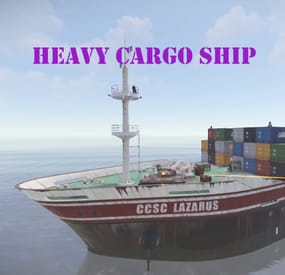
Heavy Cargo Ship Event
Heavy Cargo Ship Event is a configurable plugin that allows for a new type of random event. Randomly a message will appear letting players know that there's an incoming heavy cargo ship.
The ship is equipped with extra scientists, auto turrets, and a Bradley. Players must try to board the ship and kill the scientists in the lower decks to find the code to disable the auto turrets OR destroy all the turrets. If the code is found, it can be entered into the code lock in the lower decks to disable the turrets. Once the turrets are dealt with, players must defeat the Bradley. This can be a real challenge while on a moving ship. Finally, once the Bradley is defeated, players can collect all the loot. That's if someone else doesn't get to it first!
This is a great event to add to your server to give it a little more variety. It can be a fun PVP zone or a PVE event for non PVP servers.
EASY OPTIONAL SETUP - NO SETUP REQUIRED
You can simply drop the plugin in as-is and it will start the random event every 1 to 2 hours OR you can modify the config to change how often it should occur and/or how long until the Heavy Cargo Ship comes.
Configuration
"How many hackable loot crates should spawn.": 4,
"If this is true auto turrets will target and kill NPCs as well as players on the cargo ship.": false,
"If this is true it will spawn auto turrets on the cargo ship.": true,
"If this is true it will spawn the APC Bradley on the cargo ship.": true,
"Maximum time between events(minutes):": 180,
"Minimum number of players before event will start": 4,
"Minimum time between events(minutes):": 60,
"Set this to true if you want to use the custom loot table in this config. If it's false, it will use your server default.": false,
"Should the event start automatically(false if you only want manually start with HeavyCargoStart command": true
Admin Only Commands
/HeavyCargoStart
/HeavyCargoStop
Hooks
void HeavyCargoShipEventStarted()
void HeavyCargoShipEventStopped()
Discord: cahnu
-
$19.99
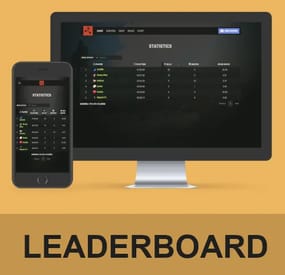
SimpleStats - Web Leaderboard
SimpleStats – Web Leaderboard
Stand out from the competition with these easy-to-integrate statistics for your website!
Features
Make your server unique
Tracking statistics offers unique opportunities. Offer special prizes for your monthly or weekly best or active players. You can reset the leaderboard whenever you want! Who wouldn’t like free VIP next month if he has the most playtime?
Comes with its own plugin
Instead of relying on sometimes outdated and old statistic plugins, SimpleStats comes with its own Oxide plugin.
Multi-server options
SimpleStats allows you to track the statistics of your players on multiple servers. Easily compare players on servers wipe after wipe!
Fully customizable + 3 different designs for free!
The statistics website is fully customizable. Your players can sort by Kills, Deaths, KDR and playtime. It also comes with 3 different designs (for free) by default. If you have a custom website and want it integrated there, no problem: Editing the style files was made extremely easy!
Tested for up to 100,000 players!
Worried about the performance of your website? The script was tested with a total of 100.000 players tracked. It will easily support almost 99.99% of all servers. If you ever experience any issues, hit us up!
Compatible with the Rust Outpost Template or your own website!
If you do own the Rust Outpost Template, you will be easily able to integrate this statistics plugin within just a few minutes. However, do not worry: Even if you’re using a custom website, WordPress or anything else: SimpleStats was made with modularity in mind, you will be able to set it up anywhere.
Demo
https://dev.fabito.net/rust-template/stats.php
Webspace Requirements
You can see all the requirements on our Discord
Recommended Webhoster
If you are not with a hosting company yet, we recommend using Hetzner. They offer great and cheap hosting with all the requirements. You can go with their cheapest plan without an issue, as it includes a database.
Installation Instructions
Installation instructions can be found on our Discord
Troubleshooting
Additional information and help to troubleshoot issues can be found on our Discord
Contact and Support
If you need additional assistance or got any open questions before purchasing, join us on Discord: https://promeus.io/discord
- #simplestats
- #website
- (and 1 more)
-
$9.99
SimpleStatsUI
By Iftebinjan in Plugins
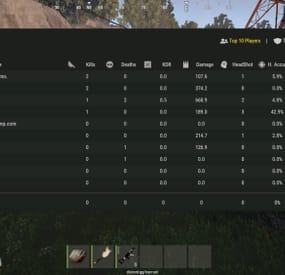
SimpleStatsUI is a sleek and user-friendly statistics interface designed to enhance the gaming experience by providing comprehensive insights into player and clan performance.
Beautiful User-Interface Shows leaderboards of TOP 10 Players in the server & TOP 10 Clans Counts Player Kills, Deaths, KDR, HeadShots, HeadShot.Accuracy, Shooting Accuracy
/stats - Opens UI interface Leaderboard (For Players) /show_kdr - Enable or disable KDR UI (For Players) /enable_kdr - Enable or disable KDR UI for the server (For Admin) /reset_players - Reset all player stats (For Admin) /reset_clans - Reset all clan stats (For Admin)
simplestatsui.admin - Requires admin permission to reset stats
{ "Settings": { "Count NPC": true, "Count Suicides": true, "Reset Player Stats On Wipe": true, "Reset Clan Stats On Wipe": true }, "KDR UI Setting": { "Enable KDR UI": true, "Anchor Min": "0.5 0", "Anchor Max": "0.5 0", "Offset Min": "-305.2 17.999", "Offset Max": "-205.2 77.98", "Kills UI": { "Text": "{kills} Kills", "BackGround Color": { "Hexa Color(#FFFFFF,100)": "#3D4B27,100" }, "Icon ImageURL": "https://i.postimg.cc/nLj1yJ0L/target.png", "Icon Color": { "Hexa Color(#FFFFFF,100)": "#A6CD63,100" }, "Text Color": { "Hexa Color(#FFFFFF,100)": "#A6CD63,100" } }, "Deaths UI": { "Text": "{deaths} Deaths", "BackGround Color": { "Hexa Color(#FFFFFF,100)": "#962F20,100" }, "Icon ImageURL": "https://i.postimg.cc/s2CkmnwL/skull.png", "Icon Color": { "Hexa Color(#FFFFFF,100)": "#C79897,100" }, "Text Color": { "Hexa Color(#FFFFFF,100)": "#C79897,100" } }, "KDR UI": { "Text": "{kdr} KDR", "BackGround Color": { "Hexa Color(#FFFFFF,100)": "#1D425F,100" }, "Icon ImageURL": "https://i.postimg.cc/d14y9dWg/market.png", "Icon Color": { "Hexa Color(#FFFFFF,100)": "#489AD4,100" }, "Text Color": { "Hexa Color(#FFFFFF,100)": "#489AD4,100" } } } }
-

$44.99
Simple Symmetry
Effortlessly create symmetrical base designs with support for Vanilla servers and Creative ones, All features can be done with or without the UI.
Key Features:
Symmetrical building supporting, Foundation Squares and Triangles 2 Sided, 3 Sided, 4 Sided, 6 Sided, and Mirrored 2 and 4 sided for The Most Inclusive Experience! Optional UI for streamlined control. Simple commands to toggle, configure, and customize symmetry. Multiple Symmetry Types Supports Deployables
Permission:
Players must have SimpleSymmetry.use to use this.
Commands:
/sym ui – Toggle UI on or off /sym toggle – Enable or disable symmetry /sym show – Display the current Symmetry Center /sym set – Define the Symmetry Center /sym delete – Remove the Symmetry Center /sym {type} – Select the Symmetry Type (options listed below)
Symmetry Types:
N2S - Normal 2-Sided N3S - Normal 3-Sided N4S - Normal 4-Sided N6S - Normal 6-Sided M2S - Mirrored 2-Sided M4S - Mirrored 4-Sided
NOTE:
Demo Video Discord: Shady14u -
$8.59$6.87XRestartUI
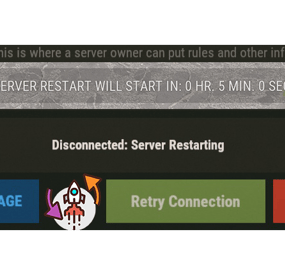
XRestartUI - beautiful restart notification UI.
- Optimization of the interface for different monitor resolutions.
- There is a lang ru/en/uk/es.
- Sound effects.
- There is an automatic restart schedule. [ Any commands can be scheduled ]
- There is a warning N minutes before the start of the restart.
- Logs restart/warnings in the server console.
- Ability to skip restart if more than N players are online.
-> Overview - YouTube <-
Commands
restart <time> <description key from langs> [ If there is no key, then the default description will be used ] Config
{ "General settings": { "Use chat messages": true, "Use UI notifications": true, "Use GameTip notifications": false, "Use the tick effect": true, "Use warning effect": true, "Tick effect used": "assets/bundled/prefabs/fx/notice/loot.drag.dropsuccess.fx.prefab", "Warning effect used": "assets/bundled/prefabs/fx/item_unlock.prefab", "SteamID of the profile for the custom avatar": 0, "Skip restart if there are more than N players online. [ Restart warnings are disabled ]": false, "Number of online players - to skip restart": 100 }, "GUI settings": { "AnchorMin": "0 0.85", "AnchorMax": "1 0.85", "OffsetMin": "0 -25", "OffsetMax": "0 25" }, "List of unique names(keys) of restart reasons - [ Setting up text in lang ]": [ "M_DEFAULT", "M_1", "M_2" ], "Configuring scheduled restarts [ Any command can be scheduled at any time ]": { "08:00": "restart 300", "21:00": "restart 300 M_1" }, "Setting warnings N minutes before restart": [ 60, 45, 30, 15, 10, 5 ] }- #restart
- #autorestart
- (and 4 more)