
Vinni_TV_'s Wishlist
-
.thumb.jpg.4a6258fcfb57ef9b05d7b10c4569d74c.jpg)
$17.00
Mining Outpost Event
The Mining Outpost Event plugin transforms the Mining Outpost building into a well-protected military warehouse. The valuable loot is protected by an iron door, two Shotgun traps, two Auto turrets, countless Npc. Hacking the Chinook crate triggers an alarm, and Swat commandos are on the way.
Support PveMode plugin.
Support BotReSpawn plugin
Chat and Consolecommand available to admins only.:
moestart moestop Contact:
Discord: https://discord.gg/C5CehdJMdK
Test Rust server: 212.73.137.3:27195
Hooks:
void OnMiningOutpostStart()
void OnMiningOutpostStop()
Video:
Config:
{ "Version": { "Major": 1, "Minor": 0, "Patch": 10 }, "Automatic event start": true, "Minimum time for event start": 3600.0, "Maximum time for event start": 7200.0, "Duration of the event": 2800.0, "Warning messages before event start": 300.0, "Warning messages before event end": 300.0, "Chat icon": 0, "Locked crate hack time": 900.0, "Disable BetterNpc plugin npc's for the duration of the event?": false, "Spawn NpcSpawn Scientist?(Required: NpcSpawn plugin!)": true, "Spawn BotReSpawn Scientist?(Required: BotReSpawn plugin!)": false, "BotReSpawn profil name:": "", "BotReSpawn Npc's number": 10, "Can the players drive the sedans?": true, "Door setting": { "Door Prefab": "assets/prefabs/building/door.hinged/door.hinged.metal.prefab", "Door SkinID (0 - default)": 3157353529, "Door Health": 250.0 }, "AutoTurret setting": { "Health": 400.0, "Weapon ShortName": "rifle.ak", "Ammo ShortName": "ammo.rifle", "Number of ammo": 5000 }, "Messages setting": { "Warning message before the event starts.": "<color=#ff0000>Everybody leave the Mining Outpost building because the event is about to start!!</color>", "Warning message before the event stop.": "Mining Outpost event will end soon!!", "Start message": "Mining Outpost event start!!", "Stop message": "Mining Outpost event end!!", "New Owner": "Someone has become the <color=#ff0000>owner</color> of Mining Outpost Event.", "Map marker name": "Mining Outpost Event", "Map marker radius": 0.6, "Color": { "r": 1.0, "g": 0.0, "b": 0.0 } }, "List of lootable crates": [ { "Prefab": "assets/bundled/prefabs/radtown/crate_normal.prefab", "Position": "(-3.710, 0.111, -1.324)", "Rotation": "(0, 180, 0)", "Use custom loot?": false, "CustomLoot": { "Minimum items": 1, "Maximum items": 1, "Use minimum - maxium?": false, "List of items": [ { "ShortName": "xmas.present.small", "Minimum": 3, "Maximum": 6, "Chance": 100.0, "Give blueprint?": false, "SkinID": 0, "Displayname": "" } ] } }, { "Prefab": "assets/bundled/prefabs/radtown/crate_normal.prefab", "Position": "(-2.298, 0.253, -14.548)", "Rotation": "(0, 0, 0)", "Use custom loot?": false, "CustomLoot": { "Minimum items": 1, "Maximum items": 1, "Use minimum - maxium?": false, "List of items": [ { "ShortName": "xmas.present.small", "Minimum": 3, "Maximum": 6, "Chance": 100.0, "Give blueprint?": false, "SkinID": 0, "Displayname": "" } ] } }, { "Prefab": "assets/bundled/prefabs/radtown/crate_normal.prefab", "Position": "(-1.892, 0.032, -2.897)", "Rotation": "(0, 270, 0)", "Use custom loot?": false, "CustomLoot": { "Minimum items": 1, "Maximum items": 1, "Use minimum - maxium?": false, "List of items": [ { "ShortName": "xmas.present.small", "Minimum": 3, "Maximum": 6, "Chance": 100.0, "Give blueprint?": false, "SkinID": 0, "Displayname": "" } ] } }, { "Prefab": "assets/bundled/prefabs/radtown/crate_elite.prefab", "Position": "(-1.866, 0.032, -4.659)", "Rotation": "(0, 270, 0)", "Use custom loot?": false, "CustomLoot": { "Minimum items": 1, "Maximum items": 1, "Use minimum - maxium?": false, "List of items": [ { "ShortName": "xmas.present.small", "Minimum": 3, "Maximum": 6, "Chance": 100.0, "Give blueprint?": false, "SkinID": 0, "Displayname": "" } ] } }, { "Prefab": "assets/bundled/prefabs/radtown/crate_elite.prefab", "Position": "(-0.383, 0.032, -14.669)", "Rotation": "(0, 0, 0)", "Use custom loot?": false, "CustomLoot": { "Minimum items": 1, "Maximum items": 1, "Use minimum - maxium?": false, "List of items": [ { "ShortName": "xmas.present.small", "Minimum": 3, "Maximum": 6, "Chance": 100.0, "Give blueprint?": false, "SkinID": 0, "Displayname": "" } ] } }, { "Prefab": "assets/bundled/prefabs/radtown/crate_elite.prefab", "Position": "(11.546, 0.032, -9.448)", "Rotation": "(0, 90, 0)", "Use custom loot?": false, "CustomLoot": { "Minimum items": 1, "Maximum items": 1, "Use minimum - maxium?": false, "List of items": [ { "ShortName": "xmas.present.small", "Minimum": 3, "Maximum": 6, "Chance": 100.0, "Give blueprint?": false, "SkinID": 0, "Displayname": "" } ] } }, { "Prefab": "assets/prefabs/deployable/chinooklockedcrate/codelockedhackablecrate.prefab", "Position": "(9.585, 0.032, -2.932)", "Rotation": "(0, 180, 0)", "Use custom loot?": false, "CustomLoot": { "Minimum items": 1, "Maximum items": 1, "Use minimum - maxium?": false, "List of items": [ { "ShortName": "xmas.present.small", "Minimum": 3, "Maximum": 6, "Chance": 100.0, "Give blueprint?": false, "SkinID": 0, "Displayname": "" } ] } } ], "Security Npcs settings inside": { "Minimum": 3, "Maximum": 3, "List of position": [ "(8.510, 0.032, -6.540)", "(-1.946, 0.032, -12.467)", "(-3.714, 0.032, -5.331)" ], "NPCs setting": { "Name": "Warehouse Security Guard", "Health": 200.0, "Roam Range": 10.0, "Chase Range": 30.0, "Attack Range Multiplier": 3.0, "Sense Range": 30.0, "Target Memory Duration [sec.]": 60.0, "Scale damage": 1.0, "Aim Cone Scale": 0.6, "Detect the target only in the NPC's viewing vision cone? [true/false]": false, "Vision Cone": 135.0, "Speed": 7.5, "Disable radio effects? [true/false]": false, "Is this a stationary NPC? [true/false]": false, "Use custom loot?": false, "CustomLoot": { "Minimum items": 1, "Maximum items": 1, "Use minimum - maxium?": false, "List of items": [ { "ShortName": "xmas.present.small", "Minimum": 3, "Maximum": 6, "Chance": 100.0, "Give blueprint?": false, "SkinID": 0, "Displayname": "" } ] }, "Wear items": [ { "ShortName": "riot.helmet", "SkinID (0 - default)": 1988565302 }, { "ShortName": "pants", "SkinID (0 - default)": 1191182634 }, { "ShortName": "hoodie", "SkinID (0 - default)": 1191201380 }, { "ShortName": "metal.plate.torso", "SkinID (0 - default)": 1988550463 }, { "ShortName": "shoes.boots", "SkinID (0 - default)": 1192621630 } ], "Belt items": [ { "ShortName": "smg.mp5", "Amount": 1, "SkinID (0 - default)": 0, "Mods": [], "Ammo": "" }, { "ShortName": "syringe.medical", "Amount": 2, "SkinID (0 - default)": 0, "Mods": [], "Ammo": "" } ] } }, "Security Npcs settings outside": { "Minimum": 6, "Maximum": 6, "List of position": [ "(-13.104, 0.032, -8.280)", "(-13.759, 0.032, 1.988)", "(-13.491, 0.032, -16.288)", "(14.455, 0.032, -13.108)", "(14.920, 0.032, -6.401)", "(17.836, 0.032, -10.244)" ], "NPCs setting": { "Name": "Warehouse Guard", "Health": 150.0, "Roam Range": 10.0, "Chase Range": 30.0, "Attack Range Multiplier": 2.0, "Sense Range": 30.0, "Target Memory Duration [sec.]": 60.0, "Scale damage": 0.6, "Aim Cone Scale": 1.5, "Detect the target only in the NPC's viewing vision cone? [true/false]": false, "Vision Cone": 135.0, "Speed": 7.5, "Disable radio effects? [true/false]": false, "Is this a stationary NPC? [true/false]": false, "Use custom loot?": false, "CustomLoot": { "Minimum items": 1, "Maximum items": 1, "Use minimum - maxium?": false, "List of items": [ { "ShortName": "xmas.present.small", "Minimum": 3, "Maximum": 6, "Chance": 100.0, "Give blueprint?": false, "SkinID": 0, "Displayname": "" } ] }, "Wear items": [ { "ShortName": "hat.beenie", "SkinID (0 - default)": 1077040007 }, { "ShortName": "pants", "SkinID (0 - default)": 3367176582 }, { "ShortName": "hoodie", "SkinID (0 - default)": 3367117267 }, { "ShortName": "sunglasses", "SkinID (0 - default)": 0 }, { "ShortName": "roadsign.jacket", "SkinID (0 - default)": 974975617 }, { "ShortName": "roadsign.kilt", "SkinID (0 - default)": 3323417128 }, { "ShortName": "shoes.boots", "SkinID (0 - default)": 916448999 } ], "Belt items": [ { "ShortName": "smg.2", "Amount": 1, "SkinID (0 - default)": 0, "Mods": [], "Ammo": "" }, { "ShortName": "syringe.medical", "Amount": 2, "SkinID (0 - default)": 0, "Mods": [], "Ammo": "" } ] } }, "Reserve Npcs setting": { "Minimum": 3, "Maximum": 3, "List of position": [ "(-13.104, 0.032, -8.280)", "(-13.759, 0.032, 1.988)", "(-13.491, 0.032, -16.288)", "(-18.320, 0.045, -9.745)", "(-18.655, 0.045, -0.491)", "(-18.655, 0.045, -17.309)" ], "NPCs setting": { "Name": "Reserve NPC", "Health": 150.0, "Roam Range": 10.0, "Chase Range": 30.0, "Attack Range Multiplier": 3.0, "Sense Range": 30.0, "Target Memory Duration [sec.]": 60.0, "Scale damage": 1.0, "Aim Cone Scale": 1.0, "Detect the target only in the NPC's viewing vision cone? [true/false]": false, "Vision Cone": 135.0, "Speed": 7.5, "Disable radio effects? [true/false]": false, "Is this a stationary NPC? [true/false]": false, "Use custom loot?": false, "CustomLoot": { "Minimum items": 1, "Maximum items": 1, "Use minimum - maxium?": false, "List of items": [ { "ShortName": "xmas.present.small", "Minimum": 3, "Maximum": 6, "Chance": 100.0, "Give blueprint?": false, "SkinID": 0, "Displayname": "" } ] }, "Wear items": [ { "ShortName": "metal.facemask", "SkinID (0 - default)": 3197966598 }, { "ShortName": "pants", "SkinID (0 - default)": 3289723598 }, { "ShortName": "hoodie", "SkinID (0 - default)": 3289725349 }, { "ShortName": "metal.plate.torso", "SkinID (0 - default)": 1534706287 }, { "ShortName": "roadsign.gloves", "SkinID (0 - default)": 2427072694 }, { "ShortName": "shoes.boots", "SkinID (0 - default)": 916448999 } ], "Belt items": [ { "ShortName": "rifle.lr300", "Amount": 1, "SkinID (0 - default)": 0, "Mods": [], "Ammo": "" }, { "ShortName": "syringe.medical", "Amount": 2, "SkinID (0 - default)": 0, "Mods": [], "Ammo": "" } ] } }, "PVE Mode Setting (only for users PveMode plugin)": { "Use PveMode plugin?": false, "Required damage to the event owner": 500.0, "The event is a right of ownership, to obtain it you need damage multiplier.": { "Npc": 1.0 }, "Non owner can loot the crates?": false, "Non owner can loot the Npc's?": false, "Non owner can damage Npc's?": false, "Non owner can be attacked by Npc's?": false, "Non owner, can you enter the event zone?": false, "Allow a player who has an active cooldown of the Event Owner to enter the event zone?": true, "The time that the Event Owner may not be inside the event zone.": 300, "The time until the event owner can return to the event zone.": 60, "Block the RestoreUponDeath plugin in the event zone.": true, "After all this time, an event owner can be an event owner again.": 86400.0, "Darkening the sphere.": 15 } }
- #event
- #mining outpost
- (and 3 more)
-

$5.00
Number Guess
Allows players to guess a random number and awards the player with the closest guess. Built with a custom mono class with no timers to ensure best performance!
Commands
sg -server console command, manually starts or stops the number guess event. /sg -manually starts or stops the number guess event, requires permission. /guess -command for players to use to guess the number like /guess 11 Permission
numberguess.toggle -required to use the start / stop command in game.
Config
{ "Sets the Manual Start-Stop Chat & Console Command": "sg", "Sets the Guess Command": "guess", "Chat Icon Steam 64-ID": 0, "Minimum number to Guess": 1, "Maximum number to Guess": 100, "Disable closest guess wins and only reward if they guess the correct number.": false, "Time in seconds for the contest to last": 60.0, "Time in seconds for the next contest to begin after previous one finished. 0 = Disabled": 7200.0, "Minimum players online needed to start the event": 2, "Minimum Participants guessing needed to give out rewards": 2, "Auto Start 5 seconds after loading the plugin": true, "Reward item list: Will grab a random item in this list": { "tool.binoculars": 1, "scrap": 5, "scraptea.pure": 2, "cratecostume": 1, "autoturret": 1 } }
Lang File
{ "AlreadyGuessed": "You have already guessed {0}, you cannot guess again.", "CorrectGuess": "Congratulations, you have guessed the correct number!", "ServerAnnounceCorrect": "{0} has guessed the correct number and won {1}x {2}!", "ClosestGuess": "Congratulations, you were the closest guess!", "ServerAnnounceClosest": "{0} was the closest guess and won {1}x {2}!", "NoEvent": "There currently is no event on-going, please wait for an event to start.", "EventStart": "It's that time again! use <color=red>/guess #</color> to guess a number in-between {0} and {1}!\nEvent will end in {2}", "RestartEvent": "Thank you for participating! The next event will begin in {0}", "InvalidGuess": "You have entered an invalid guess, please enter a number in-between {0} and {1}", "ValidGuess": "You have guessed the number {0}!", "NoGuessers": "Nobody has guessed a number, there is no winner!\nNew event will begin in {0}", "MinGuessers": "Minimum Participants of {0} were not met so the event was cancelled.\nNew event will begin in {1}", "WrongGuessers": "Nobody guessed the correct number, there is no winner!\nNew event will begin in {0}", }
-
$24.95$21.95Skills
Introducing Skills, the ultimate skill progression system for Rust servers featuring 71+ pre-configured skills across 13 categories! Complete with 4 UI templates, modal windows system, automatic migration from SkillTree/Skills V1, and comprehensive API. Transform your server into a world of specialization where players can master every aspect of Rust - from elite resource gathering and crafting to combat dominance and survival expertise. With intuitive progression, stunning visuals, and seamless integration, Skills delivers endless replayability and keeps players engaged for months!
📈 Why Choose Skills?
Massive Skill Library - 71+ pre-configured skills covering every gameplay aspect Ready to Deploy - All skills are balanced and ready to use immediately Deep Progression - 10 levels per skill with meaningful advancement Visual Editor - Easy customization without coding knowledge Server Integration - Native support for ServerPanel V1/V2/V4, Notify/UINotify, and all major economy plugins Performance Focused - Optimized for high-population servers Seamless Migration - Automatic data conversion from SkillTree and Skills V1 Modal Windows - Advanced modal system for custom interfaces Multi-Template Support - Fullscreen, V1, V2, V4 ServerPanel templates Real-time Notifications - Integrated Notify/UINotify support
📬 Video Overview
🖼️ Showcase
Templates
Fullscreen Template
ServerPanel V1 Template
ServerPanel V2 Template
ServerPanel V4 Template
Modal Windows & Editor
Modal Windows System
⭐ Complete Skill Arsenal (71+ Skills)
Skills comes with a massive library of pre-configured skills covering every aspect of Rust gameplay. All skills are ready to use with balanced 10-level progression systems!
⛏️ Mining Skills
All Ores Mining - Boosts yields from stone, sulfur, metal, and HQM ore by up to 50% Stone Mining - Specialized stone gathering with up to 50% bonus Sulfur Mining - Enhanced sulfur ore collection up to 50% Metal Mining - Increased metal ore yields up to 50% HQM Mining - High-quality metal ore bonuses up to 50% Instant Ore Destruction - Chance to instantly destroy ore nodes (up to 20%)
🔧 Durability Skills
Tool Durability - Reduces wear on gathering tools Weapon Durability - Preserves weapon condition in combat Clothing Durability - Maintains armor integrity
🌳 Wood Skills
Wood Gathering - Increased wood collection from trees Instant Tree Chopping - Chance to fell trees instantly Coal Chance - Bonus coal drops from woodcutting
🔨 Resources Skills
Smelted Ore Chance - Bonus metal from ore smelting Animal Butchering - More meat from animal carcasses Instant Butchering - Chance to butcher animals instantly Plant Gathering - Better yields from bushes and hemp Crop Harvest - Increased vegetable production Fishing - Improved fishing success and rare catches Instant Barrel Destruction - Instant barrel breaking chance
⚒️ Crafting Skills
Craft Duplicate - Chance for double crafted items Craft Speed - Faster crafting times Recycler Speed - Quicker recycling Furnace Smelting Speed - Faster ore smelting Component Find Chance - Bonus components from scrapping Cooking Speed - Faster food preparation
🛡️ Defense Skills
Fire Resistance - Reduced fire damage Fall Damage Resistance - Less fall damage Temperature Resistance - Better cold/heat protection Radiation Resistance - Reduced radiation damage Explosive Resistance - Protection from explosions Stand Up Chance - Higher chance to stand when wounded Melee Damage Resistance - Less melee damage taken Damage From Scientists Resistance - Reduced scientist damage Damage From Players Resistance - PvP damage reduction
🐾 Animal & Shark Defense
Animal Damage Resistance - Protection from animal attacks Shark Damage Resistance - Reduced shark damage
🍖 Metabolism Skills
Hunger Metabolism - Slower hunger depletion Thirst Metabolism - Reduced thirst buildup Health Regeneration - Faster natural healing
🐎 Horse Skills
Horse Speed - Faster horse movement Horse Damage Resistance - Horse takes less damage Horse Fall Resistance - Better horse fall survival
🌊 Underwater Skills
Underwater Breathing - Extended underwater time
📦 Crate Skills
Crate Unlocking Speed - Faster locked crate opening Crate Extra Loot - Bonus items from containers
🏗️ Building Skills
Building Upgrade Cost - Reduced building upgrade costs
🚗 Vehicle Skills
Fuel Consumption - Reduced vehicle fuel usage Vehicle Repair Cost - Cheaper vehicle repairs Air Vehicle Takeoff Speed - Faster helicopter takeoff
⚔️ Damage Skills
Damage To Scientists - Increased damage to scientists Damage To Animals - More damage to animals Damage To Players - Bonus PvP damage output Trap Damage - Increased trap and turret damage
🎯 Combat Skills
Magazine Size - Larger weapon magazines Effect Duration - Longer buff/debuff effects Revive Healing - More health from revives
🎁 Special Skills
Teleportation VIP - VIP teleport permissions Wipe Protection - Data protection across wipes
🔄 Migration & Conversion
Skills supports seamless data migration from popular skill plugins:
SkillTree Plugin - Automatic conversion of player XP and skill levels Skills V1 - Full data transfer including custom skills and configurations
🔌 Advanced Features
Modal Windows System - Create custom modal interfaces for additional functionality Multi-Template UI - Support for Fullscreen, ServerPanel V1/V2/V4 templates Real-time Notifications - Integrated Notify/UINotify system for skill progression alerts Advanced API - Comprehensive developer API for third-party integrations ImageLibrary Integration - Offline image mode with automatic fallback Custom Economy Hooks - Flexible economy integration with plugin hooks XP Transfer System - Transfer XP between players on death (configurable) Cooldown System - Configurable action cooldowns to prevent spam
🎮 Commands
/skills or /skill - Opens the skills interface skills.modal <modalID> - Open specific modal window Admin Console Commands:
skills.manage addxp <player> <amount> - Add XP to player skills.manage takexp <player> <amount> - Take XP from player skills.manage setxp <player> <amount> - Set player's XP balance skills.manage setskill <player> <skillId> <level> - Set skill level skills.manage giveskill <player> <skillId> <levels> - Increase skill level skills.manage resetskill <player> <skillId> - Reset specific skill skills.manage resetall <player> - Reset all skills skills.manage info <player> - Show player skill information
🛡️ Permissions
skills.use - Access to skills interface (set in config as "Permission") skills.edit - Access to visual skill editor skills.xprate.vip - 1.5x XP rate bonus skills.xprate.premium - 2x XP rate bonus skills.xptransfer.vip - 75% XP transfer on death skills.xptransfer.premium - 100% XP transfer on death skills.gathering.level6-10 - Access to advanced gathering levels
💻 Developer API
Skills provides a comprehensive API for developers:
Methods:
API_GetPlayerSkillLevel(ulong playerId, int skillId) - Get player's skill level API_AddPlayerXP(ulong playerId, float amount) - Grant XP to player API_GetSkillInfo(int skillId) - Get skill configuration data API_OnGather(BasePlayer player, Item item) - Handle gather events API_OnSkillLevelUp(BasePlayer player, int skillId, int level) - Skill level up events API_GetSkillLevel(BasePlayer player, int skillId) → int - Skill level API_GetSkillValue(BasePlayer player, int skillId) → float - Skill effect value API_GetPlayerSkills(BasePlayer player) → Dictionary<int, int> - All skill levels API_IsPlayerLoaded(BasePlayer player) → bool - Player data loaded API_SetSkillLevel(BasePlayer player, int skillId, int level) - Set skill level API_ResetPlayerSkills(BasePlayer player) - Reset all skills Hooks:
OnSkillsPlayerLoaded(BasePlayer player) - Player data loaded OnSkillsXPEarned(BasePlayer player, float amount) - XP earned from gameplay (not admin commands) OnSkillsXPBalanceChanged(BasePlayer player, float amount, float balance) - Calls on every XP balance change, from any source (signed amount + resulting balance) OnSkillsSkillLevelUp(BasePlayer player, int skillId, int newLevel) - Skill upgraded. Return null to allow, string to deny
📨 Web Config Editor
Easily manage your Skills settings with our web-based configuration editor. This tool allows you to adjust plugin configurations through a user-friendly interface, eliminating the need to manually edit files on your server.
P.S. Join our Discord at https://discord.gg/mevent and request the "Skills" group for access to the web configuration editor.
📚 FAQ
Q: How many skills come with Skills?
A: Skills includes 71+ pre-configured skills across 13 categories, all ready to use with balanced progression systems.
Q: Do I need to configure anything?
A: No! All skills are pre-configured and balanced. Simply install, enable desired skills, and grant permissions.
Q: How does the XP system work?
A: Players earn XP through gameplay activities (mining, combat, crafting, etc.) and spend it to unlock skill levels.
Q: Can I customize skills?
A: Yes! Use the visual editor to modify skill costs, bonuses, requirements, and create new custom skills.
Q: What happens on server wipe?
A: Fully configurable - you can preserve skills/XP, reset everything, or choose selective wipe protection.
Q: Does it work with economy plugins?
A: Yes! Full integration with ServerRewards, Economics, BankSystem, IQEconomic, and custom economy systems.
Q: Can I migrate from SkillTree or Skills V1?
A: Absolutely! Skills automatically converts data from both plugins. All player progress is preserved.
Q: What are modal windows?
A: Modal windows are custom popup interfaces you can create for additional features like shops, information displays, or mini-games.
Q: Which ServerPanel versions are supported?
A: Skills supports ServerPanel V1, V2, V4, and Fullscreen templates - all with dedicated banner images and layouts.
Q: Can I use custom images?
A: Yes! Skills supports ImageLibrary integration with offline image mode for custom skill icons and backgrounds.
Q: Is there a cooldown system?
A: Yes, configurable cooldowns prevent spam actions and maintain server performance.
Q: How does XP transfer work?
A: When enabled, defeated players can transfer a percentage of their XP to the killer, adding competitive depth.
Q: Can I limit skill access?
A: Yes! Skills support permission requirements, playtime requirements, and other prerequisites.
Q: What's the performance impact?
A: Skills is highly optimized with caching, batch processing, and efficient data structures for minimal server load.
Q: How do I add Skills to the ServerPanel menu?
A: You can do this directly from the ServerPanel in-game:
1. Open the ServerPanel menu in-game.
2. If you have permission to edit, switch the panel to edit mode so you can see the blue "EDIT CATEGORY" and "EDIT PAGES" buttons.
3. Choose the category where you want Skills to appear and click the "EDIT CATEGORY" button for that category.
4. While you are in this category in the ServerPanel, click the "EDIT PAGES" button to create a new page (or edit an existing one) for Skills.
5. For that page, set these exact parameters:
Type: Plugin Plugin Name: Skills Plugin Hook: API_OpenPlugin 6. Save the changes. The Skills button will now appear in the ServerPanel in the category you selected.
-
$21.95$15.95Battlepass
Creates quests/missions for users to complete in order to get rewards (currency, items, etc.). Players can spend the currency they receive to open cases. This can become a major plugin for your server. Your players will not get bored! And a nice and user-friendly interface will surprise them even more
Features:
Beautiful user interface Logging purchases / replenishment of the balance (both to the console and to a file) Versatility (can work with various economy plugins) Performance (plugin is faster than existing competitors) Interesting idea The ability to customize absolutely any inscription
Preview
Commands
addfirstcurrency {userid} {amount} (give the player the first currency) addsecondcurrency {userid} {amount} (give the player a second currency) battlepass.wipedata (clear player progress) pass (open interface) battlepass.migrate (migrate to PlayerDatabase) battlepass.convert.128 (convert from 1.28.0)
Item Types
Item Command Plugin
Mission Types
Gather Kill Craft Look Build Upgrade Fishing LootCrate Swipe RaidableBases RecycleItem HackCrate PurchaseFromNpc ArcticBaseEvent GasStationEvent SputnikEvent ShipwreckEvent HarborEvent JunkyardEvent SatDishEvent WaterEvent AirEvent PowerPlantEvent ArmoredTrainEvent ConvoyEvent SurvivalArena KillBoss
FAQ
How to use multiple NPCs in one mission Loot Hackable Crates (config example) Default Config -
$19.95$15.95Statistics
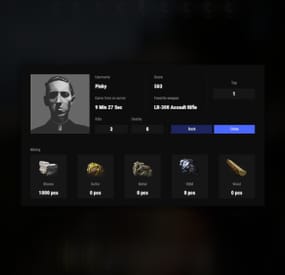
Beautiful display of player statistics and player ratings.
Features:
Beautiful user interface Customization (all interface you can set up in configuration) Performance
Commands
stats open statistics interface stats [steamId] open statistics interface leaderboard open leaderboard interface
Permissions
statistics.use open statistics interface statistics.hide hides player from leaderboard
FAQ:
Q: Where can I see an example of a config?
A: Config
Q: What should I do if I get the error "You do not have permission to use this command!"?
A: To solve this problem, you need to grant the "statistics.use" permission to your players. For example, granting this permission to the "default" group is done with the following command:
oxide.grant group default statistics.use
- #statistics
- #leaderboard
- (and 12 more)