
Vinni_TV_'s Wishlist
-
![More information about "Dynamic Monuments [Jungle Bundle]"](https://codefling.com/cdn-cgi/image/width=285,height=275,quality=80,fit=cover,format=webp/https://codefling.com/uploads/monthly_2026_02/adem_prev_aztec_prev.thumb.jpg.33a76c6b835053171351d3129d5bbe88.jpg)
$39.99
Dynamic Monuments [Jungle Bundle]
‼️Note: This is an add-on, not a standalone plugin. It requires the Dynamic Monuments plugin to be installed (sold separately).
🌴Enhance your Rust world with Jungle Bundle — a rich and immersive monument pack for the Dynamic Monuments plugin!
Explore dense jungle environments and mysterious ancient sites, or configure them to appear in any biome you prefer.
Included in the addon:
7 land monuments 1 coastal location 1 dam 2 modified in-game locations Player-placeable locations:
The Mayan Pyramid The Tree House Eye of the Jungle Eclipse Fort Bone Cape The Ancient Dam Installation Instructions:
Make sure you have the latest version of the Dynamic Monuments plugin installed Move the contents of the data/DynamicMonuments folder from the archive you downloaded into the oxide/data/DynamicMonuments folder on your server Reload the plugin
Check out the rest of my work: Adem's Codefling Library
Join the Mad Mappers Discord!
-
$39.99
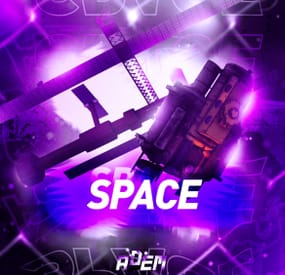
Space
The plugin allows players to visit a cold atmospheric Space void of gravity and oxygen, and visit an International Space Station!
A Space Station appears high in the sky, and is surrounded by Meteorites, Spaceships, and Balloons.
There is no gravity in Space, the temperature is very low and there is no oxygen.
You can get to Space by a Spaceship or by a Balloon which also spawn near roads or in loot tables.
The Space Station is guarded by customizable NPCs and a Space Bradley.
Outer Space
Meteorites, Crates, NPCs, Balloons and Spaceships will spawn in Outer Space near the Space Station, the number of each can be configured and customized.
In order to survive in Outer Space, the player will need a Spacesuit.
A Spacesuit can be customized to be any piece of clothing.
In the config you can customize items that will perform the functions of the Spacesuit in whole or in part.
To make space dark for players at any time of the day, use the NightVision plugin
Space Station
The Space Station consists of several compartments that are separated from each other by doors.
Optionally, the doors can be locked and they will need to be raided.
Inside the station there are crates with loot, NPCs, turrets, and fire turrets.
At the end of the corridor there are two doors that open with blue cards and one door that opens with red.
The spawn of the space station can be disabled. All objects on the space station are configured in the Data file of this station
Spaceship
The plugin includes spaceships that can spawn near roads, in Space, or can be added to loot tables.
The ship has separate settings for flying in the normal atmosphere and in zero gravity in Space.
It can shoot torpedoes, which will help the player in capturing the space station.
There are two seats in each spaceship.
Shuttle Control Guide:
Balloon
A balloon is an ordinary balloon with which you can ride into outer space.
The balloon can spawn near roads, in Space, or can be added to loot tables.
Also, this function can be applied to all balloons on the server.
If the balloon is in zero gravity, it can be used as an escape capsule!
If necessary, the player can enter, press a button, and be taken out of Space into the normal atmosphere.
Dependencies Required
NpcSpawn
Chat commands (only for administrators)
/spacestart – launches the event in a random configuration /spacestart <eventPresetName> – launches the event in the <eventPresetName> configuration /spacestop – stops the event /spawnshuttle – spawn the shuttle in your position /spawnaerostat – spawn the aerostat in your position /spacepoint – creates a custom spawn point of the event in your position (after that, you need to enable custom spawn points in the config)
Console commands (RCON only)
spacestart – launches the event in a random configuration spacestart <eventPresetName> – launches the event in the <eventPresetName> configuration spacestop – stops the event givepurplecard <userId> <amount> – gives a space card to a player giveshuttle <userId> <amount> – gives a shuttle to a player giveaerostat <userId> <amount> – gives a shuttle to a player givespacesuit <space_suit_preset> <userId> <amount> – gives <space_suit_preset> to a player
Config
plugin_en – example of plugin configuration in English station_en – example of station configuration in English plugin_ru – example of plugin configuration in Russian station_ru – example of station configuration in Russian
Dependencies (optional, not required)
True PVE PveMode GUI Announcements Notify DiscordMessages AlphaLoot CustomLoot Economics Server Rewards IQEconomic
Hooks
void OnSpaceEventStop() void OnSpaceEventStart()
API
bool IsPositionInSpace(Vector3 position) float GetMinSpaceAltitude() bool IsEventActive()
My Discord: adem9554
Join the Mad Mappers Discord here!
Check out more of my work here!
-
.thumb.jpg.5f6a451303fd06910d93a91cc28828d2.jpg)
$14.99
Custom Modules
Let your players use cars in a new way! The plugin will allow cars to float, driving underwater, use jet propulsion and become a mobile turret. You can configure any number of different modules. They can combine many functions, for example, a turret can be installed on a floating or underwater module. Modules are custom items that can be added to kits or loot tables of crates, sold in a server store, or may randomly appear on modular cars.
Types of modules
Buoyancy module. Adds a buoyancy point to the car. The modules should be placed symmetrically or in the center of the machine in order to allow it to float well. For this module, the buoyancy force, the turning speed and the speed of movement on the water can be configured.
Turret module. The module works only if there is a driver in the cabin. It can contain any number of turrets. If the car is closed, then other players will not be able to authorize in its turrets.
Jet module When the shift button is pressed, the car accelerates with the help of jet propulsion. For each module of this type, the thrust force and additional fuel consumption can be configured. Any number of fire rocket launchers can be placed on the module.
Remote control module A camera is installed in this module, for which you can change the frequency. Knowing the frequency, you can connect to the car using a computer station and control it.
Underwater module Allows the car to move underwater.
Chat commands (For administrators!)
/givemodule <Custom item shortname> – give the item to yourself. /customcarspawnpoint – adds a custom spawn point of a random custom car to the monument or to the map if the point is outside the monument /customcarspawnpoint <Custom car preset name> – adds a custom spawn point of <Custom car preset name> to the monument or to the map if the point is outside the monument
Console commands (RCON)
givemodule <userId> <Custom item shortname> <amount> – give the item to player.
Config
en – example of plugin configuration in English ru – example of plugin configuration in Russian- #adem
- #autoturret
- (and 18 more)
-
$29.99
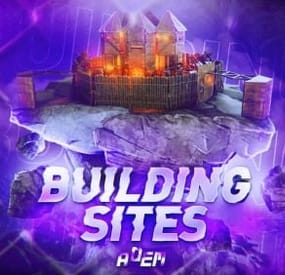
Building Sites
This plugin allows you to quickly and easily add unique locations for building houses to any map.
There are 17 different locations of three types: ground sites, islands, and flying platforms — choose what suits you best!
Key benefits of the plugin:
Suitable for any map; No need to use RustEdit; Random automatic spawn after wipe; Ability to give a Building Site to a certain player. With this plugin, you can build the perfect house for yourself and your friends!
Spawn locations
The plugin has a function for automatically generating spawn points for BuildingSites on any map.
You can independently enable and disable the spawning of water, land, and air BuildingSites.
For each type, you can set the number of BuildingSites that will appear after the wipe.
You can also give players flare to summon a BuildingSite.
With their help, players will be able to call the desired BuildingSite anywhere.
When the player holds the flyer in their hands, they are shown information about whether their position is suitable for spawning the BuildingSite or not.
Players can be given flyers in any way, for example, by kits or in the in-game store.
Chat commands (admin only)
/respawnsites - forcibly launches automatic respawn of BuildingSites /spawnsite PresetName - spawn the BuildingSite in your position /killsite- destroys the BuildingSite you're looking at /killallsites - destroys all BuildingSites on the server /givesite PresetName - give the BuildingSite to yourself /killsiteentity — look at the object you want to remove and enter the command; this object will no longer spawn at new locations of this type
Console commands (RCON only)
respawnsites - forcibly launches automatic respawn of BuildingSites killallsites - destroys all BuildingSites on the server givesite PresetName userID - give the BuildingSites to the player
Plugin Config
en – example of plugin configuration in English ru – example of plugin configuration in Russian
Check out the rest of my work: Adem's Codefling Library
You can reach out to me in Discord: Adem's Discord Profile
Join the Mad Mappers Discord!
- #adem
- #madmappers
- (and 6 more)
-
$9.99
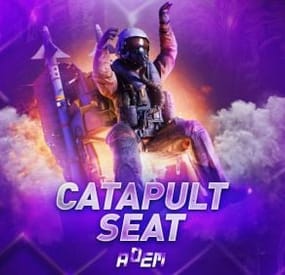
Catapult Seat
CatapultSeat — a plugin that adds a full-fledged ejection system.
It makes the Pilot Seat functional (by default it’s only a decorative object) and introduces a Custom Seat, which can be given to players or added to loot tables.
Both seats are placed on the ground and serve as stationary ejection points.
Additionally, the plugin allows players to eject directly from minicopters, attack helicopters, and transport helicopters, making aerial combat and movement far more dynamic and spectacular.
CatapultSeat supports several ways to provide the ejection seat to players:
Console command — administrators can manually give the item via console. Other plugins — use the shortname and skin from the config for integration. Loot tables — add the seat directly into loot through the plugin configuration.
Chat commands (admin only)
/givecatapult - give a catapult to yourself
Console commands (RCON only)
givecatapult userID amount - give a catapult to player
Plugin Config
en – example of plugin configuration in English ru – example of plugin configuration in Russian
Check out the rest of my work: Adem's Codefling Library
You can reach out to me in Discord: Adem's Discord Profile
Join the Mad Mappers Discord!