
Vinni_TV_'s Wishlist
-

$5.99
Team Info
🗒️Displays data about the players in the team:
Togglable UI Show Teammates Health Show Teammates Active Item Show Teammates Square Position Show if teammate is dead/wounded
Not loading players icons❔
Check your file ImageLibrary.json, you must enter your steam api key and set "Avatars - Store player avatars": true❕
Try reload ImageLibrary❕
How to make the plugin work for all players❔
Use the command - o.grant group default teaminfo.use❕
At what angle are offsets considered❔
Offsets are counted from the left bottom angel ❕
📢Permission for use: teaminfo.use
📕Commands:
/teaminfo - open/close the TeamInfo UI.
🔖 Config:
{ "Offset from left angle": 5, "Offset from bottom": 150, "Enable visible player position": true, "Name permission": "teaminfo.use" }
✵ In this plugin will appear:
The player's ability to put a label in the world Displaying the compass value of a player in a team -

$14.99
Meteor Rain
🗒️The plugin adds a meteorite fall event to your server that can destroy buildings. Also, players can protect themselves from the meteorite with a meteor shield!
📢Video demonstration - https://www.youtube.com/watch?v=kzAkRqBWjgE&feature=emb_logo
📢Meteor Shield:
ShortName: electric.teslacoil SkinID: 2759495190 Console command for issuing a Meteor Shield to a player: mrgiveshield <SteamID> <Amount> 🔖Commands:
/mrsettings - open MeteorRain setup UI -

$9.99
Gifts from Santa
🗒️Features:
Adds behavioral points for each player. The player gains or loses his behavior points for various actions (configurable in the config). Santa will cyclically give gifts to the player (the interval is configured in the config). The gift, as well as its content, depends on the behavior of the player. (All of the above is configured in the config). The plugin has a standard, playable configuration.
🔖Config:
{ "Command for open UI": "gifts", "SteamID for icon in chat messages": 0, "The interval for giving out gifts from Santa.(In seconds)": 86400, "Behaviors": [ { "The minimum number of behavior points to achieve this behavior": 0, "Name of behavior": "<color=red>UNSATISFACTORY</color>", "List of gifts for this behavior with random drop chance": [ { "Behavior name": "COMMON GIFT", "Minimum number of items to be given out": 1, "Maximum number of items to be given out": 2, "Item list": [ { "Shortname": "coal", "Amount": 1, "SkinID": 0 }, { "Shortname": "coal", "Amount": 1, "SkinID": 0 }, { "Shortname": "coal", "Amount": 1, "SkinID": 0 }, { "Shortname": "giantcandycanedecor", "Amount": 1, "SkinID": 0 } ] }, { "Behavior name": "UNCOMMON GIFT", "Minimum number of items to be given out": 2, "Maximum number of items to be given out": 3, "Item list": [ { "Shortname": "coal", "Amount": 1000, "SkinID": 0 }, { "Shortname": "coal", "Amount": 1000, "SkinID": 0 }, { "Shortname": "sulfur", "Amount": 1000, "SkinID": 0 }, { "Shortname": "metal.fragments", "Amount": 1000, "SkinID": 0 }, { "Shortname": "shotgun.waterpipe", "Amount": 1, "SkinID": 0 }, { "Shortname": "ladder.wooden.wall", "Amount": 1, "SkinID": 0 }, { "Shortname": "candycaneclub", "Amount": 1, "SkinID": 0 }, { "Shortname": "bow.compound", "Amount": 1, "SkinID": 0 }, { "Shortname": "door.double.hinged.metal", "Amount": 1, "SkinID": 0 } ] } ] }, { "The minimum number of behavior points to achieve this behavior": 500, "Name of behavior": "<color=yellow>SATISFACTORY</color>", "List of gifts for this behavior with random drop chance": [ { "Behavior name": "RARE GIFT", "Minimum number of items to be given out": 3, "Maximum number of items to be given out": 4, "Item list": [ { "Shortname": "scrap", "Amount": 200, "SkinID": 0 }, { "Shortname": "metal.fragments", "Amount": 1000, "SkinID": 0 }, { "Shortname": "gunpowder", "Amount": 500, "SkinID": 0 }, { "Shortname": "metalpipe", "Amount": 5, "SkinID": 0 }, { "Shortname": "riflebody", "Amount": 1, "SkinID": 0 }, { "Shortname": "smgbody", "Amount": 1, "SkinID": 0 }, { "Shortname": "pistol.m92", "Amount": 1, "SkinID": 0 }, { "Shortname": "grenade.f1", "Amount": 4, "SkinID": 0 }, { "Shortname": "jackhammer", "Amount": 1, "SkinID": 0 }, { "Shortname": "ammo.pistol", "Amount": 100, "SkinID": 0 } ] }, { "Behavior name": "EPIC GIFT", "Minimum number of items to be given out": 3, "Maximum number of items to be given out": 4, "Item list": [ { "Shortname": "scrap", "Amount": 500, "SkinID": 0 }, { "Shortname": "lowgradefuel", "Amount": 300, "SkinID": 0 }, { "Shortname": "metal.refined", "Amount": 100, "SkinID": 0 }, { "Shortname": "ammo.pistol", "Amount": 100, "SkinID": 0 }, { "Shortname": "ammo.pistol", "Amount": 28, "SkinID": 0 }, { "Shortname": "workbench2", "Amount": 1, "SkinID": 0 }, { "Shortname": "explosive.satchel", "Amount": 4, "SkinID": 0 }, { "Shortname": "smg.thompson", "Amount": 1, "SkinID": 0 }, { "Shortname": "oretea.advanced", "Amount": 3, "SkinID": 0 }, { "Shortname": "wall.frame.garagedoor", "Amount": 1, "SkinID": 0 }, { "Shortname": "supply.signal", "Amount": 100, "SkinID": 0 } ] } ] }, { "The minimum number of behavior points to achieve this behavior": 1000, "Name of behavior": "<color=green>SANTA'S FAVORITE</color>", "List of gifts for this behavior with random drop chance": [ { "Behavior name": "LEGENDARY GIFT", "Minimum number of items to be given out": 2, "Maximum number of items to be given out": 3, "Item list": [ { "Shortname": "ammo.rifle", "Amount": 100, "SkinID": 0 }, { "Shortname": "ammo.rifle", "Amount": 28, "SkinID": 0 }, { "Shortname": "ammo.rifle.explosive", "Amount": 100, "SkinID": 0 }, { "Shortname": "ammo.rifle.explosive", "Amount": 28, "SkinID": 0 }, { "Shortname": "hazmatsuit", "Amount": 1, "SkinID": 0 }, { "Shortname": "easter.silveregg", "Amount": 1, "SkinID": 0 }, { "Shortname": "door.hinged.toptier", "Amount": 1, "SkinID": 0 }, { "Shortname": "door.hinged.toptier", "Amount": 1, "SkinID": 0 }, { "Shortname": "metal.refined", "Amount": 100, "SkinID": 0 }, { "Shortname": "rifle.lr300", "Amount": 1, "SkinID": 0 }, { "Shortname": "workbench3", "Amount": 1, "SkinID": 0 }, { "Shortname": "syringe.medical", "Amount": 2, "SkinID": 0 }, { "Shortname": "gunpowder", "Amount": 1000, "SkinID": 0 }, { "Shortname": "gunpowder", "Amount": 1000, "SkinID": 0 }, { "Shortname": "gunpowder", "Amount": 1000, "SkinID": 0 }, { "Shortname": "gunpowder", "Amount": 1000, "SkinID": 0 } ] }, { "Behavior name": "SUPERIOR GIFT", "Minimum number of items to be given out": 2, "Maximum number of items to be given out": 3, "Item list": [ { "Shortname": "scrap", "Amount": 1000, "SkinID": 0 }, { "Shortname": "explosives", "Amount": 100, "SkinID": 0 }, { "Shortname": "explosive.timed", "Amount": 2, "SkinID": 0 }, { "Shortname": "jackhammer", "Amount": 1, "SkinID": 0 }, { "Shortname": "chainsaw", "Amount": 1, "SkinID": 0 }, { "Shortname": "metal.refined", "Amount": 100, "SkinID": 0 }, { "Shortname": "lmg.m249", "Amount": 1, "SkinID": 0 }, { "Shortname": "weapon.mod.small.scope", "Amount": 1, "SkinID": 0 }, { "Shortname": "weapon.mod.silencer", "Amount": 1, "SkinID": 0 }, { "Shortname": "weapon.mod.lasersight", "Amount": 1, "SkinID": 0 }, { "Shortname": "metal.facemask", "Amount": 1, "SkinID": 0 }, { "Shortname": "metal.plate.torso", "Amount": 1, "SkinID": 0 } ] } ] } ], "Behaivor Points per player kill": 20.0, "Behaivor Points per NPC kill": 20.0, "Behavior points per chat message": 0.1, "Behavior Points for Learning a Recipe": 1.5, "Behavior points per broken stone/ore/wood/corpse": 4.0, "The interval for giving the player 1 behavior point for being on the server": 300, "Behavior score for object destruction": { "assets/bundled/prefabs/autospawn/resource/loot/loot-barrel-1.prefab": 0.5, "assets/bundled/prefabs/autospawn/resource/loot/loot-barrel-2.prefab": 0.5, "assets/bundled/prefabs/radtown/loot_barrel_1.prefab": 1.0, "assets/bundled/prefabs/radtown/loot_barrel_2.prefab": 0.5, "assets/bundled/prefabs/radtown/oil_barrel.prefab": 1.0, "assets/rust.ai/agents/bear/bear.prefab": 1.0, "assets/rust.ai/agents/boar/boar.prefab": 1.0, "assets/rust.ai/agents/stag/stag.prefab": 1.0, "assets/rust.ai/agents/stag/wolf.prefab": 1.0 }, "Behavior points for the presence of certain words in the chat": { "dick": -0.5, "bitch": -0.5, "fuck": -1.0, "prick": -0.5, "bastard": -1.0, "bellend ": -0.5, "cunt": -0.5, "balls": -0.5, "shit": -1.0, "fucker": -0.5, "asshole": -1.0, "slave": -5.0, "nigger": -5.0, "best server": 5.0, "sorry": 1.0, "good": 0.5, "well done": 1.0, "cool": 0.5, "pretty": 0.5, "cute": 0.5 } } 🏳️Lang:
{ "CM_TAKEGIFT": "Received a {0} gift from Santa", "UI_BEHAVIOR": "YOUR BEHAVIOR " }- #new year
- #christmas sale
- (and 9 more)
-
$4.99
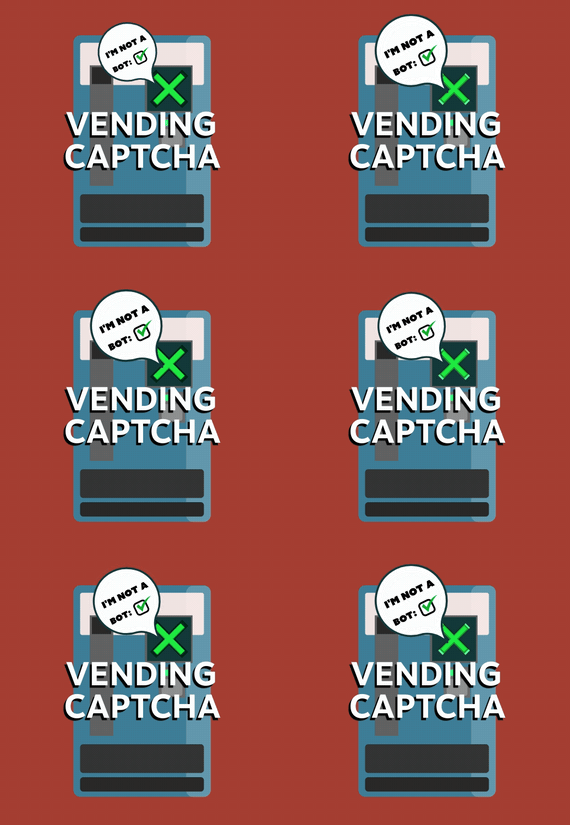
Vending Captcha
Prompt AFK players that use bots that use vending machines with captcha checkboxes to prevent them from holding the vending machine.
Key Features
Dynamic Positions: The checkbox location is randomized, making it harder to automate bypasses. Lightweight: No significant impact on server performance. Complete Customization: Change any text or threshold via the config file. API: Any other plugin can call the "captcha" command to prompt a player with a captcha checkbox.
Command and Permission
captcha - Creates the captcha checkbox UI. Must be used through the F1 Console.
captcha.bypass - Makes the user bypass automated captcha popups.
Config
{ "Captcha bypass permission": "captcha.bypass", "Purchase Time Frame (seconds)": 60.0, "Purchase Count Threshold Per Time Frame": 5, "Captcha UI title": "Quick Check", "Captcha UI description": "Please confirm you’re human:", "Captcha UI button text": "I’m not a bot", "Captcha UI checkbox text": "☐" } Support and More
Checkout my discord server here.
Showcase Video
-

$7.99
Floating Text
Display's a customizable, holographic text messages in-game.
Key Features
Dynamic Proximity-Based Messages: Create immersive experiences with text that appears and changes based on player proximity. Real-Time Text Manipulation: Instantly add or update holographic texts in-game, allowing for dynamic communication. Complete Customization: Tailor text content, refresh rates, visibility distances, and positions to create unique and engaging scenarios. Efficient Performance: Optimized to ensure minimal impact on server load, maintaining smooth gameplay even in high-action moments. Intuitive Command Interface: Simple and easy-to-use chat commands for adding and updating holographic texts. API: Easy to use API, which allows other plugins to automatically create and update holographic texts.
Commands and Permission
/AddHolo <name> <refresh> <distance> <"Text Displayed"> - Quickly set up new holographic texts at your location. /UpdateHolo <name> <"New Text"> - Effortlessly modify existing holographic texts.
holotext.admin - allows player to use the commands. Config
{ "Holo Texts": [ { "Name": "first", "Refresh": 1, "Distance": 25, "Text": "Hello this is a rock!", "Position": { "x": -1903, "y": 12, "z": -605 } } ] }
API (for developers)
void AddHoloText(string name, string text, float refresh, float distance, Vector3 position) void UpdateHoloText(string name, string newText)
Support and More
Checkout my discord server here.
- #holo
- #holographic
- (and 6 more)