
Tikomatura's Wishlist
-
$24.99
Team Tracker
By Whispers88 in Plugins
Team Tracker is your is the best admin tool for monitoring player associations and enforce team size rules. Whether you need to ban an entire team or track players abusing the system, Team Tracker has you covered. It offers live logging, team queries, and auto-banning—all in one customizable and performant package.
Dynamic identification of player teams Live discord logging Query a player team at any time Automatic custom ban system Battlemetrics integration High Performance
clearplayerdata - deletes a players team data/history teamcheck - Sends a discord embed with a report of group data, warnings and current team players to discord.
Note: All chat commands are universal meaning they can be used via the console, rcon(for import commands) and can be customized via the configuration.
teamtracker.whitelist - Whitelists a player from being included in any team alerts (Admins and Developers are automatically whitelisted) teamtracker.admin - allows the use of the checkteam and whitelist commands
Proximity - configurable distance between players Sleeping bag placement - bags given or placed within building Codelock authorization - authorized players on a codelock Turret authorization - authorized players on a turret Toolcupboard authorization - authorized players on a toolcupboard Healing - healing and reviving of other players Vehicle mounting - mounting of the same vehicle at the same time Team-members - history of team members PVP - players breaking team limits when pvping/roaming Raiding - players raiding together Looting - looting other players together
Alerts:
All alert types can be customized via the plugin config. Options include:
Enable - this toggles any usage of the alert type to enable or disable the alert type Log to discord - Enables discord logs Warn Players - Sends an ingame warning to a player up to 30 seconds after the offense Weighting - configures how important the alert type is. This contributes to the ban by association score value. Warnings:
Warnings are logged as a type of violation. This provides discord logs and the optional in game warning display to the violator.
Display Warnings to Players - option to disable in game warnings Length of time to display warning - optional length of time to display warnings Warning Text - customizable warning text Bans:
Team-Tracker allows for customizable automatic bans of players, who go over the group limits.
Enable Bans - allows toggeling of the ban system Ban text - text to display as the reason for a player ban Log Bans to Discord - optionally log bans to discord. Logging Only Mode: Set Enable Bans & Log Bans to Discord to true and set Local Bans and Battlemetrics Bans to False Enable Ban by Max Association - enables banning a player or a team by summing all association values to create a total weighting. Example: if the team limit is 5 players and the Max Association Weighting is 10, if a player has more than 5 players with an association weighting of more than 10 this will apply a ban. Max Association Weighting - set the max association weighting per player in a group Ban Duration - length of time to ban for Ban Team - ban all team members of a banned player Ban Associations - bans all players over Max Association Weighting in relation to a banned player Local Bans - apply bans locally
An API token for your battlemetrics org is required to use the battlemetrics ban features. A token can be acquired by visiting: https://www.battlemetrics.com/developers
Server ID - set the BM server ID Go to https://www.battlemetrics.com/rcon, click into the select server. Check the address bar in your browser, the address will be ending with the Server Id, for example: https://www.battlemetrics.com/rcon/servers/123456 means 123456 is the Server Id. Org ID - set an organisation ID Go to https://www.battlemetrics.com/rcon/orgs, click into the org. Check the address bar in your browser, the address will be ending with the Organization Id, for example: https://www.battlemetrics.com/rcon/orgs/edit/123456 means 123456 is the Organization Id. BanList ID - adds a ban to a specific ban list Go to https://www.battlemetrics.com/rcon/ban-lists, click "View Bans". Check the address bar in your browser, the address will be ending with the Banlist Id, for example: https://www.battlemetrics.com/rcon/bans/?filter[banList]=abcdef-123456-example-banlist-example91011 means abcdef-123456-example-banlist-example91011 is the Banlist Id. Org Wide Ban - true if the ban should be applied to all servers in your organization Auto Add - true if the ban should automatically ban new identifiers after kicking a matching player. Native Enabled - true if native bans should be issued for this ban- #teamalerts
- #team
- (and 28 more)
-
$14.99
DropBags
By Whispers88 in Plugins
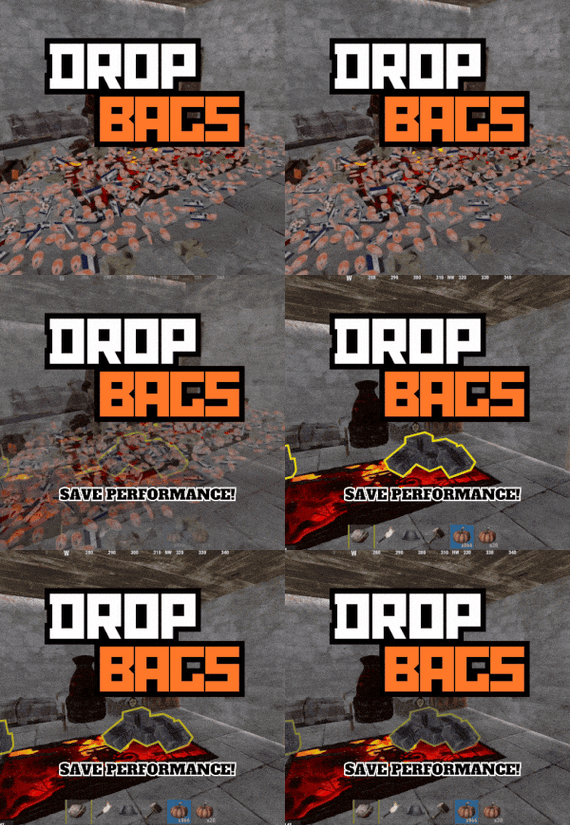
Drop Bags tracks items dropped into the rust world. When there are high-volume drops, they are combined into a single "drop bag.” This method enhances performance by streamlining the handling of item drops and reducing item physics.
Stop server stalls and freezing from item spam Works on craft spam, dropped item spam, gutted shark spam and horse dung! Light weight and easy to use Easy config
DropBags uses one light weight hook to track dropped items. Dependent on how many items are dropped in a given radius those items get placed into a drop bag. This stops mass item spam effecting your server performance.
{ "Area Size - How far away items can be moved into a container": 7, "Max drops before moving items to container": 36, "Time to wait before moving items": 5.0, "Vischeck - checks items are visable before moving to container": true, "Calculate despawntime from drop bag items": true, "Reset dropbag despawn time on loot": false, "Override drop bag despawn time (seconds), 0 = false": 0.0 }
- #dropbags
- #drop bags
- (and 26 more)
-
$29.99
Sputnik
Sputnik is a server event that allows players to contest fallen sputnik satellite fragments that fall around the map. Players will need to battle their way past patrol helicopters, NPCs, turrets, and mines to gain access to loot locked behind keycards that require 'Space Cards,' which can be added to loot tables or sold in a shop! Alternatively, you can use standard keycards.
Overview
By default, there are five types of debris that can fall in any quantity and combination. The fragment can be guarded by a helicopter, NPCs, turrets, and mines. For each preset, you can configure the location and number of crates. A radiation zone can be created around the fragment. By default, there is a card reader in one of the locations that open a locked crate. It is activated using the "Space card.” For more information, see the "Space card” section.
Space Card
A card reader can be placed on any type of sputnik debris. By default, it is activated using a purple "Space Card." This card reader opens the crates specified in a special section of the config. A custom card can be added to the loot tables of standard crates and crates of this event. It can also be given with the help of a command or sold in the server store. If necessary, the card reader can be removed, and the card can be replaced with any type of standard card.
Location presets
The location preset is specified for each wreckage preset separately. By default, a data file with five types of prefabs is included:
sputnik_1 debris_1 debris_2 debris_3 debris_4 They are shown in pictures 6 - 10. The first location includes a locked crate that opens with the help of a "Space Map."
Chat commands (only for administrators)
/sputnikstart– launches the event in a random configuration /sputnikstart <eventPresetName> – launches the event in the <eventPresetName> configuration /sputnikstop – stops the event /givespacecard – give yourself a "Space Card".
Console commands (RCON only)
sputnikstart– launches the event in a random configuration sputnikstart <eventPresetName> – launches the event in the <eventPresetName> configuration givespacecard <userID> – give a "Space Card" to player
Config
en – example of plugin configuration in English ru – example of plugin configuration in Russian
Dependencies (optional, not required)
True PVE PveMode GUI Announcements Notify DiscordMessages AlphaLoot CustomLoot Economics Server Rewards IQEconomic
Hooks
OnSputnikEventStart () OnSputnikEventStop () OnSputnikEventWin (ulong userID) OnPlayerEnterSputnik{BasePlayer player} OnPlayerExitSputnik{BasePlayer player}
My Discord: Adem#9554
Join the Mad Mappers Discord here!
Check out more of my work here!
-
$29.99
Discord Raid Alarm
By CrypticRedHat in Plugins
DiscordRaidAlarm is a fully vanilla-friendly Rust plugin and Discord integration that alerts defenders when their base is under attack. It does not rely on Rust+ or any external "seismic sensors.” By detecting building damage in a standard Rust server (Oxide/uMod or Carbon), the system sends raid data to a PHP script with a MySQL database, and a Discord bot delivers real-time notifications to defenders via direct messages. You can either host your own single-tenant bot or register with our public multi-tenant bot (no hosting required). Once Steam-to-Discord mapping is in place, your players receive automated alerts about raids, even on completely vanilla Rust servers.If you need help configuring it, message me on Discord: CrypticRedhat.
1. Overview
DiscordRaidAlarm notifies Rust players on Discord if their base is under attack. Its core components:
Rust Plugin: Captures damage events and posts them to a PHP script. PHP Script + MySQL: Stores raid data in a raid_events table. Discord Bot: Reads the table and DMs defenders. You can either use:
Our Public Multi-Tenant Bot (simplest; no hosting required), or A Self-Hosted Single-Tenant .exe (full control, optional). This guide focuses first on the public multi-tenant bot approach—especially how to invite the bot and use
/registertenant.
2. Prerequisites
Rust Server supporting Oxide/uMod or Carbon. A web host or cPanel environment for PHP + MySQL. A MySQL database (username, password, DB name, etc.). Token generated from it-tools.tech/token-generator (used across plugin & PHP script, and you’ll provide it to the multi-tenant bot). If you choose to self-host your own bot: A Windows machine and optionally a Discord Developer Portal application for a custom bot token.
3. Token Generation & Matching
Go to it-tools.tech/token-generator → click generate. Use that random string for: Rust plugin config (API Auth Token), PHP script (API_TOKEN), And you’ll also provide it to the multi-tenant bot in /registertenant or your self-hosted bot config. All must match exactly or you’ll see 401/403 errors.
4. Rust Plugin Setup (Oxide/uMod or Carbon)
Obtain DiscordRaidAlarm.cs. Place in your Rust server’s plugin folder: Oxide: oxide/plugins/ Carbon: Carbon/Plugins/ 3. Load the plugin:
Oxide: oxide.reload DiscordRaidAlarm or restart. Carbon: c.reload DiscordRaidAlarm. 4. Config:
Check oxide/config/DiscordRaidAlarm.json or similar. Set "API URL" to your DiscordRaidAlarm.php location, e.g. https://yourdomain.com/DiscordRaidAlarm.php. Set "API Auth Token" to the same token from Step 3. Verify no errors. Run oxide.plugins or carbon.plugins to confirm it’s loaded.
5. PHP API Setup
Upload DiscordRaidAlarm.php to your web host. Edit lines like: define('DB_HOST', 'localhost'); define('DB_NAME', 'my_database'); define('DB_USER', 'my_db_user'); define('DB_PASS', 'my_db_pass'); define('API_TOKEN', 'YOUR_RANDOM_TOKEN'); Make sure API_TOKEN matches your plugin.
Ensure you can reach DiscordRaidAlarm.php in a browser (it may show an error, that’s normal with no parameters).
6. Database Creation
Create a MySQL DB or use an existing one. Import create_table.sql: mysql -u my_db_user -p my_database < create_table.sql 3. Check for raid_events:
SHOW TABLES; If it’s there, you’re set.
7. Using the Public Multi-Tenant Bot
If you don’t want to host a .exe, our public multi-tenant Discord bot can poll your raid_events for you. Below are the two main steps: inviting the bot, then registering your tenant via the /registertenant slash command.
7.1 Invite the Bot to Your Server
Click this invite link: Invite
It’s pre-configured with minimal but necessary permissions, including Send Messages (crucial for DM or channel posting) and other relevant scopes.
Select your Discord server and authorize it. The bot will now appear in your server’s member list. If it can’t send messages or you want slash commands to work, ensure it has the right role/permission in the server. Typically "Send Messages,” "Embed Links,” "Read Messages History,” and "Use Application Commands” are enough. 7.2 Register Your Tenant with /registertenant
Open a text channel (or any channel) in the same server where you invited the bot. Type /registertenant. You’ll see a form for:
api_url (required) – The URL to your DiscordRaidAlarm.php.
api_token (required) – The same token from your plugin + DiscordRaidAlarm.php.
steamlink_url (required) – If you’re using a steam-to-discord link system.
steamlink_secret (required) – Also for your steam link system.
bypass_token (optional) – For some advanced steam link usage.
poll_interval (optional) – How often the bot checks your raids, in seconds. Defaults to the global fallback if omitted.
Fill out each field carefully:
api_url: e.g., https://yourdomain.com/DiscordRaidAlarm.php api_token: your random token. steamlink_url / steamlink_secret: If you do not have a steam linking system, just enter placeholders. (Optional) bypass_token or poll_interval if needed. Press Enter. The bot will respond ephemerally with either "Tenant registered/updated successfully!” or an error message if something went wrong.
If successful, the bot automatically logs your server info (guild_id + config) in its multi-tenant DB.
From this point on, the bot polls your raid_events table.
Done! Whenever your plugin logs a raid, the bot sees it and DMs the defenders (assuming you have steam-to-discord mapping set up).
Important: You must run /registertenant from within the server that the bot is invited to. The bot automatically captures your guild_id from the slash command, linking that guild to the api_url + api_token you provided.
8. Self-Hosted Bot (Optional)
If you prefer hosting your own single-tenant .exe, skip Section 7 and do this:
Create a Discord bot in the Developer Portal. Invite it with permissions like Send Messages, etc. Edit appsettings.json or .config: { "BotSettings": { "BotToken": "YOUR_BOT_TOKEN", "RaidApiUrl": "https://yourdomain.com/DiscordRaidAlarm.php", "RaidApiToken": "YOUR_RANDOM_TOKEN", "PollIntervalSeconds": "10" } } Run DiscordRaidAlarmBot.exe. It polls your raid_events table, DMs defenders.
9. Testing & Verification
Trigger a test from your Rust server plugin if it supports a test command (like /raidalarm.test). Otherwise, damage a building block. Check your MySQL raid_events table: SELECT * FROM raid_events; If a new row is added with processed=0, the bot should see it next poll cycle (every 10–30 seconds or your chosen interval). The bot (public multi-tenant or your own) sends direct messages to any defenders with known Discord IDs. If you see "Tenant registered/updated successfully!” from /registertenant but no raids are processed, check Troubleshooting.
10. Troubleshooting
No DMs: Possibly defenders’ privacy settings block DMs from that server’s members. The user might not be in the same Discord server. Steam ID → Discord ID mapping is missing if you rely on external link systems. "Tenant registration failed” or 403/401 messages: Mismatched api_token between the Rust plugin, the DiscordRaidAlarm.php, or the data you entered in /registertenant. Typo in the api_url or server didn’t load the plugin. Bot Not Sending: For the public multi-tenant bot, confirm you typed /registertenant in the correct server, and it responded with success. For your self-hosted bot, ensure the .exe is running, the token is valid, and it’s in your server with Send Messages permission. Plugin Not Logging: Check the console logs for DiscordRaidAlarm.cs loading errors. Possibly it’s in the wrong folder for Oxide/Carbon, or you didn’t set "API Auth Token” in the plugin config.- #raid
- #raid alarm
- (and 5 more)
-
$22.00
Cargo Convoy Event
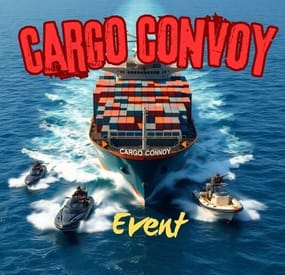
The Cargo Convoy plugin creates a Cargo Ship with three different levels of defensive escorts. In addition to this, the Cargo ship is equipped with a samsite, an autoturret, and a raidable door. If any of the escort ship's captains dies, that ship will stop. If the someone kills the Cargo ship's captain, the Cargo will stop, and if the PveMode plugin is enabled, they will become the owner of the event.
Supports the PveMode plugin.
Console Commands:
ccstart (random difficult event started)
ccstart.easy
ccstart.medium
ccstart.hard
ccstop
Contact:
Additional free plugins created by me are available on Discord: https://discord.gg/C5CehdJMdK
If you want to try out this plugin, you can do so on the test server. IP: 212.73.137.3:27195
My public Rust server IP: 136.243.135.46:28050
Video:
Config:
{ "Plugin version": { "Major": 1, "Minor": 0, "Patch": 0 }, "Automatic event start": true, "Minimum time for event start": 3600.0, "Maximum time for event start": 7200.0, "Duration of the event": 3600.0, "Warning messages before event start": 300.0, "Warning messages before event end": 300.0, "Facepunch cargoship event enabled?": false, "Chat icon": 0, "Event Locked crates hack time": 900.0, "Autoturret setting Easy difficult": { "Health": 200.0, "Weapon ShortName": "smg.2", "Ammo ShortName": "ammo.pistol", "Number of ammo": 5000 }, "Autoturret setting Medium difficult": { "Health": 300.0, "Weapon ShortName": "rifle.lr300", "Ammo ShortName": "ammo.rifle", "Number of ammo": 5000 }, "Autoturret setting Hard difficult": { "Health": 400.0, "Weapon ShortName": "rifle.ak", "Ammo ShortName": "ammo.rifle", "Number of ammo": 5000 }, "Medium difficult door setting.": { "Door SkinID (0 - default, TugBoat and Medium difficult only use Sheet Metal Door skinID, Hard difficult only use Armored Door skinID! )": 1443957299, "Door Health": 250.0 }, "Hard difficult door setting.": { "Door SkinID (0 - default, TugBoat and Medium difficult only use Sheet Metal Door skinID, Hard difficult only use Armored Door skinID! )": 1130245250, "Door Health": 1000.0 }, "TugBoat door setting.": { "Door SkinID (0 - default, TugBoat and Medium difficult only use Sheet Metal Door skinID, Hard difficult only use Armored Door skinID! )": 1447958101, "Door Health": 250.0 }, "Elit crates setting on Easy difficult": { "Delete the Rust loottable loot?": false, "Add custom loot?": false, "CustomLoot": { "Minimum items": 1, "Maximum items": 1, "Use minimum - maxium?": false, "List of items": [ { "ShortName": "xmas.present.small", "Minimum": 3, "Maximum": 6, "Chance": 100.0, "Give blueprint?": false, "SkinID": 0, "Displayname": "" } ] } }, "Elit crates setting on Medium difficult": { "Delete the Rust loottable loot?": false, "Add custom loot?": false, "CustomLoot": { "Minimum items": 1, "Maximum items": 1, "Use minimum - maxium?": false, "List of items": [ { "ShortName": "xmas.present.small", "Minimum": 3, "Maximum": 6, "Chance": 100.0, "Give blueprint?": false, "SkinID": 0, "Displayname": "" } ] } }, "Locked crates setting on Medium difficult": { "Delete the Rust loottable loot?": false, "Add custom loot?": false, "CustomLoot": { "Minimum items": 1, "Maximum items": 1, "Use minimum - maxium?": false, "List of items": [ { "ShortName": "xmas.present.small", "Minimum": 3, "Maximum": 6, "Chance": 100.0, "Give blueprint?": false, "SkinID": 0, "Displayname": "" } ] } }, "Elit crates setting on Hard difficult": { "Delete the Rust loottable loot?": false, "Add custom loot?": false, "CustomLoot": { "Minimum items": 1, "Maximum items": 1, "Use minimum - maxium?": false, "List of items": [ { "ShortName": "xmas.present.small", "Minimum": 3, "Maximum": 6, "Chance": 100.0, "Give blueprint?": false, "SkinID": 0, "Displayname": "" } ] } }, "Locked crates setting on Hard difficult": { "Delete the Rust loottable loot?": false, "Add custom loot?": false, "CustomLoot": { "Minimum items": 1, "Maximum items": 1, "Use minimum - maxium?": false, "List of items": [ { "ShortName": "xmas.present.small", "Minimum": 3, "Maximum": 6, "Chance": 100.0, "Give blueprint?": false, "SkinID": 0, "Displayname": "" } ] } }, "Elit crates setting on TugBoats": { "Delete the Rust loottable loot?": false, "Use custom loot?": false, "CustomLoot": { "Minimum items": 1, "Maximum items": 1, "Use minimum - maxium?": false, "List of items": [ { "ShortName": "xmas.present.small", "Minimum": 3, "Maximum": 6, "Chance": 100.0, "Give blueprint?": false, "SkinID": 0, "Displayname": "" } ] } }, "Setting the Captains": { "Name": "Captain", "Health": 300.0, "Attack Range Multiplier": 1.0, "Target Memory Duration [sec.]": 20.0, "Scale damage": 0.7, "Aim Cone Scale": 1.5, "Sense Range": 0.0, "Wear items": [ { "ShortName": "shoes.boots", "SkinID (0 - default)": 2454376365 }, { "ShortName": "burlap.trousers", "SkinID (0 - default)": 3027295270 }, { "ShortName": "burlap.shirt", "SkinID (0 - default)": 3027301658 }, { "ShortName": "burlap.gloves", "SkinID (0 - default)": 2454377972 }, { "ShortName": "hat.boonie", "SkinID (0 - default)": 3112171056 } ], "Belt items": [ { "ShortName": "syringe.medical", "Amount": 3, "SkinID (0 - default)": 0, "Mods": [], "Ammo": "" } ] }, "Setting the EASY Npc's": { "Name": "Cargo Soldier", "Health": 125.0, "Attack Range Multiplier": 4.0, "Target Memory Duration [sec.]": 20.0, "Scale damage": 0.7, "Aim Cone Scale": 1.5, "Sense Range": 150.0, "Wear items": [ { "ShortName": "shoes.boots", "SkinID (0 - default)": 800967386 }, { "ShortName": "pants", "SkinID (0 - default)": 681804489 }, { "ShortName": "hoodie", "SkinID (0 - default)": 963496340 }, { "ShortName": "burlap.gloves", "SkinID (0 - default)": 0 }, { "ShortName": "wood.armor.pants", "SkinID (0 - default)": 0 }, { "ShortName": "wood.armor.jacket", "SkinID (0 - default)": 0 }, { "ShortName": "bucket.helmet", "SkinID (0 - default)": 2929522461 } ], "Belt items": [ { "ShortName": "smg.thompson", "Amount": 1, "SkinID (0 - default)": 0, "Mods": [ "weapon.mod.flashlight", "weapon.mod.holosight" ], "Ammo": "" }, { "ShortName": "pistol.m92", "Amount": 1, "SkinID (0 - default)": 0, "Mods": [], "Ammo": "" }, { "ShortName": "syringe.medical", "Amount": 3, "SkinID (0 - default)": 0, "Mods": [], "Ammo": "" } ] }, "Setting the MEDIUM Npc's": { "Name": "Cargo Soldier", "Health": 200.0, "Attack Range Multiplier": 4.0, "Target Memory Duration [sec.]": 20.0, "Scale damage": 0.7, "Aim Cone Scale": 1.5, "Sense Range": 150.0, "Wear items": [ { "ShortName": "shoes.boots", "SkinID (0 - default)": 3251246600 }, { "ShortName": "pants", "SkinID (0 - default)": 3246192739 }, { "ShortName": "hoodie", "SkinID (0 - default)": 3246191692 }, { "ShortName": "burlap.gloves", "SkinID (0 - default)": 0 }, { "ShortName": "roadsign.kilt", "SkinID (0 - default)": 3260691772 }, { "ShortName": "roadsign.jacket", "SkinID (0 - default)": 3260693328 }, { "ShortName": "coffeecan.helmet", "SkinID (0 - default)": 3260694842 } ], "Belt items": [ { "ShortName": "smg.mp5", "Amount": 1, "SkinID (0 - default)": 0, "Mods": [ "weapon.mod.flashlight", "weapon.mod.holosight" ], "Ammo": "" }, { "ShortName": "syringe.medical", "Amount": 3, "SkinID (0 - default)": 0, "Mods": [], "Ammo": "" } ] }, "Setting the HARD Npc's": { "Name": "Cargo Soldier", "Health": 350.0, "Attack Range Multiplier": 4.0, "Target Memory Duration [sec.]": 20.0, "Scale damage": 0.7, "Aim Cone Scale": 1.5, "Sense Range": 180.0, "Wear items": [ { "ShortName": "shoes.boots", "SkinID (0 - default)": 2936561559 }, { "ShortName": "pants", "SkinID (0 - default)": 2933205831 }, { "ShortName": "hoodie", "SkinID (0 - default)": 2933205232 }, { "ShortName": "burlap.gloves", "SkinID (0 - default)": 2936561057 }, { "ShortName": "roadsign.kilt", "SkinID (0 - default)": 1624102935 }, { "ShortName": "metal.plate.torso", "SkinID (0 - default)": 2601631390 }, { "ShortName": "metal.facemask", "SkinID (0 - default)": 2601630796 } ], "Belt items": [ { "ShortName": "rifle.lr300", "Amount": 1, "SkinID (0 - default)": 0, "Mods": [ "weapon.mod.flashlight", "weapon.mod.holosight" ], "Ammo": "" }, { "ShortName": "rocket.launcher", "Amount": 1, "SkinID (0 - default)": 0, "Mods": [], "Ammo": "" }, { "ShortName": "syringe.medical", "Amount": 3, "SkinID (0 - default)": 0, "Mods": [], "Ammo": "" } ] }, "NPC Turret Damage Multiplier": 1.0, "Messages setting": { "GameTip message": "Cargo Convoy Inbound", "Message before the event starts.": "<color=#ff0000>Cargo Convoy</color> will start soon", "Message before the event stop.": "Cargo Convoy will end soon!!", "Message when someone stopped Cargo Convoy": "Someone stopped the Cargo Convoy", "Start message": "Cargo Convoy Event start! Kill the <color=#2296ff>Cargo Captain</color> to stop the cargo convoy and you will be the event owner", "Stop message": "Cargo Convoy Event end!", "Map marker name": "Cargo Convoy", "Map marker radius": 0.6, "Color": { "r": 1.0, "g": 0.0, "b": 0.0 } }, "PVE Mode Setting (only for users PveMode plugin)": { "Use PveMode plugin?": false, "Non owner can loot the crates?": false, "Non owner can loot the Npc's?": false, "Non owner can damage Npc's?": false, "Non owner can be attacked by Npc's?": false, "Non owner, can you enter the event zone?": false, "Allow a player who has an active cooldown of the Event Owner to enter the event zone?": true, "The time that the Event Owner may not be inside the event zone.": 300, "The time until the event owner can return to the event zone.": 60, "Block the RestoreUponDeath plugin in the event zone.": true, "After all this time, an event owner can be an event owner again.": 86400.0, "Darkening the sphere.": 15 } }