
Jedchado's Wishlist
-

$6.99
Doc's Haunted Church Hdrp
Welcome to Doc's Haunted Church.
This is a good replacement for mining outpost/gas station/supermarket
You will need 1 fuse and 1 green card to access all the loot in the monument
4 zombies spawn in the grave yard
1 Blue key card spawner
1 recycler
Prefab count: 782
Please make yourself aware of the TOS-Restrictions for use.
If you find any bugs or issues contact me on here or discord and il sort them out straight away
DocNorris#5423
-
$18.00
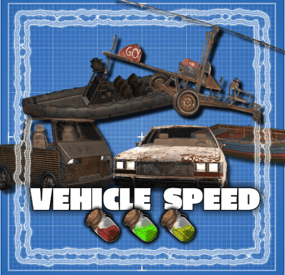
Vehicle Speed
By The_Kiiiing in Plugins
SUPPORTS EVERY VEHICLE IN THE GAME! A simple plugin that brings in new types of fuel. Depending on the fuel type helis fly faster or slower.
Out of the box this plugin adds 2 new fuel types to the game: Medium Grade Fuel and High Quality Fuel. For each fuel type you can configure a speed multilplier. For example High Quality Fuel makes helis go 3x as fast by default. Furthermore you can configure the fuel consumption per minute for each fuel type.
Supported vehicles:
Minicopter, Scrap Heli, Attack Heli Rowboat, RHIB Modular Car Small & Large Submarine Horse Bike, Motorbike Snowmobile Diver Propulsion Vehicle
Configuration:
Item name: The name of the ingame item; set it to null to use the default item name.
Fuel skin id: the skin id of the fuel item. Note that each skin id has to be unique and can not be used for multiple fuel types
Speed multiplier: the speed multiplier for the heli, 1 = default speed. It is not recommended to set this higher than 4.
Fuel consumption per minute: fuel consumption per minute, set to -1 to use the default fuel consumption.
Loot Table integration:
This plugin supports the custom item api of Loot Table and Stack Size GUI, so you can easily add your custom fuel items to the loot table. When both plugins are installed on the server, the fuel items you configured will show up in the custom items tab of Loottable (right image):
Admin commands:
fuel list - View fuel types and their id fuel <id> <amount> - Give yourself x amount of fuel with the given id fuel <id> <amount> <player name or id> - Give the specified player x amount of fuel with the given id These commands are intended for admin use only and require the permission
helispeed.admin
Default configuration:
{ "Fuel Configuration": [ { "Item name": null, "Fuel skin id": 0, "Minicopter speed multiplier": 0.8, "Minicopter fuel consumption per minute (-1 for default)": -1.0, "Scap heli speed multiplier": 0.8, "Scap heli consumption per minute (-1 for default)": -1.0, "Row boat speed multiplier": 0.8, "Row boat fuel consumption per minute (-1 for default)": -1.0, "RHIB speed multiplier": 0.8, "RHIB fuel consumption per minute (-1 for default)": -1.0, "Modular car speed multiplier": 0.8, "Tugboat speed multiplier": 0.8, "Tugboat fuel consumption per minute (-1 for default)": -1.0, "Attack helicopter speed multiplier": 0.8, "Attack helicopter fuel consumption per minute (-1 for default)": -1.0 }, { "Item name": "Medium Grade Fuel", "Fuel skin id": 2501207890, "Minicopter speed multiplier": 1.5, "Minicopter fuel consumption per minute (-1 for default)": -1.0, "Scap heli speed multiplier": 1.5, "Scap heli consumption per minute (-1 for default)": -1.0, "Row boat speed multiplier": 1.5, "Row boat fuel consumption per minute (-1 for default)": -1.0, "RHIB speed multiplier": 1.5, "RHIB fuel consumption per minute (-1 for default)": -1.0, "Modular car speed multiplier": 1.5, "Tugboat speed multiplier": 1.5, "Tugboat fuel consumption per minute (-1 for default)": -1.0, "Attack helicopter speed multiplier": 1.5, "Attack helicopter fuel consumption per minute (-1 for default)": -1.0 }, { "Item name": "High Quality Fuel", "Fuel skin id": 2664651800, "Minicopter speed multiplier": 3.0, "Minicopter fuel consumption per minute (-1 for default)": -1.0, "Scap heli speed multiplier": 3.0, "Scap heli consumption per minute (-1 for default)": -1.0, "Row boat speed multiplier": 3.0, "Row boat fuel consumption per minute (-1 for default)": -1.0, "RHIB speed multiplier": 3.0, "RHIB fuel consumption per minute (-1 for default)": -1.0, "Modular car speed multiplier": 3.0, "Tugboat speed multiplier": 3.0, "Tugboat fuel consumption per minute (-1 for default)": -1.0, "Attack helicopter speed multiplier": 3.0, "Attack helicopter fuel consumption per minute (-1 for default)": -1.0 } ] }
-
.thumb.jpg.10dbb7eaf887d18f13e193bd6438da8d.jpg)
$5.00
Abandoned Building Coblat
By the-bandit in Prefabs
Building cobalt: explore the rooms and levels find the secret passage to go to the safe room.
-
.thumb.jpg.5f6a451303fd06910d93a91cc28828d2.jpg)
$14.99
Custom Modules
Let your players use cars in a new way! The plugin will allow cars to float, driving underwater, use jet propulsion and become a mobile turret. You can configure any number of different modules. They can combine many functions, for example, a turret can be installed on a floating or underwater module. Modules are custom items that can be added to kits or loot tables of crates, sold in a server store, or may randomly appear on modular cars.
Types of modules
Buoyancy module. Adds a buoyancy point to the car. The modules should be placed symmetrically or in the center of the machine in order to allow it to float well. For this module, the buoyancy force, the turning speed and the speed of movement on the water can be configured.
Turret module. The module works only if there is a driver in the cabin. It can contain any number of turrets. If the car is closed, then other players will not be able to authorize in its turrets.
Jet module When the shift button is pressed, the car accelerates with the help of jet propulsion. For each module of this type, the thrust force and additional fuel consumption can be configured. Any number of fire rocket launchers can be placed on the module.
Remote control module A camera is installed in this module, for which you can change the frequency. Knowing the frequency, you can connect to the car using a computer station and control it.
Underwater module Allows the car to move underwater.
Chat commands (For administrators!)
/givemodule <Custom item shortname> – give the item to yourself. /customcarspawnpoint – adds a custom spawn point of a random custom car to the monument or to the map if the point is outside the monument /customcarspawnpoint <Custom car preset name> – adds a custom spawn point of <Custom car preset name> to the monument or to the map if the point is outside the monument
Console commands (RCON)
givemodule <userId> <Custom item shortname> <amount> – give the item to player.
Config
en – example of plugin configuration in English ru – example of plugin configuration in Russian- #adem
- #autoturret
- (and 18 more)
-
.gif.9100f5179d43e78cc27c910c5be0fcfb.thumb.gif.b28ea972dca389237452fa5c07412809.gif)
$20.00
Better Medicine
Change your survival experience on Rust with BetterMedicine! This comprehensive plugin introduces a range of medical items including injection guns, defibrillators, syringes, first aid kits, and bandages. Imagine a scenario where you can strategically lift and heal a teammate from a distance, administer special syringes, or even perform a life-saving resurrection with a defibrillator. BetterMedicine is your key to improving medical gameplay and increasing survivability in the harsh environment of Rust.
Default configuration file composition:
Customized defibrillator 3 levels of injection syringes 3 levels of syringes, includes quality icons for each level 3 levels of bandages, includes quality icons for each level 3 levels of first aid kits, includes quality icons for each level For each item there are already ready-made crafts for the SimpleCraftSystem plugin. This is just what comes by default, you can create bandages, syringes and first aid kits with any effects you want, as well as other injection gun configurations.
Features:
Injection Pistols: Heal and lift teammates from a distance. Lifting and healing are accompanied by effects. Customizable working distance, treatment volume, magazine capacity, and crafting options. Defibrillator: Resurrect fallen players. Start the resurrection animation by pointing at the corpse and holding down the LMB (Left Mouse Button). Keep focus on the corpse during the resurrection process. Customizable resurrection time and crafting options. Syringes, first aid kits and bandages: Create different syringes, first aid kits and bandages with a different set of effects. Available effect types:
Calories/Hydration/Heartrate/Poison/Radiation/Bleeding/Health/HealthOverTime.
Demo Video:
Installation Instructions:
Download the CustomItemDefinitions dependency library from here. Place the library in the plugins directory of your server. Wait for it to load on your server. Download the plugin you purchased. Place the plugin in your server's plugin directory. Configure the settings to your liking using the provided examples in the configuration file. Enjoy!
Instructions for use (Permission and Commands):
The plugin does not need permissions as it provides a variety of medical items.
You can give out items using the standard command give {shortname}.
Injection gun - pistol.injection.{configuration name} Example from the default config: give pistol.injection.level2 Defibrillator - give defibrillator Syringes - give syringe.medical.{configuration name} Example from default config: syringe.medical.level3 Medkit - give largemedkit.{configuration name} Example from default config: largemedkit.level1 Bandage - give bandage.{configuration name} Example from default config: bandage.level1
Default Config:
{ "General": { "Effects": { "Number of electric balls when lifting an wounded player": 3, "Syringe effect": true }, "[SimpleCraftSystem] Craft Page Settings": { "Title": "<color=#00FF91><b>MEDICINE</b></color>", "Command to open": "medicine", "Permission to open (simplecraftsystem.*)": "medicine" } }, "Defibrillator config": { "Name": "Defibrillator", "Description": "A device that delivers an electrical charge to the heart to resurrect a dead player.", "Icon SkinId": 3141788438, "Seconds to resurrect": 3.0, "Electic skeleton at the end": true, "Become wounded after the resurrect": true, "Use item after the resurrect": true, "Heal amount after the lift": 0.0, "[SimpleCraftSystem] Craft": { "Permission": "", "Ingradients": [ { "Shortname": "electric.battery.rechargable.small", "SkinID": -1, "Amount": 1, "Name": null, "Description": null }, { "Shortname": "wiretool", "SkinID": -1, "Amount": 3, "Name": null, "Description": null }, { "Shortname": "electric.teslacoil", "SkinID": -1, "Amount": 1, "Name": null, "Description": null }, { "Shortname": "fuse", "SkinID": -1, "Amount": 1, "Name": null, "Description": null }, { "Shortname": "metal.refined", "SkinID": -1, "Amount": 50, "Name": null, "Description": null } ] } }, "Injection gun configs": { "level1": { "Name": "Injection Gun (Level 1)", "Description": "A cutting-edge tool designed to heal and lift wounded players swiftly in critical situations. This compact device administers precise healing injections while enabling the levitation of injured comrades, ensuring rapid aid and transport on the battlefield.", "Capacity": 1, "Icon SkinId": 3132962420, "Weapon SkinId": 2512906636, "Ability to lift a wounded player": true, "Heal Amount": 10.0, "Operating distance": 10.0, "[SimpleCraftSystem] Craft": { "Permission": "", "Ingradients": [ { "Shortname": "syringe.medical", "SkinID": -1, "Amount": 1, "Name": null, "Description": null }, { "Shortname": "metalspring", "SkinID": -1, "Amount": 1, "Name": null, "Description": null }, { "Shortname": "metal.fragments", "SkinID": -1, "Amount": 100, "Name": null, "Description": null } ] } }, "level2": { "Name": "Injection Gun (Level 2)", "Description": "A cutting-edge tool designed to heal and lift wounded players swiftly in critical situations. This compact device administers precise healing injections while enabling the levitation of injured comrades, ensuring rapid aid and transport on the battlefield.", "Capacity": 3, "Icon SkinId": 3132962420, "Weapon SkinId": 2512906636, "Ability to lift a wounded player": true, "Heal Amount": 10.0, "Operating distance": 20.0, "[SimpleCraftSystem] Craft": { "Permission": "", "Ingradients": [ { "Shortname": "syringe.medical", "SkinID": -1, "Amount": 4, "Name": null, "Description": null }, { "Shortname": "metalspring", "SkinID": -1, "Amount": 2, "Name": null, "Description": null }, { "Shortname": "metal.fragments", "SkinID": -1, "Amount": 100, "Name": null, "Description": null } ] } }, "level3": { "Name": "Injection Gun (Level 3)", "Description": "A cutting-edge tool designed to heal and lift wounded players swiftly in critical situations. This compact device administers precise healing injections while enabling the levitation of injured comrades, ensuring rapid aid and transport on the battlefield.", "Capacity": 5, "Icon SkinId": 3132962420, "Weapon SkinId": 2512906636, "Ability to lift a wounded player": true, "Heal Amount": 10.0, "Operating distance": 50.0, "[SimpleCraftSystem] Craft": { "Permission": "", "Ingradients": [ { "Shortname": "syringe.medical", "SkinID": -1, "Amount": 10, "Name": null, "Description": null }, { "Shortname": "metalspring", "SkinID": -1, "Amount": 5, "Name": null, "Description": null }, { "Shortname": "metal.fragments", "SkinID": -1, "Amount": 100, "Name": null, "Description": null } ] } }, "admin": { "Name": "Injection Gun (Admin)", "Description": "A cutting-edge tool designed to heal and lift wounded players swiftly in critical situations. This compact device administers precise healing injections while enabling the levitation of injured comrades, ensuring rapid aid and transport on the battlefield.", "Capacity": 1000, "Icon SkinId": 3132962420, "Weapon SkinId": 2512906636, "Ability to lift a wounded player": true, "Heal Amount": 10.0, "Operating distance": 1000000.0, "[SimpleCraftSystem] Craft": { "Permission": "admin", "Ingradients": [] } } }, "Bandage configs": { "level1": { "Name": "Bandage (Level 1)", "Description": "", "Icon SkinId": 3141443625, "Effects": { "[Read Only] Type Identifiers": "Calories/Hydration/Heartrate/Poison/Radiation/Bleeding/Health/HealthOverTime", "List of Effects": [ { "Effect Type": "Poison", "Amount": -5.0 }, { "Effect Type": "Bleeding", "Amount": -60.0 }, { "Effect Type": "Health", "Amount": 10.0 } ] }, "[SimpleCraftSystem] Craft": { "Permission": "", "Ingradients": [ { "Shortname": "bandage", "SkinID": -1, "Amount": 2, "Name": null, "Description": null }, { "Shortname": "cloth", "SkinID": -1, "Amount": 2, "Name": null, "Description": null }, { "Shortname": "gunpowder", "SkinID": -1, "Amount": 3, "Name": null, "Description": null } ] } }, "level2": { "Name": "Bandage (Level 2)", "Description": "", "Icon SkinId": 3141443298, "Effects": { "[Read Only] Type Identifiers": "Calories/Hydration/Heartrate/Poison/Radiation/Bleeding/Health/HealthOverTime", "List of Effects": [ { "Effect Type": "Poison", "Amount": -10.0 }, { "Effect Type": "Bleeding", "Amount": -70.0 }, { "Effect Type": "Health", "Amount": 15.0 } ] }, "[SimpleCraftSystem] Craft": { "Permission": "", "Ingradients": [ { "Shortname": "bandage", "SkinID": -1, "Amount": 3, "Name": null, "Description": null }, { "Shortname": "cloth", "SkinID": -1, "Amount": 3, "Name": null, "Description": null }, { "Shortname": "gunpowder", "SkinID": -1, "Amount": 5, "Name": null, "Description": null } ] } }, "level3": { "Name": "Bandage (Level 3)", "Description": "", "Icon SkinId": 3141443691, "Effects": { "[Read Only] Type Identifiers": "Calories/Hydration/Heartrate/Poison/Radiation/Bleeding/Health/HealthOverTime", "List of Effects": [ { "Effect Type": "Poison", "Amount": -15.0 }, { "Effect Type": "Bleeding", "Amount": -80.0 }, { "Effect Type": "Health", "Amount": 20.0 } ] }, "[SimpleCraftSystem] Craft": { "Permission": "", "Ingradients": [ { "Shortname": "bandage", "SkinID": -1, "Amount": 5, "Name": null, "Description": null }, { "Shortname": "cloth", "SkinID": -1, "Amount": 5, "Name": null, "Description": null }, { "Shortname": "gunpowder", "SkinID": -1, "Amount": 10, "Name": null, "Description": null } ] } } }, "Syringe configs": { "level1": { "Name": "Medical Syringe (Level 1)", "Description": "", "Icon SkinId": 3141445760, "Effects": { "[Read Only] Type Identifiers": "Calories/Hydration/Heartrate/Poison/Radiation/Bleeding/Health/HealthOverTime", "List of Effects": [ { "Effect Type": "Poison", "Amount": -10.0 }, { "Effect Type": "Radiation", "Amount": -20.0 }, { "Effect Type": "Health", "Amount": 25.0 }, { "Effect Type": "HealthOverTime", "Amount": 20.0 } ] }, "[SimpleCraftSystem] Craft": { "Permission": "", "Ingradients": [ { "Shortname": "syringe.medical", "SkinID": -1, "Amount": 2, "Name": null, "Description": null }, { "Shortname": "healingtea", "SkinID": -1, "Amount": 1, "Name": null, "Description": null }, { "Shortname": "radiationresisttea", "SkinID": -1, "Amount": 1, "Name": null, "Description": null } ] } }, "level2": { "Name": "Medical Syringe (Level 2)", "Description": "", "Icon SkinId": 3141445205, "Effects": { "[Read Only] Type Identifiers": "Calories/Hydration/Heartrate/Poison/Radiation/Bleeding/Health/HealthOverTime", "List of Effects": [ { "Effect Type": "Poison", "Amount": -15.0 }, { "Effect Type": "Radiation", "Amount": -30.0 }, { "Effect Type": "Health", "Amount": 50.0 }, { "Effect Type": "HealthOverTime", "Amount": 30.0 } ] }, "[SimpleCraftSystem] Craft": { "Permission": "", "Ingradients": [ { "Shortname": "syringe.medical", "SkinID": -1, "Amount": 4, "Name": null, "Description": null }, { "Shortname": "healingtea.advanced", "SkinID": -1, "Amount": 1, "Name": null, "Description": null }, { "Shortname": "radiationresisttea.advanced", "SkinID": -1, "Amount": 1, "Name": null, "Description": null } ] } }, "level3": { "Name": "Medical Syringe (Level 3)", "Description": "", "Icon SkinId": 3141445599, "Effects": { "[Read Only] Type Identifiers": "Calories/Hydration/Heartrate/Poison/Radiation/Bleeding/Health/HealthOverTime", "List of Effects": [ { "Effect Type": "Poison", "Amount": -20.0 }, { "Effect Type": "Radiation", "Amount": -40.0 }, { "Effect Type": "Health", "Amount": 100.0 }, { "Effect Type": "HealthOverTime", "Amount": 35.0 } ] }, "[SimpleCraftSystem] Craft": { "Permission": "", "Ingradients": [ { "Shortname": "syringe.medical", "SkinID": -1, "Amount": 4, "Name": null, "Description": null }, { "Shortname": "healingtea.pure", "SkinID": -1, "Amount": 1, "Name": null, "Description": null }, { "Shortname": "radiationresisttea.pure", "SkinID": -1, "Amount": 1, "Name": null, "Description": null } ] } } }, "Medkit configs": { "level1": { "Name": "Large Medkit (Level 1)", "Description": "", "Icon SkinId": 3141443942, "Effects": { "[Read Only] Type Identifiers": "Calories/Hydration/Heartrate/Poison/Radiation/Bleeding/Health/HealthOverTime", "List of Effects": [ { "Effect Type": "Poison", "Amount": -20.0 }, { "Effect Type": "Bleeding", "Amount": -100.0 }, { "Effect Type": "Health", "Amount": 20.0 }, { "Effect Type": "HealthOverTime", "Amount": 100.0 } ] }, "[SimpleCraftSystem] Craft": { "Permission": "", "Ingradients": [ { "Shortname": "largemedkit", "SkinID": -1, "Amount": 1, "Name": null, "Description": null }, { "Shortname": "syringe.medical", "SkinID": -1, "Amount": 1, "Name": null, "Description": null }, { "Shortname": "tarp", "SkinID": -1, "Amount": 1, "Name": null, "Description": null }, { "Shortname": "cloth", "SkinID": -1, "Amount": 1, "Name": null, "Description": null }, { "Shortname": "rope", "SkinID": -1, "Amount": 1, "Name": null, "Description": null } ] } }, "level2": { "Name": "Large Medkit (Level 2)", "Description": "", "Icon SkinId": 3141444145, "Effects": { "[Read Only] Type Identifiers": "Calories/Hydration/Heartrate/Poison/Radiation/Bleeding/Health/HealthOverTime", "List of Effects": [ { "Effect Type": "Poison", "Amount": -30.0 }, { "Effect Type": "Bleeding", "Amount": -100.0 }, { "Effect Type": "Health", "Amount": 30.0 }, { "Effect Type": "HealthOverTime", "Amount": 100.0 } ] }, "[SimpleCraftSystem] Craft": { "Permission": "", "Ingradients": [ { "Shortname": "largemedkit", "SkinID": -1, "Amount": 2, "Name": null, "Description": null }, { "Shortname": "syringe.medical", "SkinID": -1, "Amount": 1, "Name": null, "Description": null }, { "Shortname": "tarp", "SkinID": -1, "Amount": 1, "Name": null, "Description": null }, { "Shortname": "cloth", "SkinID": -1, "Amount": 1, "Name": null, "Description": null }, { "Shortname": "rope", "SkinID": -1, "Amount": 1, "Name": null, "Description": null } ] } }, "level3": { "Name": "Large Medkit (Level 3)", "Description": "", "Icon SkinId": 3141444029, "Effects": { "[Read Only] Type Identifiers": "Calories/Hydration/Heartrate/Poison/Radiation/Bleeding/Health/HealthOverTime", "List of Effects": [ { "Effect Type": "Poison", "Amount": -40.0 }, { "Effect Type": "Bleeding", "Amount": -100.0 }, { "Effect Type": "Health", "Amount": 40.0 }, { "Effect Type": "HealthOverTime", "Amount": 100.0 } ] }, "[SimpleCraftSystem] Craft": { "Permission": "", "Ingradients": [ { "Shortname": "largemedkit", "SkinID": -1, "Amount": 2, "Name": null, "Description": null }, { "Shortname": "syringe.medical", "SkinID": -1, "Amount": 2, "Name": null, "Description": null }, { "Shortname": "tarp", "SkinID": -1, "Amount": 3, "Name": null, "Description": null }, { "Shortname": "cloth", "SkinID": -1, "Amount": 3, "Name": null, "Description": null }, { "Shortname": "rope", "SkinID": -1, "Amount": 3, "Name": null, "Description": null } ] } } } }