
GangstaPichu's Wishlist
-
$9.99
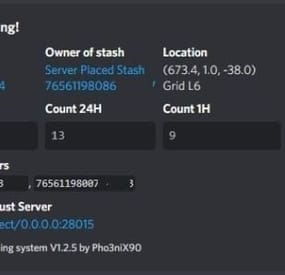
Stash Warning System
Assists in finding ESPers that unearth stashes, it also allows admins to make placing bait stashes easy and simple, by automatically filling predefined items in random, and disables the ability for admins to accidentally unearth stashes whilst enabled. It will also automatically delete all contents of an admin stash when unearthed, which assists in admin abuse and/or exploitation of hackers.
Supports Auto Demo Recorder (ADR)
Supports Better Ban System
Supports Server Armour
Features:
Notifies to discord when stashes are found which doesn't belong to players (or clan if using the clan plugin) Records the number of stashes found in a certain, configurable timeframe. Sends discord notifications when the above happens Admins can place "server" stashes, and they will be auto-filled with the /stash command. When a player unearths said stash, the contents will be automatically removed. Stashes can also be autogenerated and placed automatically. And can be replaced as they are found in another random location. It auto bans based on condition. Example: If a player finds 5 stashes that don't belong to them within 1 hour, they are auto-banned with a preset reason. It works with ADR as well and can trigger demo recordings based on conditions It works with ServerArmour to handle bans, else native bans. Battlemetrics will soon be supported. Permissions:
stashwarningsystem.admin - allows admins to use the stash placement system.
Chat Commands:
/stash - Enables manual stash placement tool. Stashes cannot be unearthed when enabled and stashes will be automatically given.
/stashshow- Toggles On/Off - Will show admin the location of all plugin related stashes.
/stashdestroyall - This will destroy all server stashes create by, or with this plugin.
/genstashes- This will force generate all stashes that are missing.
/regenstashes- This will remove, and then replace all stashes from this plugin.
Config explanations:
"API: ADR reason"
The reason that will be given to ADR, and is sent to discord along with the recording.
"API: ADR recording length in mins"
How long the recording should be in minutes.
"API: ADR Trigger recording when stashes found/triggered more than"
When the recording should trigger, Example: If set to 1, the recording will trigger when the player has triggered/unearthed 2 stashes.
"Discord: Color"
Color for the embed message, see here https://gist.github.com/thomasbnt/b6f455e2c7d743b796917fa3c205f812
"Discord: Embed Title"
The title of the embed inside discord.
"Discord: Send Stash Toggle Msgs"
If notifications should be sent to discord when an admin toggles the stash command.
"Discord: Webhook Server Name"
The server where the notification is sent from, useful for when you have multiple servers.
"Discord: Webhook URL"
https://support.discordapp.com/hc/en-us/articles/228383668-Intro-to-Webhooks
"SteamID for in-game chat icon."
This will be used to assign against placed stashes for tracking. Do not change this to a user on the server, leave as is if you don't have another steamid.
"Embed count buckets in hours"
This should be a string, comma-separated. This will be the bucket embeds in discord, to show the count of stashes found for the user, inside the hour brackets.
Example: 0, 24, 1 = would give you a count for all stashes, stashes in the last hour, and stashes in the last 24hours. See below
"Stash Items"
The items that you would like to be automatically filled when a stash is placed. The number would be the max quantity, this will be randomized when placing in a stash to remove predictability.
"Stash Item Slots To Fill: Max"
The maximum amount of slots to fill
"Stash Item Slots To Fill: Min"
The minimum amount of slots to fill
A random value will be chosen between the above two values.
"Auto Ban False Positive Distance"
Default: 5 - Stashes found in this distance will be considered false positives. (Useful where multiple stashes are unearthed in one spot.)
"Auto Ban False Positive - Include in count?"
If the above false positives should be counted in the triggers. This affects auto bans as well.
"Ignore Admins"
If admins should be ignored when unearthing stashes not belonging to them.
"Auto Ban Delay In Min"
Delays auto bans by X minutes.
"Delete found server stash after X seconds (0 = Disables)"
Will automatically delete server stashes that were found, after X seconds.
-

$30.00$20.00Abandoned Bases
Allows bases to become raidable when all players in a base become inactive.
Compatible with TruePVE and NextGenPVE servers. This plugin is not compatible with servers that have server.pve set true. It is possible to implement this, but I see no reason to do so as TruePVE provides the same protection and more.
Abandoned Bases checks each building on the server in order to determine which bases are inactive. Bases become inactive when all players authorized on the tool cupboard have been offline for the configured amount of days. When a base becomes inactive there are one of two outcomes.
1.) It will be immediately destroyed if it does not meet the configured minimum requirements.
2) It will become raidable for a configurable period of time, and when the time expires the base will be destroyed.
Each zone has a map marker, allows PVP and is surrounded by a dome that protects it from being attacked from the outside. Players who zone hop will be flagged with a PVP delay where they can still be attacked for a configurable amount of time.
Command /sar - requires abandonedbases.convert permission and converts a base into an abandoned base - this can be used on any base that you are authorized to and will cause the base to be destroyed when the timer expires
Command /sab - starts a manual check for each building on the server in order to determine which bases are inactive (requires abandonedbases.admin permission)
Command /sar radius - requires abandonedbases.convert permission and converts a base into an abandoned base and uses the specified radius for the dome / zone radius. Min and max radius are configurable.
Command /sar cancel - requires abandonedbases.convert and abandonedbases.convert.cancel permissions - completely cancels an event (destroys map marker and dome, disables PVP and prevents base from being despawned) effectively allowing the base to be taken over
Command /sar claim - requires abandonedbases.convert and abandonedbases.convert.claim permissions and converts a finished abandoned base into a claimed base that can be taken over by players
"Loot Required (SAR)"
"Foundations Required (SAR)"
"Walls Required (SAR)"
These options should be set realistically so that players cannot exploit the /sar command. I recommend Loot Required 100, Foundations Required 10, Walls Required 10 at minimum Command /sar purge - converts all bases on the server into abandoned bases for purge day (requires abandonedbases.convert, abandonedbases.admin and abandonedbases.purgeday permissions)
This is a two part command that requires you type /sab afterwards to begin. Requires abandonedbases.purgeday, abandonedbases.convert, and abandonedbases.admin permissions. Announcements are muted during purge to prevent spam. Time To Wait Between Spawns (15) will delay how quickly every base is converted Permissions (ADMINS REQUIRE PERMISSIONS TOO)
abandonedbases.convert - required to use /sar command
abandonedbases.convert.free - converting is free for users that have this permission
abandonedbases.convert.claim - required to use /sar claim command
abandonedbases.purgeday - required to use /sar purge command
abandonedbases.admin - required to use /sab and purge commands
abandonedbases.notices - users with this command can see event-opened notices from the plugin
abandonedbases.attack - lets players hunt bases and convert them by attacking if they're abandoned
abandonedbases.attack.time - shows players how much time is left before a base becomes abandoned when they attack it
abandonedbases.attack.lastseen - required to see the last time the player was online when attacking a base
Auto-add abandonedbases.immune to configuration if one does not exist already (lifetime set to "none")
- abandonedbases.immune will not be automatically added if the configuration contains a different immunity permission already
- abandonedbases.immune will give the user immunity to any base they've built at or are authed at from becoming abandoned
- abandonedbases.exclude does not provide immunity and is explicitly intended for the plugin to ignore the player only
- abandonedbases.exclude is intended for admins, mods, staff or helpers to be able to freely make repairs or auth at bases without interfering with the abandoned timer
abandonedbases.exclude:
excludes the user from being checked as an authorized user to a TC this permission should not be used to exempt users - exempt users with immunity by assigning them a permission from a role that has the lifetime set to "none" example roles that includes permission abandonedbases.immune and lifetime set to "none" to properly exempt a user or group by granting abandonedbases.immune to a user or group:
"Purge Settings": [ { "Permission": "abandonedbases.immune", "Lifetime (Days)": "none" }, { "Permission": "abandonedbases.vip", "Lifetime (Days)": "7" }, { "Permission": "abandonedbases.veteran", "Lifetime (Days)": "5" }, { "Permission": "abandonedbases.basic", "Lifetime (Days)": "3" } ], Purge Settings
Permission - The permission to use with this setting Lifetime (Days) - The amount of time in days before a base is considered abandoned. Set to none to not consider players with this permission as inactive. Conversions Before Destroying Base (1) - The amount of times a base can become abandoned before it is finally destroyed when the Despawn Timer expires. Comes with 3 configured permissions and lifetime days by default Abandoned Settings
Blacklisted Commands (command1, command2, command3) - Commands players are not allowed using at a raid or marked with PVP delay Marker Name (Minutes) (Abandoned Player Base [{time}m]) - Text shown on map marker for minutes Marker Name (Seconds) (Abandoned Player Base [{time}s]) - Text shown on map marker for seconds Foundations Required (4) - Minimum amount of foundations required to become raidable Walls Required (3) - Minimum amount of walls required to become raidable Sphere Amount (10) - Increase to darken the dome, or decrease to brighten it Sphere Radius (50) - How big the dome is in meters Use Dynamic Sphere Radius (false) - Allow the dome to detect the best dome size Max Dynamic Radius (75.0) - How maximum size of the dynamic radius Min Custom Sphere Radius - The minimum radius allowed when using /sar <radius> Max Custom Sphere Radius - The maximum radius allowed when using /sar <radius> PVP Delay (15.0) - The amount of time in seconds that players can take damage after leaving the dome Despawn Timer (1800.0) - The amount of time in seconds that players have to finish the raid Reset Despawn Timer When Base Is Attacked (true) - When enabled this will reset the above despawn timer back to 1800 seconds by default Do Not Destroy Base When Despawn Timer Expires (false) - Use this to override and prevent a base from being destroyed when Despawn Timer expires Backpacks Can Be Opened (true) - When enabled players will be allowed to open their backpacks while inside of the dome Backpacks Can Be Looted By Anyone (false) - Bypass PreventLooting plugin and allow backpacks to be lootable if enabled Corpses Can Be Looted By Anyone (true) - Bypass PreventLooting plugin and allow backpacks to be lootable if enabled Allow PVP (true) - Allows PVP while inside of the dome, and when flagged with a PVP delay Seconds Until Despawn After Looting (600) Seconds Until Despawn After Looting Resets When Damaged (true) Cancel Automated Events If Abandoned Owner Comes Online (false) Message Raiders When Event Ends During Automated Cancellation (true) Change Marker Color On First Entity Destroyed (true) Cooldown Between Conversions (3600) - Time required between each manual conversion of a base using /sar Cooldown Between Events (3600) - Time between each event - prevents looting, damage and using /sar claim Cooldown Between Cancel (3600) - Time the player must wait to use /sar cancel Cooldown Between Conversions Ignored During Purge (true) Cooldown Between Cancel Ignored During Purge (true) Cooldown Between Events Ignored During Purge (true) Prevent Hogging Ignored During Purge (false) Run Once On Server Startup (false) - Check for abandoned bases immediately after server startup is complete Run Every X Seconds (0.0) - The time in seconds to check for each building on the server in order to determine which bases are inactive Kill Inactive Sleepers (false) - When enabled players with a permission from purge settings will be executed when they are offline for the configured amount of lifetime days Let Players Kill Abandoned Sleepers (false) - Allows players to kill anyone sleeping inside of an abandoned base rather than the server killing them automatically Economics/ServerRewards Cost To Manually Convert (0 = disabled) - Used with /sar command to convert any base into an abandoned base Use Map Marker (true) Require Event Be Finished Before It Can Be Canceled (true) Various auto turret settings
Hooks (implemented in 2.1.4, updated in 2.2.5)
participants - anyone that has actively participated (excludes admin if configured, and those in noclip or vanish) - this should not contain null elements
participantIds - contains the userid of all participants - this list is better as anyone offline and dead will be included in this but not in the participants list because they would be null!
intruders - anyone currently inside of the event (does not exclude anyone) - this should not contain null elements
intruderIds - contains the userid of everyone inside of the event (does not exclude anyone) - this list is better as anyone offline and dead will be included in the list but not in the intruders list because they would be null!
void OnBaseSkipped(Vector3 v, ulong userid, HashSet<ulong> owners, string reason, BuildingManager.Building building) { } void OnTugboatSkipped(Vector3 v, ulong userid, HashSet<ulong> owners, string reason, BaseEntity entity) { } void OnShelterSkipped(Vector3 v, ulong userid, HashSet<ulong> owners, string reason, BaseEntity entity) { } void OnAbandonedBaseStarted(Vector3 center, float radius, bool AllowPVP, List<BasePlayer> intruders, List<ulong> intruderIds, List<BaseEntity> entities, List<BuildingPrivlidge> privs, bool canDropBackpack, bool automatedEvent, bool attackEvent, Guid guid) { } void OnAbandonedBaseEnded(Vector3 center, float radius, bool AllowPVP, List<BasePlayer> participants, List<ulong> participantIds, List<BaseEntity> entities, List<BuildingPrivlidge> privs, bool canDropBackpack, bool automatedEvent, bool attackEvent, Guid guid) { } void OnAbandonedBaseTurretsInitialized(List<AutoTurret> turrets,Vector3 center, float radius, bool AllowPVP, ulong raiderId, bool CanDropBackpack, List<BaseEntity> entities, List<BuildingPrivlidge> privs, bool canDropBackpack, bool automatedEvent, bool attackEvent, Guid guid) { } void OnRaidableDespawnUpdate(Vector3 center, float radius, bool AllowPVP, ulong raiderId, DateTime DespawnDateTime, List<BasePlayer> intruders, List<ulong> intruderIds, List<BaseEntity> entities, List<BuildingPrivlidge> privs, bool canDropBackpack, bool automatedEvent, bool attackEvent, Guid guid) { } void OnPlayerEnteredAbandonedBase(BasePlayer player, Vector3 center, float radius, bool AllowPVP, List<BasePlayer> intruders, List<ulong> intruderIds, List<BaseEntity> entities, List<BuildingPrivlidge> privs, bool canDropBackpack, bool automatedEvent, bool attackEvent, Guid guid) { } void OnPlayerExitAbandonedBase(BasePlayer player, Vector3 center, float radius, bool AllowPVP, List<BasePlayer> intruders, List<ulong> intruderIds, List<BaseEntity> entities, List<BuildingPrivlidge> privs, bool canDropBackpack, bool automatedEvent, bool attackEvent, Guid guid) { } void OnAbandonedBaseCompleted(Vector3 center, float radius, bool AllowPVP, List<BasePlayer> intruders, List<ulong> intruderIds, List<BaseEntity> entities, List<BuildingPrivlidge> privs, bool canDropBackpack, bool automatedEvent, bool attackEvent, Guid guid) { } void OnAbandonedBaseClaimed(BasePlayer player, Vector3 center, float radius, bool AllowPVP, List<BasePlayer> participants, List<ulong> participantIds, List<BaseEntity> entities, List<BuildingPrivlidge> privs, bool canDropBackpack, bool automatedEvent, bool attackEvent, Guid guid) { } void OnAbandonedBaseClaimFailed(BasePlayer player, Vector3 center, float radius, bool AllowPVP, List<BasePlayer> participants, List<ulong> participantIds, List<BaseEntity> entities, List<BuildingPrivlidge> privs, bool canDropBackpack, bool automatedEvent, bool attackEvent, Guid guid) { } object OnBlockRaidableBasesTeleport(BasePlayer player, Vector3 to) => null; // return true to allow the blocked teleport, return a string to block with your message instead void OnAbandonedBasePrivilegeDestroyed(Vector3 center, float radius, bool AllowPVP, List<BasePlayer> intruders, List<ulong> intruderIds, List<BaseEntity> entities, List<BuildingPrivlidge> privs, bool canDropBackpack, bool automatedEvent, bool attackEvent, BuildingPrivlidge priv, bool areCupboardsTaken, Guid guid) { } void OnPlayerPvpDelayStart(BasePlayer player, ulong userid, Vector3 eventPos, float radius, List<BasePlayer> intruders, List<ulong> intruderIds, List<BaseEntity> entities, List<BuildingPrivlidge> privs, bool canDropBackpack, bool automatedEvent, bool attackEvent, Guid guid) { } void OnPlayerPvpDelayExpiredII(BasePlayer player, ulong userid, Vector3 eventPos, float radius, List<BasePlayer> intruders, List<ulong> intruderIds, List<BaseEntity> entities, List<BuildingPrivlidge> privs, bool canDropBackpack, bool automatedEvent, bool attackEvent, Guid guid) { } void OnPlayerPvpDelayReset(BasePlayer player, ulong userid, Vector3 eventPos, float radius, List<BasePlayer> intruders, List<ulong> intruderIds, List<BaseEntity> entities, List<BuildingPrivlidge> privs, bool canDropBackpack, bool automatedEvent, bool attackEvent, Guid guid) { } void OnAbandonedBaseDespawned(Vector3 eventPos, float radius, bool allowPVP, List<BasePlayer> intruders, List<ulong> intruderIds, List<BaseEntity> entities, Guid guid) { } object OnProcessPlayerEntity(BaseEntity entity, HitInfo info) => null; // cancel to prevent the plugin from handling this entity, though it can still be an event entity already in some cases void OnAbandonedBaseDespawn(List<BaseEntity> entities) { } // only called when a base is not eligible to convert void OnAbandonedBaseDespawn(Vector3 center, float radius, bool AllowPVP, List<BasePlayer> intruders, List<ulong> intruderIds, List<BaseEntity> entities, List<BuildingPrivlidge> privs, bool canDropBackpack, bool automatedEvent, bool attackEvent, Guid guid) { } void OnAbandonedBaseStart(Vector3 center, float radius, bool allowPVP, List<BasePlayer> intruders, List<ulong> intruders, List<ulong> intruderIds, List<BaseEntity> entities, bool canDropBackpack, bool automatedEvent, bool attackEvent, Guid guid) Added OnEntityEnteredAbandonedBase(BaseEntity entity, Vector3 center, float radius, bool allowPVP, List<BasePlayer> intruders, List<ulong> intruderIds, List<BaseEntity> entities, List<BuildingPrivlidge> privs, bool canDropBackpack, bool automatedEvent, Guid guid) Convert Bases and/or Claim Bases
Credits:
misticos for giving permission to use some of his code 🙂- #rust
- #rust plugin
- (and 6 more)
-

$15.00
Fishing Event
Event which idea was taken from halloween's and easter's hunting. As in original game we collect candies or eggs, that in this case we are catching fishes for which we are getting points. Amount of points are dependent on the type of fish or item we catch. It depens exacly on number of "Bait" that every type of fish has e.g. Sardine has Bait 3 so we get 3 points.
Permission
To assign a permission, use 'oxide.grant <user or group> <name or steam id>' fishingevent.admin - Allow to using commands.
Commands
This plugin provides both chat and console commands using the same syntax. When using a command in chat, prefix it with a forward slash: `/`. startfe - starts the countdown to the start of the fishing event.
stopfe - Ends the event immediately, without giving away any prizes.
finishfe - Ends the event immediately, with giving away any prizes.
configfe - Opens the configuration UI panel
Configuration
Language
Default English FIle
{ "noOneStart": "Wow, no one played so no one won.", "bestPlayer": "{0} is the top fisherman who has caught {1} fish and {2} points collected.", "playerStats": "You placed {0} of {1} with caught {2} fish and {3} points collected.", "rewardMessage": "You received {0}x {1} as an award!", "timeMessageToEvent": "<color=#326de3>Fishing Event</color>: The fishing event starts in {0} minutes." }
Hooks
void OnFishingEventStartCountdown() - Call when starts counting down to the start of the fishing event.
void OnFishingEventStarted() - Call when the fishing event begins.
void OnFishingEventEnded() - Call when the fishing event is over.
void OnFishingEventUIClosed() - Call when UI disappears from players screen.(Five seconds after fishing event is over)
Credits
@STIVI Plugin tester and release help.
@Flammable Plugin originator and tester.
@Billy Joe Thanks for your UI Tool(I hate it but i love it)
-

$45.00
Rust - 10 Editable Store Icons
By Lost Design in Graphics
You will receive a PSD File with 10 custom made editable rust store icons
- 10 Custom renders
- 7 Unique editable text styles
Video tutorial: https://youtu.be/cDn8rObCYWU?si=surpmdI1w50IbMRL
-
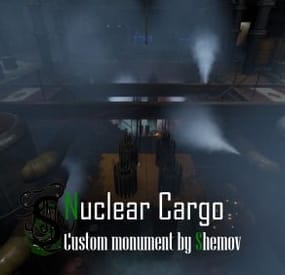
$19.40$16.49Nuclear Cargo | Custom Monument By Shemov
The Nuclear Cargo ship is ready to go, the puzzle needs a red card and a fuse to get into the full loot.
It is possible to install bots using the BetterNpc plugin
Features:
Installation on water; Great detail; A lot of content; There are locked crates; Loot is divided into rooms; Requires a red card and a fuse for full looting; There are turrets, which can be disabled; Optimized fps. General Info:
Prefabs count: ~5.4k; Type: for looting; Modifiers: Topology. Loot:
Oil barrels 5; Food Crates: 5; Barrels: 30; Ordinary crates: 13; Military crates: 3; Elite crates: 6; Locked crates: 4. Other works:
- #rust custom
- #custom monument
- (and 6 more)