
ELF's Wishlist
-
$16.90$12.67Bundle of 10 places for building a base
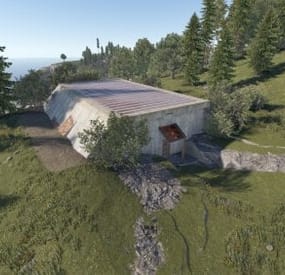
This is pack of 10 places for building of base
1st place [ CustomPlace A ]
Prefab count: 114 Modifiers: Height&Spat&Topology 2nd place [ CustomPlace B ]
Prefab count: 107 Modifiers: Height&Spat&Topology 3th place [ CustomPlace C ]
Prefab count: 50 Modifiers: Alpha&Height&Spat&Topology 4th place [ CustomPlace D ]
Prefab count: 281 5th place [ CustomPlace E ]
Prefab count: 164 Modifiers: Height&Spat&Topology; 6th place [ CustomPlace F ]
Prefab count: 228 Modifiers: Height&Spat&Topology; 7th place [ CustomPlace G ]
Prefab count: 62 Modifiers: Height&Spat&Topology; 8th place [ CustomPlace H ]
Prefab count: 369 Modifiers: Alpha&Height&Spat&Topology; 9th place [ CustomPlace I ]
Prefab count: 212 Modifiers: Alpha&Height&Spat&Topology; 10th place [ CustomPlace J ]
Prefab count: 483 Modifiers: Alpha&Height&Spat&Topology. INSTALLATION
Drag & Drop
Gently adjust to the terrain and apply the modifies.
Other information:
Subscribe on me and take "Karting rental" for free.
I make custom prefabs to order. Discord: shemov#6310
- #custom prefabs
- #custom monument
- (and 2 more)
-
$35.00
Raidable Shelters 50+ |
Raidable base shelters the perfect solution for an fast exciting and dynamic raiding experience! These compact bases are designed to be blown up and enjoyed, offering endless fun and tactical opportunities for players.
Total 40 Bases
10 easy
10 medium
10 hard
5 Expert
5 Nightmare
The bases are good for adding to your rotation something different ! players will love to see them spawn .
Bases include:
Strange placements of boxes, traps,tc
Traps
NO hidden loot or TC
Lockers
Furnace
Fridge
Large box
Small box
Teslacoil
Flame trowers
Neartraps
Mines
( everything you need in a raidable bases )
Include Readme
Base names for easy start up
-

$14.99
UMapMarkers
UMapMarkers is a powerful and versatile server map marker system designed for Rust, utilizing the game's built-in map markers. Create and manage custom map markers with ease, enhancing your server's gameplay experience.
Plugin Configuration
Configure your custom map markers using the following structure:
{ "MapMarkers": [ { "WorldPosition": { "x": 0.0, "y": 0.0, "z": 0.0 }, "Icon": 0, "ColourIndex": 0, "Label": "My cool custom marker", "Radius": 0.0, "RadiusColor": null }, { "WorldPosition": { "x": 150.0, "y": 0.0, "z": 150.0 }, "Icon": 2, "ColourIndex": 3, "Label": "Custom marker number two 234?", "Radius": 1.0, "RadiusColor": "#ff0000aa" } ] } Permissions
umapmarkers.use - Grants access to the /marker command.
Commands
/marker add <key name> <icon id> <color id> <radius> <radius color> <display name> - Adds a marker at the player's position.
/marker remove <key name> - Removes a marker by its key name.
/marker addconfig <icon id> <color id> <radius> <radius color> <display name> - Adds new marker into config at player position.
Marker Icons and Colors
Choose from a variety of icons and colors to personalize your map markers:
Icon IDs:
Point: 0
Dollar: 1
Home: 2
AirDrop: 3
Target: 4
Defence: 5
Death: 6
SleepingBag: 7
Sleep: 8
Gun: 9
Ore: 10
Crate: 11
Color IDs:
Yellow: 0
Blue: 1
Green: 2
Red: 3
Pink: 4
Cyan: 5
API Functions
private string API_CreateMapMarker([CanBeNull]BasePlayer player, Vector3 position, int type, int color, string text, float radius, string radiusColor, bool custom) // Creates a map marker. If you set player arg to null, then marker will be shown to every player on the map. Returns created marker id. private void API_RemoveMapMarker([CanBeNull]BasePlayer player, string markerId, bool custom) // Removes a map marker. Contacts:
Need help or custom plugin for your server?
Contact me using Discord: metangerine
----------------------------------------------------------------------
-
.thumb.png.ef8419f11a36990e7df0310e715d0685.png)
$14.99
KOTH Event - King of the Hill: Battle of Supremacy
By Iftebinjan in Plugins
The King of the Hill event is an exhilarating competition that dares participants to rack up the highest number of kills within a set time limit on a confined island where there's no escape. Join the KOTH event when it kicks off, whether you're going solo or teaming up with your squad or clan. With the ability to rejoin multiple times, aim to secure the most kills and claim the coveted KOTH rewards.
⭐ Features
Easy setup Repeatable event with easy configuration Choose the winner from Top Player or Top Clan Kills Shows TOP players or TOP clans Shows Personal or Clan statistics Set up rewards for the KOTH winner Discord event webhook messages 📌 Commands
KOTH Player COMMANDS: /koth - Join KOTH event when it starts. /koth_stats - Show koths top players & Clans. KOTH Event COMMANDS: /kotheventstart - Randomly start a event from the list. /kotheventstart <ArenaName> - Start KOTH event in the selected arena. /kotheventstop - Stop if any event is running. SETUP COMMANDS: /koth setup - Show all available setup commands /koth create <ArenaName> - Creates a KOTH arena /koth edit <ArenaName> - Select the KOTH arena to change Radius or Location /koth radius <Number> - Change KOTH arena radius /koth location - Change KOTH arena location /koth setspawn - Set spawn point location for players KOTH Data COMMANDS: /koth_reset_players - Reset all player data. /koth_reset_clans - Reset all clans data.
⚙️Configurations
Event Screenshots
💬 Support
- #koth
- #king of the hill
- (and 6 more)
-
$40.00
Maze
By Iftebinjan in Plugins
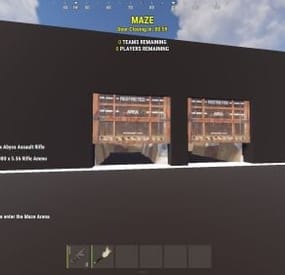
The Maze plugin adds intensive pvp combat within a maze environment. Players navigate through the maze, engaging in intense battles to eliminate opponents and be on top
⭐ Key Features
Easy to setup Automation of maze arena Includes Free 2 Maze Arena with pre-setuped arenas Door Animation Multiple arena setup Easy configurable Setup winning rewards Discord Webhook support Need help setting up the arena or customization? Knock me on Discord 📌Commands
Setup Commands
/maze create <ArenaName> - Create a maze arena where you are standing /maze edit <ArenaName> - Select an arena to edit /maze radius <Number> - Change arena radius /maze wallradius <Number> - Change arena wall radius which is your arena walls radius from center /maze meshheight <Number> - Change arena mesh height is top and bottom from corner mesh /maze location - Change arena location to where you are standing /maze setcorner - Set corner location to where you are standing /maze showmesh - Show created mesh after setting corners /maze copywalls - Copy all the walls in the arena radius and store them /maze pastewalls - Copy all the walls in the arena radius and store them /maze setspawn - Set spawn postion for arena players to teleport /maze spawnclear - Clear all spawn points /maze adddoor - Place an arena door to your standing location /maze removedoor - Remove arena door to your standing location (Radius 5f) /maze cleandoors <ArenaName> - Remove all the arena doors from the arena /maze list - Show all arena and its settings /maze cleanarena - Clears the entire arena /maze delete/remove <ArenaName> - Remove or deletes an arena /maze start <ArenaName> - Starts a Maze(For Testing) Start Commands
/maze_setup - Starts Automatic Maze setup if arena available also a console command /mazestart - Starts a random maze from the config if available /mazestart <ArenaName> - Starts the specific arena /mazestop - Stops the running maze event 📜 Permissions
Maze.admin - To use all maze available commands 🎬 Video Showcase
⚙️ Configuration
{ "Maze Automatic Event": false, "Maze Automatic Event Interval Minimum (In Seconds)": 3600, "Maze Automatic Event Interval Maximum (In Seconds)": 7200, "Maze Minimum player requires to starts Auto": 2, "Maze Automatic Event Random From List": [ "mazeareana", "maze2areana" ], "Maze Event Player Teleport Timer (In Seconds)": 15, "Maze Event Before Notification (In Seconds)": 300, "Maze Event Door Opening Notification (In Seconds)": 300, "Maze Event Door Closing In (In Seconds)": 600, "Maze Event Removing Walls Radius": 10, "Maze Event Shrink Amount": 3, "Maze Event Removing Walls Timer (In Seconds)": 15, "Show Kill Streak Messages": true, "Maze Event Door Prefab": "assets/content/structures/interactive_garage_door/sliding_blast_door.prefab", "Maze Walls Item List": [ "assets/prefabs/building/wall.external.high.stone/wall.external.high.stone.prefab", "assets/prefabs/misc/xmas/icewalls/wall.external.high.ice.prefab", "assets/prefabs/misc/xmas/icewalls/icewall.prefab", "assets/prefabs/deployable/barricades/brarricade.cover.wood_double.prefab" ], "Maze Event Blocked items": [ "grenade.beancan", "grenade.f1", "rock", "rocket.launcher", "ammo.rocket.basic", "ammo.rocket.smoke", "ammo.rocket.hv", "ammo.rocket.seeker", "ammo.rocket.fire", "explosive.satchel", "explosive.timed", "ammo.grenadelauncher.smoke", "ammo.grenadelauncher.buckshot", "ammo.grenadelauncher.he", "grenade.flashbang", "grenade.molotov", "multiplegrenadelauncher", "grenade.smoke" ], "Maze Event Blocked Commands": [ "kit", "trade", "remove", "tpa", "home", "shop", "clan" ], "Maze Map Marker Setting": { "Display Name": "Maze", "Marker Radius": 0.4, "Marker Transparency": 0.75, "Marker Color": "#FFFF00" }, "Maze Rewards": { "Give commmands rewards upon winning the event": true, "Rewards player with higest kill from winning clan": true, "Rewards upon winning({PLAYER})": [ "inventory.giveto {PLAYER} supply.signal 1" ], "Spawn loot boxes in the arena": true, "Loot boxes time in seconds": 300 }, "Maze Chat Setting": { "Chat Avatar Icon": 0, "Chat Prefix": "<color=#FFFF00>Maze</color> -> ", "Winner Message": [ "<color=#FFD700>Maze Results:</color>", "\n", "Winner -> <color=#FFFF00>{WinningClanName}</color>", "", "{PlayerStats}", "", "<color=#FFD700>Totals:</color> Kills: {ClanTotalKills}, Deaths: {ClanTotalDeaths}, KDR: {ClanTotalKDR}", "Damage: {ClanTotalDamage}, Headshots: {ClanTotalHeadshots}", "", "<color=#FFD700>Aggregate Maze Totals:</color>", "- Total Kills: <color=#FFD700>{TotalKills}</color>", "- Total Damage: <color=#FFD700>{TotalDamages}</color>", "- Number of Participants: <color=#FFD700>{Participents}</color>" ], "Participents Message": [ "<color=#FFD700>Personal Stats</color>", "Kills: <color=#FFD700>{Kills}</color>, Deaths: <color=#FFD700>{Deaths}</color>, KDR: <color=#FFD700>{KDR}</color>, Total Damage: <color=#FFD700>{Damages}</color>, HeadShots: <color=#FFD700>{Headshots}</color>", "Shooting Accuracy: <color=#FFD700>{Accuracy}%</color>, HeadShot Accuracy: <color=#FFD700>{HeadshotAccuracy}%</color>" ], "Maze Event Top Bar Message": [ "<size=25><color=#FFFF00><b>MAZE</b></color></size>", "<size=15><color=#FFFF00><b>{DYNAMIC_TIMER}</b></color></size>", "", "<size=15><color=#FFFF00>{TotalTeams}</color><b> TEAMS REMAINING</b></size>", "<size=15><color=#FFFF00>{TotalPlayers}</color><b> PLAYERS REMAINING</b></size>" ] }, "Discord Setting": { "Enable Discord Webhook": false, "Discord Webhook URL": "", "Discord Webhook Message": [ "**MAZE ARENA**", "", "**Details**", "Total Kills: `{TotalKills}`", "Total Teams: `{TotalTeams}`", "Total Players: `{Participents}`", "", "**Winners**", "**{WinnerClanName}**", " Kills: `{ClanKills}` Deaths: `{ClanDeaths}`", " Headshots: `{ClanHeadshots}` Damages: `{ClanDamages}`", "", "**Members**", "{MembersStats}" ] }, "Auto Maze Arena Setup": { "Start Maze Arena Setup": true, "Auto Arena Setup": { "AutoMaze1": { "Maze Center Item": "skullspikes.candles", "Maze Arena Locate Radius": 100.0, "Maze Arena Wall Radius": 40.0, "Maze Arena Mesh Top & Bottom Height": 50.0, "Maze Spawn Points Item": "woodbox_deployed", "Maze Door Item": "workbench1.deployed", "Maze Corner Item": "mailbox" } } } } 🚀 API & Hooks
OnMazeStarts(string ArenaName, DateTime timeNow) OnMazeWinnerAnnounce(HashSet<ulong> winnerList, DateTime timeNow) 💬 Support
- #maze
- #mazeevent
- (and 7 more)