
ELF's Wishlist
-
$1.00
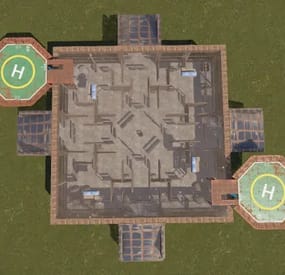
Big Farm Zone
A large farm area that can decorate your map on the server.
-

$1.99
Iceberg custom
Custom iceberg for building. There is an invisible floor in the customization itself, and various decorations can be observed under the floor.
-

$49.99$39.99Dynamic Monuments
DynamicMonuments is a groundbreaking plugin for Rust servers that breathes new life into your maps!
Say goodbye to tedious manual map editing or relying on RustEdit.
With just a few clicks, your server will be transformed, featuring 18 unique monuments that blend seamlessly into any environment.
Key Features:
Dynamic Spawning:
- Monuments can spawn randomly during wipes or with each server restart (optional)
- Customize spawn frequency and zones through the plugin's configuration
- A variety of monument complexities, ranging from cozy hideouts to sprawling fortresses
18 Unique Monuments:
- Water Monuments
- Coastal Monuments
- River Monuments
- Roadside Monuments
- Modifications for Standard Monuments: (Metro entrances, power line towers, substations, quarries, and more).
Personalization:
- Give players personal monuments
Versatility:
- Compatible with both custom and procedural maps.
- Automatically adapts to terrain, water, and roads.
- No RustEdit required! Everything is managed through the plugin's configuration.
Giving a monument to a player
9 out of 18 monuments can be given to players for personal placement.
The dynamic monument is represented as a flare with a unique skin, which can be given to players in any way, such as through an in-game store.
To spawn the monument, the player must hold the flare and find a suitable location, receiving instructions in the chat and notifications.
Once placed, the monument is locked to the player, and only they can loot it.
Chat commands (admin only)
/killmonument - destroys the DynamicMonument you're looking at /replacecrate NewCratePresetName - replaces the crate you're looking at on the location with NewCratePresetName /spawnmonument PresetName - spawns a monument in a random position /spawnmonumentmypos PresetName - spawns the monument in your position /killallmonuments - destroys all DynamicMonuments on the server /respawnmonuments - forcibly launches automatic respawn of DynamicMonuments /givemonument PresetName - give the monument to yourself /addprefabspawnpoint PresetName — adds a crate or static NPC spawn point to a monument at your current position (only for Static Npc and crates) /removemonumententity command — removes entity spawn point you're looking at. (only for StaticNpc/crates/Entities for respawn) Console commands (RCON only)
spawnmonument PresetName - spawns a monument in a random position killallmonuments - destroys all DynamicMonuments on the server respawnmonuments - forcibly launches automatic respawn of DynamicMonuments givemonument PresetName userID - give the DynamicMonument to the player Plugin Config
en – example of plugin configuration in English ru – example of plugin configuration in Russian
Check out the rest of my work: Adem's Codefling Library
You can reach out to me in Discord: Adem's Discord Profile
Join the Mad Mappers Discord!
-

$19.99
Monument Events (All in One Events)
By Iftebinjan in Plugins
The Monument Events plugin creates amazing events on the monument from preconfigured presets from config. It creates CustomNPCs around the monument which will roam the monument during the event. Then it will spawn CH47 Helicopter which will drop Hackable crates & spawn configured Patrol Helicopters which will roam the monument vicinity. When players try to unlock the Hackable Crate there will be a CH47 Helicopter which will carry NPC and drop on the monument and will give players an amazing raged experience.
⭐ Key Features
10+ Monument preset preconfigured (Radtown, Oxum's Gas Station, Abandoned Supermarket, Water Treatment Plant, Power Plant, Ferry Terminal, Small Harbor, Large Harbor, Junkyard, The Dome, Airfield, Train Yard, Satellite Dish, Sewer Branch, Launch Site) PVE/PVP support Easy setup everything is pre-configured, so drag and drop and it will auto start from the selected time Massive configure option for individual monuments (Except a few not added) Monument Owner control based on damage Editable Monument Setting, Npc Settings, Npc Loottable Amazing event for engaging players with monuments NEW • CUSTOM VITAL STATUS 📌 Commands
/mestart Preset_Name | monumentID - Starts any specific event (Console & Chat command) /mestop Preset_Name | monumentID - Stops the event (Console & Chat command) /melist - Shows all available monument events on the map /mestartrandom - Starts a random from presets (Console & Chat command) /meadd edit PRESET_NAME - Select a monument for editing spawn points (Chat command) /meadd npcspawn - Creates NPC spawn points for the selected monument (Chat command) /meadd wavespawn - Creates Wave Npc spawn points for the selected monument (Chat command) /meadd cratespawn - Creates Crates spawn points for the selected monument (Chat command) /meadd stopedit - Deselect the current editing monument (Chat command) NEW /mestart <preset> [steamid]" now starts the event and assigns that player as the Event Owner (works with all existing Event Owner settings) 📜 Permissions
MonumentEvents.admin - Permission required for using commands 🎬 Video Showcase
⚙️ Configuration
🗃️Monument Settings
🗃️Npc Setting
🗃️Npc Loottable
🗃️Lang
🚀 API & Hooks
💬 Support
-

$39.99
Night Dome Event | NightDomeEvent for night owls
Description:
The NightDomeEvent is a dynamic event system that transforms the Sphere Tank monument into an exciting PvP arena during nighttime. It spawns elite scientists equipped with various weapons, SAM sites to prevent aerial approaches, flares for illumination, and valuable loot crates including hackable crates. The event now offers three different difficulty modes that change the challenge level and rewards.
Features:
Three difficulty levels: Easy, Medium, and Hard
Automated event that starts at configurable nighttime hours
Multiple NPC scientists strategically positioned across three levels:
Upper Ring (Dome Top)
Middle Ring (2nd Floor)
Lower Level (Ground & Silos)
Defensive Systems:
3 SAM sites with infinite ammo to prevent helicopter camping
Difficulty-based diesel barrel spawns (1 for Easy, 2 for Medium, 3 for Hard)
Hostile Turret System (Hard mode only):
Auto-turrets that target only players, not NPCs
Non-lootable weapons and ammo from destroyed turrets
Illumination System:
Dynamic flare system across multiple levels
Auto-refreshing flares that never burn out during the event
Loot System:
3 Elite crates in strategic positions
Hackable chinook crates at the top (1-3 based on difficulty)
Configuration Options:
Customizable event duration
Configurable start time
Test mode for admin setup
Fully configurable NPC health, weapons, and abilities per difficulty
Permission:
Required for all admin commands
nightdomeevent.admin
Commands
chat commands
/flashnightdome.easy - Schedule the next event on Easy difficulty
/flashnightdome.medium - Schedule the next event on Medium difficulty
/flashnightdome.hard - Schedule the next event on Hard difficulty
/stopnightdome - Stop the current event
console commands
flashnightdome.easy - Schedule the next event on Easy difficulty
flashnightdome.medium - Schedule the next event on Medium difficulty
flashnightdome.hard - Schedule the next event on Hard difficulty
stopnightdome - Stop the current event
Config
{ "EventDurationMinutes": 60, // Duration of each event in minutes "EventStartHour": 20, // Hour of day when event starts (24h format) "DefaultLanguage": "en", // Default language for the plugin "Easy": { "NpcHealth": 250, "NpcWeapons": ["rifle.lr300", "rifle.ak", "pistol.m92"], "NpcVisionRange": 50.0, "NpcAggressionRange": 50.0, "ChinookCrateCount": 1, "NpcCount": 11 }, "Medium": { "NpcHealth": 575, "NpcWeapons": ["rifle.lr300", "rifle.ak"], "NpcVisionRange": 75.0, "NpcAggressionRange": 75.0, "ChinookCrateCount": 2, "NpcCount": 13 }, "Hard": { "NpcHealth": 900, "NpcWeapons": ["rifle.lr300", "rifle.ak"], "NpcVisionRange": 100.0, "NpcAggressionRange": 100.0, "ChinookCrateCount": 3, "NpcCount": 16 } } Dependencies
MonumentFinder - https://umod.org/plugins/monument-finder
MarkerManager - https://umod.org/plugins/marker-manager NpcSpawn - https://codefling.com/extensions/npc-spawn
Multilingual Support:
The plugin supports multiple languages. Language files are located in the lang folder and can be edited or expanded as needed. Currently supported languages:
default: EN
DE | FR | ES | IT | TR | RU | UK
Please note that the language files were translated using the DeepL Language Tool
Difficulty Information:
Easy Mode
1 Hackable chinook crate
11 NPCs with 250 health
1 Diesel barrel per SAM site
No auto-turrets
Medium Mode
2 Hackable chinook crates
13 NPCs with 575 health
2 Diesel barrels per SAM site
No auto-turrets
Hard Mode
3 Hackable chinook crates
16 NPCs with 900 health
3 Diesel barrels per SAM site
3 Auto-turrets that only target players
load, run, enjoy 💝