
Brasiliannut's Wishlist
-
$30.00
Customizable Weapons
The plugin provides a wide range of weapon customization options, allowing you to adjust parameters such as damage, durability, and magazine capacity depending on the module or setup you configure. It also supports custom items and unique damage types, making it suitable for many weapon-related systems, including turrets, NPCs, and bosses.
What can be created with this plugin?
Using this plugin, you can build your own custom weapon systems and mechanics. For example, it is possible to configure weapons that are more effective against certain types of players.
You can also create custom NPCs or bosses equipped with weapons that deal significant damage to regular players, while combining this setup with armor from another plugin, such as CustomizableProtection, to reduce the impact of that specific damage type.
In addition, the plugin can be used to design progression-based systems, such as crafting-based armor upgrades or a weapon enhancement system with levels from +1 to +20, where weapon power increases step by step.
These examples are not built-in features of the plugin by default, but rather systems that can be created with it through configuration and integration with other plugins.
Ultimately, the possibilities are highly flexible and are limited mainly by your imagination.
Features:
Customizability Item setup files are all separately in their own file and folder, making it easy to customize items Support for NPCs, turrets, etc. Ability to create your own items Nice UI, allowing players to see items as best as possible
Permissions:
customizableweapons.give - Permission to issue weapons customizableweapons.icon.show customizableweapons.icon.hide customizableweapons.***** any permissions you configure, the default with the examples goes vip1, vip2
Console Commands:
cw.give <custom item name> - give yourself a custom item cw.give <steamid> <custom item name> - give the player a custom item cw.create <new unique shortname> <shortname> - Add a custom item based on the image of another item cw.reload - Quick reloading of items
File Hierarhy:
• CustomizableWeapons ↳ • Custom ↳ admin.lr.json ↳ • Permissions ↳ • [0] vip2 ↳ rifle.lr300.json ↳ • [1] vip1 ↳ rifle.lr300.json ↳ • Default ↳ bow.compound.json ↳ bow.hunting.json ↳ crossbow.json ↳ hmlmg.json ↳ lmg.m249.json ↳ multiplegrenadelauncher.json ↳ pistol.eoka.json ↳ pistol.m92.json ↳ pistol.nailgun.json ↳ ... etc. Custom item settings:
{ "Name": "Admin LR300", "Description": "Powerful admin gun", "UI Settings": { "Name Color (or use <color></color> in name)": "1 0 0 1", "Frame Color": "1 0 0 1" }, "Unique SkinId": 2400056213, "Shortname": "rifle.lr300", "Unbreakable": true, "Durability": 1000000.0, "Magazine Capacity": 10000, "Effects when hit": { "Maximum and minimum values in the accumulation": { "Max Radiation Poison": 500.0, "Max Bleading": 100.0, "Min Temperature": -100.0, "Max Temperature": 100.0, "Max Wetness": 100.0 }, "Radiation Poison": 0.0, "Bleading": 0.0, "Temperature": 0.0, "Hunger": 0.0, "Thirst": 0.0, "Wetness": 0.0, "Number of electric balls (recommended to 10)": 0 }, "Base damage by type & ammo": { "ammo.rifle": { "Hunger": 1000000.0, "Thirst": 1000000.0, "Cold": 1000000.0, "Drowned": 1000000.0, "Heat": 1000000.0, "Bleeding": 1000000.0, "Poison": 1000000.0, "Bullet": 1000000.0, "Slash": 1000000.0, "Blunt": 1000000.0, "Radiation": 1000000.0, "Bite": 1000000.0, "Stab": 1000000.0, "Explosion": 1000000.0, "ElectricShock": 1000000.0, "Arrow": 1000000.0, "AntiVehicle": 1000000.0, "Collision": 1000000.0 }, "ammo.rifle.explosive": { "Hunger": 1000000.0, "Thirst": 1000000.0, "Cold": 1000000.0, "Drowned": 1000000.0, "Heat": 1000000.0, "Bleeding": 1000000.0, "Poison": 1000000.0, "Bullet": 1000000.0, "Slash": 1000000.0, "Blunt": 1000000.0, "Radiation": 1000000.0, "Bite": 1000000.0, "Stab": 1000000.0, "Explosion": 1000000.0, "ElectricShock": 1000000.0, "Arrow": 1000000.0, "AntiVehicle": 1000000.0, "Collision": 1000000.0 }, "ammo.rifle.incendiary": { "Hunger": 1000000.0, "Thirst": 1000000.0, "Cold": 1000000.0, "Drowned": 1000000.0, "Heat": 1000000.0, "Bleeding": 1000000.0, "Poison": 1000000.0, "Bullet": 1000000.0, "Slash": 1000000.0, "Blunt": 1000000.0, "Radiation": 1000000.0, "Bite": 1000000.0, "Stab": 1000000.0, "Explosion": 1000000.0, "ElectricShock": 1000000.0, "Arrow": 1000000.0, "AntiVehicle": 1000000.0, "Collision": 1000000.0 }, "ammo.rifle.hv": { "Hunger": 1000000.0, "Thirst": 1000000.0, "Cold": 1000000.0, "Drowned": 1000000.0, "Heat": 1000000.0, "Bleeding": 1000000.0, "Poison": 1000000.0, "Bullet": 1000000.0, "Slash": 1000000.0, "Blunt": 1000000.0, "Radiation": 1000000.0, "Bite": 1000000.0, "Stab": 1000000.0, "Explosion": 1000000.0, "ElectricShock": 1000000.0, "Arrow": 1000000.0, "AntiVehicle": 1000000.0, "Collision": 1000000.0 } } }
Default item settings:
{ "Shortname": "multiplegrenadelauncher", "Unbreakable": false, "Durability": 200.0, "Magazine Capacity": 6, "Effects when hit": { "Maximum and minimum values in the accumulation": { "Max Radiation Poison": 500.0, "Max Bleading": 100.0, "Min Temperature": -100.0, "Max Temperature": 100.0, "Max Wetness": 100.0 }, "Radiation Poison": 0.0, "Bleading": 0.0, "Temperature": 0.0, "Hunger": 0.0, "Thirst": 0.0, "Wetness": 0.0, "Number of electric balls (recommended to 10)": 0 }, "Base damage by type & ammo": { "ammo.grenadelauncher.buckshot": { "Hunger": 0.0, "Thirst": 0.0, "Cold": 0.0, "Drowned": 0.0, "Heat": 0.0, "Bleeding": 0.0, "Poison": 0.0, "Bullet": 15.0, "Slash": 0.0, "Blunt": 0.0, "Radiation": 0.0, "Bite": 0.0, "Stab": 0.0, "Explosion": 0.0, "ElectricShock": 0.0, "Arrow": 0.0, "AntiVehicle": 0.0, "Collision": 0.0 }, "ammo.grenadelauncher.he": { "Hunger": 0.0, "Thirst": 0.0, "Cold": 0.0, "Drowned": 0.0, "Heat": 0.0, "Bleeding": 0.0, "Poison": 0.0, "Bullet": 0.0, "Slash": 0.0, "Blunt": 55.0, "Radiation": 0.0, "Bite": 0.0, "Stab": 0.0, "Explosion": 35.0, "ElectricShock": 0.0, "Arrow": 0.0, "AntiVehicle": 0.0, "Collision": 0.0 }, "ammo.grenadelauncher.smoke": { "Hunger": 0.0, "Thirst": 0.0, "Cold": 0.0, "Drowned": 0.0, "Heat": 0.0, "Bleeding": 0.0, "Poison": 0.0, "Bullet": 0.0, "Slash": 0.0, "Blunt": 0.0, "Radiation": 0.0, "Bite": 0.0, "Stab": 0.0, "Explosion": 0.0, "ElectricShock": 0.0, "Arrow": 0.0, "AntiVehicle": 0.0, "Collision": 0.0 } } }
Defaut Config:
{ "Icon Position (0 - Off | -1 - left by 1 slot, 1 - right by 1 slot | ..)": -2, "Global Settings": { "Give Options": { "Attachments": { "weapon.mod.8x.scope": false, "weapon.mod.burstmodule": false, "weapon.mod.extendedmags": false, "weapon.mod.flashlight": false, "weapon.mod.holosight": false, "weapon.mod.lasersight": false, "weapon.mod.muzzleboost": false, "weapon.mod.muzzlebrake": false, "weapon.mod.simplesight": false, "weapon.mod.silencer": false, "weapon.mod.small.scope": false } }, "Disable the mechanics of unloading ammunition when removing the magazine?": false, "Disable the magazine bonus when you change capacity?": false, "Limit the number of bullets loaded in the weapon to the capacity of the magazine set for the player holding the weapon?": true } }- #custom
- #customizable
- (and 5 more)
-
$14.99
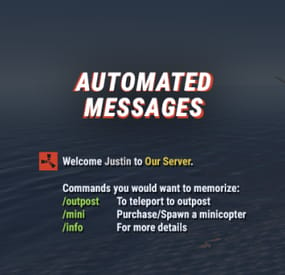
Automated Messages
Automated chat messages based on chat keywords, advanced scheduling modes, or various other triggers. In addition to sending messages, the plugin can also automatically run server console commands when an action triggers.
Admin UI — easy-to-use editor for complete setup Scheduling — Interval, Server Time, Game Time and Countdown modes Localization — localized replies for every language the game supports Targeting — send messages only to specific Groups or Permissions Player toggle — players can turn messages on/off if they don't find them useful Video
Supported Triggers
Scheduling & Chat — Timed · ChatCommand · AutoReply Connection — NewPlayerJoined · PlayerConnected · PlayerDisconnected Permissions & Groups — PermissionGranted · PermissionRevoked · AddedToGroup · RemovedFromGroup Gameplay — PlayerDead · CrateHacked Deep Sea — EnteredDeepSea · LeftDeepSea Zones — EnteredZone · LeftZone Monuments — EnteredMonument · LeftMonument Tip
If what you need isn't listed here but still falls within the scope of the plugin, reach out to me.
Commands
Command Description Permission /am.edit Opens the Admin UI for complete setup automatedmessages.admin /tips Lets players toggle messages on/off (command name configurable) — Message Localization
You can switch between languages in the Admin UI to set up localized replies for every language the game supports. See Config Settings below for how to add languages.
Game Tips
You can use Rust's native game tip UI to show specific messages instead of, or alongside, sending them to chat.
Variables
Variables can be included in message text to show additional info based on the trigger or player. The plugin also supports Placeholder API and its extensive list of variables.
Variable Description {playername} Player name {playerid} Player Steam ID {playercountry} Player country {online} Number of players online {sleeping} Number of players sleeping {joining} Number of players joining {target} The target string associated with the triggered action {hacklocation} Location of the hacked crate (CrateHacked only) {wipetimeremaining} Time until wipe, like 2d 5h {wipetimeremaining:d} Days until wipe {wipetimeremaining:h} Hours until wipe (0–23) {wipetimeremaining:th} Total hours until wipe {countdown} Live time remaining (Countdown scheduling mode) {countdown:m} Minutes remaining (0–59) {countdown:s} Seconds remaining (0–59) {countdown:tm} Total minutes remaining {countdown:ts} Total seconds remaining Wipe time is based on Rust convar settings if a Missile Silo monument is present.
Config Settings
Note
Only settings not available in the Admin UI are listed below. It's highly recommended to edit triggers and actions using /am.edit.
Setting Description Replies Server Languages Languages your server will support (see list below) Default Server Language Fallback language if the player's client language has no available replies Warning
You must have at least one reply in the Default Server Language for an action to work.
Available Languages
af Afrikaans · ar Arabic · ca Catalan · cs Czech · da Danish · de German · el Greek · en English · en-PT Pirate English · es-ES Spanish · fi Finnish · fr French · hu Hungarian · it Italian · ja Japanese · ko Korean · nl Dutch · no Norwegian · pl Polish · pt-PT Portuguese · pt-BR Portuguese (Brazil) · ro Romanian · ru Russian · sr Serbian · sv Swedish · tr Turkish · uk Ukrainian · vi Vietnamese · zh-CN Chinese (Simplified) · zh-TW Chinese (Traditional)
-
$9.99
Offline Raid Announcer
OFFLINE RAID ANNOUNCER
══════════════════════
Never miss a raid again. Whether your players are online watching it unfold or logging back in to discover what happened while they were away, Offline Raid Announcer keeps everyone informed, engaged, and coming back for more.
▌ WHY SERVER OWNERS LOVE IT
Offline raids are the most frustrating experience in Rust — and the most common reason players quit. This plugin transforms that frustration into engagement by giving raid victims real-time alerts, detailed statistics, and a clear picture of what happened to their base. Players who feel informed stick around. Players who log in to a silent, looted base often don't.
▌ KEY FEATURES
► SMART OFFLINE RAID DETECTION
Automatically identifies raids on offline and recently offline players, with a configurable grace period so players who just logged off still get their base protected by the alert system.
► INTELLIGENT FILTERING
Twig structures are ignored to eliminate false positives from soft-side bashing. A configurable raid threshold prevents alerts from single-door breaks. If any of the owner's teammates are online, the announcement is suppressed — no spam during active defenses.
► REAL-TIME NOTIFICATIONS
Online players, teammates, and admins get instant alerts the moment a raid kicks off. Two independent cooldowns (standard and MLRS-specific) keep things clean during heavy raid sessions.
► DEDICATED MLRS VOLLEY HANDLING
A separate, configurable cooldown specifically for MLRS rockets prevents notification floods when an entire volley lands on the same base.
► CATCH-UP ALERTS ON RECONNECT
Players who were offline during the attack get a full summary the moment they log back in — including grid, raider name, and a multi-raid summary if they were hit more than once.
► TEAM-AWARE SYSTEM
Notifies the raider's teammates as well, keeping group raids coordinated and giving the raider's crew a heads-up that one of their own is mid-raid.
► LIVE MAP MARKERS
Drops a visible red radius marker at the raid location for the configured duration, so allies can rally to defend or investigate.
► PERSISTENT RAID STATISTICS
Tracks every raid event per player. /raidinfo shows total raids, last raid time and grid, the most frequent raider against you, and the most-destroyed entity type. Admins can look up any player's stats.
► DISCORD INTEGRATION (TWO WAYS)
Works with the popular DiscordMessages plugin if you have it installed, or sends rich, fielded embeds directly via webhook with no dependencies. Color-coded, properly formatted, ready for clan channels or admin logs.
► CARBON & OXIDE COMPATIBLE
Auto-detects the framework on startup and uses the correct data handling for each, with built-in fallbacks. No special build required.
► ZONEMANAGER SUPPORT
Exclude safe zones, event arenas, or PvE regions from raid detection.
► FULL LOCALISATION SUPPORT
Every player-facing message is registered in the language file and ready for translation.
► WIPE-FRIENDLY
Optional automatic data clearing on server wipe keeps stats fresh each cycle.
▌ COMMANDS
/raidinfo
View your own raid statistics
Permission: offlineraidannouncer.stats
/raidinfo [player]
View statistics for another player
Permission: offlineraidannouncer.admin
/raidstats
Alias for /raidinfo
Permission: same as /raidinfo
/ofra.clear
Clear all stored raid data
Permission: offlineraidannouncer.admin
▌ PERMISSIONS
offlineraidannouncer.receive
Receive raid notifications (automatically granted to the default group)
offlineraidannouncer.bypasscooldown
Bypass notification cooldowns
offlineraidannouncer.stats
View raid statistics
offlineraidannouncer.admin
Full administrative access
▌ CONFIGURATION
Every aspect of the plugin is fully configurable. The keys below match what you'll see when you open the config file.
Notification Cooldown (seconds) ............... 600
Cooldown before a player can trigger another raid notification for the same base
Include Owner Name ............................ true
Include the base owner's name in alerts
Include Raider Name ........................... true
Include the raider's name in alerts
Wipe Data On Wipe ............................. false
Clear stored data when the server wipes
Notify Raiders Team ........................... true
Alert the raider's teammates that they're raiding
Save Raid Statistics .......................... true
Track and store per-player raid statistics
Notify Offline On Reconnect ................... true
Send a summary to victims when they log back in
Recently Offline Time (seconds) ............... 300
How long after disconnect a player still counts as "recently offline"
Use Discord Webhook ........................... false
Send raid alerts to a Discord webhook
Discord Webhook URL ........................... (your URL)
Your Discord webhook URL
Excluded Zones ................................ []
Zone names to exclude from detection (requires ZoneManager)
Raid Threshold ................................ 3
Minimum raid events on the same base (within roughly 10 minutes) before triggering an alert
Show Map Marker ............................... true
Display a map marker at the raid location
Map Marker Duration (seconds) ................. 300
How long the map marker stays visible
Admin Only Notifications ...................... false
Restrict in-game notifications to admins only
MLRS Volley Cooldown (seconds) ................ 15
Dedicated cooldown for MLRS rocket impacts on the same base
Monitored Entities ............................ (see below)
Entity types tracked for raid detection
Default monitored entities:
BuildingBlock, Door, StorageContainer, ExternalWall, Lock, Trap, Barricade, SleepingBag, Turret, Furnace, Workbench, ToolCupboard, VendingMachine, SamSite, Embrasure, WindowBars, HighExternalGate
▌ DISCORD SETUP
Get raid alerts pushed straight to your Discord server in three steps:
1. Create a webhook in your Discord server settings
(Server Settings → Integrations → Webhooks)
2. Set "Use Discord Webhook" to true in the plugin config
3. Paste your webhook URL into "Discord Webhook URL"
Every detected offline raid will then appear in your chosen Discord channel as a properly formatted embed with owner, grid, raider, and timestamp fields. If you also have the DiscordMessages plugin installed, the plugin will automatically use it instead.
▌ DEPENDENCIES
Optional:
• ZoneManager — required only for zone-based exclusions
• DiscordMessages — used automatically if installed; otherwise the plugin sends webhooks directly
▌ COMPATIBILITY
Works on both Oxide and Carbon. The plugin auto-detects your framework on load.
▌ SUPPORT
Questions, feedback, or feature requests? Drop a message in the support thread and I'll get back to you quickly.
-

$9.99
Raid Markers
This plugin can help show all Raid activities (all entitys destroyed that are owned by a player) . When players destroy any entity that is owned, a marker will show on the map and can be adjusted to give you a chat notifiction. This can help players who are online by notifiying them if they are being raided or can help other players know that a base is being raided so they could counter.
You can change the marker settings from the config file.
You can change chat messages from the language folder.
All Config Settings
{ "Raid Map Marker Enabled": true, "Raid Chat Message Enabled": true, "Show Message If player in Raid area": true, "Webhook Message Enabled": true, "Webhook Url": "https://discord.com/api/webhooks/YOUR_URL", "Webhook Raid Message": "Raid Start At {0}",// {0} => coordinate "Marker Color": "00FF00", "Marker Outline Color": "00FFFFFF", "Marker Duration (Second)": 10, "Marker Radius (float)": 0.4, "Show Entity Owner Name": false, "Iconid": 0, "Color Opacity Percent example (%25 =0.25, %50 = 0.5 ...": 0.5, "Use Map Marker Plugin (true or false)": true, "If Player Own Entity Dont Show Marker": true, "Showing Damage Type": [ "Bullet", "Stab", "Explosion", "Arrow", "Heat" ] } Language Settings:
You can modify the notification messages in different languages under the 'Language' folder.
Discord:
If you find any bugs, need assistance, or have suggestions related to the plugin, you can reach out on Discord. Discord pisagor0104
https://discord.gg/JnQftZeSXD
-

$9.99
Pvp Marker
This plugin can help top showing all pvp activities (player vs player, player vs bot). if players kill each other or kill bots their coordinate marked on map and giving chat notification message.
You can change the marker settings from the config file.
You can change chat messages from the language folder.
All Config Settings
{ "Pvp Map Marker Enabled": true, "Pvp Chat Message Enabled": true, "Npc Fight All Notification Enabled": true, "Npc Pvp Map Marker Enabled": true, "Npc Pvp Chat Message Enabled": true, "Show Message If player in pvp area": false, "Marker Color": "00FF00", "Marker Outline Color": "00FFFFFF", "Marker Duration (Second)": 60, "Marker Radius (float)": 0.3, "Show Special Bot Name for TrafficDrivers Plugin": false "Iconid": 76561198283261741, "Color Opacity Percent example (%25 =0.25, %50 = 0.5 ...": 0.5, "Use Map Marker Plugin (true or false)": false } Language Settings:
You can modify the notification messages in different languages under the 'Language' folder.
Discord:
If you find any bugs, need assistance, or have suggestions related to the plugin, you can reach out on Discord. Discord pisagor0104
https://discord.gg/JnQftZeSXD