

.jpg.34f10dcab9c95b150b74a94f2d485e47.jpg)
FastBurst
-
Posts
165 -
Joined
-
Last visited
-
Days Won
1
Content Type
Profiles
Warranty Claims
Downloads
Forums
Store
Services
Downloads Plus Support
DOWNLOADS EXTRA
Reels
Support Center
Everything posted by FastBurst
-
On line 319 replace with this if (item.info.shortname != "xmas.present.large" && item.info.shortname != "xmas.present.medium" && item.info.shortname != "xmas.present.small" && item.info.shortname != "halloween.lootbag.medium" && item.info.shortname != "halloween.lootbag.large" && item.info.shortname != "easter.silveregg" && item.info.shortname != "easter.goldegg" && item.info.shortname != "presentdrop" && item.skin != 0) And see if it still does it. I don't have Component Box to test it against.
-
 There is a mod out there that overrides the wearable items function - That is what he was referring to, seen it on a few servers. Have no idea where they got it though but it does exist. So there is a way to do. I just never attempted it or had a need for it personally but would be nice to use on some zombies to create some crazy looking ones.
 -
I was getting them on all my servers, I was able to stop it but by wrapping it in a try catch and that put an end to it.
-
Looks like it is triggering any time a NPC Player Corpse is spawned.
-
[10/29/2021 12:54:21 AM] Failed to call hook 'OnEntitySpawned' on plugin 'PumpkinHead v1.0.1' (NullReferenceException: Object reference not set to an instance of an object) at Oxide.Plugins.PumpkinHead.OnEntitySpawned (NPCPlayerCorpse corpse) [0x0001f] in <27e9808747444b2d92aa42afe0c06157>:0 at Oxide.Plugins.PumpkinHead.DirectCallHook (System.String name, System.Object& ret, System.Object[] args) [0x00246] in <27e9808747444b2d92aa42afe0c06157>:0 at Oxide.Plugins.CSharpPlugin.InvokeMethod (Oxide.Core.Plugins.HookMethod method, System.Object[] args) [0x00079] in <60c318df79ed41688ea59335e48d61ad>:0 at Oxide.Core.Plugins.CSPlugin.OnCallHook (System.String name, System.Object[] args) [0x000d8] in <9882f28dc2204b4dba514a9ad18f5042>:0 at Oxide.Core.Plugins.Plugin.CallHook (System.String hook, System.Object[] args) [0x00060] in <9882f28dc2204b4dba514a9ad18f5042>:0 Got that error when someone harvested pumpkins - using the default config nothing was changed
-
 The updates are great!
- 527 comments
-
- 1
-

-
- #abilities
- #boss
- (and 16 more)
-
Changed Status from Pending to Closed Changed Fixed In to 1.7.7
-
Glad it worked out. I will close the ticket.
-
Did you remember to install Image Library? Its a required Dependency for it to display the compass and map images.
-
 It does not and done that way on purpose to keep players on the server regardless if they are AFK or not. At the end of the day, players want to see players on the servers they join. While someone being AFK can milk the XP other players still stay on to try and beat them regardless. I have literally been running this on all my servers for over 4 years and it works. Over the years I have had only a handful of players that actually ever did this.
 -
Awesome thanks
-
Version 1.6.7
145 downloads
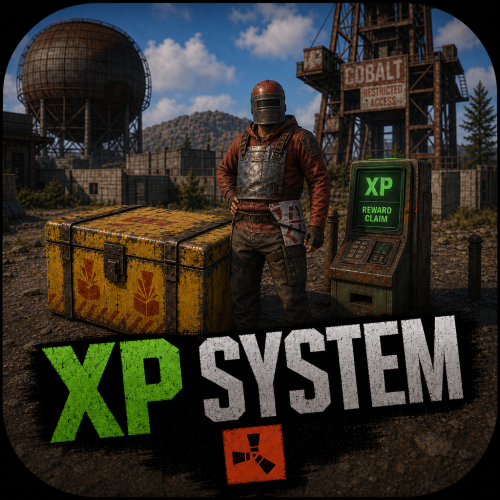
The XP System is an XP and Rewards based system. Designed to keep players to keep playing on your servers. I have been running this for years now on my servers and I must say it is great, Players are always on trying to get the MOST XP and to remain as the leader at the top of the list and hold the title. Has a Prestige Leveling system with it as well, so every time a player hits 100 XP, they Prestige and it is announced to the server. At that point the rewards are all now double (see screenshots below) if they Prestige a 3rd time then the rewards are triple and so forth, The most I have personally seen a player Prestige was 6 times in a single wipe. Of course the longer the wipe schedule the more a player can earn. Time for leveling is set to every 30 Minutes of being on the server, with a warning to all players a few mins before that XP is about to be issued and to make sure they have space in their inventory. The leader with the most XP, Also is broadcasted to everyone. The leader also receives each time they hold the title A random amount of Scrap as well as a Large Present. NOTE: The leader will hold the title whether they are online or offline until another players takes over. IF the leader is offline they will NOT gain more XP, they must be online in order to gain XP. However they will still gain the Leader Rewards if they are still the leader and offline until another players gains the most XP beating them. Features Custom Rewards Items (this doesn't need to be changed as it is setup pretty damn good as is and none of my players have ever complained about any of the items. (recommend just leaving it as is) Auto Wipe Feature when server is wipe to reset all player data Apply extra rewards for Top XP Leader Set min and max amounts of Scrap Rewards for TOP XP Leader Level Settings are already setup (highly recommended that you DO NOT CHANGE ANY OF IT) Top XP Leader broadcasted to all players when rewards are issued so everyone knows who the XP Leader is. Encourages players to stay on your servers so they can try and be the leader - I cannot tell you how funny it is to see players jump on right after a wipe just so they can try and be the TOP XP Leader and try and hold the Title Features and API XP Call that I personally use for DeathNotes (requires a customized DeathNotes to work, if you want a copy please DM me with your Order Number and I will send you a custom DeathNotes Plugin to use with the XP System, What this does is when a Death Note is used, it shows the Current XP Level for the Player who killed anything and also the Victims XP Level if they are a victim) Unique Prestige Leveling System just like in COD every 100 XP earned the Player hits a Prestige Level and the rewards are doubled or tripled and so forth see screenshots Broadcasts to Console when the XP Rewards are issued as well as who is the current Top XP Holder and if they are online or offline Option to disable giving of Gifts to Highest XP Holder if offline (enabled by default) Option to disable Admin Players from receiving XP and Gifts (enabled by default) NOTE: Pretty much this is a plug and play drop in plugin that instantly works with absolutely NO NEED to change anything in the config file. It has been tried and tested for over 4 years running on all my servers. OF course you can still change the settings it is HIGHLY RECOMMENDED TO LEAVE IT AS IS! Commands /xp - (public for all players) shows the current XP Level /xp list (public for all players) shows the current XP, Prestige Level and ZP Rewards List Console Commands xp.give - gives a player XP. Example: xp.give FastBurst 100 = FastBurst will receive 100 XP xp.reset - resets a players XP. Example: xp.reset FastBurst = FastBurst XP is not reset to 0 xp.resetall - manually resets the XP Data File Permissions permissions are only set if you set them as part of one of the rewards API Call private int GetXP(ulong player) { // returns the int value of the players XP Level } Configuration { "General Settings": { "Wipe data on new map": true, "Gametip announcement duration (seconds, 0 to disable)": 0.0, "Start level": 0, "Enable Scrap and Presents for Highest XP": true, "Minimum amount of Scrap to give for Highest XP if enabled": 25, "Maximum amount of Scrap to give for Highest XP if enabled": 125, "Enable giving of XP and Gifts to Admin players (default true)": true, "Enable giving of Scrap and Presents to Highest XP if offline (default true)": true }, "Time Settings": { "Experience for playtime": 1, "Time between give experience for playtime (seconds)": 1800, "Popup Announcement time before XP (seconds)": 1620 }, "Reward Item Settings": [ { "Level": 1, "Items": [ { "Command": "", "Shortname": "chicken.cooked", "Amount": 25, "Skin": 0, "Display name": "Cooked Chicken", "Blueprint": false, "Permission": "" } ] }, { "Level": 2, "Items": [ { "Command": "", "Shortname": "wood", "Amount": 2500, "Skin": 0, "Display name": "Wood", "Blueprint": false, "Permission": "" } ] }, { "Level": 3, "Items": [ { "Command": "", "Shortname": "xmas.present.medium", "Amount": 1, "Skin": 0, "Display name": "Medium Present", "Blueprint": false, "Permission": "" } ] }, { "Level": 4, "Items": [ { "Command": "", "Shortname": "stones", "Amount": 1000, "Skin": 0, "Display name": "Stones", "Blueprint": false, "Permission": "" } ] }, { "Level": 5, "Items": [ { "Command": "", "Shortname": "xmas.present.large", "Amount": 1, "Skin": 0, "Display name": "Large Present", "Blueprint": false, "Permission": "" } ] }, { "Level": 6, "Items": [ { "Command": "", "Shortname": "metal.fragments", "Amount": 250, "Skin": 0, "Display name": "Metal Fragments", "Blueprint": false, "Permission": "" } ] }, { "Level": 7, "Items": [ { "Command": "", "Shortname": "ammo.pistol", "Amount": 50, "Skin": 0, "Display name": "Pistol Ammo", "Blueprint": false, "Permission": "" } ] }, { "Level": 8, "Items": [ { "Command": "", "Shortname": "chainsaw", "Amount": 1, "Skin": 0, "Display name": "Chainsaw", "Blueprint": false, "Permission": "" } ] }, { "Level": 9, "Items": [ { "Command": "", "Shortname": "jackhammer", "Amount": 1, "Skin": 0, "Display name": "Jackhammer", "Blueprint": false, "Permission": "" } ] }, { "Level": 10, "Items": [ { "Command": "", "Shortname": "metal.refined", "Amount": 250, "Skin": 0, "Display name": "High Quality Metal", "Blueprint": false, "Permission": "" } ] }, { "Level": 20, "Items": [ { "Command": "", "Shortname": "metal.fragments", "Amount": 500, "Skin": 0, "Display name": "Metal Fragments", "Blueprint": false, "Permission": "" } ] }, { "Level": 30, "Items": [ { "Command": "", "Shortname": "scrap", "Amount": 500, "Skin": 0, "Display name": "Scrap", "Blueprint": false, "Permission": "" } ] }, { "Level": 40, "Items": [ { "Command": "", "Shortname": "hq.metal.ore", "Amount": 150, "Skin": 0, "Display name": "High Quality Metal Ore", "Blueprint": false, "Permission": "" } ] }, { "Level": 50, "Items": [ { "Command": "", "Shortname": "metal.ore", "Amount": 2000, "Skin": 0, "Display name": "Metal Ore", "Blueprint": false, "Permission": "" } ] }, { "Level": 60, "Items": [ { "Command": "", "Shortname": "ammo.rifle", "Amount": 250, "Skin": 0, "Display name": "5.56 Rifle Ammo", "Blueprint": false, "Permission": "" } ] }, { "Level": 70, "Items": [ { "Command": "", "Shortname": "sulfur.ore", "Amount": 2000, "Skin": 0, "Display name": "Sulfur Ore", "Blueprint": false, "Permission": "" } ] }, { "Level": 80, "Items": [ { "Command": "", "Shortname": "supply.signal", "Amount": 1, "Skin": 0, "Display name": "Supply Signal", "Blueprint": false, "Permission": "" } ] }, { "Level": 90, "Items": [ { "Command": "", "Shortname": "gunpowder", "Amount": 1000, "Skin": 0, "Display name": "Gun Powder", "Blueprint": false, "Permission": "" } ] }, { "Level": 100, "Items": [ { "Command": "", "Shortname": "lmg.m249", "Amount": 1, "Skin": 0, "Display name": "M249", "Blueprint": false, "Permission": "" } ] } ], "Levels Settings": [ { "Level": 1, "Experience to get level": 1.0 }, { "Level": 2, "Experience to get level": 1.0 }, { "Level": 3, "Experience to get level": 1.0 }, { "Level": 4, "Experience to get level": 1.0 }, { "Level": 5, "Experience to get level": 1.0 }, { "Level": 6, "Experience to get level": 1.0 }, { "Level": 7, "Experience to get level": 1.0 }, { "Level": 8, "Experience to get level": 1.0 }, { "Level": 9, "Experience to get level": 1.0 }, { "Level": 10, "Experience to get level": 1.0 }, { "Level": 11, "Experience to get level": 1.0 }, { "Level": 12, "Experience to get level": 1.0 }, { "Level": 13, "Experience to get level": 1.0 }, { "Level": 14, "Experience to get level": 1.0 }, { "Level": 15, "Experience to get level": 1.0 }, { "Level": 16, "Experience to get level": 1.0 }, { "Level": 17, "Experience to get level": 1.0 }, { "Level": 18, "Experience to get level": 1.0 }, { "Level": 19, "Experience to get level": 1.0 }, { "Level": 20, "Experience to get level": 1.0 }, { "Level": 21, "Experience to get level": 1.0 }, { "Level": 22, "Experience to get level": 1.0 }, { "Level": 23, "Experience to get level": 1.0 }, { "Level": 24, "Experience to get level": 1.0 }, { "Level": 25, "Experience to get level": 1.0 }, { "Level": 26, "Experience to get level": 1.0 }, { "Level": 27, "Experience to get level": 1.0 }, { "Level": 28, "Experience to get level": 1.0 }, { "Level": 29, "Experience to get level": 1.0 }, { "Level": 30, "Experience to get level": 1.0 }, { "Level": 31, "Experience to get level": 1.0 }, { "Level": 32, "Experience to get level": 1.0 }, { "Level": 33, "Experience to get level": 1.0 }, { "Level": 34, "Experience to get level": 1.0 }, { "Level": 35, "Experience to get level": 1.0 }, { "Level": 36, "Experience to get level": 1.0 }, { "Level": 37, "Experience to get level": 1.0 }, { "Level": 38, "Experience to get level": 1.0 }, { "Level": 39, "Experience to get level": 1.0 }, { "Level": 40, "Experience to get level": 1.0 }, { "Level": 41, "Experience to get level": 1.0 }, { "Level": 42, "Experience to get level": 1.0 }, { "Level": 43, "Experience to get level": 1.0 }, { "Level": 44, "Experience to get level": 1.0 }, { "Level": 45, "Experience to get level": 1.0 }, { "Level": 46, "Experience to get level": 1.0 }, { "Level": 47, "Experience to get level": 1.0 }, { "Level": 48, "Experience to get level": 1.0 }, { "Level": 49, "Experience to get level": 1.0 }, { "Level": 50, "Experience to get level": 1.0 }, { "Level": 51, "Experience to get level": 1.0 }, { "Level": 52, "Experience to get level": 1.0 }, { "Level": 53, "Experience to get level": 1.0 }, { "Level": 54, "Experience to get level": 1.0 }, { "Level": 55, "Experience to get level": 1.0 }, { "Level": 56, "Experience to get level": 1.0 }, { "Level": 57, "Experience to get level": 1.0 }, { "Level": 58, "Experience to get level": 1.0 }, { "Level": 59, "Experience to get level": 1.0 }, { "Level": 60, "Experience to get level": 1.0 }, { "Level": 61, "Experience to get level": 1.0 }, { "Level": 62, "Experience to get level": 1.0 }, { "Level": 63, "Experience to get level": 1.0 }, { "Level": 64, "Experience to get level": 1.0 }, { "Level": 65, "Experience to get level": 1.0 }, { "Level": 66, "Experience to get level": 1.0 }, { "Level": 67, "Experience to get level": 1.0 }, { "Level": 68, "Experience to get level": 1.0 }, { "Level": 69, "Experience to get level": 1.0 }, { "Level": 70, "Experience to get level": 1.0 }, { "Level": 71, "Experience to get level": 1.0 }, { "Level": 72, "Experience to get level": 1.0 }, { "Level": 73, "Experience to get level": 1.0 }, { "Level": 74, "Experience to get level": 1.0 }, { "Level": 75, "Experience to get level": 1.0 }, { "Level": 76, "Experience to get level": 1.0 }, { "Level": 77, "Experience to get level": 1.0 }, { "Level": 78, "Experience to get level": 1.0 }, { "Level": 79, "Experience to get level": 1.0 }, { "Level": 80, "Experience to get level": 1.0 }, { "Level": 81, "Experience to get level": 1.0 }, { "Level": 82, "Experience to get level": 1.0 }, { "Level": 83, "Experience to get level": 1.0 }, { "Level": 84, "Experience to get level": 1.0 }, { "Level": 85, "Experience to get level": 1.0 }, { "Level": 86, "Experience to get level": 1.0 }, { "Level": 87, "Experience to get level": 1.0 }, { "Level": 88, "Experience to get level": 1.0 }, { "Level": 89, "Experience to get level": 1.0 }, { "Level": 90, "Experience to get level": 1.0 }, { "Level": 91, "Experience to get level": 1.0 }, { "Level": 92, "Experience to get level": 1.0 }, { "Level": 93, "Experience to get level": 1.0 }, { "Level": 94, "Experience to get level": 1.0 }, { "Level": 95, "Experience to get level": 1.0 }, { "Level": 96, "Experience to get level": 1.0 }, { "Level": 97, "Experience to get level": 1.0 }, { "Level": 98, "Experience to get level": 1.0 }, { "Level": 99, "Experience to get level": 1.0 }, { "Level": 100, "Experience to get level": 1.0 } ], "Version": { "Major": 1, "Minor": 6, "Patch": 2 } } Localization { "XP Added Chat": "<color=green>You earned {0} XP</color>", "XP Added Gametip": "<color=white>You earned {0} XP</color>", "New Level": "<color=green>You now have {0} XP, for the reward list type /xp list.</color>", "Level1": "<color=green>You have {0} XP, Prestige {1}.</color>", "Level2": "<color=green>You level up 1 XP every 30 minutes.</color>", "Level3": "<color=green>For the XP reward list type /xp list.</color>", "New Prestige": "<size=16><color=orange>CONGRATULATIONS!</color> {0} has just reach Prestige Level {1}!</size>", "Highest XP": "{0} has the most XP in this server, {1}. {2}", "HighXP Items": "Receives {0} in Scrap and 1 Large Present!", "XPInfo": "<color=green><size=13>XP is gained by playing on the server, it rewards you with items, type /xp for more information.</size></color>", "Reward Received": "<color=green>You have been rewarded with {1} for your XP.</color>" }$25.00 -
Get this error in console when one of the NPCs dies generically [10/6/2021 8:55:46 AM] Failed to call hook 'OnEntityDeath' on plugin 'Graves v1.1.3' (NullReferenceException: Object reference not set to an instance of an object) at Oxide.Plugins.Graves.OnEntityDeath (NPCPlayerApex npc, HitInfo info) [0x00000] in <4cba5d66ccb446baa335234847533169>:0 at Oxide.Plugins.Graves.DirectCallHook (System.String name, System.Object& ret, System.Object[] args) [0x00206] in <4cba5d66ccb446baa335234847533169>:0 at Oxide.Plugins.CSharpPlugin.InvokeMethod (Oxide.Core.Plugins.HookMethod method, System.Object[] args) [0x00079] in <31122a27a2414cd799150f8677cf39d4>:0 at Oxide.Core.Plugins.CSPlugin.OnCallHook (System.String name, System.Object[] args) [0x000d8] in <0fbce81d88d64454b3e7abb24df7026b>:0 at Oxide.Core.Plugins.Plugin.CallHook (System.String hook, System.Object[] args) [0x00060] in <0fbce81d88d64454b3e7abb24df7026b>:0
-

Version 2.0.1
62 downloads
About Drop Vehicles Allows Vehicles, Boats, and Subs to drop via an Air Drop by throwing a custom Supply Signal Used by Explosive Box Optional Dependencies Server Rewards Economics Features Customized Supply Drop skins 9 Different types of Vehicle Drops RHIB Row Boat Minicopter Attach Heli Scrap Transport Heli Duo Submarine Solo Submarine Snowmobile Bradley APC (this is one you can fight that will land at your location when thrown) Precheck warning before throwing if water vehicles to let you know to be in water Deploy Smoke on Drops Set amount to give for admins when calling via commands Set the Cargo Plane Height and Speed Enable which Vehicles to Air Drop to a player that throws the signal In-game Chat Store for players using with Server Rewards, Economics Support or can use any in-game item, default is set to Scrap Skin IDs & Names 1942896432 - Cyan - RHIB Supply Drop 1942897238 - Orange - Row Boat Supply Drop 1942898011 - Red - Minicopter Supply Drop 1942900715 - Blue - Bradley Supply Drop 1942906150 - Green - Scrap Heli Supply Drop 2568176049 - Rust - Solo Submarine Supply Drop 2568176049 - Yellow - Duo Submarine Supply Drop 3383447606 - HotPink - Snowmobile Supply Drop 3383447244 - LightBlue - Attack Heli Supply Drop Commands /vdrop playername vehiclename (example: vdrop fastburst rhib) /vdrop - brings up help menu for staff /vbuy - brings up the in-game chat shop and a list of signals that can be purchased and how to purchase a signal Permissions dropvehicles.use - grants permission to call commands (meant for admins dropvehicles.buy - enable puchasing options to signals via Chat Usage Explosive Box and Scavenger Hunt are already presetup with the default loot to create the items in the loot. Server Rewards & Extra Loot plugins This can be used with ServerRewards You will need to edit your Datafile Directly Example Entry looks like this below, of course you may want to change the costs to suit your needs. By default this plugin does NOT spawn in any loot as they are custom items, if you want to add them to your loot I highly recommend Extra Loot available on UMod "supply.signal_2568176049": { "shortname": "supply.signal", "customIcon": null, "amount": 1, "skinId": 2568176049, "isBp": false, "category": 6, "displayName": "Duo Submarine Supply Signal", "cost": 7500, "cooldown": 0 }, "supply.signal_1942896432": { "shortname": "supply.signal", "customIcon": null, "amount": 1, "skinId": 1942896432, "isBp": false, "category": 6, "displayName": "RHIB Supply Signal", "cost": 5000, "cooldown": 0 }, "supply.signal_1942897238": { "shortname": "supply.signal", "customIcon": null, "amount": 1, "skinId": 1942897238, "isBp": false, "category": 6, "displayName": "Row Boat Supply Signal", "cost": 3000, "cooldown": 0 }, "supply.signal_1942898011": { "shortname": "supply.signal", "customIcon": null, "amount": 1, "skinId": 1942898011, "isBp": false, "category": 6, "displayName": "Minicopter Supply Signal", "cost": 10000, "cooldown": 0 }, "supply.signal_1942906150": { "shortname": "supply.signal", "customIcon": null, "amount": 1, "skinId": 1942906150, "isBp": false, "category": 6, "displayName": "Scrap Heli Supply Signal", "cost": 20000, "cooldown": 0 }, Configuration { "Plane Settings": { "Cargo Plane Height, how many meters above map's highest point (Rust Default height is 250)": 50.0, "Cargo Plane Speed to signal dropped (Rust default is 35)": 80.0 }, "General Settings": { "Amount you can give to yourself or another player": 10, "Enable Chat Notifications": true, "Use Chat Prefix": true, "Chat Prefix": "<color=green>[Drop Vehicles]</color>: ", "Custom Chat Icon (Default = 0)": 0, "Enable a /vbuy chat command shop for players": true, "Default method of payment for the chat command shop (Currency/ServerRewards/Economics), Default Currency": "ServerRewards", "Command shop accessed by /vbuy has a normal supply signal in stock": true, "Price of the normal supply signal (currency, applies both to /vbuy)": 400, "Price of the normal supply signal (ServerRewards)": 400, "Price of the normal supply signal (Economics)": 400, "Permission needed to buy a normal drop (leave null to let everyone buy)": null, "Currency (item ID) of the normal supply signal [Default -932201673 (scrap)]": -932201673 }, "Drop Settings": { "Deploy Smoke Effect with Air Drop Delivery": true, "Supply Signal Smoke Duration (Rust Default = 210)": 120.0, "Drag Settings for drops (Default is 2.0": 2.0, "Mass settings multiplier for (Boats, Subs and Snowmobile - Recommended to leave at 1.0 as the more the faster it falls)": 1.0, "Strict Proximity Check (Checks for objects close to signal, prevents Vehicles landing on objects)": true, "Strict Proximity Check Radius": 20.0, "Remove Entities In Landing Zone Radius (Requires Strict Proximity Check Enabled)": false, "Use Explosion Effect When if Vehicles land in the water to deeply or in a Safe Zone": false }, "Vehicle Drop Types": { "rowboat": { "Enabled": true, "Shortname (DO NOT CHANGE WILL NOT WORK)": "rowboat", "ShortPrebabName": "rowboat", "Display name": "Row Boat Supply Signal", "Prefab": "assets/content/vehicles/boats/rowboat/rowboat.prefab", "Skin ID": 1942897238, "Purchase Options": { "Enable selling through the /vbuy command - if disabled or price is 0, it won't shop up": true, "Permission needed to use/purchase this kind": null, "Price (ServerRewards)": 100, "Price (Economics)": 100.0, "Price (Currency)": 100, "Currency item ID [Default -932201673 (scrap)]": -932201673 } }, "rhib": { "Enabled": true, "Shortname (DO NOT CHANGE WILL NOT WORK)": "rhib", "ShortPrebabName": "rhib", "Display name": "RHIB Supply Signal", "Prefab": "assets/content/vehicles/boats/rhib/rhib.prefab", "Skin ID": 1942896432, "Purchase Options": { "Enable selling through the /vbuy command - if disabled or price is 0, it won't shop up": true, "Permission needed to use/purchase this kind": null, "Price (ServerRewards)": 500, "Price (Economics)": 500.0, "Price (Currency)": 500, "Currency item ID [Default -932201673 (scrap)]": -932201673 } }, "subsolo": { "Enabled": true, "Shortname (DO NOT CHANGE WILL NOT WORK)": "subsolo", "ShortPrebabName": "submarinesolo.entity", "Display name": "Solo Submarine Supply Signal", "Prefab": "assets/content/vehicles/submarine/submarinesolo.entity.prefab", "Skin ID": 2568175759, "Purchase Options": { "Enable selling through the /vbuy command - if disabled or price is 0, it won't shop up": true, "Permission needed to use/purchase this kind": null, "Price (ServerRewards)": 200, "Price (Economics)": 200.0, "Price (Currency)": 200, "Currency item ID [Default -932201673 (scrap)]": -932201673 } }, "subduo": { "Enabled": true, "Shortname (DO NOT CHANGE WILL NOT WORK)": "subduo", "ShortPrebabName": "submarineduo.entity", "Display name": "Duo Submarine Supply Signal", "Prefab": "assets/content/vehicles/submarine/submarineduo.entity.prefab", "Skin ID": 2568176049, "Purchase Options": { "Enable selling through the /vbuy command - if disabled or price is 0, it won't shop up": true, "Permission needed to use/purchase this kind": null, "Price (ServerRewards)": 400, "Price (Economics)": 400.0, "Price (Currency)": 400, "Currency item ID [Default -932201673 (scrap)]": -932201673 } }, "snowmobile": { "Enabled": true, "Shortname (DO NOT CHANGE WILL NOT WORK)": "snowmobile", "ShortPrebabName": "TomahaSnowmobile", "Display name": "Tomaha Snowmobile Supply Signal", "Prefab": "assets/content/vehicles/snowmobiles/tomahasnowmobile.prefab", "Skin ID": 3383447606, "Purchase Options": { "Enable selling through the /vbuy command - if disabled or price is 0, it won't shop up": true, "Permission needed to use/purchase this kind": null, "Price (ServerRewards)": 500, "Price (Economics)": 500.0, "Price (Currency)": 500, "Currency item ID [Default -932201673 (scrap)]": -932201673 } }, "mini": { "Enabled": true, "Shortname (DO NOT CHANGE WILL NOT WORK)": "mini", "ShortPrebabName": "minicopter.entity", "Display name": "Minicopter Supply Signal", "Prefab": "assets/content/vehicles/minicopter/minicopter.entity.prefab", "Skin ID": 1942898011, "Purchase Options": { "Enable selling through the /vbuy command - if disabled or price is 0, it won't shop up": true, "Permission needed to use/purchase this kind": null, "Price (ServerRewards)": 800, "Price (Economics)": 800.0, "Price (Currency)": 800, "Currency item ID [Default -932201673 (scrap)]": -932201673 } }, "attackheli": { "Enabled": true, "Shortname (DO NOT CHANGE WILL NOT WORK)": "attackheli", "ShortPrebabName": "attackhelicopter.entity", "Display name": "Attack Heli Supply Signal", "Prefab": "assets/content/vehicles/attackhelicopter/attackhelicopter.entity.prefab", "Skin ID": 3383447244, "Purchase Options": { "Enable selling through the /vbuy command - if disabled or price is 0, it won't shop up": true, "Permission needed to use/purchase this kind": null, "Price (ServerRewards)": 1000, "Price (Economics)": 1000.0, "Price (Currency)": 1000, "Currency item ID [Default -932201673 (scrap)]": -932201673 } }, "scrapheli": { "Enabled": true, "Shortname (DO NOT CHANGE WILL NOT WORK)": "scrapheli", "ShortPrebabName": "scrapTransporthelicopter", "Display name": "Scrap Heli Supply Signal", "Prefab": "assets/content/vehicles/scrap heli carrier/scraptransporthelicopter.prefab", "Skin ID": 1942906150, "Purchase Options": { "Enable selling through the /vbuy command - if disabled or price is 0, it won't shop up": true, "Permission needed to use/purchase this kind": null, "Price (ServerRewards)": 1500, "Price (Economics)": 1500.0, "Price (Currency)": 1500, "Currency item ID [Default -932201673 (scrap)]": -932201673 } }, "bradley": { "Enabled": true, "Shortname (DO NOT CHANGE WILL NOT WORK)": "bradley", "ShortPrebabName": "bradleyapc", "Display name": "Bradley Supply Signal", "Prefab": "assets/prefabs/npc/m2bradley/bradleyapc.prefab", "Skin ID": 1942900715, "Purchase Options": { "Enable selling through the /vbuy command - if disabled or price is 0, it won't shop up": true, "Permission needed to use/purchase this kind": null, "Price (ServerRewards)": 2500, "Price (Economics)": 2500.0, "Price (Currency)": 2500, "Currency item ID [Default -932201673 (scrap)]": -932201673 } } }, "Version": { "Major": 1, "Minor": 9, "Patch": 4 } } Localization { "Notification.Usage": "Usage:\n vdrop player shortname", "Notification.Permission": "<color=#ff0000>You don't have permission to use that!</color>", "Notification.Unknown": "Unknown vehicle '{0}', '{prefab}'", "Chat.OnTheWay": "Your <color=orange>{0}</color> is on the way!", "Chat.Throw": "<color=red>NOTE: </color>Throw this Supply Signal to drop a <color=orange>{0}</color>!", "Check.RowBoat": "<color=red>NOTE: </color>Double check that you are standing or in water before you try to use this type of Supply Drop! Throw this Supply Signal to drop a <color=orange>Row Boat</color>!", "Check.RHIB": "<color=red>NOTE: </color>Double check that you are standing or in water before you try to use this type of Supply Drop!</color> Throw this Supply Signal to drop a <color=orange>Military RHIB Boat</color>!", "Check.Solo": "<color=red>NOTE: </color>Double check that you are standing or in water before you try to use this type of Supply Drop!</color> Throw this Supply Signal to drop a <color=orange>Solo Submarine</color>!", "Check.Duo": "<color=red>NOTE: </color>Double check that you are standing or in water before you try to use this type of Supply Drop!</color> Throw this Supply Signal to drop a <color=orange>Duo Submarine</color>!", "Notification.Success": "Player {0} successfully got an item!", "UnderWater": "<color=orange>{0}</color> was thrown too near <color=blue>water</color> and was refunded, check inventory.", "IntoWater": "<color=orange>{0}</color> went into deep <color=blue>water</color> and was destroyed.", "InSafeZone": "<color=orange>{0}</color> was thrown in a <color=green>Safe Zone</color> and was refunded, check inventory.", "IntoSafeZone": "<color=orange>{0}</color> moved into a <color=green>Safe Zone</color> and was destroyed.", "Shop.Disabled": "The chat command shop is currently disabled on the server.", "Shop.Costs": "<color=green>/vbuy</color> <color=yellow>{0}</color> Cost: <color=orange>{1}</color>", "Shop.NoSignals": "<color=red>There's no supply signals available to buy through this command.</color>", "Shop.Buy.Success": "<color=green>You just bought a</color> <color=yellow>{0}</color> Supply Signal.", "Shop.Currency.Economics": " ¤", "Shop.Currency.ServerRewards": "RP", "Shop.Can.Buy": "You can buy these supply signal drops with <color=red>{0}</color> (you currently have <color=red>{1}</color>):", "Shop.Cannot.Buy": "<color=red>You can't buy a</color> <color=yellow>{0}</color> <color=red>Supply Signal - either you can't afford it or don't have the permission.</color> Type <color=green>/vbuy</color> to see if there's anything else you can purchase.", "Shop.Wrong.Drop": "<color=red>Wrong kind of drop.</color> Type <color=green>/vbuy</color> to get the full list of names and prices." }$15.00 -
Version 1.3.1
88 downloads
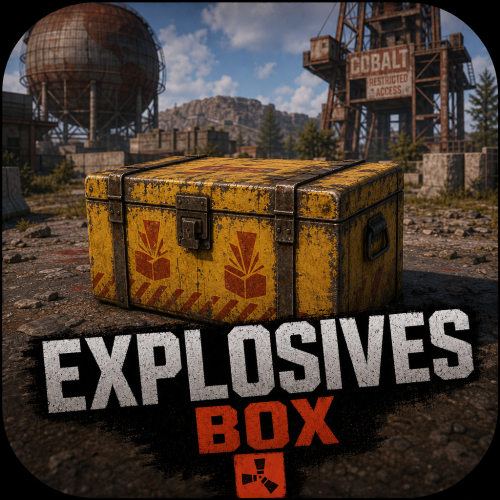
About Explosives Box Event Creates a random Explosives Box mini event with a chance for Patrol Helicopter as well as a CH47 which will launch Paratroopers to spawn and defend the area once the Explosives Box Unlocks. Ability to select which monuments the event will spawn at. Great for both PVP and PVE Servers Dependencies Drop Vehicles - If you want to be able to use the preconfig values in loot to call air drop signals for vehicles Optional Dependencies Zone Manager TruePVE Zone Domes NoEscape Kits Custom Loot Features Random Event Timers Min & Max Times Minimum Required Players before event can start Set a chance for Patrol Heli to spawn when the event unlocks Set the Patrol Heli retire time to leave the map after Explosive Box unlocks (default 9 mins) Enable Loot to drop on being destroyed Set amount of Heli Crates to drop Option to use custom loot instead of default Display visual options when Explosive Box unlocks options Enable up to 10 different monuments to spawn at Dome Airfield Trainyard Launch Site Power Plant Water Treatment Plant Missile Silo Arctic Research Base Radtown Jungle Ziggurat Set the Radius check for each monument Enable Option for Raid Blocking if NoEscape if installed Enable Rule exclusion for TruePVE to all PVP if installed Enable a Zone Dome around Event if installed Create Temp Zones in Zone Manger if installed Set different flags for Zone Manager if installed Example Disable Trading or TPs in the event area Option for loot to have custom items with custom skins and custom names Option to disable the Patrol Heli from spawning New Zone Management with Custom Domes Enable Domes with Colored borders thru settings Loot Box inventory Multiplier for those that want to 10x the Loot inside the box so you don't have to redo each item amount for different servers, Default is set to 1 Change to 10 for a 10x server 100 for 100x server etc. Commands /expo info - Shows the time remaining before the next event step and the position of the explosives box (if applicable) /expo start - Start the event, add the 'forced' argument to ignore player counts /expo starthere <opt:forced> - Start a new event on your position, add the 'forced' argument to ignore player counts /expo cancel - Cancels the current event /expo unlock - Pre-maturely unlock the explosives box Permissions NONE, only Admins/Owners can execute Commands. Configuration Localization { "Event.Start.Dome": "<color=#ffff00><size=12>There is an Explosives Box on top of Dome containing several Boom Boom materials and items, it will unlock in {0}, be sure to be there to defend it and get the loot!</size></color>", "Event.Start.Trainyard": "<color=#ffff00><size=12>There is an Explosives Box inside the open Red Train Cart at the Trainyard containing several Boom Boom materials and items, it will unlock in {0} be sure to be there to defend it and get the loot!</size></color>", "Event.Start.Airfield": "<color=#ffff00><size=12>There is an Explosives Box inside of Hanger #2 containing several Boom Boom materials and items, it will unlock in {0} be sure to be there to defend it and get the loot!</size></color>", "Event.Start.LaunchSite": "<color=#ffff00><size=12>There is an Explosives Box on top of the Launch Site on the Helipad containing several Boom Boom materials and items, it will unlock in {0} be sure to be there to defend it and get the loot!</size></color>", "Event.Start.Powerplant": "<color=#ffff00><size=12>There is an Explosives Box inside the open Tan Train Cart at the Power Plant containing several Boom Boom materials and items, it will unlock in {0} be sure to be there to defend it and get the loot!</size></color>", "Event.Start.WaterTreatment": "<color=#ffff00><size=12>There is an Explosives Box on top of one of the broken water storage tanks located at the Water Treatment Plant containing several Boom Boom materials and items, it will unlock in {0} be sure to be there to defend it and get the loot!</size></color>", "Event.Start.MissileSilo": "<color=#ffff00><size=12>There is an Explosives Box on the back of the Truck inside the hanger located at the Missile Silo containing several Boom Boom materials and items, it will unlock in {0} be sure to be there to defend it and get the loot!</size></color>", "Event.Start.ArcticBase": "<color=#ffff00><size=12>There is an Explosives Box on the flatbed of the Pickup Truck located at the Arctic Research Base containing several Boom Boom materials and items, it will unlock in {0} be sure to be there to defend it and get the loot!</size></color>", "Notification.nextEvent": "<color=#ffff00>Time until next Explosive Box event : {0}</color>", "Notification.nextUnlock": "<color=#ffff00>Time until Explosive Box is unlocked : {0}</color>", "Notification.isUnlocked": "<color=#ffff00>Chest is currently unlocked!</color>", "Notification.EventWin": "<color=#0099CC><size=12>Someone is looting the Explosives Box! Stop them!</size></color>", "Notification.EventLose": "<color=#ffff00><size=12>The Explosives Box was not found in time, the ZTL Rusty Gods have reclaimed it in disappointment.</size></color>", "Event.Unlock.Dome": "<color=#ffff00><size=12>The Explosives box on top of Dome has been UNLOCKED! hurry up!</size></color>", "Event.Unlock.Trainyard": "<color=#ffff00><size=12>The Explosives box inside the open Red Trian Cart at Trainyard has been UNLOCKED! hurry up!</size></color>", "Event.Unlock.Airfield": "<color=#ffff00><size=12>The Explosives box inside Hanger #2 at Airfield has been UNLOCKED! hurry up!</size></color>", "Event.Unlock.LaunchSite": "<color=#ffff00><size=12>The Explosives box on the Helipad on top of Launch Site has been UNLOCKED! hurry up!</size></color>", "Event.Unlock.Powerplant": "<color=#ffff00><size=12>The Explosives box inside the open Tan Train Cart at the Power Plant has been UNLOCKED! hurry up!</size></color>", "Event.Unlock.WaterTreatment": "<color=#ffff00><size=12>The Explosives box on top of one of the broken water storage tanks located at the Water Treatment Plant has been UNLOCKED! hurry up!</size></color>", "Event.Unlock.MissileSilo": "<color=#ffff00><size=12>The Explosives box on the back of the Truck inside the hanger located at the Missile Silo has been UNLOCKED! hurry up!</size></color>", "Event.Unlock.ArcticBase": "<color=#ffff00><size=12>The Explosives box on the flatbed of the Pickup Truck located at the Arctic Research Base has been UNLOCKED! hurry up!</size></color>", "Error.NoBuild": "<color=#ff0000>You can not build or deploy item near the explosives box!</color>", "Error.NoLockDeploy": "<color=#ff0000>You are not allowed to place a lock on the explosives box</color>", "Notification.Helicopter.Inbound": "<color=#ffff00><size=12>Be advised. A Patrol Helicopter is now on its way to protect and patrol the area around the Explosives Box.</size></color>", "Notification.Helicopter.Retire": "<color=#ffff00><size=12>The Patrol Helicopter has stopped its patrol for the Explosives Box and has decided to head back to HQ for debriefing.</size></color>" }$25.00 -
Changed Status from Work in Progress to Closed Changed Fixed In to 2.1.9
-
Fixed and updated in the newest version
-
That greatly helps me narrow it down more I will keep investigating. It shouldn't matter but there could be an issue of it not by passing that like it should as it did before the forced updates. Hopefully I will have that addressed in the next few days.
-
I will have to investigate it further, it's not happening on my end.
-
Changed Status from Pending to Work in Progress
-
try reloading the plugin.
-
 Fixed in the latest version
 -
I will take a look at it. For whatever reason I am not getting any notifications when a discussion was posted.
-
Version 1.0.9
35 downloads
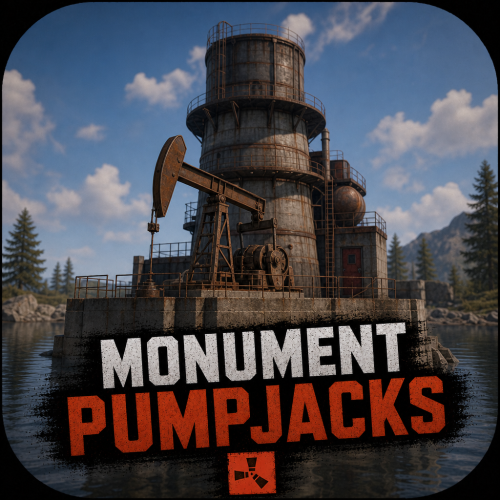
You can now find public Pump Jacks at almost ALL the Large Monuments NOW! Features Ability to enable/disable at the Monuments listed below Change rotation of each pumpjack Change position/location of where the pumpjack is located. (All are preset to a effective location already but you can still change it if you wish to) Instant placement Adjust the height of each pumpjack These include the following locations: Airfield Launch Site Small and Large Harbors Military Tunnels Satellite Dish The Dome Sewer Branch The Junk Yard Missile Silo Ferry Terminal FAIR WARNING: Do not leave your goods in the Pump Jacks! If you are running one of these and the server restarts, those items are gone. Configuration$5.00 -

Version 1.0.5
448 downloads
The plugin gives ability to admins to create several configs for other plugins, and update them automatically depending on time passed since last wipe. Examples Example 1 You have loot spawn plugin, and you want that after two days from last wipe, loot spawn rules to be changed (more loot, or less loot). Example 2 You want no NPCs in your server at all in first 10 hours after wipe, and then part of NPC appear, and make after 2 more days, many more NPC should appear. How It Works Main Flow On load the plugin scans it's data directory, and detects last wipe. Checks if any of configs should already be applied (last ones that closer to current time). Once a minute it checks if some configs should be updated. Update Process Target plugin is unloaded. Its config is replaced. Target plugin is loaded again. Localization The default messages are in the DynamicConfig file under the oxide/lang/en directory. To add support for another language, create a new language folder (e.g. de for German) if not already created, copy the default language file to the new folder and then customize the messages. The default messages are in the DynamicConfig file under the oxide/lang/en directory. To add support for another language, create a new language folder (e.g. de for German) if not already created, copy the default language file to the new folder and then customize the messages. Plugin uses only console messages to RCON. They could be localized. Out of the box the plugin supports EN localizations. Usage If you want to add any dynamic config, you should do these steps: Copy plugin config to oxide/config/DynamicConfig directory the DynamicConfig must be manually created. Edit the config name to meet naming syntax (below). Edit the config itself to meet your needs. Reload Dynamic Config if you're done. You can edit dynamic configs contents without reloading Dynamic Config (if they are yet to be applied), the plugin only reads the filenames and schedules the update time. Naming [] - optional [<number>d][<number>h][<number>m]<PluginName>.json Examples 2dMagicLoot.json - will be applied after 2 days from last wipe (exactly 48 hours) 10h20mTestConfig.json - after 10 hours and 20 minutes 10d10hBotSpawn.json - guess yourselfFree- 1 comment
-
- 2
-
-
- #config
- #configuration
- (and 5 more)
.thumb.jpg.7b7118ca6f13ed2752b37b38bf188582.jpg)
