Brostrodamus
-
Posts
63 -
Joined
-
Last visited
Content Type
Profiles
Warranty Claims
Downloads
Forums
Store
Services
Downloads Plus Support
DOWNLOADS EXTRA
Everything posted by Brostrodamus
-
thank you nivex!
-
Hello! What is the command to invite another player to your raid? I've tried using /invite <playername>, but it isn't working. I keep getting "Unknown command: invite". Any help would be greatly appreciated!
-
 Never mind. Plugin reload seemed to fix it after the 3rd attempt.
 -
Has anyone been able to get the Deep Sea hooks to work? I added a custom icon to display when the deep sea opens / closes. The hooks I've tried using are: OnDeepSeaOpen OnDeepSeaOpened OnDeepSeaClose OnDeepSeaClosed Any help on this would be greatly appreciated!
-
Kits only apply after plugin reload
Brostrodamus replied to Brostrodamus's Support Report in Support
Another thing worth mentioning is that about 30 minutes to an hour ago, I was checking Giant Excavator and noticed all of the NPC's were wearing their default kit again. So I reloaded the plugin to set the custom kit and left. I just returned to GE, about an hour later and noticed they've all reverted back to their default kit and nobody has taken GE during that time. -
Kits only apply after plugin reload
Brostrodamus replied to Brostrodamus's Support Report in Support
Thanks for following up. -
Hi, I wanted to report an issue I’ve been running into with NPCKits. First off, the plugin works great overall and does exactly what I was hoping for in most cases. The problem is with how kits are being applied to scientists after the initial plugin load. I’ve assigned all scientists a specific kit, and it works correctly after I reload the plugin. At that point, the scientists wear the custom kit as expected. However, when I go to a monument that I haven’t recently been near yet, like Train Yard, the scientists there are still wearing their default attire instead of the assigned kit. The only way I’ve found to make the kits apply properly is to manually reload the plugin, which then updates them again. It seems like scientists that spawn or become active later are not being checked consistently by the plugin, or the game’s default NPC loadout behavior is overriding the kit assignment until the plugin is reloaded. Would it be possible to add one of the following? > A proximity-based check that re-applies NPCKits when a player comes within range of NPCs > A spawn hook or recurring validation check for newly spawned / newly activated scientists > Some kind of override so the plugin always takes priority over the game’s default scientist clothing/loadout behavior Basically, I’m hoping for a way to ensure that all scientists always use their assigned NPCKits without needing a manual plugin reload. Thanks again for the plugin and all the work you’ve put into it.
-
Thank you Nivex!
-
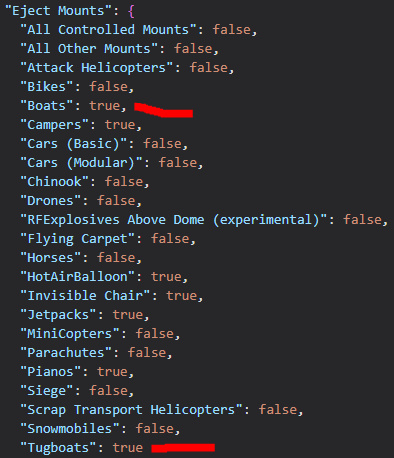
Player made boats are still able to enter the raidable base zone despite the config set up to eject them.

-
Is there a way to set up the plugin so only mounted vehicles get fuel / repairs? Or at the very least, a way to blacklist certain individuals from being able to use the feature? Too many players are abusing the plugin on my server. The intended purpose is for them to fuel up, repair, and go. But I have consistently been catching players pushing vehicles into the zone to farm the free fuel. I would like to prevent this, if possible, without kicking or banning them. Please advise.
-
 I'm running vanilla stack sizes (e.g., metal frags max 1000) with no global stack plugins. I want to increase stack sizes only inside Tool Cupboards... for example, allow 5000 metal frags in a single stack in the TC while keeping the 1000 limit everywhere else (inventory, boxes, etc.). Does TC Stack Limiter do exactly that? Will setting "metal.fragments": 5000 in the config let players store/merge up to 5000 in TCs?
 -
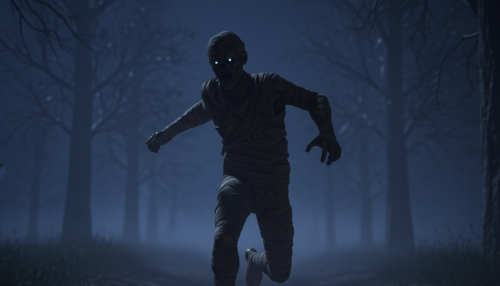 Is there a dependency for this plugin or does it also add roaming scarecrows to the map?
 -
 Total Control is hands-down one of the most powerful and well-designed admin plugins I’ve used for Rust. It centralizes an incredible amount of server management into a single, clean interface... gather rates, stack sizes, smelting speeds, day/night control (including auto-skip or vote-skip night), PvE/PvP switching, offline raid protection, and a detailed rewards system for things like NPC/animal kills, crates, barrels, and more. What really sets this plugin apart, though, is the developer. Support has been fast, friendly, and genuinely helpful. I asked several questions and made a feature suggestion, and not only was it received openly... the developer actually implemented it and let me test it before release. That level of responsiveness and willingness to improve the plugin based on real server-owner feedback is rare. The custom scheduling system alone is a game-changer, letting you adjust things like gather rates or raid protection based on specific days or times. It has already allowed me to remove multiple other plugins from my server and streamline everything into one place. Honestly, this plugin is worth far more than it’s currently priced at. If you’re a server owner who wants serious control, flexibility, and long-term scalability without juggling a dozen different plugins, Total Control is a must-have. 1000% recommended for any server owner who is serious about running a polished, well-managed Rust server.
 -
thank you so much for the response!
- 604 comments
-
- 1
-

-
- #hud
- #interface
- (and 6 more)
-
could someone, who has the plugin already, please let me know if the hud has an option for both oil rigs?
- 604 comments
-
- 2
-
-
- #hud
- #interface
- (and 6 more)
-
Thanks for the response. Do you also know if it differs between the two oil rigs?
-
For the time display, is it in game time, their local time, or server time?
-
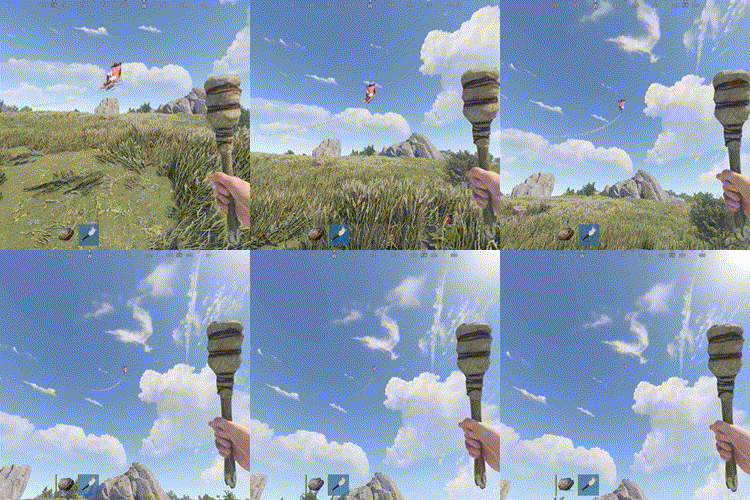 What settings do I need to tweak to make it go up slower and fly higher before exploding?