Bob Kazamakis
-
Posts
72 -
Joined
-
Last visited
-
Days Won
1
Content Type
Profiles
Warranty Claims
Downloads
Forums
Store
Services
Downloads Plus Support
DOWNLOADS EXTRA
Reels
Everything posted by Bob Kazamakis
-
I guess while I'm here too, all of the sudden, I'm unable to price items. 2026-09-06 10-10-55.mp4
-
2026-09-05 16-49-14.mp4
-
I'm unable to sell legendary items that were created with Item Perks: Legendary Items. I've looked through the config and haven't found anything that would keep this from working and I've also searched Discord, which also didn't have anything. I'm able to sell regularly enhanced gear like normal, for what it's worth.
-
This morning, Facepunch released a hotfix: Fixed server.uselegacyworkbenchinteraction opening workbench inventory instead of tech tree This seems to have solved the issue [which makes sense looking at what @Deneko had posted]. Sorry for the spam for something that ultimately seems to have been a FP issue.
-
I'm sure you're aware but with FacePunch's workbench update today, the Craft Menu doesn't allow the Tech Tree to be used.
-
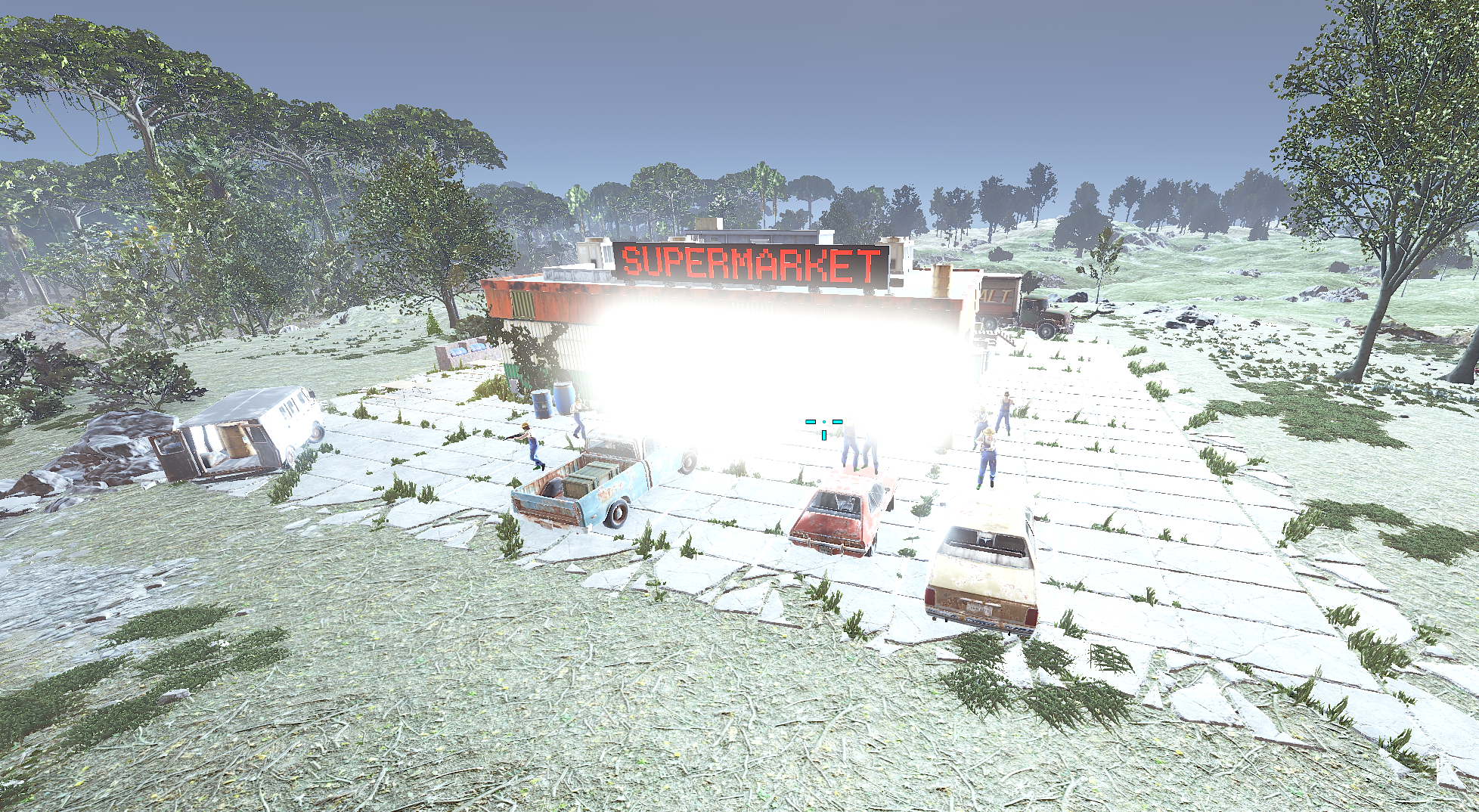
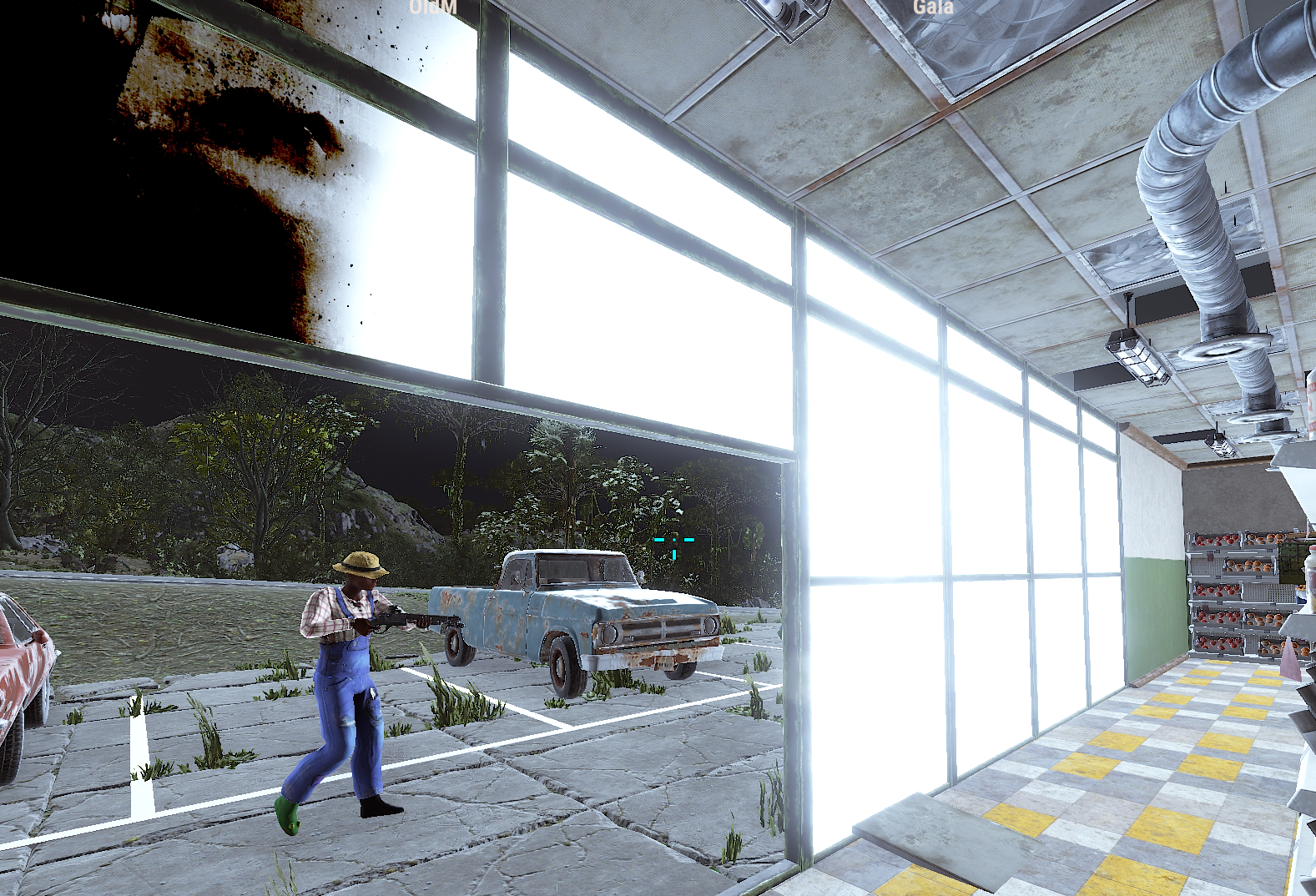
I'm not sure if something FacePunch changed this month would have caused this but as of force today, this is what the supermarket looks like. Not the biggest issue in the world but just something you might want to be aware of.

-
.thumb.png.a167af6d204c8731865ddb8c7651fe66.png) Ya mean the one that won't compile due to that error?
Ya mean the one that won't compile due to that error? -
Until an official update is released, this has worked for me: Line 43: public List<string> panelsList = []; Change to: public List<string> panelsList = new List<string>(); Line 2106: [ProtoMember(5)] public List<byte[]> EntityBuffer = []; Change to: [ProtoMember(5)] public List<byte[]> EntityBuffer = new List<byte[]>();
-

Error while compiling StaticLootables: Invalid expression term '[' | Line: 43, Pos: 35
Bob Kazamakis replied to ChardaZAR's Support Report in Support
Until an official update has been released: Line 43: public List<string> panelsList = []; Change to: public List<string> panelsList = new List<string>(); Line 2106: [ProtoMember(5)] public List<byte[]> EntityBuffer = []; Change to: [ProtoMember(5)] public List<byte[]> EntityBuffer = new List<byte[]>(); -
So this is ... a weird one. I have Boss Monsters and NPC Spawn, obviously. Then I use AlphaLoot to control the loot. Here is the config in NPC Spawn, showing all the Boss Monsters are going to be scientistnpc_oilrig, reskinned. I've tested this, by setting the "Which loot table..." to 2 for Alpha Loot and it's my usual NPC loot. "Prefab path used for all NpcSpawn NPCs": "assets/rust.ai/agents/npcplayer/humannpc/scientist/scientistnpc_oilrig.prefab", Firstly, here's the loot information from the boss I'm editing. Yes, the numbers are very weird because I've been smashing my head against this, trying to understand what's going on. "Which loot table should the plugin use? (0 - default; 1 - own; 2 - AlphaLoot; 3 - CustomLoot; 4 - loot table of the Rust objects; 5 - combine the 1 and 4 methods)": 5, "Loot table from prefabs (if the loot table type is 4 or 5)": { "Minimum number of prefabs": 2, "Maximum number of prefabs": 4, "Use minimum and maximum values? [true/false]": false, "List of prefabs": [ { "Chance probability [0.0-100.0]": 100.0, "The path to the prefab": "assets/prefabs/deployable/chinooklockedcrate/codelockedhackablecrate.prefab" }, { "Chance probability [0.0-100.0]": 0.0, "The path to the prefab": "assets/bundled/prefabs/radtown/crate_elite.prefab" }, { "Chance probability [0.0-100.0]": 0.0, "The path to the prefab": "assets/prefabs/npc/m2bradley/bradley_crate.prefab" }, { "Chance probability [0.0-100.0]": 0.0, "The path to the prefab": "assets/prefabs/npc/patrol helicopter/heli_crate.prefab" } ] }, "Own loot table (if the loot table type is 1 or 5)": { "Minimum number of items": 2, "Maximum number of items": 2, "Use minimum and maximum values? [true/false]": false, "List of items": [ { "ShortName": "scrap", "Minimum": 150, "Maximum": 300, "Chance probability [0.0-100.0]": 100.0, "Is this a blueprint? [true/false]": false, "SkinID (0 - default)": 0, "Text (empty - default)": null, "Name (empty - default)": "" }, { "ShortName": "syringe.medical", "Minimum": 10, "Maximum": 20, "Chance probability [0.0-100.0]": 100.0, "Is this a blueprint? [true/false]": false, "SkinID (0 - default)": 0, "Text (empty - default)": null, "Name (empty - default)": "" } ] }, So with this, I should 100% get loot from "codelockedhackablecrate" which, based on every other plugin, should be the loot table that Alpha Loot sets for that prefab, right? If I spawn codelockedhackablecrate from the F1 menu, it's my AlphaLoot profile. Anyway, the issue is with that config, attached is what my loot looks like. I've further tested setting everything to 0% and no loot dropped. So the scrap and syringes are obviously part of the "1" loot table and aren't important [also, if I swap the 5 to 4, they disappear as I would expect]. The issue? Most of that loot does not exist in my loot table at all. Additionally, when I change it to the heli_crate prefab, it's also pulling from a default loot table rather than the table set by Alpha Loot. Normally, I would bring this up with Alpha Loot but much like I said previously, when I spawn a heli_crate, it's my correct AlphaLoot loot table for it. I'm really kind of at a loss for what to do. I know I'm going to be hard pressed to get an answer on the eve of a force wipe where things are definitely going to go sideways but yeah, I'm just kinda out of ideas.
-
 I don't imagine there's a way to effectively give someone XP debt, is there? Something very similar to givexp but like givexpdebt? We're trying to give a drawback to a very specific kit, if you're wondering why.
 -
Snowball Gun Triggering PVE Notice
Bob Kazamakis replied to Bob Kazamakis's Support Report in Support
RulesData.jsonSimplePVE.json Here ya go Additionally, the effects on the Anomaly map don't deal damage to the player with SimplePVE turned on as well. Granted, that's both a brand new map and not a pressing issue but something I noticed while I was checking the map out. -
Do you have any idea why this might be happening? 2025-12-18 17-53-07.mp4
-
Images Never Loading - Staging Branch
Bob Kazamakis replied to Bob Kazamakis's Support Report in Support
Awesome. Thank you so much! -
Images Never Loading - Staging Branch
Bob Kazamakis replied to Bob Kazamakis's Support Report in Support
I suppose I should add that line 65 was set to false but I changed it in attempt to fix the issue -
Images Never Loading - Staging Branch
Bob Kazamakis replied to Bob Kazamakis's Support Report in Support
So now, the images are just white boxes: where as on our live server, on 1.6.11, they look like this: I've restarted my client. I've restarted the server. Unsure what else to do, outside of those two things. -
Images Never Loading - Staging Branch
Bob Kazamakis replied to Bob Kazamakis's Support Report in Support
Update for potential people in the future: We moved things from the "Vehicles" category into a different category, "Movement" and all of the nodes that we moved there apparently had to be renamed from their original names to something else. "Mechanic" [as shown in the above error] --> "Shadetree Mechanic" or whatever tickles your fancy. It only affected the nodes that we moved so if people have more simplistic changes, it probably won't affect them. -
Images Never Loading - Staging Branch
Bob Kazamakis replied to Bob Kazamakis's Support Report in Support
It's been working prior to this update and now it doesn't so something must have changed but regardless, now I'm getting this error: Failed to call hook 'OnServerInitialized' on plugin 'SkillTree v1.7.0' (ArgumentException: An item with the same key has already been added. Key: Mechanic) at System.Collections.Generic.Dictionary`2[TKey,TValue].TryInsert (TKey key, TValue value, System.Collections.Generic.InsertionBehavior behavior) [0x0015a] in <f98723dd4586469db5213ec59da723ca>:0 at System.Collections.Generic.Dictionary`2[TKey,TValue].Add (TKey key, TValue value) [0x00000] in <f98723dd4586469db5213ec59da723ca>:0 at Oxide.Plugins.SkillTree.OnServerInitialized (System.Boolean initial) [0x018a4] in <87861de8d9654c44aab1b81f176ed015>:0 at Oxide.Plugins.SkillTree.DirectCallHook (System.String name, System.Object& ret, System.Object[] args) [0x0bfca] in <87861de8d9654c44aab1b81f176ed015>:0 at Oxide.Plugins.CSharpPlugin.InvokeMethod (Oxide.Core.Plugins.HookMethod method, System.Object[] args) [0x00079] in <42f9bedc659b4f4786eb778d3cd58968>:0 at Oxide.Core.Plugins.CSPlugin.OnCallHook (System.String name, System.Object[] args) [0x000de] in <112d89ea5d3348c8b949af0ab1a866d2>:0 at Oxide.Core.Plugins.Plugin.CallHook (System.String hook, System.Object[] args) [0x00060] in <112d89ea5d3348c8b949af0ab1a866d2>:0 I'm not sure what to do since there's only one node called Mechanic in the config so I'm unsure how a second one would exist. -
Images Never Loading - Staging Branch
Bob Kazamakis replied to Bob Kazamakis's Support Report in Support
Thanks. Hopefully that will solve the issue [it was set to skinid]. I assume this was addressed in the rewrite since it didn't affect the icons before even though the same configuration was set to skinid? -
Images Never Loading - Staging Branch
Bob Kazamakis replied to Bob Kazamakis's Support Report in Support
Just to be clear, this is what the skill tree looks like. -
Ever since the 1.7 update, custom images for nodes no longer load. I've deleted my custom configuration, allowing the default to load which shows the images you have and the format has not seemed to change. Do you have any ideas as to why? Attachment is comparison between my config [which is functional on 1.6.11] and the default config.
-
{ "Commands to open the calendar": [ "wipe", "wipedata" ], "Time Zone": -7, "Your keys in the translator": { "Custom Event": { "ru": "Событие сервера", "en": "Custom Event" }, "Custom Event Description": { "ru": "Описание события сервера", "en": "Custom Event Description" } }, "Which server menu template should I use the GUI setting for? (V1, V2)": "V1" } Being in the Pacific timezone, I have set this to -7 and it's currently highlighting tomorrow, as if I was either in UTC or the default of UTC+2. The weird part is that on the right of the menu, it's put up 15 October which is correct while still highlighting the incorrect day.
-
"Auto Turrets": { "Aim Cone": 5.0, "Wait To Power On Until Event Starts": false, "Minimum Damage Modifier": 1.0, "Maximum Damage Modifier": 1.0, "Minimum Damage Modifier (NPC)": 1.0, "Maximum Damage Modifier (NPC)": 1.0, "Start Health": 1000.0, "Sight Range": 30.0, "Double Sight Range When Shot": false, "Set Hostile (False = Do Not Set Any Mode)": true, "Requires Power Source": false, "Remove Equipped Weapon": true, "Random Weapons To Use When Unequipped": { "fun.trumpet": [ 0 ] } }, So for Halloween wipe, I'm trying to do some goofy stuff like make the auto turrets in easy bases have trumpets in them rather than whatever they're defaulted to. I've tried this code snippet in my file and the turret just has no weapon in it. When I swap this to a revvy or whatever gun, it works just fine. Is this just not possible?
-
It seems as if, for some reason, Tool Cupboard limits are not being respected by the plugin anymore. To be honest, I do not know when this started since it hasn't been an issue for quite some time but I logged into this. All placed by the same player. I've also attached a picture of my settings in game. This user is not a member of any other permission groups outside of default. Me and another admin have tested and we were both able to place TCs past the limit but were stopped for things like furnaces, boom boxes, etc. Upon further tinkering, when I disable BetterTC, we are again stopped at the Entity Limit. As far as I can tell, BetterTC does not limit the number of TCs that one is able to place, however disabling "bettertc.tcskindeployed" this perm reenabled the entity limit. At this point, I'm not sure if I should post this here or on BetterTC but I suppose you should be made aware at the very least.
-
Thanks a ton!