

-
Posts
445 -
Joined
-
Last visited
-
Days Won
6
Content Type
Profiles
Warranty Claims
Downloads
Forums
Store
Services
Downloads Plus Support
DOWNLOADS EXTRA
File Comments posted by Brad Copp
-
-
 2 minutes ago, Junk Rat Rust said:
Can others hear the players boombox?
Yes
-
 1
1
-
-
Did you have a chance to check this? Tried using the provided API but it acts as if didnt exist - specifically OnSkillsXPEarned

This is my test method, with Skills plugin correctly referenced
        private object OnSkillsXPEarned(BasePlayer player, float amount)
        {
            if (player == null) return null;
            Puts($"OnSkillsXPEarned fired: {player?.displayName} amount={amount}");
            if (amount <= 0f) return null;

            if (_ignoreEarnHookOnce.Remove(player.userID))
                return null;

            if (!TryGetActiveTimedBooster(player.userID, out var booster))
                return null;

            var bonus = amount * (booster.Percent / 100f);
            if (bonus <= 0f) return null;

            _ignoreEarnHookOnce.Add(player.userID);
            Skills?.Call("API_AddPlayerXP", player.userID, bonus);

            if (_config.NotifyBonusEarned)
                Player.Message(player,
                    $"<color=#b6ff7a>Bonus XP earned:</color> <color=#ffffff>{bonus:0.##}</color>",
                    null, _config.ChatIcon);

            return null;
        }
-
 On 11/16/2025 at 11:00 PM, Bad Cop said:
Tested with bikedrivers, and we had someone test with cardrivers, unfortunately the current addition does not work.
I highly recommend shooting @Karuza a message to confirm how the vehicles are initialized and started.if you have Convoy (from adem), there is also an example there how to add support
Hi walkinrey
Did you ever have time to look at this again ? -
 2 hours ago, FandangoChristmas said:
Edits to the main descriptions dont take effect. You have to manually edit a lang file on the server to change the main description on the item.
Thanks, i get it. Lang files normally don't get updated for existing keys. Would need to delete the lang and reload, or edit only the specific entry.
I havent really thought whether there's a good way of handling this, considering you may have several languages configured. I'll see what i can do for next patch
-
2
-
-
15 minutes ago, FandangoChristmas said:
Hello, I just bought this plugin and Im noticing a heavy problem with it.
-I have noticed that item descriptions will not change from my test descriptions I had first inputted into main description. Even after multiple edits/deletions/recreations of the custom item, or plugin unload/reload.

show me what you mean -
 On 3/5/2026 at 12:39 PM, frontier said:
so with the config provided, the guards are spawning but there is no loot respawning at all, strange because the first version the loot was fine but the guards wouldnt spawn, then the second to last update killed the whole thing
15 hours ago, Mbesailor said:Evening, any word on the crates and loot not respawning with a fix. or was that address already
Tested the respawning again in the last few days, both on active pop plugin and an empty local server - the loot does respawn on timer as expected. Looted all crates and destroyed ores/npcs, moved away from the island for a few minutes, returned to see the content respawned. Config used for testing below.
Spoiler{ "Control - Schedule (plugin manages open/close mode and timers)": true, "Control - Content (plugin sets island/ghost ship/RHIB spawn settings)": true, "Control - Travel Rules (plugin changes what can pass through the portal)": true, "Control - Building (plugin enforces allow/deny building while in deep sea)": true, "Force apply change on plugin reload? (closes + reopens deep sea to apply spawn changes immediately. Recommend manual close/open instead.)": false, "Schedule": { "Mode (Vanilla | AlwaysOpen | Disabled)": "AlwaysOpen", "Open Time Seconds (vanilla wipeDuration)": 999999.0, "Cooldown Seconds (time until next opening after closing)": 5400.0, "Final Phase Seconds (used for end weather/ramp)": 1800.0, "Radiation Warning Phase Seconds (entry blocked when time left is below this)": 300.0, "AlwaysOpen - Keep Time Left Around Seconds": 3600.0, "AlwaysOpen - Refill When Below Seconds": 600.0, "Disabled - Push Next Opening To Seconds": 9999999.0, "Set DeepSea Enabled Flag (restart may be required)": false, "DeepSea Enabled": true }, "Content": { "Islands": { "Count": 4, "Spacing Size (bigger = more spread out)": 400.0, "Edge Buffer (bigger = further from outer edge)": 750.0, "Minimum Spacing (hard minimum distance)": 600.0 }, "Ghost Ships": { "Count": 4, "Spacing Size (bigger = more spread out)": 80.0, "Edge Buffer (bigger = further from outer edge)": 450.0, "Minimum Spacing (hard minimum distance)": 400.0 }, "RHIB Groups": { "Count": 4, "Spacing Size (bigger = more spread out)": 10.0, "Edge Buffer (bigger = further from outer edge)": 1150.0, "Minimum Spacing (hard minimum distance)": 300.0 } }, "Travel Rules": { "Allow Any Vehicle": true, "Allowed Vehicle Prefabs (If not all vehicles)": [], "If any vehicle, require boat type only?": false, "Allow Players Without Vehicle": true, "Allow Noclip Players": true, "Allow Non-Player Passengers (npcs)": true, "Allow Non-Player Entity Teleport (npcs)": true, "Allow Entry During Radiation Warning Phase": false, "Ignore Extra Vehicle Onboard Check (eg copter transported on boat": true, "Log entry/exit": false }, "Building": { "Allow Building In Deep Sea": true, "DeepSea - Limit Foundations": true, "DeepSea - Max Foundations Per Player": 10, "DeepSea - GameTip: Show remaining on successful place": true, "DeepSea - GameTip: Show message when denied": true }, "Notifications": { "GameTip - Deep Sea Opening": true, "GameTip - Deep Sea Opened": true, "GameTip - Deep Sea Closing": true, "GameTip - Deep Sea Closed": true }, "Respawn (Crates/NPCs/Hackables)": { "Enable Respawn System": true, "Check Interval Minutes": 5, "Min Distance From Players To Allow Respawn": 10.0, "Respawn Hackable Crates Via Ghostship": true, "Hackable Crates Count": 2 } }
Note it's best to do any testing in Noclip rather than vanish. I noticed some stuff like NPCs don't network at all until you exit vanish so it may seem like they're not there.
On 3/7/2026 at 2:46 PM, Thankful_John said:The CH47Fix doesn't appear to be working as intended for me. They get stuck on the edge of the map. I grabbed the latest build, no luck so far. Is this a known issue?
Thanks in advance for all your time and attention..
Ps: I pulled the plugin until this is resolved.
At the moment not able to replicate the problem, the ch47 have been successfully cleaned for the last few days, but i will continue to keep an eye on this.
On 3/6/2026 at 5:12 PM, Mbesailor said:so, so what should i set it for lets say, i want the loot and npcs to reset every three hours, since it looks like the deep sea will be open forever and loot wont reset until 10mins to close time
The respawning is per object, eg if you loot a crate, that specific crate will respawn after the time you configure.
-
17 minutes ago, Mbesailor said:
Just curious, is it normal for the deepsea timer to now say 2760:14:30 for 2760 hrs, 14mins. I noticed yesterday is started with 2777:0:0
Not sure but do you think my config might be not right on set up.
{
"Control - Schedule (plugin manages open/close mode and timers)": true,
"Control - Content (plugin sets island/ghost ship/RHIB spawn settings)": true,
"Control - Travel Rules (plugin changes what can pass through the portal)": true,
"Control - Building (plugin enforces allow/deny building while in deep sea)": true,
"Force apply change on plugin reload? (closes + reopens deep sea to apply spawn changes immediately. Recommend manual close/open instead.)": false,
"Schedule": {
"Mode (Vanilla | AlwaysOpen | Disabled)": "AlwaysOpen",
"Open Time Seconds (vanilla wipeDuration)": 9999999.0,
"Cooldown Seconds (time until next opening after closing)": 5400.0,
"Final Phase Seconds (used for end weather/ramp)": 1800.0,
"Radiation Warning Phase Seconds (entry blocked when time left is below this)": 300.0,
"AlwaysOpen - Keep Time Left Around Seconds": 10800.0,
"AlwaysOpen - Refill When Below Seconds": 600.0,
"Disabled - Push Next Opening To Seconds": 9999999.0,
"Set DeepSea Enabled Flag (restart may be required)": true,
"DeepSea Enabled": true
},Looks good
9999999 seconds is 2770+ hours. If you didnt close deepsea yesterday, the timer will keep counting down until "AlwaysOpen - Refill When Below Seconds"
-
On 2/26/2026 at 7:58 PM, Kobani said:
Thanks, I tested your config. The timer works now and DeepSea stays open.
Unfortunately, the loot still isn’t respawning. Only the NPCs are.Hi Kobani, i've tested with the latest version for quite some time and crates were respawning correctly, no real reason they shouldnt
Here's my current example config for alwaysopen/building enabled/respawn/allow all vehicle
{
  "Control - Schedule (plugin manages open/close mode and timers)": true,
  "Control - Content (plugin sets island/ghost ship/RHIB spawn settings)": true,
  "Control - Travel Rules (plugin changes what can pass through the portal)": true,
  "Control - Building (plugin enforces allow/deny building while in deep sea)": true,
  "Force apply change on plugin reload? (closes + reopens deep sea to apply spawn changes immediately. Recommend manual close/open instead.)": false,
  "Schedule": {
    "Mode (Vanilla | AlwaysOpen | Disabled)": "AlwaysOpen",
    "Open Time Seconds (vanilla wipeDuration)": 999999.0,
    "Cooldown Seconds (time until next opening after closing)": 5400.0,
    "Final Phase Seconds (used for end weather/ramp)": 1800.0,
    "Radiation Warning Phase Seconds (entry blocked when time left is below this)": 300.0,
    "AlwaysOpen - Keep Time Left Around Seconds": 999999.0,
    "AlwaysOpen - Refill When Below Seconds": 3600.0,
    "Disabled - Push Next Opening To Seconds": 9999999.0,
    "Set DeepSea Enabled Flag (restart may be required)": true,
    "DeepSea Enabled": true
  },
  "Content": {
    "Islands": {
      "Count": 6,
      "Spacing Size (bigger = more spread out)": 300.0,
      "Edge Buffer (bigger = further from outer edge)": 750.0,
      "Minimum Spacing (hard minimum distance)": 600.0
    },
    "Ghost Ships": {
      "Count": 4,
      "Spacing Size (bigger = more spread out)": 80.0,
      "Edge Buffer (bigger = further from outer edge)": 450.0,
      "Minimum Spacing (hard minimum distance)": 400.0
    },
    "RHIB Groups": {
      "Count": 4,
      "Spacing Size (bigger = more spread out)": 10.0,
      "Edge Buffer (bigger = further from outer edge)": 1150.0,
      "Minimum Spacing (hard minimum distance)": 300.0
    }
  },
  "Travel Rules": {
    "Allow Any Vehicle": true,
    "Allowed Vehicle Prefabs (If not all vehicles)": [],
    "If any vehicle, require boat type only?": false,
    "Allow Players Without Vehicle": false,
    "Allow Noclip Players": true,
    "Allow Non-Player Passengers (npcs)": false,
    "Allow Non-Player Entity Teleport (npcs)": false,
    "Allow Entry During Radiation Warning Phase": false,
    "Ignore Extra Vehicle Onboard Check (eg copter transported on boat": false,
    "Log entry/exit": false
  },
  "Building": {
    "Allow Building In Deep Sea": true,
    "DeepSea - Limit Foundations": true,
    "DeepSea - Max Foundations Per Player": 10,
    "DeepSea - GameTip: Show remaining on successful place": true,
    "DeepSea - GameTip: Show message when denied": true
  },
  "Notifications": {
    "GameTip - Deep Sea Opening": true,
    "GameTip - Deep Sea Opened": true,
    "GameTip - Deep Sea Closing": true,
    "GameTip - Deep Sea Closed": true
  },
  "Respawn (Crates/NPCs/Hackables)": {
    "Enable Respawn System": true,
    "Check Interval Minutes": 15,
    "Min Distance From Players To Allow Respawn": 100.0,
    "Respawn Hackable Crates Via Ghostship": true,
    "Hackable Crates Count": 2
  }
}
-
5 hours ago, EVOS said:
Can this plugin fully disable the event?
Hello, yes it can stop deepsea from opening permanently.
On 2/27/2026 at 9:07 AM, Vain said:is there an option to adjust the HP and aim of the Scientists? for example primitve mode make them "easier" for prim weapons.
Not part of the plugin at this time
-
15 hours ago, frontier said:
when i first bought this the respawn crates worked perfectly, now.. i cant get a single damn crate to respawn (since last update) can someone post a config that works? coz im not seeing it work with what i have when it was previously working, it just opens and closes deepsea now, which can be done with commands, about to grab a refund if it isnt going to work..
Hi frontier, below is a tested and working config which:
- Keeps deepsea always open
- Allow build (max 10 foundations)
- Allows any vehicle through
- 15 minute respawn timer
{
  "Control - Schedule (plugin manages open/close mode and timers)": true,
  "Control - Content (plugin sets island/ghost ship/RHIB spawn settings)": true,
  "Control - Travel Rules (plugin changes what can pass through the portal)": true,
  "Control - Building (plugin enforces allow/deny building while in deep sea)": true,
  "Force apply change on plugin reload? (closes + reopens deep sea to apply spawn changes immediately. Recommend manual close/open instead.)": false,
  "Schedule": {
    "Mode (Vanilla | AlwaysOpen | Disabled)": "AlwaysOpen",
    "Open Time Seconds (vanilla wipeDuration)": 999999.0,
    "Cooldown Seconds (time until next opening after closing)": 5400.0,
    "Final Phase Seconds (used for end weather/ramp)": 1800.0,
    "Radiation Warning Phase Seconds (entry blocked when time left is below this)": 300.0,
    "AlwaysOpen - Keep Time Left Around Seconds": 999999.0,
    "AlwaysOpen - Refill When Below Seconds": 3600.0,
    "Disabled - Push Next Opening To Seconds": 9999999.0,
    "Set DeepSea Enabled Flag (restart may be required)": true,
    "DeepSea Enabled": true
  },
  "Content": {
    "Islands": {
      "Count": 6,
      "Spacing Size (bigger = more spread out)": 300.0,
      "Edge Buffer (bigger = further from outer edge)": 750.0,
      "Minimum Spacing (hard minimum distance)": 600.0
    },
    "Ghost Ships": {
      "Count": 4,
      "Spacing Size (bigger = more spread out)": 80.0,
      "Edge Buffer (bigger = further from outer edge)": 450.0,
      "Minimum Spacing (hard minimum distance)": 400.0
    },
    "RHIB Groups": {
      "Count": 4,
      "Spacing Size (bigger = more spread out)": 10.0,
      "Edge Buffer (bigger = further from outer edge)": 1150.0,
      "Minimum Spacing (hard minimum distance)": 300.0
    }
  },
  "Travel Rules": {
    "Allow Any Vehicle": true,
    "Allowed Vehicle Prefabs (If not all vehicles)": [],
    "If any vehicle, require boat type only?": false,
    "Allow Players Without Vehicle": false,
    "Allow Noclip Players": true,
    "Allow Non-Player Passengers (npcs)": false,
    "Allow Non-Player Entity Teleport (npcs)": false,
    "Allow Entry During Radiation Warning Phase": false,
    "Ignore Extra Vehicle Onboard Check (eg copter transported on boat": false,
    "Log entry/exit": false
  },
  "Building": {
    "Allow Building In Deep Sea": true,
    "DeepSea - Limit Foundations": true,
    "DeepSea - Max Foundations Per Player": 10,
    "DeepSea - GameTip: Show remaining on successful place": true,
    "DeepSea - GameTip: Show message when denied": true
  },
  "Notifications": {
    "GameTip - Deep Sea Opening": true,
    "GameTip - Deep Sea Opened": true,
    "GameTip - Deep Sea Closing": true,
    "GameTip - Deep Sea Closed": true
  },
  "Respawn (Crates/NPCs/Hackables)": {
    "Enable Respawn System": true,
    "Check Interval Minutes": 15,
    "Min Distance From Players To Allow Respawn": 100.0,
    "Respawn Hackable Crates Via Ghostship": true,
    "Hackable Crates Count": 2
  }
}
-

-
2
-
-
7 minutes ago, Kobani said:
Could someone please share an example config?
I just can’t get it to work so that the DeepSea stays permanently open and the loot keeps respawning.It would be great if someone could share a working configuration.
Can try mine.
{
  "Control - Schedule (plugin manages open/close mode and timers)": true,
  "Control - Content (plugin sets island/ghost ship/RHIB spawn settings)": true,
  "Control - Travel Rules (plugin changes what can pass through the portal)": true,
  "Control - Building (plugin enforces allow/deny building while in deep sea)": true,
  "Force apply change on plugin reload? (closes + reopens deep sea to apply spawn changes immediately. Recommend manual close/open instead.)": false,
  "Schedule": {
    "Mode (Vanilla | AlwaysOpen | Disabled)": "AlwaysOpen",
    "Open Time Seconds (vanilla wipeDuration)": 9999999.0,
    "Cooldown Seconds (time until next opening after closing)": 5400.0,
    "Final Phase Seconds (used for end weather/ramp)": 1800.0,
    "Radiation Warning Phase Seconds (entry blocked when time left is below this)": 300.0,
    "AlwaysOpen - Keep Time Left Around Seconds": 3600.0,
    "AlwaysOpen - Refill When Below Seconds": 600.0,
    "Disabled - Push Next Opening To Seconds": 9999999.0,
    "Set DeepSea Enabled Flag (restart may be required)": true,
    "DeepSea Enabled": true
  },
  "Content": {
    "Islands": {
      "Count": 6,
      "Spacing Size (bigger = more spread out)": 300.0,
      "Edge Buffer (bigger = further from outer edge)": 750.0,
      "Minimum Spacing (hard minimum distance)": 600.0
    },
    "Ghost Ships": {
      "Count": 4,
      "Spacing Size (bigger = more spread out)": 80.0,
      "Edge Buffer (bigger = further from outer edge)": 450.0,
      "Minimum Spacing (hard minimum distance)": 400.0
    },
    "RHIB Groups": {
      "Count": 4,
      "Spacing Size (bigger = more spread out)": 10.0,
      "Edge Buffer (bigger = further from outer edge)": 1150.0,
      "Minimum Spacing (hard minimum distance)": 300.0
    }
  },
  "Travel Rules": {
    "Allow Any Vehicle": true,
    "Allowed Vehicle Prefabs (If not all vehicles)": [],
    "If any vehicle, require boat type only?": false,
    "Allow Players Without Vehicle": false,
    "Allow Noclip Players": true,
    "Allow Non-Player Passengers (npcs)": false,
    "Allow Non-Player Entity Teleport (npcs)": false,
    "Allow Entry During Radiation Warning Phase": false,
    "Ignore Extra Vehicle Onboard Check (eg copter transported on boat": false,
    "Log entry/exit": false
  },
  "Building": {
    "Allow Building In Deep Sea": false,
    "DeepSea - Limit Foundations": false,
    "DeepSea - Max Foundations Per Player": 20,
    "DeepSea - GameTip: Show remaining on successful place": true,
    "DeepSea - GameTip: Show message when denied": true
  },
  "Notifications": {
    "GameTip - Deep Sea Opening": true,
    "GameTip - Deep Sea Opened": true,
    "GameTip - Deep Sea Closing": true,
    "GameTip - Deep Sea Closed": true
  },
  "Respawn (Crates/NPCs/Hackables)": {
    "Enable Respawn System": true,
    "Check Interval Minutes": 15,
    "Min Distance From Players To Allow Respawn": 200.0,
    "Respawn Hackable Crates Via Ghostship": true,
    "Hackable Crates Count": 1
  }
}
-

Some sweet screenshots for you @J4V1

-
 1
1
-
-
Great work sir
-
1
-
-
9 minutes ago, Malkizid said:
There's a full example with examples explaining how to do what you ask in the most simple and useful way.
Read the
Thanks manky , i've let him know in support, should be good hopefully!

-
1
-
-
On 2/16/2026 at 6:42 PM, Arda said:
When I keep Deep Sea mode always enabled, players park their ships in Floating City and leave them there to stay in the safe zone, which effectively creates a non-raidable base. What can be done about this?
This sounds like vanilla behavior. I recommend submitting a report to facepunch (F7 key) but will think about some built in restrictions.
On 2/13/2026 at 6:46 PM, m.frutos said:Hello,
I wanted to congratulate you on the plugin. It honestly works very well and has been extremely useful to me. You can really see the work and dedication behind it.
I would like to make a small suggestion: currently the commands are executed through chat, but would it be possible to add the option to execute them from the console as well? It would be great for me to be able to automate them and schedule them at specific times using console commands.
Thank you very much for your work.
Best regards.Hi M.Frutos, sorry i missed this for current update but will be added for you.
-
6 minutes ago, jinryangcheol said:
"붐박스 사운드박스에 추가된 노래를 어떻게 재생할 수 있나요?"
“Is there a way to make it so that when a boombox is spawned, a list appears allowing you to choose and play the song you want?”
안타깝게도 붐박스가 스폰될 때 자동으로 라디오 방송 목록이 열리도록 하는 것은 불가능합니다. 방송국 목록 UI는 클라이언트 측 동작이기 때문에 서버에서 강제로 표시할 수 없습니다. 목록을 열려면 플레이어가 직접 라디오와 상호작용해야 합니다.
-
 1 minute ago, hugh said:
will putting the values at 0 stop decay?
put 99999 in time Minutes until decay starts
-
1
-
-
.jpg.43b1f856d142e54a1045afa179d4a13a.jpg) 1 hour ago, BabuKaQuaqa said:
1 hour ago, BabuKaQuaqa said:I wish to use the events
But seems now all based on lootplugin what nobody asked for
When the update is coming?Should be soon. Give adem some time to re-work and do conversion logic again back to old format
-
1
-
1
-
-
 17 hours ago, myxamo said:
Hello, i have this text in consol
| 'TeamFinder v1.0.4' is using deprecated hook 'OnTeamPromote', which will stop working on Wednesday, 31 December 2025. Please ask the author to update to 'OnTeamMemberPromote(PlayerTeam team, ulong userId)'Thanks, i found this was a false alarm, the hook is still working, but will be removed in the future. I will update it to the new hook soon.
-
1
-
-
2 hours ago, TritonianYeti said:
I had a question for you in terms of vehicles, I have it configured for all vehicles enabled to cross into the Deepsea.
I also use this plugin on my server:
They hit an invisbile wall and get bounced back when trying to enter the Deepsea.
This one might be a problem, because it is not technically a vehicle as far as the game is concerned.
Seems more like items attached and surrounding a kayak for visuals, possibly the parented items blocking entrance with collision. I would recommend checking with Adem, I have a feeling he would already be thinking how to change this behavior.
In case of karuza's vehicles, despite consisting of many different prefabs, they are done in a way so the game considers the whole thing to be a vehicle rather than individual parts, they even get their own unique prefab path, hence they go through the portal just fine
-
2
-
-
Just now, ManOWar said:
Okay, thank you for the reply! Sorry, not sure what you mean by vanishing through the Deep Sea portal. Are there multiple ways to enter the Deep Sea other than just traveling out there and crossing through?
Hey, no problem. I meant if you enter the deepsea while in noclip
Mounted on vehicle doesnt seem to have this behavior so all good there -
3 hours ago, ManOWar said:
Okay, that's awesome, thank you! I guess if you're flying, you're not asleep after the transition finishes? Have you tested with anyone else on the mini with you? Curious if they're asleep and fall out of the mini.
Tested with vanilla minis, karuza helis and planes . Tbh i only notice the sleep if vanishing through the deepsea portal
-
19 minutes ago, RustyJay said:
I'm getting zero patrol boats spawning in the deep ocean. Config file says there should be 6.
Write /deepsea close then wait for it to open and check again
they dont show in the map so will need to look around or teleport to ptboat ptboat.deepsea (in F1 console teleportany ptboat.deepsea ) -
The plugin does not currently affect vanilla scientists or ghost ships. However it behaves in vanilla, will be the same.
I am however looking at options to allow respawns if possible.-
1
-
-
2 hours ago, hid333 said:
Even after reading the explanation, I still couldn't understand what the following settings specifically do.
I've left it as is for now, but if you don't mind, I'd appreciate it if you could tell me what effect it has."Set DeepSea Enabled Flag (restart may be required)": false, "DeepSea Enabled": true
I probably over complicated this setting, but here's the explainer:
"DeepSea Enabled" = Do you want Deep Sea ON or OFF?
"Set DeepSea Enabled Flag" = This is permission for the plugin to change it, eg if you change setting and reload ^
If you want deepsea to be enabled (its default on all servers anyway, unless other plugin or server convar disabling), you would set true/true
If you want deepsea to be disabled, set false/true
-
12 minutes ago, WarKingz said:
if i have it set to AlwaysOpen will the ships still spawn ?
Everything spawns when the deep sea is generated.
I'm looking into possibilities for respawning if they're looted. Already succeeded in having the island crates respawned. Hopefully can do something for ships too.
-
1
-
-
4 hours ago, WarKingz said:
Will just like to say I love this plugin but have some questions. Players are not seeing the Ghost Ships. I have set it to 6? And will it be possible to have Allow Building In Deep Sea as a permission?
The ghost ships are most likely there, but not visible.
Try disabling deepsea, reloading plugin then /deepsea close , after few minutes enable again, and run /deepsea open
But i think you might be experiencing a game bug or known issue with Circular Networking. Similar to invisible patrol helis. If you have the circular networking plugin, remove it. If you use Carbon, disable circular networking
Hopefully some more game patches coming soon.
-
1
-
-
2 minutes ago, BetterDeadThanZed said:
I set "Open Time Seconds" so it was open for 2 hours. After that, it closes and 5 minutes later, it opens again. When it opens, the server lags real bad. For now I just disabled it from closing and refresh the loot every hour.
Looks like both closing and opening is not very performant in general. The plugin levarages the vanilla behavior for opening and closing. There's a few complaints about this already with Facepunch.
Most servers are seeing these spikes which can last up to few seconds. For me when testing, i notice a slight drop for about 1-4 seconds for both open/close. This can vary by server performance, map size, how much stuff you're spawning in deep sea. But even with minimal content it does that.
There should be some hotfixes coming from facepunch over the next days including for other bugs. This update definitely wasn't ready to go.
Im gonna keep an eye on things and if there is something that can be further improved on the plugin side, I will definitely include in updates, though at the moment best explanation is the classic 'Blame Facepunch'
-
2
-
1
-
-
4 minutes ago, BetterDeadThanZed said:
I set the deep sea refresh rate to every 2 hours but when it refreshes, it really lags the server. Any chance this will be optimized or is there a setting I can adjust to make it better?
Refresh as in, closes existing and opens new deep sea?
-
29 minutes ago, Bagel1133 said:
Hello,
Does the new "Island Loot Crate Refill" just respawn crates on islands? Does it also effect ships & nodes? If not could we also please get an option for those if applicable.At the moment just crates. Will work on anything else that is possible for next updates.
-
1
-
-
6 hours ago, TritonianYeti said:
Does the plugin have any control over the loot spawning / respawning in the Deepsea?
I would like to set it to always open but from what i have read, the loot on the ghost ships and islands only respawns after the deepsea reopens.
Will look into that. If necessary, will do some spawn logic.
-
2
-
-

Let me join your error club please
-
Why no error for me! I feel like im missing out :<
-
Switch to carbon = no problem
-
Fine for me. #carbon
-
1
-
-
 10 hours ago, bigchenny said:
pls update your script if you reload by inventory it reload instant
Hi bigchenny, can you tell me more, or show me the problem ?
-

@ZA_Machete make sure you have karuzavehicleitemmanager installed. you can give vehicle items for yourself, example /givevehicleitem littlebird
here's a sample from my config in shoppy stock shop (for littlebird)
        "box.wooden.large-3591733142": {
          "Console Commands Ran On Purchase (if set, ignores item)": [],
          "Item Shortname": "box.wooden.large",
          "Item Skin ID": 3591733142,
          "Item Amount": 1,
          "Custom Item Name": "Littlebird",
          "Shop Display Name": "Littlebird",
          "Is Blueprint": false,
          "Player Blueprint Ownership Required": false,
          "Player Skin Ownership Required": false,
          "Icon URL/RUST Path/Skin ID (for command listings)": "",
          "Price": 750.0,
          "Price Per Purchase Multiplier": 1.0,
          "Multiply Price Per Daily (true) Or Per Wipe (false) Purchases": true,
          "Show Description Field (generates line in language file)": false,
          "Discount Permissions (permission: discountedPrice)": {},
          "Disable Discount": false,
          "Required Permission To Display": "",
          "Display Blacklist Permission": "",
          "Count Limits For Whole Server (not per player)": false,
          "Daily Buy Max": 0,
          "Daily Buy Permissions (permission: limit)": {},
          "Wipe Buy Max": 0,
          "Wipe Buy Permissions (permission: limit)": {},
          "Limit Mass Purchase To One": false,
          "Cooldown Between Purchases (in seconds, 0 to disable)": 0.0,
          "Cooldown Permissions (permission: time)": {},
          "Offer Roll - Weight (chance)": 1
        },
-
1
-
-
3 minutes ago, ZA_Machete said:
hi
im trying to add one of karuza's vechiles in the shop.
but when you purchas it, it is spawend in the center of the map
"
Look rotation viewing vector is zero
spawned "warbird[129498174]" at (0.00, 0.00, 0.00)
spawned warbird[129498174] at (0.00, 0.00, 0.00)
"
is there a way to changes this
How are you adding it to the shop? I use the vehicles in the shop, using the item option. Player receives vehicle item, and can spawn it wherever they want.
-
-
-
1
-
 2
2
-
-
5 hours ago, Tikomatura said:
Is this a ripoff of the free minigunreload plugin by VisEntities?
Hi tikomatura,
I hope you are well
This was written independently of any other plugin. It may or may not have the same or similar functionality, i've not seen the plugin so cannot confirm what/if there is a difference. This one's been around for some time now even before listing on CF.I can only say it works and like my other plugins still actively supported and improved where possible.
-
-
39 minutes ago, ChardaZAR said:
Gonna buy this because of the scientist image
Man of culture
-
1
-
-
2 hours ago, moulinch said:
Hello,
Is there a server available where I can test this plugin before purchasing it?
Thank you in advance!Hi @moulinch,
Of course, message me on discord when you have time to try it, i will let you know the IP and give you the perms to see it in action
Can also find me in this discord channel if you have trouble sending friend request
https://discord.gg/jxwVpn9mEq -
 On 1/9/2026 at 2:31 AM, MrDirtySouth said:
Anyone wanna help me get these working?
I have them on a custom map, when i load in-game the option to mount is showing but it wont let me mount?
These prefabs are just for decoration, the mounting won't really work (its too tight around the seating area). I should really remove the mount points to not confuse.
But i think you might be looking for the moving/mountable ones in which case they're here - https://karuza.dev/store/product/5fa495d7-f1ed-4320-bcb6-f59398743590 -
6 hours ago, ChardaZAR said:
Holy heck. This is great! Would love to get this!
My rust server is basically littered with custom skinned items
This would make my life so much easier
So quick question:
How difficult would it be to add existing custom items into the manager?Hey @ChardaZAR
Not difficult at all. If you have all your custom SkinIDs to hand, maybe 1 minute to add each item.
tl;dr for a basic item:
open the item manager,
input a shortname you would like that item to have
input the parent item it will be based on (for non usable items, recommend shortname RHIB)
Populate the SkinID, Displayname, Description
If you use these items in any lootables (e.g. loot from events), you'd need to update it there to use the new simpler format (only shortname). Example from a loot table:
Loot format before changing to your new custom items:
        "List of items": [
          {
            "ShortName": "sticks",
            "Minimum": 1,
            "Maximum": 2,
            "Chance [0.0-100.0]": 5.0,
            "Is this a blueprint? [true/false]": false,
            "SkinID (0 - default)": 4535234653,
            "Name (empty - default)": "Screwdriver"
          },
          {
            "ShortName": "sticks",
            "Minimum": 1,
            "Maximum": 2,
            "Chance [0.0-100.0]": 5.0,
            "Is this a blueprint? [true/false]": false,
            "SkinID (0 - default)": 453342345,
            "Name (empty - default)": "Screws"
          },
        ]
Loot format after changing to your new custom items: (now only need to put in the shortname which you've configured)
        "List of items": [
          {
            "ShortName": "screwdriver",
            "Minimum": 1,
            "Maximum": 2,
            "Chance [0.0-100.0]": 5.0,
            "Is this a blueprint? [true/false]": false,
            "SkinID (0 - default)": 0,
            "Name (empty - default)": ""
          },
          {
            "ShortName": "screws",
            "Minimum": 1,
            "Maximum": 2,
            "Chance [0.0-100.0]": 5.0,
            "Is this a blueprint? [true/false]": false,
            "SkinID (0 - default)": 0,
            "Name (empty - default)": ""
          },
        ]
-
2
-
-
18 minutes ago, Covfefe said:
doesn't have to be default, just a configurable option to make it on by default
Yup,. thats would be the way
17 minutes ago, Covfefe said:What about just having the regular rectangular boombox oh their head like a hat? this way players who need to free look left and right won't get their view blocked in combat
will look into that, you dont really get a big angle to look up, and while using the boomboxes as part of plugins is not against TOS, some people seem to be spooked
20 minutes ago, SlayersRust said:Okay hopefully allowing access to the use of a BoomBox even if the item is not explicitly given to the player to hold but still access is allowed with facepunch tos. For now I will only allow players who have the Voice Props DLC Pack to be able to use this after verification to be safe.
The TOS only covers the DLC items. The static boombox is not part of the DLC pack - it's the same boombox you drop onto monuments in RustEdit, also used in other plugins you definitely have

-
1
-
-
39 minutes ago, tacman1981 said:
isnt the boombox a dlc item?
The boombox you can hold is a DLC item.
This plugin uses static/prefab version of the boombox.
There is no boombox item given to the player.-
1
-
-
8 hours ago, Covfefe said:
does the boombox collide with anything while moving around/driving/flying?
can you make the boombox on by default? as in players spawn with the boombox next to them instead of having to type /boombox?
Hi covfefe
Ive stripped collisions from the boombox so it ghosts through walls/rocks/terrain etc.
Regarding on by default, I'll consider it for next update
-
1
-
-
2 hours ago, Malkizid said:
Been watching this for a while, looks great
Dont use the Survial Arenas, but if we do - will be back for this
By the way, that's a shame Naughty FP removed that oil tower prefab
Is only removed from RustEdit or is it a limitation by spawning in game where its removed ?
Manky want try find you replacement. Maybe there is a good alternative.
anyhow, you got me on discord or can dm here
- Manky been learning rustedit, uh ohhh
ye the prefab itself had the tower removed for some reason, both in edit and game.
sadly without adding stuff to newguy's plugin there is a limit to which prefabs can be used for the arena so no alternative at the moment ;-;
otherwise i'd be making vehicle combat arenas
-
1
-
-
This should 100% be optional. For now, im going back to old version of event without lootmanager.
-
4
-
-
II find it was easier to manage the loot from config than with this tool

-
4
-
-
Tested with bikedrivers, and we had someone test with cardrivers, unfortunately the current addition does not work.
I highly recommend shooting @Karuza a message to confirm how the vehicles are initialized and started.if you have Convoy (from adem), there is also an example there how to add support
-
On 5/16/2025 at 9:23 PM, walkinrey said:
omg that's cool, is it carbon? we will take a look what we can do
Hi, did you ever have a chance to look at this? A lot of servers are now using Karuza's custom vehicles, it would be great if this plugin could be compatible, as well as your bike drivers/cars and anything else you have with transport
-
 On 10/12/2025 at 8:22 PM, Dani30N said:
Is the monster truck included?
Sold separately at KPC
-
1
-
-
.png.55d601d436157ec690e646627ad233dd.png) On 5/4/2025 at 6:36 AM, hairybeanstalk said:
On 5/4/2025 at 6:36 AM, hairybeanstalk said:Please make it so we can use decimals for the duration timer. I appreciate your work. This is a crucial thing that I think should be added asap.
Hi hairybeanstalk,
Sorry, looks like i missed this message. I'll see about decimals for wounded duration and follow up.
-

Fine work sir

-
1
-
-
4 hours ago, yuyu said:
Can I change to explosive bullets or tracer bullets?
Unfortunately not, the minigun can only fire normal rifle bullets. This plugin just adds function to reload it when holding it.
-
 On 8/9/2025 at 11:09 AM, Arcticus_X said:
Could you please update the plugin
is there a problem with the plugin ?
-

Remake of Cahnus heli crash ? Does it work different ?
-
 On 4/10/2025 at 7:43 PM, Kaho said:
yes same here...
I think this is a problem again. Players report cooking workbench does nothing, and works when i unload this
-

Looks beautiful, 69/69 would play
-
1
-
-

Truly a work of art !
-
1
-
-
 26 minutes ago, 0g.Ghost.7373 said:
Thanks, I thought about that but wasn't sure if it would be the same for every monitor,
No problem! The way the UI was made is so that it sticks to the same position, even with different screen resolution or user interface scale

-
1
-
-
13 hours ago, 0g.Ghost.7373 said:
How do we get it on top of the hotbar?
Hello
Change the message alignment to BottomCenter
Then add/remove numbers to Vertical Adjustment until it's in desired position
-
Should be good to go, any new issues let me know
-
1
-
-

Thumbs up if you're still staying tuned
-
1
-
-

Needs countryballs
-

Does this get into detail, for example every 1 hour i want to run Event A OR Event B , choosing 1 at random, not both.
-
1
-
-

Hi!
You might need a bigger rock at pos 0,0,0 to hide the server junk area
-
 On 1/19/2025 at 4:54 PM, laodu said:
If an item undergoes default repairs first and then uses plug-in economic repairs, it cannot be perfectly repaired.
The economy option repairs item to current max durability. Vanilla repair always reduces max durability .
Will keep it in mind for future, maybe extra cost to restore max durability. We'll see. -
-
6 hours ago, laodu said:
Can you add a convenient shortcut command?
Command, to repair without going to a repair table ?


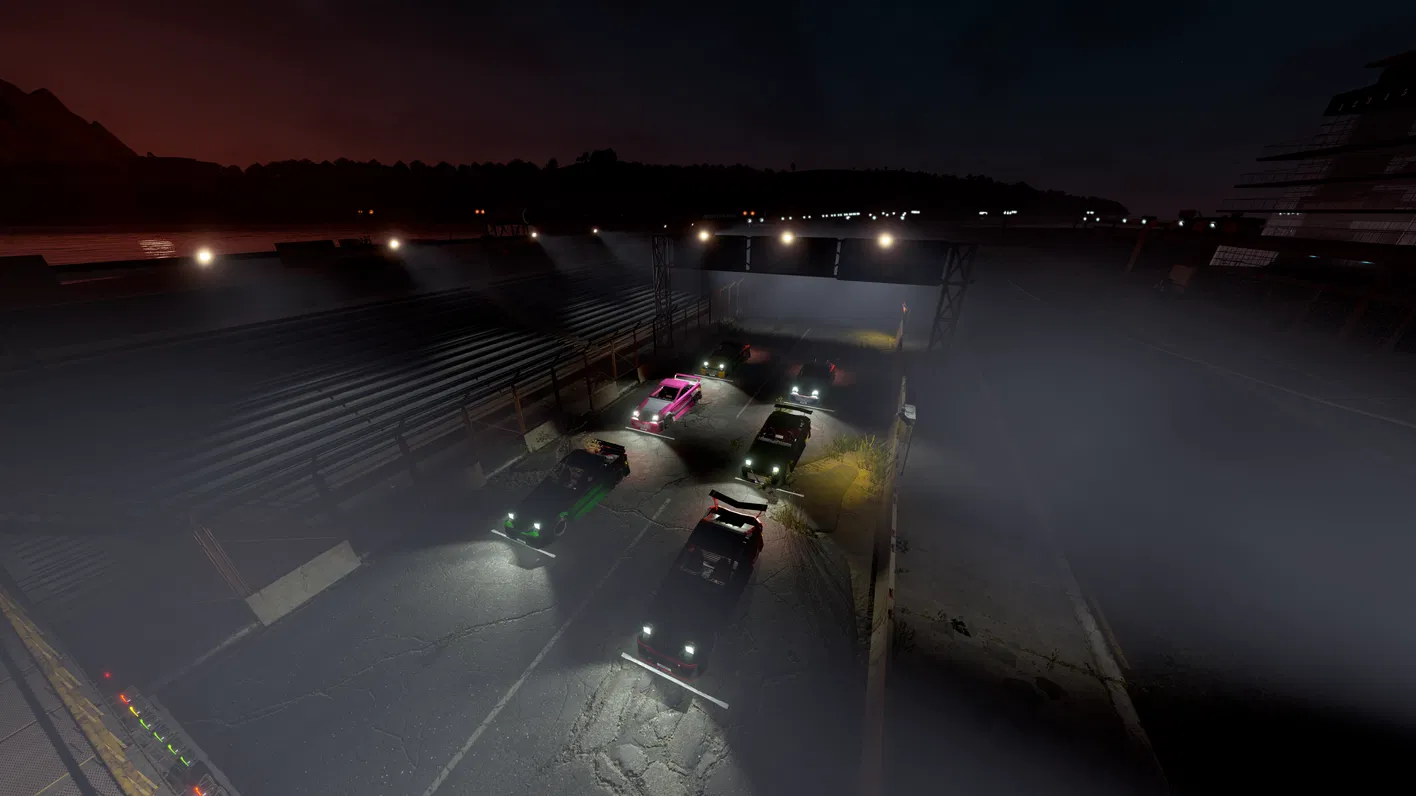
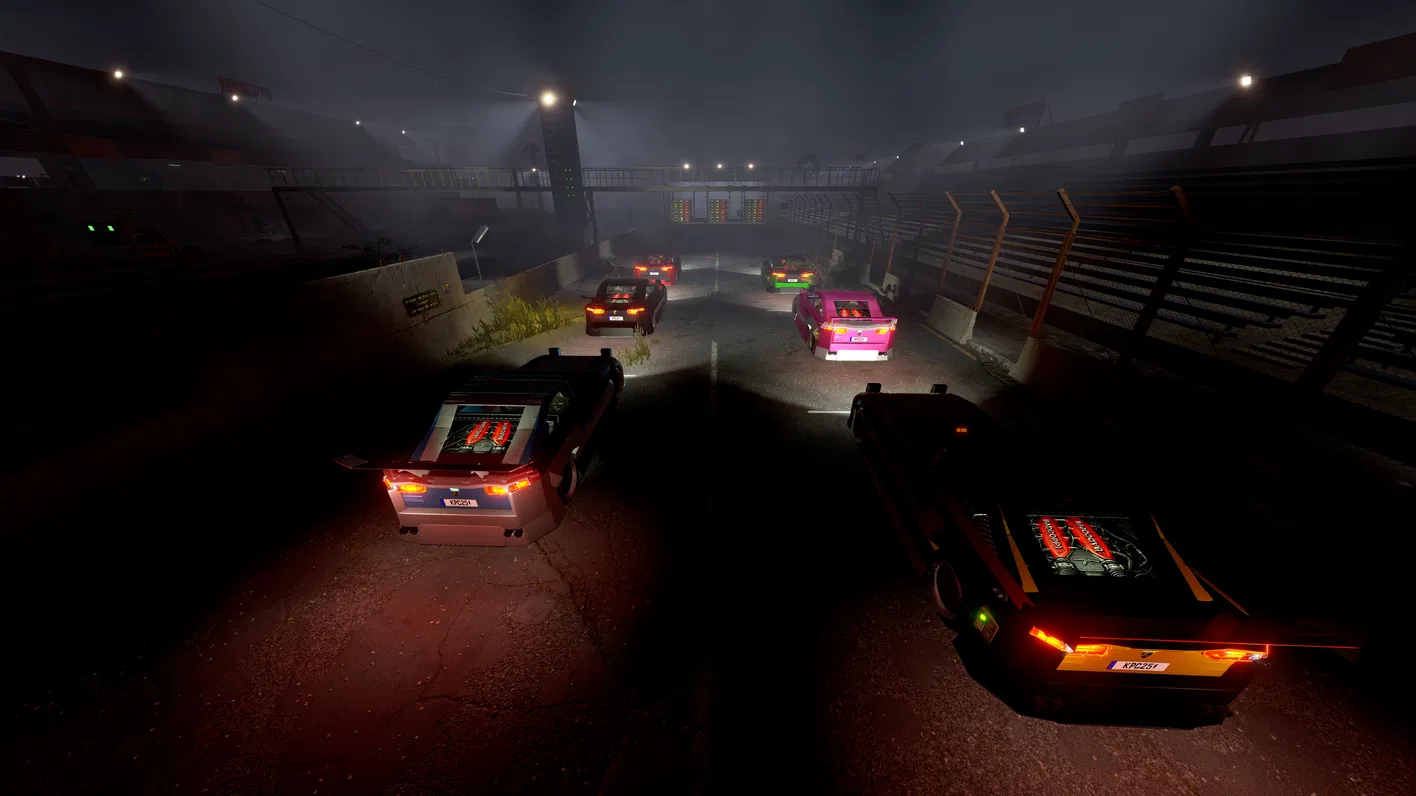
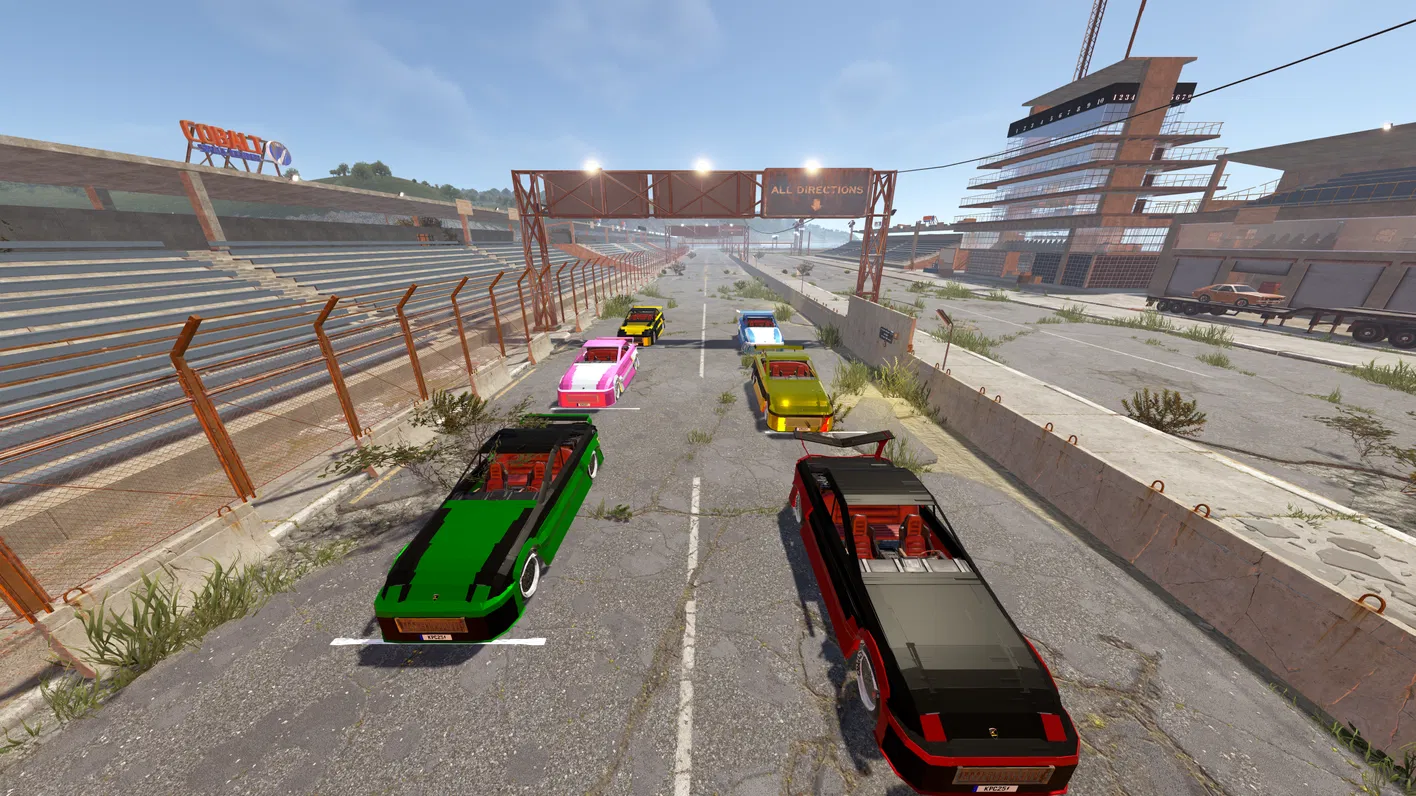

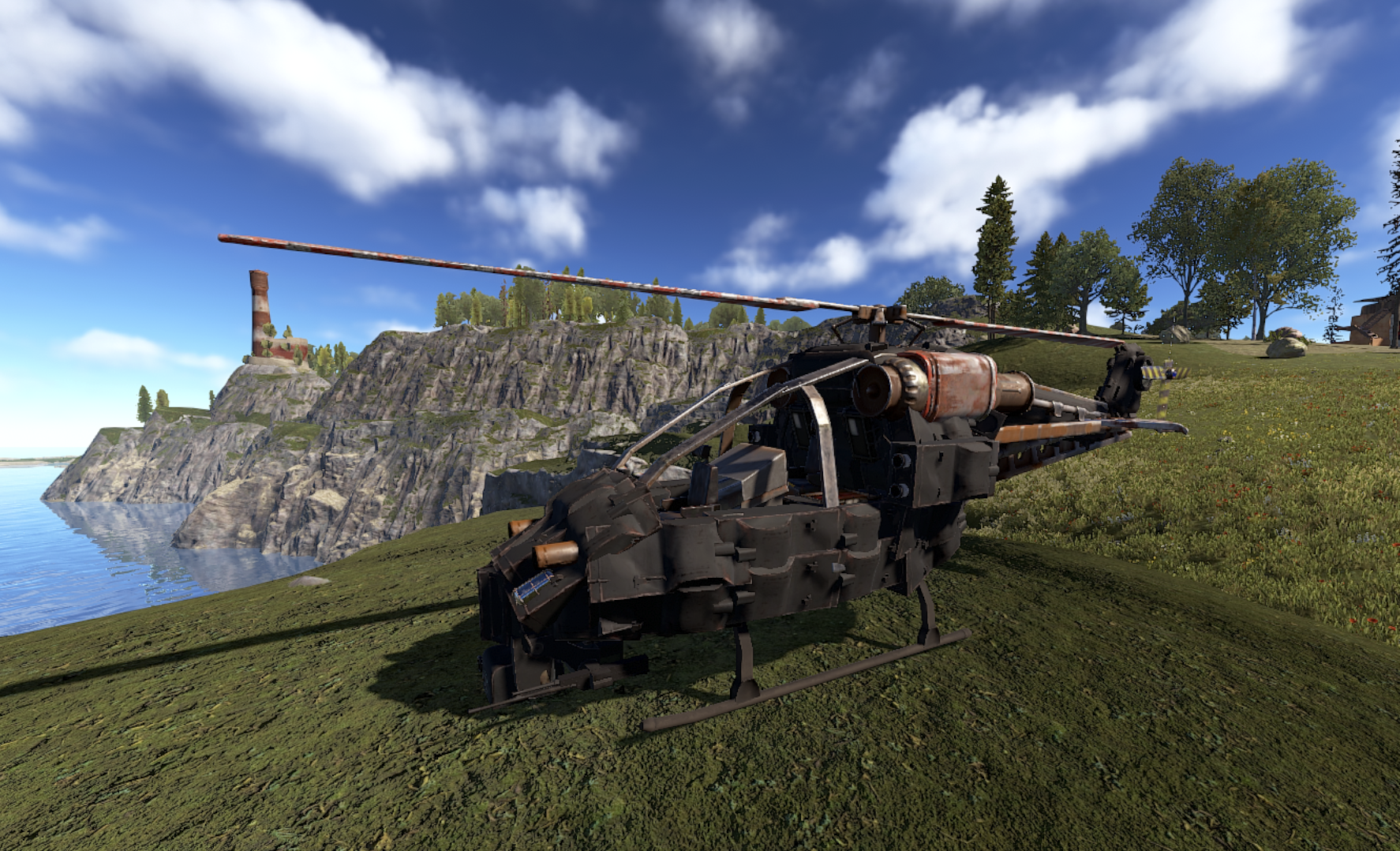

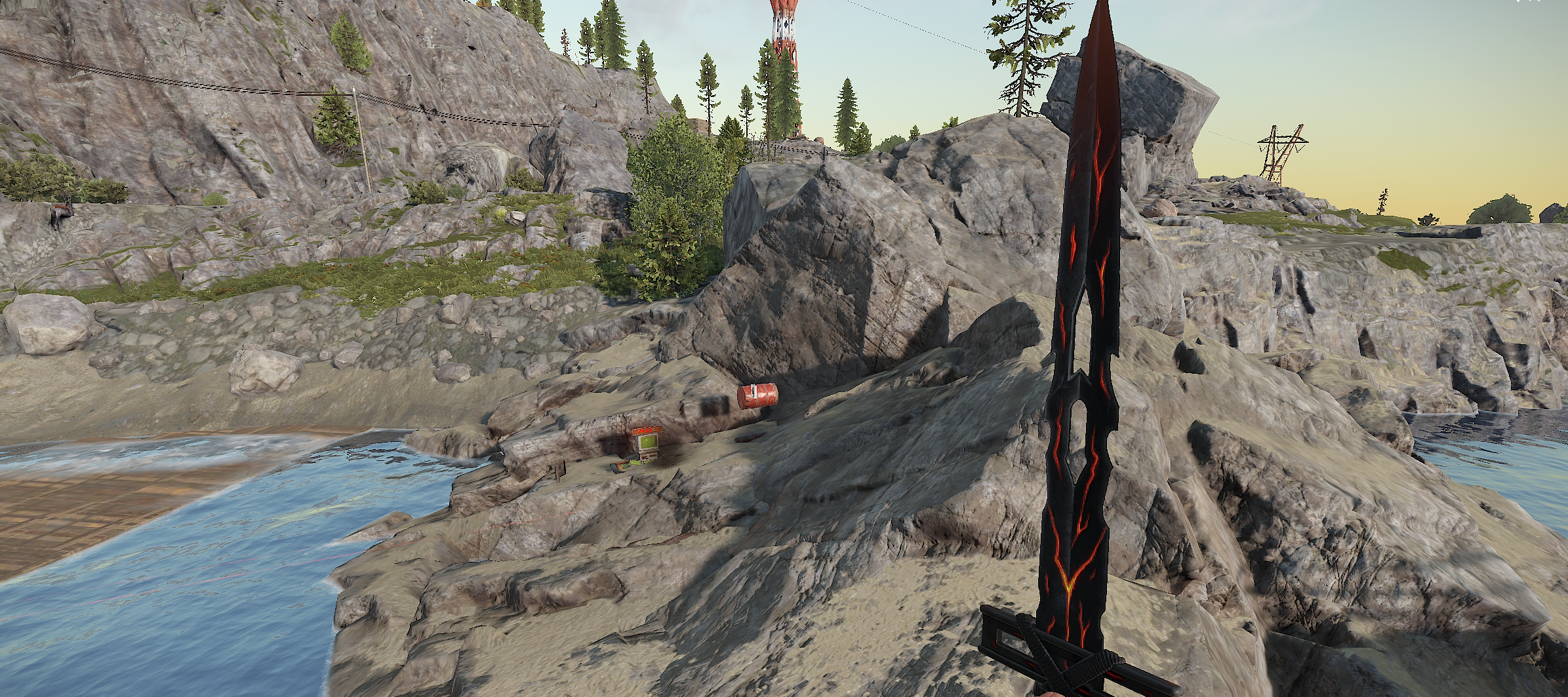
 Compatibility added to







Water Wheel Upgrades
in Plugins
Posted
Thanks, that's the plan, just got the idea with the water wheel first , as found it a little underwhelming outside of vanilla gameplay