


Yac Vaguer
-
Posts
411 -
Joined
-
Last visited
-
Days Won
2
Content Type
Profiles
Warranty Claims
Downloads
Forums
Store
Services
Downloads Plus Support
DOWNLOADS EXTRA
Reels
Support Center
Everything posted by Yac Vaguer
-

Version 1.6.1
56 downloads
BusinessCore is what I built when I wanted my Rust server to feel more like GTA Online. Players walk up to the Business Broker, pick the kind of operation they want to run (Mercenary, Smuggling, Arms Dealer, or Intelligence), and start grinding missions for cash and reputation. There's a leaderboard, organizations so friends can run jobs together, and a tier system that gates the harder stuff. The first mission, VIP Assassination, ships with the core. I'm building more. This is the core framework. The actual mission gameplay lives in separate plugins that hook into the core through its API, so you install BusinessCore once and then add whatever mission packs you want. Localized to English, German, Korean, Chinese, Spanish, Russian, Japanese, Portuguese and French. What you get with this file ┌─────────────────┬────────────┬──────────────────────────────────────────────────────────────────────┐ │ Plugin │ Type │ What it does │ ├─────────────────┼────────────┼──────────────────────────────────────────────────────────────────────┤ │ BusinessCore │ Framework │ Business licenses, reputation, mission engine, leaderboard, Hall of │ │ │ │ Fame, achievements, mission chains, heat, VIP, Discord │ ├─────────────────┼────────────┼──────────────────────────────────────────────────────────────────────┤ │ VIP │ Mission │ Hunt down a heavily guarded VIP target │ │ Assassination │ │ │ ├─────────────────┼────────────┼──────────────────────────────────────────────────────────────────────┤ │ Resource Raid │ Mission │ Raid a fortified resource stockpile │ ├─────────────────┼────────────┼──────────────────────────────────────────────────────────────────────┤ │ SuperBoss │ Standalone │ Spawn voiced cinematic mini-bosses anywhere on the map. 5 variants, │ │ │ │ 9 voice triggers, 45 .ogg clips bundled │ └─────────────────┴────────────┴──────────────────────────────────────────────────────────────────────┘ How it works for players Type /business in chat to open the Business UI, or interact with the Business Broker NPC if you've enabled it. 1. Buy an Office. One-time cost, unlocks the business system. 2. Launch missions from the UI. They spawn dynamically on the map with NPCs, objectives, and PvE zones. 3. Earn reputation to climb tiers: Rookie → Established → Professional → Veteran → Legendary. Higher tiers unlock harder missions, more associate slots, and upgrades. 4. Form an Organization with associates to share rewards and run missions together. 5. Compete on the server-wide leaderboard. Installing BusinessCore 1. Unzip the file and drop the plugins lang data folder in your oxide/carbon, you will get all the languages, all the data necessary and all the plugins included 2. Grant permissions: oxide.grant group default businesscore.use oxide.grant group admin businesscore.admin oxide.grant group vip businesscore.vip # optional, for VIP perks 3. Reload: oxide.reload BusinessCore Dependencies The only required dependency is NpcSpawn. Optional integrations: Economics or Server Rewards for currency, PVEMode / SimplePVE / SimplePVESphere for PvE zones around mission areas, AlphaLoot / CustomLoot / Lootable for NPC drop customization, and SkillTree. Sign Artist support is coming. Commands There's a long list of commands but you don't really need them. Almost everything goes for players to use /business, and the full reference is in the manual inside the .zip. We used to have a Admin GUI but it is quite heavy, so it is removed, if you happen to want an admin way to toggle some ocnfiguration and execute commands just let me know I might release it as a seperate plugin The Business UI The UI is a CUI panel with 6 tabs. The Dashboard shows your business at a glance: office status, current tier, missions completed and failed, success rate, total earnings, current balance, active mission timer, active upgrades, product inventory, and your heat level if you've turned the Heat System on. The Missions tab lists every mission you can run right now for your active business type. Each row shows the name, description, difficulty (Easy/Medium/Hard/Elite), start cost, estimated duration, base reward, reputation gain, eligibility, cooldown timer, and a launch button. There's also a history of your last 20 missions with results and bonuses earned. The Organization tab is where you manage your team. View current associates, choose a reward split mode (percentage with a configurable owner cut, or equal), adjust the owner cut, and see the associate reputation earn rate. Upgrades are permanent business perks you can buy. Reduced Cooldown Tier 2 $15,000 25% less wait between missions Better Rewards Tier 2 $20,000 +15% mission rewards Larger Organization Tier 3 $10,000 +2 associate slots Reputation Boost Tier 2 $12,000 +10% reputation gain Quick Start Tier 4 $25,000 skips the mission announcement phase The Leaderboard ranks every player on the server by reputation, alongside their business type, missions completed, and total earnings. Customizing mission NPCs I split the NPC config out of the main config file because large config files are a pain to maintain, and I figured this would help. Everything that controls how mission NPCs look and behave lives in oxide/config/Business_Npc_Styles.json. You define style presets with names like Guard, Sniper, VIP, Elite, Heavy, and Scout. Each preset can have difficulty-specific variants (Guard.Easy vs Guard.Hard with different gear), and each preset can have several visual variants for randomized appearance. On top of that there are global difficulty multipliers (Easy NPCs are weaker, Elite NPCs are brutal), and you can override NPC stats per business type if you want Mercenary guards tougher than Smuggling guards. If you'd rather delegate to NpcSpawn's own preset system, set the preset name and the plugin defers to it. Kits are also supported instead of inline item lists. NPC loot tables NPC drops are configured in oxide/config/Business_Npc_Loot.json. The TypeLootTable field tells the plugin where to look: 1 OwnLootTable inline item list 2 AlphaLoot AlphaLoot preset name 3 CustomLoot CustomLoot preset name 4 Loottable Loottable preset name 5 Default vanilla Rust loot, no override I tried to stay close to the MadMapper convention but in a way that's a bit easier (at least for me) to manage. Box loot isn't here yet but it's coming with a similar setup. Rewards Currency is configured in BusinessCore.json under "Rewards Settings". You can plug in multiple currency systems at once. On top of base mission payouts there are these reward bonuses: First Daily Mission +50 reputation (configurable) on your first mission of the day No Death Bonus +25% reward if you complete a mission without dying Speed Bonus up to +50% reward for finishing missions fast Heat Bonus +10% to +35% reward based on your heat level (see Heat System) Better Rewards permanent +15% after buying the upgrade VIP Multiplier configurable reward multiplier for VIP players (default 1.25x) Contact NPC Bonus +10% (configurable) when starting missions from a Contact NPC When you run missions with associates, rewards split based on the mode you pick. In percentage mode the owner gets a configurable cut (default 60%) and the rest is divided among associates. In equal mode everyone gets the same share. Associates earn reputation at a reduced rate (default 50% of the owner's gain, configurable via "Associate reputation earn rate"). More missions coming BusinessCore is modular: every mission is a separate plugin that registers with the core. VIP Assassination is the one that ships in this release. The next batch in the pipeline includes VIP Kidnap, Supply Run, Defense Holdout, Vehicle Heist, Bounty Hunt, Convoy Ambush, Monument Infiltration, Salvage Dive, and The Heist. I'll release each one as I finish testing and tidying up. For developers Anyone can write their own missions. BusinessCore already handles loot, NPC spawning, notifications, and location selection, so you can focus on the actual gameplay instead of plumbing. The .zip includes documentation for writing a mission, and you can use VIP Assassination as a reference. If you get stuck, ping me on Discord.$30.00 -
Changed Status from Pending to Not a Bug Changed Fixed In to 1.4.2
-
Remember that in my discord you can actually ask whatever you need faster https://discord.gg/mVpqCNB9dP
-
That is tricky and will involve changing a bit of code. I think the best way or the way Imade it work is changing the name in Kapuctl plugin, just because it has less places to change. So basically the issue is the Plugin Name, both are called FerryTerminalEvent, so the step to make it work 1. Pick one of the plugins 2. Change the File name of one of them 3. The new name need to match within the code, so open vscode or whatever you use and find inside the code, "FerryTerminalEvent" once you find it, replace it for the Filename. [Info("Ferry Terminal Event", "Yac Vaguer", "1.4.2")] [Description("A dynamic event system for the Ferry Terminal monument in Rust")] public partial class FerryTerminalEvent : RustPlugin In my Event you have 13 places where you should change it for a different one
-
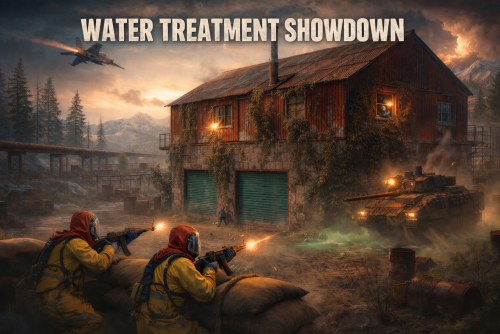 I don't really know what you mean but in general as a rule, when you run an event you want that everything that the event spawn, can be despawn For several reasons but more important because you want them to loot during hte event not after. There is no way I can add that option, but what you can do is. extend the time of the event, and even extend the time before despawning after someone already take care of all the NPCs. This is a bit different of what you are asking
 -
Hey Foul, I don't know what aggro means, but I test it yesterday and all npc were quite aggressive, actually maybe too much Regarding the dropping of npc that is happen when you open the hackable crate, a Chinook will arrive and drop the elite squad
-

Remove corpse after death option not working
Yac Vaguer replied to SlayersRust's Support Report in Support
Hey @SlayersRust thank you for the input, i added in the Zombie configuration health and Damage scale, sadly I cannot add Remove Corpse for Zombies. The RemoveCorspe config key is also usable in the rest of the NPC (The one from NpcSpawn) Let me know "Zombies": { "Amount of Zombies to spawn": 10, "Health per zombie [default 150]": 150.0, "Damage scale multiplier [1.0 = vanilla]": 1.0 }, -
Remove corpse after death option not working
Yac Vaguer replied to SlayersRust's Support Report in Support
Changed Status from Pending to Fixed Changed Fixed In to 1.4.2 -
@Tischiplease take a look to the latest version and let me know
-
Changed Status from to Fixed Changed Fixed In to 2.2.1
-
Changed Status from Pending to
-
Changed Status from Pending to
-
please share your config file, maybe you are using the old one, Also iin the configuration there is a debug mode flag, please turn it on, reload the plugin try to spawn some of the signal, and call the Patrol, if you are not seeing anything in the server console maybe the Plugin is not laoding
-
Tons of console errors while doing event
Yac Vaguer replied to SlayersRust's Support Report in Support
Changed Status from Pending to Fixed Changed Fixed In to 1.4.0 -
Tons of console errors while doing event
Yac Vaguer replied to SlayersRust's Support Report in Support
I found the issue, thank you for reporting it, I will make the fix ASAP -
 It should let you download the latest version no problem, the plugin it is working. I just made a ticket to CF so they can take a look why you cannot see it
 -
 You can test it, it is free But in the config you can actually tell if you want NPC to be reach or just real players
 -
Changed Status from Pending to Fixed Changed Fixed In to Next Version
-
Changed Status from Pending to Fixed Changed Fixed In to Next Version
-
I missed this ticket, but I don't see the point why a player will spawn and then want to despawn a heli unless it realize that cannot take it
-
Changed Status from Pending to Not a Bug Changed Fixed In to 1.2.0
-
Changed Status from Pending to Fixed Changed Fixed In to 1.3.2
-
Changed Status from Pending to Fixed Changed Fixed In to Next Version
-
Changed Status from Pending to Fixed Changed Fixed In to 2.1.1
-
Changed Status from Pending to Fixed Changed Fixed In to 1.3.2

