hid333
-
Posts
1,348 -
Joined
-
Last visited
-
Days Won
2
Content Type
Profiles
Warranty Claims
Downloads
Forums
Store
Services
Downloads Plus Support
DOWNLOADS EXTRA
Reels
Everything posted by hid333
-
The update history says that overfishing has been fixed, but I still get overfished during fishing contests and only catch trash.
-
[StaticLootables] Error: System.NullReferenceException: Object reference not set to an instance of an object at Oxide.Plugins.StaticLootables+<DoPlayerInputCoroutine>d__59.MoveNext () [0x00dd7] in <449bd03c14f94faeb193f6b989d51aa2>:0
-
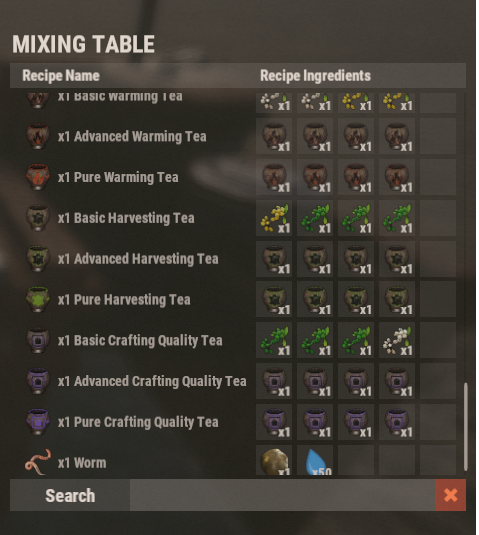
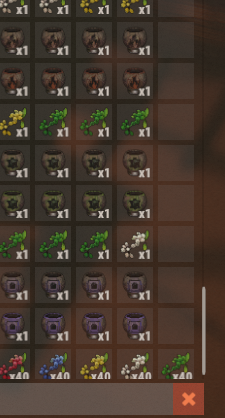
After deleting the configuration file, I installed ScrollFix. The result was the same; nothing was displayed the first time after logging in. Even on subsequent visits, the scrollbar is still at the bottom. I don't have any other plugins installed that manipulate the mixing table. I tried setting up a test server and removing unnecessary plugins.

-
I tried installing ScrollFix.cs, but still, the items don't appear when I open the mixing table for the first time. Even when the items do appear on subsequent visits, the scrollbar is still at the bottom.
-
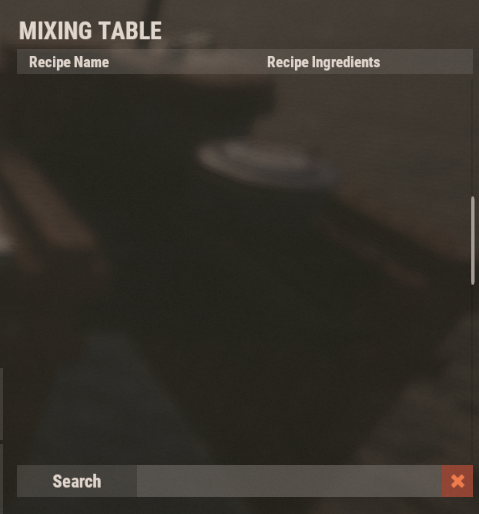
When I open the mixing table after logging in, the first time I do, it's empty with no items registered. However, when I open the mixing table again, the registered items appear. This same phenomenon occurs every time I log in. Could you please tell me the cause and how to resolve it? Also, when I open the mixing table, the registered items are always displayed at the very bottom. I can just scroll up, but... if possible, I'd like the top items to be displayed when I open the mixing table.
-
It's unclear if this is related to the latest update, but the server fails to start. The error message is: SqliteException: Could not open database file: server/my_server_identity/sv.files.284.db (error 14) While this appears to be a database error, removing only this plugin allows the server to start normally. Reinstalling it results in the same error. This issue also occurs on other physical servers, cloud servers, and when changing MAPs, suggesting it may occur with this plugin alone or in combination with other plugins. We have tried repairing the database, checking for file locks, and restoring from previous backups, but none of these have been effective. This issue can be resolved simply by removing this plugin, so please check the cause and solution.
-
The idea of automatically accumulating teleportation points upon login is innovative and good, but it could confuse users, and an explanation is needed that these are points specific to this plugin. Is it possible to change the currency to economics or scrap?
-
Because I'm using translation, the words may seem harsh, but I'm convinced this plugin is fantastic. However, I wanted to convey that players are currently refraining from using it due to usability and operability issues.
-
It's a really good plugin, but since it's not getting updated and players are getting tired of using it, I'm giving up on it. It's a shame that you can't receive the rewards for sold items using the same UI.
-
This issue started appearing after the latest update. Please tell me the cause and solution. Failed to initialize plugin 'AdminMenu v1.4.7' (TypeLoadException: Could not resolve type with token 010001d3 from typeref (expected class 'ProtoBuf.PerformanceReport' in assembly 'Rust.Data, Version=0.0.0.0, Culture=neutral, PublicKeyToken=null')) at (wrapper managed-to-native) System.Reflection.MonoMethodInfo.get_method_info(intptr,System.Reflection.MonoMethodInfo&) at System.Reflection.MonoMethodInfo.GetMethodInfo (System.IntPtr handle) [0x00000] in <8ce0bd04a7a04b4b9395538239d3fdd8>:0 at System.Reflection.MonoMethodInfo.GetDeclaringType (System.IntPtr handle) [0x00000] in <8ce0bd04a7a04b4b9395538239d3fdd8>:0 at System.Reflection.RuntimeMethodInfo.get_DeclaringType () [0x00000] in <8ce0bd04a7a04b4b9395538239d3fdd8>:0 at MonoMod.Utils.Extensions.Is (Mono.Cecil.MemberReference mref, System.Reflection.MemberInfo minfo) [0x0008f] in <6c906b4f1de440f3a86cb0ebb3f48ea6>:0 at MonoMod.Utils.ReflectionHelper+<>c__DisplayClass20_0.<_ResolveReflection>b__23 (System.Reflection.MethodBase m) [0x00000] in <6c906b4f1de440f3a86cb0ebb3f48ea6>:0 at System.Linq.Enumerable.TryGetFirst[TSource] (System.Collections.Generic.IEnumerable`1[T] source, System.Func`2[T,TResult] predicate, System.Boolean& found) [0x0003f] in <a314714511a14f84b853c03efd8682b8>:0 at System.Linq.Enumerable.FirstOrDefault[TSource] (System.Collections.Generic.IEnumerable`1[T] source, System.Func`2[T,TResult] predicate) [0x00000] in <a314714511a14f84b853c03efd8682b8>:0 at MonoMod.Utils.ReflectionHelper._ResolveReflection (Mono.Cecil.MemberReference mref, System.Reflection.Module[] modules) [0x008fc] in <6c906b4f1de440f3a86cb0ebb3f48ea6>:0 at MonoMod.Utils.ReflectionHelper.ResolveReflection (Mono.Cecil.MemberReference mref) [0x00000] in <6c906b4f1de440f3a86cb0ebb3f48ea6>:0 at MonoMod.Utils._DMDEmit.Generate (MonoMod.Utils.DynamicMethodDefinition dmd, System.Reflection.MethodBase _mb, System.Reflection.Emit.ILGenerator il) [0x005f2] in <6c906b4f1de440f3a86cb0ebb3f48ea6>:0 at MonoMod.Utils.DMDEmitDynamicMethodGenerator.GenerateCore (MonoMod.Utils.DynamicMethodDefinition dmd, System.Object context) [0x00342] in <6c906b4f1de440f3a86cb0ebb3f48ea6>:0 at MonoMod.Utils.DMDGenerator`1[TSelf].Generate (MonoMod.Utils.DynamicMethodDefinition dmd, System.Object context) [0x00013] in <6c906b4f1de440f3a86cb0ebb3f48ea6>:0 at MonoMod.Utils.DynamicMethodDefinition.Generate (System.Object context) [0x00149] in <6c906b4f1de440f3a86cb0ebb3f48ea6>:0 at MonoMod.Utils.DynamicMethodDefinition.Generate () [0x00000] in <6c906b4f1de440f3a86cb0ebb3f48ea6>:0 at HarmonyLib.MethodPatcher.CreateReplacement (System.Collections.Generic.Dictionary`2[System.Int32,HarmonyLib.CodeInstruction]& finalInstructions) [0x006a4] in <6c906b4f1de440f3a86cb0ebb3f48ea6>:0 at HarmonyLib.PatchFunctions.UpdateWrapper (System.Reflection.MethodBase original, HarmonyLib.PatchInfo patchInfo) [0x00059] in <6c906b4f1de440f3a86cb0ebb3f48ea6>:0 at HarmonyLib.PatchClassProcessor.ProcessPatchJob (HarmonyLib.PatchJobs`1+Job[T] job) [0x000be] in <6c906b4f1de440f3a86cb0ebb3f48ea6>:0
-
-
There were no particular restrictions, and I've never had any network problems in the past four years. The network is a 10G fiber optic connection. I was concerned because the command worked without any problems until last month.
-
When attempting to perform initial setup using the `/shop.install` command immediately after a server wipe, the following error is displayed in the console: Because initial setup cannot be completed, the shop is unusable. Please tell me the cause and how to resolve this. Failed to call hook 'CmdChatShopInstaller' on plugin 'Shop v2.4.16' (NullReferenceException: Object reference not set to an instance of an object) at Oxide.Plugins.Shop+ShopInstaller.GetMessage (BasePlayer player, System.String key) [0x00000] in <41437b0fa5224dcfae7d7a6473c99d1f>:0 at Oxide.Plugins.Shop.ShowInstallerUI (BasePlayer player) [0x00105] in <41437b0fa5224dcfae7d7a6473c99d1f>:0 at Oxide.Plugins.Shop.CmdChatShopInstaller (BasePlayer player, System.String command, System.String[] args) [0x000a3] in <41437b0fa5224dcfae7d7a6473c99d1f>:0 at Oxide.Plugins.Shop.DirectCallHook (System.String name, System.Object& ret, System.Object[] args) [0x03267] in <41437b0fa5224dcfae7d7a6473c99d1f>:0 at Oxide.Plugins.CSharpPlugin.InvokeMethod (Oxide.Core.Plugins.HookMethod method, System.Object[] args) [0x00079] in <42f9bedc659b4f4786eb778d3cd58968>:0 at Oxide.Core.Plugins.CSPlugin.OnCallHook (System.String name, System.Object[] args) [0x000de] in <15f61ddda771464d8246ebdce8ff4811>:0 at Oxide.Core.Plugins.Plugin.CallHook (System.String hook, System.Object[] args) [0x00060] in <15f61ddda771464d8246ebdce8ff4811>:0 (22:11:05) | [TitleSelector] PlayerRanks integration: no permission groups found for title categories. Make sure 'AddTitleHoldersToGroup' is set to true in PlayerRanks config.
-
This error occurs every time I open the UI using `/loottable`. What is the cause and what is the solution? IndexOutOfRangeException: Index was outside the bounds of the array. TMPro.TMP_InputField.GenerateHighlight (UnityEngine.UI.VertexHelper vbo, UnityEngine.Vector2 roundingOffset) (at <00000000000000000000000000000000>:0) TMPro.TMP_InputField.OnFillVBO (UnityEngine.Mesh vbo) (at <00000000000000000000000000000000>:0) TMPro.TMP_InputField.UpdateGeometry () (at <00000000000000000000000000000000>:0) UnityEngine.UI.CanvasUpdateRegistry.PerformUpdate () (at <00000000000000000000000000000000>:0)
-
Clicking the icon after using a dish displays the following error: Failed to call hook 'SendMealDescription' on plugin 'Cooking v2.0.32' (NullReferenceException: Object reference not set to an instance of an object) at Oxide.Plugins.Cooking.SendMealDescription (ConsoleSystem+Arg arg) [0x000ae] in <e7857060e04542bba440cb188cc46f91>:0 at Oxide.Plugins.Cooking.DirectCallHook (System.String name, System.Object& ret, System.Object[] args) [0x02596] in <e7857060e04542bba440cb188cc46f91>:0 at Oxide.Plugins.CSharpPlugin.InvokeMethod (Oxide.Core.Plugins.HookMethod method, System.Object[] args) [0x00079] in <42f9bedc659b4f4786eb778d3cd58968>:0 at Oxide.Core.Plugins.CSPlugin.OnCallHook (System.String name, System.Object[] args) [0x000de] in <15f61ddda771464d8246ebdce8ff4811>:0 at Oxide.Core.Plugins.Plugin.CallHook (System.String hook, System.Object[] args) [0x00060] in <15f61ddda771464d8246ebdce8ff4811>:0
-
Thank you very much for your prompt response to the update. It may not be something covered in what I have described here, but if possible, I would appreciate it if you could also address the fishing hotspot as well. (I apologize if this is already under consideration.)
-
I deleted all the config files, including the automatically created backup files, and then reloaded the system, which restored it to normal.
-
Of course, I checked it on the console.
-
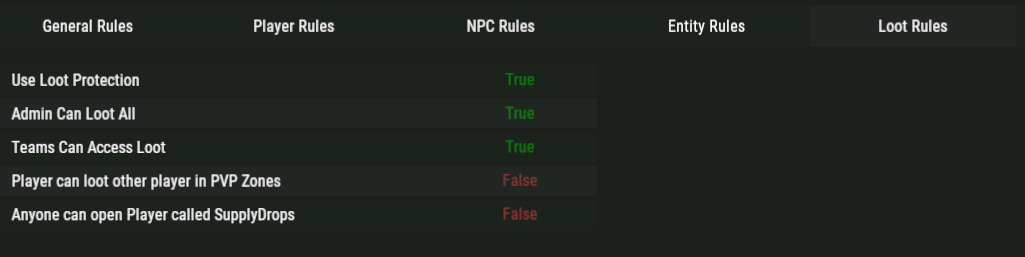
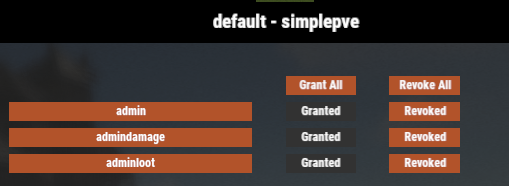
The current settings are as follows. Please let me know if the settings are incorrect.
-
Debug mode appears to be enabled correctly, but nothing is being output to the console. Plugins also seem to be loading correctly.
-
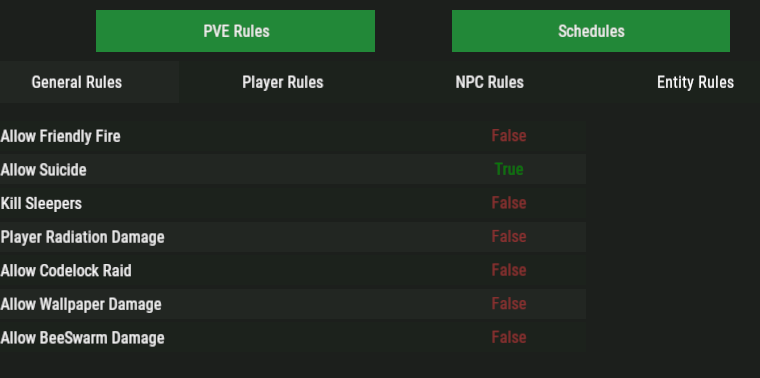
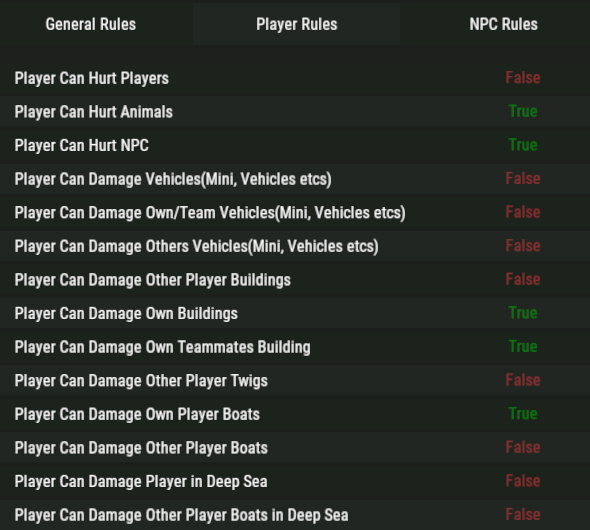
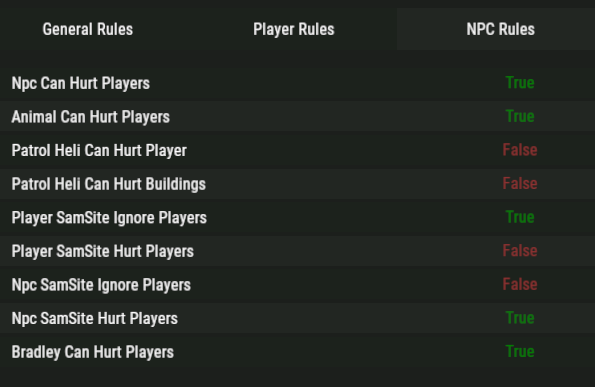
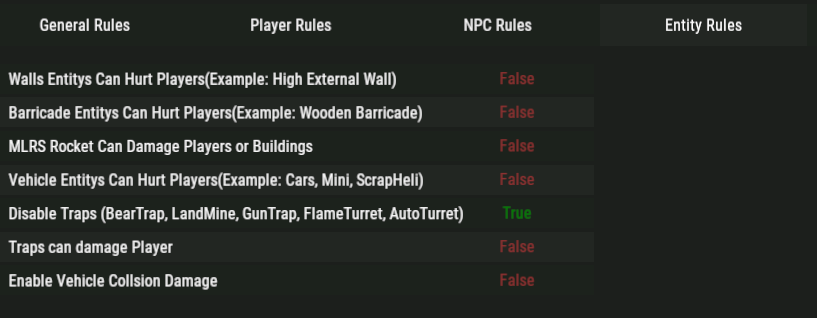
I've been using this plugin all this time without noticing anything unusual, but I've now realized that players can damage other players' buildings. At my base where I have a base unauthorized players have been damaging it with rocks and guns. My settings are configured to prevent damage from being dealt, but could you please explain the reason for this phenomenon and how to resolve it? There are no zones or anything like that.
-
It seems that other items, such as Hazmat dolls, can also be spawned.
-
The test was conducted by a regular player, and as mentioned earlier, no DLC privileges were granted. While other DLC items display a warning similar to the image you uploaded, suggesting there's definitely a function to prevent DLC items from spawning, the problem is that some items are somehow penetrating. I tried to carefully select the plugins, but I haven't found anything that seems to be causing only certain items to penetrate... I'll investigate further. Please let me know if you notice anything else that might be affecting the game or if you have any concerns.