
magado
-
Posts
34 -
Joined
-
Last visited
Content Type
Profiles
Warranty Claims
Downloads
Forums
Store
Services
Downloads Plus Support
DOWNLOADS EXTRA
Reels
Everything posted by magado
-
You really saved me. Thank you.
-
 The plugin has stopped working, so please update it.
 -
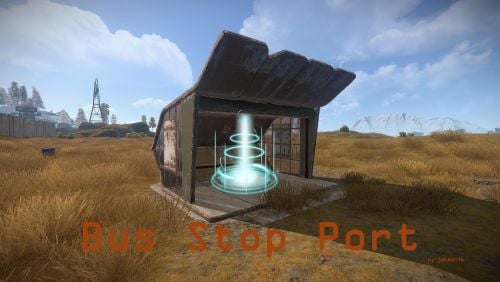 The plugin loads correctly and I can update bus stops and other functions, but when I try to use it while ensuring the fee is deducted, the following error appears in the console. Please fix it. Failed to call hook 'BusStopTeleport' on plugin 'BusStopPort v0.17.0' (InvalidCastException: Specified cast is not valid.) at System.Convert.ToInt32 (System.Object value) [0x00003] in <41d29b352f6a475ab1bf7c6628b82790>:0 at Oxide.Plugins.BusStopPort.BusStopTeleport (ConsoleSystem+Arg args) [0x00094] in <131dc0338c9b47068d7ea074d753e9dc>:0 at Oxide.Plugins.BusStopPort.DirectCallHook (System.String name, System.Object& ret, System.Object[] args) [0x004a5] in <131dc0338c9b47068d7ea074d753e9dc>:0 at Oxide.Plugins.CSharpPlugin.InvokeMethod (Oxide.Core.Plugins.HookMethod method, System.Object[] args) [0x00079] in <42f9bedc659b4f4786eb778d3cd58968>:0 at Oxide.Core.Plugins.CSPlugin.OnCallHook (System.String name, System.Object[] args) [0x000de] in <15f61ddda771464d8246ebdce8ff4811>:0 at Oxide.Core.Plugins.Plugin.CallHook (System.String hook, System.Object[] args) [0x00060] in <15f61ddda771464d8246ebdce8ff4811>:0
 -
 Today the plugin stopped working, but raising the height (Y coordinate) slightly in the plugin improved the issue. However, since the plugin stopped working starting today, I will have to wait to see if the developer can fix it.
 -
Today it stopped working. Will there be a fix? Also, I’d like to ask other users as well—are there any recommended plugins similar to this one?
-
 1 "The rocks at L11 are floating." 2 "The spawn point seems messed up. Respawning there causes death."
 -
 Sorry, it was possible to fix it by modifying the command in the config file. Sorry for the trouble caused.
 -
Due to the update of Server Rewards, it no longer functions correctly.
-
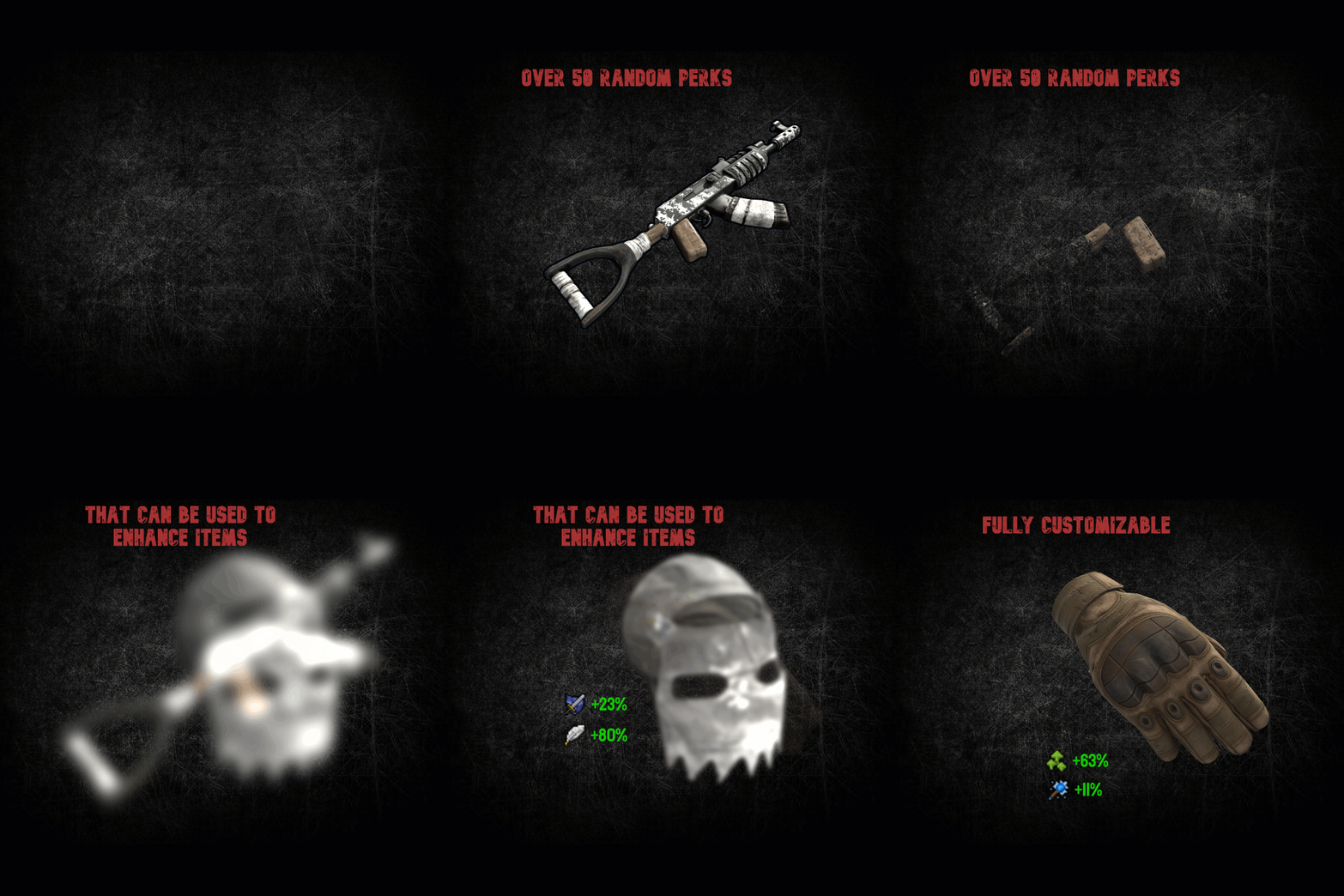 When dismantling parks, the blood items become fixed to the same type, and items from different parks overlap, causing their contents to change. What could be the cause of this? Also, I purchased this plugin from Lone.Design — has it been removed from public access there?
 -
Since the other day, I suddenly have a blood pack in my inventory, but I can’t add any perks to it. Do you know what’s causing it?
- 227 comments
-
- 1
-

-
- #items
- #enhancement
- (and 6 more)
-
Hello, I have a problem with the plugin. I have the kits in my inventory but when I want to enchant an item it tells me that I don't have any kits in my inventory.. I don't understand why?
- 227 comments
-
- 1
-
-
- #items
- #enhancement
- (and 6 more)
-
I have created that plugin with it in. Is the situation the same now? Is it possible that the person who installed the frame is different from the person who is trying to paint it? So far, no one else has reported this, so it's hard to pinpoint the cause.
-
Hi there, I'm a newbie to the site and I'm looking forward to getting back to you! Thanks for using it! It's a looting type error, so it could be another plugin that is interfering! I am also using "Prevent Looting" in my environment, but I am able to use it without any reports of that from other players, so is there any plugin that you can think of? I have had errors using commands while on the lift, so I would like you to try that as well. The thumbnail image is using "Signartist", so I wonder if there is some other problem here as well? Sorry for all the questions.
-
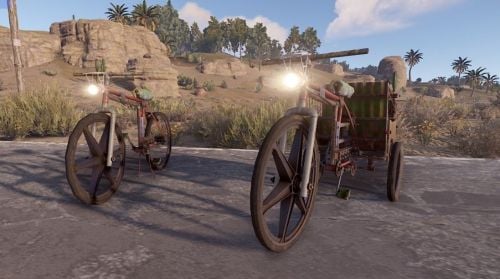
Version 1.0.0
716 downloads
With Bike Light, you can have a headlight added to the bikes on your server. ON/OFF possible with the F key and is very bright.Free -
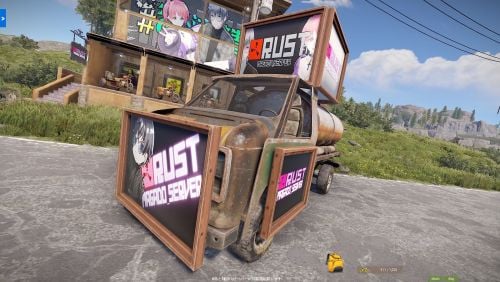
Version 1.0.0
273 downloads
The Car Picture Frame plugin allows players to place various types of picture frames on vehicles using chat commands. Frames can be attached to the front, doors, and top of the vehicle. While primarily designed for vehicles with an engine and cockpit, it can also be used on other vehicle parts. Additionally, the plugin retains the frame placements even after server restarts, ensuring that the decorations persist. Only players with the appropriate permission can use the commands. Permissions: - carpictureframe.use: Allows players to use the frame placement commands. Commands: - /frame_front2: Places a large frame on the front of a 2-module vehicle. - /frame_front3: Places a large frame on the front of a 3-module vehicle. - /frame_front4: Places a large frame on the front of a 4-module vehicle. - /frame_door2: Places small frames on the driver and passenger doors of a 2-module vehicle. - /frame_door3: Places small frames on the driver and passenger doors of a 3-module vehicle. - /frame_door4: Places small frames on the driver and passenger doors of a 4-module vehicle. - /frame_top: Places large frames on the top of the vehicle in all four directions. Installation: 1. Place the CarPictureFrame.cs file in the oxide/plugins directory. 2. Grant the required permission to players or groups using the following commands: - oxide.grant group default carpictureframe.use - oxide.grant user <username or steamid> carpictureframe.use Notes: - Ensure that players have the necessary permission to use the commands. - The frame placements are saved and restored automatically. - By re-entering the command, players can remove the frames, but the content of the picture will not be retained.$12.00 -
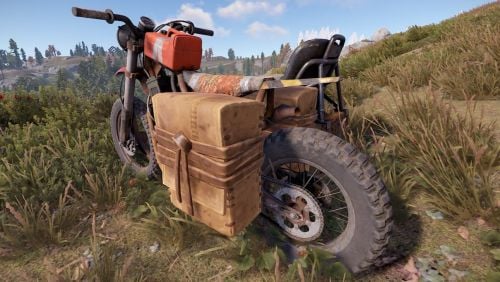 Thank you for your inquiry In my environment, the bag remains on bikes that appear after installing this plugin even after restarting. I'll try to find out the cause
- 8 comments
-
- 1
-
-
- #saddlebags
- #bike
- (and 2 more)
-
Frames are displayed, but it appears that only the 6 frames you specified are available. Do you mean you want to hide frames that don't contain any items? I would like to adjust it so that you can choose the left and right bags. thank you!
-
Version 1.1.0
68 downloads
This plugin adds saddle bags to bikes and bikes with sidecars that spawn on the server after installation. It supports a configuration file, allowing you to specify the number of bag slots for default users and VIP users. Permission: saddlebags.vip //Installation Install it in the Oxide plugins folder on your server. A file will be created in the config folder where you can specify the number of slots for each permission.$3.00 -
 Good evening. What do you mean by reverse selling? Sorry, my English is not very good, I use translation software.