Bnucket
-
Posts
42 -
Joined
-
Last visited
-
Days Won
1
Content Type
Profiles
Warranty Claims
Downloads
Forums
Store
Services
Downloads Plus Support
DOWNLOADS EXTRA
Reels
Everything posted by Bnucket
-
 The plugin will automatically send a notification to Discord if a player is suspected.
 -
Changed Status from Pending to Closed Changed Fixed In to 1.0.6
-
Hello, I have released an update that fixes the bug. It was caused by the last update of the game.
-
Please try downloading the plugin again and uploading it to the server. Also, I will ask you to send me your config if it was created.
-
Hello, does the console display any other information within the plugin? Are you using Oxide or Carbon? Have you interfered with the code in any way?
-
Version 1.0.1
37 downloads
Welcome to the Smurf Detection Plugin by Bnucket! This powerful tool helps you maintain a level playing field on your Rust server by detecting potential smurf accounts. - Keep Your Rust Server Fair and Fun! Features Automatic Smurf Detection: Identifies potential smurf accounts as soon as players join. Discord Integration: Sends alerts to your Discord server. Customizable Configurations: Tailor the plugin to meet your server’s specific needs. Whitelist Management: Exclude trusted players from smurf detection checks. Detailed Reports: Provides comprehensive player data and smurf probability. How It Works Player Connection: When a player connects to your server, the plugin fetches their Steam data. Data Analysis: The plugin analyzes various metrics like playtime, Steam level, friends count, game count, account age, achievements, and ban history. Probability Calculation: Using customizable thresholds, the plugin calculates the likelihood that the player is a smurf. Automated Actions: If the smurf probability exceeds your set threshold, the plugin can execute predefined commands (e.g., kick the player). Discord Alerts: Alerts are sent to a specified Discord channel, providing detailed player data and detection results. Easy Configuration Modify the plugin configuration to suit your needs: { "SteamApiKey": "YOUR_STEAM_API_KEY", "DiscordWebhookUrl": "YOUR_DISCORD_WEBHOOK_URL", "MinPlayTime": 2000, "SmurfProbabilityThreshold": 85.0, "SmurfCommand": "kick {SteamID} Suspicious_account", "Whitelist": [] } { "PlayTime": {"MinValue": 0, "MaxValue": 2000, "MinProbability": 35, "MaxProbability": 0}, "SteamLevel": {"MinValue": 0, "MaxValue": 30, "MinProbability": 25, "MaxProbability": 0}, "FriendsCount": {"MinValue": 0, "MaxValue": 50, "MinProbability": 5, "MaxProbability": 0}, "GamesCount": {"MinValue": 0, "MaxValue": 40, "MinProbability": 20, "MaxProbability": 0}, "AccountAge": {"MinValue": 0, "MaxValue": 1095, "MinProbability": 5, "MaxProbability": 0}, "Achievements": {"MinValue": 0, "MaxValue": 92, "MinProbability": 4, "MaxProbability": 0}, "VACBan": {"MinValue": 0, "MaxValue": 1, "MinProbability": 0, "MaxProbability": 3}, "GameBan": {"MinValue": 0, "MaxValue": 1, "MinProbability": 0, "MaxProbability": 3} } Detailed Player Data For each player, the plugin collects and analyzes: Playtime in Rust Steam Level Friends Count Games Count Account Age Achievements VAC and Game Bans Discord Notifications Stay informed with instant notifications on Discord: Player Name and Steam ID Smurf Probability Detailed Player Stats Detection Method (automatic/manual) Commands Console Commands: smurfcheck <playerName or steamId>: Manually check if a player is a smurf. whitelist <add/remove> <steamId>: Manage the whitelist. Chat Commands: /smurfcheck <playerName or steamId>: Manually check via chat. /whitelist <add/remove> <steamId>: Manage the whitelist via chat.$19.97 -
 Is there an option to set the command to be called when the limit is exceeded? For example, instead of triggering the base protection, would the ban command be invoked?
 -
 Hello, please send me your config. I will check where the error may be. The solution you suggest would require writing all the items that can be skinned, which would be very impractical. Moreover, the plugin is designed so that each user can customize the list according to their needs. I'll try to look into the possibility of switching between a list and an unlimited database before the end of the month, but I'm afraid that such a solution would require entering only a numeric variable and would not allow players to enter a skin using its name.
 -
Hi, you have a config problem. Instead of "box.wooden.large.": { use "box.wooden.large": { so without the period after "large".
-
 Hello, try to be more specific about your problem. On my server there is no problem with the plugin. Also please attach your config.
 -
 Hello, at the moment, the plugin is configured to invoke two commands. One main (addgroup) and the other in the form of "say". However, if you wish, I can modify its code to allow the user to enter multiple commands.
 -
Version 1.0.0
29 downloads
Random VIP Giver Plugin Documentation Overview The Random VIP Giver plugin is designed to randomly assign VIP status to players on the server. Permissions randomvipgiver.admin: This permission allows the user to manually trigger the VIP assignment process. Commands /givemanualvip: This command manually triggers the VIP assignment process. The assigned VIP counts towards the daily limit. /givefreemanualvip: This command manually triggers the VIP assignment process. The assigned VIP does not count towards the daily limit. Configuration MaxVIPPerDay: The maximum number of VIPs that can be assigned per day. VIPGroups: A list of VIP groups that can be assigned to players. VIPGroupDisplayNames: A list of display names corresponding to the VIP groups. AddGroupCommand: The command used to add a player to a group. SayCommand: The command used to send a message to the server. VIPMessage: The message sent to the server when a player is assigned VIP. MinDays: The minimum number of days a player can be assigned VIP. MaxDays: The maximum number of days a player can be assigned VIP. MinInterval: The minimum interval (in minutes) between VIP assignments. MaxInterval: The maximum interval (in minutes) between VIP assignments. { MaxVIPPerDay = 3, VIPGroups = new List<string> { "metal", "stone", "wooden" }, VIPGroupDisplayNames = new List<string> { "<color=#ffeb00>Metal</color>", "<color=#a9ff00>Stone</color>", "<color=#ffae00>Wooden</color>" }, AddGroupCommand = "addgroup", SayCommand = "say", VIPMessage = ":heart: <color=#ef233c>[Giveaway]</color> <color=#55AAFF>{player}</color> won a {vipGroup} VIP in a random draw for {days} days!", MinDays = 1, MaxDays = 3, MinInterval = 60, MaxInterval = 480 }; Functionality The plugin automatically schedules VIP assignments at random intervals within the configured range. When a VIP assignment is triggered, a random player is selected and assigned a random VIP group for a random number of days. The assignment is announced to the server with a message.$9.99 -
The Building Privilege Required setting ensures that the player is only allowed to use the command where they are allowed to build. To allow looting outside of a building enabled area, this feature must be turned off.
-
The function has been added.
-
Hi, I have added the required features. If you like the plugin and the update, please don't forget to add a positive review. Added config Added an optional setting for only allowing a player to use a bind if they have "building privilige". Added an optional setting to allow only "box.wooden.large" and "woodbox_deployed" (or other entities as desired) to be looted.
-
Version 1.0.2
33 downloads
What is "Bind Looting”? "BindLooting” is a powerful tool for Rust players who want to loot crates quickly. Whether you’re an admin on a community server or a player, this plugin allows you to control your gaming style. Main Features Easy Looting: Just bind the /bindlooting command and then just press the bind key! All items in the container you're looting will move to your inventory instantly! No UI: Say goodbye to complicated user interfaces – everything happens through bind! Optional settings: Allowing a player to use a bind if they have "building privilige". Allow only "box.wooden.large" and "woodbox_deployed" (or other entities as desired) to be looted. Permissions bindlooting.use: Grants access to the /bindlooting command. Assign According to Your Preferences bind <key> "chat.say "/bindlooting"" Enhance your Rust experience today with "BindLooting” – the ultimate tool for quick looting!$12.97 -
Hi, I've added a feature to skin all items and save a favorite skin. I will look at the feature about assigning a skin after crafting in the future. If you like the plugin and are satisfied with the update, please don't forget to leave a review.
-
 I have the same question.
 -
Version 1.0.0
25 downloads
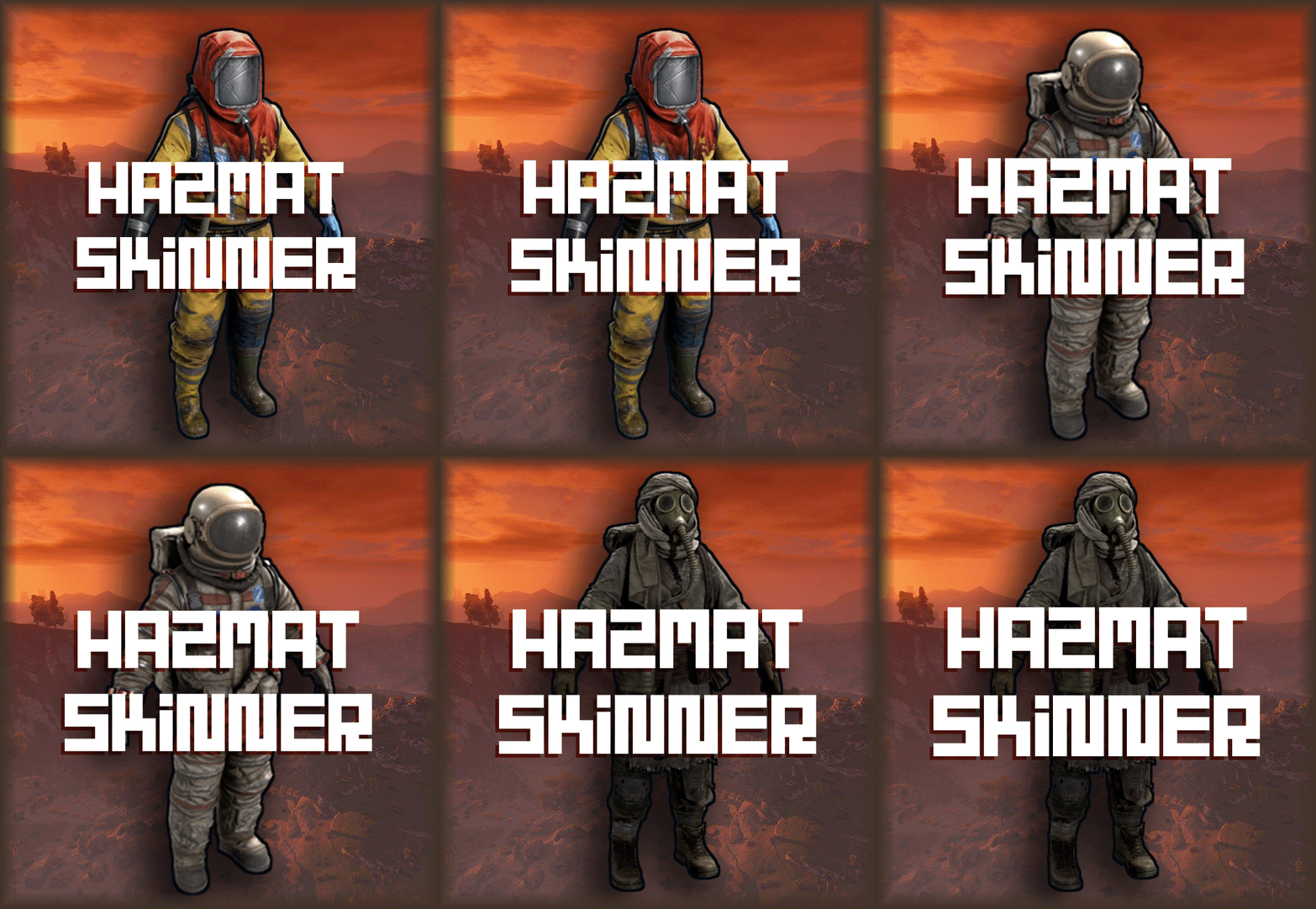
What's "Hazmat Skinner"? "Hazmat Skinner" is the ultimate tool for Rust players who crave unique hazmat skins. Whether you're an admin on a community server or a player, this plugin empowers you to take command of your in-game style. Key Features Easy Customization: Simply use the /hz command followed by the item name to transform your hazmat. No UI Required: Say goodbye to complex user interfaces – it's all done with commands! Permissions hazmatskinner.user: Grants access to the /hs command. Chat Commands /hs <Name>: Change the skin of the hazmat in your hand. List of names Hazmat Abyss Lumberjack Nomad Arctic Space Ninja (Skin cannot be moved back to hazmat or it will break). Surgeon (Skin cannot be moved back to hazmat or it will break). Bind to Your Preferences bind <key> "chat.say "/hs <Name>"" Upgrade your Rust experience today with "Hazmat Skinner" – the ultimate tool for hazmat customization!$10.99 -
 Yes, there are just plugins on the market that allow this feature with just a button. Out of my own need I created this plugin so that there is no need for UI. Additionally, if the player sets a bind command to sort, this sort is much faster than via any button.