
Mercury
-
Posts
823 -
Joined
-
Last visited
-
Days Won
10
Content Type
Profiles
Warranty Claims
Downloads
Forums
Store
Services
Downloads Plus Support
DOWNLOADS EXTRA
Everything posted by Mercury
-
 Unfortunately no, you won't be able to change the audio file yourself, because you need special software for that.
 -

Version 2.9.24
39 downloads
IQRates – an advanced and optimized rates system for your server! This plugin has proven itself since 2020 and remains a one-of-a-kind plugin for the rates system to this day. Feature List: Server Time Settings: Time Acceleration: Enable or disable time acceleration. This allows for faster day/night cycles and customizable durations. Time Freeze: Freeze time at a specific hour (e.g., 13:00). Useful for creating fixed time conditions on the server. Rates Settings: Base Rates: Configure rates for gathering, looting, picking up items, and fishing during day and night. For example, you can increase the yield from excavators or adjust quarry collection rates. Permission-Based Rates: Rates can vary depending on player privileges. For instance, players with specific permissions can receive increased rates. Rate Correction via Whitelist/Blacklist: Exclude certain items or categories (e.g., weapons or tools) from rate modifications using blacklists. Bonus Rate Settings: Post-Wipe Boosts: Activate bonus rates for a set duration after a server wipe. Day-Specific Bonuses: Set rate boosts for specific days of the week, with options to define start and end times. Furnace Settings: Furnace Acceleration: Enable or disable accelerated smelting, with adjustable values for privileged players. Furnace Blacklist: Define specific prefabs where acceleration should not apply. Full Support for Electric Furnaces & Other Electrical Systems. Vehicle Settings: Fuel Customization: Set standard fuel amounts for vehicles purchased from NPCs, including boats, helicopters, and submarines. Fuel Consumption Rates: Adjust fuel consumption for different vehicles. Recycler Acceleration Settings: Recycler Speed Boost: Modify the speed of item recycling, with options to apply boosts globally or based on permissions. Tea Acceleration Settings: Tea Mixing Speed Boost: Increase tea mixing speed for specific permission groups (e.g., VIP players). Tea Influence on Rates: Configure tea-based rate multipliers that grant gathering bonuses based on player privileges. Event Settings: Cargo Ship, Bradley Tank, Patrol Helicopter, Chinook, Airdrops: Configure unique spawn timers for each event, with options for fixed or randomized intervals. Example: Airdrops can spawn at fixed times or within a random time range. IQChat Integration: Custom Chat Features: Enable and configure avatars and prefixes for chat messages using the IQChat system. Supports Custom Chat Formatting, Prefixes, & Avatars.$18.49-
- 2
-

-
- #ratecontroller
- #rates
- (and 6 more)
-
 { "Use in-game chat notification to inform the player about melee combat [true - yes/false - no]": true, "Enable the ability to gather animals using hands [true - yes/false - no]": false, "Knockout settings": { "Enable knockout feature [true - yes/false - no] (Ragdolls must be enabled on the server)": true, "Chance to knock out the player": 10.0, "Minimum opponent HP required to activate knockout": 50 }, "Stamina settings for strikes": { "Enable `Stamina for strikes` [true - yes/false - no]": true, "Maximum stamina amount": 100, "Amount of stamina consumed per strike": 10, "Specify the UI type for `Stamina`. 0 - Above slots, 1 - Below `Satiety`, 2 - Below `Satiety` full width": 2 }, "Settings for disarming a player's weapon": { "Enable `Ability to disarm an opponent's weapon` [true - yes/false - no]": false, "Chance to disarm a weapon per strike": 5.5 }, "Settings for disarming an NPC's weapon": { "Enable `Ability to disarm an opponent's weapon` [true - yes/false - no]": false, "Chance to disarm a weapon per strike": 5.5 }, "Settings for integration with IQChat": { "IQChat: Prefix": "[<color=#1F6BA0>IQHandFight</color>]\n", "IQChat: Avatar [Steam64ID]": "0" }, "Damage Setting": { "Additional damage while jumping": { "Minimum damage per hit": 0.5, "Maximum damage per hit": 2.5 }, "Damage when hitting a player": { "Minimum damage per hit": 1.0, "Maximum damage per hit": 10.0 }, "Damage when hitting an NPC": { "Minimum damage per hit": 5.0, "Maximum damage per hit": 20.0 }, "Damage when hitting animals": { "Minimum damage per hit": 5.0, "Maximum damage per hit": 20.0 }, "Damage when hitting barrels": { "Minimum damage per hit": 5.0, "Maximum damage per hit": 20.0 }, "Setting up counter damage per hit": { "Counter damage for a hit": { "Minimum damage per hit": 0.5, "Maximum damage per hit": 3.0 }, "Additional counter damage for a hit while jumping": { "Minimum damage per hit": 0.5, "Maximum damage per hit": 1.0 } } } } Configuration
 -
 Yes
Yes -
Unfortunately, animations cannot be implemented.
-
Version 1.2.3
28 downloads
IQHandFight – Melee Combat System for RUST! Add a new combat mechanic for your players! Melee combat is a great addition to RUST, and your players will love it! Plugin Installation: When downloading the resource, you receive an archive containing the plugins and data folders. - Move the file from the "data" folder strictly to the path as in the archive: oxide/data/IQSystem/IQHandFight. - If any of these files are missing on your server, create them manually. - Move IQHandFight.cs from the "plugins" folder strictly to the path as in the archive: oxide/plugins. Note for users using the "Web File Editor" on hosting services: Before transferring files, extract the archive to a convenient location on your device and then transfer the files from there. Feature List: Knockout: The ability to knock out a player, causing them to fall to the ground! This feature can be configured in the settings. Damage System: Random Damage Distribution: Each hit deals random damage within a specified range, adding dynamism and unpredictability to combat. Reverse Damage: When attacking, the player also receives slight damage — punches cause minor self-inflicted damage. Bleeding Effect: Each hit causes minor bleeding that accumulates over time, intensifying combat dynamics and adding an element of unpredictability. Jump Attack: If a player strikes while jumping, they deal slightly increased damage. Visual and Sound Effects: Each hit is accompanied by a variety of visual and sound effects, enhancing the combat experience and making fights more immersive. Stamina System: Each attack consumes a certain amount of stamina. When fully depleted, the player cannot attack and must rest. Stamina regenerates progressively — the less active the player is in combat, the faster it recovers. The stamina system has three different UI placements, which can be adjusted in the configuration. Who Can Be Attacked: Players can land hits on: Players, NPCs, Animals, Barrels Animal Harvesting: The plugin supports harvesting animals with bare hands. While it provides only a small portion of resources, it still allows players to gather materials even without tools! Weapon Disarm System: This feature allows players to knock weapons out of the hands of opponents, including both other players and NPCs. This mechanic introduces an element of surprise and opens up new tactical opportunities in combat. The chance of disarming an opponent and the ability to enable or disable this feature are fully configurable. Configuration : { "Use in-game chat notification to inform the player about melee combat [true - yes/false - no]": true, "Enable the ability to gather animals using hands [true - yes/false - no]": false, "Knockout settings": { "Enable knockout feature [true - yes/false - no] (Ragdolls must be enabled on the server)": true, "Chance to knock out the player": 10.0, "Minimum opponent HP required to activate knockout": 50 }, "Stamina settings for strikes": { "Enable `Stamina for strikes` [true - yes/false - no]": true, "Maximum stamina amount": 100, "Amount of stamina consumed per strike": 10, "Specify the UI type for `Stamina`. 0 - Above slots, 1 - Below `Satiety`, 2 - Below `Satiety` full width": 2 }, "Settings for disarming a player's weapon": { "Enable `Ability to disarm an opponent's weapon` [true - yes/false - no]": false, "Chance to disarm a weapon per strike": 5.5 }, "Settings for disarming an NPC's weapon": { "Enable `Ability to disarm an opponent's weapon` [true - yes/false - no]": false, "Chance to disarm a weapon per strike": 5.5 }, "Settings for integration with IQChat": { "IQChat: Prefix": "[<color=#1F6BA0>IQHandFight</color>]\n", "IQChat: Avatar [Steam64ID]": "0" }, "Damage Setting": { "Additional damage while jumping": { "Minimum damage per hit": 0.5, "Maximum damage per hit": 2.5 }, "Damage when hitting a player": { "Minimum damage per hit": 1.0, "Maximum damage per hit": 10.0 }, "Damage when hitting an NPC": { "Minimum damage per hit": 5.0, "Maximum damage per hit": 20.0 }, "Damage when hitting animals": { "Minimum damage per hit": 5.0, "Maximum damage per hit": 20.0 }, "Damage when hitting barrels": { "Minimum damage per hit": 5.0, "Maximum damage per hit": 20.0 }, "Setting up counter damage per hit": { "Counter damage for a hit": { "Minimum damage per hit": 0.5, "Maximum damage per hit": 3.0 }, "Additional counter damage for a hit while jumping": { "Minimum damage per hit": 0.5, "Maximum damage per hit": 1.0 } } } }$9.99- 5 comments
-
- 3
-
-
- #handfight
- #hand
- (and 5 more)
-
 You don't have to write about it everywhere, when I see the message, I will reply. I told you in the help center that it was caused by the TargetableDrones update.
 -
Data about bears is saved when the plugin is uploaded and every save on the server. I checked on my local server and everything is fine.
-
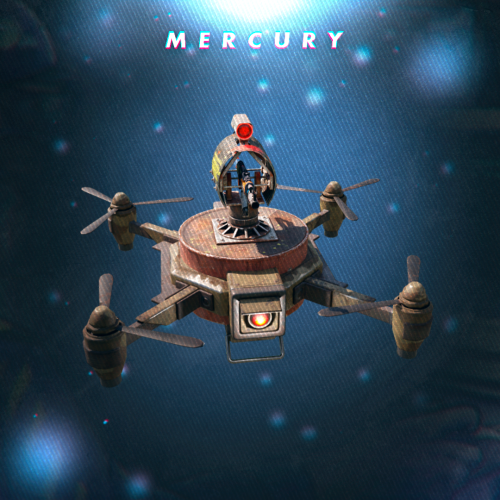 Yes, they shouldn't be, my plugin attacks everyone without exception. If the NPC does not attack the drone, then another plugin, TargetablesDrone, is responsible for this (this is not my plugin, I just made support for it). You most likely need to contact the developers of these plugins with this question.
 -
 Yes
Yes -
What are you talking about? My drone plugin attacks all NPCs without exception, if some NPCs from other plugins are not attacked, then you need to contact the developer of the NPC plugin, he probably controls the turrets to prohibit their attacks.
-
1.Open the IQDronePatrol.cs plugin 2. Find and set it to false private const Boolean useXmasVisual = true;
- 50 comments
-
- 1
-
-
- #drone
- #dronepatrol
- (and 8 more)
-
 There is a built-in translation in the chat. Russian Russian translation: For example, if a person with a game client is in Russian and another Russian person writes to him, the translation will not be performed for him. The translation will be performed only for those who have a different language of the game client from the original message.
- 145 comments
-
- 1
-
-
- #chatsystem
- #chat
- (and 11 more)
-
IQFakeActive and IQRankSystem are my separate plugins, they are not published on this site.
- 145 comments
-
- 1
-
-
- #chatsystem
- #chat
- (and 11 more)
-
They can only lose interest if the player is able to escape from them or hide
- 50 comments
-
- 1
-
-
- #drone
- #dronepatrol
- (and 8 more)
-
 You don't have to use it, the plugin already has the entire loot setup.
 -
 This plugin was intended for small social surveys, I think creating pages will be too difficult for users and will spoil the user experience with interaction, because it will be difficult to evaluate work on different pages
 -
Yes, of course, you can use any of your images, but keep in mind that you can make a limited number of choices for one vote, 6 voting options per page
-
This function is available, there is an item in the configuration : "Setting the mention format in the chat, via @"
- 145 comments
-
- 1
-
-
- #chatsystem
- #chat
- (and 11 more)
-
 I'm not sure if this can work, send a link to this plugin, I'll see if it's possible
- 11 comments
-
- 1
-
-
- #bikes
- #modularcar
- (and 9 more)
-
 The plugin sorts everything according to the free space in the container and the amount that your stacks support Configuration : { "Setting up the shift of the UI position in the inventory": { "Left offset (-N), Right offset (N)": 0.0, "Up offset (-N), Down offset (N)": 0.0 }, "Setting up the shift of the UI position in the storage container": { "Left offset (-N), Right offset (N)": 0.0, "Up offset (-N), Down offset (N)": 0.0 }, "Setting up the shift of the UI position in the oven": { "Left offset (-N), Right offset (N)": 0.0, "Up offset (-N), Down offset (N)": 0.0 }, "Setting up the sorting order": [ "Weapon", "Attire", "Tool", "Ammunition", "Construction", "Items", "Resources", "Component", "Medical", "Food", "Traps", "Electrical", "Mics", "Fun" ] }