
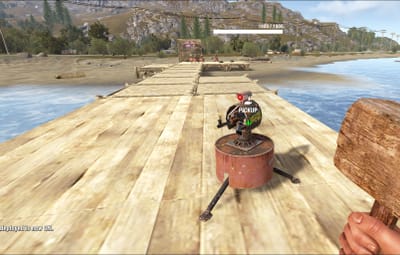
About Wireless Power (✅️ Gesture Support)
xWirelessPower
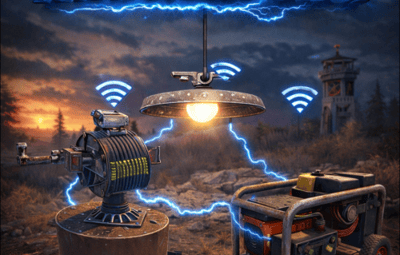
xWirelessPower transforms how players interact with electrical devices (IO Entities).
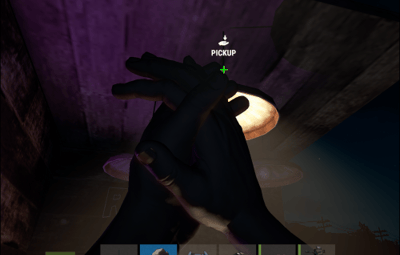
Instead of running back to switches, rewiring circuits, or building complex control rooms, players can directly toggle supported powered entities simply by looking at them and using a command or even with doing a clap gesture - Creating a smoother, more responsive way to manage base systems.
In short: You can simply use electrical item (IO Entities) like ceiling light, sprinkler, auto turret etc. without requireing any wire or power.
 Features
 Instant Wireless Control
- Turn configured devices (IO Entities) ON or OFF just by looking at them with using a command or even using the clap gesture - No switches or wiring changes needed.
 Optional Team Access
- Let teammates manage shared systems for easier group gameplay.
 Perfect for Base Management
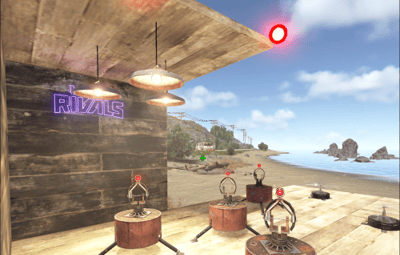
- Quickly control turrets, lights, signs, sprinklers, and more without running around your base.
 Faster Reaction During Raids
- Activate defenses or adjust systems instantly when every second counts.
 Fully Customizable
- Server owners can choose which devices are controllable and how the system behaves through config or even with chatcommadn "whoami". ShortPrefabName gets printed and saves it automatically to the confing with default value "false".
 Permission Support
- Grant access to specific groups like VIPs, admins, or trusted players.
 Optional Auto Power On
- Devices can automatically turn on when placed for smoother setup.
 Performance Friendly
- Runs efficiently with minimal impact on server performance.
 Plugin Preview
 Chat Commands
/power - Toggle the IOEntity you’re looking at.
/powerall - Toggles all IO entities you’re looking at. For example, when powerall is turned on and you look at an auto turret, all auto turrets will be turned off.
/whoami - Prints the looked-at entity’s ShortPrefabName and adds it to your IOEntities list in config (default value = true).
 Permission
xwirelesspower.toggle - If 'UsePermission' is true, permission is needed.
Config
{
  "ToggleCommand": "power",
  "PowerAllCommand": "powerall",
  "GetItemNameCommand": "whoami",
  "UsePermission": false,
  "PermissionName": "xwirelesspower.toggle",
  "AllowTeamToggle": false,
  "RequireToolCupboard": false,
  "MaxDistanceToggle": 5.0,
  "AutoTurnOn": true,
  "TurnOnOffWithClappingGesture": true,
  "IOEntities": {
    "autoturret_deployed": true,
    "ceilinglight.deployed": true,
    "neonsigntr.deployed": true,
    "electric.sprinkler.deployed": true
  },
  "PermissionBasedIOEntities": {
    "xwirelesspower.vip": [
      "fridge.deployed"
    ],
    "xwirelesspower.vip2": [
      "electricfurnace.deployed",
      "electricfurnace.io"
    ]
  }
}
- You can add as many IOEntities as you want, to get the correct name of it, just spawn/place it -> Look at it -> Use ChatCommand '/whoami' and add that shortname to your IOEntities list.
- ToggleCommand - Chat command players use to turn IO Entity on/off.
- PowerAllCommand - Chat command players can toggle to turn all IO Entities from same name on/off.
- GetItemNameCommand - Admin command to see the IO Entity internal name (ShortPrefabName), also saves that viewed at IOEntity automatically to config with default value "false".
- UsePermission - If ON, only players with permission has access to this wireless power system.
- PermissionName - The permission name.
- AllowTeamToggle - Lets teammates toggle each other’s IO Entities.
- RequireToolCupboard - Wirless Power does only work if within a tool cupboard.
- MaxDistanceToggle - How close you must be to toggle (in meters).
- AutoTurnOn - Devices turn on automatically when placed.
- TurnOnOffWithClappingGesture - As the config says, use any gesture to toggle IO Entity.
- IOEntities - List of devices that wireless power works with (true = enabled).
 Localization (If you want to disable a message just use empty value "")
{
  "NotAllowed": "You are not allowed to use this command.",
  "LookAtEntity": "You're not looking at an entity.",
  "AddedConfigEntries": "Added to config with default value true: {0}",
  "DetectedShortnames": "Detected shortnames: {0}",
  "PowerAllNoEntity": "You're not looking at a valid wireless entity, or you lack the required permission.",
  "PowerAllNoMatches": "No matching IOEntities could be toggled.",
  "PowerAllResult": "{0}: {1} entities are now {2}.",
  "NoEnabledEntity": "No enabled wireless IO entity was found for that deployable, or you lack the required permission.",
  "NotOwner": "You can only toggle your own IOEntity.",
  "NoEntitiesToggled": "No IOEntities could be toggled.",
  "ToggleAllResult": "{0}: {1} entities are now {2}.",
  "ToggleSingleResult": "{0} is now {1}.",
  "DisabledInConfig": "{0} is disabled in config.",
  "CupboardRequired": "A nearby tool cupboard is required to use wireless power."
}