Jump to content
Message added by tofurahie,

PERSONAL WEATHER
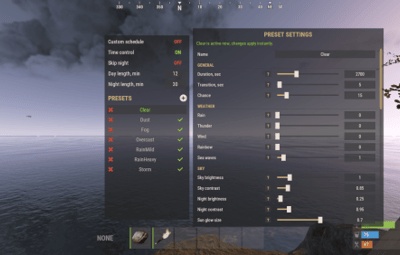
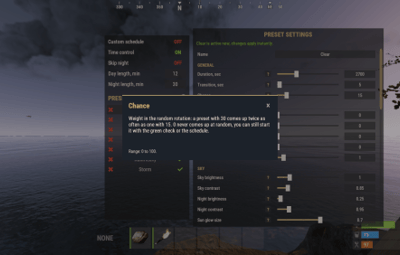
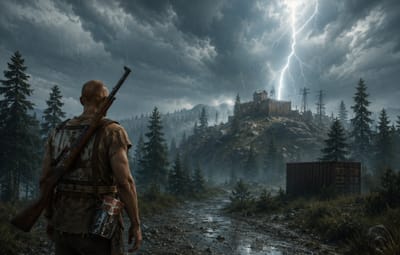
Players with the weather.personal permission can pick their own weather with /myweather and keep it independently from the server weather, while everyone else still sees the server one. You can restrict which presets they may choose in the config.

4 Screenshots
  • 108k
  • 3.4k
  • 179.71 kB
  • Update details
    v3.2.2
    Released
    Download size 179.71 kB
    Total versions 40
    Typical update pace About every 8 days
    Freshness Updated today

This area is for discussion and questions. Please use the support area for reporting issues or getting help.

Recommended Comments


jestermgee

Posted

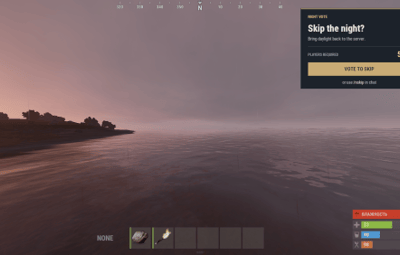
Is there a way to disable the popup box for skip day and simply have the chat message appear and maybe flash up every 30 seconds as I find the skip night popup box a little obtrusive?

tofurahie

Posted

10 hours ago, jestermgee said:

Yeah I had the same when setting up a preset, when I recalled a dark preset it caused things to just flash. I have a feeling some variables are going outside the ranges they should be held within and causing issues somewhere. 

EDIT: So I trhink the issue is actually some settings do not seem to update/apply until your character actually moves. I've figured when I adjust some things where I expect a result and nothing happens I have to exit the GUI then go on a short run and then it slowly updates the value. THis can cause issues if you adjust things too much and then  save the preset without testing first, when you reload it the settings are extreme. Since knowing this  it's now working much more reliable but it is a little painful to generate presets this way. 

Please create a support ticket and send your config file so i can test it.

jestermgee

Posted

6 hours ago, tofurahie said:

Please create a support ticket and send your config file so i can test it.

Hmmm, I created 2 tickets and they don't seem to be listed. Strange. 

Anyway, this flashing issue I cannot sewnd the config as I deleted the preset and have created others now. 

I note that the adjustments are a little "buggy" in that some do not seem to work at all (like any of the sliders affecting night time as noghts even with the moon are black ground) and some don't appear to work when you adjust them but will apply when you exit the editor and start to move. This is what has created me so many initial issues. I have also had cases where adjusting some parameters to test would seemingly cause it to stop working completely, no adjustments seem to work until you exit and re-enter the editor. 

Create an account or sign in to comment

You need to be a member in order to leave a comment

Create an account

Sign up for a new account in our community. It's easy!

Register a new account

Sign in

Already have an account? Sign in here.

Sign In Now
  • Like 6
  • Love 7

User Feedback

About Us

Codefling is the largest marketplace for plugins, maps, tools, and more, making it easy for customers to discover new content and for creators to monetize their work.

Downloads
3.3m
Total downloads
Customers
12.4k
Customers served
Files Sold
175.8k
Total sales
Payments
3.8m
Processed total
×
×
  • Create New...

Important Information

We have placed cookies on your device to help make this website better. You can adjust your cookie settings, otherwise we'll assume you're okay to continue.