Jump to content

1 Screenshot

  • 192.9k
  • 4.6k
  • 24.65 kB
  • Update details
    v1.4.6
    Released
    Download size24.65 kB
    Total versions31
    Time between versions 2 days
    Typical update pace About every 61 days
    Freshness Updated today

This area is for discussion and questions. Please use the support area for reporting issues or getting help.

Recommended Comments


Maximo

Posted

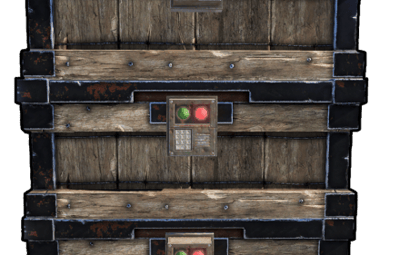
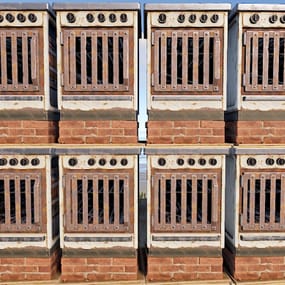
Can you add the new boxes to the plugin? Much appreciated, thanks.

  • Love 1
supreme

Posted

8 hours ago, Maximo said:

Can you add the new boxes to the plugin? Much appreciated, thanks.

The next update should allow adding any box storage type and their configurable stacking position so we can avoid long waiting times when new boxes are released

  • Love 1
aimacak

Posted (edited)

19 hours ago, supreme said:

The next update should allow adding any box storage type and their configurable stacking position so we can avoid long waiting times when new boxes are released

And if you can, work on changing their skin, I think there may be some difficulties with this, because the new boxes have a new shortname 😞

Edited by aimacak
supreme

Posted

46 minutes ago, aimacak said:

And if you can, work on changing their skin, I think there may be some difficulties with this, because the new boxes have a new shortname 😞

All of that was fixed, the major overhaul should be released tonight

  • Love 1
Papa Bear

Posted (edited)

Quote


Post Removed by Papa Bear


Edited by Papa Bear
aimacak

Posted

@supreme
Thanks for update 😉
Are there any serious reasons to prohibit us from putting different crates on top of each other?

image.png

aimacak

Posted

@supreme
Thanks again for the update 😉
What about changing the crates skins that are installed on a different crate? I guess there's a lot of work involved, but can we hope to add that?

MetalHead

Posted (edited)

@supreme

Since the update, this is causing issues with Skinbox. Before this plugin was updated you could skin the bottom box, middle box and top box with 3 different skins and all would skin perfectly. Now, if you skin say the bottom box, all 3 change to that skin, If you skin the middle box the top 2 use the same skin. Also if you want to change the skin back to match a set for example, you need to use a completely different skin before changing it back to the skin you want.

Edited by MetalHead
  • Like 2
Dr.D.Bug

Posted (edited)

1 hour ago, MetalHead said:

@supreme

Since the update, this is causing issues with Skinbox. Before this plugin was updated you could skin the bottom box, middle box and top box with 3 different skins and all would skin perfectly. Now, if you skin say the bottom box, all 3 change to that skin, If you skin the middle box the top 2 use the same skin. Also if you want to change the skin back to match a set for example, you need to use a completely different skin before changing it back to the skin you want.

Just posted the same issue at Skinner plugin

Edited by Dr.D.Bug
rex

Posted

mois aussi  sa le fait   je ne vois quoi  fair merci  

Create an account or sign in to comment

You need to be a member in order to leave a comment

Create an account

Sign up for a new account in our community. It's easy!

Register a new account

Sign in

Already have an account? Sign in here.

Sign In Now
  • Like 5
  • Love 4

User Feedback

2.3m

Downloads

Total number of downloads.

10.6k

Customers

Total customers served.

152.8k

Files Sold

Total number of files sold.

3.3m

Payments Processed

Total payments processed.

×
×
  • Create New...

Important Information

We have placed cookies on your device to help make this website better. You can adjust your cookie settings, otherwise we'll assume you're okay to continue.