
Vinni_TV_'s Wishlist
-
.thumb.gif.09c09d0062e9a3d19b233e447f83419c.gif)
$15.00
Better Backpacks
Maximum optimized solution without the possibility of duping. One backpack - one container.
This is an important feature because it ensures that each backpack has its own unique container and eliminates the possibility of incorrectly duplicating items. No data files or similar things are used. Backpacks and items are saved in the original way of the game.
This provides efficient management of backpacks and items in the game without the need for complex or additional file systems. Backpacks are physical items and there can be multiple pieces of them.
This is essential for creating a realistic game experience where players can have multiple backpacks in their inventory. Backpacks can be of all capacities, types (item or liquid) and for different purposes.
This enhances the gameplay experience by allowing players to choose backpacks based on their specific needs. Autoloot feature in backpacks is present (customizable for each backpack). Items will go straight into the backpack when picked up.
This feature makes gameplay easier by allowing items to go straight into the backpack you are wearing without additional actions. Backpack cooking feature is present (customizable for each backpack). Melts and roasts items inside the backpack. The function matches the original mechanics of the stove.
This feature adds an additional gameplay element by allowing players to cook food and recycle items directly inside the backpack. The backpack lies in the parachute slot and is displayed on the player.
This feature allows the backpack to be worn on the back without taking up inventory space, as well as being visually displayed to players. The backpack has several ways to open.
The first through a button in the interface when selecting an item, this allows you to effectively move between backpacks and inspect them even in the box.
The second through a command if the player has the appropriate permission. The opening will be done for an equipped backpack. Each backpack has its own shortname and itemid.
This helps in easy management and customization. Each backpack has a black sheet and a white sheet, allowing you to create a variety of backpacks for different scenarios as flexibly as possible. There is an option to return backpacks after death. This helps to save players' progress and prevents the loss of backpacks in case of unexpected situations. It is possible to limit the number of backpacks in the inventory, set the maximum stack in the container, as well as customize the maximum stack for items. These parameters allow you to carefully control the number of backpacks in the inventory and items in them, which is important for the balance of gameplay. Installation:
The plugin necessarily needs the CustomItemDefinitions plugin, so the first thing we do is download and install it by throwing it into the oxide/plugins folder
Link to the plugin: https://codefling.com/extensions/custom-item-definitions
After purchase, download and install this plugin by dropping it into the oxide/plugins folder
Quick Start:
In the default configuration 7 different backpacks are available, their shortnames and itemid can be viewed in the config.
Quick grant important permissions:
Allow players to use the autoloot and furnace functions if they are present in a particular backpack
o.grant group default betterbackpacks.autoloot.allow o.grant group default betterbackpacks.furnace.allow Allow players to open an equipped backpack on command
o.grant group default betterbackpacks.commands.open.allow Permission to enable Sortify plugin functionality:
betterbackpacks.sortify.use o.grant group default betterbackpacks.sortify.use The full version is available here:
Permission to return all backpacks after death:
betterbackpacks.always_reclaim o.grant group admin betterbackpacks.always_reclaim
Permissions and their descriptions:
betterbackpacks.commands.open.allow - Allows the use of a command to open an equipped backpack betterbackpacks.sortify.use - Use the functionality of the Sortify plugin, full version here betterbackpacks.backpackslimit.bypass - Bypass the maximum number of backpacks in inventory (for admins). betterbackpacks.autoloot.allow - Allow to use autoloot function if it is present in a particular backpack. betterbackpacks.autoloot.any - Adds autoloot feature for all backpacks. betterbackpacks.furnace.allow - Allow to use the furnace function if it is present in a specific backpack. betterbackpacks.furnace.any - Adds the furnace function to all backpacks. betterbackpacks.always_reclaim - Returns all backpacks on death Commands to open an equipped backpack:
Console command - backpack.open (no delay) Chat command - /backpack (delay 0.2 seconds to wait for chat opening to close)
More details about the functions and their customization:
Control the number of max amount backpacks in player inventory.
Control the ability to put backpacks in backpacks.
Here you need to specify the shortname for a particular customized backpack, it will be used in the issue or specified in other plugins. Do not be afraid to specify it in other plugins, it will work.
IMPORTANT: do not specify here shortnames of original items, this field is for a new shortname of a new item. Nothing bad will happen, it will report in the console and remove the backpack from the config.
This field is not used for editing, it is an auto-generated field. This field is for copying and specifying in other plugins.
Default name for the item. Further the name for different languages is customized in lang files.
The skin that will be given to the new item, you can specify the same ones, the plugin does not use the SkinID for identification.
The parameter of the capacity of the backpack. You can specify any, but within reasonable limits, do not specify billions or it may kill your server.
Set this to true if you want the backpack to be returned to the player after death.
Specify here true if you want the backpack to be returned only if equipped.
Container type for the backpack, use 1 for general (default), 2 for liquid.
Parameter to limit the maximum stack size for items in the container. This is not a hard limit, the minimum number for this parameter and the default stack is used. If you need to hard limit, add the items you want to "Max stacks by shortname"
Selects a list to restrict items. Types:
Blacklist allows all items except the specified items.
White list allows only the specified items.
A list of items for the specified item list in the "Use list (0 - None | 1 - Whitelist | 2 - Blacklist)" field.
Example and description:
"Item list to exclude (for whitelist/blacklist)." [ { "Shortname": "stones", // Item Shortname "SkinID (negative value = any)": -1 // If it is -1, then the item is with any skin, if a specific one is specified, then only with that skin. }, { }, { "shortname": "sulfur.ore", "SkinID (negative value = any)": -1 }, ], Parameter to enable the autoloot feature.
To work the player must have the permission "betterbackpacks.autoloot.allow" or "betterbackpacks.autoloot.any".
Once enabled, the player must wear the desired backpack and then all items that will fall into the player's inventory will be in the backpack.
This works with mining and picking up items.
Parameter to enable the furnace function.
The player must have the "betterbackpacks.furnace.allow" or "betterbackpacks.furnace.any" permission present for it to work.
For this to work, the player must have wood in his backpack.
Works similarly to how a furnace works.
It takes combustible material and melts what can melt, there is an opportunity to change the maximum number of simultaneously cooked items in the oven
Max number of simultaneously cooked items in the furnace in the backpack.
List for hard limit of stacks for an item by shortname in the format "shortname": stack size
Example:
{ "shortname1": 1000, "shortname2": 1 }
Default config:
{ "General": { "Max amount backpacks in player inventory (minimum 1)": 100, "Prohibit putting backpacks in backpacks?": true }, "Backpacks (Add new ones at the bottom)": [ { "Unique new item shortname": "backpack.admin", "ItemId (DO NOT MODIFY THIS FIELD!)": -1878567520, "Backpack Setting": { "Name": "Admin Backpack", "SkinID (you can use the same ones for several backpacks)": 3050740532, "Capacity": 1000, "Reclaim after death": true, "Reclaim only if equipped": false, "Contents Type (1 - General | 2 - Liquid)": 1, "Container Max Stack Size (0 = default)": 0, "Use list (0 - None | 1 - Whitelist | 2 - Blacklist)": 0, "Item list to exclude (for whitelist/blacklist)": [], "Components": { "Auto-Loot": true, "Furnace": true, "Max number of simultaneously cooked items in the furnace": 3 }, "Max stacks by shortname": {} } }, { "Unique new item shortname": "backpack.small", "ItemId (DO NOT MODIFY THIS FIELD!)": -1093698081, "Backpack Setting": { "Name": "Small Backpack", "SkinID (you can use the same ones for several backpacks)": 3032442379, "Capacity": 6, "Reclaim after death": false, "Reclaim only if equipped": false, "Contents Type (1 - General | 2 - Liquid)": 1, "Container Max Stack Size (0 = default)": 0, "Use list (0 - None | 1 - Whitelist | 2 - Blacklist)": 0, "Item list to exclude (for whitelist/blacklist)": [], "Components": { "Auto-Loot": true, "Furnace": false, "Max number of simultaneously cooked items in the furnace": 3 }, "Max stacks by shortname": {} } }, { "Unique new item shortname": "backpack.large", "ItemId (DO NOT MODIFY THIS FIELD!)": -717465782, "Backpack Setting": { "Name": "Large Backpack", "SkinID (you can use the same ones for several backpacks)": 3032442379, "Capacity": 48, "Reclaim after death": false, "Reclaim only if equipped": false, "Contents Type (1 - General | 2 - Liquid)": 1, "Container Max Stack Size (0 = default)": 0, "Use list (0 - None | 1 - Whitelist | 2 - Blacklist)": 0, "Item list to exclude (for whitelist/blacklist)": [], "Components": { "Auto-Loot": true, "Furnace": true, "Max number of simultaneously cooked items in the furnace": 3 }, "Max stacks by shortname": {} } }, { "Unique new item shortname": "backpack.liquid", "ItemId (DO NOT MODIFY THIS FIELD!)": -1863402244, "Backpack Setting": { "Name": "Liquid Backpack", "SkinID (you can use the same ones for several backpacks)": 3050741122, "Capacity": 1, "Reclaim after death": false, "Reclaim only if equipped": false, "Contents Type (1 - General | 2 - Liquid)": 2, "Container Max Stack Size (0 = default)": 10000, "Use list (0 - None | 1 - Whitelist | 2 - Blacklist)": 0, "Item list to exclude (for whitelist/blacklist)": [], "Components": { "Auto-Loot": false, "Furnace": false, "Max number of simultaneously cooked items in the furnace": 3 }, "Max stacks by shortname": {} } }, { "Unique new item shortname": "backpack.comp", "ItemId (DO NOT MODIFY THIS FIELD!)": -1167179500, "Backpack Setting": { "Name": "Component Backpack", "SkinID (you can use the same ones for several backpacks)": 3050740925, "Capacity": 12, "Reclaim after death": false, "Reclaim only if equipped": false, "Contents Type (1 - General | 2 - Liquid)": 1, "Container Max Stack Size (0 = default)": 0, "Use list (0 - None | 1 - Whitelist | 2 - Blacklist)": 1, "Item list to exclude (for whitelist/blacklist)": [ { "Shortname": "gears", "SkinID (negative value = any)": -1 }, { "Shortname": "scrap", "SkinID (negative value = any)": -1 }, { "Shortname": "fuse", "SkinID (negative value = any)": -1 }, { "Shortname": "tarp", "SkinID (negative value = any)": -1 }, { "Shortname": "rope", "SkinID (negative value = any)": -1 }, { "Shortname": "sewingkit", "SkinID (negative value = any)": -1 }, { "Shortname": "techparts", "SkinID (negative value = any)": -1 }, { "Shortname": "riflebody", "SkinID (negative value = any)": -1 }, { "Shortname": "smgbody", "SkinID (negative value = any)": -1 }, { "Shortname": "semibody", "SkinID (negative value = any)": -1 }, { "Shortname": "sheetmetal", "SkinID (negative value = any)": -1 }, { "Shortname": "roadsigns", "SkinID (negative value = any)": -1 }, { "Shortname": "metalpipe", "SkinID (negative value = any)": -1 }, { "Shortname": "metalspring", "SkinID (negative value = any)": -1 }, { "Shortname": "metalblade", "SkinID (negative value = any)": -1 }, { "Shortname": "propanetank", "SkinID (negative value = any)": -1 } ], "Components": { "Auto-Loot": true, "Furnace": false, "Max number of simultaneously cooked items in the furnace": 3 }, "Max stacks by shortname": {} } }, { "Unique new item shortname": "backpack.wood", "ItemId (DO NOT MODIFY THIS FIELD!)": -16063997, "Backpack Setting": { "Name": "Wood Backpack", "SkinID (you can use the same ones for several backpacks)": 3050741444, "Capacity": 16, "Reclaim after death": false, "Reclaim only if equipped": false, "Contents Type (1 - General | 2 - Liquid)": 1, "Container Max Stack Size (0 = default)": 0, "Use list (0 - None | 1 - Whitelist | 2 - Blacklist)": 1, "Item list to exclude (for whitelist/blacklist)": [ { "Shortname": "wood", "SkinID (negative value = any)": -1 } ], "Components": { "Auto-Loot": true, "Furnace": false, "Max number of simultaneously cooked items in the furnace": 3 }, "Max stacks by shortname": {} } }, { "Unique new item shortname": "backpack.ore", "ItemId (DO NOT MODIFY THIS FIELD!)": 1211853999, "Backpack Setting": { "Name": "Ore Backpack", "SkinID (you can use the same ones for several backpacks)": 3050741346, "Capacity": 32, "Reclaim after death": false, "Reclaim only if equipped": false, "Contents Type (1 - General | 2 - Liquid)": 1, "Container Max Stack Size (0 = default)": 0, "Use list (0 - None | 1 - Whitelist | 2 - Blacklist)": 1, "Item list to exclude (for whitelist/blacklist)": [ { "Shortname": "stones", "SkinID (negative value = any)": -1 }, { "Shortname": "sulfur.ore", "SkinID (negative value = any)": -1 }, { "Shortname": "hq.metal.ore", "SkinID (negative value = any)": -1 }, { "Shortname": "metal.ore", "SkinID (negative value = any)": -1 } ], "Components": { "Auto-Loot": true, "Furnace": true, "Max number of simultaneously cooked items in the furnace": 3 }, "Max stacks by shortname": {} } } ], "This is an example from which you can take parts and put them into the backpacks you want.": { "Unique new item shortname": "backpack.example", "ItemId (DO NOT MODIFY THIS FIELD!)": -1265413270, "Backpack Setting": { "Name": "Example backpack to copy-paste parts", "SkinID (you can use the same ones for several backpacks)": 3032442379, "Capacity": 777, "Reclaim after death": false, "Reclaim only if equipped": false, "Contents Type (1 - General | 2 - Liquid)": 1, "Container Max Stack Size (0 = default)": 0, "Use list (0 - None | 1 - Whitelist | 2 - Blacklist)": 1, "Item list to exclude (for whitelist/blacklist)": [ { "Shortname": "flower", "SkinID (negative value = any)": -1 }, { "Shortname": "pokemon", "SkinID (negative value = any)": -1 } ], "Components": { "Auto-Loot": true, "Furnace": false, "Max number of simultaneously cooked items in the furnace": 3 }, "Max stacks by shortname": { "shortname1": 1000, "shortname2": 1 } } } }
Default lang file:
{ "NO_PERM_TO_USE_COMMAND": "You dont have permission to use this command.", "backpack.small": "Small Backpack", "backpack.large": "Large Backpack", "backpack.liquid": "Liquid Backpack", "backpack.admin": "Admin Backpack", "backpack.comp": "Component Backpack", "NEED_EQUIPED_BACKPACK": "An equipped backpack is required to use the command.", "backpack.wood": "Wood Backpack", "backpack.ore": "Ore Backpack", "AUTOLOOT_BUTTON": "AUTO-LOOT", "COOK_BUTTON": "COOK", "backpack.test": "Test Backpack" } -
$12.99
Quarry Upgrades
By Iftebinjan in Plugins
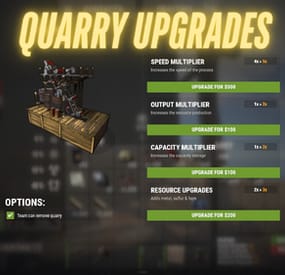
Upgrades the player placed mining quarry, turning them useful on your server.
Upgrade mining quarry speed, storage capacity, output multiplier & resources upgrades Get stones, metal ore, sulfur ore, HQM ore all from single quarry You can set a default value for the mining quarry from config You can enable/disable any features you want You can also remove and place it in another location with the attributes Option to keep attributes when removing the quarry Team options for individual quarry NOT SUPPORTED WITH PUMPJACK QUARRY
quarryupgrades.admin - Requires for admin to interact with the quarry quarryupgrades.use - Quarry upgrade permission quarryupgrades.upgradebutton - Upgrade button permission (Enable from config) quarryupgrades.statusui - Status UI permission (Enable from config) quarryupgrades.removequarry - Requires to remove the placed quarry quarryupgrades.surveycheck - Survey charge permission shows if quarry placeable in that area (Right click with a survey charge item in active hand)
- #quarry
- #mining quarry
- (and 7 more)
-
$15.00
Craft Panel
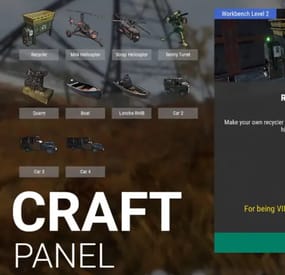
I present to you Craft Panel, an elegant and simple custom craft panel.
Before starting:
This mod works mainly with the help of other mods. Basically, the operation consists of configuring the necessary ingredients to obtain an item. Either by command of a third-party mod or a game item.
Video
The interface is based on three main blocks:
List of items to craft. Currently, the maximum be recommended that it be 16 items available. Since there is currently no implemented page (it will come in the future). Central information panel. You can write a more complete title, assign a header image, set the Workbench requirement (whether it needs it or not), and set a description. Ingredients panel. Basically what players will need to craft each item.
Complete Configuration:
From the configuration, you can adjust the name of the Panel, as well as the colors of the buttons and text. Effect Sounds. We have 3 sounds for Crafting time, page change, etc. You can choose to disable all sounds or manually change it to another. Add new Items easily with the example structure, just duplicate and customize. (Requires a bit of knowledge in mod setup.) Discount for VIPS. Set a permission for VIPS to get a discount that you set.
Permissions and Command:
As a general rule, for players to have access to / craft, you must set the following permission: craftpanel.use
Regardless of that general permission, you must assign the user permissions for each item. Example:
craftpanel.rhib.use craftpanel.boat.use craftpanel.supercard.use ...
Future improvements:
Pagination of Items. (Ready) Make the interface modular, so that only one part is recharged. (Ready) Add Crafting time? Leave me your suggestion for improvement. Finally, as a detail, currently this mod does not use Data file, perhaps in the future with some new feature this will be implemented.
Config Example:
{ "Custom": { "Title": "Craft Panel", "ID Item Default": 1, "Show even if you don't have permissions (you won't be able to craft)": true, "Show button when opening Workbench": true, "Sound Effects": true, "Sound Prefab 1": "assets/prefabs/tools/keycard/effects/swipe.prefab", "Sound Prefab 2": "assets/bundled/prefabs/fx/build/promote_toptier.prefab", "Sound Prefab 3": "assets/prefabs/misc/xmas/presents/effects/wrap.prefab", "Permission Use /craft": "craftpanel.use", "Permission to show the Button in the Workbench": "craftpanel.btnworkbench", "Color Title": "1.00 1.00 1.00 0.43", "Color Button List": "0.3 0.40 0.3 0.60", "Color Title Item": "0.2 0.30 0.2 0.60", "Color Scrollbar": "0.15 0.25 0.15 0.8", "Color Button Craft": "0.80 1.00 0.50 0.10", "Color Background Panel": "0.2 0.23 0.2 0.40", "Color Text VIP": "0.90 0.80 0.04 1.00", "Color Text Amount": "1.00 1.00 1.00 1.00", "Color Text Amount VIP": "0.90 0.80 0.04 1.00", "GUI Button Close - Color": "0.90 0.20 0.20 0.50", "GUI Button Close - Font Size": 20, "GUI Button Close - AnchorMin": "0.45 0.7", "GUI Button Close - AnchorMax": "0.55 0.725", "Img Block Item": "https://img.rustspain.com/craftpanel/block.png" }, "Craft": [ { "ID": 1, "Enabled": true, "Short Name": "Recycler", "Full Name": "Recycler at Home", "Img Full": "https://i.imgur.com/wdVWxDB.jpg", "Img Icon": "https://i.imgur.com/Vgcfs3n.png", "Description": "Make your own recycler to install it on your base. You can collect it by hitting with the hammer.", "Description Font Size": 13, "Craft Result": { "Command (keep empty to create item)": "recycler.give {steamID}", "Shortname": "", "Name Default": false, "Amount": 0, "Skin ID": 0 }, "Permission Use": "craftpanel.recycler.use", "Permission VIP": "craftpanel.recycler.vip", "Permission No Cost": "craftpanel.recycler.nocost", "VIP discount: 10 = 10%": 10, "Require Workbench? 0 = NOT, 1 = Level 1,...": 2, "Items": [ { "Item": "metal.fragments", "Amount": 50000, "Skin ID": 0 }, { "Item": "metal.refined", "Amount": 300, "Skin ID": 0 }, { "Item": "gears", "Amount": 50, "Skin ID": 0 }, { "Item": "fuse", "Amount": 10, "Skin ID": 0 }, { "Item": "techparts", "Amount": 15, "Skin ID": 0 } ] }, { "ID": 2, "Enabled": true, "Short Name": "Mini Helicopter", "Full Name": "Mini Helicopter", "Img Full": "https://i.imgur.com/vnZND1c.jpg", "Img Icon": "https://i.imgur.com/qg9aIGz.png", "Description": "Because having your own Helicopters whenever you want is cool too.nCraft your Helis, put them away and take them out when you need them.", "Description Font Size": 13, "Craft Result": { "Command (keep empty to create item)": "portablevehicles.give {steamID} minicopter", "Shortname": "", "Name Default": false, "Amount": 0, "Skin ID": 0 }, "Permission Use": "craftpanel.miniheli.use", "Permission VIP": "craftpanel.miniheli.vip", "Permission No Cost": "craftpanel.miniheli.nocost", "VIP discount: 10 = 10%": 25, "Require Workbench? 0 = NOT, 1 = Level 1,...": 0, "Items": [ { "Item": "metal.fragments", "Amount": 5000, "Skin ID": 0 }, { "Item": "propanetank", "Amount": 10, "Skin ID": 0 }, { "Item": "gears", "Amount": 10, "Skin ID": 0 }, { "Item": "roadsigns", "Amount": 5, "Skin ID": 0 }, { "Item": "sheetmetal", "Amount": 10, "Skin ID": 0 } ] }, ... ] }
- #craft
- #craft menu
- (and 4 more)
-
$11.99
Notification System
By imthenewguy in Plugins
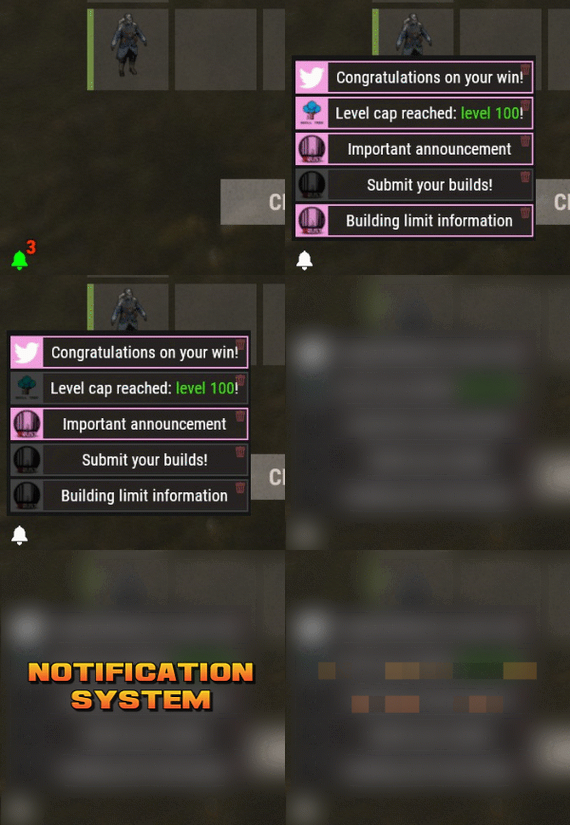
Notification Systems is a versatile plugin designed to deliver messages directly to players on your server — even when they’re offline.
Seamlessly integrate it into other plugins, such as Skill Tree, or trigger notifications manually through commands for complete flexibility.
Each notification can include a custom title, message, and an optional redemption button, giving you the power to reward players with items, currency, points, or trigger client-side commands — all tailored to your server’s needs.
The idea behind the plugin is to allow server owners to send critical information to players, with the option to run commands that target said players.
For example, you can send a notification to all players that have joined your server (regardless of their online status), with a redemption button that will give each of them 500 scrap.
The following commands can be run in your server console, or player console (with the notificationsystem.admin permission).
The commands are broken up in 3 sections: Title, body, redemptions, each of which is differentiated using "[]".
Parameters:
Userid: target player's Steam64 id. Message icon id: the skin id that you want to appear on the notification list. Setting to 0 will default to the message item id icon. Message item id: the item image you want to appear on the notification list (-769647921 = skull.trophy). Setting to 0 will default o the config icon. Title: Must be formatted with square brackets and surrounded by quotation marks like so: "[Title here]" Body: Must be formatted the same way as the title, with square brackets and quotation marks, like so: "[description here]" Redemptions: Must also have the square brackets and quotation marks, but also allow for an optional parameter of running it as a server command or client command.
Here is the formatting for running a server command: "[(inventory.giveto {id} scrap 500, true)]"
Here is the formatting for running a client command: "[(chat.say "/sprize", false)]"
Here is the formatting for running both: "[(inventory.giveto {id} scrap 500, true),(chat.say "/sprize", false)]"
Command: notification.add <userid> <message icon id> <message item id> "[Title]" "[Description]" "[(command1,bool:isServer)(command2,bool:isServer)]"
Command: notification.all <message icon id> <message item id> "[Title]" "[Description]" "[(command1,bool:isServer)(command2,bool:isServer)]"
Example of a full command:
notification.add 123445667878213 "[Title goes here]" "[Here is my message, there are many others like it, but this is mine]" "[(inventory.giveto {id} scrap 500. true)]" notification.all "[Title goes here]" "[Here is my message, there are many others like it, but this is mine]" "[(inventory.giveto {id} scrap 500. true)]"
void AddAll(string title, string body, int itemID, ulong picID = 0, string sprite = null, List<(string, bool)> commands = null) void Add(ulong id, string title, string body, int itemID, ulong picID = 0, string sprite = null, List<(string, bool)> commands = null)
- #notify
- #notification
- (and 7 more)
-

$10.00
WarnMenu
What is it?
A nice user-friendly warning system
Usage
When someone is breaking rules or trolling others just warn them, you can also set a command that will be executed through server console that will get executed upon reachin certain amount of warnings (can be configured in cfg)
Permissions
warnmenu.use -- Gives you full control to operate the WarnMenu
Chat command
/warn -- Opens the WarnMenu /warn "Name/SteamID" "Warning reason" -- Warns the specified player with your reason /warnmenu.save -- Force the plugin to write the data from memory to the data file /wmessage <NameOrID | * > <message> - Shows a gametip message (Doesn't count as a warning) to specific player or to all players when you put * instead of the name
Data files
All Data files can be located at: \oxide\data\WarnMenu\warns
There you can find all the warnings for each player
Features
WarnMenu features
* Online Tab - In this tab you can easily select any online player that you want to warn
* Search All Tab - Once you open this tab, there you can see all the players and browse in them
* Find player Tab - When you click on the button you will be able to search for a specific player using his Name or SteamID
Warn Types
* CUI-Based - A CUI warning message will pop-up on player's screen when he gets warned
* Chat-Based - A chat message will pop-up in player's chat when he gets warned
Executable commands
* On reaching certain amount of warnings, you can make the server execute a command on a player(configurable in cfg)
F.e.: "1": "say {0} just reached 1 warning! SHAME on him!", "3": "kick {0} Kicked for reaching 3 warnings",
Localization
{ "Syntax": "Commands:\n/report (Opens Reporter GUI)", "CUI Online": "Online Players", "CUI Player": "Player: {0}", "CUI SteamID": "SteamID64: {0}", "CUI Warnings": "Warnings: <color=#8f1919>{0}</color>", "CUI NewWarn": "New\nWarning", "CUI WarningID": "Warning ID: {0}", "CUI WarnedBy": "Warned by: {0}", "CUI Date": "Date: {0}", "CUI Reason": "Reason: \n{0}", "CUI Remove": "Remove", "CUI Close": "close", "CUI Warn": "Warn", "CUI WarnAddMenuPlayer": "Warning for\n<color=#d43939>{0}</color>", "CUI SearchAll": "Search All", "CUI SelectPlayer": "Select a player to warn:", "CUI Find": "Find player", "CUI Find2": "Select", "CUI Find3": "Find player:\n(steamID/Name)", "CUI CantFindPlayer": "Couldn't find the player\nsearching argument: {0}", "CUI FoundPlayer": "Found player: {0}", "CUI Refresh": "Refresh", "CantFindPlayer": "Couldn't find that player", "WarnMessage": "Warned: <color=#8f1919>{0}</color>\nReason: {1}", "JoinMessage": "{0} has joined with <color=#8f1919>{1}</color> warnings", "WarnReceive": "You have received a <color=#8f1919>warning</color>\nBy: {0}\nReason: {1}", "CUI WarnReceive": "<color=#8f1919>Warning</color>\nreceived", "CUI WarnReceive2": "By: {0}\nReason: {1}" }
Configuration
{ "Announce on join with warnings?(to admins)": true, "Execute commands on reaching count:": { "Enabled?": true, "(Format: 5 : mute {0}) where 5 is number of warns and {0} is player's id": { "5": "say {0} just reached 5 warnings! SHAME on him!", "7": "example.command {0}", "10": "example.command {0}" } }, "Warn message settings": { "Text-based warn message?": true, "CUI-based warn message?": true, "How long until CUI message gets removed (secs)": 5.0 } }