
Mirdon's Wishlist
-
$45.00
Tiers Mode
Rust / Server Plugins
TiersMode
Tier-Based ProgressionRust Plugin
A new stage. New possibilities. Your wipe, at your pace.
Create a staged progression system for your Rust server. Decide when players can access building grades, items, events, vendors and vehicles, and adjust crafting and gathering as the wipe progresses.
4 default tiers
Add and customize your own stages
Per-tier rules
Building, events, access and rates
In-game editing
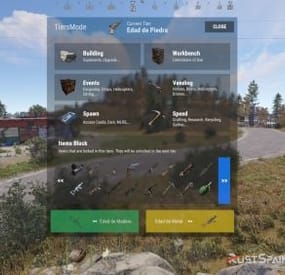
Manage blocked items with /tier edit
01 / Video demo
See TiersMode in action
Watch the video demo for a look at TiersMode.
Watch on YouTube
02 / Progression
Set the pace of your wipe
Add a tier-based game mode to an existing modded server or build a new server around staged progression. TiersMode generates four tiers by default, and you can create additional stages and configure each one independently.
Give every tier its own name, icon URL and color. Set stage duration in minutes: 60 for one hour, or 1,440 for one day. Customize what becomes available as your server moves through the tiers. 03 / Player information
Keep players informed as the server progresses
On-screen counter. Display the current tier and the time remaining until the next stage. Tier information window. Enable or disable the information screen and control whether players can view upcoming tiers. Configurable modal alerts. Notify players about restrictions, tier changes and events such as airdrops, Cargo Ship arrivals or Oil Rig respawns. Custom announcements. Send a server-wide modal message with /tieralert. Chat messages. Configure alert notifications and a welcome message explaining the game mode. Discord announcements. Announce wipe starts and tier changes using the Discord Messages plugin. Server title. Optionally update the server title using the configured tier placeholder. 04 / Building & workbenches
Control building progression and research
Tool cupboard limits. Set a maximum number of cupboards per player or allow unlimited placement. Cupboard destruction alerts. Optionally notify the server when a player destroys another player's tool cupboard. Building grades. Set the maximum upgrade level allowed in each tier. Workbench research. Allow or block research through workbenches by tier. Workbench placement. Allow all workbenches, block placement, or permit only the workbenches specified for that stage. 05 / Events & trading
Decide when major events and services become available
Server events
Enable or disable Cargo Ship, Oil Rig, Chinook, Patrol Helicopter, Airdrop and Bradley APC events for each tier.
Vendors and public trading
Control helicopter, boat and horse vendors, drone use and public monument vending machines.
06 / Spawns & vehicles
Unlock cards and vehicles stage by stage
Keycard spawns. Choose which access cards can spawn in each tier. Start with green cards and introduce blue and red cards later. Car spawns. Choose which modular car sizes can appear around the map, or disable car spawns for a tier. Vehicle access. Allow or block MLRS, Workcart and Locomotive use independently. 07 / Rates & gathering
Match crafting and resource rates to each tier
Configure crafting speed, research time and recycling time independently for each stage. Keep vanilla values or adjust the pace as progression advances.
The integrated gather system supports Dispenser Gather, Dispenser Bonus, Collectible Pickup, Growable Gathered, Survey Gather, Quarry Gather and Excavator Gather.
Use one gather system for these rates: disable TiersMode's gather system if another gather plugin controls them, or remove the overlapping plugin before enabling the integrated system.
08 / Restrictions & automation
Edit blocked items in game and run commands per tier
Use /tier edit to manage the items blocked by each stage through the administrative interface, without manually searching for their names in the configuration.
Block crafting of items restricted in the current tier. Prevent placement of specified deployables when the player lacks building privilege. Run your configured server commands when a tier loads, including on tier changes and server restarts. Use tier commands to enable or disable other plugins, trigger their events, or apply your own stage-specific server setup.
09 / Commands
Player and administrator commands
Command Purpose /tier Open the tier information window when enabled. /tier edit Open the blocked-item editor. Requires tiersmode.admin. /tieralert textmsg Send a custom modal alert to online players. Requires tiersmode.admin. 10 / Permissions
Fine-tune access and bypass permissions
Permission Purpose tiersmode.admin Access the tier editor and custom alert command. Assign to administrators only. tiersmode.bypass.use_workcart Bypass the Workcart use restriction. tiersmode.bypass.use_locomotive Bypass the Locomotive use restriction. tiersmode.bypass.use_mlrs Bypass the MLRS use restriction. tiersmode.bypass.limit_cupboard Bypass the tool cupboard limit. tiersmode.bypass.block_items Bypass item restrictions. tiersmode.bypass.block_place_no_building Bypass specified deployable restrictions without building privilege. tiersmode.bypass.upgrade Bypass the maximum building upgrade level. tiersmode.bypass.block_place_all_workbench Bypass workbench placement restrictions. tiersmode.bypass.block_research Bypass workbench research restrictions. tiersmode.bypass.block_vending_helis Bypass helicopter vendor restrictions. tiersmode.bypass.block_vending_boat Bypass boat vendor restrictions. tiersmode.bypass.block_vending_horses Bypass horse vendor restrictions. tiersmode.instant_research Instant research. tiersmode.alerts.block Disable alerts for the player. tiersmode.instant_recycler Instant recycling. 11 / Default configuration
Four tiers to use as your starting point
This example uses four stages: Wood Age, Stone Age, Metal Age and Explosive Age. Each lasts 1,440 minutes, with progressively higher building grades and different events, rates and restrictions. Tier names in the configuration are customizable and appear in Spanish in this example.
Adjust the server title, image URLs, Discord webhook placeholder and server commands for your own setup. Discord announcements require the Discord Messages plugin when enabled.
{ "Automatic Server Title": { "Enabled Auto Changue": true, "Base title to modify": "RustSpain.com | Tiers Mode ({0})" }, "GUI Config": { "On-Screen GUI Counter": true, "Counter Config": { "Color Title": "1.0 1.0 1.0 0.70", "Color Subtitle": "1.0 1.0 1.0 0.70", "Color Button": "0.46 0.46 0.46 0.49", "Show Icon/Color": true, "Show Button Info": true }, "Enabled Alert Modal": true, "Modal Config": { "Duration Show": 10.0, "Color Title": "1.0 1.0 1.0 0.70", "Color Description": "1.0 1.0 1.0 0.70", "Sound Alert": true, "Prefab Sound": "assets/prefabs/tools/pager/effects/beep.prefab" }, "Enabled Alert Modal Changue Tier": true, "Modal Changue Config": { "Duration Show": 15.0, "Color Title": "1.0 1.0 1.0 0.70", "Color Description": "1.0 1.0 1.0 0.70", "Sound Alert": true, "Prefab Sound": "assets/bundled/prefabs/fx/item_unlock.prefab" }, "Enabled Alert Modal Events": true, "Modal Events Config": { "Duration Show": 15.0, "Color Title": "1.0 1.0 1.0 0.70", "Color Description": "1.0 1.0 1.0 0.70", "Sound Alert": true, "Prefab Sound": "assets/prefabs/tools/pager/effects/vibrate.prefab" }, "Enabled Custom Alert Modal": true, "Modal Custom Config": { "Duration Show": 15.0, "Color Title": "1.0 1.0 1.0 0.70", "Color Description": "1.0 1.0 1.0 0.70", "Sound Alert": true, "Prefab Sound": "assets/prefabs/tools/pager/effects/vibrate.prefab" }, "Windows Info Config": { "Show GUI Info Window on Enter": true, "Show GUI Info use Command": true, "Show Previous Tier Button": true, "Show Next Tier Button": true, "Color Title": "1.00 1.00 1.00 1.00", "Color Text": "0.90 0.90 0.90 1.00", "Color Header Info": "0.0 0.0 0.0 1.0", "Color Button Close": "0.20 0.20 0.20 0.80" } }, "Messages": { "Enabled Chat": true, "Enabled Welcome Chat": true, "Use Discord Message Plugin": true, "Webhook Channel Announcement Change of Stag": "Put here your Webhook of the Channel where you want to announce the changes of Tiers." }, "Tiers": [ { "Tier Name": "Edad de Madera", "Tier Icon URL": "https://img.rustspain.com/tiers/1.png", "Tier Color": "0.17 0.75 0.42 0.50", "Duration of the tier in Minutes": 1440, "Cupboards": { "Limit Maximum Placed Cupboards": true, "Maximum Cupboards per player": 3, "Global Alert for Destruction of Cupboard": false, "Config Destruction Alert": { "Show Name of the player who destroyed it in the info": true, "Show Position in info": true }, "Maximum Upgrade Level (1 = Wood, 2 = Stones, 3 = Metal, 4 = HQ)": 1 }, "Workbench": { "Allow research from Workbench": false, "Allow Place All Workbench": false, "Allow placing only the following workbenches": [ "assets/prefabs/deployable/tier 1 workbench/workbench1.deployed.prefab" ] }, "Events": { "Cargoship": false, "Oil Rig": false, "Chinook": false, "Patrol Helicopter": true, "Airdrop": true, "Bradley APC": false }, "Sellers": { "Helicopter Sale": false, "Boat Sales": false, "Horse Sales": false, "Use of Drones": false, "Use of Public Vending Machine (Rads)": false }, "Spawn": { "Spawn Cards": [ "keycard_green_pickup" ], "Spawn Vehicles (Cars)": [], "Use Vehicle MLRS": false, "Use Vehicle Workcart": true, "Use Vehicle Locomotive": true }, "Speed": { "Crafting Rate (1.0 = Vanilla | 0.0 = Instant)": 1.0, "Research Seconds (10.0 = Vanilla | 0.0 = Instant)": 10.0, "Recycler Seconds (5.0 = Vanilla | 0.0 = Instant)": 5.0, "Gather System (If you use another plugin for the Gather disable this or remove the other one)": false, "Gather Config (Setting 0.0 will disable this option and it will work as vanilla)": { "DispenserGather": 0.0, "DispenserBonus": 1.0, "CollectiblePickup": 0.0, "GrowableGathered": 0.0, "SurveyGather": 0.0, "QuarryGather": 0.0, "ExcavatorGather": 0.0 } }, "Lists": { "Items lock Craft": true, "Items lock": [ "shotgun.waterpipe", "shotgun.pump", "pistol.semiauto", "pistol.revolver", "rifle.semiauto", "maxhealthtea", "radiationresisttea", "healingtea", "ammo.rifle", "ammo.shotgun.fire", "ammo.shotgun", "ammo.shotgun.slug" ], "Deployable lock without Building Permissions": false, "Items lock without Building Permissions": { "trap.bear": "assets/prefabs/deployable/bear trap/beartrap.prefab", "trap.landmine": "assets/prefabs/deployable/landmine/landmine.prefab" }, "Server Commands": [ "o.unload Backpack", "o.unload TheStorm" ] } }, { "Tier Name": "Edad de Piedra", "Tier Icon URL": "https://img.rustspain.com/tiers/2.png", "Tier Color": "0.06 0.58 0.86 0.50", "Duration of the tier in Minutes": 1440, "Cupboards": { "Limit Maximum Placed Cupboards": true, "Maximum Cupboards per player": 5, "Global Alert for Destruction of Cupboard": false, "Config Destruction Alert": { "Show Name of the player who destroyed it in the info": true, "Show Position in info": true }, "Maximum Upgrade Level (1 = Wood, 2 = Stones, 3 = Metal, 4 = HQ)": 2 }, "Workbench": { "Allow research from Workbench": false, "Allow Place All Workbench": false, "Allow placing only the following workbenches": [ "assets/prefabs/deployable/tier 1 workbench/workbench1.deployed.prefab" ] }, "Events": { "Cargoship": true, "Oil Rig": false, "Chinook": true, "Patrol Helicopter": true, "Airdrop": true, "Bradley APC": false }, "Sellers": { "Helicopter Sale": false, "Boat Sales": true, "Horse Sales": true, "Use of Drones": false, "Use of Public Vending Machine (Rads)": false }, "Spawn": { "Spawn Cards": [ "keycard_green_pickup", "keycard_blue_pickup" ], "Spawn Vehicles (Cars)": [ "2module_car_spawned.entity" ], "Use Vehicle MLRS": false, "Use Vehicle Workcart": false, "Use Vehicle Locomotive": false }, "Speed": { "Crafting Rate (1.0 = Vanilla | 0.0 = Instant)": 0.6, "Research Seconds (10.0 = Vanilla | 0.0 = Instant)": 8.0, "Recycler Seconds (5.0 = Vanilla | 0.0 = Instant)": 4.0, "Gather System (If you use another plugin for the Gather disable this or remove the other one)": true, "Gather Config (Setting 0.0 will disable this option and it will work as vanilla)": { "DispenserGather": 1.5, "DispenserBonus": 1.5, "CollectiblePickup": 1.5, "GrowableGathered": 1.5, "SurveyGather": 1.5, "QuarryGather": 1.5, "ExcavatorGather": 1.5 } }, "Lists": { "Items lock Craft": true, "Items lock": [ "weapon.mod.8x.scope", "rifle.bolt", "hmlmg", "pistol.python", "smg.thompson", "shotgun.double", "roadsign.gloves", "roadsign.kilt", "hazmatsuit.arcticsuit", "explosives", "submarine.torpedo.straight", "ammo.rocket.basic", "ammo.rocket.hv", "ammo.rifle.incendiary", "ammo.pistol.fire", "ammo.rocket.fire", "ammo.rifle.hv", "ammo.pistol.hv" ], "Deployable lock without Building Permissions": true, "Items lock without Building Permissions": { "trap.bear": "assets/prefabs/deployable/bear trap/beartrap.prefab", "trap.landmine": "assets/prefabs/deployable/landmine/landmine.prefab" }, "Server Commands": [ "o.unload Backpack", "o.unload TheStorm" ] } }, { "Tier Name": "Edad de Metal", "Tier Icon URL": "https://img.rustspain.com/tiers/3.png", "Tier Color": "0.87 0.75 0.05 0.50", "Duration of the tier in Minutes": 1440, "Cupboards": { "Limit Maximum Placed Cupboards": false, "Maximum Cupboards per player": 5, "Global Alert for Destruction of Cupboard": false, "Config Destruction Alert": { "Show Name of the player who destroyed it in the info": true, "Show Position in info": true }, "Maximum Upgrade Level (1 = Wood, 2 = Stones, 3 = Metal, 4 = HQ)": 3 }, "Workbench": { "Allow research from Workbench": false, "Allow Place All Workbench": false, "Allow placing only the following workbenches": [ "assets/prefabs/deployable/tier 1 workbench/workbench1.deployed.prefab", "assets/prefabs/deployable/tier 2 workbench/workbench2.deployed.prefab" ] }, "Events": { "Cargoship": true, "Oil Rig": true, "Chinook": true, "Patrol Helicopter": true, "Airdrop": true, "Bradley APC": true }, "Sellers": { "Helicopter Sale": true, "Boat Sales": true, "Horse Sales": true, "Use of Drones": false, "Use of Public Vending Machine (Rads)": true }, "Spawn": { "Spawn Cards": [ "keycard_green_pickup", "keycard_blue_pickup", "keycard_red_pickup" ], "Spawn Vehicles (Cars)": [ "2module_car_spawned.entity", "3module_car_spawned.entity", "4module_car_spawned.entity" ], "Use Vehicle MLRS": false, "Use Vehicle Workcart": false, "Use Vehicle Locomotive": false }, "Speed": { "Crafting Rate (1.0 = Vanilla | 0.0 = Instant)": 0.3, "Research Seconds (10.0 = Vanilla | 0.0 = Instant)": 6.0, "Recycler Seconds (5.0 = Vanilla | 0.0 = Instant)": 3.0, "Gather System (If you use another plugin for the Gather disable this or remove the other one)": true, "Gather Config (Setting 0.0 will disable this option and it will work as vanilla)": { "DispenserGather": 2.0, "DispenserBonus": 2.0, "CollectiblePickup": 2.0, "GrowableGathered": 2.0, "SurveyGather": 2.0, "QuarryGather": 2.0, "ExcavatorGather": 2.0 } }, "Lists": { "Items lock Craft": true, "Items lock": [ "rifle.l96", "lmg.m249", "multiplegrenadelauncher", "pistol.m92", "shotgun.spas12", "rifle.m39", "explosive.timed", "weapon.mod.muzzlebrake", "weapon.mod.muzzleboost", "chainsaw", "jackhammer", "weapon.mod.extendedmags", "ammo.rocket.mlrs", "ammo.grenadelauncher.he", "ammo.grenadelauncher.buckshot", "ammo.grenadelauncher.smoke", "ammo.rifle.explosive" ], "Deployable lock without Building Permissions": false, "Items lock without Building Permissions": { "trap.bear": "assets/prefabs/deployable/bear trap/beartrap.prefab", "trap.landmine": "assets/prefabs/deployable/landmine/landmine.prefab" }, "Server Commands": [ "o.load Backpack", "o.unload TheStorm" ] } }, { "Tier Name": "Edad Explosiva", "Tier Icon URL": "https://img.rustspain.com/tiers/4.png", "Tier Color": "0.80 0.26 0.13 0.50", "Duration of the tier in Minutes": 1440, "Cupboards": { "Limit Maximum Placed Cupboards": false, "Maximum Cupboards per player": 5, "Global Alert for Destruction of Cupboard": false, "Config Destruction Alert": { "Show Name of the player who destroyed it in the info": true, "Show Position in info": true }, "Maximum Upgrade Level (1 = Wood, 2 = Stones, 3 = Metal, 4 = HQ)": 4 }, "Workbench": { "Allow research from Workbench": true, "Allow Place All Workbench": true, "Allow placing only the following workbenches": [ "assets/prefabs/deployable/tier 1 workbench/workbench1.deployed.prefab", "assets/prefabs/deployable/tier 2 workbench/workbench2.deployed.prefab", "assets/prefabs/deployable/tier 3 workbench/workbench3.deployed.prefab" ] }, "Events": { "Cargoship": true, "Oil Rig": true, "Chinook": true, "Patrol Helicopter": true, "Airdrop": true, "Bradley APC": true }, "Sellers": { "Helicopter Sale": true, "Boat Sales": true, "Horse Sales": true, "Use of Drones": true, "Use of Public Vending Machine (Rads)": true }, "Spawn": { "Spawn Cards": [ "keycard_green_pickup", "keycard_blue_pickup", "keycard_red_pickup" ], "Spawn Vehicles (Cars)": [ "2module_car_spawned.entity", "3module_car_spawned.entity", "4module_car_spawned.entity" ], "Use Vehicle MLRS": true, "Use Vehicle Workcart": false, "Use Vehicle Locomotive": false }, "Speed": { "Crafting Rate (1.0 = Vanilla | 0.0 = Instant)": 0.0, "Research Seconds (10.0 = Vanilla | 0.0 = Instant)": 4.0, "Recycler Seconds (5.0 = Vanilla | 0.0 = Instant)": 2.0, "Gather System (If you use another plugin for the Gather disable this or remove the other one)": true, "Gather Config (Setting 0.0 will disable this option and it will work as vanilla)": { "DispenserGather": 3.0, "DispenserBonus": 3.0, "CollectiblePickup": 3.0, "GrowableGathered": 3.0, "SurveyGather": 3.0, "QuarryGather": 3.0, "ExcavatorGather": 3.0 } }, "Lists": { "Items lock Craft": true, "Items lock": [], "Deployable lock without Building Permissions": true, "Items lock without Building Permissions": { "trap.bear": "assets/prefabs/deployable/bear trap/beartrap.prefab", "trap.landmine": "assets/prefabs/deployable/landmine/landmine.prefab", "water.catcher.large": "assets/prefabs/deployable/water catcher/water_catcher_large.prefab", "water.catcher.small": "assets/prefabs/deployable/water catcher/water_catcher_small.prefab" }, "Server Commands": [] } } ] } 12 / Language & support
Make the game mode fit your community
Language files are generated in English by default. A Spanish translation is available on request.
For questions, problems, suggestions or help with your setup, contact ninco90 on Discord.
A custom configuration service is also available for an additional fee if you would like the game mode configured around your server's preferences.
Give every stage of your wipe its own rules
Start with the four default tiers, adjust the timing and unlocks, and build a progression experience around your community.
-

$29.99
Caravan
This plugin will add Caravans to your server that will attempt to transport valuable loot along the roads. Carriages are used to transport goods along the roads as configured, pulled by Horses. These convoys are accompanied by NPCs, Riders, and Balloons! By default, the plugin comes with 3 different caravan presets.
The easiest caravan will be fun for early wipe and allows some basic loot for low effort Caravan raids. In order to rob the most difficult caravan, players will need to be tactical about their ambush and it will be much more challenging! The road selection system can make the Caravan less predictable as the NPCs try to find a safe route.
The Caravan can traverse any road type, including good old country dirty roads. You can set up timers for each preset in the config file, to keep the more difficult Caravan from showing up until later in a wipe!
Riders
These can be very dangerous opponents! Unlike regular NPCs, they will quickly close the gap continually shooting at the players as they ride! Riders can be especially effective using short ranged weapons, they are deadly with a shotgun!
Balloons
These are mobile sniper towers on which several NPCs can be placed. In the config, armor can be added to the balloon, greatly increasing the protection for the Caravan snipers.When the caravan stops, Balloons will start moving around randomly, making it more difficult for players to hide! After defeating all of the snipers, Balloons will fall to the ground and explode.
Required Dependency (must install this free plugin)
NpcSpawn – link is included and can be found in the ReadMe file included with download
Chat commands (admin only)
/caravanstart - launches the event using a random preset based on your configuration /caravanstart PresetName - add the name of a preset from the configuration to launch a specific preset /caravanstop - stops the event /caravanroadblock - the event will not be held on the road where you are standing (clear the Blocked roads section of config when you change maps) /caravanpathstart - stand at starting point and enter command to start recording a custom route /caravanpathsave RoutePresetName - to save a custom route (enter anything you'd like in place of RoutePresetName) /caravanpathcancel - to reset the route
Console commands (RCON only)
caravanstart - launches the event using a random preset based on your configuration caravanstart PresetName - add the name of a preset from the configuration to launch a specific preset caravanstop - stops the event
Plugin Config
en – example of plugin configuration in English ru – example of plugin configuration in Russian
Hooks
void OnCaravanStart() - Сalled when a caravan appears void OnCaravanStop() - Сalled when a caravan disappears void OnCaravanStartMoving(Vector3 position) - Called when the caravan starts moving void OnCaravanStopMoving(Vector3 position) - Called when the caravan stops moving void OnCaravanEventWin(ulong userId)
Check out the rest of my work: Adem's Codefling Library
You can reach out to me in Discord: Adem's Discord Profile
Thanks to Jbird for writing, translation, & support: Jbird's Discord Profile
Join the Mad Mappers Discord!
-

$19.99
Professions
By imthenewguy in Plugins
Professions is a plugin designed for role play and PVE servers.
Players can choose from any 7 professions, including:
Miner - Has a chance to find gold nuggets while mining, which can be sold to the market for scrap/economy. Miners also gather more resources from nodes. Logger - Has a chance to find Pinecones while chopping trees, which can be sold to the market for scrap/economy. Loggers also gather more resources from trees. Skinner - Has a chance to obtain prime meat while butchering animals, which can be sold to the market for scrap/economy. Skinners can also use a command to locate the nearest animal from their position. Skinners also gather more resources from animals. Weaponsmith - Specializes in crafting weapons from melee swords to guns. Tailor - Specializes in crafting clothing and armour. Electrician - Specializes in electrical components and power sources/storage. Mechanic - Specializes in engine parts and vehicle modules. Also gets access to a quest to unlock car parts by destroying cars at the junkyard (using the magnetic crane & shredder).
The coolest thing about this plugin is that it uses a group system in oxide. This means you can assign permissions from other plugins to a specifc group as part of the professions perks.
Example, on my server we use the Vehicle Tow plugin, and have assigned the "vehicletow.user" permission to the mechanic group. This means that if a player is employed as a mechanic, they can use the tow hammer and tow vehicles around!
We also use the Tree Planter plugin on umod as a perk for loggers, so they can decorate areas with trees.
When a player chooses a profession, their xp/level will be set to 0.
Both gathering and crafting skills have a level/xp.
Gathering: Increasing the gathering level will increase the chance of obtaining the professions unique item (prime meat, gold nugget or pinecone). It will also increase the amount of extra resources you obtain while doing your profession.
Crafting: Crafting levels cap at level 3, and are required in order to craft items of equal workbench tier to the players level. For example, a player who is a level 1 weaponsmith cannot craft a semi-automatic rifle, as it requires a tier 2 workbench.
This feature can be disabled entirely in the config, if you do not want level requirements for items.
To gain xp as a crafter, players will need to craft items specific to their profession from level 1 onwards.
IE weaponsmiths will need to craft items unique to their class in order to get xp.
XP is calculated based on the components required to make the item. You can adjust the xp rates for each component (such as laptops, metal pipes etc) via the config. Items can also have a multiplier attached to them, offering further xp.
Another way to obtain xp is to research items specific to your profession. Researching offers 3x the xp you would have received for crafting the item (by default), but allows you to research items that you do not have the level for (IE researching AK at level 1 will still provide you with xp).
Mechanics in particular have an additional method of levelling. See the Mechanics Quest section below.
Crafting professions can be setup in a number of ways.
By default, only professions that specialize in set items will be able to craft them. For example, a weaponsmith is the only profession that can craft a pistol or rifle.
This can be adjusted in the config to instead use a tax system, charging players who are not part of that profession a scrap or economics tax for crafting it, where as players that are specialized would not be charged this fee. The exception to this is when an item is a "free_craft" item. All players can craft "free_craft" items without issue.
Example: Joe is a weaponsmith who is in need of a roadsign chest piece. He has the blueprint researched, so he decides to craft it himself. Joe is charged 125 scrap (default) to do so, in addition to the material costs.
The idea behind this system is to stimulate an economy, forcing players of differeing professions to trade between each other. This has worked with much success on my RP server.
All players have the chance to receive gold nuggets, prime meat and pinecones while gathering (although gathering professions are significantly more likely to find these items).
These items can be sold at the resource market for scrap or economy dollars (configurable).
The market can be access via a chat command (requires permission), or via an NPC (requires HumanNPC).
The mechanics quest is a plugin that is included with this package. If you do not wish to run it, simply remove it from your server (MechanicQuest.cs).
This plugin will assign mechanics a quest upon employment. The quest involves destroying modular cars at the junkyard using the magnet crane.
Doing so will provide them with xp per car crushed, as well as medium & High quality parts blueprint unlocks unpon completion of each quest.
This quest works extremely well with the towing plugin, as players can tow cars to the junkyard for destruction.
Command: rbag
Action: Opens the resource bag to store prime meat, pinecones and gold nuggets.
Permission: professions.chat.bag
Command: pmarket
Action: Opens the resource market to sell prime meat, pinecones and gold nuggets.
Permission: professions.chat.market
Command: jobmenu
Action: Opens the job menu to choose employment/quit your job.
Permission: professions.chat.jobmenu
Command: clearjobs
Action: Clears all job data from all players.
Permission: professions.admin
Command: updateitems
Action: Searches for any new craftable items added to Rust, and adds them to the data file.
Permission: professions.admin
Command: updatexp
Action: Recalculates the xp using the component xp values in the configuration file.
Permission: professions.admin
Command: setjob
Parameters: <player name> <job>
Action: Sets to the players job, removing their accumulated xp and levels.
Permission: professions.admin
Command: class
Action: Shows the players class, level and xp until next level.
Permission: none
Command: printlevels
Action: Prints the xp requirement for each level into console.
Permission: none
Command: updatemultiplier
Parameters: <item shortname> <value>
Action: Sets the xp multiplier for the desired item when crafting.
Permission: professions.admin
Command: showitems
Action: Prints the item list and xp values for each item in the players profession into the console.
Permission: none
Command: clearstoragebags
Action: Clears all storage bags for every player. This is done automatically on wipe.
Permission: professions.admin
Command: clearprofessions
Action: Clears all professions data.
Permission: professions.admin
Command: resettax
Action: Resets the tax rate for all items back to default.
Permission: professions.admin
Command: giverbag
Action: Gives the user a resource bag item, used to open the resource bag storage without a chat command/permissions.
Permission: professions.admin
Command: track
Action: Finds the closest animal and prints the direction of it from the players location.
Permission: skinner
Command: prof.addnpc
Action: Adds a job npc at the players location.
Permission: admin
Command: prof.removenpc
Action: Removes the target job npc.
Permission: admin
professions.admin professions.chat.bag professions.chat.market professions.chat.jobmenu
void OnPlayerEmployed(BasePlayer player, string job) void OnPlayerUnemployed(BasePlayer player, string job)
-

$24.99
War Mode PVP/PVE
Allows both PVE and PVP players to exist on a server at the same time. PVE players will have certain configurable protections and restrictions. You can have players use a command to flag themselves as PVP/PVE or you can assign it to them when they first spawn. If you have ZoneManager you can also designate specific zones to force player's to be PVE or PVP. Plugin is also compatible with SimpleStatus.
Note: Video is outdated, see documentation for a full list of new features!
Documentation:
A full readme including permissions, commands, and config options is available in this wiki site.
Disclaimer:
Like all of my plugins - this plugin is sold as is. I will be happy to take feature requests into consideration but make no guarantees about which ones get implemented. Please refer to the feature list before you make your purchase!
Developer API:
API Methods
// Returns the mode of the given entity. Also takes into account if the entity is in a forced mode zone. string GetEntityMode(BaseEntity entity); // Returns the group name for the given mode. For example if given 'pve' will return 'warmodepve' string GetModeGroup(string modeId); // Returns the target type for a given entity. Target types are the category that an entity falls into. // For example, if given a BasePlayer entity, it will return 'players'. If given a horse entity is will // return 'horses'. string GetEntityTargetType(BaseEntity entity); Hooks - place these in your plugin and WarMode will call them.
// Called when a player's mode has been updated or config changes have ocurred that may affect the mode. private void WarMode_PlayerModeUpdated(string userid, string modeId) // Used to override WarMode logic for taking damage. // If true/false is returned then WarMode logic will be skipped. Return null to continue WarMode logic. private object CanEntityTakeDamage(BaseCombatEntity target, HitInfo info) // Used to override WarMode logic for targeting. // If true/false is returned then WarMode logic will be skipped. Return null to continue WarMode logic. private object CanEntityBeTargeted(BasePlayer target, BaseEntity attacker, bool skipVendingCheck) // Used to override WarMode logic for triggering a trap. // If true/false is returned then WarMode logic will be skipped. Return null to continue WarMode logic. private object CanEntityTrapTrigger(BaseTrap trap, BasePlayer basePlayer) // Used to override WarMode logic for looting an entity. // If true/false is returned then WarMode logic will be skipped. Return null to continue WarMode logic. private object CanEntityLoot(BasePlayer looter, BaseEntity target, bool skipVendingCheck)
FREE Extension Plugins:
All extension plugins are optional, and included in the downloadable zip that WarMode comes in.
War Mode Admin Panel
Use the /warmode.config or /wmc command to open a panel that allows admins to update mode rules in game without having to reload the pluign. Requires the warmode.admin permission to use.
I HIGHLY recommend you use this extension!
War Mode Spawn UI
Provides a UI that is shown to players when they first spawn that prompts them to choose whether they want to be PVP or PVE. Also supports custom modes. Localization and config options available. This can also be configured to appear when players use the /flag command.
War Mode Rules UI
Using the /rules command (which is configurable) players can see a list of what restrictions they have for their current mode. These ruling will update dynamically based on your config settings.
War Mode Badges
Customizable UI elements that will appear on the player's HUD to indicate what their current mode is.
-
$29.90
Personal Animal
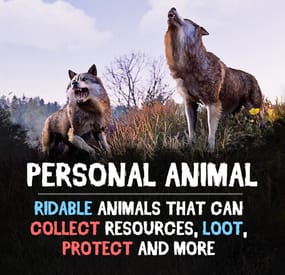
Bring these intelligent animal companions to your server! They can fight, gather resources, carry supplies, and even be ridden. Choose from various customizable animals: bear, boar, chicken, deer, wolf, crocodile, panther, tiger, cow, bull, calf, sheep, lamb, rabbit, squirrel or frog!
Features:
✔️ Resource Gathering & Looting
• Collect essential resources like wood, stone, and ore.
• Automatically gather resources within 50 meters using auto-pickup.
• Loot crates and boxes for valuable items.
✔️ A True Companion
• Command your animal to attack enemies, structures, or objects.
• Ride your animal for faster travel.
• Store items in the animal’s inventory (configurable up to 36 slots).
• Keep your companion healthy with a nutrition system that restores health.
Total Customization & Control
🎯 Animal Settings
• Select your preferred animal: Bear, Boar, Chicken, Deer, Wolf, Crocodile, Panther, tiger, cow, bull, calf, sheep, lamb, rabbit, squirrel, or frog.
• Configure max health, respawn time, and combat abilities.
• Adjust damage rates, player interactions, and looting permissions.
🛠️ User-Friendly Controls & UI
• Assign commands with a customizable buttons.
• Display 3D arrows over targets for better visibility.
• Fully customize the GUI layout, colors, and refresh rate.
• Blacklist specific items from your animal’s inventory bag.
🍖 Feeding System
• Enable nutrition settings to maintain your animal’s health.
• Configure health restoration values for different food items.
Useful Commands:
✅ /panimal – Spawn or despawn your animal.
✅ /panimal follow – Have your animal follow you.
✅ /panimal health – Check your animal’s current health.
✅ /panimal auto-pickup enable/disable – Turn resource auto-collection on or off.
✅ /panimal where – Locate your animal on the map.
📸 See It in Action! Watch the Video
📃 Configuration:
{ "Controls setup": { "Which button will assign tasks to the animal, attack / collect, etc. (MIDDLE_MOUSE, SECOND_MOUSE, E, RELOAD, SPRINT)": "MIDDLE_MOUSE", "Range of action of the assignment button": 25.0, "Display 3D arrows over a target?": true, "Arrow display duration": 2 }, "GUI setup": { "How many seconds to update the GUI?": 6, "Panel layer (Hud, Overlay, Overall, Hud.Menu, Under)": "Overlay", "Panel position": { "type": "RectTransform", "anchormin": "1 1", "anchormax": "1 1", "offsetmin": "-170 -104", "offsetmax": "-10 -10" }, "Second position of the panel (used if the player has a personal bot)": { "type": "RectTransform", "anchormin": "0.0 0.0", "anchormax": "1.0 1.0", "offsetmin": "0.0 0.0", "offsetmax": "0.0 0.0" }, "1 panel color": "#7f8c8d", "2 panel color": "#bdc3c7", "Health bar color": "#2ecc71", "Shortcut buttons": [] }, "Setting up personal animals by permission": { "personalanimal.wolf": { "The name of the animal to be selected through the command when spawning": "wolf", "Animal type (bear, boar, chicken, stag, wolf, polar-bear)": "wolf", "Maximum health": 200, "Animal spawn cooldown": 10.0, "Addons setup": { "Enable the ability to ride an animal?": true, "Add a bag to an animal to store resources?": true, "Number of available slots in the bag (maximum 36)": 12 }, "Functions setup": { "Can the animal attack objects?": true, "Can an animal loot boxes?": true, "Can the animal pick up resources?": true, "Does the animal have to defend itself?": true, "Should the animal protect the owner?": true, "Can an animal collect resources within a radius of 50 meters? (/panimal auto-collect)": true }, "Damage, interactions and loot setup": { "Animal damage rate": 2.0, "Damage rate receive for an animal": 1.0, "Can the animal damage players?": true, "Can players damage the animal?": true, "Despawn animal corpse after death?": false, "Setting up resource pickup rates": { "stones": 5.0 }, "Black list of items that cannot be put in the bag": [ "rocket.launcher" ] }, "Nutrition setup": { "Turn on the animal feeding system?": true, "Setting health for food eaten": { "corn": 5.0 } } }, "personalanimal.bear": { "The name of the animal to be selected through the command when spawning": "bear", "Animal type (bear, boar, chicken, stag, wolf, polar-bear)": "bear", "Maximum health": 200, "Animal spawn cooldown": 10.0, "Addons setup": { "Enable the ability to ride an animal?": true, "Add a bag to an animal to store resources?": true, "Number of available slots in the bag (maximum 36)": 12 }, "Functions setup": { "Can the animal attack objects?": true, "Can an animal loot boxes?": true, "Can the animal pick up resources?": true, "Does the animal have to defend itself?": true, "Should the animal protect the owner?": true, "Can an animal collect resources within a radius of 50 meters? (/panimal auto-collect)": true }, "Damage, interactions and loot setup": { "Animal damage rate": 2.0, "Damage rate receive for an animal": 1.0, "Can the animal damage players?": true, "Can players damage the animal?": true, "Despawn animal corpse after death?": false, "Setting up resource pickup rates": { "stones": 5.0 }, "Black list of items that cannot be put in the bag": [ "rocket.launcher" ] }, "Nutrition setup": { "Turn on the animal feeding system?": true, "Setting health for food eaten": { "corn": 5.0 } } }, "personalanimal.boar": { "The name of the animal to be selected through the command when spawning": "boar", "Animal type (bear, boar, chicken, stag, wolf, polar-bear)": "boar", "Maximum health": 200, "Animal spawn cooldown": 10.0, "Addons setup": { "Enable the ability to ride an animal?": true, "Add a bag to an animal to store resources?": true, "Number of available slots in the bag (maximum 36)": 12 }, "Functions setup": { "Can the animal attack objects?": true, "Can an animal loot boxes?": true, "Can the animal pick up resources?": true, "Does the animal have to defend itself?": true, "Should the animal protect the owner?": true, "Can an animal collect resources within a radius of 50 meters? (/panimal auto-collect)": true }, "Damage, interactions and loot setup": { "Animal damage rate": 2.0, "Damage rate receive for an animal": 1.0, "Can the animal damage players?": true, "Can players damage the animal?": true, "Despawn animal corpse after death?": false, "Setting up resource pickup rates": { "stones": 5.0 }, "Black list of items that cannot be put in the bag": [ "rocket.launcher" ] }, "Nutrition setup": { "Turn on the animal feeding system?": true, "Setting health for food eaten": { "corn": 5.0 } } }, "personalanimal.chicken": { "The name of the animal to be selected through the command when spawning": "chicken", "Animal type (bear, boar, chicken, stag, wolf, polar-bear)": "chicken", "Maximum health": 200, "Animal spawn cooldown": 10.0, "Addons setup": { "Enable the ability to ride an animal?": true, "Add a bag to an animal to store resources?": true, "Number of available slots in the bag (maximum 36)": 12 }, "Functions setup": { "Can the animal attack objects?": true, "Can an animal loot boxes?": true, "Can the animal pick up resources?": true, "Does the animal have to defend itself?": true, "Should the animal protect the owner?": true, "Can an animal collect resources within a radius of 50 meters? (/panimal auto-collect)": true }, "Damage, interactions and loot setup": { "Animal damage rate": 2.0, "Damage rate receive for an animal": 1.0, "Can the animal damage players?": true, "Can players damage the animal?": true, "Despawn animal corpse after death?": false, "Setting up resource pickup rates": { "stones": 5.0 }, "Black list of items that cannot be put in the bag": [ "rocket.launcher" ] }, "Nutrition setup": { "Turn on the animal feeding system?": true, "Setting health for food eaten": { "corn": 5.0 } } }, "personalanimal.stag": { "The name of the animal to be selected through the command when spawning": "stag", "Animal type (bear, boar, chicken, stag, wolf, polar-bear)": "stag", "Maximum health": 200, "Animal spawn cooldown": 10.0, "Addons setup": { "Enable the ability to ride an animal?": true, "Add a bag to an animal to store resources?": true, "Number of available slots in the bag (maximum 36)": 12 }, "Functions setup": { "Can the animal attack objects?": true, "Can an animal loot boxes?": true, "Can the animal pick up resources?": true, "Does the animal have to defend itself?": true, "Should the animal protect the owner?": true, "Can an animal collect resources within a radius of 50 meters? (/panimal auto-collect)": true }, "Damage, interactions and loot setup": { "Animal damage rate": 2.0, "Damage rate receive for an animal": 1.0, "Can the animal damage players?": true, "Can players damage the animal?": true, "Despawn animal corpse after death?": false, "Setting up resource pickup rates": { "stones": 5.0 }, "Black list of items that cannot be put in the bag": [ "rocket.launcher" ] }, "Nutrition setup": { "Turn on the animal feeding system?": true, "Setting health for food eaten": { "corn": 5.0 } } }, "personalanimal.polarbear": { "The name of the animal to be selected through the command when spawning": "polarbear", "Animal type (bear, boar, chicken, stag, wolf, polar-bear)": "polar-bear", "Maximum health": 400, "Animal spawn cooldown": 10.0, "Addons setup": { "Enable the ability to ride an animal?": true, "Add a bag to an animal to store resources?": true, "Number of available slots in the bag (maximum 36)": 12 }, "Functions setup": { "Can the animal attack objects?": true, "Can an animal loot boxes?": true, "Can the animal pick up resources?": true, "Does the animal have to defend itself?": true, "Should the animal protect the owner?": true, "Can an animal collect resources within a radius of 50 meters? (/panimal auto-collect)": true }, "Damage, interactions and loot setup": { "Animal damage rate": 2.0, "Damage rate receive for an animal": 1.0, "Can the animal damage players?": true, "Can players damage the animal?": true, "Despawn animal corpse after death?": false, "Setting up resource pickup rates": { "stones": 5.0 }, "Black list of items that cannot be put in the bag": [ "rocket.launcher" ] }, "Nutrition setup": { "Turn on the animal feeding system?": true, "Setting health for food eaten": { "corn": 5.0 } } } }, "List of prefabs that the animal can loot (useful if the animal attacks loot instead of looting it)": [ "foodbox", "vehicle_parts" ] }