
MegaPihar's Wishlist
-

$13.50
Items Info
If you have much custom items, and players always ask you "What is it?" or "What I can do with that?" - this plugin for you !
Features
Scanning the player's inventory and the storage that the player loot Description, information about the item You can set skinId or itemId for scaning Tagging system Command to show all custom items from config Adding your containers for scanning (read the config carefully) Styles of interface Detailed configuration MultiLang support
Command
/items - show all custom items from config For admins
/ii - get active item (name|skinId) and add to config ii.convert.lang - convert items info from config to lang
Styles (config option 'Interface style')
StyleA StyleB
Suggest your ideas for improving the plugin
Video
Config v1.1.0
{ "Lootable containers for scaning, use only containers without block(grey) slots and and where the number of slots is a multiple of 6 (6, 12, 18, 24)": { "coffinstorage": 48, "box.wooden.large": 48, "woodbox_deployed": 18, "storage_barrel_b": 48, "storage_barrel_c": 48, "fridge.deployed": 48, "dropbox.deployed": 12, "small_stash_deployed": 6 }, "All items menu command": "items", "Permission to open UI with all items": "itemsinfo.items", "Interface style": "StyleB", "Items info settings (key - skinId)": { "2365330645": { "Item name": "Gather gloves", "Search item by skinId(false) or ItemId(true)": false, "Item description": [ "<size=18>Gloves up your gather</size>", "You need to put this on" ], "Item info": [ "<size=20>Bonus</size>", "• <color=#387338>Stones +50%</color>", "• <color=#387338>Metal +30%</color>", "• <color=#387338>Sulfur +20%</color>" ], "Item tags": [ 3, 4 ] }, "2852472024": { "Item name": "Ticket", "Search item by skinId(false) or ItemId(true)": false, "Item description": [ "<size=18>Ticket for take super loot</size>", "you can change it for some loot" ], "Item info": [ "<size=20>Commands</size>", "<color=#FFCC00>/ticket</color> - Server's shop" ], "Item tags": [ 1 ] }, "3000086667": { "Item name": "Kibble", "Search item by skinId(false) or ItemId(true)": false, "Item description": [ "<size=18>Kibble for animals</size>", "Find wild animal and drop near" ], "Item info": [ "<size=20>Effects</size>", "• Tame animal", "• Kill and gather x10" ], "Item tags": [ 1, 2 ] } }, "Tags settings": [ { "Tag size": 45.0, "Tag color": "#34753B", "Tag text": "Event", "Tag text color": "#6FAC76", "Tag id": 1 }, { "Tag size": 65.0, "Tag color": "#1C34AC", "Tag text": "Economy", "Tag text color": "#57A2F9", "Tag id": 2 }, { "Tag size": 55.0, "Tag color": "#932214", "Tag text": "Custom", "Tag text color": "#E44530", "Tag id": 3 }, { "Tag size": 110.0, "Tag color": "#9D9D9D", "Tag text": "Unbreakable", "Tag text color": "#FFF4F4", "Tag id": 4 } ], "UI settings": { "Inventory Image Icon": "https://i.ibb.co/TMxWBHJ2/scan.png", "Image for scan item": "https://i.ibb.co/zVwhtYGS/search.png", "Button ? settings": { "AnchorMin": "0.5 0", "AnchorMax": "0.5 0", "OffsetMin": "189 18", "OffsetMax": "249 78" } }, "Config version": { "Major": 1, "Minor": 1, "Patch": 0 } }
-
$9.99
Hardy Planters
By imthenewguy in Plugins
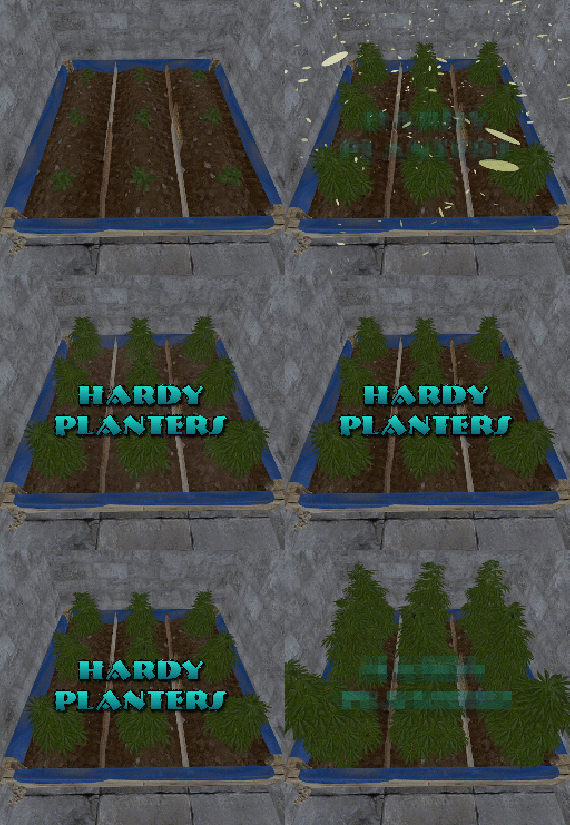
Hardy Planters creates customizable planter boxes that do not require water, sunlight, fertilizer or temperature to grow.
The plugin allows server owners to create their own profiles for planter boxes, allowing for the modification of overall quality and growth gene multiplier, directly affecting how quickly all plants will grow.
This allows for some unnaturally fast plant growth, if set above the default value.
The plugin works by preventing the default logic on the planter boxes, and instead adds it's own behavior to control it.
It is compatible with servers that adjust the "planttick" and "planttickscale" convars as well.
The following video show cases and explains how the plugin's functionality.
Command (chat): giveplanters
Parameters: Nil
Description: Gives the user one of each planterbox from the config
Command (console): givehardyplanter
Parameters: <target player ID or name> <profile skin ID or display name>
Description: Gives the target player a planterbox that matches the specified profile. Useful in shops etc.
hardyplanters.admin - Required to use the commands. hardyplanters.use - Required to find the planter boxes in loot containers. hardyplanters.drop - Required to find planterboxes while looting.
-
$35.00
Virtual Quarries
By ThePitereq in Plugins
RUST Plugin Test Server
TEST MY PLUGINS THERE!
connect play.thepitereq.ovh:28050
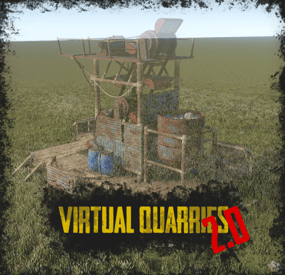
Virtual Quarries is a major upgrade to quarries. You can create quarries that extract any type of resource and access them from anywhere on the map. Set up an unlimited number of quarry types, limit quarries per player with permissions, share them with friends, upgrade them for better output, and customize survey items and fuel. Static quarries, pumpjacks and the Giant Excavator can be instanced so every player gets their own.
Place an unlimited number of quarries of various types, and give access to friends and teammates, including offline players. Customize the output of each quarry type, from stone and ores to rockets and C4, with full support for skins and display names. Several survey charge types, each tied to its own quarry types. You can set a success chance and a required permission for each. Quarry Auto Finder: choose the resources you want and their minimum output, and the plugin shows how many survey charges you need for a guaranteed result and your chance with the charges you have. It can be restricted by a permission. Quarry Reroll: re-roll the output of a quarry you already own, using the normal search or the Auto Finder. The quarry keeps its profile and level, and resources unlocked by upgrades always stay. Enabled per quarry profile. Quarry upgrades: higher levels can raise output, storage capacity and fuel efficiency, and can unlock extra resources. Upgrades can require items, server currency, both together, or a number of destroyed resource dispensers, with support for Economics, ServerRewards, IQEconomic, BankSystem and ShoppyStock. Currency support for upgrades: Economics, ServerRewards, IQEconomic, BankSystem and ShoppyStock. Per-resource requirements: extra items needed to place a quarry, a required permission, and an “always include” option. Optional output and input linking, so a quarry’s output or fuel can be connected to storages in the world. There is also a one-click “collect all” button, which can have its own permission. Fuel is customizable per quarry, with several fuel types allowed. Quarries dig once every 60 seconds by default to keep performance high. The interval is configurable separately for virtual quarries, static quarries and the excavator. Static quarries, pumpjacks and the Giant Excavator Pit all support instanced inventories per player and fully customizable outputs. The excavator’s supply drop can be called after it has run for a set time. Quarry limits per player: set a limit per quarry type or a combined limit, based on permissions. You can lock quarry types when a player loses the permission. Refund of the items and upgrades when a quarry is removed. Admin view to look at and manage other players’ quarries. Data merges through wipes. You can wipe it automatically on wipe, or only on a forced wipe. Quarry contents can be stored in a file and restored. Responsive RUST-themed UI, with lang file support.
virtualquarries.use – Allows opening the /qr menu. (Needs to be enabled in config) virtualquarries.share – Allows sharing quarries with other players. (Needs to be enabled in config) virtualquarries.static.quarry – Access to static quarries. (Needs to be enabled in config) virtualquarries.static.pumpjack – Access to static pumpjacks. (Needs to be enabled in config) virtualquarries.static.excavator – Access to the Giant Excavator. (Needs to be enabled in config) virtualquarries.admin – Enables admin view of all quarries.
Quarry limit permissions, survey, quarry type, resource, upgrade and quick-collect permissions are all defined in the config and registered automatically.
/qr - Opens the Virtual Quarry menu. (Configurable) wipequarries quarry [userId] - Removes all [user (optional)] quarries from the data. (Console command, requires IsAdmin flag) wipequarries inventory [userId] - Removes all items from [user (optional)] quarry inventories. (Console command, requires IsAdmin flag) wipequarries fuel [userId] - Removes all items from [user (optional)] quarry fuel containers. (Console command, requires IsAdmin flag)
Economy Plugin Config
0 - None 1 - Economics 2 - ServerRewards 3 - IQEconomic 4 - BankSystem 5 - ShoppyStock Quarry Limit Extra
You can limit the total number of quarries by adding “*” to your permission list, so players can mix quarry types until they reach the overall limit.
Example: "virtualquarries.default": { "*": 3, "pumpjack": 1 }, With the default configuration, this limits a player to 3 quarries of any type, but only 1 pumpjack. They can have 2 quarries and 1 pumpjack, or 3 quarries and no pumpjack.
OnQuarryPlaced(BasePlayer player, string quarryProfile) – Called when a quarry is successfully placed. OnQuarryUpgraded(BasePlayer player, int quarryLevel, string quarryProfile) – Called when a quarry is successfully upgraded. OnQuarryRemoved(BasePlayer player, string quarryProfile) – Called when a quarry is successfully removed. OnCustomSurveyThrow(BasePlayer player, string quarryProfile) – Called when a custom survey is successfully thrown. OnCustomSurveyBulkThrow(BasePlayer player, string quarryProfile, int surveysUsed) – Called when the Auto Finder performs a bulk search. OnCustomVirtualQuarrySupplyDropCalled(ExcavatorArm arm, ExcavatorSignalComputer computer, BasePlayer player) – Called when a supply drop is requested from the excavator. Return a non-null value to block it.
Example Config
With additional quarry types, more upgrade levels etc. (my private configuration)
VirtualQuarries.json
{ "Command List": [ "qr", "quarry", "quarries", "vq", "virtualquarry", "virtualquarries" ], "UI Action Cooldown (in seconds, 0 to disable)": 0.0, "Enable Console Logs": true, "PopUpAPI - Preset Name": "UpperCenter", "RedeemStorageAPI - Storage Name": "default", "Require Permission For Use": false, "Lock Access To Quarry Profiles If Lost Permission": false, "Check For Quarry Amount Permission (option above must be set to true to work)": false, "OnEntityTakeDamage Return Value": false, "Big Quarry Icons Until Switch To Small": 18, "Mining Quarry/Pump Jack Limit Permissions": { "virtualquarries.default": { "pumpjack": 1, "quarry": 2 }, "virtualquarries.vip": { "pumpjack": 2, "quarry": 3 } }, "Sharing - Require Permission": false, "Sharing - Remove Members If Owner Offline More Than X Days (0, to disable)": 0, "Sharing - Share Only To Teammates": false, "Data - Enable Data Wipe On Server Wipe": false, "Data - Wipe Data Only On Force Wipe": false, "Data - Store Container Data In File And Restore On Server Wipe": false, "Data - Store Container Interval (in seconds)": 1800, "Quarry Tick (how often quarries dig resources, in seconds)": 60, "Static Quarry Tick (how often quarries dig resources, in seconds)": 60, "Excavator Quarry Tick (how often quarries dig resources, in seconds)": 60, "Storage Prefab": "assets/prefabs/deployable/large wood storage/box.wooden.large.prefab", "Sound - Start Sound": "assets/prefabs/npc/autoturret/effects/online.prefab", "Sound - Stop Sound": "assets/prefabs/npc/autoturret/effects/offline.prefab", "Survey Charge - Allow Throwing Survey Charges": false, "Survey Charget Types": { "survey": { "Effect Path": "assets/bundled/prefabs/fx/survey_explosion.prefab", "Required Permission (empty, if not required)": "", "Allow Auto Finder": false, "Auto Finder Required Permission (not required, if empty)": "", "Auto Finder Min. Survey Req. Percentage To Start (0-100)": 25.0, "Rolling Real Probability Value (advanced)": 0.95, "Chance For Resources (0-100)": 75.0, "Displayed Survey Title Translation Key": "SurveyCharge", "Required Item": { "Shortname": "surveycharge", "Skin": 0, "Amount": 1, "Display Name": null } } }, "Upgrades - Used Economy Plugin (0 - None, See Website For More Info)": 0, "Upgrades - Economy Currency (If Economy Plugin Is 5 - ShoppyStock)": "rp", "Removing Quarries - Refund Items": true, "Removing Quarries - Refund Upgrades": false, "Go Back Button - Position (1-3)": 1, "Static Quarries - Enable": false, "Static Quarries - Disable Running Effect": false, "Excavator Quarry - Enable": false, "Excavator Quarry - Disable Running Effect": false, "Static Quarries - Quarry Requires Permission": false, "Static Quarries - Pump Jack Requires Permission": false, "Static Quarries - Excavator Requires Permission": false, "Static Quarries - Fuel Items": [ { "Shortname": "lowgradefuel", "Skin": 0, "Amount": 1.0, "Display Name": null } ], "Excavator Quarry - Fuel Items": [ { "Shortname": "lowgradefuel", "Skin": 0, "Amount": 1.0, "Display Name": null } ], "Static Quarries - Metal Quarry Output": [ { "Shortname": "stones", "Skin": 0, "Amount Per Tick": 150.0, "Display Name": "" }, { "Shortname": "metal.ore", "Skin": 0, "Amount Per Tick": 22.5, "Display Name": "" } ], "Static Quarries - Sulfur Quarry Output": [ { "Shortname": "sulfur.ore", "Skin": 0, "Amount Per Tick": 22.5, "Display Name": "" } ], "Static Quarries - HQM Quarry Output": [ { "Shortname": "hq.metal.ore", "Skin": 0, "Amount Per Tick": 1.5, "Display Name": "" } ], "Static Quarries - Pump Jack Output": [ { "Shortname": "crude.oil", "Skin": 0, "Amount Per Tick": 6.0, "Display Name": "" } ], "Static Quarries - Quarry & Pumpjack Upgrades": [ { "Required Items": null, "Required Permission To Upgrade": "", "Required Currency (0 to disable)": 0, "Required Destroyed Resource Dispensers To Upgrade (0 to disable)": 0, "Require Both Items And Currency": false, "Fuel Storage Capacity": 6, "Capacity": 18, "Gather Multiplier": 1.0, "Fuel Usage Multiplier": 1.0, "Additional Resources (Resources keys)": [] }, { "Required Items": [ { "Shortname": "wood", "Skin": 0, "Amount": 7000, "Display Name": null }, { "Shortname": "stones", "Skin": 0, "Amount": 5000, "Display Name": null } ], "Required Permission To Upgrade": "", "Required Currency (0 to disable)": 6000, "Required Destroyed Resource Dispensers To Upgrade (0 to disable)": 0, "Require Both Items And Currency": false, "Fuel Storage Capacity": 6, "Capacity": 18, "Gather Multiplier": 1.2, "Fuel Usage Multiplier": 1.0, "Additional Resources (Resources keys)": [] } ], "Static Quarries - Excavator Upgrades": [ { "Required Items": null, "Required Permission To Upgrade": "", "Required Currency (0 to disable)": 0, "Required Destroyed Resource Dispensers To Upgrade (0 to disable)": 0, "Require Both Items And Currency": false, "Fuel Storage Capacity": 6, "Capacity": 18, "Gather Multiplier": 1.0, "Fuel Usage Multiplier": 1.0, "Additional Resources (Resources keys)": [] }, { "Required Items": [ { "Shortname": "wood", "Skin": 0, "Amount": 7000, "Display Name": null }, { "Shortname": "stones", "Skin": 0, "Amount": 5000, "Display Name": null } ], "Required Permission To Upgrade": "", "Required Currency (0 to disable)": 6000, "Required Destroyed Resource Dispensers To Upgrade (0 to disable)": 0, "Require Both Items And Currency": false, "Fuel Storage Capacity": 6, "Capacity": 18, "Gather Multiplier": 1.2, "Fuel Usage Multiplier": 1.0, "Additional Resources (Resources keys)": [] } ], "Static Quarries - Excavator Outputs": { "HQM": [ { "Shortname": "hq.metal.ore", "Skin": 0, "Amount Per Tick": 50.0, "Display Name": "" } ], "Metal": [ { "Shortname": "metal.fragments", "Skin": 0, "Amount Per Tick": 2500.0, "Display Name": "" } ], "Stone": [ { "Shortname": "stones", "Skin": 0, "Amount Per Tick": 5000.0, "Display Name": "" } ], "Sulfur": [ { "Shortname": "sulfur.ore", "Skin": 0, "Amount Per Tick": 1000.0, "Display Name": "" } ] }, "Excavator Quarry - How Long Does Quarry Need To Run To Be Able To Call Supply (in seconds)": 3600.0, "Static Quarries - Upgrade Requirement Dispenser Profile Name": "", "Excavator Quarry - Upgrade Requirement Dispenser Profile Name": "", "Dispenser Profiles (profile key and list of short prefab names)": { "oak-trees": [ "oak_a", "oak_a_tundra", "oak_b", "oak_b_tundra", "oak_c", "oak_d", "oak_e", "oak_e_tundra", "oak_f", "oak_f_tundra" ], "ores": [ "metal-ore", "sulfur-ore", "stone-ore" ] }, "Quarry Profiles": { "pumpjack": { "Required Permission (empty, if not required)": "virtualquarries.pumpjack", "Displayed Icon": { "Shortname": "mining.pumpjack", "Skin": 0, "Amount": 1, "Display Name": null }, "Survey Type": "survey", "Enable Output Linking Requirement": false, "Enable Input Linking Requirement": false, "Allow Quarry Output Reroll": false, "Displayed Quarry Title Translation Key": "PumpjackTitle", "Chance": 5, "Minimal Resources Per Node": 1, "Maximal Resources Per Node": 2, "Fuels Supported Required Per Tick": [ { "Shortname": "lowgradefuel", "Skin": 0, "Amount": 1.0, "Display Name": null } ], "Allow Quick Resource Collect Button": true, "Quick Resource Collect Required Perm (not required, if empty)": "", "Enable Upgrades": true, "Upgrade Requirement Dispenser Profile Name": "", "Items Required To Place": [ { "Shortname": "mining.pumpjack", "Skin": 0, "Amount": 1, "Display Name": null } ], "Resources": { "crude": { "Output Item - Shortname": "crude.oil", "Output Item - Skin": 0, "Output Item - Display Name": "", "Include Always": true, "Required Permission (empty if not required)": "", "Chance": 0, "Minimal Output Per Tick": 0.8, "Maximal Output Per Tick": 3.0, "Additional Items Required To Place": [] } }, "Upgrades": [ { "Required Items": [], "Required Permission To Upgrade": "", "Required Currency (0 to disable)": 0, "Required Destroyed Resource Dispensers To Upgrade (0 to disable)": 0, "Require Both Items And Currency": false, "Fuel Storage Capacity": 6, "Capacity": 6, "Gather Multiplier": 1.0, "Fuel Usage Multiplier": 1.0, "Additional Resources (Resources keys)": [] }, { "Required Items": [ { "Shortname": "wood", "Skin": 0, "Amount": 14000, "Display Name": null }, { "Shortname": "stones", "Skin": 0, "Amount": 10000, "Display Name": null } ], "Required Permission To Upgrade": "", "Required Currency (0 to disable)": 12000, "Required Destroyed Resource Dispensers To Upgrade (0 to disable)": 0, "Require Both Items And Currency": false, "Fuel Storage Capacity": 6, "Capacity": 9, "Gather Multiplier": 1.2, "Fuel Usage Multiplier": 1.0, "Additional Resources (Resources keys)": [] } ] }, "quarry": { "Required Permission (empty, if not required)": "", "Displayed Icon": { "Shortname": "mining.quarry", "Skin": 0, "Amount": 1, "Display Name": null }, "Survey Type": "survey", "Enable Output Linking Requirement": false, "Enable Input Linking Requirement": false, "Allow Quarry Output Reroll": false, "Displayed Quarry Title Translation Key": "QuarryTitle", "Chance": 25, "Minimal Resources Per Node": 1, "Maximal Resources Per Node": 2, "Fuels Supported Required Per Tick": [ { "Shortname": "lowgradefuel", "Skin": 0, "Amount": 1.0, "Display Name": null } ], "Allow Quick Resource Collect Button": true, "Quick Resource Collect Required Perm (not required, if empty)": "", "Enable Upgrades": true, "Upgrade Requirement Dispenser Profile Name": "", "Items Required To Place": [ { "Shortname": "mining.quarry", "Skin": 0, "Amount": 1, "Display Name": null } ], "Resources": { "hq": { "Output Item - Shortname": "hq.metal.ore", "Output Item - Skin": 0, "Output Item - Display Name": "", "Include Always": false, "Required Permission (empty if not required)": "", "Chance": 10, "Minimal Output Per Tick": 0.3, "Maximal Output Per Tick": 2.0, "Additional Items Required To Place": [] }, "metal": { "Output Item - Shortname": "metal.ore", "Output Item - Skin": 0, "Output Item - Display Name": "", "Include Always": false, "Required Permission (empty if not required)": "virtualquarries.metal", "Chance": 50, "Minimal Output Per Tick": 22.5, "Maximal Output Per Tick": 45.0, "Additional Items Required To Place": [] }, "scrap": { "Output Item - Shortname": "scrap", "Output Item - Skin": 0, "Output Item - Display Name": "", "Include Always": false, "Required Permission (empty if not required)": "virtualquarries.scrap", "Chance": 5, "Minimal Output Per Tick": 0.1, "Maximal Output Per Tick": 1.0, "Additional Items Required To Place": [ { "Shortname": "wood", "Skin": 0, "Amount": 7000, "Display Name": null } ] }, "stone": { "Output Item - Shortname": "stones", "Output Item - Skin": 0, "Output Item - Display Name": "", "Include Always": true, "Required Permission (empty if not required)": "", "Chance": 0, "Minimal Output Per Tick": 150.0, "Maximal Output Per Tick": 300.0, "Additional Items Required To Place": [] }, "sulfur": { "Output Item - Shortname": "sulfur.ore", "Output Item - Skin": 0, "Output Item - Display Name": "", "Include Always": false, "Required Permission (empty if not required)": "", "Chance": 50, "Minimal Output Per Tick": 15.0, "Maximal Output Per Tick": 30.5, "Additional Items Required To Place": [] } }, "Upgrades": [ { "Required Items": [], "Required Permission To Upgrade": "", "Required Currency (0 to disable)": 0, "Required Destroyed Resource Dispensers To Upgrade (0 to disable)": 0, "Require Both Items And Currency": false, "Fuel Storage Capacity": 6, "Capacity": 6, "Gather Multiplier": 1.0, "Fuel Usage Multiplier": 1.0, "Additional Resources (Resources keys)": [] }, { "Required Items": [ { "Shortname": "wood", "Skin": 0, "Amount": 7000, "Display Name": null }, { "Shortname": "stones", "Skin": 0, "Amount": 5000, "Display Name": null } ], "Required Permission To Upgrade": "", "Required Currency (0 to disable)": 6000, "Required Destroyed Resource Dispensers To Upgrade (0 to disable)": 0, "Require Both Items And Currency": false, "Fuel Storage Capacity": 6, "Capacity": 9, "Gather Multiplier": 1.2, "Fuel Usage Multiplier": 1.0, "Additional Resources (Resources keys)": [ "scrap" ] } ] } } }