
Kat_marie12's Wishlist
-
$24.99
Cooking
By imthenewguy in Plugins
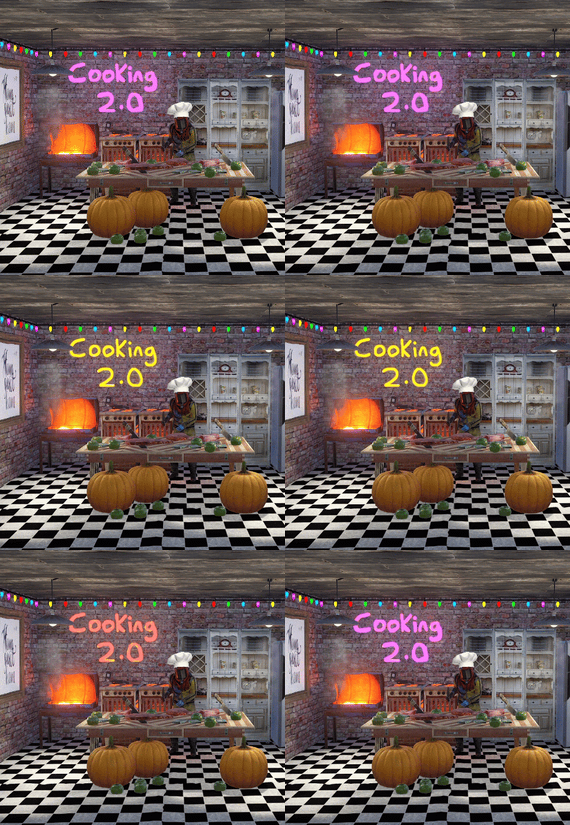
This plugin extends the vanilla cooking system in rust by adding a number of ingredients and advanced recipes to the game.
The ingredients are obtained from any of the 45+ different sources, from ore nodes, to trees, to collectibles such as hemp and pumpkins.
These ingredients are used to create delicious meals that will provide the player with 1 of the 55 different buffs the plugin has to offer, or your own custom buffs should you wish to create your own using permissions from other plugins.
The plugin comes standard with 47 custom recipes and 11 custom ingredients included. It also utilizes a number of rusts existing items, such as pumpkins, corn, wheat and potatoes.
There are over 47 recipes that come with the default configuration.
Each recipe allows for any number of ingredients to be added (default is up to 4), and any number of the 46 buffs to be added to each meal.
Recipes can be easily added via the config. This allows server owners to get creative by creating their own custom meals and buffs.
The above video showcases how new recipes and ingredients can be easily added to your configuration.
The plugin comes with 11 unique custom ingredients, and also utilizes 16 of the default items in rust.
Ingredients can be easily added to the configuration (see the above video).
All non-default ingredients can be found from 49 different sources including cutting trees, mining nodes, collecting hemp etc.
Each sources drop rate can be customized to suit your server, and the sources for ingredients can be changed incredible easily by simply adjusting a number in the config file.
There are 49 unique sources that ingredients can be obtained from from cutting trees to collecting pumpkins.
The chances for each ingredient drop are based on the interaction with that source.
For example, picking a pumpkin offers 1 chance, as it is 1 interaction to pick a pumpking, while cutting a tree may be 10-20 chances (depending on the tool), as it takes a number of hits to fall a tree (this can be adjusted to be based on 1 chance per tree/node etc via the config).
When a roll is successful, it then rolls through each item type and selects the item based on that items "dropWeight", allowing you to make ingredients more or less common than others on the same drop table.
The Farmers Market is an in-built market that allows players to buy and sell ingredients for scrap, server rewards or economics.
By default, the markets stocks will start at 0, and will only increase as players sell their unwanted ingredients to it.
It can be configured to allow all items, or only custom items to be bought and sold through it, and also allows for a maximum stock to be set (default 100), meaing that it cannot have more than 100 of an item type.
The buy/sell values for each ingredient can be adjusted in the config file (default $10 buy, $5 sell).
Starting quantities can also be set if you do not want the market to start at 0.
The market can be accessed by typing in /market (if config is enabled) or by speaking to an NPC that can be spawned with the plugin (addmarketnpc).
Ingredient: A useful ingredient used to make more complex meals.
Woodcutting_Yield: Increases the amount of wood received by a percentage when cutting trees and logs.
Mining_Yield: Increases the amount of ore received by a percentage when mining any ore type.
Skinning_Yield: Increases the amount of animal products received by a percentage when skinning animals.
Heal_Share: Heals those around you for a percentage of the healing you receive.
Heal: Instantly heals you for a percentage of your maximum health.
Food_Share: Shares your food with nearby players, providing them with a percentage of the calories that you consume.
Metabolism_Overload: Increases your maximum calories and hydration capacity by a percentage.
Comfort: Provides an aura of comfort around you. Each nearby player will receive a percentage comfort.
Water_Breathing: Will allow you to breath underwater for the duration.
Fire_Resist: Reduces the damage taken from all sources of fire/heat by a percentage.
Cold_Resist: Reduces the damage taken from the cold by a percentage.
Explosion_Resist: Reduces the damage taken from explosives by a percentage.
Animal_Resist: Reduces the damage taken from animals by a percentage.
Melee_Resist: Reduces the damage taken from attacks made with a melee weapon by a percentage.
Wounded_Resist: If you would enter the wounded state while this buff is active, you will instead be brought to your feet. Any negative modifiers will be removed.
Spectre: You will become invisible to auto-turrets, flame turrets and shotgun traps for the duration.
Madness: This food will make you sound strange to others.
Wealth: Provides you with a percentage find scrap/economics/points when breaking barrels.
Barrel_Smasher: Provides you with a percentage chance to instantly break a barrel with any amount of damage.
Crafting_Refund: Provides you with a percentage chance to refund components when crafting an item.
Passive_Regen: Will passively regenerate a percentage health each second.
Horse_Stats: Will increase the speed any horse you ride by a percentage.
Fall_Damage_resist: Reduces damage taken from falling by a percentage.
Condition_Loss_Reduction: Reduces the condition loss of all worn and held items by a percentage.
Ingredient_Chance: Increases the chance to obtain cooking ingredients by a percentage.
Upgrade_Refund: Provides you with a percentage chance to receive a free upgrade when upgrading your building blocks.
Research_Refund: Provides you with a percentage chance to receive a scrap refund when using a research bench.
Role_Play: This item provides no buffs as it a Roleplay item.
Anti_Bradley_Radar: Makes you invisible to the Bradley APC.
Fishing_Luck: Provides you with a percentage chance to obtain a random item while fishing.
Farming_Yield: Increases the amount of resources collected by a percentage when harvesting player-grown plants.
Component_Luck: Provides a percentage chance to receive a random component when breaking barrels.
Electronics_Luck: Provides a percentage chance to receive a random electrical item when breaking barrels.
Permission: Used for firing off custom commands such as assigning and removing permissions.
Bleed_Resist: Reduces the damage taken from bleeding by a percentage.
Radiation_Resist: Reduces the damage taken from radiation by a percentage.
Max_Repair: Any item that is repaired while this buff is active, will have its maximum condition reset.
Smelt_On_Mine: Provides you with a percentage chance to receive refined resources instead of ores, when mining sulfur and metal nodes.
Loot_Pickup: Provides you with a percentage chance for all items to be moved directly into your inventory when breaking barrels.
Reviver: Sets a players health to a percentage when bringing them up from the wounded state.
Duplicator: Provides you with a percentage chance to duplicate an item when crafting.
Harvest: Increases the amount of resources collected by a percentage> when harvesting wild entities.
Ingredient_Storage: Stores ingredients.
Extra_Calories: Instantly provides you with a percentage of your maximum calories when consumed.
Extra_Hydration: Instantly provides you with a percentage of your maximum hydration when consumed.
Max_Health: Increases your maximum health by a percentage.
Fishing_Yield: Increases the amount of fish received by a percentage.
Damage_Over_Time: This perk will damage the consumer every second for the set value.
Mining_Hotspot: The player will always hit the hot spot while mining.
Woodcutting_Hotspot: The player will always hit the marker while chopping wood.
Dehydration: Removes hydration when applied.
Damage: Damages the consumer by the value.
Radiation: Gives the consumer radiation equal to the value.
Hunger: Removes calories when applied.
Lifelink: Heals the user for a percentage of damage done.
SkillTreeXp: Increases the amount of Skill Tree xp received from all sources..
Default: Default Rust item
AnyTree: Chopping any tree
ArcticTree: Chopping arctic trees
DesertTree: Chopping palm trees
TemperateTree: Chopping temperate trees
TundraTree: Chopping tundra trees
Cactus: Chopping cacti
AnyNode: Mining any node
AnyArcticNode: Mining any arctic nodes
AnyDesertNode: Mining any desert nodes
AnyTemperateNode: Mining any temperate nodes
AnyTundraNode: Mining any tundra nodes
StoneNode: Mining stone nodes
MetalNode: Mining metal nodes
SulfurNode: Mining sulfur nodes
AnyAnimal: Skinning any animal
Deer: Skinning deer
Bear: Skinning bears
Wolf: Skinning wolves
Chicken: Skinning chickens
PolarBear: Skinning polar bears
Shark: Skinning sharks
Boar: Skinning boar
horse: Skinning horses
Fishing: Catching fish
Gut: Gutting fish
Pumpkin: Harvesting pumpkins
Potato: Harvesting potatos
Corn: Harvesting corn
Mushroom: Picking mushrooms
BerryBush: Picking berries
BerryBushBlack: Picking black berries
BerryBushBlue: Picking blue berries
BerryBushGreen: Picking green berries
BerryBushRed: Picking red berries
BerryBushWhite: Picking white berries
BerryBushYellow: Picking yellow berries
Hemp: Harvesting hemp
CollectableSulfur: Collectable sulfur nodes
CollectableStone: Collectable stone nodes
CollectableMetal: Collectable metal nodes
Crafted: Crafted
Foodbox: Food boxes
Excavated: Digging up metal detector sites
Wheat: Picking up wheat
JungleTree: Picking up wheat
Tiger: Picking up wheat
Panther: Picking up wheat
Crocodile: Picking up wheat
Snake: Picking up wheat
AnyJungleNode: Picking up wheat
Command: cook or recipemenu
Action: Opens the recipe menu from anywhere.
Permission: cooking.recipemenu.chat
Command: market
Action: Opens the farmers market from anywhere.
Permission: cooking.market.cmd
Command: ibag
Action: Opens the ingredient bag from anywhere.
Permission: cooking.bag.cmd
Command: addmarketnpc
Action: Creates a farmers market NPC
Permission: cooking.admin
Command: removemarketnpc
Action: Removes the targeted farmers market NPC
Permission: cooking.admin
Command: clearingredientbags
Action: Clears the contents of ingredient bags for all players
Permission: cooking.admin
Command: giverecipe <recipe>
Action: Gives the command user the specified recipe card
Permission: cooking.admin
Command: givemeal <target> <meal> <amount>
Action: Gives the specified meal to the target player.
Permission: cooking.admin
Command: giveingredient <target> <ingredient> <amount>
Action: Gives the specified ingredient to the target player.
Permission: cooking.admin
Command: setmarketquantity <ingredient> <amount>
Action: Sets the available market quantity of the specified item.
Permission: cooking.admin
// Recipe menu chat command cooking.recipemenu.chat // Using the cooking menu cooking.use // Admin related cooking comands cooking.admin // Bypass cooking time cooking.instant // Bypass ingredient requirements cooking.free // Removes ability to gather ingredients cooking.nogather // Allows the ingredient bag to be opened via CMD cooking.bag.cmd // Disables drop notifications cooking.disable.notify.drop // Disables Notify notifications cooking.disable.notify.proc // Disables menu sounds cooking.disable.sound // Allows access to the farmers market via CMD cooking.market.cmd // Allows the user to speak to the market NPC cooking.market.npc // Allows the user to gather ingredients cooking.gather // Required to find recipe cards cooking.recipecards
Economics - Used for the farmers market and the Wealth buff type.
ServerRewards - Used for the market and the Wealth buff type.
SkillTree - Will provide xp when creating meals with the Cooking plugin.
bool CanGatherIngredient(BasePlayer player, uint source) Returning a non-null value will prevent players from receiving ingredients from certain drop sources. the source is the networked ID of the entity.
void OnMealCrafted(BasePlayer player, string meal, Dictionary<string, int> ingredients, bool isIngredient) Called after a meal has been created and given to the player.
bool IsCookingMeal(Item item) Useful if you want to see if an item is from the recipe menu.
bool IsHorseBuffed(RidableHorse horse) Used to prevent stacking modifiers if a horse is buffed by the Cooking plugin.
object OnAddRecipeCardToLootContainer(BasePlayer player, LootContainer container) Returning a non-null value will prevent recipe cards from being added to the container.
object OnIngredientBagDrop(BasePlayer player) Returning a non-null value will prevent the bag from dropping.
void OnMealConsumed(BasePlayer player, Item item, int duration) Triggered when a player successfully consumes a meal. No return types.
-

$19.99
Professions
By imthenewguy in Plugins
Professions is a plugin designed for role play and PVE servers.
Players can choose from any 7 professions, including:
Miner - Has a chance to find gold nuggets while mining, which can be sold to the market for scrap/economy. Miners also gather more resources from nodes. Logger - Has a chance to find Pinecones while chopping trees, which can be sold to the market for scrap/economy. Loggers also gather more resources from trees. Skinner - Has a chance to obtain prime meat while butchering animals, which can be sold to the market for scrap/economy. Skinners can also use a command to locate the nearest animal from their position. Skinners also gather more resources from animals. Weaponsmith - Specializes in crafting weapons from melee swords to guns. Tailor - Specializes in crafting clothing and armour. Electrician - Specializes in electrical components and power sources/storage. Mechanic - Specializes in engine parts and vehicle modules. Also gets access to a quest to unlock car parts by destroying cars at the junkyard (using the magnetic crane & shredder).
The coolest thing about this plugin is that it uses a group system in oxide. This means you can assign permissions from other plugins to a specifc group as part of the professions perks.
Example, on my server we use the Vehicle Tow plugin, and have assigned the "vehicletow.user" permission to the mechanic group. This means that if a player is employed as a mechanic, they can use the tow hammer and tow vehicles around!
We also use the Tree Planter plugin on umod as a perk for loggers, so they can decorate areas with trees.
When a player chooses a profession, their xp/level will be set to 0.
Both gathering and crafting skills have a level/xp.
Gathering: Increasing the gathering level will increase the chance of obtaining the professions unique item (prime meat, gold nugget or pinecone). It will also increase the amount of extra resources you obtain while doing your profession.
Crafting: Crafting levels cap at level 3, and are required in order to craft items of equal workbench tier to the players level. For example, a player who is a level 1 weaponsmith cannot craft a semi-automatic rifle, as it requires a tier 2 workbench.
This feature can be disabled entirely in the config, if you do not want level requirements for items.
To gain xp as a crafter, players will need to craft items specific to their profession from level 1 onwards.
IE weaponsmiths will need to craft items unique to their class in order to get xp.
XP is calculated based on the components required to make the item. You can adjust the xp rates for each component (such as laptops, metal pipes etc) via the config. Items can also have a multiplier attached to them, offering further xp.
Another way to obtain xp is to research items specific to your profession. Researching offers 3x the xp you would have received for crafting the item (by default), but allows you to research items that you do not have the level for (IE researching AK at level 1 will still provide you with xp).
Mechanics in particular have an additional method of levelling. See the Mechanics Quest section below.
Crafting professions can be setup in a number of ways.
By default, only professions that specialize in set items will be able to craft them. For example, a weaponsmith is the only profession that can craft a pistol or rifle.
This can be adjusted in the config to instead use a tax system, charging players who are not part of that profession a scrap or economics tax for crafting it, where as players that are specialized would not be charged this fee. The exception to this is when an item is a "free_craft" item. All players can craft "free_craft" items without issue.
Example: Joe is a weaponsmith who is in need of a roadsign chest piece. He has the blueprint researched, so he decides to craft it himself. Joe is charged 125 scrap (default) to do so, in addition to the material costs.
The idea behind this system is to stimulate an economy, forcing players of differeing professions to trade between each other. This has worked with much success on my RP server.
All players have the chance to receive gold nuggets, prime meat and pinecones while gathering (although gathering professions are significantly more likely to find these items).
These items can be sold at the resource market for scrap or economy dollars (configurable).
The market can be access via a chat command (requires permission), or via an NPC (requires HumanNPC).
The mechanics quest is a plugin that is included with this package. If you do not wish to run it, simply remove it from your server (MechanicQuest.cs).
This plugin will assign mechanics a quest upon employment. The quest involves destroying modular cars at the junkyard using the magnet crane.
Doing so will provide them with xp per car crushed, as well as medium & High quality parts blueprint unlocks unpon completion of each quest.
This quest works extremely well with the towing plugin, as players can tow cars to the junkyard for destruction.
Command: rbag
Action: Opens the resource bag to store prime meat, pinecones and gold nuggets.
Permission: professions.chat.bag
Command: pmarket
Action: Opens the resource market to sell prime meat, pinecones and gold nuggets.
Permission: professions.chat.market
Command: jobmenu
Action: Opens the job menu to choose employment/quit your job.
Permission: professions.chat.jobmenu
Command: clearjobs
Action: Clears all job data from all players.
Permission: professions.admin
Command: updateitems
Action: Searches for any new craftable items added to Rust, and adds them to the data file.
Permission: professions.admin
Command: updatexp
Action: Recalculates the xp using the component xp values in the configuration file.
Permission: professions.admin
Command: setjob
Parameters: <player name> <job>
Action: Sets to the players job, removing their accumulated xp and levels.
Permission: professions.admin
Command: class
Action: Shows the players class, level and xp until next level.
Permission: none
Command: printlevels
Action: Prints the xp requirement for each level into console.
Permission: none
Command: updatemultiplier
Parameters: <item shortname> <value>
Action: Sets the xp multiplier for the desired item when crafting.
Permission: professions.admin
Command: showitems
Action: Prints the item list and xp values for each item in the players profession into the console.
Permission: none
Command: clearstoragebags
Action: Clears all storage bags for every player. This is done automatically on wipe.
Permission: professions.admin
Command: clearprofessions
Action: Clears all professions data.
Permission: professions.admin
Command: resettax
Action: Resets the tax rate for all items back to default.
Permission: professions.admin
Command: giverbag
Action: Gives the user a resource bag item, used to open the resource bag storage without a chat command/permissions.
Permission: professions.admin
Command: track
Action: Finds the closest animal and prints the direction of it from the players location.
Permission: skinner
Command: prof.addnpc
Action: Adds a job npc at the players location.
Permission: admin
Command: prof.removenpc
Action: Removes the target job npc.
Permission: admin
professions.admin professions.chat.bag professions.chat.market professions.chat.jobmenu
void OnPlayerEmployed(BasePlayer player, string job) void OnPlayerUnemployed(BasePlayer player, string job)
-
$25.00
Extra Plants V2
By NINJA WORKS in Plugins
Extra Plants V2
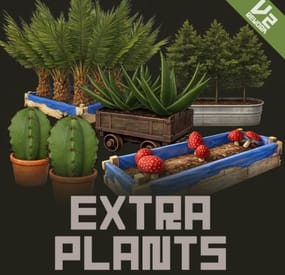
Expand your farming with 20 unique cultivatable plants !
ExtraPlants introduces a brand-new farming system that goes beyond vanilla crops. Grow mushrooms, harvest resources from grubs, cultivate fruits, vegetables, herbs, and more.
By default, all custom items are based on apples, etc.
These seeds can be obtained from wild trees, ores, and plants.
Using a shovel, you can cultivate fields in various locations. This item is a default item in Rust, but it is not used in the game; however, it can be given to the player using a special command.
We recommend that you set them to items that can be used with Cooking plugins, etc.
This plugin has a trial version. If you are considering purchasing it, please download it here.
Harvestable Plants
Aloe - Produces Aloe Vera Cactus - Low water requirement, yields cactus flesh Sugarcane - Produces sugar cane Wood Tree - Grow your own wood supply Fruits Tree - 15 fruit varieties: Apple, Apricot, Strawberry, Fig, Orange, Kiwi, Plum, Cherry, Pomegranate, Loquat, Grape, Lemon, Persimmon, Peach, and Pear. Tropical Fruits Tree - 11 exotic fruits: Avocado, Guava, Star Fruit, Dragon Fruit, Pineapple, Passion Fruit, Banana, Papaya, Mango, Mangosteen, and Lychee. Nuts Tree - 10 nut varieties: Almond, Cashew, Walnuts, Peanuts, Brazil Nuts, Hazelnuts, Chestnut, Pistachio, Pine Nuts, and Coconut. Sulfur Grub - Harvestable grub that yields sulfur ore — explodes when attacked! You need to raise the larvae without being detected by enemies. Zombie Soul - Mysterious Soul that yields bones. Emits a scream sound when grown. Mushroom - 9 mushroom varieties including Enoki, King Oyster, Maitake, Shiitake, Shimeji, and rare drops like Truffles and Matsutake. Metal Grub - Harvestable grub that yields metal ore Rice - Produces rice (high water requirement) Narcotic Herb - 4 herb varieties: Marijuana leaf, Tobacco leaves, Damiana leaves, and Coca leaves. Potato Plants - 6 tuber varieties: Potato, Sweet Potato, Konjac taro, Nagaimo, Taro, and Yacon. Yellow Plants - 5 varieties: Onion, Burdock, Carrots, Zucchini, and Hop. Green Plants - 5 varieties: Broccoli, Cucumber, Green pepper, Parsley, and Spinach. Black Plants - 3 varieties: Black Raspberries, Coffee Beans, and Black pepper. Blue Plants - 8 varieties: Blueberries, Eggplant, Purple cabbage, Lettuce, Chinese cabbage, Cabbage, Beets, and Asparagus. White Plants - 6 varieties: Radish, Turnip, Lotus root, Green onion, Bamboo shoots, and Garlic. Red Plants - 4 varieties: Tomato, Paprika, Swiss chard, and Chili peppers.
By default, all custom items are based on apples, etc.
We recommend that you set them to items that can be used with Cooking plugins, etc.
Added a shovel that can be used to cultivate fields.
Using a shovel, you can cultivate fields in various locations. This item is a default item in Rust, but it is not used in the game; however, it can be given to the player using a special command. When you pick up a field you've cultivated, it disappears and returns to normal land. It cannot be used in areas where construction is prohibited or on hard terrain.
How to obtain seeds
Wood Sapling, Tropical Fruits Tree Sapling, Fruits Tree Sapling, Nuts Tree Sapling, Sugarcane Sapling
Gather Wood
Mushroom mycelium
Collect Wild Mushrooms
Sulfur Grub
Collecting and mining sulfur ore
Metal Grub
Collecting and mining metal ore
Zombie Soul
Collect bone fragments
Narcotic Herb Seedlings, Rice Seedlings, Seed Tuber, Yellow Plants Seed, Green Plants Seed, Black Plants Seed, Blue Plants Seed, White Plants Seed, Red Plants Seed
Gathering wild hemp
Cactus Sapling, Aloe Sapling
Gathering wild cactus
Custom Seeds System
• Seeds use the fertilizer item with custom skins
• Place seeds in any planter box to start growing
• Each plant type has unique growth requirements
Fully Configurable
Every plant type can be customized:
• Growth time intervals
• Growth success chance
• Water requirements
• Drop items and quantities
• Custom item names and skins
• Death/consume probability for grubs
• Setting the method for obtaining seeds.
Cultivation method
1. Obtain Seeds - Obtaining Seeds - Players can obtain seeds by gathering wood or mining ore. Alternatively, they can be purchased in the shop, or administrators can distribute seeds using the giveseed command.
2.Plant the seeds - Place the seeds (fertilizer with custom skin) in the storage box for fertilizer in any planter.
3. Water Plants - Ensure adequate water level for growth
4. Wait for Growth - Plants grow based on configured intervals
5. Harvest - grown plants to collect resources
Special Mechanics
• Sulfur Grub - Explodes when attacked
Explosion Conditions
The player attacks the sulfurous body with an axe or gun.
The planter box containing the sulfurous is destroyed by the player or NPC, or is destroyed by weathering.
(Pickup collection does not cause an explosion.)
How to use a shovel
You use a shovel to strike the ground, which is not in a building-restricted area and is not hard terrain. You then cultivate the field at the spot where you struck. This process consumes condition points. The maximum water volume is 3000 by default. When you pick up a field you've cultivated, it disappears and returns to normal land. It cannot be used in areas where construction is prohibited or on hard terrain.
Chat Commands (Admin Only)
/seed Obtain 100 seeds of each type.
ServerConsole Commands
giveseed <steamID> <skinID> <amount> - Give special seeds to a player. Entering only "giveseed" will show the names of all plants.
giveshovel <SteamID> - Give the player a shovel.
Seed Skin IDs
Aloe Sapling 3601726840 Cactus Sapling 3601727134 Tropical Fruits Tree Sapling 3601727963 Fruits Tree Sapling 3601727819 Wood Sapling 3601729292 Sulfur Grub 3601729483 Metal Grub 3601729552 Zombie Soul 3601727291 Sugarcane Sapling 3601727002 Nuts Tree Sapling 3601727388 Mushroom mycelium 3675820909 Rice Seedlings 3675814595 Narcotic Herb Seedlings 3675814321 Seed Tuber 3675814757 Yellow Plants Seed 3675815517 Green Plants Seed 3675815146 Black Plants Seed 3675814927 Blue Plants Seed 3675815024 White Plants Seed 3675815400 Red Plants Seed 3675815276
Give Seed Example:
giveseed 76561198000000000 3601726840 10
(Give 10 Aloe Sapling to 76561198000000000)
Shop Settings
Shortname "fertilizer" + SkinID
Option Settings
"Condition Loss When Using Shovel": 5.0, "Shovel Pot Max Water": 3000, "Batch Harvest Special Plants": false, "Enable Dispenser Gather Seed Drops": true,
Plant Settings
{ "Mushroom Settings": { "Enabled": true, "Seed Name": "Mushroom mycelium", "Seed Skin ID": 3675820909, "Growth Time (seconds)": 900.0, "Growth Chance (0.0-1.0)": 1.0, "Water Required": 300.0, "Max Drop Types Per Harvest": 1, "Drop Items": [ { "Item Short Name": "mushroom", "Custom Item Name": null, "Skin ID": 0, "Min Amount": 1, "Max Amount": 3, "Drop Chance (0.0-1.0)": 1.0 }, ...
Seed Drop Settings
Set the species that can be obtained by triggering items (short names) that can be acquired through activities such as cutting down trees, gathering wild hemp, and mining ore.
"Dispenser Gather Seed Drops": { "wood": { ///Trigger Item "Max Drop Types": 1, "Seeds": [ { "Seed Name": "Wood Sapling", "Drop Chance (0.0-1.0)": 0.08, "Min Amount": 1, "Max Amount": 3 },
Configuration Options
Condition Loss When Using Shovel :
This setting determines the amount of condition consumed when tilling the ground with a shovel. Shovel Pot Max Water :
This setting determines the maximum water volume for areas tilled with a shovel. Batch Harvest Special Plants :
Setting this to True allows you to harvest all special plants in a planter at once. Dispenser Gather Seed Drops :
You can configure the item triggers and the seeds that players can obtain when they collect or gather items. For All Plants :
Growth Time (seconds) - Time between growth checks Growth Chance (0.0-1.0) - Probability of successful growth Water Required - Minimum water level needed Seed Skin ID - Custom skin ID for the seed item Max Drop Types Per Harvest - Number of different items dropped Drop Items - List of items with amounts and drop chances For Grubs (Sulfur Grub, Metal Grub, Zombie Soul) :
Probability Of Death (0.0-1.0) - Chance the seed is consumed after a growth cycle For Sulfur Grub :
Enable Explosion (true/false) - Whether the grub explodes when attacked For Zombie Soul :
Enable Sound (true/false) - Whether a scream sound plays when grown How to set harvested custom items as ingredients in a cooking plugin.
Open Cooking.json and add all the items listed in Cooking_ingredients_list.txt (which is included when you downloaded ExtraPlants) to the "ingredients" section under "Ingredient Settings". Furthermore, you need to configure the recipes to use those ingredients.
Rice, Tomato, and Pineapple are duplicates in the default settings of Cooking.json, so please delete the original entries before adding them.
Q: How do players obtain seeds?
A: Seeds can only be given by server admins using the console command:
giveseed <steamID> <skinID> <amount>
You can integrate this with your server's shop plugin or reward system.
Q: Do plants survive server restarts?
A: Yes! All plant data is automatically saved and restored when the server restarts. The plugin uses persistent data files to track all planted seeds and their growth states.
Q: Can I customize the drop items and amounts?
A: Absolutely. Every plant type has fully configurable drop settings in the config file. You can change item types, quantities, drop chances, custom names, and skin IDs.
Q: What happens if I attack the Sulfur Grub?
A: The Sulfur Grub will explode, dealing 500 damage within a 12-meter radius. This is intentional — harvest it normally by interacting with it instead of attacking.
Q: Why aren't my plants growing?
A: Check the following:
• Ensure the planter has enough water (each plant type has different requirements)
• Verify the growth chance in config is set properly (0.0-1.0)
• Wait for the configured growth interval to pass
Q: I can't till the ground with a shovel.
A: It's not permitted on hard terrain, in areas where construction is prohibited, etc.
Q: Can I add my own custom plants?
A: The current version supports 20 pre-configured plant types. Each plant type's drops, growth times, and requirements are fully customizable through the config file.
Q: Do the fruit trees drop all fruits at once?
A: No. The "Max Drop Types Per Harvest" setting controls how many different fruit types drop each harvest. For example, if set to 3, players will receive 3 random fruit types from the configured list.
Q: What's the difference between Grubs and other plants?
A: Grubs (Sulfur Grub, Metal Grub, Zombie Soul) have a "Probability Of Death" setting. After each growth cycle, there's a chance the grub will die and need to be replanted. Regular plants like trees continue producing indefinitely.
Q: Which planters are supported?
A: All vanilla planter types are supported:
• Large Planter Box
• Small Planter Box
• Bathtub Planter
• Minecart Planter
• Railroad Planter
• Triangle Planter
• Single Plant Pot
Q: Can players craft the seeds?
A: No, seeds cannot be crafted by default. They must be distributed by admins. This gives you full control over your server's economy and progression.
Q: Are the custom skins included?
A: Yes, all skin IDs are pre-configured and included. The skins are applied automatically when seeds and harvested items are created.
Q: Item skin images aren't displayed in the UI.
A: Please install the Image Library.
Q: Can I change the seed item from fertilizer to something else?
A: The current version uses fertilizer items with custom skins as seeds. Changing the base item would require code modification.
Q: How do I give seeds to offline players?
A: The giveseed command works with sleeping players too. As long as the player has logged in at least once, you can give them seeds using their Steam ID.
Q: What happens if a player's inventory is full when receiving seeds?
A: The seeds will be dropped on the ground near the player's position.
Q: How do I set harvested items as ingredients in the Cooking plugin?
A: Open Cooking.json and add all the items listed in Cooking_ingredients_list.txt (which is included when you downloaded ExtraPlants) to the "ingredients" section under "Ingredient Settings". Furthermore, you need to configure the recipes to use those ingredients.
VOID / NINJA WORKS
DISCORD : https://discord.gg/U8uxePjSyA
MADE IN JAPAN
- #rust
- #facepunch
- (and 12 more)