cameron
-
Posts
119 -
Joined
-
Last visited
-
Days Won
1
Content Type
Profiles
Warranty Claims
Downloads
Forums
Store
Services
Downloads Plus Support
DOWNLOADS EXTRA
Everything posted by cameron
-
 Fix been released
 -
As with all plugins, when Rust updates, there is a chance the plugin will break. This was not an ongoing issue it was caused by the new Rust update and is out of my control. I will take a look and see what I can do to resolve the issue, however, I have not got around to doing it just yet apologies.
-
Ill have a look. Nothing changed with regards to picking up the chairs. Il see what I can find. Did you notice when this started occuring? I dont belive you can use the drones
-
Are you using custom maps?
-
 Ill work on getting this solved
 -
I implemented fixes for all these issues a while ago. I will try and get some resources to attempt to replicate the issues again. It may be that the issue has come back from a Rust update. If you want to help me out please can you send me video fotage of what is happening and the full steps to replicate the issue. I rember looking into a report a few months ago but I did not have/find the issue. This will make it a lot easier to try and identify what is wrong. Thanks
-
1 Cool idea! 2 Not sure what a password box is. Do you have a picture? 3 I agree auto dleteing would be deseriable but ran into a few issues with it. - What happens if the server crashes - What happens if someone builds a base in it Still coming up with ideas for it but thanks for the great feed back
-
Version 1..1.2
105 downloads
King Of The Hill is an event plugin that will automatically spawn a base of your choice randomly on the map. Either manually by command or automatically every x seconds. This base can then be raided to claim the loot or held down if you choose to put a locked crate into the base. This creates a King of the kill style event. The possibilities are endless with how you choose to use this plugin and you can cater it for your community/server type. The plugin offers a vanilla feel with nothing too over the top or confusing for new players. It can work with every type of server. Example use cases Locked crate idea - Spawn a base with a locked crate on it. Players will have to defend the locked crate from other players. Maybe they have to raid a bit to get to the locked crate. Radiable base idea - Spawn an armoured base with some turrets and maybe scientists around it. First to raid and loot it gets all the loot! A wooden base - Make a small wooden base that can be easily raided with basic loot inside. A base that can be raided and taken over - Make a strong base that could be raided and claimed as their own base. As you can see the possibilities are endless and you can create every style of event you would like it to be! Requirements This plugin requires the Copy Paste Plugin that can be found here. Please ensure you have the most up to date version of this plugin. uMod - Copy Paste by misticos Optional This plugin can also use uMod - GUI Announcements by JoeSheep How to create bases? Bases can be built like how you normally would in Rust. To save your base design you then use the copy and paste plugin to copy your base design. The copy-paste plugin is required for this plugin to work. Once copied add the building name (the name of the file you just copied) into your config. You can have as many bases as you would like. As you can not place or copy entities such as scientists, locked crates and loot crates that spawn at monuments you can configure items to be replaced with entities when the bases are pasted in when the event starts. There is no limit on what you can spawn it but be careful with what you choose to spawn in as it may not work as you expect! As shown in the You Tube Video above I have set Pookie bears to be replaced with Locked Crates(This is in the default config) as well as some other items to swap to scientists and Elite crates. In the config you will see three examples you can add your own or tweak the existing ones. You can find the name of the prefab here RUST Prefab List - Full List for 2022 - Corrosion Hour or by ent killing a prefab it will output its full name into the console. Commands /startkoth - This command will start the king of the hill event imediatly and will not impact the timer of the auto event. /startkoth here - This command will start the king of the hill event imediatly where you are standing and will do fewer checks to ensure that the spot is valid. Again does not impact the auto timer /startkoth "buildingName” – This command will start the king of the hill event imediatly with the building name you specified. You can also use the here argument in this command but make sure you don’t name your building "here” Permissions KOTH.use - This permission allows people to use the /startkoth command Config File "AutoEventEnabled" - Will the plugin start the event automatically every x seconds (X is a random number taken from between MaxAutoTimeInSeconds and MinAutoTimeInSeconds) "BuildingNames" - The list of the building names that should be used for the event. You can have 1 or more and a random one will be chosen each time. YOU MUST REPLACE THE CONFIG SETTING FOR THIS WITH YOUR BUILDING NAMES "CollisionCheckRadius" - The radius to check for collsisions when attempting to paste the base. Do not set this to 0 if AutoEventEnabled is set to true as bases may spawn in strange places and clip into rocks. "DestoryMapMarkerAfterXSeconds" - When the event starts a red marker is displayed on the map. Set how long this map marker should be on the map for "GuiAnnouncmentBGColor" - The colour to use for the GUI announcement if installed and enabled. "GuiAnnouncmentTextColor": The colour to use for the GUI announcement text colour if installed and enabled. "GuiEnnouncmentEnabled" - Set weather gui anouncment should be enabled or disabled. (If you dont have the plugin set this to false to increase performance) "MaxAutoTimeInSeconds" - The max time before a new event will start if AutoEventEnabled is set to true "MinAutoTimeInSeconds" The min time before a new event will start if AutoEventEnabled is set to true "ReplaceOverrides" The list of entities that should be replaced and what they should be replaced by. "maxHeightDifferenceAround" - Set the max height difference around the area the base is going to paste. Set this higher to allow more freedom but may get bases spawning in the air if the plugin is struggling to find a good spot. Set it lower if you have bases spawning in the air(recommend 3-5) Lang Support This plugin supports lang files. There are only two messages - BroadcastMessage - The message to be shown in the chat - GUIAnnouncmentMessage - The message to be shown if using the guianouncment plugin and it has been enabled in the settings. FAQ Will the base decay? - The base will not de-spawn through this plugin instead let the games natural decay system take place. If you are setting a tool cupboard in the base ensure that you don't put too many resources or the base may take too long to decay. Do you have to have a tc in your build? - You do not have to have a tool cuboard in your base design its up to how you want the event to play. Do you want people to be able to build? Do you want people to be able to build only if they raid the tc? Or do you not want them to build at all? (Check youtube video for example of how that is done by spawning the tc under the map) Support If you require assistance please directly reach out to me on Discord. mrcameron999#0001 I will respond a lot faster than using other forms of support. Plugin icon credit: https://www.flaticon.com/free-icons/top Top icons created by Freepik - Flaticon$21.99 -
Version 1.0.9
163 downloads
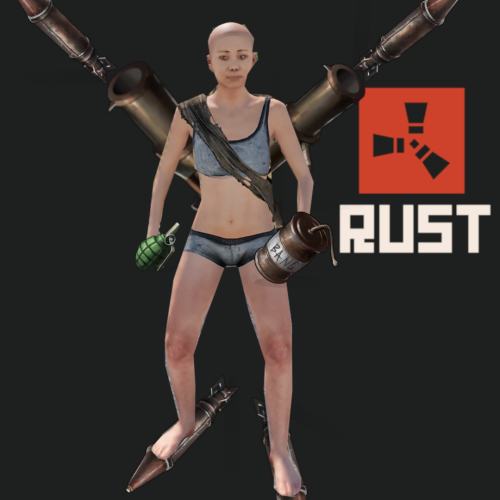
Explosive Weapons This plugin adds 10 new explosive weapons all with custom icons! 4 new rocket launcher variants 6 new grenades https://www.youtube.com/watch?v=PJtR93sx2FY&ab_channel=RustArcade So what weapons do you get? Check out the video above if you don't like reading. All weapons are shown in there The Jericho missile - Inspired by Tony Stark himself. "They say that the best weapon is the one you never have to fire. ... I prefer the weapon you only have to fire once" This is definitely that. Heat Seeker - This is a custom rocket launcher that launches a rocket. It will look on to any player that is near where you are aiming. (Only players). The rocket will follow the player until its blows up Follow Rocket - This is a custom rocket launcher that launches a rocket that heads to where you are looking. Bend the rocket to where you want it to go. Javalin - This is a custom rocket launcher that launches a rocket straight up into the air after a few seconds it rapidly descends to your target. The target is located where you are looking and marked with a flare. Flashbang - A custom f1 grenade. Acts like any flashbang in any other game causing the players screen to flash white for a configurable amount of seconds Healing - A custom f1 grenade. This grenade is the only grenade to not kill but instead heals all players around it with a passive heal along with an instant heal. It will also pick up any downed players Impact Nade - A custom 1 grenade. When this grenade hits something it detonates Multi Nade - A custom f1 grenade. Apon destination 4 other grenades spawn around it. Inspired from Valaront Molotov Cocktail - A custom bean can. This grenade explodes on impact and spawns fire around where it lands Stun Grenade - A custom f1 grenade. This grenade stuns all players for a brief duration causing them to all go to the downstate and be extremely vulnerable while in this state How can I use this plugin with my server? Each weapon has a skin attached to it. You can use any loot plugin and add these weapons to your loot tables along with the skin ids. All skin ids can be found in the config file and this allows you to only add the weapons you want. Alternatively, there is a command to spawn each grenade for admins. Commands The following commands gives the player who typed it the corresponding weapon /GiveJerico /GiveSeeker /GiveFollow /GiveJav /GiveMulti /GiveMoly /GiveFlash /GiveImpact /GiveStun /GivesHealing /GiveAll - gives all weapons Permissions "explosiveweapons.admin” gives access to all commands "explosiveweapons.notarget” Players with this permission can not be targeted by the seeker missile Config jerichoBigRocketCount - How many big rockets to spawn. Do not set this lower than 1 jerichoSmallRocketCount - How many small rockets to spawn per big rocket. Do not set this lower than 1 jerichoXSize - How wide the rockets should spawn. Make this low to make the rockets land more condensed jerichoYSize - How spread the rockets should spawn in front and behind the target point maxRangeForJerichoAndJavalin - max range the javelin and Jericho can target. scatterSize - How wide apart to spawn the four grenades for the Multi Nade. They will spawn through walls flashDuration - How long players should be flashed for jericoDestroyOnShoot - Should the rocket launcher break when they shoot the Jericho missile heatSeekerDestroyOnShoot - Should the rocket launcher break when they shoot the Heat Seeker followDestroyOnShoot - Should the rocket launcher break when they shoot the Follow Rocket javalinDestroyOnShoot - Should the rocket launcher break when they shoot the Javalin instaHealAmount - How much hp to instant heal from the heal nade passiveHealAmount - How much hp to heal over time from the heal nade stunDuration - How long for players to be stunned for spawnFlares – Should flare spawn on the Jericho and the javalin? The remaining 10 config items are the skins to be used for each weapon. They can be changed if you would like and they are also the ids used to add items to your loot table Default skin values jericoSkin = 2656578790 seekerSkin = 2657299588 trackSkin = 2657312965 javalin = 2657315108 multiGrenadeSkin = 2657418159 molatoveGrenade = 2657408625 flashBangSkin = 2657412999 healingSkin = 2657414983 impactNadeSkin = 2657418820 stunGrenadeSkin = 2657417547 Need to contact me for issues or private work mrcameron999#0001 on Discord Here is a exmaple of how one customer is using it (not in english) https://gyazo.com/e420a7b2f31c7b05bcae9705536ca49a$19.99 -
Version 1.0.2
17 downloads
Team Voice Chat Adds a private voice chat system for teams and clans just like the in-game private text chat for teams but for voices. Allow users with the correct permissions to use voice chat and only be heard by their teammate in their Rust team or people in their clan! What does the Team Voice Chat do? Team Voice Chat limits who can hear your voice to only people in your team or clan. It integrates with the vanilla team system or the clan plugin on Umod https://umod.org/plugins/clans How do I use it? There are several ways to use team voice chat by configuring the config or by setting up permissions. You can set all voice chats to be through the team system. You can set people with specific permission to be able to use the team voice chat and you can allow people with specific permission to toggle between team voice chat and normal voice chat. If users are not in a team they will use the normal voice chat system. Telephones work the same as well You can optionally use the clan's plugin instead of the Rust team system however it's not recommended Commands /teamvoice - toggle between on and off for team chat. Require the permission "TeamVoiceChat.toggle" This command will grant the user the permission "TeamVoiceChat.enabled" Permissions TeamVoiceChat.toggle -> allows users to use the /teamvoice chat command TeamVoiceChat.enabled -> If a user has this permission they will use the Team Voice Chat system as long as they are in a team. Lang Support Full oxide language support has been added Config UseClansPlugin -> Set this to true to use the Umod clans plugin. There will be extra performance overhead with this option enabled EnableForAll -> Set this to true if you want to ignore the permission system and instead set every player to use the team voice chat feature CustomVoiceRange -> The range for team voice chat to work from. Increasing the value from the default will have no effect as voices get quiet on the client-side. Reducing it will say you want team voice chat to only work in a very close radius Compatibility with other voice plugins This plugin will not work with other voice plugins Icon for the plugin https://icon-library.com/icon/voice-chat-icon-12.html.html>Voice Chat Icon # 257438 Need to contact me for issues or private work mrcameron999#0001 on Discord$11.99 -
Version 1.0.14
404 downloads
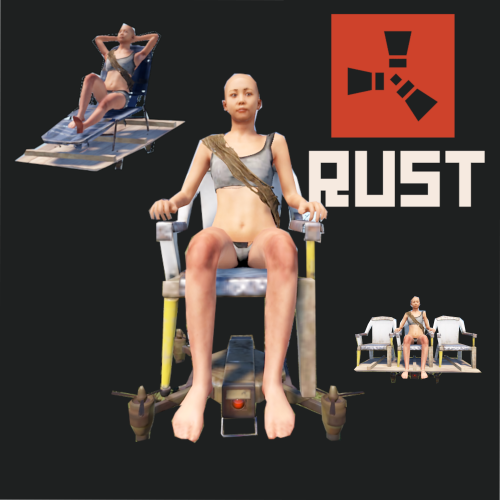
Drone Taxi adds another way to travel around the Rust World! Simply type /taxi to bring up a taxi selection screen. Each taxi has its benefits and different scrap costs to run. Prices are all customisable as well as who can use them! How To Use It? Typing /taxi will bring up a taxi UI. Select one of the three drone types available and it will be delivered near you. Once onboard right click on your map where you want to go. Make sure you have enough scrap to get there! The drone will try to avoid all obstacles and are restricted in where they can pick passengers up as well as a drop. Check the video for a demo Types Of Drones There are three types of drones, Drone X, Drone XL, and Drone Lux Drone X is the cheapest and simplest drone. It seats only one person! Drone XL seats three people Drone LUX is for the mega-rich players. This only seats one player but is a way better ride Permissions You require specific permission to be able to use each drone. They are as follows and respect the corresponding drone DroneTaxi.X DroneTaxi.XL DroneTaxi.LUX Commands There is only one command /taxi this brings up the taxi UI Config Each drone can have its price per second, as well as base price, tweaked. flatFeeX -> amount of scrap to charge for setting a destination for drone X flatFeeXL -> Same as above but for drone XL flatFeeLUX -> Same as above but for drone LUX varableFeeX - > How much scrap to charge per second of flight for drone X varableFeeXL -> Same as above but for drone XL varableFeeLUX -> Same as above but for drone LUX coolDown - > Time in seconds before a new taxi can be called ignoreBuildingBlocked -> Enable this to ignore building blocked sphere (monuments) This is not recommeneded Limitations Sometimes the chairs will appear invisible. This is purely cosmetic for the player and they tend to reshow after a few seconds. Contact Need to contact me for issues or private work mrcameron999#0001 on Discord$14.99 -
Version 1.0.1
48 downloads
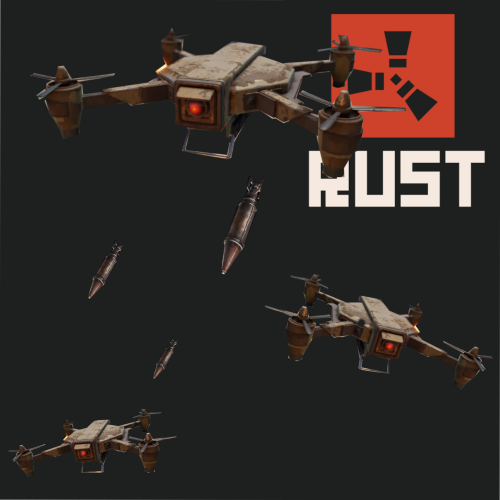
Call in drone strikes to bomb your enemies. Drone strikes are picked by selecting two points on the map. Highly customizable and perfect for economy servers, shop servers, vote rewards, donation rewards or an admin abuse tool! Designed to work with many other plugins. How do I use it! Drone Strike works on one command. This allows you to use it with any plugin that allows custom commands to be called. Some examples would be a shop plugin that executes a command when it's purchased. Because of how the command is designed you could add multiple drone strikes to the shop that differ in power or range. A vote reward, A donation reward could also be used. It can also be used by anyone with permission. The command and arguments are as follows. /addstrike [Steam Name or SteamId] [type] [range] [bombspeed] [heightAboveGround] [droneCount] [Steam Name or SteamId] -> Steam name or their steam id. They must be connected! [type] -> The ammo to use for the strike. The ammo and the type to enter are as follow 0 = bean can 1 = f1 grenade 2 = rockets 3 = Incendary rockets (THESE ARE LAGGY!) 4 = rocket hv (These act slow not fast) 5 = satchels 6 = c4 charges [range] -> Enter the range for the drone strike. If the user tries to make the strike longer than this value it will change the end zone to be the end of the range [bombspeed] -> How often bombs should be dropped. This value is in seconds and can be decimal points. [heightAboveGround] -> All drones independently fly and they will try to maintain this value above the ground. Setting this higher will help reduce the number of crashes the drones have [droneCount] -> The amount of drones to spawn. Setting 2 will spawn 5 drones. Example command = /addstrike cameron 6 100 2 20 6 To use this command either send it from the server console or have the permission "DroneStrike.use". You can give yourself drone strikes. One drone strike can be added per person until it's used. To call in the strike select two points on the map. The start and end zone Drone avoidance and navigation Drones will try to avoid obstacles the best they can but sometimes this will crash. If they crash they will simply despawn and stop dropping bombs. Need to contact me for issues or private work mrcameron999#0001 on Discord$11.99 -
 I have released an update that should help with this issue
 -
Ill work on how its pasted as well. Hopefully tomorrow Ill get an update out. Cant promise it tho
-
Not sure if every entity will work but give it a go. I had to strip some of it down. I know codelocks dont work for example
-
The bases provided are dummy bases. Ill try rework how they are spawned in it may help a bit however I highly recommend you make your own bases. The description tells you how to do this. Alternativly remove them from the config if there causing big issues. Ill loook into it tho. Side note the base with the two stair cases will always have the small walls break.
-
Just put it out let me know what you think. You can download both version if your finding issue. Do let me know tho
-
I just finsihed an update to it. Ill sort as soon as I restarted my servers
-
Sounds like a good idea. There is a check already that can be configured. Increasing the number will increase the check radius. It checks each block before its placed and if its not a valid spot it will just not place it
-
 I will be making an update indeed!
 -
.
-
Version 1.0.4
146 downloads
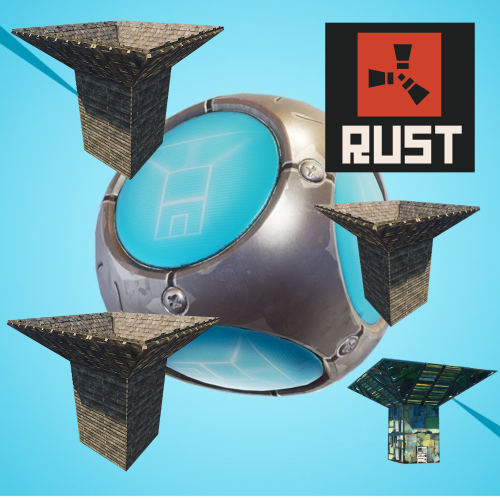
Add PORT-A-FORTS from Fornite into Rust. Turn specific F1 Grenades into PORT-A-FORTS famous from Fortnite! Once the grenade explodes a fort will begin to be built where it exploded. This fort can then be used to get a competitive advantage over your enemies. Create your own forts in-game and then use them within this plugin. What does the PORT-A-FORT do? Throwing a PORT-A-FORT F1 grenade causes a fort to be built over a period of time where it exploded. Once it's been built it will then be upgraded. A random fort is picked from a list of available forts provided in the config file. How do I use it? PORT-A-FORTS can be incorporated into your server in the following ways! Spawn then with /portafort– requires the permission "PORTAFORT.use” Add an F1 Grenade with the skin id in your PORT-A-FORTS config file to add them to your loot table or add them to kits in the same way! Alternatively, you can spawn a fort by typing /port - requires the permission "PORTAFORT.me” A fort will not be consucted in building blocked zone or if the foundations can not be placed (configurable) How To Install Drag the ports folder into the data folder for oxide Drag the .cs file into the plugin folder Commands and Perms /port - spawns a fort on your feet - "PORTAFORT.me" /portafort - gives you a PORT-A-FORT grenade. Permission "PORTAFORT.use" Config NamesOfPortFiles -> Add the names of the .json files for the specific forts that are within the ports folder in the oxide data folder. HpOnComplete -> The health forts will have once they have been completed FolderForPortFiles -> The folder where port data files are stored. May be good to change it to your CopyPaste folder. ObjectBlockingRange -> Change this if your having issues with forts being build in bad spots such as in rocks or houses. The higher the value the more likely a block will not be built. Default is 1. Setting it to 0 will disable the check SkinForPortAFort -> The skin id to determine if an f1 grenade is a PORT-A FORT or not. SpeedToBuild -> How fast a building will get built. 0.01 default. AmountToBuildPerLoop -> How many blocks will get placed per every cycle of the above time. Default 2 RefundOnBadPlacement - > If a grenade should be given back in the event of bad placement How do I add my own forts? Four forts are provided however you may wish to create your own more interesting ones. To do this you will need to get Misticos - Copy Paste plugin https://umod.org/plugins/copy-paste. Once a fort has been created copy the fort using the plugin stated. This will generate a .json file in the copypaste data folder and will be labelled the name of what you copied it as. Take this file and add it to the ports folder in the data folder. You then need to add the port to the config file under the section "NamesOfPortFiles". You're then done! Not all entities were tested so if your file doesn't work it may be because you added a weird entity. Need to contact me for issues or private work mrcameron999#0001 on Discord$9.99 -
You just have a XXL painting and keep changing what's on it. Would look like a gif
-
I'm sure I can have a go
-
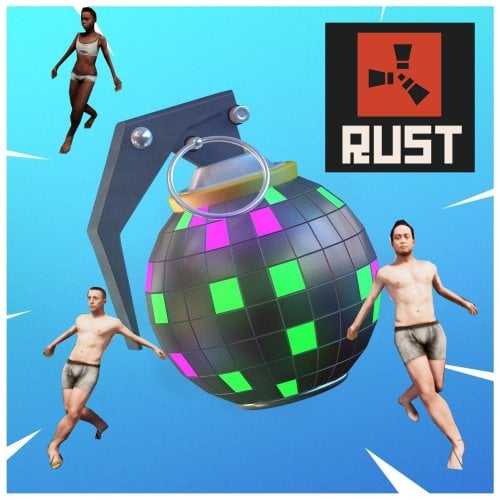
Version 2.0.2
129 downloads
THIS PLUGIN IS CURRENTLY BROKEN! Face punch removed the dance. I attempted to use the new ones but the dances won't lock the player. I'll have another go a bit later to see what I can come up with. This plugin may break in the next rust update! Purchase with caution. I can't promise it will work after 7th of october Adds Boogie Bombs from Fornite into Rust, making use of a secret dance emote! 2.0 Update! Old Version How does it work? Allows you to turn specific F1 Grenades or All F1 Grenades into Boogie Bombs that can be thrown at players! There is also two command to manually play the dance emote What does the Boogie Bomb do? When thrown it will roll around making a funny noise. It will then explode and a Boom Box will spawn along with a fully fitted nightclub! All players hit by the explosion will be forced to dance uncontrollably. Once the dance has ended the Music Box will blow up along with the rest of the nightclub and everyone affected will return to normal. You can see this in the YouTube video above. Boogie bombs do no damage to players or buildings, they are harmless. How do I use it? Boogie bombs can be incorporated into your server in the following ways! Spawn then with /boogiebomb – requires the permission "BoogieBomb.use” Add an F1 Grenade with the skin id in your boogie bomb config file to add them to your loot table or add them to kits in the same way! Alternatively, you can set all F1 Grenades to act as boogie bombs in the config file – the settings are as follows: Config AllF1GrenadesAreBoogie | Sets this to true to make all F1 Grenades act as boogie bombs DanceFloorSize | Set the size of the dance floor, This increases the radius of the boogie bomb – Default value is 10 SkinForBoogieBomb | The skin Id to use for boogie bombs. This is ignored if AllF1GrenadesAreBoogie is set to true DanceDurationSeconds | The time in seconds for how long players should dance LegacyBoogieBomb | Use the old version of this plugin (Music Egg) RadioToUse | The radio to use when the boogie bomb spawns. Numbers from 0 -> 16. When the plugin loads it will state what radio you have selected. I suggest picking the 0,1 or 2 as these load immediately Commands Just want to use the dance emotes use the commands /dance – makes you dance. requires "BoogieBomb.me” perm /dancetarget username – makes the target dance, requires "BoogieBomb.target” perm I have a question about the plugin or need help! Message me on discord – mrcameron999#3378$11.99