.png.cedaa93371778b1b77fd5c6500ed96e7.png)
0xF
-
Posts
879 -
Joined
-
Last visited
-
Days Won
8
Content Type
Profiles
Warranty Claims
Downloads
Forums
Store
Services
Downloads Plus Support
DOWNLOADS EXTRA
Reels
Everything posted by 0xF
-
Version 1.1.15
310 downloads
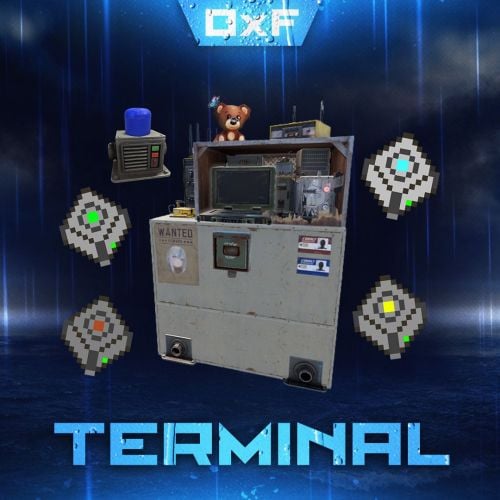
Terminal is an indispensable item that will allow players to manage the resources of the house in one place! Just as importantly, it is not just a conditional button on the screen or something similar, but a complete new item that is placed in the house, which gives a nice user experience to any player that likes interaction. Its multifunctionality will allow the player to use it for a variety of purposes, from simple resource management to building a terminal-only resource factory. Interested? Then let's get to the details. Examples of uses: Getting remote access to resources, the ability to take resources from several storages at once, as well as put them in them. The ability to use the terminal as one big chest thanks to the cells of different levels, available import and export pipes will allow to realize the delivery of resources to the production tools Building a plant powered by terminal alone Many other clever uses, like a chest in the buffer of the house connected to the terminal. Combining uses Features: Similar type items are displayed combined in one slot, where you can see the total quantity and take the required quantity. Two modes of operation: wireless and cellular. Full-featured new placeable item Works with industrial pipes Ability to create different cells (by standard there are 4 levels) Cells have their own stack size just for them. Intelligent movement that will not allow you to store more items in the boxes than allowed The terminal has a convenient search for items in the user's language, not only in English Demo Video: Installation instructions Installing dependencies CustomEntities. Go to Github, click Clone -> Download ZIP, then transfer CustomEntities.cs to the folder with plugins. CustomItemDefinitions. Go here, download and install in the plugins folder. Download purchased this plugin and install it in the plugins folder the same way. Done Quick Start: Prompt commands: give terminal give storage_cell.level1 give storageadaptor.wireless Place terminal, put the cell in the cell storage, install the adapter on the chest, enjoy. More about items: [Terminal] Terminal is a placeable item, with the ability to be placed both outside and in the house, serves for convenient management of all resources in the house. It has a certain amount of health (default 500), as well as the ability to pick up with a loss of strength. It has 2 modes of operation, wireless and cell, can work with industrial, by means of pipes to import and export items from cells. The server owner can decide where to get this item from, it has its own short name and can be used in all plugins, the best option is to craft it. The shortname of the item - terminal Command to give: give terminal How to pick up a terminal? For this we must have authorization in the cabinet. Holding a mallet in your hand, point at the part of the terminal where the inscription Authorize appears, press the R button and select Turn. How to switch modes of operation? It is possible to do this by pressing the switch on the left side of the laptop, it looks like this: What is needed to work in wireless mode? To start working you need the item "Wireless Storage Adapter”, this item is part of the plugin. Can be obtained by any method of the server owner's choice. The short name of the item - storageadapter.wireless. Command to give out: give storageadaptor.wireless Next, install the wireless storage adapter on the storage item you need. Such as: chests, furnaces, refineries, etc. Next, select the wireless mode on the terminal by pressing the switch. After entering the laptop, it will display all the items that are connected to the adapter in the range of the wireless mode of the terminal (customizable). What is needed to work in the cell mode? The first thing you need are the cells themselves, they can be obtained in any way the server owner chooses. The short name of the item - storage_cell.{name from the config, by default it is level1-4} Command to give out: give storage_cell.level1 Cells should be put in the terminal cell storage, it looks like this: It is recommended to put any kind of lock on the cell storage, otherwise they can be stolen! Next, select the cell mode on the terminal by pressing the switch. After entering the laptop, where you can now see what is in the cells, how many slots are available and you can put things there. [Wireless Storage Adaptor] Used for the wireless mode of the terminal. Installed on all storage items for which a regular storage adapter is available. Does not require additional connection. The server owner can decide where to get this item from, it has its own short name and can be used in all plugins, the best option is to craft it. The short name of the item - storageadapter.wireless. Command to give out: give storageadapter.wireless [Storage Cells] Cells hold items, have a certain number of slots and a maximum stack in each slot. These are special slots and only in them items can be stacked to their maximum. The maximum stack works on the principle of 1 type - 1 slot. That is, if the maximum stack is 5000 and the player puts there 10 new machine guns, they will occupy 1 slot and such can be put another 4990, if he puts a slightly broken machine gun, it will take another slot and will store the same machine guns. This is how it works with all items. Another example; a level 1 cell has a maximum stack of 5000 and 8 slots, and if you store only sulfur in it, you can eventually store 40000 sulfur in it. Higher level cells have more stacks and slots. Don't worry, the configured max stack won't be knocked down, items will unstack when they are laid down and taken out of the cell. The server owner can decide where to get this item from, it has its own short name and can be used in all plugins, the best option is to craft it. The short name of the item - storage_cell.{name from the config, by default it is level1-4} Command to give out: give storage_cell.level1$40.00 -

Version 1.0.6
50 downloads
The NpcDetective plugin adds a detective named Stewie, standing in the outpost and bandit camp. Detective for a specified fee through time will send information about the location of the player, but there is a chance that the detective will not be able to find him, as well as that the target will feel the gaze of the detective directed at him. The plugin is aimed at PVP content and will definitely be of interest to your players who love battles, because they will be able to find out the whereabouts of the obitchik or if they are lucky to find out where his house is, which will allow them to raid him. Some details of the default plugin settings: There are 2 spawn points on the monuments, in the outpost and the bandit camp. Default mission completion time is 5 to 10 minutes. Chance of mission failure - 30% Chance that the target will feel the detective's gaze - 10%. Kulldown 10 minutes Price for the service is 200 scrap Features: The plugin supports 4 types of economics namely Economics, ServerRewards, IQEconomics, Items Has completely identical UI that Rust uses for conversations as well as for player selection. The UIs have been replicated from scratch and do not require extra dependencies. It has dialogs already ready to use. Provides the ability to translate each of the plugin texts, including the name of the bot above. A wide range of mission settings, including the chances of a variety of events, which greatly fuels interest. The plugin is immediately ready to use without further customization. Permissions: npcdetective.allow - allows you to use the services of NPCs Commands: getnpcpos - allows you to get a spawn point for an NPC, relative to a monument or world (in this case specified as "custom”) Video: Default Config: { "Spawn Points": { "assets/bundled/prefabs/autospawn/monument/medium/compound.prefab": "-26.38629 0.2249966 -20.25003 -6.138487 245.2638 7.046678", "assets/bundled/prefabs/autospawn/monument/medium/bandit_town.prefab": "42.65682 7.059561 -31.20314 8.198808 329.3285 7.740015" }, "Payment Settings": { "Provider (Economics | ServerRewards | IQEconomics | Item)": "Item", "Provider Currency Name": "scrap", "[Item Provider] Short Name": "scrap", "[Item Provider] Skin ID": 0, "Price of search service": 200 }, "Mission Properties": { "Information Accuracy Type (Mark | Grid)": "Mark", "Lead Time Range Min (in seconds)": 300.0, "Lead Time Range Max (in seconds)": 600.0, "Cooldown in seconds": 600.0, "Chance of mission failure (0-100%)": 30.0, "Сhance that the target will sense the presence (0-100%)": 10.0 } }$20.00 -
Hi, this is a consequence of applying a text map on the client side. It's not really something I can influence, but I can try to add that nicknames are reset when the map is disabled.
-
 Fixed it in the update that just came out. Next time please try to post in the appropriate support section near the discussions.
 -
Hi, thanks, forgot to include the short name in the description, thanks pointed out the error. You can issue it like any other item. Its short name is totem.undying and the item id is -200792753. Command to give out: give totem.undying
-
Version 1.0.2
95 downloads
Totem of Undying. When used, it saves from death, produces a broken item effect, a slight downward movement of the camera, and restores the health specified in the config (default 55). The item must be in the backpack slot to be used. Great for PVP, also useful in PVE. Item Info: Short name: totem.undying ItemID: -200792753 Command to give: give totem.undying Default Config: { "Item name": "Totem of Undying", "Amount of healing": 55.0 }$3.00 -
Changed Status from Pending to Closed Changed Fixed In to 1.4.5
-
Hey there! I'm 0xF, and I build plugins that turn the game upside down — custom items, entities, advanced UI, and complete gameplay reworks for Rust, on both Oxide and Carbon. 📊 Experience 3+ yrs Active Development 6,000+ Hours in Rust Modding 30+ Published Files 57 Followers 226 Reputation (Top 1%) 7 Verified Reviews 🛠 What I Do Custom Items New in-game items with unique properties, icons, and models. Author of CustomItemDefinitions library. Server Prefabs & Entities Custom deployables, entities, and prefabs via ServerPrefabs — with save/load, network serialization, inventories, and runtime scaling. Advanced UI (CUI) Feature-rich in-game interfaces using my own CUI Library and 0xF's CUI TOOL — a Unity tool that exports UI to clean code. Admin Tools Comprehensive admin solutions: player management, interactive maps, convar editing, plugin management, and permission systems. Gameplay Mechanics Complete reworks of gameplay systems: fishing, crafting, backpacks, walkie-talkies, item upgrading, building. Optimization & Protection Anti-dupe systems, efficient data storage, working with native game mechanics instead of workarounds. Localization My plugins ship with 31 languages out of the box. Oxide / Carbon Full support for both modding frameworks. ⭐ Most Popular Plugins Plugin Downloads Reviews Price Admin Menu All-in-one admin panel — players, convars, plugins, permissions, item giving 6,100+ 16 $30 Admin Map Interactive player map with quick commands — client-side processing, minimal server load 3,700+ 10 $20 Together, Admin Menu and Admin Map have reached nearly 10,000 downloads and are used by servers worldwide. 🏆 Selected Works Custom Item Definitions Free ServerPrefabs Free Better Backpacks $15 0xF's CUI TOOL $50 Advanced Fishing $15 AnvilUpgrade $15 Walkie-Talkie $10 MultiTool $12 Terminal $40 Customizable Weapons $30 Better Medicine $20 Sortify $15 Ghost Rider Free ~20 more files — Full portfolio → 💼 Services ▸ Custom plugin development from scratch ▸ Extending existing plugins ▸ Complex UI development (CUI Library) ▸ Library & extension development ▸ Custom entities & prefabs (ServerPrefabs) ▸ Admin tools — panels, maps, systems ▸ Bug fixing & refactoring ▸ Server architecture consulting 🤝 How We'll Work You describe your idea — detailed or just a concept We discuss feasibility, timeline, and pricing I develop the plugin with regular progress updates We test on your server and iterate as needed You receive a finished plugin with support and localization 📬 Contact 🔗 CodeFling codefling.com/0xf 💬 Discord Server discord.gg/8nztXhvgDe 🏷️ Discord ID .0xf. 🐙 GitHub github.com/codefling-0xf
-
 If you do it on a lumberjack suit say, yes. Although it's strange that they made the damage not in the leg part, but in the general part.
 -
Hi, I think this is due to the fact that the damage is with a damage registration system and it will probably only work in a suit that has general protection
-
Hi, thanks for letting me know, this is a client side error and unfortunately there is not much you can tell from it, can you tell me what card you used to get this error?
-
Changed Status from Pending to Not a Bug
-
Hi, Yes, this is part of the plugin, used for promotion given that the plugin is free. You can write to me on discord and I can provide you with a plugin without a label for a small fee.
-
Changed Fixed In to 1.0.2
-
Hi, I released an update where I added support for ZoneManager. Now you will be able to add zones where the plugin will not work. The zones you mentioned are problematic to solve, because the plugin reacts when the player is inside a mesh and probably there is a mesh installed there
-
.gif.9100f5179d43e78cc27c910c5be0fcfb.thumb.gif.b28ea972dca389237452fa5c07412809.gif) No such thing will be added
No such thing will be added -
Really good idea with the integration, I will try to add that soon
-
.thumb.png.ccf8a947948c9eb1445ad21a7931247b.png) Ready to make a similar plugin for you, drop me a message in discord on the .0xf. id and we'll discuss the details
Ready to make a similar plugin for you, drop me a message in discord on the .0xf. id and we'll discuss the details -
 Updated
 -
Changed Status from Pending to Closed Changed Fixed In to 1.0.1
-
Changed Status from Pending to Closed Changed Fixed In to 1.0.5