

About TurretOptimizer - Server FPS Optimization for Rust
A server performance plugin that reduces unnecessary Auto Turret processing without changing normal targeting or combat behavior.
The benefit scales with the number of Auto Turrets on your server. On build-heavy servers, the plugin can skip tens of thousands of unnecessary turret updates every second.
| Server FPS optimization | Oxide & Carbon | No configuration required |
|---|---|---|
| two independent optimizations | same single file | works right after loading |
Goals
Before developing any plugin, we define the goals it should achieve when running on your game server.
- ☑ Improve and stabilize server FPS
- ☑ Reduce unnecessary idle processing
Problem
Auto Turrets continue to run recurring update logic even when they are unpowered or far away from players. On servers with hundreds or thousands of turrets, this can add measurable main-thread load.
Turret Optimizer reduces this unnecessary idle processing while allowing active turrets to continue using normal targeting and combat behavior.
Features and Capabilities
Two independent optimizations start automatically after the plugin is loaded. No configuration or player commands are required.
| Feature | Details | |
|---|---|---|

|
Unpowered turrets stop unnecessary updates | An unpowered turret cannot automatically engage targets, so the plugin disables unnecessary recurring updates until its power state changes. |

|
Distant powered turrets reduce idle processing | When no players are nearby, the plugin reduces unnecessary background updates while keeping the turret ready to resume normal processing. |

|
Immediate return to normal | Normal processing resumes immediately when a player or target enters range, the turret takes damage, its power state changes, or someone connects through a Computer Station. |

|
Built-in live statistics | One console command shows the total number of Auto Turrets, how many are currently optimized, and how many unnecessary turret updates are being skipped each second. |
Measured Results
Test bench: 2,000 turrets spread across a procedural map, half powered and half unpowered. Same server, same map — the only difference is the plugin.
Server FPS before and after enabling the plugin
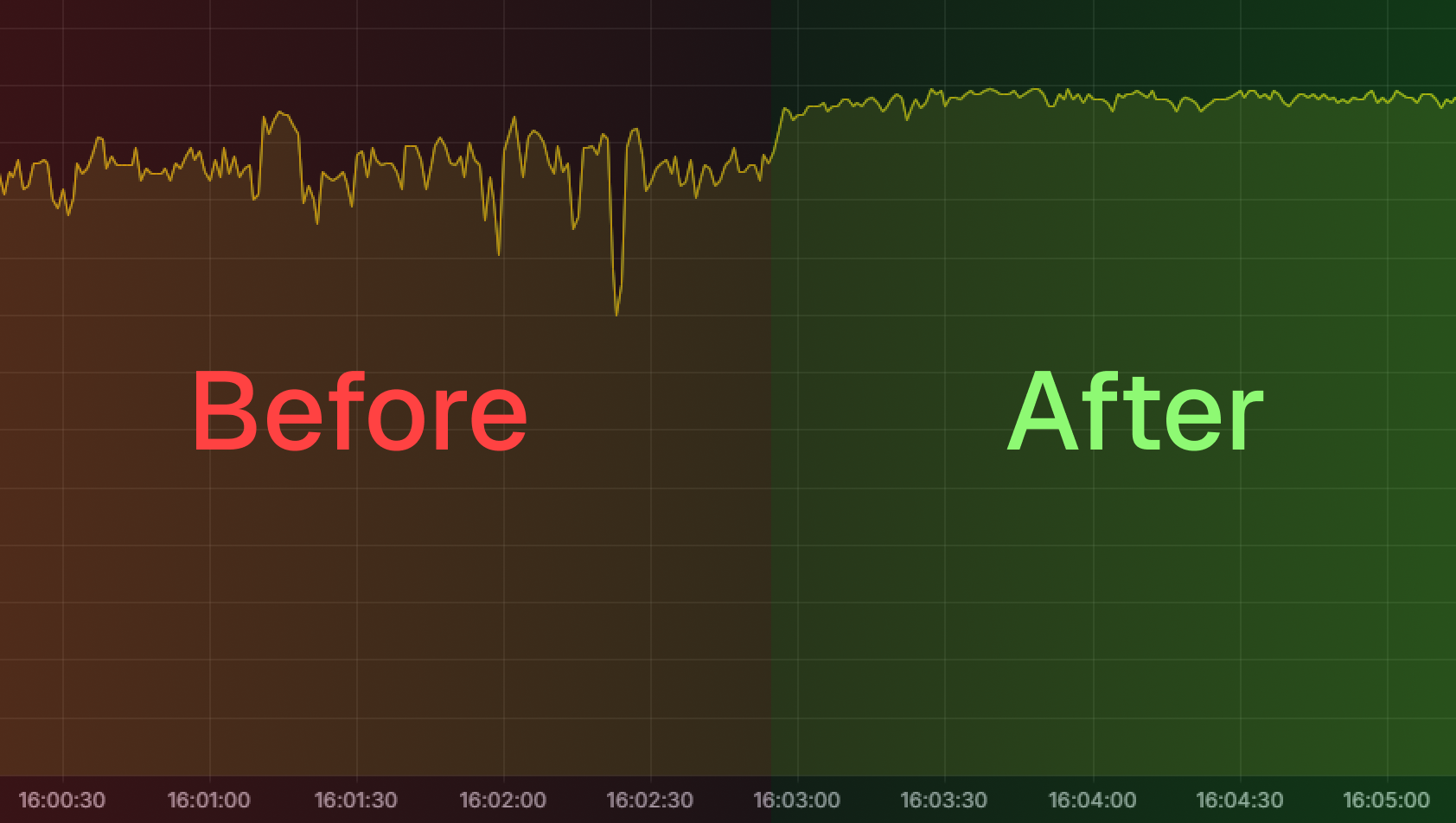
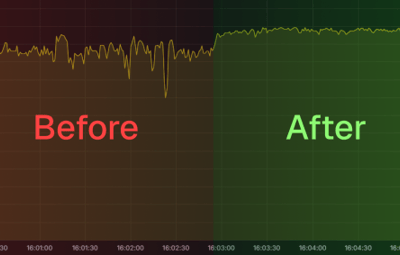
One continuous server FPS recording with the optimization enabled mid-test. Before it was enabled, FPS occasionally dropped to approximately 160 FPS. Afterward, it remained close to the configured 240 FPS.
Turret processing time, highlighted in green
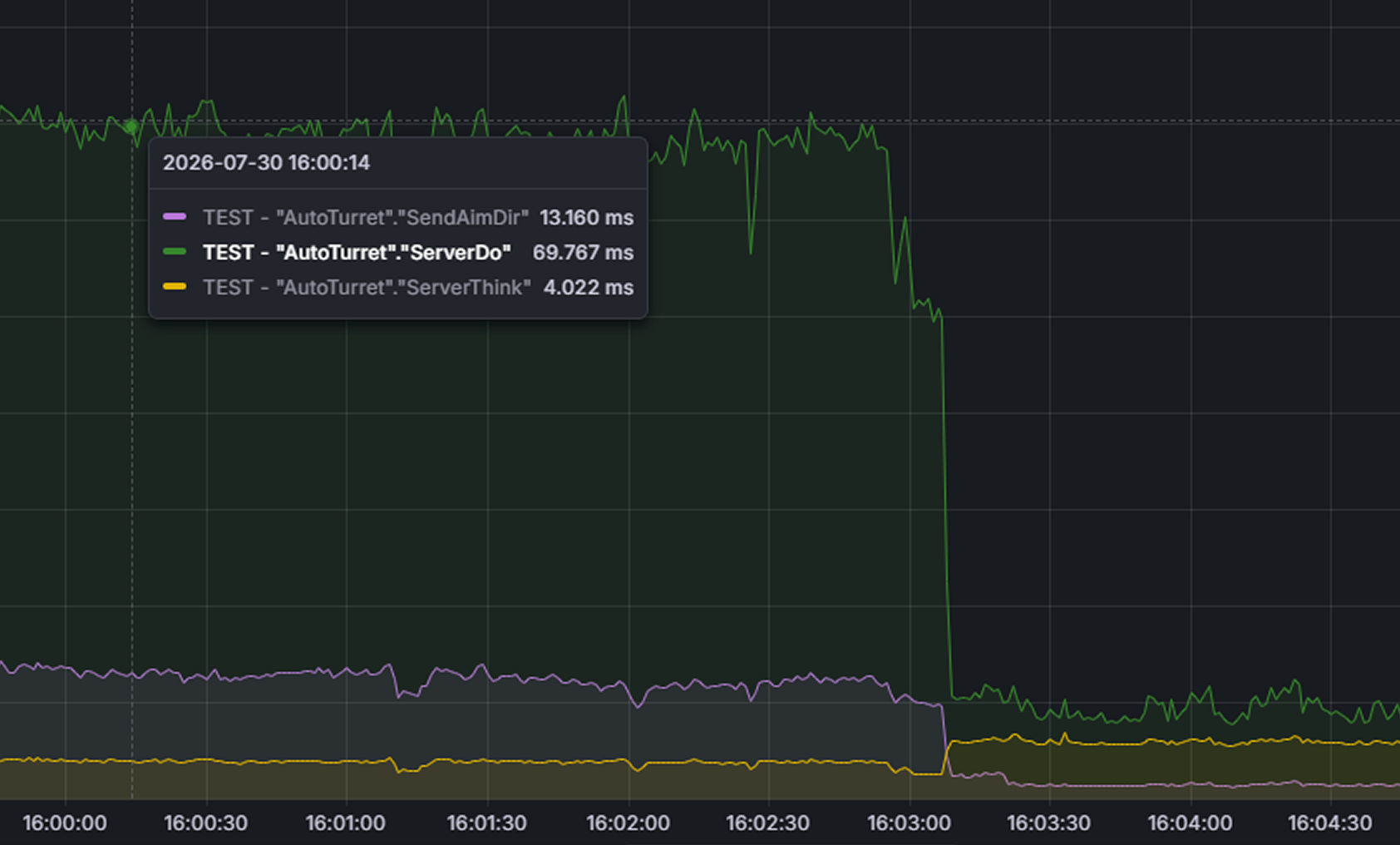
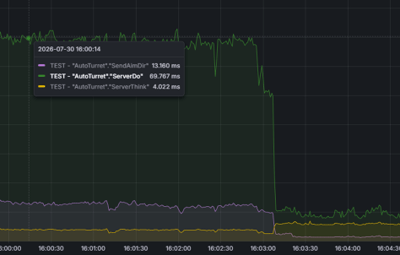
The highlighted section shows the server time spent processing Auto Turret methods. After the plugin was enabled, the measured processing time dropped significantly.
Turret background load, CPU time per second
Measured with Rust ServerProfiler. Lower is better.
| Measurement | Before | After |
|---|---|---|
| Total turret load | 87 ms/s | 15 ms/s |
| Aiming updates | 70 ms/s | 8 ms/s |
| Aim network sync | 13 ms/s | 1 ms/s |
| Turret housekeeping | 4 ms/s | 6 ms/s |
Housekeeping rises slightly by design, because the plugin monitors optimized turrets and restores normal processing when needed. In this test it added approximately 2 ms/s, while total turret processing dropped from 87 to 15 ms/s — a net reduction of approximately 72 ms/s.
| ~80,000 | 160 → 230+ | 0 ms |
|---|---|---|
| unnecessary turret updates skipped every second | minimum observed server frame rate in this test | additional combat overhead measured in this test |
Note
Recorded on July 29, 2026, using the current Rust server build on an empty test server capped at 240 FPS. Actual results depend on server hardware, player activity, entity count, other plugins, and the number of Auto Turrets. Run turretopt.stats to measure the effect on your own server.
Commands
| Command | What it does |
|---|---|
turretopt.stats
|
Live statistics in the server console: turret count, how many are optimized, updates skipped per second |
turretopt.stats
Frequently Asked Questions
We have anticipated your questions and answered the most common ones below.
You can ask any additional questions in the plugin's discussion section.
Can the plugin delay turret targeting during a raid?
No. When a player or valid target enters range, the turret immediately resumes normal processing. Taking damage, acquiring a target, changing power state, or connecting through a Computer Station also returns it to its active state.
Does it still help after Rust's built-in Auto Turret optimizations?
Yes. Rust's built-in update budgets limit how much turret processing can run in a single frame. Turret Optimizer targets a different layer by reducing unnecessary processing for unpowered and distant turrets. The benchmark above was recorded on July 29, 2026, using the current Rust server build.
Is it compatible with plugins like "turrets without electricity"?
Yes. The plugin checks turret power state through multiple paths, including non-standard power changes used by compatible turret plugins. If your server uses a heavily modified custom turret system, contact us before purchase so we can confirm compatibility.
How much FPS will my server gain?
The benefit scales with the number of Auto Turrets on the map. A fresh wipe with few turrets may show little difference, while servers with large bases and hundreds of turrets benefit the most.
What should I do if the plugin is not working?
Create a support ticket on our Discord server and we will help you resolve the issue.
Tip
Join our Discord server for support, updates and announcements.
Developed in Hustle Industries · Code by @DezLife · Design by @Illumination