Authorize once — the whole base follows
In vanilla, the tool cupboard grants exactly one thing: the right to build. Your team still needs the code for every door, still has to be added to every turret by hand, and still keeps all of it after they walk away. This plugin makes the cupboard list mean what players already assume it means — turrets, SAM sites, locks, chests and furnaces all follow it, and every one of them revokes the moment a name comes off.
|
9
Permissions, one per feature
|
7
Settings in the in-game menu
|
|
|
8
Container types gated out of the box
|
0
Dependencies
|
|
| ✓ |
Turrets follow the cupboard — existing ones the moment you authorize, new ones the moment they are placed |
| ✓ |
Locks open without the code — and changing that code doesn't lock your team back out |
| ✓ |
Chests and furnaces gated by the cupboard — a stranger who walks into an open base loots nothing |
| ✓ |
Teams and clans, both directions — join and you are in everywhere, leave and you are out of everything |
| ✓ |
Nine separate permissions — ship one feature at a time, or exclude a whole group from the plugin |
One list, four kinds of access
The cupboard's authorized list becomes the single source of truth for the base. Each of the four behaviours below is its own switch and its own permission, so you can take just the ones you want.
Turrets and SAM sites
Authorize a player on the cupboard and every AutoTurret around it adds them. Place a new turret and it comes online already holding the full list — nobody stands there clicking through names. SAM sites hold fire on a helicopter whose pilot is authorized on the cupboard.
Locks, without handing out the code
Authorized players open code locks and key locks on the base directly. The lock's owner has to be on the same cupboard, so a lock placed by an outsider stays shut. And when the owner sets a new code, everyone on the cupboard is re-added as a guest in the same instant — changing your code no longer means re-telling six people what it is.
Containers that check the cupboard
Boxes, lockers, fridges, dropboxes, stashes, composters and coffins are gated by the cupboard out of the box — eight prefabs, and the list is yours to edit, so quarry hoppers or any other container can join it. Furnaces are a separate switch and cover every oven on the map with no list to maintain.
Revocation that actually revokes
Take one name off the cupboard and that player is pulled out of the surrounding turrets and out of every lock's guest list at the same time. Clear the whole cupboard list and the turrets drop back to their owner alone and the guest lists are wiped.
Teams and clans keep themselves in sync
The usual routine — recruit someone, then run around the base authorizing them on four cupboards — disappears. So does the part everyone forgets: taking it all back afterwards.
Joining authorizes you everywhere
Accept a team invite and you are added to every cupboard where a teammate is already authorized — and to the turrets and locks around them. Authorize yourself on a new cupboard and the rest of the team comes with you in the same tick.
Clans are treated the same way
If a Clans plugin is installed, clan membership counts exactly like a Rust team: a new member is authorized where their clan already is, a member who is removed loses it, and a disbanded clan clears out completely. No clan plugin, no problem — nothing here is a dependency.
Leaving takes it all back
Leave, get kicked, or watch the team disband, and the access goes with it — cupboards, turrets, lock guest lists. On a cupboard the leaver owns, it is the former teammates who are removed instead. The owner never loses their own base.
The ten-minute demolish window, removed
Misplacing a wall and having to wait out a decay timer is the oldest complaint in the game. One switch ends it — without handing your base to whoever walks in with a hammer.
Your own parts, demolishable forever
Blocks you placed stay demolishable for as long as they stand, not for ten minutes. It applies to what is already on the map, not just to what you build next.
And nobody else's
Demolishing is restricted to whoever placed the block. A teammate cannot take down your walls, which is the reason most servers refuse to touch this setting at all. The switch is live — flip it in the menu and the whole map changes with it, no restart.
Caps on how far a base can spread
Making authorization powerful is only half of it. The other half is deciding how many people get to hold that power, and finding out when someone tries for more.
A hard cap per cupboard
Eight by default, typed straight into the menu. It holds against every route in — pressing authorize, being assigned by the owner, or arriving through a team. When a team is too large to fit, the player is told by name who was left out and where the count stopped.
A separate cap per turret
AutoTurrets get their own number, so a base that runs twenty turrets cannot quietly turn into a twenty-name access list. Manual authorization on a full turret is refused too.
Or no friend authorization at all
One config switch takes the cupboard's own assign button out of play, for solo-only and duo servers where sharing a base is the thing you are trying to prevent.
Discord tells you when someone tries
Paste a webhook URL and every attempt to push a cupboard past its cap arrives as an embed: who tried, whose cupboard it was, both Steam profiles linked, a ready teleportpos command for the exact spot and the server name. Rate-limited to one message per player every five seconds, so a determined clicker cannot flood the channel.
Safe to install mid-wipe
| ✓ |
Existing bases are caught up on load — every cupboard on the map is read at startup and its authorized players are pushed into the turrets and locks around it. Nobody has to re-authorize anyone |
| ✓ |
Every setting applies live — the menu writes to the config and the change takes effect on the spot, including the demolish rule |
| ✓ |
The settings menu is permission-gated end to end — the console command behind it re-checks on every click, so a player who guesses the command name changes nothing |
| ✓ |
Features that are off cost nothing — turning off turret handling unsubscribes the SAM hook entirely instead of leaving it running |
| ✓ |
No dependencies — runs on Oxide and Carbon, uses a Clans plugin if one is there and never asks for it |
One command, nine permissions
Players never type anything. Every permission is registered for you on load.
| /tssettings |
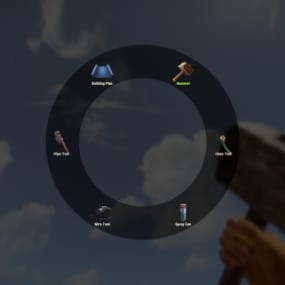
Open the settings menu — cupboard capacity and six switches, no config file |
| tcauth.use |
Open the settings menu and change the settings |
| tcauth.auth.use |
Gets authorized automatically with their team or clan |
| tcauth.turret.use |
Added to AutoTurrets, and SAM sites hold fire on their helicopter |
| tcauth.lock.use |
Opens code locks and key locks on the base without the code |
| tcauth.chest.use |
Restricted to containers on cupboards they are authorized on |
| tcauth.furnace.use |
Restricted to furnaces on cupboards they are authorized on |
| tcauth.removebp.use |
Can demolish the building parts they placed at any time |
| tcauth.bypass |
Treated as holding every permission at once, and ignores both capacity caps |
| tcauth.ignore |
The plugin skips this player entirely — vanilla rules, no bonuses, no restrictions |
Before you buy
Everything is switched on, but my team isn't being authorized. What am I missing?
The permission. Team members need tcauth.auth.use before the plugin will touch them — grant it to the default group and it works for everyone. The sync then fires on two events: someone accepting a team invite, and someone authorizing on a cupboard.
Do I grant tcauth.chest.use, or take it away?
Grant it to the players you want restricted. Chest and furnace are the two permissions that limit rather than give — a player without them loots any container on any base, exactly like vanilla.
A player is on my cupboard but the code lock still asks for the code.
Three things have to line up: the player holds tcauth.lock.use, the person who placed the lock is authorized on the same cupboard, and the lock is within 18.5 m of it when the authorization happens. That last one matters on sprawling compounds — a gate far from the cupboard is not picked up.
If I change my code, does my team get locked out?
No. Setting a new main code re-adds everyone authorized on the cupboard to that lock's guest list in the same action. Guest codes are left alone.
Someone left my team. Do they keep the access?
No — leaving, being kicked and the team disbanding all revoke it: off the cupboards, out of the turrets, out of the lock guest lists. Clan removals behave the same. Access is only kept where another authorized player is still their teammate.
Can I add containers that aren't in the default list?
Yes. The list is short prefab names in the config — eight are shipped, and anything that is a storage container can be added, quarry and pumpjack hoppers included. Furnaces need no list at all: one switch covers every oven.
Can I stop players from authorizing their friends entirely?
Yes, one config switch removes the cupboard's assign button. That is separate from the capacity number, so you can also just set the cap to 1.
What happens if I unload the plugin?
The restrictions stop immediately — containers, furnaces and SAM behaviour go back to vanilla on the spot. Access already written onto entities stays, because Rust stores it there and not in the plugin: names already added to a turret or a lock's guest list remain until they are removed in game. Building parts stay demolishable for their owner until the next server restart.