

Works with
Optional integrations and compatible files.



About My Tutorial - A tutorial plugin for servers with progressive tasks and group verification"
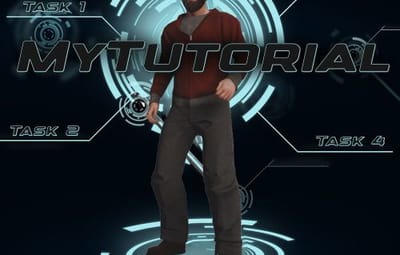
The MyTutorial plugin offers a fully configurable tutorial system for new players on your server. There's nothing worse than modded servers where you don't understand everything or can't find things. With this useful tutorial, you can have players complete specific tasks once so they learn your server perfectly. The system consists of several Task Groups that build upon each other and use various completion conditions:
- Item-based Tasks: Players must obtain specific items
- Group-based Tasks: Players must join a specific user group
- Command-based Tasks: Players must execute specific chat commands
Features:
➔ | Progressive Task Groups: Multiple task groups in sequence
➔ | Flexible Completion Conditions: Items, groups, commands, buildings, locations, playtime
➔ | Player Progress Persistence: Persists through reloads and wipes
➔ | Movable UI: 9 different positions on screen
➔ | Minimized View: Compact "T" button when tutorial is hidden
➔ | Flexible completion conditions (items, groups, commands, buildings, farm routes, locations, playtime)
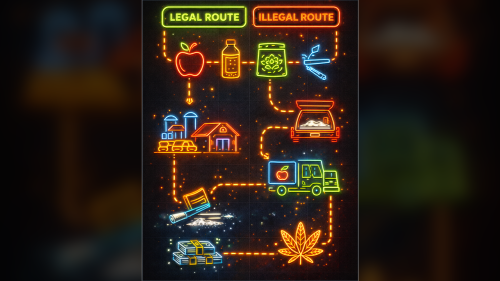
➔ | Server plugin integration (MyBank, BlackMarket, MoneyWash, ResourceTrader, FarmRoute)
→ | Automatic completion checks
➔ | Popup notifications
 FarmRoute integration is now clearly documented with:
➔ | Example for weed:farming, weed:converter, weed:buyer
➔ | Combine multiple routes
➔ | Optional – also works without
Commands (not necessary - see UI)
Command | Description
/toggletutorial | Show hide the tutorial
/tutorialposition | Cycle through 9 UI positions
/checktutorial | Check and update tutorial progress
Permission:
mytutorial.use
Every player who must complete the tutorial once!
Config
The configuration file is located at oxide/config/MyTutorial.json.
Basic Structure
{
  "TaskGroups": [
    {
      "Tasks": [
        {
          "Description": ["Line 1", "Line 2"],
          "CompletionCondition": "ItemInInventory",
          "CompletionType": "shortname",
          "CompletionValue": "item.shortname"
        }
      ]
    }
  ],
  "DefaultPosition": "MiddleLeft"
}
Please remember that your space is very limited!
Config (Detailed)
PLEASE READ THE DOCUMENTARY!
-> DOCU
Data & Persistence
Storage Locations
Progress Data: oxide/data/MyTutorial/Progress.json
Completed Players: oxide/data/MyTutorial/Completed.json
DO NOT DELETE THIS OR PLAYERS MUST REDO TUTORIALS!
Automatic Saving
- Data is saved every 5 minutes or on server save automatically
- Player progress persists after plugin reloads
- Progress is preserved after a wipe (server restart)
load, run, enjoy 

![More information about "FileWatcher [OXIDE | CARBON]"](https://codefling.com/cdn-cgi/image/width=285,height=285,quality=80,fit=cover,format=webp/https://codefling.com/uploads/monthly_2026_02/FileWatcher_Icon.thumb.png.a851866dfa44982bc36084ecc0f13baa.png)



![More information about "[Beta] MonumentChoice"](https://codefling.com/cdn-cgi/image/width=285,height=285,quality=80,fit=cover,format=webp/https://codefling.com/uploads/monthly_2026_07/MonumentChoice_Icon.thumb.png.5b7a9b9c64b652853f7dd24af35e560c.png)













![More information about "Raidable Sleeper Event [Works with HallOfShame]"](https://codefling.com/cdn-cgi/image/width=285,height=285,quality=80,fit=cover,format=webp/https://codefling.com/uploads/monthly_2024_09/RaidableSleeper_Ico.thumb.jpg.2042e2f935013d513f9f4e4d0cc5f3e5.jpg)
![More information about "Hall Of Shame [Works with RaidableSleeper]"](https://codefling.com/cdn-cgi/image/width=285,height=285,quality=80,fit=cover,format=webp/https://codefling.com/uploads/monthly_2024_09/HallOfShame_Icon.thumb.jpg.50c8a34fccd4f5f665d26e89d37354a2.jpg)