
About Inventory Helper

Make life easier for the players on your server, this plugin allows you to craft items if there is a vault nearby with the right resources, and you can easily move items from one vault to another.
 Features:
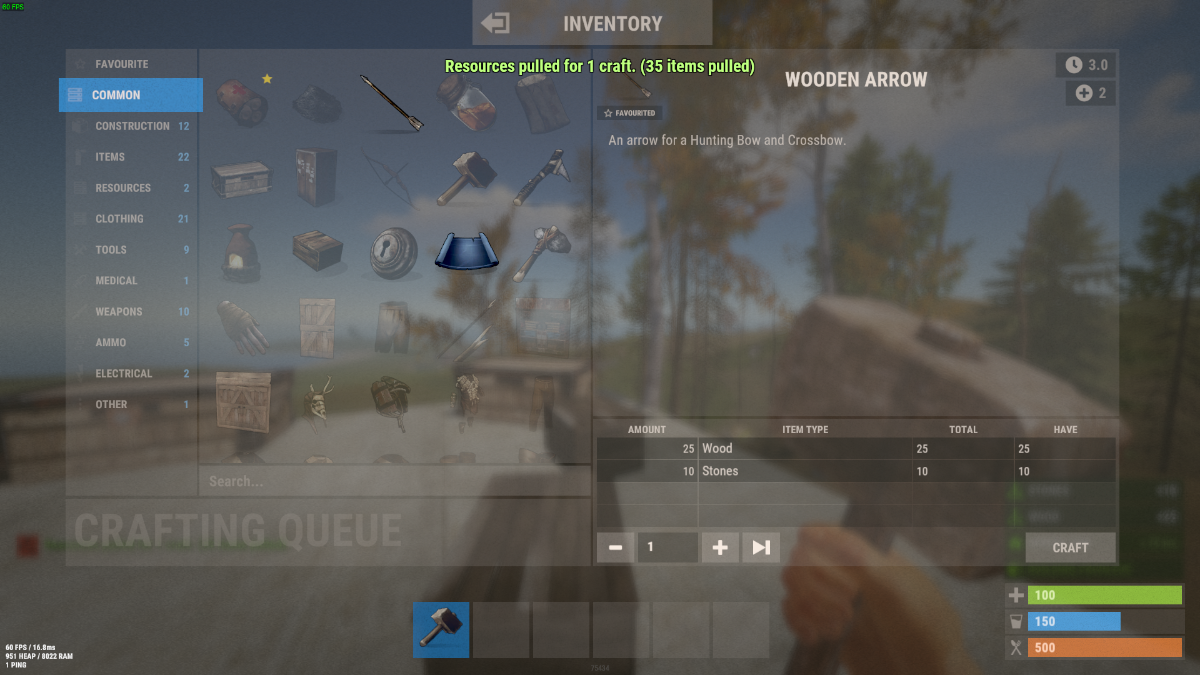
- When you want to craft an item and you don't have enough resources but there is a craft store that has enough resources, they will be moved to your crafting inventory
- Three resource movement modes
- Basic transfer - By hitting one vault with Hammer and then the other one in transfer all items from the 1st to the 2nd vault.
- My transfer - transferring items from all available storages in the area (radius in the config) into your inventory and vice versa
- Advance transfer - move from any available storage within the radius to any other

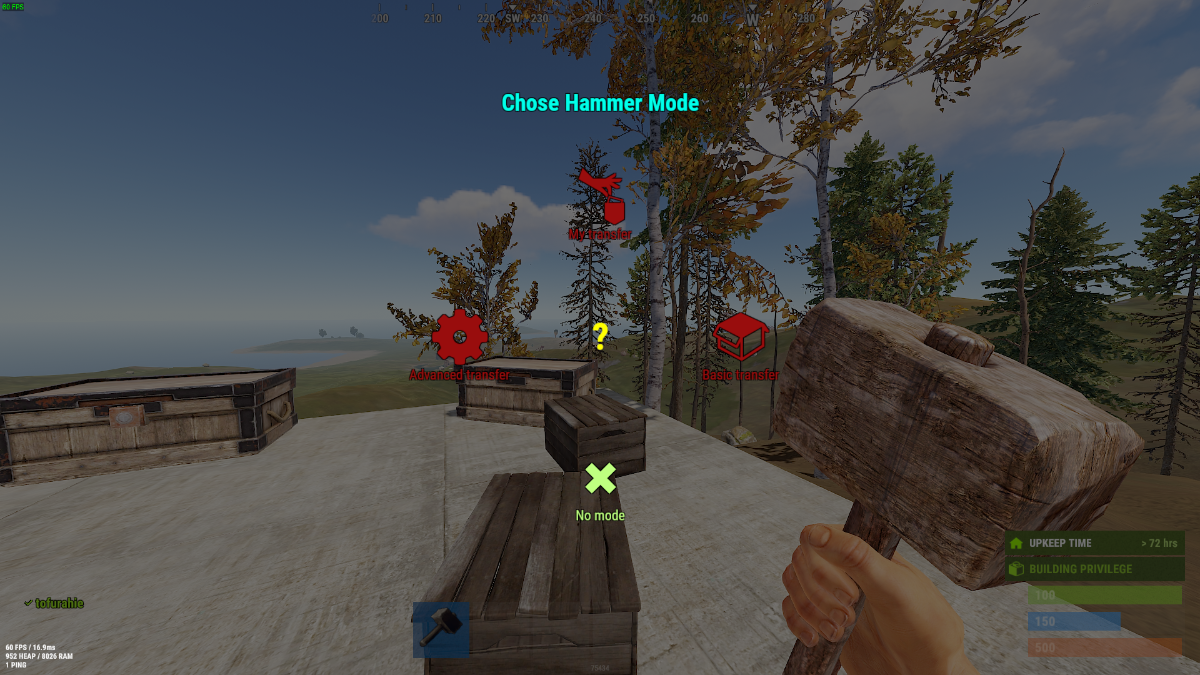
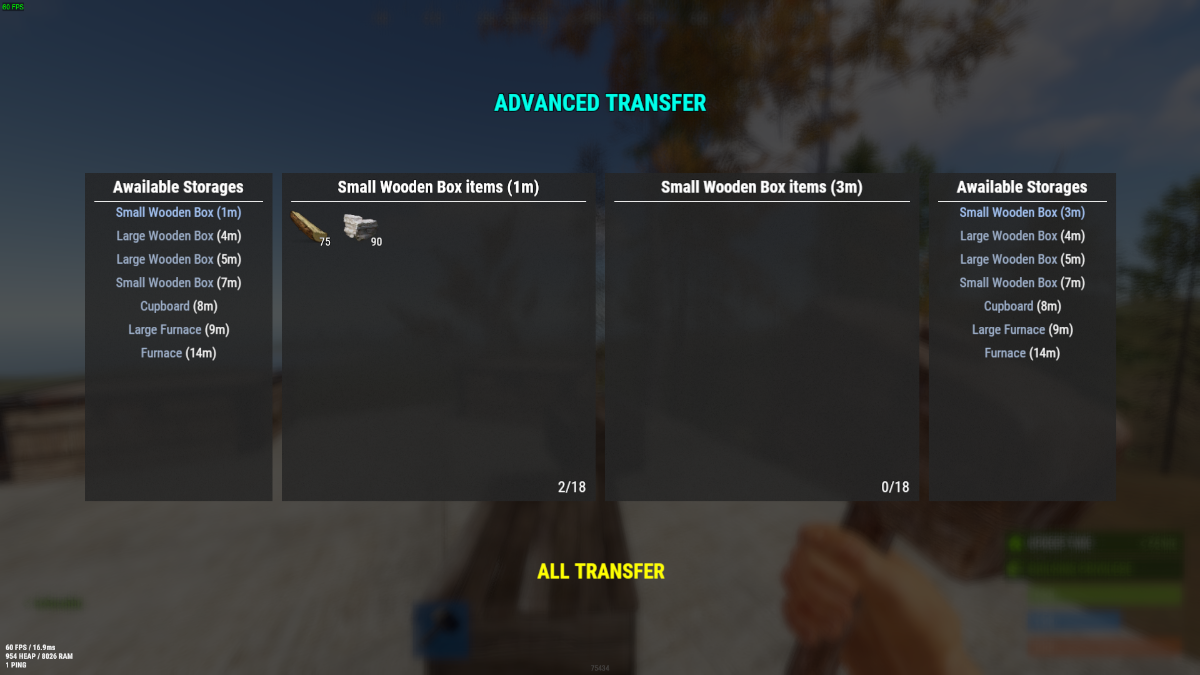
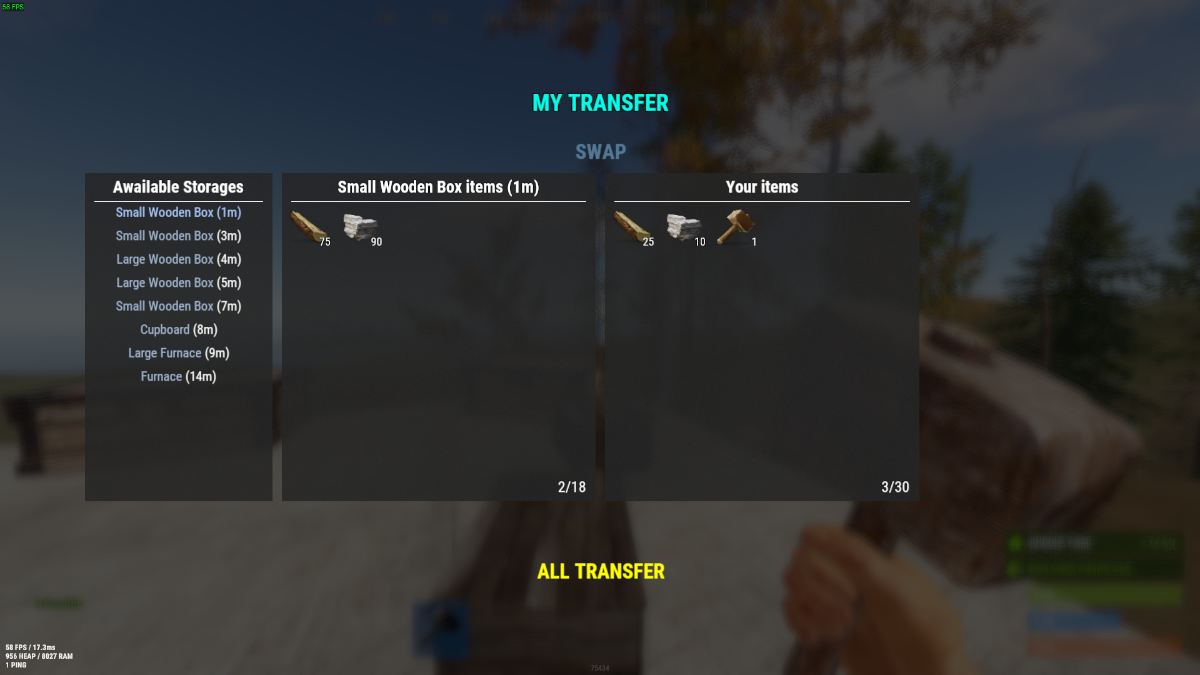

 Commands: (You need to hold the hammer in your hands to use it)
- Press "R" - for open the UI change transfer mode.
- Press "RMB" - for open the UI transfer menu.
Permissions:
- "inventoryhelper.all" - allow you use full functionality
- "inventoryhelper.swap" - allows you to swap the contents
- "inventoryhelper.pull" - allows you to get items from containers when he try to craft something
- "inventoryhelper.basictransfer" - allows you to transfer items between containers
- "inventoryhelper.mytransfer" - allows you to trasfer all your items to the container
- "inventoryhelper.adtransfer" - allows you to transfer items between continaser with UI
 Config:
{
  "Pull request cooldown": 3.0,
  "Use UI messages": true,
  "Use Chat messages": true,
  "UI message duration": 3.0,
  "Storage pull|search radius": 18.5
}
 Lang:
Lang:
{
  "CH_CPBB": "<color=#ff0a0a>You can't pull resources in Building Block zone.</color>",
  "CH_PCD": "<color=#ff0a0a>Pull cooldown {0}s</color>",
  "CH_PMR": "<color=#ff0a0a>Not enough resources for pull:</color>{0}",
  "CH_PRC": "<color=#beff7f>Resources pulled for {0} craft. ({1} items pulled)</color>",
  "CH_SS": "<color=#ff0a0a>This is the same storage</color>",
  "CH_STFA": "<color=#ff0a0a>The storage is too far away</color>",
  "CH_SSL": "<color=#ffff00>Select a storage location where you want to move items</color>",
  "CH_SISEMPTY": "<color=#ff0a0a>The storage is empty</color>",
  "CH_FULLINV": "<color=#ff0a0a>There's not enough room in your inventory</color>",
  "CH_FULLSTORAGE": "<color=#ff0a0a>There's not enough room in the storage</color>",
  "CH_TRASFITEMS": "<color=#beff7f>{0} items trasfered from {1} to {2}</color>",
  "CH_NOTAVALIBLE": "<color=#ff0a0a>The storage isn't avalible</color>",
  "CH_PERM": "<color=#ff0a0a>You don't have enough permission</color>"
}