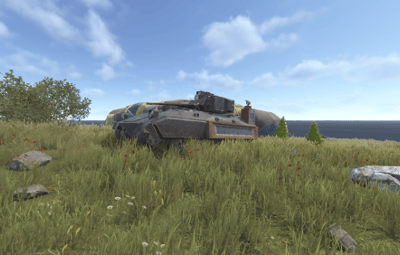
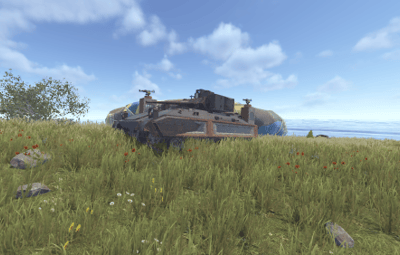
About Bradley Operator
Give players a Bradley they can deploy, drive and upgrade. Drive with W/S, turn the hull with A/D, aim the turret with the mouse and bring the vehicle to a Safe Zone to fit armor and change its weapons.
Turn the hull while keeping the gun trained on a target. The third-person camera follows your aim as you drive, turn or reverse. Fire the cannon, coaxial machine gun and top gun independently.
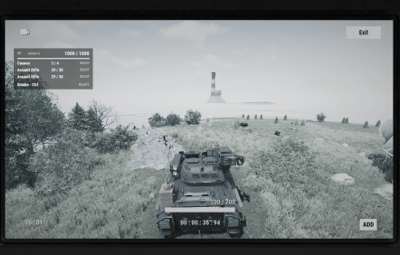
The driving HUD shows hull HP, weapon rounds, reloads and smoke availability. Hold Shift for a forward speed boost, use Ctrl to deploy smoke and press Space to step out.
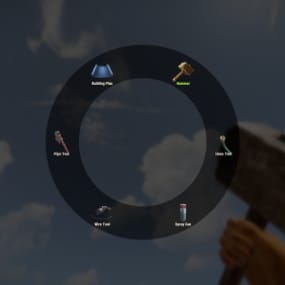
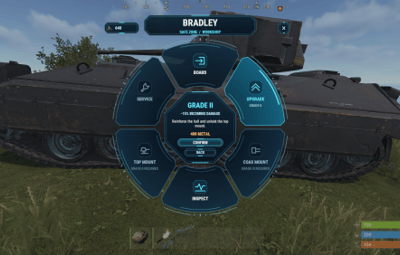
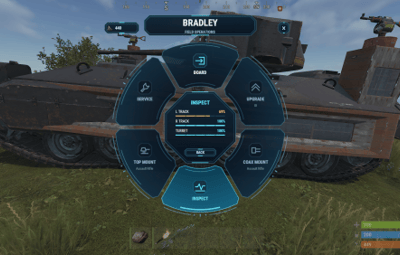
Look at your parked Bradley and press E to open the radial menu. Board it or inspect the tracks and turret in the field. Park inside a Safe Zone to unlock upgrades, service and access to installed weapon mounts.
Install a supported weapon and supply it with ammo. Empty mounts fall back to the built-in guns. The workshop shows available metal beside the header on every page.
Place a Bradley from your hotbar. Use /bradley kit and equip the item with the Bradley icon. A full-size wheeled vehicle shows where you are about to place it. Press R to rotate, then click on a clear, level area with about 7 × 4 m of open space.
One active Bradley per owner. Use /bradley to spawn directly in the driver's seat. Only the owner can board. The vehicle stays parked when you get out.
What survives a restart. Purchased grades, mounted weapons and their ammo are saved per owner. Active Bradleys are cleared on restart or plugin unload. Deploy again to restore the saved grade and loadout.
Industrial appearance. The plugin uses the stock Auto Turret by default. An owner with the Industrial Auto Turret skin gets that appearance when Steam verifies ownership.
Damage to individual parts. Damaged tracks affect driving, and damage to the turret slows its traverse. Inspect each system in the radial menu and follow hit damage near the impact point while driving.
Field repairs and workshop service. Hold primary attack on the hull with the supplied repair tool to spend metal fragments and repair the Bradley in steps. Pay for a full service from the workshop menu.
Tune forward and reverse speed, boost, mouse sensitivity, camera offset, top gun bursts, reload timing, smoke, repair cost and armor progression.
Set separate damage multipliers for the cannon, coaxial gun and top gun against players, NPCs and animals, buildings and deployables, and other entities.
Set Deployment kit skin ID to identify the kit in server integrations. The default is 10000000001. The plugin supplies the Bradley icon to the Rust client. Previously issued kits can still be placed.
Owned Bradleys have their weapons locked inside Safe Zones and drop no loot on destruction. English and Russian are included. The plugin ships as a single C# file with no required companion plugin.
Server plugins can create and give genuine Bradley kits, read an owner's Bradley and its grade, or purchase the next grade under the same workshop rules. Give kit buyers bradleyoperator.deploy so they can place a supplied kit. Grade permissions can be granted to ranks or as quest rewards.
Lifecycle hooks let server plugins react when a Bradley is deployed, upgraded or destroyed.
Install BradleyOperator.cs in oxide/plugins or carbon/plugins. The framework generates the config and language files. Grant the permissions below to the players or ranks you want to use each feature.
| /bradley | Spawn and board your Bradley on suitable ground. |
| /bradley kit | Receive a placement kit for your Bradley. |
| bradleyoperator.use | Use /bradley and /bradley kit, and place kits. |
| bradleyoperator.deploy | Place a supplied kit. Useful for player shops and quest rewards. |
| bradleyoperator.grade2 | Purchase Grade II from Grade I. |
| bradleyoperator.grade3 | Purchase Grade III from Grade II. |
Players purchase one grade at a time with metal fragments at a Safe Zone workshop. Server admins can purchase either upgrade. Purchased grades stay with the owner after a permission is revoked.
API_CreateDeploymentKit()
Returns a new Item or null. The caller places it in an inventory or removes it.
API_GiveDeploymentKit(player)
Gives one kit to a living player's belt or inventory. Returns false if it cannot be delivered.
API_IsDeploymentKit(item)
Checks whether an item is a Bradley kit.
API_GetTank(ownerID)
Returns the active BradleyAPC for a Steam ID passed as ulong, or null.
API_GetGrade(hull)
Returns 1–3 for an active owned Bradley, or 0 for any other hull.
API_TryUpgrade(player, grade)
Purchases the specified next grade. Returns false if the owner cannot upgrade, including insufficient metal or missing permission.
Subscribe to _OnBradleyTankDeployed(BradleyAPC hull, ulong ownerID), _OnBradleyTankUpgraded(BradleyAPC hull, ulong ownerID, int grade) and _OnBradleyTankDestroyed(BradleyAPC hull, ulong ownerID).
Click Get Support on this page to open a support request or suggest a feature.