.thumb.png.fd415e6a279abcb86097c1d6ea9f77b2.png)

About Admin Warn
AdminWarn is designed for situations where players clearly violate server rules or require a direct and serious warning.
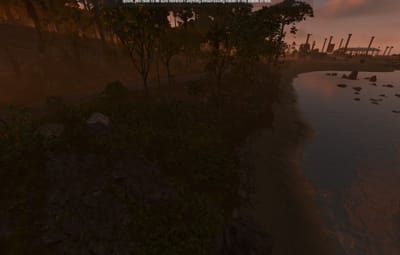
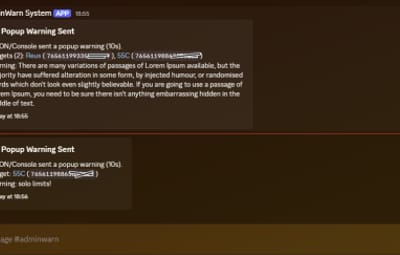
With the latest update, an optional popup warning mode has been added alongside the mandatory acknowledgment GUI.
This allows admins to send clean, non-intrusive messages displayed at the top of the screen.
News: To avoid disrupting gameplay (such as PvP), you can use:
/warnpopup <SteamID> <message>
/warnpopupall <message>
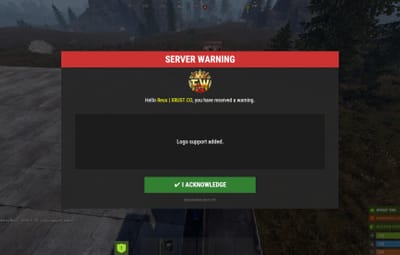
The core purpose of AdminWarn remains unchanged: forcing players to acknowledge warnings.
Each mandatory warning includes a single confirmation button, ensuring the player has read and accepted it.
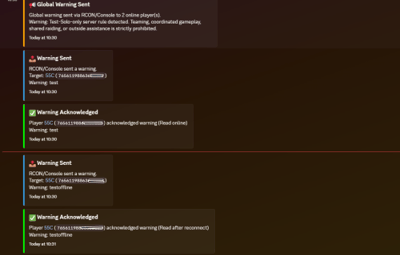
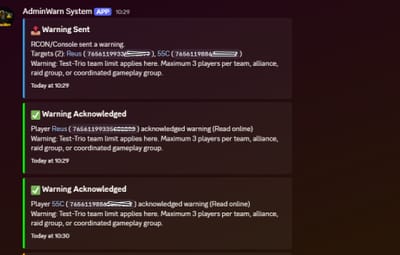
Acknowledgment events are tracked via Discord webhook logs, including whether the warning was confirmed while the player was online or after reconnecting.
AdminWarn is built for manual use only.
It is not an automated warning system.
All warnings are intentionally sent by admins using commands.
At the same time, the system works intelligently in the background:
- Warnings sent to offline players are stored and automatically shown when they next join, even days later.
- For online players, warnings remain active until acknowledged, then are automatically cleared.
- All data is fully wipe-aware and automatically cleaned on server wipes.
Each warning includes built-in in-game sound effects.
No external or custom audio files are used.
This is not a chat message.
Warnings are delivered as visual UI elements that require acknowledgment or appear as optional popup notifications.
Even if a player closes the game, mandatory warnings will reappear on the next login until confirmed.
No movement restrictions are applied.
Warnings can be sent via:
- RCON
- Server console
- In-game admin console (F1)
 Performance:
AdminWarn is built with an optimized and efficient code structure, making its presence virtually unnoticeable on the server.
It runs smoothly during long uptimes and maintains stable hook memory and performance values under normal server conditions.
 Wipe Behavior:
- Restarts: Data preserved (approved warnings are auto-deleted for data optimization)
- Server wipe: All warning data automatically cleared
- No manual cleanup needed (Most of the time, it is not necessary)
 Commands Chat & Rcon:
Note: Player names are not unique and may include different alphabets or special characters. To avoid ambiguity, using Steam64ID is strongly recommended when sending warnings.
warn <SteamID> <message>
warn <PlayerName> <message>
warn <SteamID1>,<SteamID2>,<SteamID3> <message>
warn <Name1>,<Name2>,<Name3> <message>
warnall <message>
warnpopup <SteamID> <message>
warnpopup <PlayerName> <message>
warnpopup <SteamID1>,<SteamID2>,<SteamID3> <message>
warnpopup <Name1>,<Name2>,<Name3> <message>
warnpopupall <message>
 Permissions Oxide/Carbon
oxide.grant group admin adminwarn.admin
c.grant group admin adminwarn.admin
 Discord Webhook Logging
- Player name/steamid and SteamURL
- Warning message / Timestamp
- Read status (online/after reconnect)
- Logs warning sending
- Logs individual warning acknowledgements
 Config:
{
  "Warning sound": "assets/prefabs/building/wall.frame.shopfront/effects/metal_transaction_complete.prefab",
  "Clear data on wipe": true,
  "Discord Webhook URL": "https://support.discord.com/hc/en-us/articles/228383668-Intro-to-Webhooks",
  "Discord Log Enabled": true,
  "Log Global Warnings (warnall)": true,
  "Log Warning Sent (single + multi)": true,
  "Show Date in GUI": true,
  "Show logo in warning GUI": true,
  "Logo size (px) — local image should be a square PNG, recommended 75-120": 90,
  "Use local images (false = use Web URL below)": true,
  "Web image URL for logo (128x128 transparent PNG recommended, used only when Use local images is false)": "",
  "Popup duration (seconds)": 10
}

.thumb.png.c0db57b36e2837e9cc8785f6236a82ed.png)




.thumb.png.f72ba323afb58522d8b4c626ff181526.png)


.thumb.png.12b32fac42c39ac0a7fe3bfad80a2eca.png)


.thumb.png.52885d5cfa447ecc60ca6f142630da9a.png)
.thumb.gif.2d1b41b0ae0c1d0a34f2f55dc65983b5.gif)


.thumb.png.a7c2fd7605e0c7715440826ab59f53db.png)