
venda_vole's Wishlist
-
$60.00
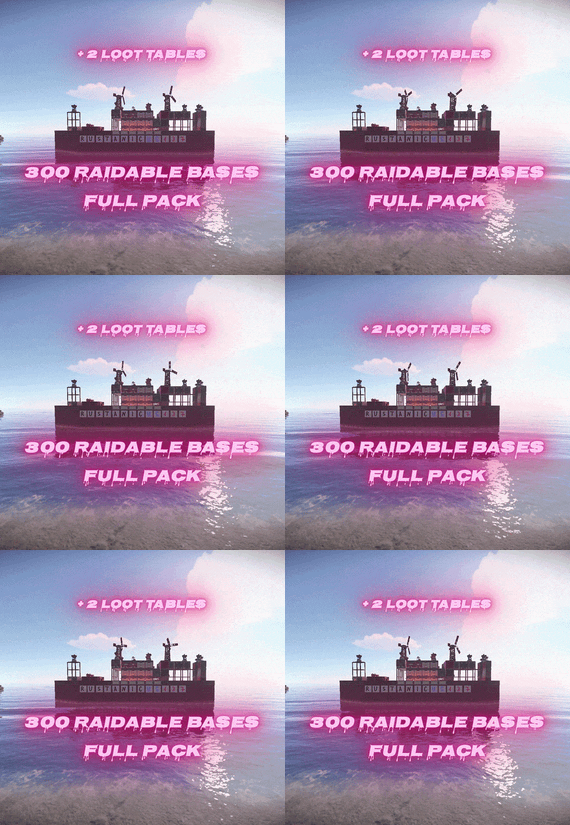
300 Raidable Bases Mega Pack & 2 Loot Tables + Config + Profiles (Easy to Nightmare)
By SavageBuilder in Bases
🥇Ready to level up your server's raiding experience?
🏆This premium pack contains 300 unique, handcrafted raidable bases divided into 5 distinct difficulty tiers (Easy, Medium, Hard, Expert, and Nightmare). Every base was built manually in-game, saved with CopyPaste, and tested on a live server. Everything is 100% Plug & Play — no setup or editing required!
🏆What Makes This Pack Unique:
300 Custom Bases: Includes 100 Easy, 100 Medium, 40 Hard, 30 Expert, and 30 Nightmare bases. 2 Complete Loot Table Sets: Choose between Difficulty_Loot (higher amounts for modded/high-rate servers) or Difficulty_Loot2 (lower amounts for vanilla-style servers). Fully Defended & Clever Layouts: Built with auto turrets, shotgun traps, flame turrets, SAM sites, land mines, and tesla coils. Some bases feature hidden traps crafted with EditTool so raiders can't easily spot every defense. Visual Variety & Heavy Challenge: Higher tiers utilize mostly Metal and HQM building grades along with custom skinned blocks and deployables. Plug & Play Setup: Pre-configured profiles and main plugin settings included. Just copy, paste, and reload!
Important! - In case that you are buying this pack to update your server, contact me, and after buying the pack I can rename the bases special for you, and will send the updated profiles so you won't lose any time.
🎈How to Install (Step-by-Step):
Setting this up on your server takes less than 2 minutes:
Base Files: Extract all .json files from all subfolders (copypaste/Easy/, Medium/, etc.) and place them directly into oxide/data/copypaste/. (Do not copy subfolders, only the files inside them!)
Loot Tables: Pick ONE of the loot folders (Difficulty_Loot/ for higher rewards or Difficulty_Loot2/ for lower rewards). Copy all 5 .json files into oxide/data/RaidableBases/Difficulty_Loot/. (Do not copy both!)
Profiles: Copy all files from Profiles/ into oxide/data/RaidableBases/Profiles/.
Plugin Config (Optional): If you want to use the included custom config, copy config/RaidableBases.json into oxide/config/. (Note: This will overwrite your existing config!)
Reload: Run o.reload RaidableBases in your server console.
Requirements: This pack requires an Oxide/uMod Rust server with the paid RaidableBases plugin (by nivex) and the CopyPaste plugin installed.
IMPORTANT: Remove Stone Walls (Enclosures):
By default, the plugin spawns a giant stone wall around bases. To remove it:
Open oxide/config/RaidableBases/Profiles/Easy.json
Find the "Arena Walls" section and change "Enabled" to false:
"Arena Walls": { "Enabled": false, ... } Run command: rb.reload in console.
In Case that you feel that it's too much loot:
Open oxide/config/RaidableBases/Profiles/Easy.json or any tother Difficulty
"Amount Of Items To Spawn": 45, A tip from me, I would rather put a little bit more loot in the profiles, so the players wil have a better gameplay.
Change the Amount Of Items to a lower number.
Modifying Base Despawn Timers:
If you want to change how long a base stays on the map before disappearing, find these lines under "Raid Management" in config:
"Minutes Until Despawn After Looting (min: 1)": 15, "Minutes Until Despawn After Inactive (0 = disabled)": 45 Controlling Automatically Maintained Events:
It's spawning 6 bases at every 30 mins - 1h 30 mins, randomly. Easy & Medium got higher chances to spawn. Takes 30 seconds per base to spawn so it's not going to make the server to lag.
"Always Maintain Max Events": true, "Max Maintained Events": 6 Auto-Cooking & Sorting (Furnace & Base Sorting):
If you want to know how the pack automatically moves resources or food into the right containers when a base spawns, look for these options under "Raid Management" in config:
"Move Cookables Into Ovens": true, "Move Food Into BBQ Or Fridge": true, "Move Resources Into Tool Cupboard": true, "Move Items Into Lockers": true Turning Lights and Furnaces On Automatically:
"Turn Lights On At Night": true, "Turn Lights On Indefinitely": true, "Furnace Starting Fuel": 1000 Automatic Chat Announcements:
If you want the entire server to know when a new raid has appeared on the map, look for "Event Messages" in config:
"Announce Buy Base Messages": false, "Show Opened Message For PVE Bases": true, "Show Opened Message For PVP Bases": true Manual Base Registration (Console Commands)
If you already have existing bases and do not want to overwrite your profiles, run these commands in your server console (F1 or RCON) to add all 300 bases manually, then run o.reload RaidableBases: (Important! - In case that you are buying this pack to update your server, contact me, and after buying the pack I can rename the bases special for you, and will send the updated profiles so you won't lose any time.)
rb.config add "Easy Bases" easy1 easy2 easy3 easy4 easy5 easy6 easy7 easy8 easy9 easy10 rb.config add "Easy Bases" easy11 easy12 easy13 easy14 easy15 easy16 easy17 easy18 easy19 easy20 rb.config add "Easy Bases" easy21 easy22 easy23 easy24 easy25 easy26 easy27 easy28 easy29 easy30 rb.config add "Easy Bases" easy31 easy32 easy33 easy34 easy35 easy36 easy37 easy38 easy39 easy40 rb.config add "Easy Bases" easy41 easy42 easy43 easy44 easy45 easy46 easy47 easy48 easy49 easy50 rb.config add "Easy Bases" easy51 easy52 easy53 easy54 easy55 easy56 easy57 easy58 easy59 easy60 rb.config add "Easy Bases" easy61 easy62 easy63 easy64 easy65 easy66 easy67 easy68 easy69 easy70 rb.config add "Easy Bases" easy71 easy72 easy73 easy74 easy75 easy76 easy77 easy78 easy79 easy80 rb.config add "Easy Bases" easy81 easy82 easy83 easy84 easy85 easy86 easy87 easy88 easy89 easy90 rb.config add "Easy Bases" easy91 easy92 easy93 easy94 easy95 easy96 easy97 easy98 easy99 easy100 rb.config add "Medium Bases" medium1 medium2 medium3 medium4 medium5 medium6 medium7 medium8 medium9 medium10 rb.config add "Medium Bases" medium11 medium12 medium13 medium14 medium15 medium16 medium17 medium18 medium19 medium20 rb.config add "Medium Bases" medium21 medium22 medium23 medium24 medium25 medium26 medium27 medium28 medium29 medium30 rb.config add "Medium Bases" medium31 medium32 medium33 medium34 medium35 medium36 medium37 medium38 medium39 medium40 rb.config add "Medium Bases" medium41 medium42 medium43 medium44 medium45 medium46 medium47 medium48 medium49 medium50 rb.config add "Medium Bases" medium51 medium52 medium53 medium54 medium55 medium56 medium57 medium58 medium59 medium60 rb.config add "Medium Bases" medium61 medium62 medium63 medium64 medium65 medium66 medium67 medium68 medium69 medium70 rb.config add "Medium Bases" medium71 medium72 medium73 medium74 medium75 medium76 medium77 medium78 medium79 medium80 rb.config add "Medium Bases" medium81 medium82 medium83 medium84 medium85 medium86 medium87 medium88 medium89 medium90 rb.config add "Medium Bases" medium91 medium92 medium93 medium94 medium95 medium96 medium97 medium98 medium99 medium100 rb.config add "Hard Bases" hard1 hard2 hard3 hard4 hard5 hard6 hard7 hard8 hard9 hard10 rb.config add "Hard Bases" hard11 hard12 hard13 hard14 hard15 hard16 hard17 hard18 hard19 hard20 rb.config add "Hard Bases" hard21 hard22 hard23 hard24 hard25 hard26 hard27 hard28 hard29 hard30 rb.config add "Hard Bases" hard31 hard32 hard33 hard34 hard35 hard36 hard37 hard38 hard39 hard40 rb.config add "Expert Bases" expert1 expert2 expert3 expert4 expert5 expert6 expert7 expert8 expert9 expert10 rb.config add "Expert Bases" expert11 expert12 expert13 expert14 expert15 expert16 expert17 expert18 expert19 expert20 rb.config add "Expert Bases" expert21 expert22 expert23 expert24 expert25 expert26 expert27 expert28 expert29 expert30 rb.config add "Nightmare Bases" nightmare1 nightmare2 nightmare3 nightmare4 nightmare5 nightmare6 nightmare7 nightmare8 nightmare9 nightmare10 rb.config add "Nightmare Bases" nightmare11 nightmare12 nightmare13 nightmare14 nightmare15 nightmare16 nightmare17 nightmare18 nightmare19 nightmare20 rb.config add "Nightmare Bases" nightmare21 nightmare22 nightmare23 nightmare24 nightmare25 nightmare26 nightmare27 nightmare28 nightmare29 nightmare30 You will see photos only with 10 bases per Difficulty, beacause I am aware of people stealing my designs.
In the pack you will se a file named: RaidableBases_Testing_cfg (this is another config for the pack, that makes the bases to spawn without any cooldown, while the main configuration in the pack makes the bases to spawn between 30 min up to 1h 30 mins)
🛡️Optimized NPCs
The number of NPCs is fully optimized for each difficulty tier. You can find and tweak these balanced guard configurations inside the Profiles/ folder
A Note From Me 👋🏻
Hello and welcome! I’ve put my heart and countless hours into creating Raidable Bases Pack 2. Everything was built by me from scratch on my online server. I am incredibly proud of this project, especially the dual-loot table options designed to fit any server economy seamlessly. In case that you want to see few of my bases by urself, contact me and I will join on my public server and will spawn some of them, the ip: 148.251.177.248:28020 .
Why only $60?
A massive pack with 300 custom bases and dual loot tables easily goes for $100+ on the market. But as a former server owner myself, I know how hard and expensive it is to find high-quality setups that don't break the bank. I wanted to keep it at a fair, accessible price while giving you top-tier quality for your server!
🌟Support the Work
If you love this pack, please consider leaving a 5-star review! Your feedback means the world to me and motivates me to keep building and improving future packs.
Thank you for your support, and happy raiding!🚀
-
$159.99$119.99330 Raidable bases by JaaaaaThomas All bases up until 08.06.2026
By jaaaaaThomas in Bases
330 Raidable bases by JaaaaaThomas All bases up until 08.06.2026
Important Reminder
This is a Base Model Pack (.json files). It is NOT the Raidable Bases plugin script. These are the blueprints crafted by our professional building team.
Level Up Your Server
Don't settle for basic cubes. Give your players a challenge they’ll never forget. Whether you're looking for a "Hardcore" event or a permanent fortress for your top clan, these 330 bases are built to dominate.
[ Buy Now & Start Building]
This package includes all of my other packages.
-
![More information about "Dynamic Monuments [Christmas Bundle]"](https://codefling.com/cdn-cgi/image/width=285,height=275,quality=80,fit=cover,format=webp/https://codefling.com/uploads/monthly_2026_08/adem_prev_monument.thumb.jpg.876ee63403435c87fee1684a85195ac7.jpg)
$34.99
Dynamic Monuments [Christmas Bundle]
‼️Note: This is an add-on, not a standalone plugin. It requires the Dynamic Monuments plugin to be installed (sold separately).
Christmas is a themed add-on for DynamicMonuments that allows you to quickly and beautifully decorate any server map for the winter holidays.
With this addon, you can bring a festive Christmas atmosphere to every corner of the map — from large monuments to the smallest details.
❄️ Separate Monuments:
These monuments are fully independent and can be spawned anywhere:
Gingerbread Castle Snow Igloo Village New Year Barge Santa’s Wagon x2
🎄Customizations of Default Monuments:
These are decorative Christmas-themed upgrades for standard Rust monuments.
They will only spawn if the corresponding default monument exists on your map:
Santa’s Mail Station Frozen Supermarket Wonder Ice Rink Gingerbread Gas Station Gift Warehouse New Year Lighthouse
🎁Player-placeable Monuments:
These monuments can be given to players as skinned items.
Players can then place the monument anywhere on the map where building is allowed.
Gingerbread Castle Snow Igloo Village New Year Barge Santa’s Mail Station
⚙️ Installation Instructions
Make sure you have the latest version of the Dynamic Monuments plugin installed Move the contents of the data/DynamicMonuments folder from the archive you downloaded into the oxide/data/DynamicMonuments folder on your server Reload the plugin
Check out the rest of my work: Adem's Codefling Library
Join the Mad Mappers Discord!
-
![More information about "Dynamic Monuments [Ocean Bundle]"](https://codefling.com/cdn-cgi/image/width=285,height=275,quality=80,fit=cover,format=webp/https://codefling.com/uploads/monthly_2026_09/adem_prev_ocean_bundle_comp.thumb.jpg.2fdd4f0a882bd1a8c934be55ee1ec59d.jpg)
$39.99
Dynamic Monuments [Ocean Bundle]
By Adem in Customizations
‼️ Note: This is an add-on, not a standalone plugin. It requires the DynamicMonuments plugin to be installed (sold separately).
🌊 Take Dynamic Monuments offshore with the Ocean Bundle — a collection of 10 unique monuments designed for the sea and coastline.
Explore floating industrial facilities, offshore outposts, pirate locations, flooded settlements, remote strongholds, and other new places filled with loot and NPCs.
No RustEdit is required. All locations are spawned and managed directly by Dynamic Monuments.
Included in the bundle:
- 10 unique monuments
- 8 offshore locations
- 2 coastal locations
- NPCs on 9 of 10 monuments
- 7 of 10 monuments are player-placeable
- Automatic monument spawning
Included monuments:
- Floating Depot
- Sea Dog Tavern
- Oil Depot
- Shipbreaker Camp
- Island Stronghold
- Oilworks
- Offshore Outposts
- Broken Bridge
- Flooded District
- Smuggler Island
7 monuments can be given directly to players.
Players can choose where to place them, while large island locations are excluded from player placement.
Player-placeable monuments:
- Floating Depot
- Sea Dog Tavern
- Oil Depot
- Oilworks
- Offshore Outposts
- Broken Bridge
- Flooded District
Dynamic spawning
Monuments can automatically spawn around the map.
They can also respawn in different positions after a server restart, making the map less predictable and giving players new locations to discover.
Installation Instructions
1. Make sure you have the latest version of the DynamicMonuments plugin installed.
2. Move the contents of the `data/DynamicMonuments` folder from the downloaded archive into the `oxide/data/DynamicMonuments` folder on your server.
3. Reload the DynamicMonuments plugin.
Check out the rest of my work: Adem's Codefling Library
Join the Mad Mappers Discord!
-
.thumb.jpg.4d4104cb1162e8596dbfb89d7235b858.jpg)
$29.99
Barges
Discover the beauty of the open sea, with versatile barges perfect for transforming into your floating abode. Glide across the water effortlessly, by attaching a Tugboat, a Submarine, a RHIB, and more! You can traverse the waters of your Rust server with a custom Barge motor as well. Elevate your gaming experience, go on a wet and wild adventure with Barges, take the fight into the waves and beyond! The plugin includes 7 configurable platform shapes, each of which has it's own customization options in the config file. Note that the modules are configured within the config file, not in game. With proper TC authorization teammates can also access the Barge and it's modules. In the config file you can also adjust the maximum building height, movement speed, and several other parameters.
Modules
Barges each come with a variety of modules that you can enable, disable, or swap out for alternate modules, all within the config file. Regarding access to the modules in the game, this is restricted to players who have TC authorization.
Connector
Connector module allows attaching to a tugboat, a RHIB, or another barge. To allow attachment, press the button on the connector. You cannot install more than one Connector module on each Barge.
Dock
Dock module allows attaching boats and submarines to the Barge. Just approach it with your vehicle to activate and attach it. Mutliple Dock modules can be added to any Barge with available slots.
Cabin
Cabin module is used to drive the Barge. If this module is installed, the Barge can be driven with the help of an engine. To get into the Cabin, use the button on the door. To start the engine, fuel must be placed in the fuel tank behind the cabin. You can only connect one Cabin module on each Barge.
Ramp
Ramp module is used for loading and unloading vehicles, like motorcycles, cars, or minis! To open cor close the gate, use the button on the post. Multiple Ramp modules can be installed to each Barge.
Anchor
Anchor module will be the most used module for many who brave the sea on a Barge! Press the button to drop the Anchor, and stop movement so that you can build, or if you get a little seasick. Press the button again to go with the flow!
Features and limitations
• By default the construction on any Barge is restricted to either wood or metal. Stone and high quality are not currently an option. Those building parts will automatically receive the Legacy and Container skins. You can disable the restriction in the config, but this will negatively impact the performance on some servers and appear to have rougher movement of build parts with a large number of barges on the server
• These actions are available only while the Barge is Anchored, not while moving
- Base construction
- Use of chairs and sofas
- Installation of objects
- Interact with wires pipes or conveyors
• For optimization installing Wallpaper on Barges is not allowed
• Building parts can not exceed the boundaries of the Barge itself
• Frankenstein tables are not able to be installed on any Barge
• By default you are not able to approach Fishing Village by Barge
Please consider this plugin in BETA testing. The plugin is functional but I cannot make it compatible with the many plugins out there without your help. Please feel free to reach out with ideas but be patient with new ideas, as many common functions of a base are not so easy to do on a constantly moving rocking and rolling unique water base. Please give feedback and make tickets for support. Please be patient as all support requests are always going to be answered. If you are willing to join the Mad Mapper Discord this is a great resource for creating tickets for suggestions feedback and support.
Chat commands (admin only)
/spawnbarge PresetName - spawn the barge in your position /killbarge - destroys the barge you're looking at /killallbarges - destroys all barges on the server /givebarge PresetName - give the barge to yourself
Console commands (RCON only)
givebarge PresetName userID - give the barge to the player
API
bool IsEntityOnBarge(BaseEntity entity)
Plugin Config
en – example of plugin configuration in English ru – example of plugin configuration in Russian
Check out the rest of my work: Adem's Codefling Library
You can reach out to me in Discord: Adem's Discord Profile
Join the Mad Mappers Discord!