
user_404's Wishlist
-
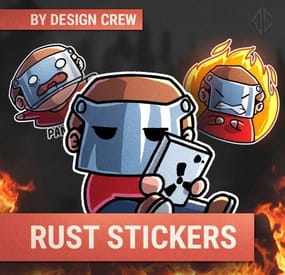
$5.00$4.50RUST STICKERS
By DesignCrew in Graphics
We decided to create stickerS. you can use in your project.
You can use them on social media, Discord, Telegram, or on the server.
It's all up to you!
- #rust sticker
- #sticker
- (and 7 more)
-
$8.99$7.19Fuel Monitor
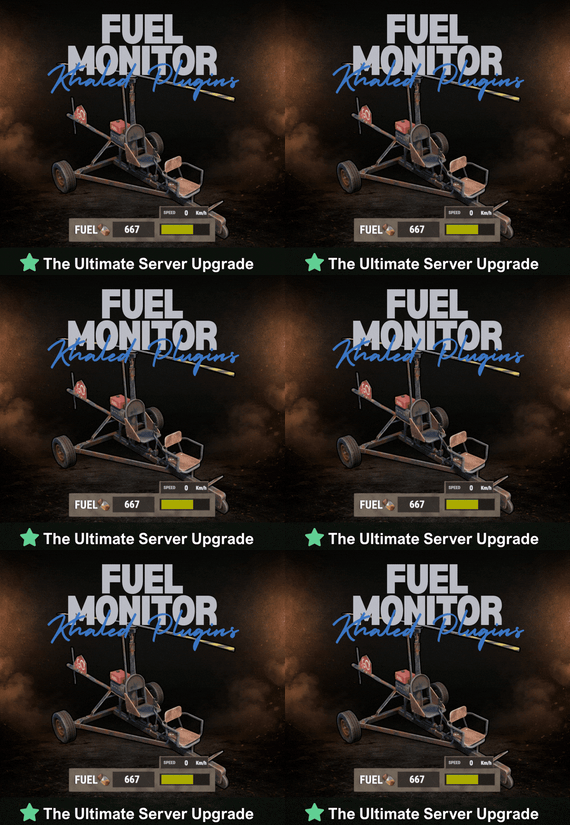
FuelMonitor is a lightweight and fully customizable Rust plugin that displays a clean, modern fuel HUD while driving fuel-powered vehicles.
The plugin features a real-time updating fuel bar, low fuel popup notifications, sound alerts when fuel is running low, and a clear OUT OF FUEL warning when the tank is empty.
FuelMonitor now also includes a built-in speedometer, allowing players to view their current speed directly from the HUD, with support for both Km/h and MPH display modes.
An in-game Admin Settings UI is included, allowing server owners to manage the plugin directly in-game through a clean and safe workflow. With the settings panel, admins can:
- Preview changes live before applying them - Adjust the Global Max Fuel value - Reposition the main Fuel UI using Move Mode - Reposition popup warning notifications using Warning Move Mode - Customize all UI colors - Enable or disable the speedometer - Switch speed units between Km/h and MPH FuelMonitor also includes a dedicated Vehicles tab inside the Admin Settings UI, allowing full per-vehicle customization. Server owners can create and manage vehicle-specific profiles for all supported vehicles, including:
- Enable or disable the HUD per vehicle - Enable or disable warning sounds per vehicle - Set a custom max fuel value per vehicle - Choose whether low fuel warnings use Amount or Percent mode - Configure custom low fuel warning thresholds - Configure custom fuel bar gradient thresholds - Preview each vehicle profile live before applying changes - Reset a single vehicle profile or apply one vehicle profile to all vehicles All changes are handled through a safe pending workflow with Apply / Cancel controls, ensuring nothing is pushed live until the admin confirms it. Once applied, changes affect all players server-wide.
#Admin Commands : /fui
FuelMonitor works automatically in the background, is performance-friendly, and requires no player commands.
Need Support?
- #fuel
- #minicopter
- (and 4 more)
-

$8.99$7.49Deep Sea Options
Deep Sea Options is a single config control plugin for Rust’s new Deep Sea feature.
It lets server owners fully control when Deep Sea opens, what spawns inside it, what vehicles can enter, and how access rules are enforced. You can also configure if players can build inside deep sea.
🏗️ Building Control
Enforce building allowed / blocked inside Deep Sea * Limit how many foundations a player can build in Deep Sea * Buildings persist restart, as long as the deep sea isnt being closed.
🌊 Deep Sea Behavior Control
Configure defaults:
Whether the deep sea should always remain open, be on timers, or disabled Control all phase timers GameTip messages to announce deep sea openinig/closing
🏝️ Deep Sea Content Control
Configure procedural spawns:
Island counts Ghost Ships counts RHIB counts Control:
count spacing radius minimum distance between spawns distance from Deep Sea edges Settings are grouped and explained in the config
📦 Loot spawn
Configurable respawn option for crates/ore/npc
🚁 Access & Teleport Rules
Control:
Allow all vehicles (including planes and helis) or only an allow-listed set players can enter without a boat flying (noclip/admin) players can bypass checks NPC passengers are allowed on vehicles Prevent or allow “vehicle stacking” (boats/helis on deck)
Chat Commands
/deepsea status Shows current Deep Sea state
/deepsea open Opens deep sea if not alrady open
/deepsea close Closes current Deep Sea
Console Commands
dso open - to open the deepsea through the plugin
dso close - to close the deepsea through the plugin
dso forceclose - to force close the deepsea in case you need it closed but 'AlwaysOpen' is reopening it
Note if you make changes to some config values (such as the procedural spawns, you will need to close the deep sea and reopen.)
Config options:
=== GENERAL CONTROLS === Control - Schedule If ON: Plugin controls when Deep Sea opens/closes and how long it stays open. Control - Content If ON: Plugin controls how many islands, ghost ships, and scientist boats spawn and how they are placed. Control - Travel Rules If ON: Plugin controls who/what is allowed to use Deep Sea portals (vehicles, NPCs, players without vehicle, etc). Control - Building If ON: Plugin controls whether players can build while inside Deep Sea. Force Apply On Reload If ON: When plugin reloads, it forces Deep Sea to close and reopen so spawn changes apply immediately. If OFF: Changes apply next time Deep Sea opens normally. === SCHEDULE SETTINGS === Mode Vanilla = Normal Rust Deep Sea cycle. AlwaysOpen = Deep Sea never closes. Disabled = Deep Sea never opens. (plugin manually resests the reopen timer. recommend using the other disable option below if just want it off always) Open Time Seconds How long Deep Sea stays open before closing (Vanilla mode). Cooldown Seconds How long Deep Sea stays closed before opening again (Vanilla mode). Final Phase Seconds End-of-cycle phase used for weather / atmosphere effects. Radiation Warning Phase Seconds When time left is below this, new entry is normally blocked. AlwaysOpen - Keep Time Left Around Seconds In AlwaysOpen mode, Deep Sea time is kept around this value. AlwaysOpen - Refill When Below Seconds If time left drops below this, it refills back up to the target above. Disabled - Push Next Opening To Seconds In Disabled mode, pushes next open time far into the future. Set DeepSea Enabled Flag If ON, plugin forces the core deepsea enabled/disabled flag (may need restart). DeepSea Enabled Only used if above is ON. Turns Deep Sea system on/off at engine level. === CONTENT SPAWNING === (These control placement spacing) Islands / Ghost Ships / RHIB Groups all use same logic: Count How many spawn each time Deep Sea opens. Spacing Size General spacing radius. Bigger = more spread out. Edge Buffer How far from the outer Deep Sea border spawns must stay. Bigger = more toward the center. Minimum Spacing Hard minimum distance between spawns. Overrides spacing size if larger. === RESPAWN (CRATES / NPCs / HACKABLES) === Enable Respawn System If ON: Plugin respawns eligible Deep Sea crates, ores, and NPCs. Check Interval Minutes Time to respawn. Min Distance From Players To Allow Respawn Entities will only respawn if no players are within this distance. Respawn Hackable Crates Via Ghostship If ON: Hackable crates respawn on ghost ships. Hackable Crates Count Number of hackable crates that can spawn. === TRAVEL RULES === Allow Any Vehicle If ON: Any vehicle can use portal. Allowed Vehicle Prefabs If NOT allowing all vehicles, only these are allowed. Require Boat Type Only If ON: Even allowed vehicles must be boats. Allow Players Without Vehicle If ON: Players can teleport without standing on a vehicle. Allow Noclip Players If ON: Flying/admin players bypass vehicle checks. Allow NPC Passengers If OFF: Vehicles with NPC passengers cannot teleport. Allow NPC Player Teleport If ON: NPC player entities themselves can teleport. Allow Entry During Radiation Warning Phase If ON: Players can enter even when Deep Sea is about to close. Ignore Extra Vehicle Onboard Check If ON: Should allow things like helicopters sitting on boats. Log Entry/Exit If ON: Logs allow/deny decisions for debugging. === BUILDING === Allow Building In Deep Sea If OFF: Players cannot build inside Deep Sea. If ON: Building is allowed. DeepSea - Limit Foundations If ON: Limits how many foundations each player can place inside Deep Sea only. DeepSea - Max Foundations Per Player Maximum number of foundations a player can place inside Deep Sea. DeepSea - GameTip: Show remaining on successful place If ON: When a player places a foundation in Deep Sea, shows how many foundations they can still place. DeepSea - GameTip: Show message when denied If ON: When a player hits the Deep Sea foundation limit, shows a GameTip === NOTIFICATIONS === GameTip - Deep Sea Opening If ON: Shows a GameTip when Deep Sea starts opening. GameTip - Deep Sea Opened If ON: Shows a GameTip when Deep Sea is fully open. GameTip - Deep Sea Closing If ON: Shows a GameTip when Deep Sea starts closing. GameTip - Deep Sea Closed If ON: Shows a GameTip when Deep Sea is fully closed.
-

$10.00
Custom Icon Creator
This is a simple tool for developers who want to make custom items, this allows you to chose a item name (Workshop Name) and item image anywhere on your computer (.png) and upload it to your rust steam workshop. This will allow you to get the workshop ID in which you use to create a "custom" item.
Requirements
- Must have steam running
- Must have rust in steam library
Installation
Download the zip and extract the folder to chosen location
Run the unity game named, Rust Custom Icons.exe
Tips
I recommend running this in windowed which you can get to by pressing ALT + ENTER
GIF of how it work
-
$25.00
Enchanting
By imthenewguy in Plugins
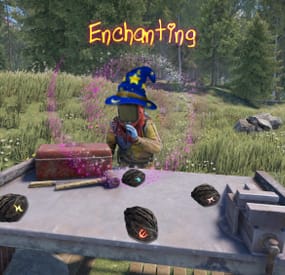
Enchanting adds the ability for different types of weapons to be enchanted with over 29 specialized, unique abilities from freezing your target in place, to increasing the speed of your horse. Each enchantment is configurable and can be added to any weapon type, or even multiple times under the same weapon type with different durations/effect modifiers.
Enchanting an item requires a cost of runes, which are found from different sources. See the "Runes" section below for more information on how players obtain runes.
The plugin comes with a number of pre-made enchanted weapons, but you can add, remove or edit your own via the config file, allowing you to tailor this plugin for your on worlds.
Runes are required to enchant a weapon. The enchantment costs can be seen under each weapon, and must be in the players inventory when they attempt to enchant their weapon.
Runes drop from multiple sources, but each rune type has a uniquely flavoured drop source by default:
Ice Runes: Obtained while mining, woodcutting or picking floora (hemp, mushrooms, pumpkins etc) in the acrtic biome. Life Runes: Obtained from collecting floora in any biome. Death Runes: Obtained while harvesting the flesh of NPCs and animals. Fire Runes: Obtained while mining, woodcutting or picking floora in the arid biome (desert). Dark Runes: Obtained while mining, woodcutting or picking plants during the night (after 6pm, before 6am). Light Runes: Obtained while mining, woodcutting or picking plants during the day (between 6am and 6pm). Water Runes: Obtained while gutting fish or harvesting flesh from sharks. Runes can be adjusted, renamed and changed in the config file, and additional rune types can also be added, all of which can be assigned to any of the 15 drop sources.
There are 29 enchantments available as of version 1.0.0. These enchantements can be placed onto most held items, and can be activated as long as the player is not on cooldown.
The cooldown works as a global cooldown, meaning that if a player uses any enchantment, they cannot use another enchantment until their cooldown finishes.
Each weapon can have a unique cooldown period, allowing for more powerful enchantments to cause a longer cooldown, while having a shorter cooldown for less powerful ones.
To enchant an item, simply place it into a repairbench, which will trigger the "Enchanting" button to appear. Clicking this button will display all available enchantments for that particular item. Click the desired enchantment, click enchant and you are done!
All abilities require activation by pressing MOUSE3 (default) while the weapoin is active. Stowing or swapping the weapon so something else cancels the ability.
Command: inspect
Action: Shows the enchantment info for the active weapon.
Permission: none
Command: giverunes
Parameters: <Optional: quantity>
Action: Gives the user x amount of each rune.
Permission: enchanting.admin
Command: giverandomweapon
Action: Gives the user a random enchanted weapon.
Permission: enchanting.admin
Command (CONSOLE): generaterandomweapon
Parameters: <target name/ID>
Action: Gives the user a random enchanted weapon.
Permission: enchanting.admin
enchanting.admin - required for admin commands. enchanting.free - enchanting requires no runes. enchanting.create - required to see the enchanting menu appear in the repairbench menu. enchanting.nocooldown - no cooldown is applicable after activating an ability.
[1] Freeze: Freezes the target in place when hit for x seconds. [2] Slow: Prevents the target from running when hit for x seconds. [3] Inferno: Sets the target on fire when hit for x seconds. [4] Bleeding: Applies x bleeding stacks when hit for the duration. [5] Radiation: Applies x radiation stacks when hit for the duration. [6] Poison: Poisons the target, dealing x damage every y seconds for z cycles. They also vomit. [7] Indestructable: Prevents condition loss on the weapon for the duration. [8] Lifesteal: Returns x% of the damage dealt to a target, back to the attacker. [9] PVPDamage: Increases the damage versus players by x% for the duration. [10] PVEDamage: Increases the damage versus animals and scientists by x% for the duration. [11] Blind: Blinds the player for x seconds when hit. [12] Splinter: Damages all players within x meters of the target for y% of the damage dealt to the target. [13] Explosive: Spawns and detinates an explosive at the landing point of a projectile weapon for the duration. [14] Healing: Prevents the damage that would be done to the target by the attacker, instead healing them for x% of the damage that would have been done. [15] Sleep: Forces the target into the sleep state for x seconds when hit. [16] Fumble: The target's active item is moved into their inventory when hit. It is dropped to the ground instead of there is no room in the inventory. [17] Curse: When the target is hit, their screen quickly flashes purple and black and they take 0.6 damage every 0.2 seconds for the duration. [18] GatherYield: Gather yield is increased by x% for the duration when using this enchanted tool to harvest. [19] AnimalSpawn: Spawns an animal at the hit market (default wolf) for the duration. [20] ReduceDamage: While active, this ability will reduce incoming damage by x% for the duration. [21] HealSelf: Instantly heals the player for x health. [22] HealOthers: Instantly heals other players for x health that are within y meters. [23] BradleyCloak: Makes the player invisible to bradley tank for the duration. [24] FeatherFall: Prevents fall damage while active. [25] RadiationResist: Removes all radiation stacks once per second for the duration. [26] Spectre: Makes the player invisible to turrets and base defences for the duration. [27] HorseCrop: Increases the horses stats by x for the duration. Will affect any horse that the player climbs onto while active. Horses the player dismounts from will no longer be affected. [28] ScientistCloak: Makes the player invisible to scientists for the duration. [29] ElementalDamageResist: Makes the player immune to fire and cold damage for the duration. [30] DamageIncrease: Increases the damage of the weapon to everything by x% for the duration.
void GenerateRandomWeapon(BasePlayer player) //gives the player a random weapon.
- #enchanting
- #epic
- (and 4 more)