
The Real Butter's Wishlist
-
$15.00
Radial Menu
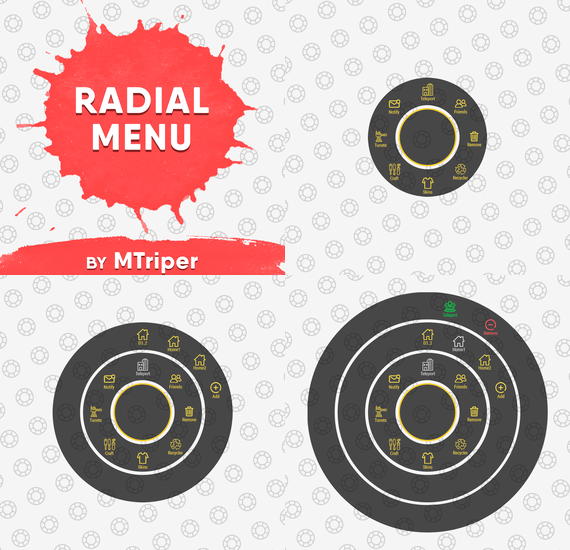
The radial menu is a customizable quick access panel with all popular and frequently used server commands. It makes it a lot easier and faster to interact with various server mechanics, be it teleportation, trades, setting house points and various panels.
Features
Allows to almost completely eliminate the manual entry of commands by the player. Automatic calculation and arrangement of any number of sections/subsections on a circle. Several display effects. Tracks a press of the MMB or on command (can be keyed to the same MMB). Checks for the privileges of a particular command, before executing it. Ability to use your own panel images. Full customization of the location and scale of icons and panel. Support for popular plugins (NTeleportation, TeleportGUI, Clans, Friends and Rust teams). Executing console or chat commands.
General settings
Track MMB presses to open a radial menu? - if the player has a MMB bind, the plugin will not open the Radial Menu.
The command to open the radial menu - you can use both the command and the MMB tracking. When using MMB tracking and the command at the same time: If a player has a MMB bind, his bind will be executed when he clicks on it, and the Radial Menu will not open. If there is no bind, the player can use both the command and the MMB press.
Upload images to players when they connect? - when a player connects to the server, the plugin will automatically download 3 images of menu rings to his client. This avoids displaying black rectangles when opening the menu while the plugin is downloading the images to the client.
Section/Subsection settings
The plugin has main sections (level 1), subsections at level 1 (level 2) and subsections at level 2 (level 3).
Section name - the name of the section, which is displayed under the icon.
Enable this section? – on/off section.
Section permission [required] - permission required for the plugin to work (without dots). Add "_add" to the end of the name so that the plugin does not register or check permissions for child subsections.
Section icon - direct link to the icon (recommended size 64x64).
Fill icon with color below? - Completely fills the icon with the color set below.
Inactive/active section color [HEX or Unity RGBA] - The plugin supports 2 types of colors: HEX (e.g. "#57de54" or "#57de54ff") and Unity RGBA ("0.34 0.87 0.33 1").
Command executed on behalf of the player - if you do not have subsections in this section, the command (without the "/" if chat) that will be executed for that player is specified here. You can specify multiple commands using commas (e.g. "radar ui, vanish, adminpanel hide"). If there are subsections in this section, the command is not specified. Specify %steamid% or %username% so that the plugin replaces them with the data of the player on whose behalf the command is executed.
Command type - Where to run this command: true - chat, false - console.
Permissions for above command - if the command above is specified, you can specify the privileges of that command in this field (e.g. "removertool.normal, removertool.structure, removertool.external"). The plugin will check if the player has these privileges before executing the command.
Show this section only to those with permissions above? - allows to draw the section automatically (without giving permissions to this plugin) if the player has command permissions.
Show this section even to those who don't have permissions? - forcibly displays the section to all players, even those who do not have privileges to it (if you click on it, a message about lack of permissions will be displayed in chat).
Subsections layout [n - number] - this setting is responsible for how subsections are arranged.
0 - automatically. Suppose you have 10 subsections, then 360 degrees / 10 subsections = 36 degrees. The plugin will automatically position the 10 subsections every 36 degrees (clockwise, starting from the top). n - from the beginning. The plugin will arrange the subsections clockwise, starting from the top, not automatically, but in a certain step. For example, you have 3 subsections, but you do not want them to be automatically scattered all around the circle, you want them to be displayed at the top, with some small step, this step will be calculated due to the conditional number of subsections n (for example, 15). Now 360 degrees / 15 conditional subsections = 24 degrees, then your 3 subsections will be positioned from the beginning and there will be 24 degrees between them. -n - from the active item. The plugin will arrange the subsections relative to the active section. For example, you have 3 subsections, but you don't want them to be automatically scattered all around the circle, and you also don't want them to be arranged in some clockwise, starting from the top. By choosing this type of arrangement, the subsections will be located in the same place as the active section, in the increments you specify. It works the same way as above, only n is specified with a minus sign (for example, -15, the minus is needed for the plugin to understand what type of arrangement to use). All examples of the layout of the subsections are present in the standard config.
Permissions
It may be unclear how permissions work in this plugin. Let's figure it out with a simple example from the standard config.
It's not hard to figure out that this is the home point section of the standard config. To exclude identical names of permissions the plugin converts them to this form.
Because of the large number of permissions generated by the plugin, there are mechanics for reducing them. If you add "_all" to any section, in the "permission" field, the plugin will not register the permissions of child subsections. For example, if the player has the permission "_homes_all", then all displayed houses, all commands (add, remove, etc.), in general everything that belongs to the section "_homes_all" will obey and is checked by the permission "radialmenu._homes_all". The "permission" fields of the child sections still have to be filled in for the plugin to work.
I strongly recommend using the "Permissions Manager" plugin to set privileges for players or groups. It draws a simple interface, through which it is very easy to add or remove permissions.
Teleportation
The plugin supports work with teleportation plugins (set/remove/teleport to home point) NTeleportation, TeleportGUI and Teleportation by OxideBro (for RU server owners).
To do this, in the main section (level 1), you must specify the permission of the "_homes" section, this is necessary for the plugin to understand that it will work with the teleport plugin.
Next, in the subsection "_homes" (level 2) you must add the MAXIMUM number of displayed house points, for example 5. If the player has more house points than this number, then only the first 5 will be displayed, if less, then all of them will be displayed. For each such point, you must set its unique name, which begins with "home_n", where "n" is any unique number or word (e.g. home_1, home_2, etc.). In addition to the house points here you can place a section with the establishment of the house point, its name should be "home_add", and the command "home add {0}" (command your plugin teleport), where {0} - the name of the new house point, the plugin itself will set it relative to the square in which the player at the moment is (for example D3, if there are several in the square, then D3h1, D3h2, etc.).
After that, in the subsections (level 3) of each such house point, you can specify commands relating specifically to it. For example: "home {0}", "home remove {0}" or any other commands, where {0} is the name of the specific house, the plugin itself will substitute it when executing the command.
If you find all of the above complicated, you can take a look at the standard config as an example.
Friends
The plugin supports work with plugins Friends, Clans by k1lly0u and Rust teams.
Here everything is set up similar to Teleportation. But for the plugin to understand what to work with, in the main section (level 1) you must specify one of the three options:
"_teammates" - the plugin will work with Rust teams "_friends" - the plugin will work with the Friends plugin "_clans" - the plugin will work with the Clans plugin In subsections (level 2) you must add the MAXIMUM number of displayed friends, for example 8. If the player has more friends than this number, then only the first 8 will be displayed, if less, then all of them will be displayed. For each friend you must set its unique name, which begins with "friend_n", where "n" is any unique number or word (for example friend_1, friend_2, etc.).
After that, in the subsections (level 3) of each friend you can specify commands specific to him. For example: "tpr {0}", "trade {0}" or any other commands, where {0} is the nickname of the player, the plugin itself will substitute it when executing the command.
An example of the configuration of this section is also present in the standard config.
Plugin Config
Example of plugin configuration in English
Example of plugin configuration in Russian. If you need Russian config, open it (RadialMenu.cs) before loading the plugin, and at the top set the variable "isRus = true". Then save and upload this file to your server.
-
$39.90
Personal NPC
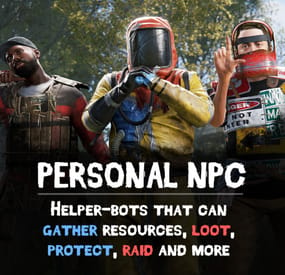
Take your server experience to new level using Personal NPC companions that can fight, loot, gather, drive, fly, and assist! Whether combat, gathering resources, or traveling is on your to-do list, your bot is on hand to help out!
Features:
✋ Battle-Ready AI
• Command your bot to attack players, enemies, buildings, barrels, and more.
• Protects you against enemies attacks.
• Assist in combat by attacking targets that you engage with (/pnpc combat).
• Raid using rocket/grenade launchers (addon required).
💰 Resource Collection
• Auto-farm of wood, metal, sulfur, and stone.
• Pick up dropped items and collectable resources.
• Enable auto-pickup within a 50m radius along with auto-farm.
🧰 Smart Assistant
• Follow you or stay in position.
• Loot containers.
• Recovers you while wounded.
• Travel with you in minicopters, cars, boats, and more.
• Can drive cars, helicopters and boats (addon required).
Full Control & Personalization
🎯 Bot Setup:
• Set bot name, health, speed, and appearance.
• Enable unlimited ammo and on map visibility.
• Setup bot abilities: combat, looting, resource gathering, and more.
• Setup damage rates, player interactions, and turret targeting.
🛠️ Other Customization:
• Adjust spawn delays, task buttons, and 3D arrow displays.
• Personalize the GUI interface – refresh rate, position, colors, and shortcut keys.
• Blacklist specific items from the bot’s inventory.
Commands:
/pnpc where (shows a location of the bot in chat) /pnpc health (shows current bot's health in chat) /pnpc follow (bot will follow you) /pnpc hover (hover over a place, for Heli AI Addon) /pnpc inventory (open inventory, if enabled "Can player open bot's inventory through '/pnpc inventory' command?' option) /pnpc farm {resource name} (bot will farm exactly this resource, no need to write a lot of /pnpc auto-farm commands to make him work) /pnpc pickup {resource name} (same as "farm" but bot will pickup resources) /pnpc auto-pickup {resource name}/enable/disable /pnpc auto-farm {resource name}/enable/disable /pnpc ignore (bot will ignore everybody who deal damage to him or the owner) /pnpc loot-all (bot will loot everything in radius) /pnpc pvp (bot will fight anybody who's in radius) /pnpc combat (bot will fight only players who attack him or owner)
Expand with Addons!
💡Enhance your bot’s features using add-ons:
• PNPC Helicopter AI Addon
• PNPC Car AI Addon
• PNPC Boat AI Addon
• PNPC Raid Addon
📸 See It in Action! Watch The Video
📃 Configuration:
{ "Control setup": { "Which button will assign tasks to the bot, kill/get/collect, etc. (MIDDLE_MOUSE, SECOND_MOUSE, E, RELOAD, SPRINT)": "MIDDLE_MOUSE", "Range of the task assignment button": 25.0, "Display 3D arrows over a target?": true, "Arrow display duration": 2 }, "GUI customization": { "How many seconds to update the GUI?": 6.0, "Panel layer (Hud, Overlay, Overall, Hud.Menu, Under)": "Overlay", "Panel position adjustment": { "type": "RectTransform", "anchormin": "1 1", "anchormax": "1 1", "offsetmin": "-170 -104", "offsetmax": "-10 -10" }, "1 panel color": "#7f8c8d", "2 panel color": "#bdc3c7", "Health bar color": "#2ecc71", "Shortcut buttons": [ { "Text on button": "Auto-Farm: Wood", "Executable chat commands": [ "pnpc auto-farm wood", "pnpc auto-farm enable" ] }, { "Text on button": "Auto-Farm: Stone", "Executable chat commands": [ "pnpc auto-farm stone", "pnpc auto-farm enable" ] }, { "Text on button": "Auto-Pickup: Wood", "Executable chat commands": [ "pnpc auto-pickup wood", "pnpc auto-pickup enable" ] }, { "Text on button": "Auto-Pickup: Stone", "Executable chat commands": [ "pnpc auto-pickup stone", "pnpc auto-pickup enable" ] } ] }, "Bot settings by permission": { "personalnpc.bot1": { "Bot spawn delay": 300.0, "The name of the bot to be selected through the command when spawning": "bot1", "Bot name": "Personal bot of player %OWNER_NAME%", "Bot appearance (0 - random)": 0, "Maximum health": 150.0, "Bot speed (slowest, slow, normal, fast)": "normal", "Enable infinite ammo for the bot?": true, "Enable display of the bot on the map? (frankenstein icon)": true, "Start kit": [ { "Item name": "", "Item shortname": "shoes.boots", "Item skin": 0, "Item amount": 1, "In which container to place? (belt, main, wear)": "wear" }, { "Item name": "", "Item shortname": "pants", "Item skin": 0, "Item amount": 1, "In which container to place? (belt, main, wear)": "wear" }, { "Item name": "", "Item shortname": "hoodie", "Item skin": 0, "Item amount": 1, "In which container to place? (belt, main, wear)": "wear" }, { "Item name": "", "Item shortname": "mask.bandana", "Item skin": 0, "Item amount": 1, "In which container to place? (belt, main, wear)": "wear" }, { "Item name": "", "Item shortname": "hat.boonie", "Item skin": 0, "Item amount": 1, "In which container to place? (belt, main, wear)": "wear" }, { "Item name": "", "Item shortname": "sunglasses", "Item skin": 0, "Item amount": 1, "In which container to place? (belt, main, wear)": "wear" } ], "Functions setup": { "Can a bot loot crates?": true, "Can the bot mine trees and stones?": true, "Can the bot pick up resources? (wood, sulfur and metal ore, stones)": true, "Should the bot protect the owner?": true, "Should the bot defend itself?": true, "Can the bot travel by car/copter and other vehicles?": true, "Can the bot pick up dropped items?": true, "Recover the owner from a wounded state": { "Can the bot recover the owner if he is in a wounded state?": true, "Recover time": 6.0 }, "Can the bot attack other people's buildings?": true, "Can a bot attack its owner's buildings?": false, "Can the bot collect resources within a radius of 50 meters? (/pnpc auto-pickup)": true, "Can the bot farm resources within a radius of 50 meters? (/pnpc auto-farm)": true }, "Gather setup": { "Shortname of items that can harvest trees": [ "hatchet", "chainsaw", "hammer.salvaged", "stonehatchet", "axe.salvaged" ], "Shortname of items that can mine stones and ore": [ "pickaxe", "stone.pickaxe", "hammer.salvaged", "jackhammer", "icepick.salvaged" ], "Setting up mining rates": { "stones": 2.0, "wood": 5.0 } }, "Damage and interactions setup": { "Bot damage rate": 2.0, "Bot recive damage rate": 0.5, "Can players damage the bot?": true, "Can the bot damage players?": true, "Can turrets target and kill a bot? (all turrets will not be able to damage the bot)": false, "Prevent bot owner turrets from aiming and killing the bot? (bot owner's turrets will not be able to damage the bot)": true, "Blacklist of objects that the bot will ignore when owner selecting a target (short prefab name)": [ "barricade.sandbags" ] }, "Black list of items that cannot be put into the inventory of the bot": [ "rocket.launcher" ] } }, "Bot install by item": [ { "Item name": "PersonalNPC", "Item shortname": "furnace", "Item skin": 2741314889, "Bot info": { "Bot spawn delay": 300.0, "The name of the bot to be selected through the command when spawning": "bot1", "Bot name": "Personal bot of player %OWNER_NAME%", "Bot appearance (0 - random)": 0, "Maximum health": 150.0, "Bot speed (slowest, slow, normal, fast)": "normal", "Enable infinite ammo for the bot?": true, "Enable display of the bot on the map? (frankenstein icon)": true, "Start kit": [ { "Item name": "", "Item shortname": "shoes.boots", "Item skin": 0, "Item amount": 1, "In which container to place? (belt, main, wear)": "wear" }, { "Item name": "", "Item shortname": "pants", "Item skin": 0, "Item amount": 1, "In which container to place? (belt, main, wear)": "wear" }, { "Item name": "", "Item shortname": "hoodie", "Item skin": 0, "Item amount": 1, "In which container to place? (belt, main, wear)": "wear" }, { "Item name": "", "Item shortname": "mask.bandana", "Item skin": 0, "Item amount": 1, "In which container to place? (belt, main, wear)": "wear" }, { "Item name": "", "Item shortname": "hat.boonie", "Item skin": 0, "Item amount": 1, "In which container to place? (belt, main, wear)": "wear" }, { "Item name": "", "Item shortname": "sunglasses", "Item skin": 0, "Item amount": 1, "In which container to place? (belt, main, wear)": "wear" } ], "Functions setup": { "Can a bot loot crates?": true, "Can the bot mine trees and stones?": true, "Can the bot pick up resources? (wood, sulfur and metal ore, stones)": true, "Should the bot protect the owner?": true, "Should the bot defend itself?": true, "Can the bot travel by car/copter and other vehicles?": true, "Can the bot pick up dropped items?": true, "Recover the owner from a wounded state": { "Can the bot recover the owner if he is in a wounded state?": true, "Recover time": 6.0 }, "Can the bot attack other people's buildings?": true, "Can a bot attack its owner's buildings?": false, "Can the bot collect resources within a radius of 50 meters? (/pnpc auto-pickup)": true, "Can the bot farm resources within a radius of 50 meters? (/pnpc auto-farm)": true }, "Gather setup": { "Shortname of items that can harvest trees": [ "hatchet", "chainsaw", "hammer.salvaged", "stonehatchet", "axe.salvaged" ], "Shortname of items that can mine stones and ore": [ "pickaxe", "stone.pickaxe", "hammer.salvaged", "jackhammer", "icepick.salvaged" ], "Setting up mining rates": { "stones": 2.0, "wood": 5.0 } }, "Damage and interactions setup": { "Bot damage rate": 2.0, "Bot recive damage rate": 0.5, "Can players damage the bot?": true, "Can the bot damage players?": true, "Can turrets target and kill a bot? (all turrets will not be able to damage the bot)": false, "Prevent bot owner turrets from aiming and killing the bot? (bot owner's turrets will not be able to damage the bot)": true, "Blacklist of objects that the bot will ignore when owner selecting a target (short prefab name)": [ "barricade.sandbags" ] }, "Black list of items that cannot be put into the inventory of the bot": [ "rocket.launcher" ] } } ], "How many seconds will the bot update the information? (affects the performance and operation of the bot)": 0.01, "Spawn a backpack with his items when a bot dies? (otherwise his corpse will spawn)": false, "List of prefabs that the bot can loot (useful if the bot attacks loot instead of looting it)": [ "vehicle_parts" ] }
-
$39.99$24.99CubeBuild
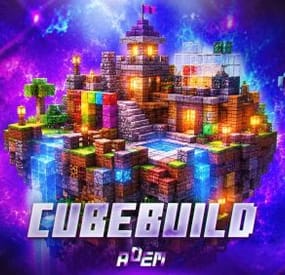
CubeBuild is a plugin that adds Minecraft-style building with cube blocks.
Players receive a special building plan and can create structures from blocks: houses, castles, towers, statues, and many other objects that are difficult or impossible to build with the standard building system.
Cube structures can be used not only as decorations. Players can place regular deployable objects inside these buildings, such as boxes, workbenches, furnaces, planters, lights, sleeping bags, and other items needed for gameplay and progression.
There are currently 7 block categories available: wood, stone, brick, concrete, metal, high quality metal, and glass. Each category includes several skins, allowing players to combine different materials, colors, and textures in one build.
More than 30 block variants are currently available. More blocks may be added in the future based on customer requests.
AI Building Generation
The plugin includes instructions for generating ready-to-use builds with AI.
You can describe the build you want in ChatGPT, for example: a castle, village, tower, statue, or arena. After that, AI will generate a special building file in the CubeBuild format.
Simply add this file to the plugin data folder, and the build can be pasted on the server with one command:
/cubepaste <presetName>
Plugin reload is not required.
This allows you to quickly create new objects without placing every block manually. An administrator can generate a build, upload the file to the server, and instantly place it in the desired location.
The instruction has been tested only with ChatGPT. Compatibility with other AI services is not guaranteed.
Copy and Paste
The built-in copy and paste system allows you to save completed builds and place them later.
You can build an object once, save it as a preset, and reuse it at any time.
At the moment, this feature is intended for administrators only.
Custom Building Privilege
CubeBuild has its own building privilege system, which replaces the standard building privilege for cube structures.
It is designed to protect the house from decay and works as a separate upkeep system. If there are enough resources, the structure will be protected from decay. If the resources run out or are not sufficient, the cube blocks will gradually start to decay.
The building privilege UI also includes a convenient repair feature. A player can repair the entire house inside the privilege zone with one button, without repairing each block manually.
Limitations
CubeBuild uses separate entities for cube blocks, so they should not be placed in unlimited amounts.
The config includes block limits for each player. It is not recommended to disable these limits or set them too high.
I cannot guarantee stable plugin performance if more than 50,000 cube blocks are placed on the server.
Chat Commands
- /givecubeplan - gives a custom building plan. Admin only.
- /killallcubes - deletes all cubes and custom doors created by the plugin. Admin only.
- /cubecopy <radius> <presetName> - copies a cube structure within the specified radius and saves it as a preset.
- /cubepaste <presetName> - pastes a previously saved build.
- /cubedelete <radius> - deletes cubes within the specified radius.
Console Commands
- givecubeplan <userId> [amount] - gives one or more custom building plans to a player.
Permissions
- cubebuild.building - allows players to use the custom building plan.
- cubebuild.copy - allows players to use the copy command.
- cubebuild.paste - allows players to use the paste command.
- cubebuild.delete - allows deleting blocks within a radius.
Plugin Config
en – example of plugin configuration in English
ru – example of plugin configuration in Russian
Check out the rest of my work: Adem's Codefling Library
You can reach out to me in Discord: Adem's Discord Profile
Join the Mad Mappers Discord!
- #minecraft
- #cube
- (and 9 more)
-
$9.99
Minecraft Entities
Description
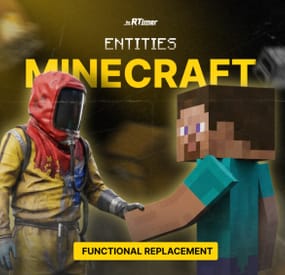
Minecraft Entities replaces standard Rust deployables with fully functional Minecraft-style versions while preserving all vanilla game mechanics.
Players receive special custom items that automatically transform into Minecraft blocks when placed. Although the appearance is completely changed, every object keeps its original functionality. Furnaces smelt ore, electric furnaces require power, workbenches unlock crafting, and large boxes function as normal storage containers.
Currently supported entities:
Minecraft Furnace
Minecraft Electric Furnace
Minecraft Workbench Level 1
Minecraft Workbench Level 2
Minecraft Workbench Level 3
Minecraft Large Wooden Box
Features
Fully functional Minecraft-style entities.
Preserves all vanilla Rust mechanics.
Automatically replaces custom items with Minecraft entities after placement.
Dynamic front texture for active furnaces.
Correct health and damage handling.
Automatic restoration after server restart.
Pickup support.
Easy configuration.
Configuration
Example configuration:
Config Example
Chat Commands
Use the following chat commands to obtain Minecraft entities:
/giveminecraftitem minecraft_furnace <amount>
/giveminecraftitem minecraft_electric_furnace <amount>
/giveminecraftitem minecraft_first_workbench <amount>
/giveminecraftitem minecraft_second_workbench <amount>
/giveminecraftitem minecraft_third_workbench <amount>
/giveminecraftitem minecraft_big_chest <amount>
Replace <amount> with the desired quantity (for example: 1, 5, 10).
TELEGRAM CHANNEL
-

$14.99$11.24Weather
Weather & time control Own the sky — from a GUI, not a config file Vanilla weather is a coin flip you don't get to influence. This plugin shuts it off and hands you the whole sky: build your own presets, tune every value with plain-English names, chain them on a schedule, or mirror the real weather of any city on Earth. Everything is editable in-game and applies instantly.
33 Tunable parameters 24 Schedulable hours 6 Presets preloaded 0 Dependencies ✓Every parameter named in plain English — no cryptic engine values ✓Real lightning strikes — not just thunder sounds ✓Live weather synced from any real location on Earth ✓Separate day and night length — plus vote-based night skip ✓Personal weather — let chosen players pick their own sky while the server weather stays for everyone else Video See it in action 01 — Presets Weather presets you actually control All six vanilla presets are imported automatically on first load, so you start from a working base instead of a blank slate. From there, nothing is off limits.
Everything is a dial Rain, wind, thunder, rainbow and ocean wave height · cloud coverage, size, opacity and scattering · fog density · atmosphere brightness and contrast, day and night separately · full volumetric cloud control Named in plain English "Waves in the sea" instead of "OceanScale" · "Fog density" · "Sun glow size". No guessing what a value does before you drag it. Real lightning, not a sound effect Any preset with Thunder above zero fires actual strike effects for every online player, across three intensity tiers, with frequency scaling off the Thunder value. ✓Smooth transitions — set a transition time per preset and weather eases in over seconds or minutes instead of snapping ✓Weighted random — make Storm rare and Clear common with a single number ✓Duration per preset — when one ends, the next rolls automatically 02 — Time Time and nights on your terms Long days, short nights, or no nights at all — and if you'd rather let the server decide, hand the choice to your players.
Day and night length, separately A 45-minute day with a 10-minute night is one number each. Sunrise and sunset hours are configurable, and /setday and /setnight change time instantly. Skip nights automatically One toggle and nights are skipped the moment they start. Ideal for PvP servers and low-population wipes. Or let players vote A vote opens at an hour you choose and the night is skipped only if your required percentage agrees. Vote window, sound effect and every message are customizable. An anti-abuse limit locks voting after a set number of consecutive skipped nights, so your server still has nights. 03 — Automation Automation that runs the sky for you Set it once and never touch it again — either on a schedule you design, or synced to the real world.
Rust-time schedule Assign presets to any of the 24 in-game hours. A preset holds until the next scheduled one, so filling three slots already covers a whole day. No two days alike Put several presets in one slot — "Storm,Dust" — and one is picked at random by weight every time that hour comes around. Real-world weather sync Give it coordinates and an OpenWeatherMap key and your server mirrors the live weather of that location, rechecked every in-game hour. Map each real condition — Clear, Rain, Snow, Thunderstorm, Fog — to whichever preset you like. 04 — Personal weather Personal weather for the players you choose Give a group its own sky. Anyone with the permission sets weather for themselves alone, while everyone else keeps whatever the server is running. A natural VIP perk that costs the rest of your players nothing.
Their own sky, on command /myweather opens a small menu. The player picks a preset and it applies to them alone, instantly, on top of whatever the server weather is. You pick what they can choose Limit the menu to a handful of presets in the config, or leave it open to all of them. Only the presets you allow ever show up. One click back to normal A Server Weather button drops them back to the shared sky at any time, and their choice is remembered across reconnects and restarts. Reliability Built to be left alone ✓Weather survives restarts — the active preset and how long it has been running are saved, so a reboot doesn't reset the sky to a random state ✓Active preset is highlighted in the UI — you always know what's running ✓Optional console announcement whenever a new preset starts ✓Clean unload — vanilla weather chances are restored exactly as they were Commands Three admin commands, two for players Admin commands require the weather.use permission. Personal weather requires weather.personal.
/wsetupOpen the setup UI /setdaySet time to day /setnightSet time to night /nskipVote to skip the night — configurable, open to all players /myweatherOpen the personal weather menu — needs weather.personal Hooks & API For plugin developers string API_GetCurrentWeatherPreset() Returns the name of the active preset void OnNewPresetStart(string presetName) Called when a new preset begins Questions Before you buy I scheduled a preset at hour 3, but hours 4–9 are empty. What happens?A preset runs until the next scheduled one. Set Rain at 4 and Dust at 9 and you get rain from 4 to 9, then dust from 9 until hour 4 comes back around. Can I put more than one preset on the same hour?Yes — comma-separated, like "Storm,Dust". One is chosen at random each time, weighted by each preset's chance. How do I know which preset is currently active?Open the UI — every preset is listed and the active one is highlighted. A preset you've only selected to edit is not. What happens when the current preset ends?A new one starts at random, weighted by the chance value you gave each preset. Does the weather reset when the server restarts?No. The active preset and its elapsed time are saved, so the sky picks up where it left off. Can players set their own weather?Yes, if you grant them the weather.personal permission. They open /myweather and pick from the presets you allow, and it applies to them alone while everyone else keeps the server weather. Do I need an API key?Only for real-world weather sync. Everything else works out of the box, and a free OpenWeatherMap key is enough.