
The Real Butter's Wishlist
-
$29.99
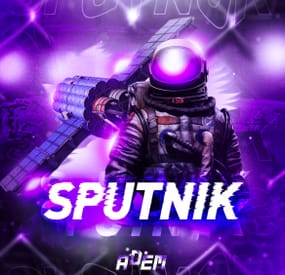
Sputnik
Sputnik is a server event that allows players to contest fallen sputnik satellite fragments that fall around the map. Players will need to battle their way past patrol helicopters, NPCs, turrets, and mines to gain access to loot locked behind keycards that require 'Space Cards,' which can be added to loot tables or sold in a shop! Alternatively, you can use standard keycards.
Overview
By default, there are five types of debris that can fall in any quantity and combination. The fragment can be guarded by a helicopter, NPCs, turrets, and mines. For each preset, you can configure the location and number of crates. A radiation zone can be created around the fragment. By default, there is a card reader in one of the locations that open a locked crate. It is activated using the "Space card.” For more information, see the "Space card” section.
Space Card
A card reader can be placed on any type of sputnik debris. By default, it is activated using a purple "Space Card." This card reader opens the crates specified in a special section of the config. A custom card can be added to the loot tables of standard crates and crates of this event. It can also be given with the help of a command or sold in the server store. If necessary, the card reader can be removed, and the card can be replaced with any type of standard card.
Location presets
The location preset is specified for each wreckage preset separately. By default, a data file with five types of prefabs is included:
sputnik_1 debris_1 debris_2 debris_3 debris_4 They are shown in pictures 6 - 10. The first location includes a locked crate that opens with the help of a "Space Map."
Chat commands (only for administrators)
/sputnikstart– launches the event in a random configuration /sputnikstart <eventPresetName> – launches the event in the <eventPresetName> configuration /sputnikstop – stops the event /givespacecard – give yourself a "Space Card".
Console commands (RCON only)
sputnikstart– launches the event in a random configuration sputnikstart <eventPresetName> – launches the event in the <eventPresetName> configuration givespacecard <userID> – give a "Space Card" to player
Config
en – example of plugin configuration in English ru – example of plugin configuration in Russian
Dependencies (optional, not required)
True PVE PveMode GUI Announcements Notify DiscordMessages AlphaLoot CustomLoot Economics Server Rewards IQEconomic
Hooks
OnSputnikEventStart () OnSputnikEventStop () OnSputnikEventWin (ulong userID) OnPlayerEnterSputnik{BasePlayer player} OnPlayerExitSputnik{BasePlayer player}
My Discord: Adem#9554
Join the Mad Mappers Discord here!
Check out more of my work here!
-
$28.00$22.00Deep Sea Cargo Ship Event
By The_Kiiiing in Plugins
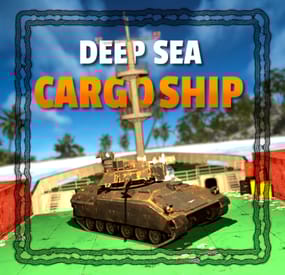
Make the deep sea more interesting for your players with the Deep Sea Cargo Ship! Featuring a fully functional bradley tank that patrols the deck of the ship, this plugin transforms the classic cargo ship into a high-risk, high-reward ocean battle. Tougher NPCs, red keycard-protected loot, and fully configurable tank health and rewards, the Deep Sea Cargo Ship delivers an intense endgame experience your players won’t forget.
Features
Bradley tank drives on the cargo ship Cargo ship drives through the deep sea Increased NPC count Loot is protected by red key card Configurable tank health & loot Configurable NPCs Fully customizable loot
Commands
All command require the admin permission
dcargo start - Start the event dcargo stop - Stop the event
Permission
deepseacargo.admin
For developers
(void) OnDeepSeaCargoStart() // Called when the event starts (void) OnDeepSeaCargoEnd() // Called when the event is over
Default Configuration
{ "Start delay after deep sea opens (minutes)": 10, "Event duration (minutes)": 60, "Time before radiation starts after the event is over (seconds)": 20, "Tank configuration": { "Health": 1200.0, "Crate count": 4, "Remove server gibs after tank is destroyed (saves performance)": false }, "Cargo ship NPC configuration (Normal)": { "Health": 200.0, "Clothing items": [ { "shortName": "hazmatsuit_scientist_naval", "amount": 1, "skinId": 0 } ], "Belt items": [ { "shortName": "smg.mp5", "amount": 1, "skinId": 0 }, { "shortName": "grenade.f1", "amount": 10, "skinId": 0 } ], "Remove corpse on death": true }, "Cargo ship NPC configuration (Turret)": { "Health": 250.0, "Clothing items": [ { "shortName": "hazmatsuit_scientist_naval", "amount": 1, "skinId": 0 } ], "Belt items": [ { "shortName": "rifle.lr300", "amount": 1, "skinId": 0 } ], "Remove corpse on death": true }, "Cargo ship NPC configuration (Captain)": { "Health": 400.0, "Clothing items": [ { "shortName": "hazmatsuit_scientist_naval", "amount": 1, "skinId": 0 } ], "Belt items": [ { "shortName": "shotgun.m4", "amount": 1, "skinId": 0 }, { "shortName": "grenade.f1", "amount": 10, "skinId": 0 } ], "Remove corpse on death": true }, "Loot configuration": { "IMPORTANT NOTICE": "The maximum total crate count is 21. If the crate count in the config is higher, excess crates will be ignored, starting at the lowest tier", "Locked crate count (total crate count must be less than or equal to 21)": 3, "Elite crate count (total crate count must be less than or equal to 21)": 4, "Military crate count (total crate count must be less than or equal to 21)": 8, "Normal crate count (total crate count must be less than or equal to 21)": 6, "Locked crate loot table": { "Enabled": true, "Item list": [ { "Short name": "scrap", "Min amount": 10, "Max amount": 100, "Chance (1 = 100%)": 1.0, "Skin id": 0, "Custom name": "" }, { "Short name": "metal.refined", "Min amount": 10, "Max amount": 25, "Chance (1 = 100%)": 0.6, "Skin id": 0, "Custom name": "" }, { "Short name": "lmg.m249", "Min amount": 1, "Max amount": 1, "Chance (1 = 100%)": 0.05, "Skin id": 0, "Custom name": "" }, { "Short name": "rifle.l96", "Min amount": 1, "Max amount": 1, "Chance (1 = 100%)": 0.1, "Skin id": 0, "Custom name": "" }, { "Short name": "rifle.ak.ice", "Min amount": 1, "Max amount": 1, "Chance (1 = 100%)": 0.2, "Skin id": 0, "Custom name": "" }, { "Short name": "rifle.bolt", "Min amount": 1, "Max amount": 1, "Chance (1 = 100%)": 0.2, "Skin id": 0, "Custom name": "" }, { "Short name": "smg.mp5", "Min amount": 1, "Max amount": 1, "Chance (1 = 100%)": 0.3, "Skin id": 0, "Custom name": "" }, { "Short name": "smg.thompson", "Min amount": 1, "Max amount": 1, "Chance (1 = 100%)": 0.3, "Skin id": 0, "Custom name": "" }, { "Short name": "pistol.prototype17", "Min amount": 1, "Max amount": 1, "Chance (1 = 100%)": 0.4, "Skin id": 0, "Custom name": "" }, { "Short name": "metal.facemask.icemask", "Min amount": 1, "Max amount": 1, "Chance (1 = 100%)": 0.15, "Skin id": 0, "Custom name": "" }, { "Short name": "metal.plate.torso.icevest", "Min amount": 1, "Max amount": 1, "Chance (1 = 100%)": 0.15, "Skin id": 0, "Custom name": "" }, { "Short name": "explosives", "Min amount": 10, "Max amount": 20, "Chance (1 = 100%)": 0.2, "Skin id": 0, "Custom name": "" }, { "Short name": "explosive.timed", "Min amount": 1, "Max amount": 2, "Chance (1 = 100%)": 0.1, "Skin id": 0, "Custom name": "" }, { "Short name": "ammo.rocket.basic", "Min amount": 1, "Max amount": 3, "Chance (1 = 100%)": 0.1, "Skin id": 0, "Custom name": "" }, { "Short name": "ammo.rocket.seeker", "Min amount": 1, "Max amount": 3, "Chance (1 = 100%)": 0.1, "Skin id": 0, "Custom name": "" }, { "Short name": "ammo.rocket.mlrs", "Min amount": 1, "Max amount": 2, "Chance (1 = 100%)": 0.1, "Skin id": 0, "Custom name": "" }, { "Short name": "aiming.module.mlrs", "Min amount": 1, "Max amount": 2, "Chance (1 = 100%)": 0.6, "Skin id": 0, "Custom name": "" }, { "Short name": "rocket.launcher", "Min amount": 1, "Max amount": 1, "Chance (1 = 100%)": 0.15, "Skin id": 0, "Custom name": "" }, { "Short name": "homingmissile.launcher", "Min amount": 1, "Max amount": 1, "Chance (1 = 100%)": 0.15, "Skin id": 0, "Custom name": "" } ] }, "Bradley crate loot table": { "Enabled": false, "Item list": [] }, "Elite crate loot table": { "Enabled": false, "Item list": [] }, "Military crate loot table": { "Enabled": false, "Item list": [] }, "Normal crate loot table": { "Enabled": false, "Item list": [] }, "NPC loot table": { "Enabled": true, "Item list": [ { "Short name": "parachute", "Min amount": 1, "Max amount": 1, "Chance (1 = 100%)": 0.3, "Skin id": 0, "Custom name": "" }, { "Short name": "ammo.shotgun", "Min amount": 4, "Max amount": 8, "Chance (1 = 100%)": 0.2, "Skin id": 0, "Custom name": "" }, { "Short name": "ammo.shotgun.fire", "Min amount": 4, "Max amount": 8, "Chance (1 = 100%)": 0.2, "Skin id": 0, "Custom name": "" }, { "Short name": "ammo.shotgun.slug", "Min amount": 4, "Max amount": 8, "Chance (1 = 100%)": 0.2, "Skin id": 0, "Custom name": "" }, { "Short name": "ammo.pistol", "Min amount": 15, "Max amount": 30, "Chance (1 = 100%)": 0.2, "Skin id": 0, "Custom name": "" }, { "Short name": "ammo.pistol.hv", "Min amount": 15, "Max amount": 30, "Chance (1 = 100%)": 0.2, "Skin id": 0, "Custom name": "" }, { "Short name": "ammo.pistol.fire", "Min amount": 15, "Max amount": 30, "Chance (1 = 100%)": 0.2, "Skin id": 0, "Custom name": "" }, { "Short name": "ammo.rifle", "Min amount": 12, "Max amount": 24, "Chance (1 = 100%)": 0.2, "Skin id": 0, "Custom name": "" }, { "Short name": "ammo.rifle.hv", "Min amount": 12, "Max amount": 24, "Chance (1 = 100%)": 0.2, "Skin id": 0, "Custom name": "" }, { "Short name": "ammo.rifle.incendiary", "Min amount": 12, "Max amount": 24, "Chance (1 = 100%)": 0.2, "Skin id": 0, "Custom name": "" }, { "Short name": "syringe.medical", "Min amount": 1, "Max amount": 2, "Chance (1 = 100%)": 0.2, "Skin id": 0, "Custom name": "" }, { "Short name": "bandage", "Min amount": 1, "Max amount": 3, "Chance (1 = 100%)": 0.3, "Skin id": 0, "Custom name": "" }, { "Short name": "largemedkit", "Min amount": 2, "Max amount": 6, "Chance (1 = 100%)": 0.1, "Skin id": 0, "Custom name": "" }, { "Short name": "riflebody", "Min amount": 1, "Max amount": 1, "Chance (1 = 100%)": 0.1, "Skin id": 0, "Custom name": "" }, { "Short name": "smgbody", "Min amount": 1, "Max amount": 2, "Chance (1 = 100%)": 0.1, "Skin id": 0, "Custom name": "" }, { "Short name": "metalspring", "Min amount": 1, "Max amount": 3, "Chance (1 = 100%)": 0.1, "Skin id": 0, "Custom name": "" }, { "Short name": "sewingkit", "Min amount": 1, "Max amount": 2, "Chance (1 = 100%)": 0.1, "Skin id": 0, "Custom name": "" } ] }, "Captain NPC loot table (leave at null to use NPC loot table from above)": null } }
- #cargo
- #cargo ship
- (and 12 more)
-
$24.00
Radtown Event
By The_Kiiiing in Plugins
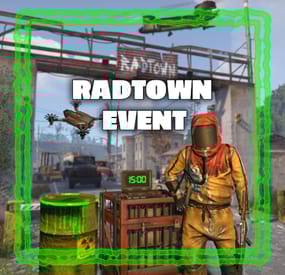
This plugin adds a high-risk, high-reward element to the newly introduced Radtown Monument. This dynamic event spawns a hazardous shipping container filled with valuable loot but surrounded by dangerous radioactive material. The challenge is twofold: not only must players manage the intense radiation levels, but they must also defend the container from relentless attack drones that aim to destroy it.
Key Features:
Valuable Loot: The container holds rare and powerful resources, making it a highly coveted prize.
Multiple drone attack waves: Drones attack in mul
Intense Radiation: High levels of radiation require careful planning and protective gear to approach safely.
Drone Defense: As players attempt to claim the loot, AI-controlled drones will attack the container. Players must defend it until the crate unlocks.
Catastrophic Explosion: If players fail to protect the container or take too long, it will trigger a massive explosion, devastating the area and killing any nearby players.
Configuration options:
Drone wave count, drone count per wave Drone health and damage Container health Crate Loot and much more ...
This plugin enhances the Radtown Monument with intense, timed gameplay, rewarding those who can outlast both the environment and the drones—but punishing failure with explosive consequences!
Permissions:
radtownevent.admin - Required to run admin commands
Commands:
radtown start - Start the event radtown stop - Stop the event
Developer Api:
void OnRadtownEventContainerDelivered() // Called when the container has been delivered and the event is ready to start void OnRadtownEventStart() // Called when the locked crate inside the container has been hacked void OnRadtownEventWin(ulong steamId) // Called when the event was successfully completed by a player void OnRadtownEventEnd(bool success) // Called when the event is over. Success is false when the container exploded
Configuration:
{ "Time between events (minutes)": 60, "Crate hack time (seconds; drone waves will spawn until the crate is fully hacked)": 600, "Container health": 8000, "Time before despawn after event has been completed (seconds)": 300, "Time before despawn if event is not started (minutes)": 30, "Make event zone visible": false, "Drone wave configuration": [ { "Wave number": 1, "Preparation time before drones spawn (seconds)": 5, "Maximum number of concurrent drones": 3, "Explosive drone configuration": { "Number of attack drones to spawn (0 to disable)": 20, "Drone health": 100, "Damage per shell": 40, "Target players": false }, "Kamikaze drone configuration": { "Number of kamikaze drones to spawn (0 to disable)": 0, "Drone health": 100, "Damage on explosion": 60, "Target players": false } }, { "Wave number": 2, "Preparation time before drones spawn (seconds)": 20, "Maximum number of concurrent drones": 4, "Explosive drone configuration": { "Number of attack drones to spawn (0 to disable)": 20, "Drone health": 150, "Damage per shell": 50, "Target players": false }, "Kamikaze drone configuration": { "Number of kamikaze drones to spawn (0 to disable)": 30, "Drone health": 150, "Damage on explosion": 60, "Target players": false } }, { "Wave number": 3, "Preparation time before drones spawn (seconds)": 20, "Maximum number of concurrent drones": 5, "Explosive drone configuration": { "Number of attack drones to spawn (0 to disable)": 40, "Drone health": 200, "Damage per shell": 40, "Target players": true }, "Kamikaze drone configuration": { "Number of kamikaze drones to spawn (0 to disable)": 40, "Drone health": 200, "Damage on explosion": 60, "Target players": false } }, { "Wave number": 4, "Preparation time before drones spawn (seconds)": 20, "Maximum number of concurrent drones": 8, "Explosive drone configuration": { "Number of attack drones to spawn (0 to disable)": 40, "Drone health": 250, "Damage per shell": 70, "Target players": true }, "Kamikaze drone configuration": { "Number of kamikaze drones to spawn (0 to disable)": 40, "Drone health": 250, "Damage on explosion": 80, "Target players": true } }, { "Wave number": 5, "Preparation time before drones spawn (seconds)": 20, "Maximum number of concurrent drones": 8, "Explosive drone configuration": { "Number of attack drones to spawn (0 to disable)": 40, "Drone health": 250, "Damage per shell": 70, "Target players": true }, "Kamikaze drone configuration": { "Number of kamikaze drones to spawn (0 to disable)": 40, "Drone health": 250, "Damage on explosion": 80, "Target players": true } } ], "Locked crate loot table": { "Enabled": false, "Minimum items": 4, "Maximum items": 8, "Item list": [ { "Short name": "scrap", "Min amount": 12, "Max amount": 48, "Chance (1 = 100%)": 1.0, "Skin id": 0, "Custom name": "" } ] } }
NEW: Halloween Update
The Halloween update adds pumpkin drones and spooky decorations to the container
-

$11.00
Event Owner
By The_Kiiiing in Plugins
This plugin is targeted to PVE servers and adds an owner functionality to supported events. This means only the player that started the event and players on their team are allowed to participate in the event, which prevents griefing or stealing of loot by other players.
The plugin has no functionality on its own.
Supported plugins:
Deep Sea Cargo Ship Flying Cargo Ship Tugboat Pirates Radtown Event Air Convoy more plugins will be supported in the future ...
For developers:
You are free to utilize this pluign in your own plugins.
An API wrapper class with comprehensive documentation can be found on Github:
https://gist.github.com/TheKiiiing/3f7cbe0c69a45d23193123ebb80c822b
- #event
- #eventhelper
- (and 6 more)
-
$23.99
Wallpaper Planner
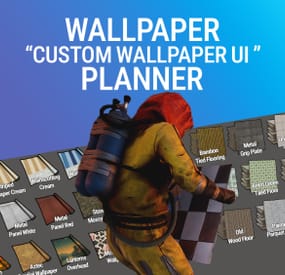
Welcome to Wallpaper Planner a lightweight, fast, and user-friendly extension for Rust that enhances the default wallpaper tool with a powerful custom skin selector.
📐 Features
🔳 Custom UI:
Access a sleek, in-game wallpaper selector by middle-clicking (FIRE_THIRD) while holding the wallpaper tool. The plugin automatically detects whether you're aiming at a wall, floor, or ceiling and opens the correct category.
⭐ Favourites System:
Mark your favourite skins in each category, then easily toggle a view that shows only your most liked wallpapers.
👑 VIP Skins (New):
Offer exclusive VIP-only wallpapers, floors, and ceilings to supporters or special groups.
Create unlimited VIP tiers in the config (e.g. wallpaperplanner.vip, wallpaperplanner.vip1, wallpaperplanner.vip2, etc.). Assign unique skins to each tier. Players with the matching permission automatically see their extra VIP skins in the UI. 🎨 100% Custom
All wallpapers are exclusively made for this plugin. No DLC or official skins are used, though some designs may be inspired by existing skins.
🎨 More Skins Incoming:
New exclusive custom wallpapers are added regularly. You can also import your own Workshop skins with ease.
🔐 Permissions
wallpaperplanner.use — Grants access to the wallpaper planner UI. wallpaperplanner.outside — Allows use of wallpapers outside of a player’s base. (Please note: This is currently in Beta. Not all skins perform perfectly on exterior surfaces or Armoured Tier walls.) wallpaperplanner.admin — Enables admin-only tools to rename, delete, or manage skins directly through the UI. 💬 Chat Commands
/wallpaperplanner — Use this if you prefer a custom keybind instead of the middle mouse button. Must be used while holding the wallpaper planner.
Example: Bind to H key
Open console (F1) and enter:
bind H "chat.say /wallpaperplanner"
List of input keys to use in config that rust accepts.
BACKWARD LEFT RIGHT JUMP DUCK SPRINT USE FIRE_PRIMARY FIRE_SECONDARY RELOAD FIRE_THIRD DISABLED ⛔ DISABLED Input Key (New):
Server owners can now disable the UI keybind system entirely. In the config, set: "UI input key": "DISABLED" This prevents the menu from opening with FIRE_THIRD, allowing admins to enforce custom binds (e.g. /wallpaperplanner only).- #wallpaper
- #wall
- (and 8 more)