
Paws4Luv's Wishlist
-
$19.99
Paintball
By imthenewguy in Plugins
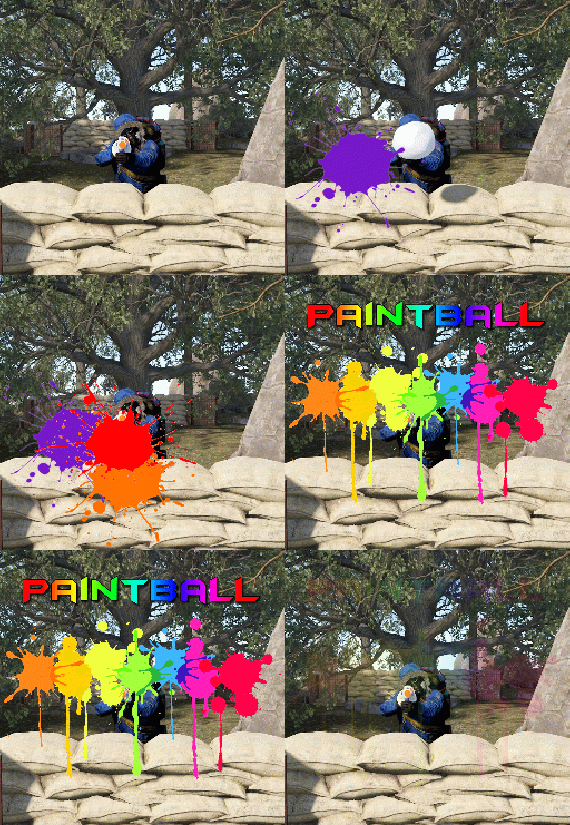
Paintball is a plugin that spawns an arena in the sky to host a paintball match using snowball launchers. Players have a set number of hits that they can take before they are eliminated.
There are 2 game modes included with the plugin:
Free-for-all: Everyone vs everyone. Team death-match: Players are split into 2 teams.
Players can be awarded with items, economics, server rewards and custom commands if they win.
The plugin comes with 2 dynamic arenas included, which will be selected randomly each game.
EventHelper is used to automatically start the event and will also allow players to vote for the event manually.
The only permission is paintball.admin. This is required to run all commands except for joining and leaving an event, or redeeming prizes.
Command: pbstart Parameters: <optional: arenaFile, optional: heightMod, optional: startDelay> Type: Console & Chat Description: Manually starts the game. Command: pbend Parameters: none Type: Console & Chat Description: Manually stops the game. Command: pbjoin (configurable) Parameters: none Type: Console & Chat Description: Joins an active game. Command: pbleave (configurable) Parameters: none Type: Console & Chat Description: Leaves an active game. Command: pbprize (configurable) Parameters: none Type: Chat Description: Redeems a prize for winning. Command: pbsetcentrepoint Parameters: <arenaFile> Type: Chat Description: Sets the centre point of an arena at the players location. The arena will spawn from that location moving forward.
-
$10.00
Permission/Group Shop
By copcopekcro in Plugins
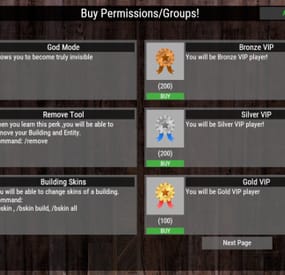
This plugin allows players to buy permissions and groups true UI.
Very simple to use , all can be done true UI ... No need to hard placing perms ,groups in config .
All modification work can be done true UI :
Adding or removing perms/groups .
Customize the permissions/groups .
Changeable Perm/Group Title , ImageUrl, Description, What Perm/Group they will get , Cost .
Flexible Economy :
Item-Based Economy: Use in-game items as the currency for purchases.
Plugin-Based Economy: Economics, ServerRewards, and CustomCurrency.
Commands :
Chat Command : /buyperms - Opens UI (Changeable chat command in config).
Console Command : open_perms_ui - opens UI.
Console Command : remove_perm <player_id or all> <permission or group_ or title> - remove from player or from all players that specific perm/group/title.
Console Command : wipe_perms <player_id> or <all> - with this console command you wipe for that player , or for all players buyed perms/groups.
Perms :
"permbuy.buy" : required to open UI.
"permbuy.admin" : required to be able to add/remove ,modify perms/groups true UI .
"permbuy.bypasscost" : required for not taking any cost when you buying .
Lang File Supported - you can change all texts there !
Data file - you can see there who buyed what !
Example Config :
"Open UI Command": "buyperms",
"UI Title Text": "Buy Permissions/Groups!",
"Show Purchased Permissions in UI": true,
"Cost Configuration": {
"Economy Type [Item, Plugin]": "Item",
"Plugin Cost Type [CustomCurrency, Economics, ServerRewards]": "CustomCurrency",
"Item Shortname (if using Item-based)": "scrap",
"Item Skin ID (if using Item-based)": 0,
"Item Display Name (if using Item-based)": ""
},
"Available Perms/Groups": [
{
"Perm/Group Title": "God Mode",
"Image URL": "https://www.dropbox.com/scl/fi/18yy55g7bfcz8tj4yhnkr/5e2c4da074770.png?rlkey=24zmukgzu3rll382s6wpkbd65&st=e1bi9i7k&dl=1",
"Description": "Allows you to become truly invisible",
"What Perm/Group": "vanish.allow",
"Cost Amount": 100
},
{
"Perm/Group Title": "Bronze VIP",
"Image URL": "https://www.dropbox.com/scl/fi/ir8e03hvw0wtv59ofbey1/bronze-badge.png?rlkey=9gq4axhg5swt92dgqar6jk97e&st=8rz8iqh9&dl=1",
"Description": "You will be Bronze VIP player!",
"What Perm/Group": "group_VIP",
"Cost Amount": 200
},
- #shop
- #permission
- (and 4 more)
-

$11.99
Item Perks: Legendary Items
By imthenewguy in Plugins
Item Perks: Legendary items is a plugin that allows you to create and fully customize legendary named items on your rust server.
It uses the perk sets available from the Item Perks plugin, allowing for the creation of some very unique items in Rust.
The fields for creating a new item are:
Name: Give the item a unique name that captures it's essence Skin: Assign a skin that matches what the item does. Description/Story: Add some flavor to the item and write a short blurb or backstory for the item, which will display when the player mouses over the ownership banner, along with the buffs. Buffs: Add as many or as few ItemPerk buffs as you would like, with any amount of buff values. Restrict enhancement: Prevent or allow enhancement kits to affect each Legendary item. Global chat announcement: Announce in chat when a player finds a really rare or powerful item. Amour slots: Set the amount of armor slots the item spawns with (if applicable).
There are a number of drop sources that can be selected for your legendary items to drop. Along with the source, you can specify which item/prefab shortname you want to restrict the drop to, or which shortnames you want it to exclude.
The shortname will depend on the loot source. Loot sources with the type "Prefab" will need to use the prefab shortname, where as those with the "Item" type will need to use item shortnames.
Type: Prefab
Example: crate_normal_2, heli_crate, crate_elite.
Type: Prefab
Example: loot-barrel-2, loot-barrel-1
Type: Boss name
Example: scarecrow the destroyer.
Type: Event name
Supports:
Harbor Event: "Harbor" Junkyard Event: "Junkyard" Satellite Dish Event: "SatDish" Water Event: "Water" Air Event: "Air" Arctive Base Event: "Arctic" Gas Station Event: "GasStation" Sputnik Event: "Sputnik" Shipwreck Event: "Shipwreck" Triangulation Event: "Triangulation" Supermarket Event: "Supermarket" Caravan Event: "Caravan" Powerplant Event: "Powerplant" Armored Train Event: "ArmoredTrain" Convoy Event: "Convoy" Ferry Terminal Event: "FerryTerminal" SurvivalArena: "SurvivalArena"
Type: Prefab
Example: scientistnpc_arena, scientistnpc_heavy.
Type: Prefab
Example: npc_tunneldweller, npc_underwaterdweller.
Type: Npc name
Example: military defenders.
Type: Prefab
Example: oak_b, swamp_tree_a, pine_dead_snow_c.
Type: Prefab
Example: stone-ore, sulfur-ore, metal-ore.
Type: Prefab
Example: chicken.corpse, shark.corpse, player_corpse.
Type: Prefab
Example: hemp-collectable, berry-red-collectable, corn-collectable.
Type: Prefab
Example: hemp.entity, pumpkin.entity, wheat.entity.
Type: Item
Example: rifle.ak, axe.salvaged, icepick.salvaged.
-
$22.00
Jungle Ziggurat Event
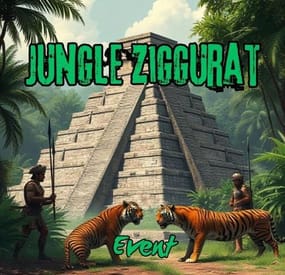
The Jungle Ziggurat event is an exciting event where NPCs respawn and finding the code for the ladder hatch built into the ceiling gives players a unique experience.
No permissions
Server console commands:
jzestart jzestop
Hook:
void OnJungleZigguratEventStart() void OnJungleZigguratEventStop() Contact:
Additional free plugins created by me are available on Discord: https://discord.gg/C5CehdJMdK
If you want to try out this plugin, you can do so on the test server. IP: 212.73.137.6:28018
My public Rust server IP: 212.73.137.40:28027
Config:
{ "Version": { "Major": 1, "Minor": 0, "Patch": 6 }, "Automatic event start": true, "Minimum time for event start": 3600.0, "Maximum time for event start": 7200.0, "Duration of the event": 2800.0, "Warning messages before event start": 300.0, "Warning messages before event end": 300.0, "Chat icon": 0, "Map marker name": "Jungle Ziggurat Event", "Map marker radius": 0.6, "Color": { "r": 1.0, "g": 0.0, "b": 0.0 }, "Locked crate hack time": 900.0, "Disable BetterNpc plugin npc's for the duration of the event?": false, "Spawn NpcSpawn Scientist?(Required: NpcSpawn plugin!)": true, "Spawn BotReSpawn Scientist?(Required: BotReSpawn plugin!)": false, "BotReSpawn profil name:": "", "BotReSpawn Npc's number": 10, "Do you use a sphere around the code note?": true, "Garage doors SkinID": 3472105038, "Armored door SkinID": 3481083092, "AutoTurret setting": { "Health": 300.0, "Weapon ShortName": "rifle.ak", "Ammo ShortName": "ammo.rifle", "Number of ammo": 5000 }, "List of lootable crates": [ { "Prefab": "assets/bundled/prefabs/radtown/crate_elite.prefab", "Position": "(-0.950, 0.025, 7.651)", "Rotation": "(0, 0, 0)", "Use Loottable & Stacksize plugin?": false, "Loottable & Stacksize plugin CustomPreset name:": "", "Are you deleting the original loot from the crate?": false, "Use custom loot?": false, "CustomLoot": { "Minimum items": 1, "Maximum items": 1, "Use minimum - maxium?": false, "List of items": [ { "ShortName": "xmas.present.small", "Minimum": 3, "Maximum": 6, "Chance": 100.0, "Give blueprint?": false, "SkinID": 0, "Displayname": "" } ] } }, { "Prefab": "assets/bundled/prefabs/radtown/crate_elite.prefab", "Position": "(2.175, 0.025, 7.651)", "Rotation": "(0, 0, 0)", "Use Loottable & Stacksize plugin?": false, "Loottable & Stacksize plugin CustomPreset name:": "", "Are you deleting the original loot from the crate?": false, "Use custom loot?": false, "CustomLoot": { "Minimum items": 1, "Maximum items": 1, "Use minimum - maxium?": false, "List of items": [ { "ShortName": "xmas.present.small", "Minimum": 3, "Maximum": 6, "Chance": 100.0, "Give blueprint?": false, "SkinID": 0, "Displayname": "" } ] } }, { "Prefab": "assets/prefabs/npc/patrol helicopter/heli_crate.prefab", "Position": "(0.217, 12.227, 1.822)", "Rotation": "(0, 0, 0)", "Use Loottable & Stacksize plugin?": false, "Loottable & Stacksize plugin CustomPreset name:": "", "Are you deleting the original loot from the crate?": false, "Use custom loot?": false, "CustomLoot": { "Minimum items": 1, "Maximum items": 1, "Use minimum - maxium?": false, "List of items": [ { "ShortName": "xmas.present.small", "Minimum": 3, "Maximum": 6, "Chance": 100.0, "Give blueprint?": false, "SkinID": 0, "Displayname": "" } ] } }, { "Prefab": "assets/prefabs/deployable/chinooklockedcrate/codelockedhackablecrate.prefab", "Position": "(-1.868, 12.219, -1.658)", "Rotation": "(0, 0, 0)", "Use Loottable & Stacksize plugin?": false, "Loottable & Stacksize plugin CustomPreset name:": "", "Are you deleting the original loot from the crate?": false, "Use custom loot?": false, "CustomLoot": { "Minimum items": 1, "Maximum items": 1, "Use minimum - maxium?": false, "List of items": [ { "ShortName": "xmas.present.small", "Minimum": 3, "Maximum": 6, "Chance": 100.0, "Give blueprint?": false, "SkinID": 0, "Displayname": "" } ] } }, { "Prefab": "assets/prefabs/deployable/chinooklockedcrate/codelockedhackablecrate.prefab", "Position": "(-1.868, 12.219, -0.102)", "Rotation": "(0, 0, 0)", "Use Loottable & Stacksize plugin?": false, "Loottable & Stacksize plugin CustomPreset name:": "", "Are you deleting the original loot from the crate?": false, "Use custom loot?": false, "CustomLoot": { "Minimum items": 1, "Maximum items": 1, "Use minimum - maxium?": false, "List of items": [ { "ShortName": "xmas.present.small", "Minimum": 3, "Maximum": 6, "Chance": 100.0, "Give blueprint?": false, "SkinID": 0, "Displayname": "" } ] } } ], "Npcs settings": { "Minimum": 5, "Maximum": 6, "List of position": [ "(3.464, 0, -20.125)", "(22.754, 0, -10.366)", "(10.214, 0, 20.393)", "(-17.770, 0, 13.808)", "(-19.324, 0, -20.945)", "(1.784, 0.025, -7.372)", "(7.526, 0.025, 5.557)", "(7.203, 0.025, -0.254)" ], "NPCs setting": { "Name": "Jungle Guard", "Health": 150.0, "Roam Range": 30.0, "Chase Range": 30.0, "Attack Range Multiplier": 2.0, "Sense Range": 40.0, "Target Memory Duration [sec.]": 60.0, "Scale damage": 0.6, "Aim Cone Scale": 1.5, "Detect the target only in the NPC's viewing vision cone? [true/false]": false, "Vision Cone": 135.0, "Speed": 7.5, "Disable radio effects? [true/false]": false, "Is this a stationary NPC? [true/false]": false, "Use Loottable & Stacksize plugin?": false, "Loottable & Stacksize plugin CustomPreset name:": "", "Use custom loot?": false, "CustomLoot": { "Minimum items": 1, "Maximum items": 1, "Use minimum - maxium?": false, "List of items": [ { "ShortName": "xmas.present.small", "Minimum": 3, "Maximum": 6, "Chance": 100.0, "Give blueprint?": false, "SkinID": 0, "Displayname": "" } ] }, "Wear items": [ { "ShortName": "hat.tigermask", "SkinID (0 - default)": 0 }, { "ShortName": "pants", "SkinID (0 - default)": 3468431914 }, { "ShortName": "hoodie", "SkinID (0 - default)": 3468432155 }, { "ShortName": "roadsign.jacket", "SkinID (0 - default)": 3472579116 }, { "ShortName": "roadsign.kilt", "SkinID (0 - default)": 3472577950 }, { "ShortName": "shoes.boots", "SkinID (0 - default)": 916448999 } ], "Belt items": [ { "ShortName": "blowpipe", "Amount": 1, "SkinID (0 - default)": 0, "Mods": [], "Ammo": "" }, { "ShortName": "syringe.medical", "Amount": 2, "SkinID (0 - default)": 0, "Mods": [], "Ammo": "" }, { "ShortName": "grenade.bee", "Amount": 2, "SkinID (0 - default)": 0, "Mods": [], "Ammo": "" } ] } }, "PVE Mode Setting (only for users PveMode plugin)": { "Use PveMode plugin?": false, "Required damage to the event owner": 500.0, "The event is a right of ownership, to obtain it you need damage multiplier.": { "Npc": 1.0, "Turret": 1.0 }, "Non owner can loot the crates?": false, "Non owner can loot the Npc's?": false, "Non owner can damage Npc's?": false, "Non owner can be attacked by Npc's?": false, "Non owner, can you enter the event zone?": false, "Allow a player who has an active cooldown of the Event Owner to enter the event zone?": true, "The time that the Event Owner may not be inside the event zone.": 300, "The time until the event owner can return to the event zone.": 60, "Block the RestoreUponDeath plugin in the event zone.": true, "After all this time, an event owner can be an event owner again.": 86400.0, "Darkening the sphere.": 15 } }
-
$49.99
Dynamic Monuments
DynamicMonuments is a groundbreaking plugin for Rust servers that breathes new life into your maps!
Say goodbye to tedious manual map editing or relying on RustEdit.
With just a few clicks, your server will be transformed, featuring 18 unique monuments that blend seamlessly into any environment.
Key Features:
Dynamic Spawning:
- Monuments can spawn randomly during wipes or with each server restart (optional)
- Customize spawn frequency and zones through the plugin's configuration
- A variety of monument complexities, ranging from cozy hideouts to sprawling fortresses
18 Unique Monuments:
- Water Monuments
- Coastal Monuments
- River Monuments
- Roadside Monuments
- Modifications for Standard Monuments: (Metro entrances, power line towers, substations, quarries, and more).
Personalization:
- Give players personal monuments
Versatility:
- Compatible with both custom and procedural maps.
- Automatically adapts to terrain, water, and roads.
- No RustEdit required! Everything is managed through the plugin's configuration.
Giving a monument to a player
9 out of 18 monuments can be given to players for personal placement.
The dynamic monument is represented as a flare with a unique skin, which can be given to players in any way, such as through an in-game store.
To spawn the monument, the player must hold the flare and find a suitable location, receiving instructions in the chat and notifications.
Once placed, the monument is locked to the player, and only they can loot it.
Chat commands (admin only)
/killmonument - destroys the DynamicMonument you're looking at /replacecrate NewCratePresetName - replaces the crate you're looking at on the location with NewCratePresetName /spawnmonument PresetName - spawns a monument in a random position /spawnmonumentmypos PresetName - spawns the monument in your position /killallmonuments - destroys all DynamicMonuments on the server /respawnmonuments - forcibly launches automatic respawn of DynamicMonuments /givemonument PresetName - give the monument to yourself /addprefabspawnpoint PresetName — adds a crate or static NPC spawn point to a monument at your current position (only for Static Npc and crates) /removemonumententity command — removes entity spawn point you're looking at. (only for StaticNpc/crates/Entities for respawn) Console commands (RCON only)
spawnmonument PresetName - spawns a monument in a random position killallmonuments - destroys all DynamicMonuments on the server respawnmonuments - forcibly launches automatic respawn of DynamicMonuments givemonument PresetName userID - give the DynamicMonument to the player Plugin Config
en – example of plugin configuration in English ru – example of plugin configuration in Russian
Check out the rest of my work: Adem's Codefling Library
You can reach out to me in Discord: Adem's Discord Profile
Join the Mad Mappers Discord!