
Magnumk's Wishlist
-
$29.99
Basements
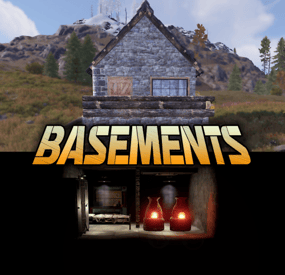
Basements lets players build underground rooms beneath their bases. Place a hatch on your foundation and dig straight down into a hidden basement with walls, ceilings, and full building privileges. Great for stashing loot, setting up secret bunkers, or just adding extra space.
Readme Link - Click Here for Instruction and Documentation
👆Highly recommend reading the FAQ section!
BUILD
Build basements easily from your tool cupboard. Just place an entrance to get started.
EXPAND
Expand your basement by drilling underground. But don't forget to bring a headlamp - its dark down there!
TRAVERSE
Place multiple entryways, building out your labyrinth of tunnels beneath your base.
DECORATE
All deployables, electricity, and storage items can be placed in your basement. Take advantage of your new space!
RAID
Nothing is safe in Rust, including your basement. If all the entrances are destroyed, then the basement is too. Any loot below will float to the surface. Protect the entrance at all costs!
API METHODS (For Plugin Developers)
// Returns true if the given entityId is part of a basement. bool IsBasementEntity(ulong entityId) // Returns the building ids of the basements connected to a given surface building id. uint[] GetBasementBuildingIds(uint surfaceBuildingId) // Returns the building ids of the surface buildings connected to a given basement building id. uint[] GetSurfaceBuildingIds(uint basementBuildingId) Extension Plugins
These are free plugins that add additional functionality to Basements.
BasementsManager
Provides a UI for admins to view and manage the basements on the server. Useful for debugging & fixing issues. Use with the /bm command, requires the basements.admin permission to use.
BasementsManager.cs
-
$14.99
Item Insurance
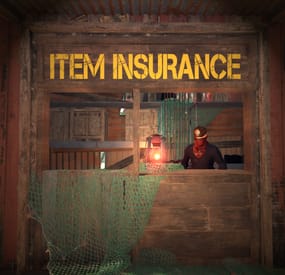
Allow players can insure lost items to be retrieved for a price. This is a feature that is present in many extraction and survival multiplayer games like Escape from Tarkov, Dark and Darker and now you can bring it to your Rust server as well! If an item is insured and you drop it (from death or otherwise) then as long as no one else loots it - you can request to have it "retrieved" by your insurer and returned to you. A UI that matches seamlessly with vanilla rust is included and many configuration options are available to balance and fine-tune this plugin for your server. Please refer to the documentation section as that will likely answer most of your questions!
Documentation:
A full readme including permissions, commands, and config options is available in this google doc link.
Disclaimer:
Like all of my plugins - this plugin is sold as is. I will be happy to take feature requests into consideration but make no guarantees about which ones get implemented. Please refer to the feature list before you make your purchase!
-

$20.00
Farmers Paradise (FarmPro)
FarmPro turns regular planter boxes into a fully automated, wireless farming system.
No pipes, no cables—just place a FarmPro barrel anywhere, and nearby planters will instantly link over the air.
It takes care of everything for you: planting, watering, cloning, fertilizing, harvesting, and even generating special items. All of this happens virtually, with no visible devices or messy connections.
Whether you're growing hemp, berries, potatoes, or something more exotic, FarmPro makes your farm faster, cleaner, and way more fun to manage.
⚙️ What You Can Do with FarmPro
Plant and harvest automatically – Seeds and clones are planted into empty sockets, and ripe crops are harvested or cloned depending on your settings. Go 100% wireless – No industrial piping or power required. Planters connect wirelessly within a radius that you define. Choose between clone or harvest mode – Each planter can be switched between cloning or harvesting, and you'll see visual feedback when it's changed. Use simulated farming hardware – Sprinklers, heaters, and lights work virtually—no deployables. Craft special items – Combine specific fertilizers with plants and gene patterns to generate rare, customized items with unique names and effects. Access an in-game shop – Use a clean UI to buy FarmPro gear, fertilizers, and consumables. You can even sell items back for scrap or RP. Add NPC vendors – Spawn a FarmPro seller at the Outpost or anywhere you want, with a visible map marker and fully configurable stock. 🔥 Special Items with Real Buffs
Grow plants using the right fertilizer and genes to generate rare items like: Ore Booster – Boosts mining yield and radiation resistance Beer of Strength – Gives cooling and comfort Recovery Balm – Increases max health and speeds up healing Energy Bloom – Makes you run and ride faster Recycler Fuel – Increases scrap yield and vision in darkness Each item is visually distinct and applies real, timed modifiers when used. 👥 Player Groups and Permissions
You can set up multiple player tiers with different farming powers. For example: Control how many planters a player can use Adjust the wireless detection radius Set cloning and harvesting multipliers per crop Choose whether new planters start with full water Enable or disable access to the in-game shop You might have a "Default" group, and then extra perks for VIP1, VIP2, VIP3, VIP4, and Admins—each with more benefits. 💬 Useful Chat Commands
/farmpro.give – Gives yourself a FarmPro box (permission: farmpro.give) /farmpro.menu – Opens the shop menu (only if allowed by your tier) /farmpro.spawnnpc – Spawns a vendor NPC where you're standing /farmpro.removenpc – Removes the nearest FarmPro NPC /farmpro.planters – Shows how many planters are currently on the server (admin only) /farmgive <identifier> <amount> <playerName|playerId> Parameters: <identifier>: The unique identifier for the custom item to be given. <amount>: The number of items to give. If the value is invalid or less than 1, it defaults to 1. <playerName|playerId>: The target player's display name or Steam64 ID. 🛒 Shop and Economy Integration
FarmPro supports Scrap, Economics, and ServerRewards.
All prices, items, and categories are fully configurable.
Here’s the default FarmPro item setup:
"Item Short Prefab Name": "box.wooden.large",
"Item SkinID": 3529006189
You can also add your own items and fertilizers to the shop.
🔌 Plugin Compatibility
FarmPro works great alongside:
Ganja – Integrates with cannabis-related plants and items
SkillTree – Grants XP and activates buffs on harvest
Economics, ServerRewards – All fully supported
✅ Why Server Owners Love It
No visible wiring or clutter
Custom farming economy that players can grow into
Clean, mobile-friendly UI
Flexible configuration and permissions
Powerful admin controls
Fully monetizable with VIP perks and special items
Start farming smarter today.
No wires, no mess—just FarmPro.
Configuration File
- #farm
- #automatic
- (and 6 more)
-

$9.99$6.19Upgrader
Upgrader is a plugin that lets you Create custom Upgradable items. Maybe you want players to gather gems and boost up to a higher tiered gem on upgrade. They can then sell this item for Economics or RP via a shop plugin.
THESE ITEMS ARE PLACEHOLDER TO SHOW HOW YOU CAN CHAIN ITEMS INTO NEW ITEMS, AND EVEN CALL FROM ANOTHER PLUGIN IF NEEDED ONITEMACTION. THESE LINES ARE CRUCIAL TO BLOCK VANILLA FUNCTION IF USING AN ITEM SKIN FROM ANOTHER PLUGIN AS I DID IN THE VIDEO
“AllowOpening”: false, “Allow Consumption And Block Default Loot If Used In Another Plugin, Keep AllowOpening False If setting this to True.”: true, ADMIN COMMAND
ChatCommand - /GU - GIVES ALL UPGRADE ITEMS IN CONFIG TO PLAYERS INVENTORY
*** THE COBALT HANDBOOK PLUGIN FROM THE VIDEO IS NOT INCLUDED. ***
DEMO CONFIG
{ "Upgradable Items": [ { "Shortname": "halloween.lootbag.small", "Name": "Cobalt HandBook T1", "SkinID": 3302972072, "AmountRequired": 10, "AllowOpening": false, "Upgraded": { "Shortname": "halloween.lootbag.medium", "Name": "Cobalt HandBook T2", "SkinID": 3302972258, "AllowOpening": false, "Allow Consumption And Block Default Loot If Used In Another Plugin, Keep AllowOpening False If setting this to True.": false, "AmountToGive": 1 } }, { "Shortname": "halloween.lootbag.medium", "Name": "Cobalt HandBook T2", "SkinID": 3302972258, "AmountRequired": 10, "AllowOpening": false, "Upgraded": { "Shortname": "halloween.lootbag.large", "Name": "Cobalt HandBook T3", "SkinID": 3302972417, "AllowOpening": false, "Allow Consumption And Block Default Loot If Used In Another Plugin, Keep AllowOpening False If setting this to True.": true, "AmountToGive": 1 } } ] }
-
![More information about "Dynamic Monuments [Jungle Bundle]"](https://codefling.com/cdn-cgi/image/width=285,height=275,quality=80,fit=cover,format=webp/https://codefling.com/uploads/monthly_2026_02/adem_prev_aztec_prev.thumb.jpg.33a76c6b835053171351d3129d5bbe88.jpg)
$39.99
Dynamic Monuments [Jungle Bundle]
‼️Note: This is an add-on, not a standalone plugin. It requires the Dynamic Monuments plugin to be installed (sold separately).
🌴Enhance your Rust world with Jungle Bundle — a rich and immersive monument pack for the Dynamic Monuments plugin!
Explore dense jungle environments and mysterious ancient sites, or configure them to appear in any biome you prefer.
Included in the addon:
7 land monuments 1 coastal location 1 dam 2 modified in-game locations Player-placeable locations:
The Mayan Pyramid The Tree House Eye of the Jungle Eclipse Fort Bone Cape The Ancient Dam Installation Instructions:
Make sure you have the latest version of the Dynamic Monuments plugin installed Move the contents of the data/DynamicMonuments folder from the archive you downloaded into the oxide/data/DynamicMonuments folder on your server Reload the plugin
Check out the rest of my work: Adem's Codefling Library
Join the Mad Mappers Discord!