
JeffG's Wishlist
-
$34.99
Shipwreck
This plugin will allow players to visit the depths of the ocean to discover 3 new locations included in this plugin: a Sunken Cargo Ship, Submerged Ore Farm, and a Shipwrecked Barge.
In the wreckage you will find a high concentration of loot. Just be careful! The COBALT group has already arrived and is exploring the site.
They have submarines and divers already in the water!
Patrol Submarines
Subs do a LOT of damage, but they have low visibility and low accuracy. Very unreliable at Titanic depths. Subs are a serious threat if you arrive in a submarine yourself. Try to sneak up behind them and destroy them, you don't want to be the one to sink, trust me!
Cobalt NPC Divers
High accuracy, but not much armor and don't pack a huge punch. Almost harmless if you arrive in a submarine, but they are still a threat! Keep your eyes on these guys, it might just be you or them!
Killer Sharks
These sharks have smelled all the blood in the water, after being drawn to the area already by all of the disturbance. They are here, they are mad, and they are bloodthirsty and hungry!
The plugin includes 3 locations:
Shipwrecked Cargo Ship
There are three rooms in the Sunken Cargo Ship location that are opened with a keycard. The map type can be selected within the configuration file.
Sunken Barge
A great place to find some Shipping Containers, as well as Killer Sharks! The Cobalt group has been busy in this area, they must have taken this Barge down recently as well.
Submerged Ore Farm
An ore rich location with multiple farmable ore nodes, as well as some other scattered loot including fuel barrels.
Chat commands (only for administrators)
/shipwreckstart – launches the event in a random configuration /shipwreckstart <shipwreckstart> – launches the event in the <eventPresetName> configuration /shipwreckstartmyloc – launches the event in a random configuration in your location /shipwreckstartmyloc<shipwreckstart> – launches the event in the <eventPresetName> configuration in your location /shipwreckstop – stops the event /screatepath– starts recording the route for the npc/shark/sub /ssavepath <npc/shark/subPresetName> – saves route for npcs/sharks/sub /scancelpath – cancels route recording Console commands (RCON only)
shipwreckstart – launches the event in a random configuration shipwreckstart <shipwreckstart> – launches the event in the <eventPresetName> configuration shipwreckstop – stops the event Config
plugin_en – example of plugin configuration in English location_en – example of location configuration in English plugin_ru – example of plugin configuration in Russian location_ru – example of location configuration in Russian Dependencies (optional, not required)
True PVE PveMode GUI Announcements Notify DiscordMessages AlphaLoot CustomLoot Economics Server Rewards IQEconomic Hooks
void OnShipwreckStart() void OnShipwreckStop()
My Discord: adem9554
Join the Mad Mappers Discord here!
Check out more of my work here!
-
$15.00
Sortify
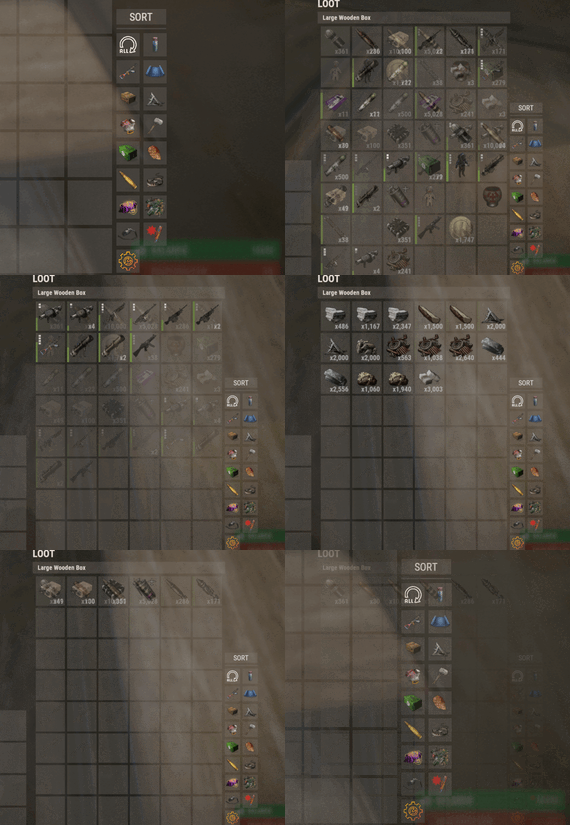
Introducing Sortify, the best plugin for making it easy to sort and filter boxes and containers from various plugins, all without the need for complex integrations. Sortify offers an intuitive solution to easily categorize your items, all within an elegant and efficient Rust-style user interface.
Key Features:
Custom Categories: With Sortify, you can create and customize your own categories to suit your unique needs. Rust style user interface: The plugin has a minimalistic and aesthetic Rust style user interface. Ease of Use: Sortify is designed with ease of use in mind. Whether you're a beginner or an experienced user, you'll find Sortify incredibly easy to use. It does not require complex training or any action on the part of the player, which allows the player to immediately begin organizing elements effectively.
Permissions:
sortify.allow - permission to use the plugin
Video at moment version 1.0.0 (after the sorting scheme was changed, see gif):
- #sorting
- #filtering
- (and 6 more)
-
$17.00
Casinos
By imthenewguy in Plugins
Casinos is a plugin that allows players to host or join a casino. Hosts have a large amount of control over the amount of players that can join, the visibility of their lobby, and players that it contains.
Casinos are spawned under the map and are read from a CopyPaste file (see CopyPaste below for more information).
There are 3 casinos available by default, but you can design and add your own (see below).
Casinos are removed when the host terminates the casino, there are no more players left in the lobby, or an admin terminates all casinos.
This plugin is ideal for PVE, RP and PVP servers, as it handles the players transportation to and from the casino, as well as damage and building restrictions while there.
Type: Chat command Command: ic Parameters: NA Use: General command used for all interaction with the plugin for hosts and patrons. Type: Console command Command: ClosingAllLobbies Parameters: <Optional: time> Use: Forces all active casinos to close after 30 seconds, or the time specified in the parameter.
casinos.join - required to join a lobby. casinos.host - required to host a lobby. casinos.admin - required to use the ClosingAllLobbies command.
Since Casinos uses the CopyPaste plugin to create the casino buildings, you can add your own casinos to the list.
There are a few things that you need to take note of when you build your casinos though:
Deployed Pookie bears represent the spawn point of your casino. Any pookie that is pasted will be automatically deleted, and the spawn point will be registered at it's old position. Spinning wheels will be converted to the Big Wheel (from bandit camp) when pasted. Any terminal in a 10f radius of the Big Wheel will be assigned to it. All other CopyPaste restrictions apply. You can read more about CopyPaste here: https://umod.org/plugins/copy-paste
Config example: https://pastebin.com/AtNbU0Dp
-
$14.99
Better Teams
Enhances team gameplay by offering features like a team HUD, automatic authorization, team-specific skins, easy markers, and a dedicated team voice chat, with customizable permissions for monetization and performance optimization.
🗒️Features:
This plugin will give your players a better experience when playing in a team. Team Hud - shows the health, condition(wounded, sleep, offline, etc), active item and square (player location on the map) of your allies Automatic authorization - adds automatic authorization in turrets, tc's, code locks and sam sites. The team leader can enable/disable authorization for each allie, so that the team can safely accept new players! Team skins - ability to choose skins for the team, when an item goes into inventory, it is automatically reskin into the team skin Easy team marker - allow players to use the marker without binoculars Team voice chat - allows players to switch voice chat to team voice chat. When enabled, the player will only be heard by his allies, works on any distance. A good way to playe with new allies that you don't want to add in discord. Any function in the plugin can be disabled in the config, so you will not lose performance from unnecessary functions. Any of the listed functions can be bound to permission in the config, so you can easily monitize, for example, skins.
📕Commands:
/bt - open better team menu
or
Click open team menu button in team Hud
🔖Config:
{ "Team Setting Command": "bt", "Enabled functions": { "Enable Team Hud": true, "Enable global team voice chat": true, "Enable team skins": true, "Enable easy team markers": true, "Enable team auto authorization": { "TC Authorization": true, "Codelocks authorization": true, "AutoTurrets authorization": true, "SAMSite authorization": true }, "Easy team markers": { "Max distance": 50.0, "Search radius": 1.0, "Duration [seconds]": 5, "Cooldown [seconds]": 10 } }, "Permissions": { "Need permission for Team Hud?(true - will work only for players with permission / false - work for all players)": true, "Need permission for Team Voice?(true - will work only for players with permission / false - work for all players)": true, "Need permission for Team Skins?(Need at least one player with this permission in team to set skins in menu)(true - will work only for players with permission / false - work for all players)": true, "Need permission for Team marker?(true - will work only for players with permission / false - work for all players)": true, "Team hud using permission": "betterteams.hud", "Team Voice using permission": "betterteams.voice", "Team Skins using permission(only for setting skins. it's mean that only team leader will need this permission)": "betterteams.skins", "Team marker using permission": "betterteams.marker" }, "Hud Settings": { "UI Scale": 1.0, "Left Offset": 5, "Top Offset": 200, "Player grid refresh rate": 5, "Lines margin": 5, "Collums margin": 5, "Max amount of player displays in line": 8 } } 📗Lang File:
{ "UI_CHANGE": "Change", "UI_CHOOSE": "Select", "UI_BETTERTEAMS": "BETTER TEAMS", "UI_BETTERTEAMSDESCRIPTION": "This modification will allow you to get a better experience playing with friends. Some things have been changed, and new ones have been added, so that you get the better experience playing with your friends!", "UI_CHANGES": "CHANGES:", "UI_CHANGEHUD": "• Team Hud - allows you to see status of your mates", "UI_CHANGETeamVoice": "• Team Voice - allows you to use in-game voice chat to communicate only with your mates(works at any distance). Other players will not hear you. Can be enable in settings", "UI_CHANGESkins": "• Team Skins - allows you to choose skins for your team. Items you pick up will automatically receive your team's skin", "UI_CHANGEEasyTeamMabrkers": "• Easy Team Marker - allows you to use fast marker to your team without using binoculars", "UI_CHANGEAutoAuthTC": "• AutoAuthorization TC - adds automatic authorization of allies in TC", "UI_CHANGEAutoAuthCodeLocks": "• AutoAuthorization CodeLocks - adds automatic authorization of allies in Code Locks", "UI_CHANGEAutoAuthTurrets": "• AutoAuthorization Auto Turrets - adds automatic authorization of allies in Auto Turrets", "UI_CHANGESamSiteAuthorization": "• AutoAuthorization SamSite - adds automatic authorization of allies in Sam Sites", "UI_CHANGEAuthorizationManager": "• Team Managment - allows the team leader to manage auto authorization for allies.", "UI_SETTINGSNAME": "PERSONAL SETTINGS", "UI_S_ENABLE_TEAM_VOICE": "USE TEAM VOICE CHAT ", "UI_S_ENABLE_TEAM_VOICE_DES": "Yes - Replace vanilla voice to to team chat. Only your allies will hear you. Works at any distance (on the entire map)", "UI_S_ENABLE_TEAM_SKINS": "USE TEAM SKINS", "UI_S_ENABLE_TEAM_SKIN_DES": "Yes - all items you pick up will automatically receive your team's skin.", "UI_S_ENABLE_MARKERS": "USE EASY TEAM MARKERS", "UI_S_ENABLE_MARKERS_DES": "Yes - will give you the ability to place quick time markers in the world at the location you are looking at. Markers are placed using a key combination and do not require binoculars.", "UI_S_MARKER_BUTTON": "EASY TEAM MARKER BIND", "UI_S_MARKER_BUTTON_DES": "Bind your easy team marker command. Just copy command, replace BUTTON to the button you need and enter in console!\nExample: bind BUTTON ftmark -> binb v ftmark", "UI_S_YES": "YES", "UI_S_NO": "NO", "UI_M_MEMBERS": "TEAM MANAGMENT", "UI_M_ONLY_LEADER": "Available only to the team leader", "UI_M_AA_H1": "AUTO AUTHORIZATION", "UI_M_AA_INFO_DES": "All authorization places (tcs, codelocks, auto turrets, etc) add up to a single authorization list for the entire team. If you block any ally from accessing the authorization list, he will lose access to all authorization places, except for those that he installed personally (set codelock or tc himself), while your team will not lose access to his authorization places. Good if you accept new random player in your team.", "UI_M_SELECT_MATE": "Select one of your allies", "UI_M_AA_TC": "Tool Cupboard Auto Authorization", "UI_M_AA_CL": "CodeLocks Auto Authorization", "UI_M_AA_AT": "Auto Turrets Auto Authorization", "UI_M_AA_SAMSITE": "Sam Sites Auto Authorization", "UI_M_KICK": "Kick from team", "UI_M_KICK_B": "KICK", "UI_S_TEAM_SKINS": "TEAM SKINS", "CM_MARKER_COOLDOWN": "Your team ping is on cooldown: {0} seconds left", "UI_H_INFO_TEXT": "OPEN TEAM MENU", "UI_S_PERM": "Your team must have at least 1 player with privilege that have access to skins", "CM_DONT_HAVE_PERM": "You do not have permission to use this command", "UI_IS_DISABLED": "This function is disabled by admin" }
-
.thumb.png.c1278f0839ddd4318e1daea5a4dce932.png)
$13.50
Balance the Betting
Balance the betting allows server admins to set the compatible item type of wheel terminals within a radius, and configure all slot machine item types as a group. The plugin is designed to give more options to an otherwise bland gambling system, for example allowing various configurations of high-roller and budget oriented big wheel gambling machines in custom casinos. We are currently exploring more options and features for this plugin, including slot spin speed to create fun, unique and immersive content.
<I/O> Getting Started <I/O>
Permission:
- User is required to be admin in order to configure gambling machines.
Installation: Stop Server
- Existing Users: Delete oxide\data\balancethebetting, install file in plugins folder
- New Users: install in oxide\plugins
Commands:
Setting Terminals:
/wheel [itemid/shortname] [unique name/id] - Sets all big wheel terminals within a radius of the player (rouchly 8x8ft) to the given item definition(s), if valid.
Setting Slots:
/slot [rewardname] [itemid/shortname] - Sets and Saves all slot machines with the given item, if valid, with the given prefix being used where chat notifications are sent to the player.
Removing Terminal Settings:
/removewheel [name] - Remove wheel terminal groups
Config Explained:
"General Settings": {
"Is Enabled": true, - when false, plugin will do nothing
"Load On Wipe": true, - Enable on custom maps, reloads slot gambling machines to configured settings
"Enable Skin Mode": true - plugin will subscribe to hooks {CanMoveItem, OnItemAddedToContainer} to check for skin logic
},
"Chat Settings": {
"Announce Plugin Loaded In Game": true, - when true, allow the plugin to announce when loaded
"Chat Prefix Enabled": true, - Enable Balance the Betting tag/prefix in chat notifications
"Chat Prefix Color": "4A95CC", - Set the announce/message chat/prefix color
"Chat Message Color": "C57039" - Set the color of messages from Balance the Betting
},
"Version": {
"Major": 1,
"Minor": 0,
"Patch": 2
}
}
Global Slot Data Settings
{
"Reward prefix in chat": "hot", - prefix to be used in chat
"Item shortname/id to accept": "sulfur", - item to accept and reward
"Skin to accept": "1291766032", - Skin to accept. Default Empty.
"SlotSpeed - Recommended: 0.7f - 2f": 2.0 - Duration of slot spins
}
Wheel Data Settings{
{
"main": {
"Item shortname/id to accept": [ - Items to allow in wheels
"sulfur",
"stones",
"wood"
],
"Skins to accept": { - Skins configured by item type
"sulfur": "",
"stones": "1291766032",
"wood": "1291766032"
},
"Position to check from": { - Dont change, auto generated
"x": 452.5688,
"y": 29.0338345,
"z": -789.6383
}
}
}
<I/O> Contacting Us <I/O>
You can Contact us at Our discord: discord.gg/TTb3f3XEhq
- #rust
- #rust plugin
- (and 4 more)