
ELF's Wishlist
-

$11.00
SEXY BANNERS / PSD
By DesignCrew in Graphics
HI ALL! DESIGN CREW WITH YOU! DESIGN STUDIO FOR RUST PROJECTS.
What could be better than banners with beautiful models? That's what we thought and made a pack of 5 cool and beautiful banners.
This pack is made in 3D + manual processing. We spent a lot of time and effort to come up with and make these pictures. I hope you like it!
You will find all the necessary banners for social networks. Banners in 1920x1080 format
-
$22.00
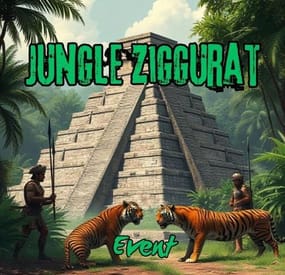
Jungle Ziggurat Event
The Jungle Ziggurat event is an exciting event where NPCs respawn and finding the code for the ladder hatch built into the ceiling gives players a unique experience.
No permissions
Server console commands:
jzestart jzestop
Hook:
void OnJungleZigguratEventStart() void OnJungleZigguratEventStop() Contact:
Additional free plugins created by me are available on Discord: https://discord.gg/C5CehdJMdK
If you want to try out this plugin, you can do so on the test server. IP: 212.73.137.6:28018
My public Rust server IP: 212.73.137.40:28027
Config:
{ "Version": { "Major": 1, "Minor": 0, "Patch": 6 }, "Automatic event start": true, "Minimum time for event start": 3600.0, "Maximum time for event start": 7200.0, "Duration of the event": 2800.0, "Warning messages before event start": 300.0, "Warning messages before event end": 300.0, "Chat icon": 0, "Map marker name": "Jungle Ziggurat Event", "Map marker radius": 0.6, "Color": { "r": 1.0, "g": 0.0, "b": 0.0 }, "Locked crate hack time": 900.0, "Disable BetterNpc plugin npc's for the duration of the event?": false, "Spawn NpcSpawn Scientist?(Required: NpcSpawn plugin!)": true, "Spawn BotReSpawn Scientist?(Required: BotReSpawn plugin!)": false, "BotReSpawn profil name:": "", "BotReSpawn Npc's number": 10, "Do you use a sphere around the code note?": true, "Garage doors SkinID": 3472105038, "Armored door SkinID": 3481083092, "AutoTurret setting": { "Health": 300.0, "Weapon ShortName": "rifle.ak", "Ammo ShortName": "ammo.rifle", "Number of ammo": 5000 }, "List of lootable crates": [ { "Prefab": "assets/bundled/prefabs/radtown/crate_elite.prefab", "Position": "(-0.950, 0.025, 7.651)", "Rotation": "(0, 0, 0)", "Use Loottable & Stacksize plugin?": false, "Loottable & Stacksize plugin CustomPreset name:": "", "Are you deleting the original loot from the crate?": false, "Use custom loot?": false, "CustomLoot": { "Minimum items": 1, "Maximum items": 1, "Use minimum - maxium?": false, "List of items": [ { "ShortName": "xmas.present.small", "Minimum": 3, "Maximum": 6, "Chance": 100.0, "Give blueprint?": false, "SkinID": 0, "Displayname": "" } ] } }, { "Prefab": "assets/bundled/prefabs/radtown/crate_elite.prefab", "Position": "(2.175, 0.025, 7.651)", "Rotation": "(0, 0, 0)", "Use Loottable & Stacksize plugin?": false, "Loottable & Stacksize plugin CustomPreset name:": "", "Are you deleting the original loot from the crate?": false, "Use custom loot?": false, "CustomLoot": { "Minimum items": 1, "Maximum items": 1, "Use minimum - maxium?": false, "List of items": [ { "ShortName": "xmas.present.small", "Minimum": 3, "Maximum": 6, "Chance": 100.0, "Give blueprint?": false, "SkinID": 0, "Displayname": "" } ] } }, { "Prefab": "assets/prefabs/npc/patrol helicopter/heli_crate.prefab", "Position": "(0.217, 12.227, 1.822)", "Rotation": "(0, 0, 0)", "Use Loottable & Stacksize plugin?": false, "Loottable & Stacksize plugin CustomPreset name:": "", "Are you deleting the original loot from the crate?": false, "Use custom loot?": false, "CustomLoot": { "Minimum items": 1, "Maximum items": 1, "Use minimum - maxium?": false, "List of items": [ { "ShortName": "xmas.present.small", "Minimum": 3, "Maximum": 6, "Chance": 100.0, "Give blueprint?": false, "SkinID": 0, "Displayname": "" } ] } }, { "Prefab": "assets/prefabs/deployable/chinooklockedcrate/codelockedhackablecrate.prefab", "Position": "(-1.868, 12.219, -1.658)", "Rotation": "(0, 0, 0)", "Use Loottable & Stacksize plugin?": false, "Loottable & Stacksize plugin CustomPreset name:": "", "Are you deleting the original loot from the crate?": false, "Use custom loot?": false, "CustomLoot": { "Minimum items": 1, "Maximum items": 1, "Use minimum - maxium?": false, "List of items": [ { "ShortName": "xmas.present.small", "Minimum": 3, "Maximum": 6, "Chance": 100.0, "Give blueprint?": false, "SkinID": 0, "Displayname": "" } ] } }, { "Prefab": "assets/prefabs/deployable/chinooklockedcrate/codelockedhackablecrate.prefab", "Position": "(-1.868, 12.219, -0.102)", "Rotation": "(0, 0, 0)", "Use Loottable & Stacksize plugin?": false, "Loottable & Stacksize plugin CustomPreset name:": "", "Are you deleting the original loot from the crate?": false, "Use custom loot?": false, "CustomLoot": { "Minimum items": 1, "Maximum items": 1, "Use minimum - maxium?": false, "List of items": [ { "ShortName": "xmas.present.small", "Minimum": 3, "Maximum": 6, "Chance": 100.0, "Give blueprint?": false, "SkinID": 0, "Displayname": "" } ] } } ], "Npcs settings": { "Minimum": 5, "Maximum": 6, "List of position": [ "(3.464, 0, -20.125)", "(22.754, 0, -10.366)", "(10.214, 0, 20.393)", "(-17.770, 0, 13.808)", "(-19.324, 0, -20.945)", "(1.784, 0.025, -7.372)", "(7.526, 0.025, 5.557)", "(7.203, 0.025, -0.254)" ], "NPCs setting": { "Name": "Jungle Guard", "Health": 150.0, "Roam Range": 30.0, "Chase Range": 30.0, "Attack Range Multiplier": 2.0, "Sense Range": 40.0, "Target Memory Duration [sec.]": 60.0, "Scale damage": 0.6, "Aim Cone Scale": 1.5, "Detect the target only in the NPC's viewing vision cone? [true/false]": false, "Vision Cone": 135.0, "Speed": 7.5, "Disable radio effects? [true/false]": false, "Is this a stationary NPC? [true/false]": false, "Use Loottable & Stacksize plugin?": false, "Loottable & Stacksize plugin CustomPreset name:": "", "Use custom loot?": false, "CustomLoot": { "Minimum items": 1, "Maximum items": 1, "Use minimum - maxium?": false, "List of items": [ { "ShortName": "xmas.present.small", "Minimum": 3, "Maximum": 6, "Chance": 100.0, "Give blueprint?": false, "SkinID": 0, "Displayname": "" } ] }, "Wear items": [ { "ShortName": "hat.tigermask", "SkinID (0 - default)": 0 }, { "ShortName": "pants", "SkinID (0 - default)": 3468431914 }, { "ShortName": "hoodie", "SkinID (0 - default)": 3468432155 }, { "ShortName": "roadsign.jacket", "SkinID (0 - default)": 3472579116 }, { "ShortName": "roadsign.kilt", "SkinID (0 - default)": 3472577950 }, { "ShortName": "shoes.boots", "SkinID (0 - default)": 916448999 } ], "Belt items": [ { "ShortName": "blowpipe", "Amount": 1, "SkinID (0 - default)": 0, "Mods": [], "Ammo": "" }, { "ShortName": "syringe.medical", "Amount": 2, "SkinID (0 - default)": 0, "Mods": [], "Ammo": "" }, { "ShortName": "grenade.bee", "Amount": 2, "SkinID (0 - default)": 0, "Mods": [], "Ammo": "" } ] } }, "PVE Mode Setting (only for users PveMode plugin)": { "Use PveMode plugin?": false, "Required damage to the event owner": 500.0, "The event is a right of ownership, to obtain it you need damage multiplier.": { "Npc": 1.0, "Turret": 1.0 }, "Non owner can loot the crates?": false, "Non owner can loot the Npc's?": false, "Non owner can damage Npc's?": false, "Non owner can be attacked by Npc's?": false, "Non owner, can you enter the event zone?": false, "Allow a player who has an active cooldown of the Event Owner to enter the event zone?": true, "The time that the Event Owner may not be inside the event zone.": 300, "The time until the event owner can return to the event zone.": 60, "Block the RestoreUponDeath plugin in the event zone.": true, "After all this time, an event owner can be an event owner again.": 86400.0, "Darkening the sphere.": 15 } }
-
$5.00
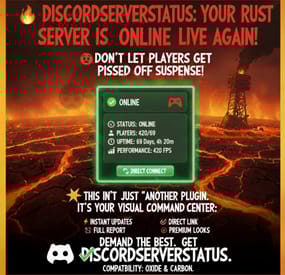
Discord Server Status
Discord Server Status Plugin
Keep your community informed with beautiful, real-time server status updates sent directly to Discord!
🌟 Features
📊 Rich Status Embeds
Beautiful embedded messages with customizable colors
Real-time player count and server information
Server uptime tracking
FPS and performance statistics
Online player list (configurable max count)
⚙️ Flexible Message Management
Edit Mode: Update the same message continuously (clean Discord channel)
New Message Mode: Create fresh messages with optional old message deletion
Auto-save message ID for persistent editing across server restarts
Customizable update intervals (minimum 15 seconds)
🎨 Full Customization
Custom embed colors for online/offline/warning states
Rich emoji support or fallback to Discord emoji codes
Custom server descriptions and footer text
Thumbnail and large image support
Direct connect button with custom text
Message content before embed
🔧 Advanced Options
Server name character limiting
Performance stats display toggle
Total connection counter
Automatic offline message on server shutdown
Configuration migration from older versions
Comprehensive error handling and logging
🛡️ Reliability & Compatibility
Compatible with Oxide and Carbon frameworks
Robust webhook validation
Graceful error handling
Automatic configuration validation
Migration support for config updates
📋 Configuration Options
The plugin offers extensive customization through its configuration file:
Message Handling
Choose between editing existing messages or creating new ones
Auto-update message IDs for seamless operation
Optional deletion of old messages
Display Settings
Toggle timestamps, uptime, connection counts
Enable/disable performance statistics
Rich emoji vs standard Discord emojis
Custom footer text and server descriptions
Advanced Features
Player list display (with max player limit)
Custom thumbnail and banner images
Direct connect URLs with custom headers
Performance monitoring (FPS display)
🚀 Setup Instructions
Install the plugin in your oxide/plugins folder
Get a Discord Webhook URL:
Go to your Discord server settings
Navigate to Integrations → Webhooks
Create a new webhook or use existing
Copy the webhook URL
Configure the plugin:
Edit the config file or let it generate defaults
Add your webhook URL
Customize colors, display options, and features
Restart your server and enjoy automated status updates!
💡 Use Cases
Community Discord Servers: Keep members informed about server status
Multi-Server Networks: Monitor multiple servers in different channels
Server Administrators: Quick server health monitoring
Clan/Group Servers: Show members when it's time to play
🔄 Update Modes
Edit Mode (Recommended)
Keeps Discord channel clean
Updates the same message continuously
Perfect for dedicated status channels
New Message Mode
Creates fresh messages for each update
Optional automatic deletion of old messages
Great for announcement-style updates
🎯 Version 1.2.6 Features
Enhanced configuration system with migration support
Improved error handling and validation
Rich emoji support with fallbacks
Performance statistics display
Total connection tracking
Advanced message management options
Better Discord API compliance
📞 Support
This plugin is actively maintained and includes comprehensive error logging to help diagnose any issues. The configuration system is designed to be user-friendly with clear option descriptions and automatic validation.
Perfect for server owners who want to keep their community engaged and informed!
Compatible with both Oxide and Carbon frameworks. Requires valid Discord webhook URL for operation.
-
$25.00
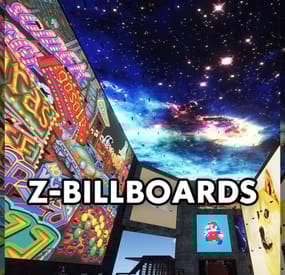
Z-Billboards
The Z-Billboards plugin gives you the ability to make billboards in no-time! With the size of these eye catchers, people WILL see your server info, vending ads or king size memes.
Z-Billboards
The Z-Billboards plugin gives you the ability to make billboards of any size you want!
After creation, it is possible to add any image from the internet like you are used to with other sign mods. Multiple images are possible too. What is the first 10 x 10 sized 5 frame video you paste on your base? With the size of these eye-catchers, people WILL see your server info, vending ads, or king-size memes.
No need to edit the image yourself: When pasting an image to a billboard, it will be resized to fit your billboard perfectly. The process of splitting the image into the right amount of pieces is also done automatically. It is really as simple as pasting a normal image on a single sign.
Added in 1.4.0:
Pass an optional brightness parameter to your paste command to set the brightness of your images:
/billboard sil <url> 0.0 – 1.0 (0 = darkest, 1 = lightest)
Product features
Automatic placement of (neon) signs so they are always aligned No photo editing required, insert the image URL and resizing, splitting and pasting is all automatically done for you 3 tiers + admin tier for limiting the size of billboards Limit the total amount of billboards per tier Animated signs possible, pasting an image will use the next free sign Toggle power & Adjust animation speed with 1 command In theory, no limits regarding total size Adjust brightness of the image in game
Usage
Always start with the top left Large Animated Neon Sign or an XL Picture Frame. After that, look at the sign and create the billboard:
/billboard create <horizontal signs> <vertical signs> To paste an image, look at your billboard and use:
/billboard sil <image url> The plugin will now download your image, stretch it to make it fit the full billboard, cut it in equal parts (the amount of neon signs) and paste every part onto the right neon sign.
Synchronize animated billboards
When pasting more than one image on a billboard made of neon signs, it will start to animate. Because not all images are pasted at the same time, it is possible the neon signs are not synchronized with each other. To solve this problem, wait for the pasting to be done and toggle your billboard’s power or speed. Both commands will ‘restart’ your billboard. All neon signs will start at the first image again.
Brightness
Most images on neon signs look better when they are made a little darker. Since version 1.4.0 there is an optional brightness value you can add to the paste command. The image is pasted at it’s brightest (1.0 or 100%) by default. Lower the value to make an image darker, 0.5 means the image will be pasted at 50% brightness. To use this functionality, simply add the brightness after the URL.
Commands
/billboard create 2 2 /billboard sil <image url> /billboard sil <image url> [brightness 0.0 - 1.0] /billboard toggle --> toggle all power on/off (this also syncs animated signs) /billboard destroy --> removes your billboard /billboard speed 1.5 --> changes speed of animated signs /billboard info --> get billboard ID and location
Console commands
billboard.toggle <billboard ID> --> power on/off billboard (needs permission zbillboards.console)
Configuration
The mod comes with 4 different permissions to determine the maximum size of a billboard per player (group). It also has some other settings to tweak performance:
{ "Maximum amount of signs in total (width x height) Tier 1": 6, "Maximum amount of billboards (any size, 0 = unlimited) Tier 1": 1, "Maximum amount of signs in total (width x height) Tier 2": 12, "Maximum amount of billboards (any size, 0 = unlimited) Tier 2": 3, "Maximum amount of signs in total (width x height) Tier 3": 16, "Maximum amount of billboards (any size, 0 = unlimited) Tier 3": 5, "Maximum amount of signs in total (width x height) Admin": 150, "Width and height of each neon sign image in pixels": 150, --> higher has better quality but uses more performance "Lock signs to owner after creating billboard": true, "Give back a Neon Sign when a billboard is removed with the destroy command": true, "Seconds between pasting images": 0.25 --> pasting too many image parts too fast will product lag, "Destroy billboard when any of it's signs gets removed, picked up or destroyed": true --> this prevents players from duplicating and selling their signs on the black market } Above (default) settings would mean a player with tier 1 can place a maximum of 1 billboard, containing 6 or less signs.
A tier 3 player can place 5 billboards, each made of maximal 16 signs.
Permissions
zbillboards.admin zbillboards.console --> to use console commands zbillboards.tier1 zbillboards.tier2 zbillboards.tier3 Performance
I managed to create billboards as big as 12 x 12 and they perform very well. Do keep in mind that the process of downloading, resizing and splitting the images is very heavy for your server. Billboards this size WILL produce lag and I recommend to let only admins have the ability to make them this big.
Since version 1.3.0, normal XL Picture Frames are supported. These signs do a lot better in terms of performance!
Support
If you have any problems, suggestions or questions, then please let me know!
The quickest way to contact me is on Discord (josh.z) or join my Discord server to meet and discuss with other victims of my plugins!
https://discord.gg/7ApTVphM7f
-
$14.99
Floor Drops Event
By Iftebinjan in Plugins
✨ What's New
In this new plugin update to v2, everything has been redone from scratch, fixing many bugs and improving many features!
A new user interface, much more elegant and easier to use; Plugin performance is 10x faster for users and for the server; Console to allow admins to start the event without joining in the game; It is now possible to break the ground with arrows; Now you can play alone! To win, just stay alive until the last foundation is destroyed! 📌 Commands
Note: You can change/add new commands in the plugin configuration file.
Note 2: The console and chat commands will be the same, just remove the '/' before using them in the console
/floordrops start - To start the event
/floordrops stop - To stop the event
/floordrops join - To join the event
/floordrops leave - To leave the event
🚀 API & Hooks
You can use this simple API to communicate with your plugin easily:
⚙️ Configurations
💬 Support