

About Raidable Bases & Boats Loot Editor
UI Loot Tables Editor for Raidable Bases plugin by Nivex and Raidable Boats plugin by VisEntities.
Features
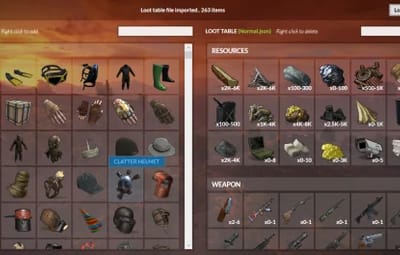
- Import/Export loot table json file
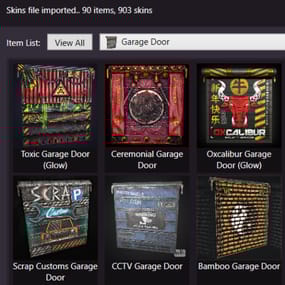
- Complete database of game items (Categorized, friendly names and pics)
- Add/Delete loot table items
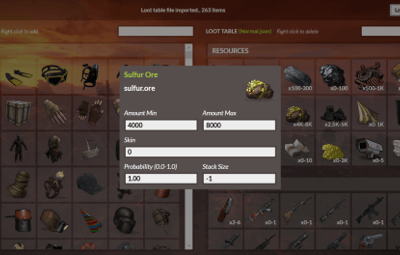
- Edit loot table items spawn details
- Bulk edit/delete items
- Bulk multiply items values (min amount, max amount, stack size)
How to
- Download and extract RustRBLootEditor-v***.zip
- Run RustRBLootEditor.exe (having trouble running?, make sure you download and install .NET 9.0)
- Click Load, and locate your desired loot table file to be modified in "oxide\data\RaidableBases\.." or "oxide\data\RaidableBoats\LootTables\.."
- Now you can move game items into your loot table or remove them using mouse right click (you can use search box for filtering)
- Edit loot table item Amount Min/Max and Skin id using mouse left click, change amounts, then click anywhere outside the modal to collapse
- Click Save and replace your file, and you're done (or save as draft with a new name)
Important Disclaimer – Facepunch TOS Update (Effective August 7, 2025)
Facepunch has updated its Terms of Service for Servers, effective August 7th, to explicitly prohibit granting any DLC items or paid workshop skins to players who do not own them.
As a result:
- Server owners are fully responsible for ensuring that no DLC items or market-purchased skins are distributed via loot tables to unauthorized players.
- Violating this policy may result in your server being delisted or banned from the server list.
How This Editor Helps
This Editor includes features to make compliance easier:
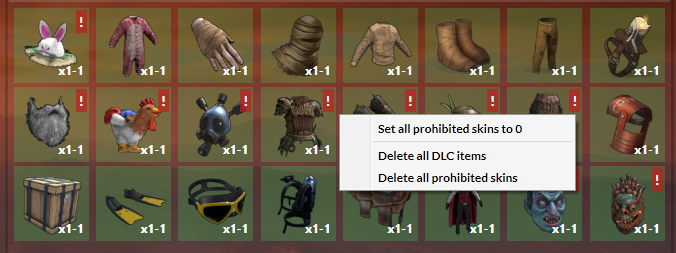
- DLC and Paid Workshop Skin Identification: The editor highlights items that are DLC or use paid skins, so you can easily spot them.
-
Quick Cleanup Tools:
- Delete All Prohibited Items
- Delete All Prohibited Skins
- Reset Paid Skins to Default
You can use these features to quickly clean up your loot files and stay compliant.